Normal view

There are new articles available, click to refresh the page.
Before yesterdayKali Linux

Kali Linux 2026.1 Release (2026 Theme & BackTrack Mode)

23 March 2026 at 20:00

New year, new release - Kali 2026.1 is here! There is everything from a fresh coat of paint to a nod to our roots, with normal ongoing improvements. Building on from December’s 2025.4, the summary of the changelog:


2026 Theme Refresh

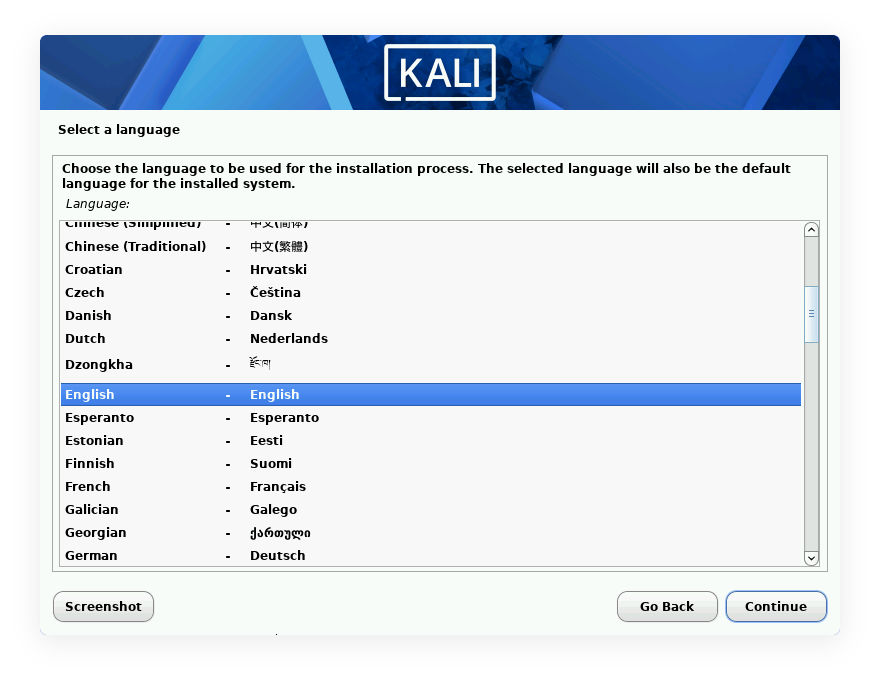
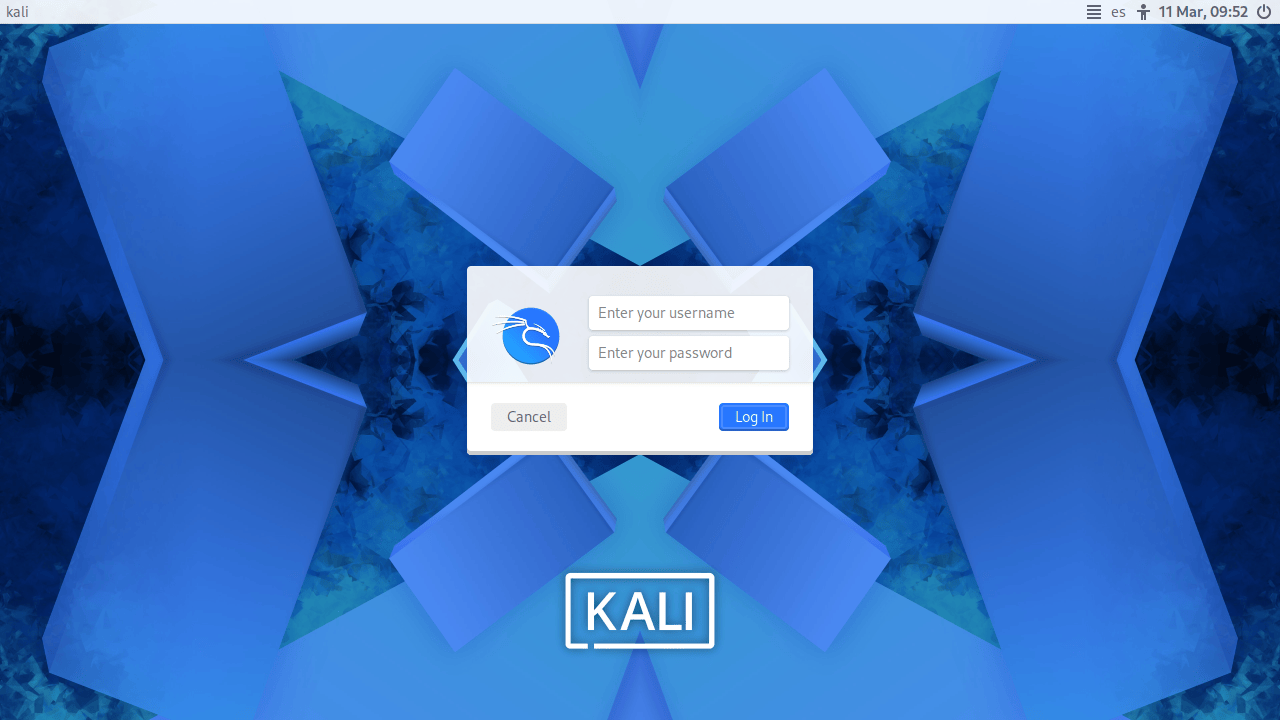
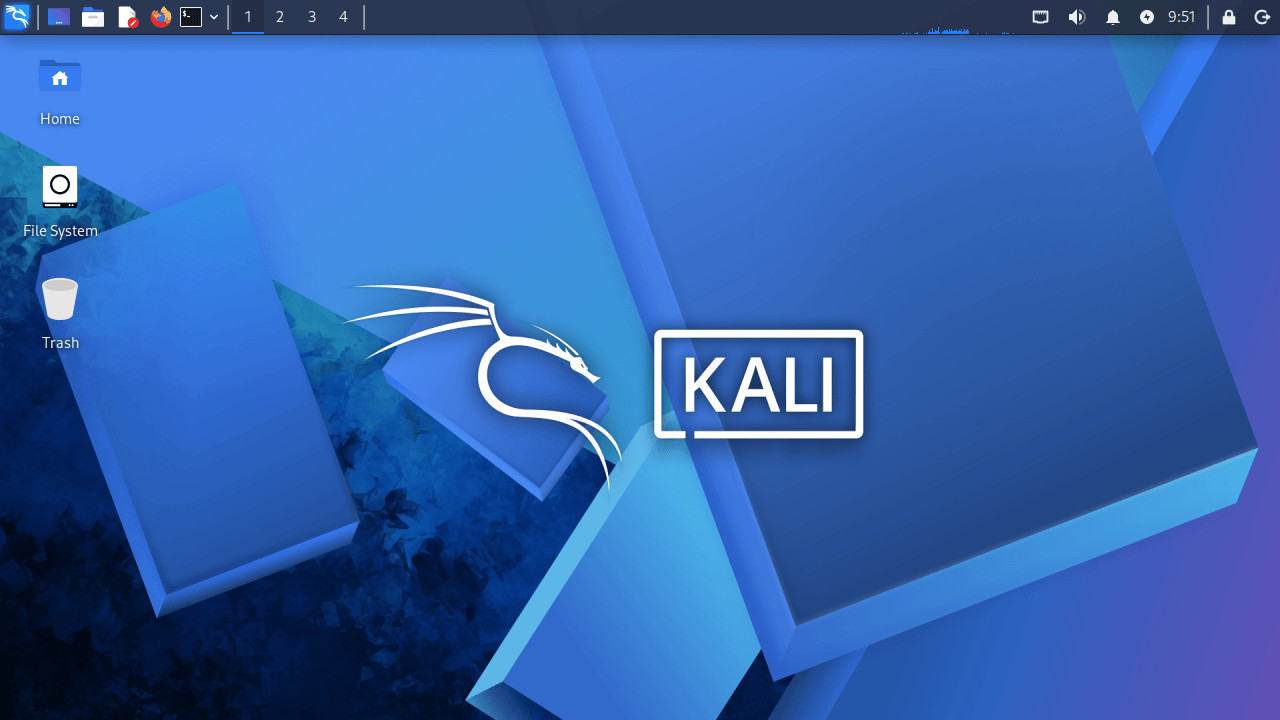
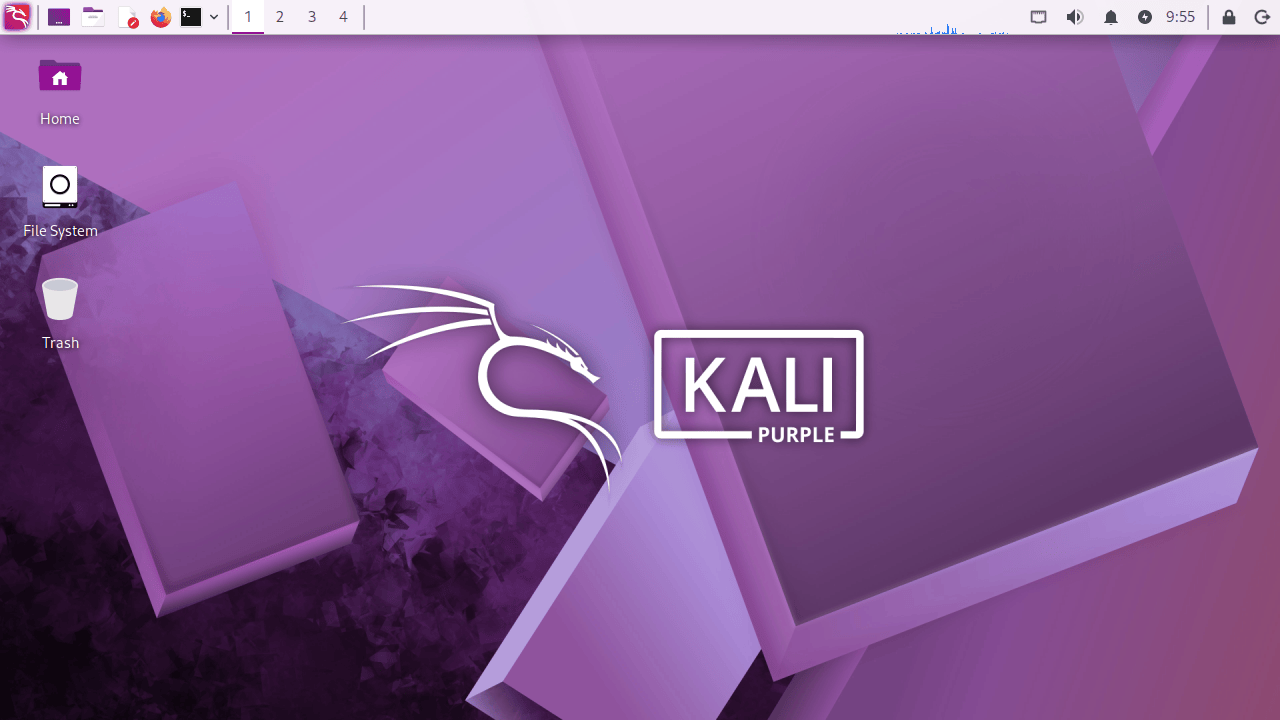
As with previous 20xx.1 releases, this major update brings our annual theme refresh, a long-standing tradition that keeps the Kali Linux interface as modern and innovative. This year’s release unveils a brand-new theme from the moment you boot. Everything from the boot menu, installer to the login display, and a fresh set of desktop wallpapers.

Boot Animation

The changes to the boot animation are subtle, but now the animation is fixed for live images, where it used to get stuck at the beginning, showing only the tail. It will also restart the loop in case the boot process takes longer, making it look smoother.


Boot Menu
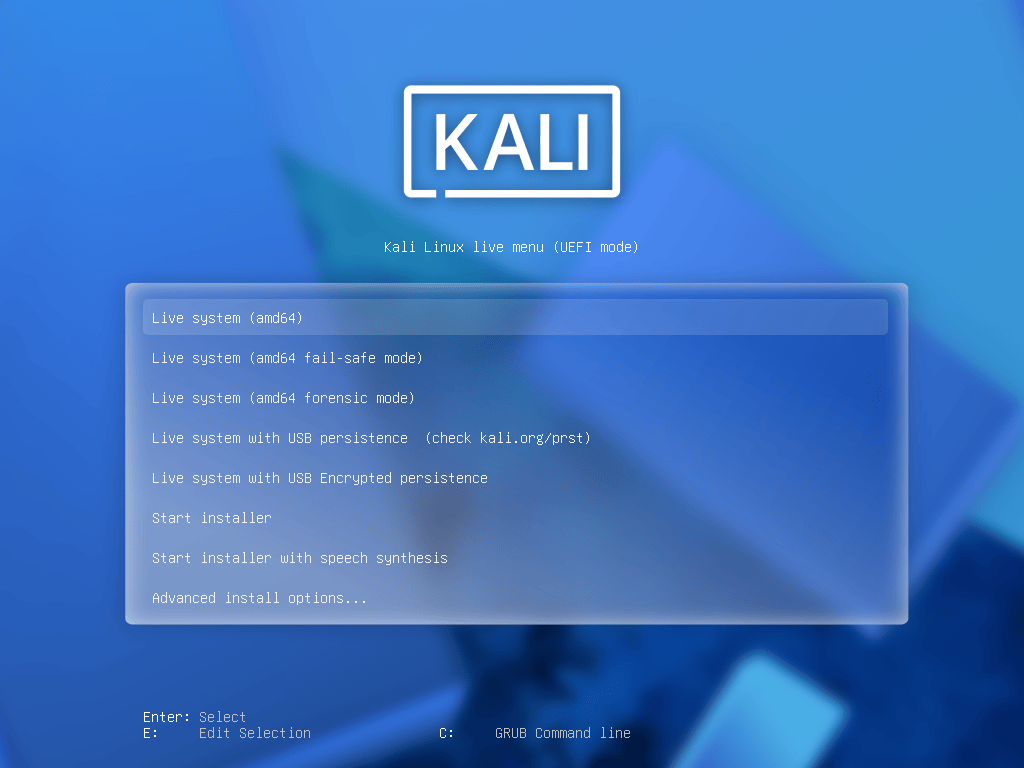
Kali 2026 Default Grub Boot Menu


Graphical Installer

Kali 2026 Graphical Installer


Login

Kali 2026 Default Login


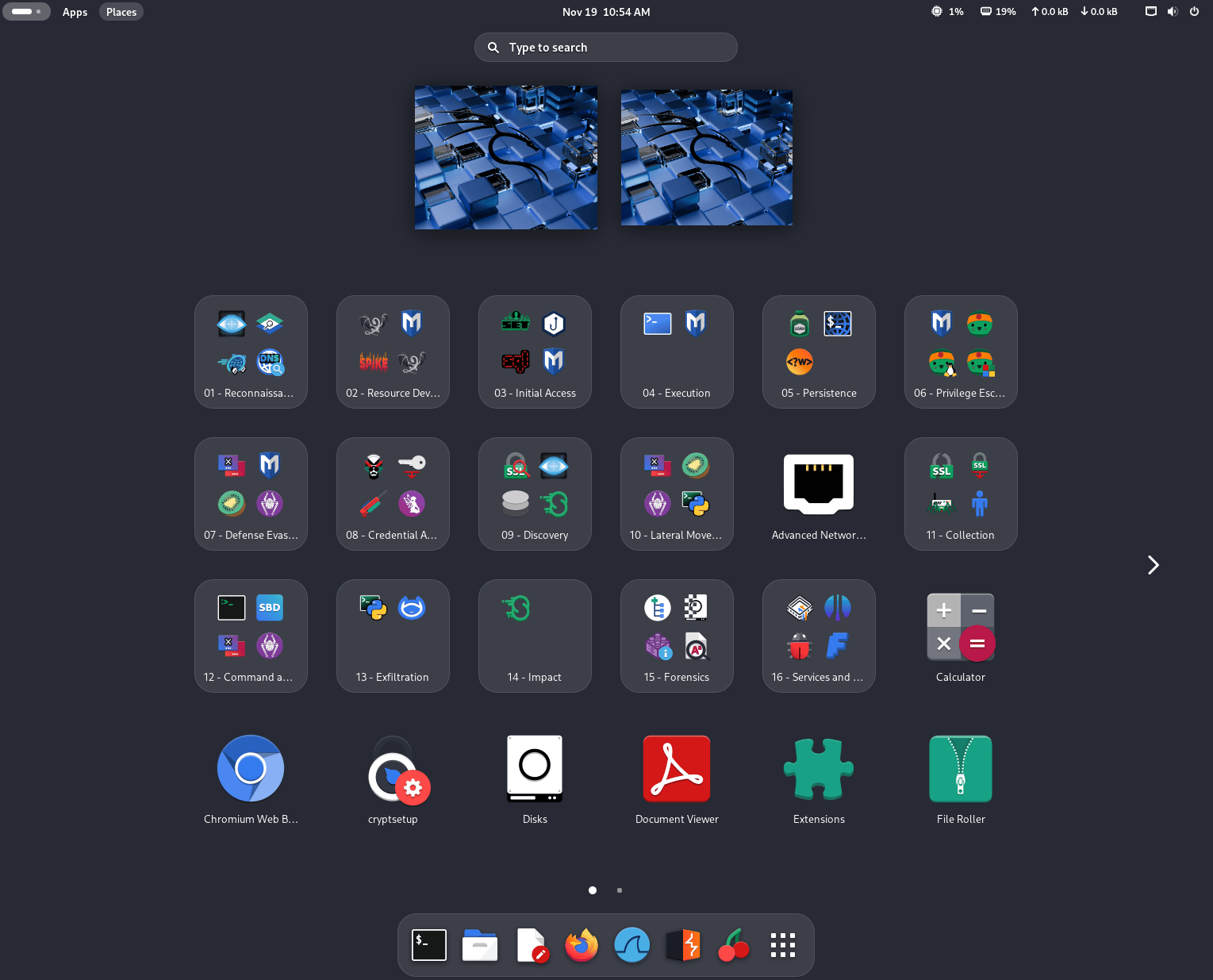
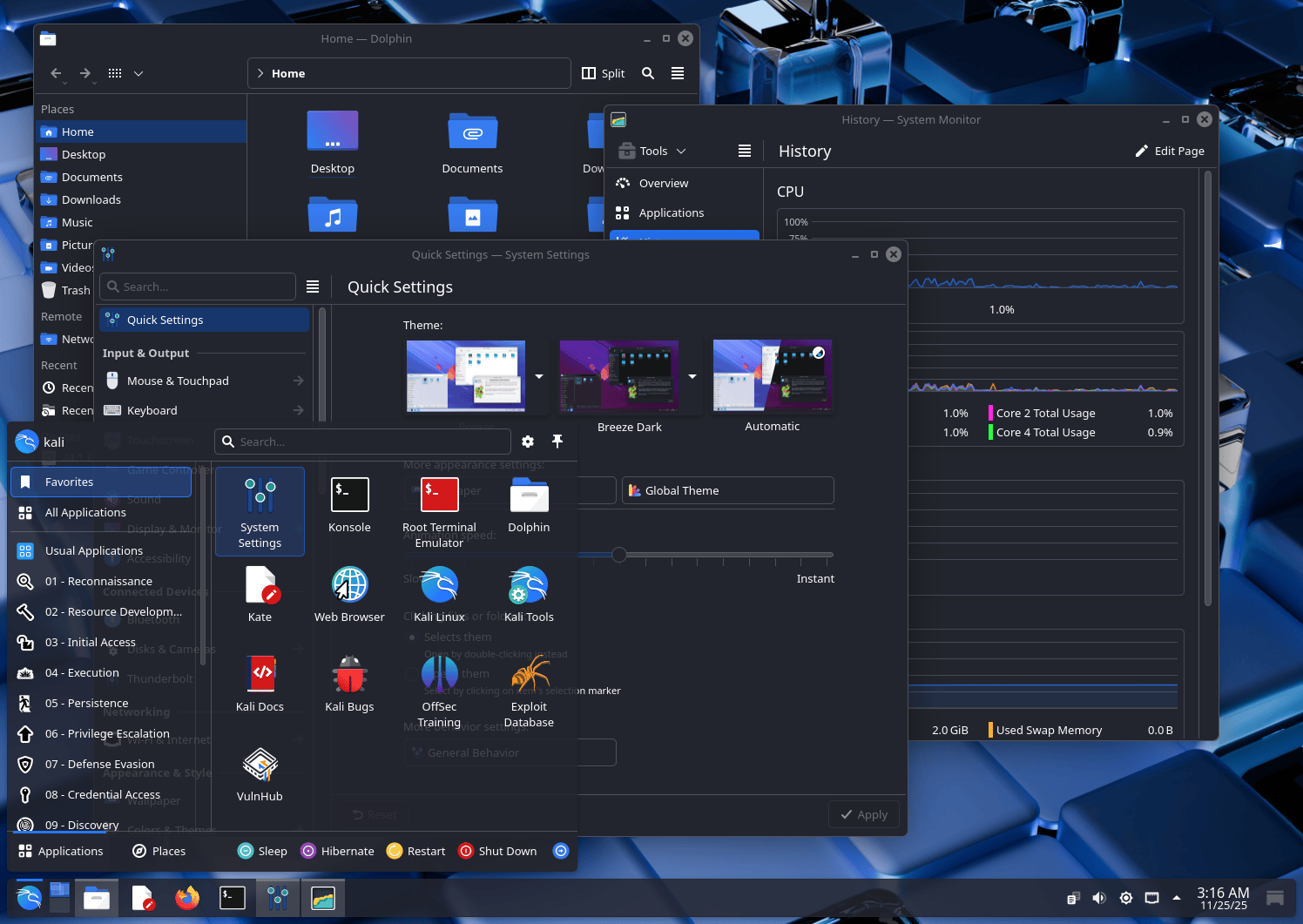
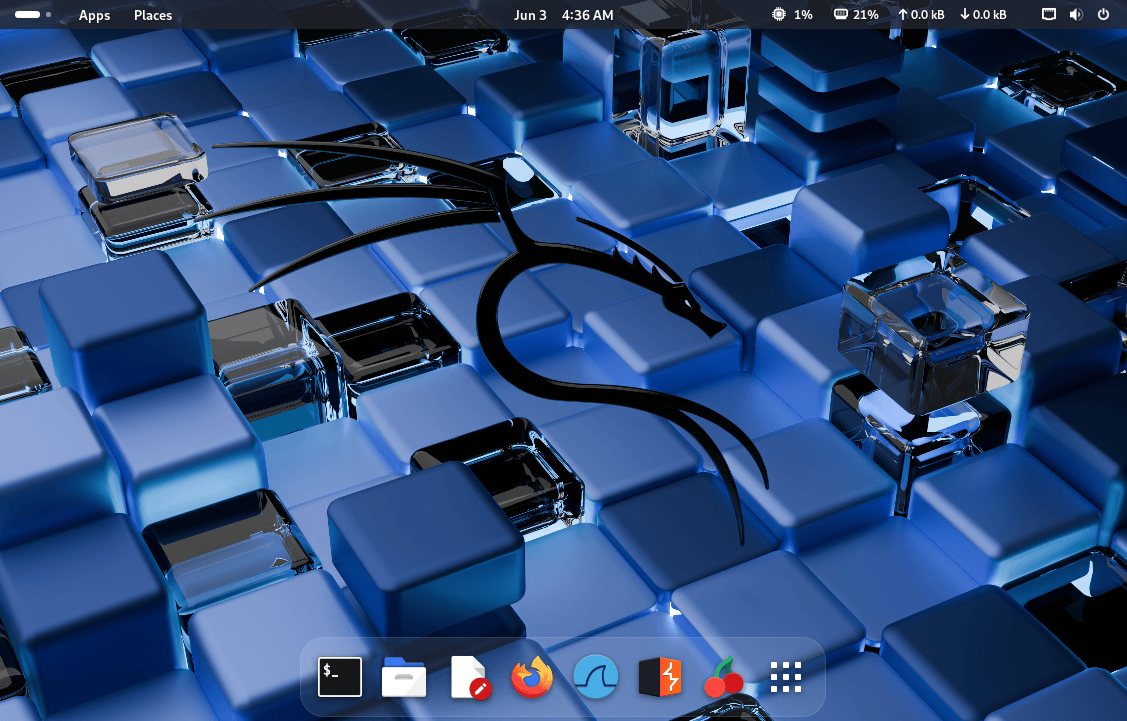
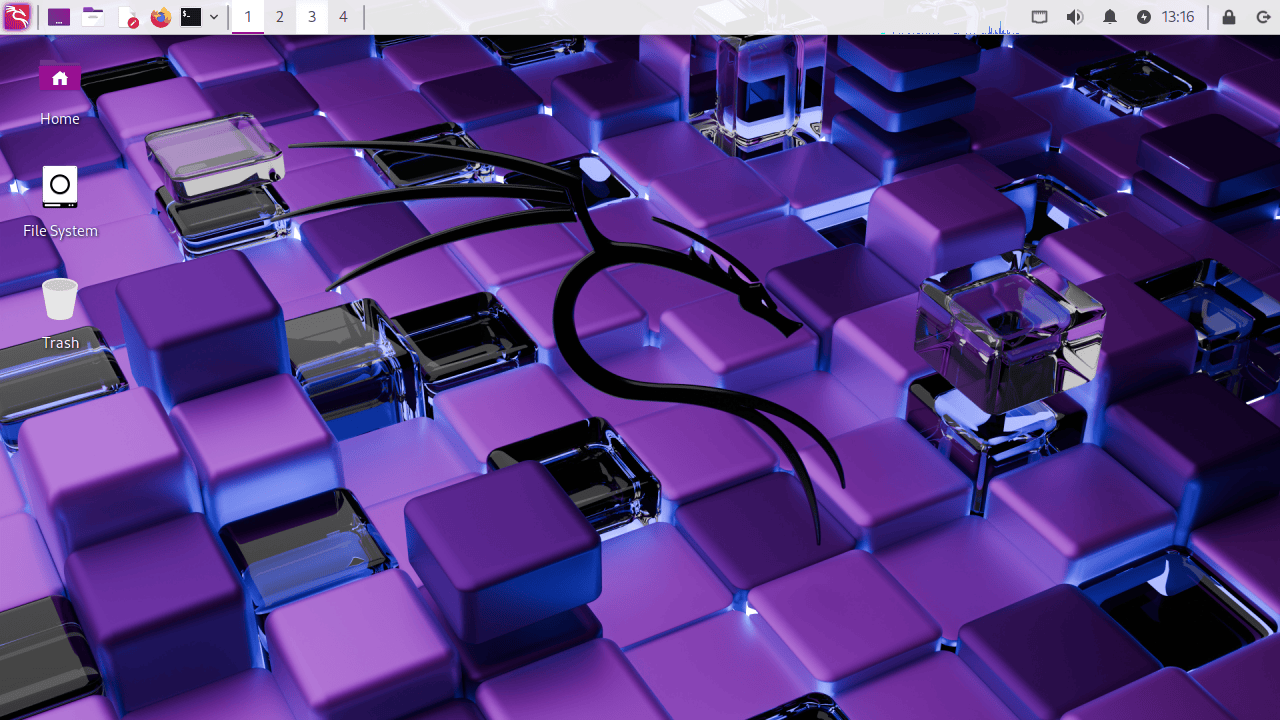
Desktop

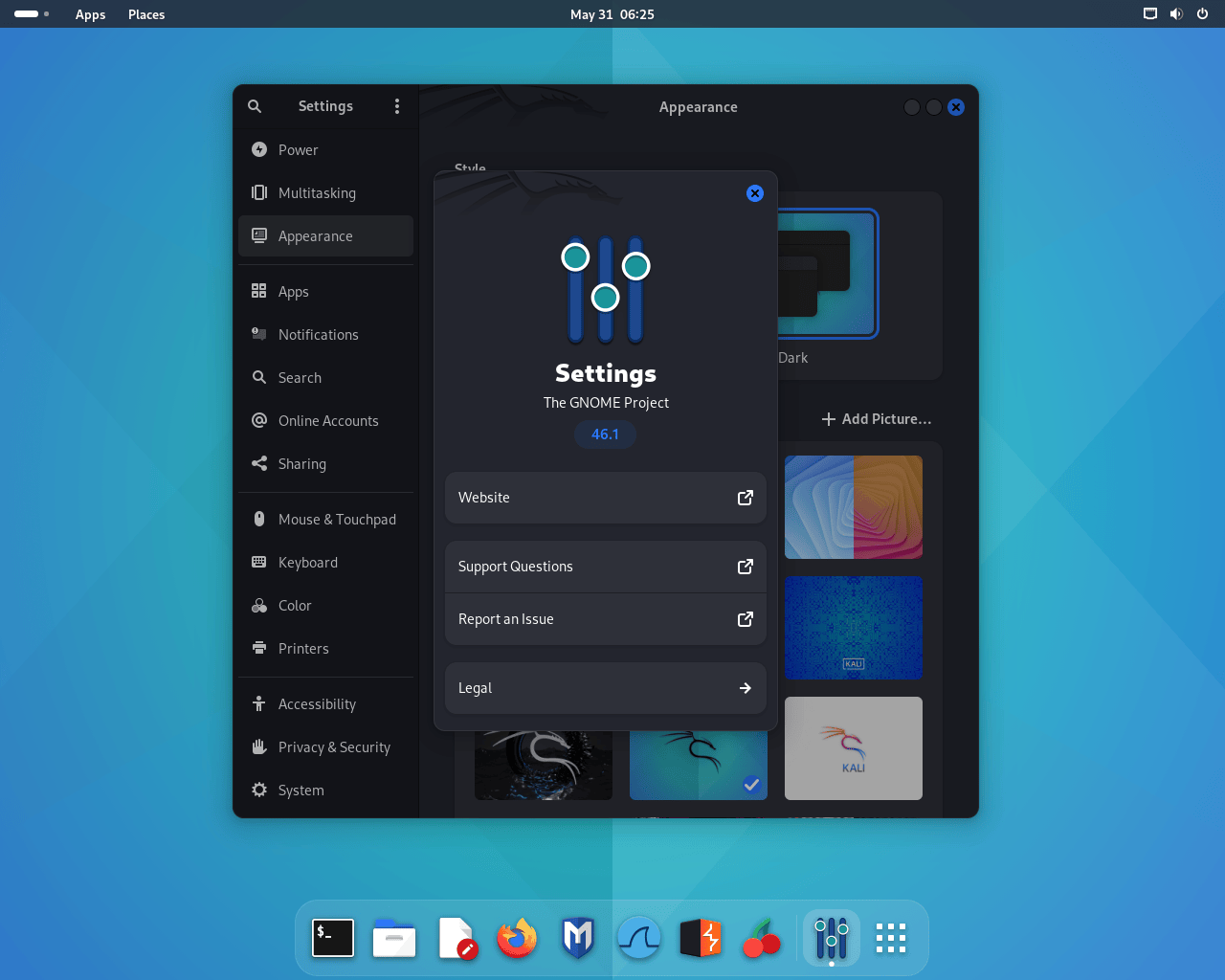
Kali 2026 Default Desktop


Kali Purple Desktop

Kali Purple 2026 Default Desktop


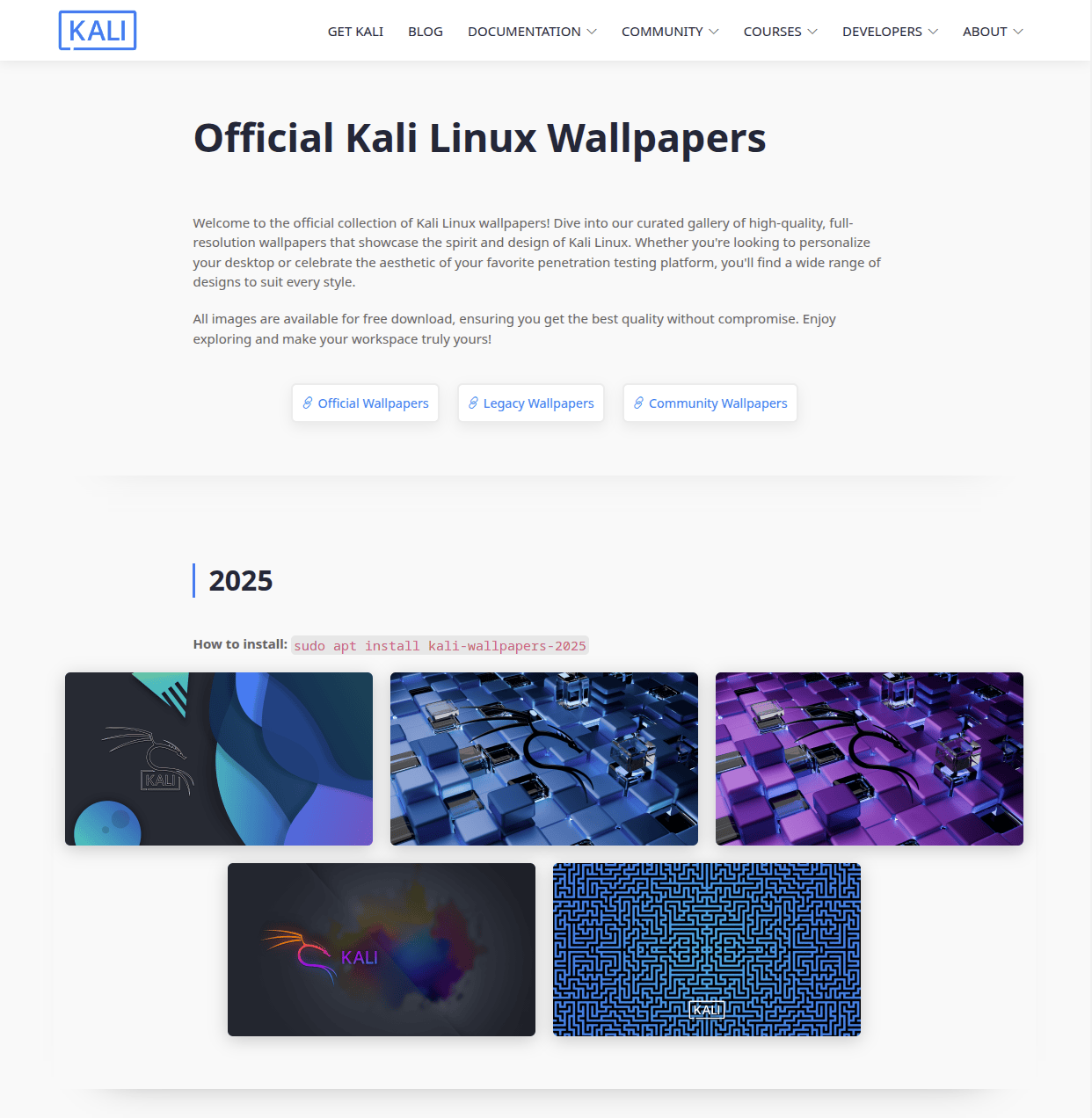
New Wallpapers

New Kali Wallpapers For 2026


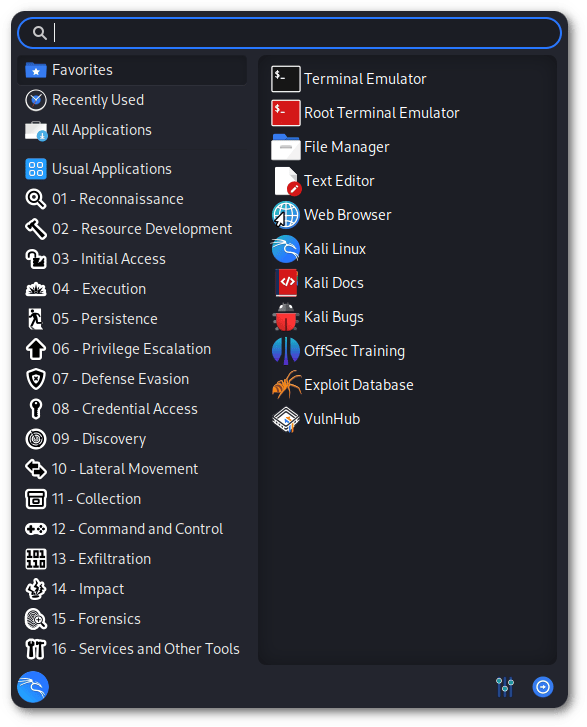
BackTrack Mode For Kali-Undercover

2026 marks the 20th anniversary of BackTrack Linux, the predecessor to Kali. To celebrate this milestone, we wanted to bring back some nostalgia for longtime users of this legendary cybersecurity distribution by adding a “BackTrack mode” to kali-undercover. This mode transforms the desktop to recreate the look and feel of BackTrack 5, with the same wallpaper, colors, and window themes.

You can run it directly from the menu or by running kali-undercover --backtrack in the terminal. You can switch back to the default Kali desktop (or not) by running it again.


Here is a screenshot of BackTrack 5, so you can compare it with our theme:
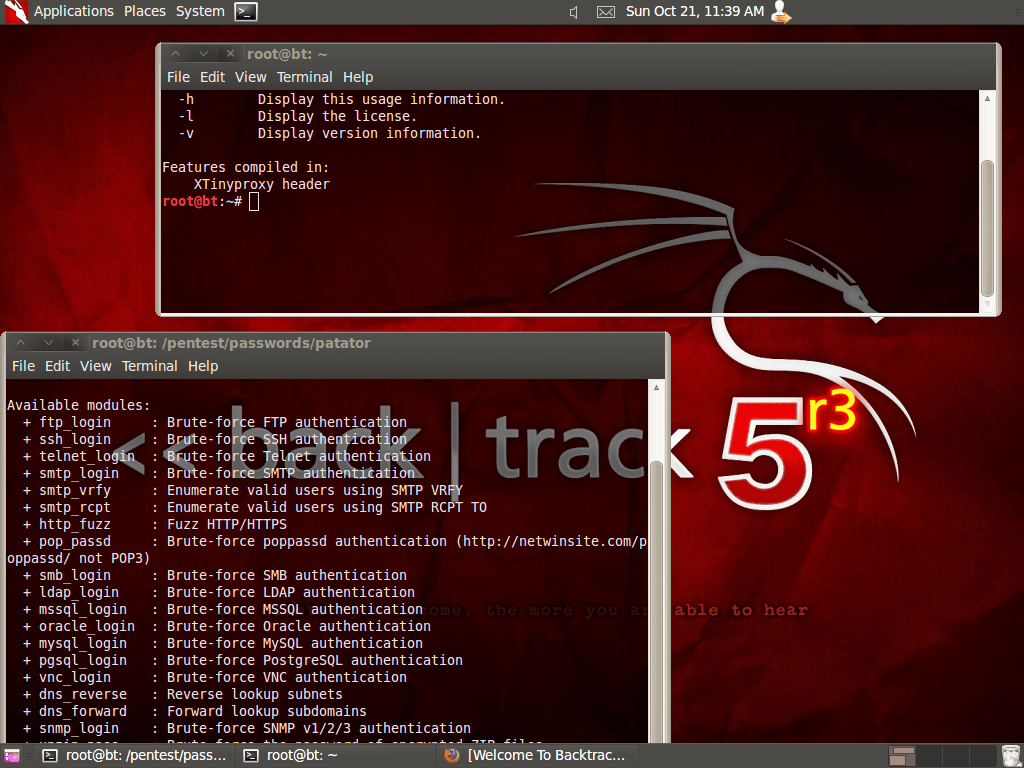
BackTrack Linux 5r3

Kali’s 13th Birthday Event

Kali recently had our 13th birthday. To celebrate this, our discord had a little event and prize give away to mark the occasion. Shout-out to the people who managed to solve it already:

  • @AI Program
  • @Arszilla
  • @UltraStrawberryDream

Even though the top 3 places and prizes have been claimed, we will keep it open for a little longer. To help you get started, Kali is always getting new tools, it can take some patience to learn about each of them.

The Quieter You Become, The More You Are Able To Hear

Thanks to @BeamOfOldLight and @cr4mb0 from the DAFreqs for creating the puzzles!

New Tools in Kali

It would not be a Kali release without some new tools! Here is a quick rundown of the 8 new tools which have been added (to the network repositories):

  • AdaptixC2 - Extensible post-exploitation and adversarial emulation framework
  • Atomic-Operator - Execute Atomic Red Team tests across multiple operating system environments
  • Fluxion - Security auditing and social-engineering research tool
  • GEF - Modern experience for GDB with advanced debugging capabilities
  • MetasploitMCP - MCP server for Metasploit
  • SSTImap - Automatic SSTI detection tool with interactive interface
  • WPProbe - Fast WordPress plugin enumeration tool
  • XSStrike - Advanced XSS scanner

There have been a total of 25 new packages, 9 removed, and 183 updates. On top of that, we also bump the Kali kernel to 6.18.

Known Issues

Bad news for users of the kali-tools-sdr metapackage (aka. Software Defined Radio): the GNU Radio ecosystem is not in great shape in this release. Tools like gr-air-modes or gqrx-sdr are known to be broken. Maybe other related tools as well. We expect it to be fixed in the next release though, so no need to panic!

Kali NetHunter Updates

We are starting this year fresh with some cleaning, providing improvements to the Kali NetHunter app, such as the WPS scan bug, HID permission check, or the back button issue.


Redmi Note 8 (Ginkgo)

Redmi Note 8 (Ginkgo)

The Redmi Note 8 now has a new kernel for Android 16 by @ikteach.


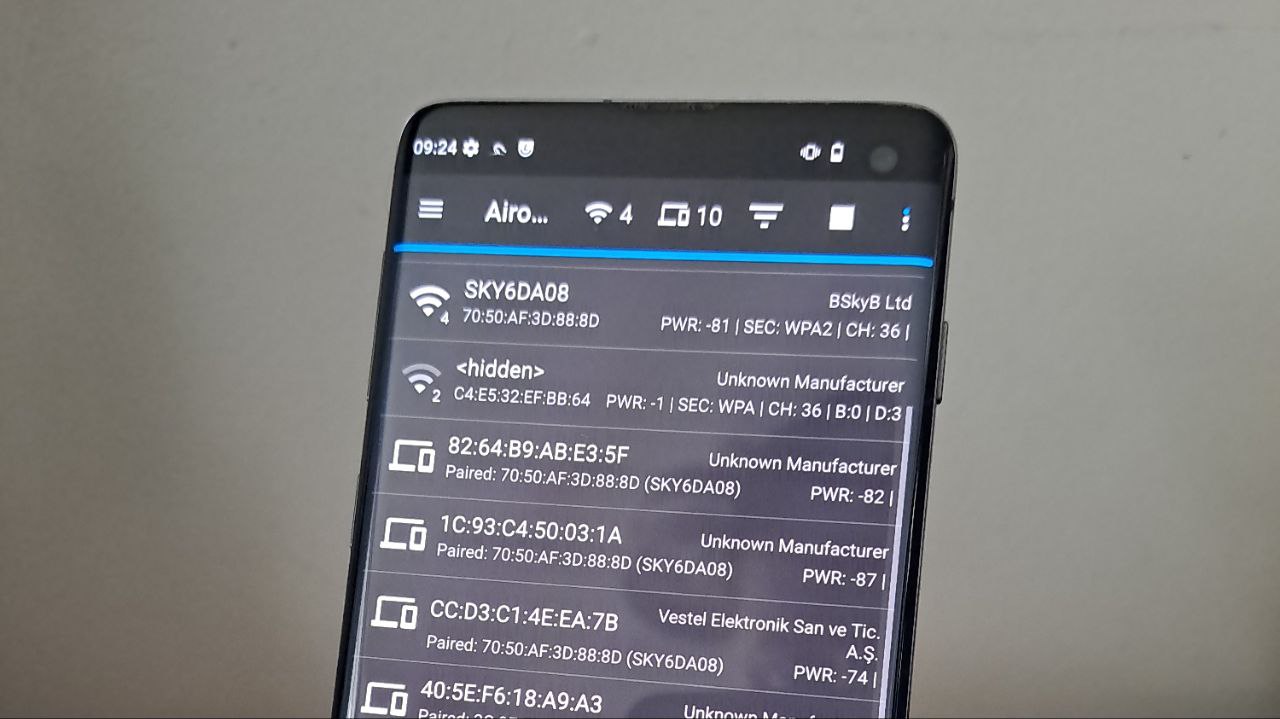
Wardriving with Samsung S10

The Samsung S10 series are now even happier thanks to @Quazi Anwar, his patch of libnexmonkali fixes the use of internal wireless firmware in Kali chroot. That means reaver, bully, and even kismet is finally working!
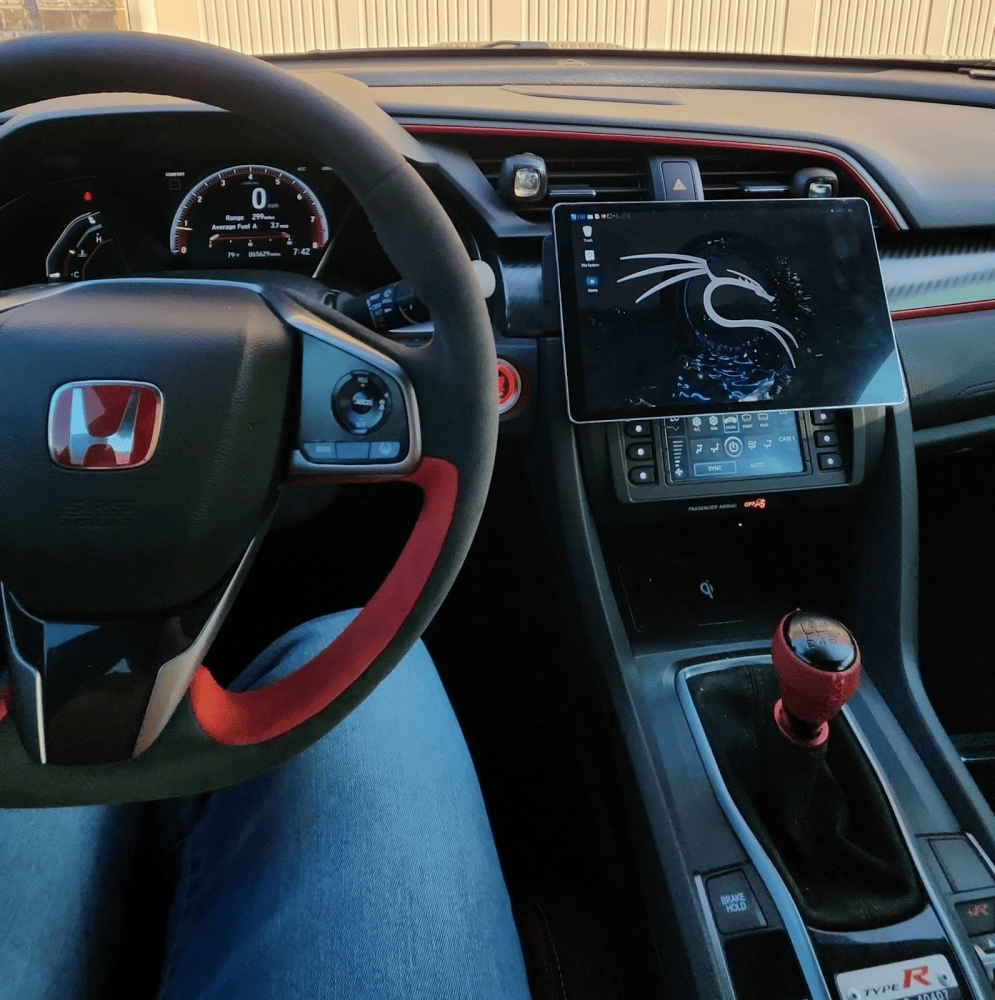

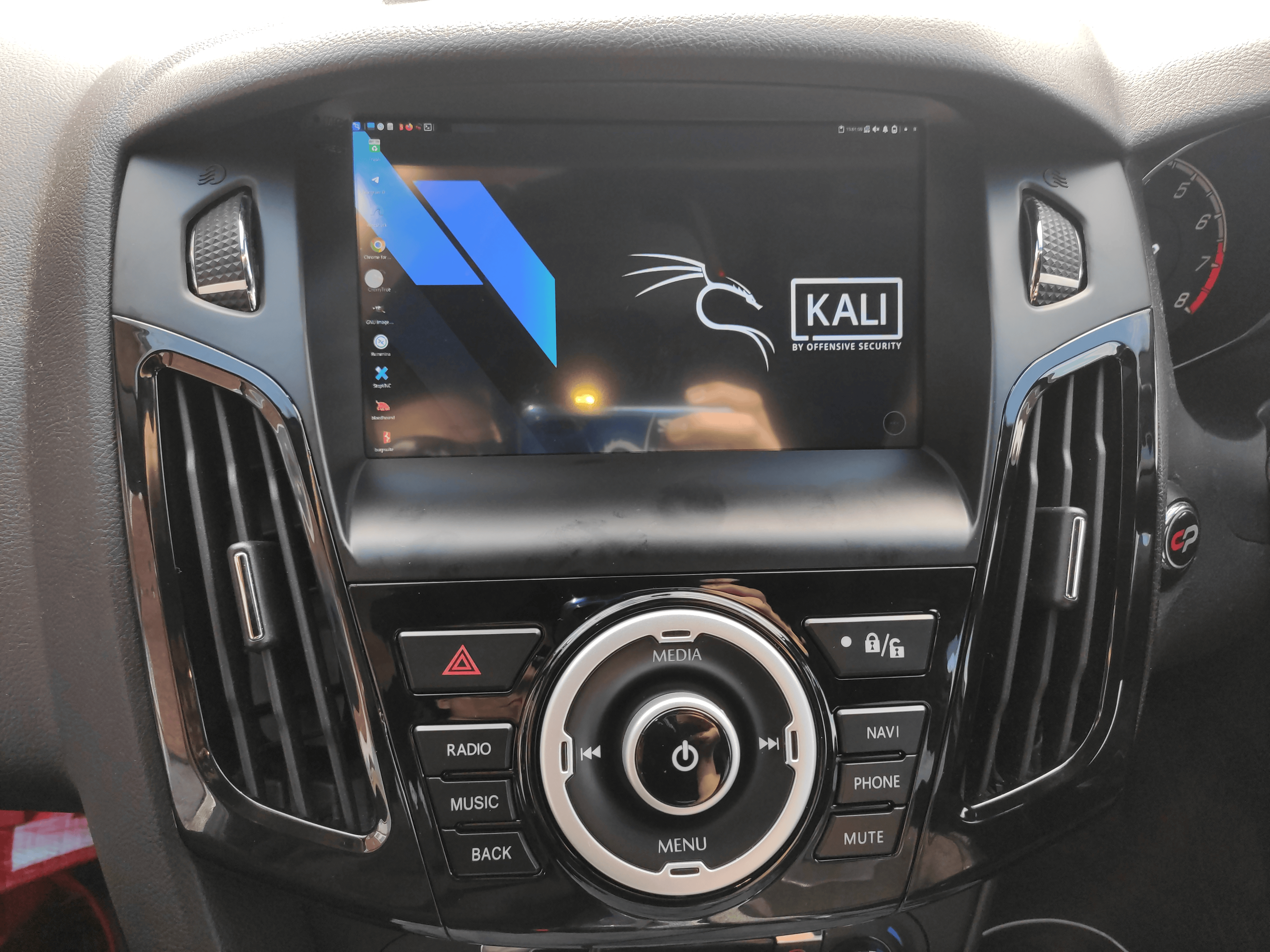
NetHunter & Civic Type-R

KITT is alive and he is hacking all the things!

Kristopher Wilson has turned his Civic Type-R into a pentesting tool using Kali NetHunter rootless on 4 wheels.

And if AI is your thing, you can read what he is done using that.
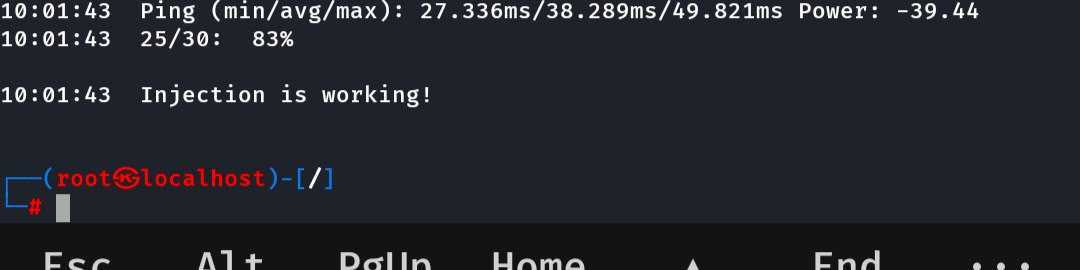

QCACLD v3.0 Injection

Wireless Injection on QCACLD-3.0

Drumroll - the first working patch for injection is landed by @Loukious after several years! That will potentially unlock the ability to port the patch to most of phones that use Qualcomm chipsets. If you would like to try it on your kernel source, you can find the commit here.


Kali NetHunter Podcast - Nexmon Team

Meet the Nexmon team! The masters behind wireless injection on internal chipsets. If you ever wondered who are they, and how they started working on firmware reversing, @yesimxev had a great talk on episode 2 with @Matthias Schulz and @Jakob Link. We appreciate them for coming onto their first podcast ever! The session is also available on Spotify if you want to listen on the go.

Kali Blog Recap

Since our last release, we have published the following blog posts:

Community Shout-Outs

These are members of the community who have supported Kali and the team throughout the last release. We want to recognize and thank them for their contributions (we believe in giving credit where it is due!):

Packaging:

Kali Documentation:

Anyone and everyone is welcomed to get involved!


@Tristram has a few words they would like to say:

As a defender, my role centers on protecting organizations, strengthening systems, and continuously identifying opportunities for improvement. But effective security is not built by defenders alone. It is shaped through the combined efforts of both blue teamers and penetration testers, each bringing a different perspective to the same mission. Where one side looks to defend, the other works to challenge, expose gaps, and ultimately make those defenses stronger.

That relationship is critical. Penetration testers help uncover weaknesses before adversaries do, while defenders take those insights and turn them into actionable improvements. When that exchange is rooted in respect and a shared purpose, it creates a feedback loop that benefits the entire cybersecurity ecosystem. The result is not just better tools or processes, but a more resilient and adaptive security posture.

With that in mind, I want to call out @Aura and @Greenjam for their contributions to the Kali Linux Community. Their work represents the best of what this collaboration should look like. Through their willingness to share knowledge, support others, and contribute meaningfully to the community, they help bridge the gap between offensive and defensive security in a way that strengthens both sides.

In a field that is constantly evolving, it is this kind of collaboration and mindset that makes the difference. Whether you are on the blue team or working in an offensive role, we are all working toward the same goal. Contributions like theirs help ensure that we continue to learn from one another, improve together, and build a stronger, more unified cybersecurity community.

With love,

Tristram

New Kali Mirrors

We welcomed 4 new mirrors during this release cycle:

If you have the disk space and bandwidth, we always welcome new mirrors.


Get Kali Linux 2026.1

Fresh Images: So what are you waiting for? Go get Kali already!

Seasoned Kali Linux users are already aware of this, but for those who are not, we also produce weekly builds that you can use. If you cannot wait for our next release and you want the latest packages (or bug fixes) when you download the image, you can just use the weekly image instead. This way you will have fewer updates to do. Just know that these are automated builds that we do, not QA like we do for our standard release images. But we gladly take bug reports about those images because we want any issues to be fixed before our next release!

Existing Installs: If you already have an existing Kali Linux installation, remember you can always do a quick update:

┌──(kali㉿kali)-[~]
└─$ echo "deb http://http.kali.org/kali kali-rolling main contrib non-free non-free-firmware" | sudo tee /etc/apt/sources.list
[...]
┌──(kali㉿kali)-[~]
└─$ sudo apt update && sudo apt -y full-upgrade
[...]
┌──(kali㉿kali)-[~]
└─$ cp -vrbi /etc/skel/. ~/
[...]
┌──(kali㉿kali)-[~]
└─$ [ -f /var/run/reboot-required ] && sudo reboot -f

You should now be on Kali Linux 2026.1. We can do a quick check by doing:

┌──(kali㉿kali)-[~]
└─$ grep VERSION /etc/os-release
VERSION="2026.1"
VERSION_ID="2026.1"
VERSION_CODENAME="kali-rolling"
┌──(kali㉿kali)-[~]
└─$ uname -v
#1 SMP PREEMPT_DYNAMIC Kali 6.18.12-1kali1 (2026-02-25)
┌──(kali㉿kali)-[~]
└─$ uname -r
6.18.12+kali-amd64

NOTE: The output of uname -r may be different depending on the system architecture.


As always, should you come across any bugs in Kali, please submit a report on our bug tracker. We will never be able to fix what we do not know is broken! And Social networks are not bug trackers!


Want to keep up-to-date easier? We’ve got you!

Kali & LLM: Completely local with Ollama & 5ire

9 March 2026 at 20:00

We are extending our LLM-driven Kali series, where natural language replaces manual command input. This time however, we are doing everything locally and offline. We are using our own hardware and not relying on any 3rd party services/SaaS.

Note: Local LLMs are hardware-hungry. The cost factor here is buying hardware and the running costs. If you have anything that you can re-use, great!

GPU (Nvidia)

Let’s first find out what our hardware is:

$ lspci | grep -i vga
07:00.0 VGA compatible controller: NVIDIA Corporation GP106 [GeForce GTX 1060 6GB] (rev a1)
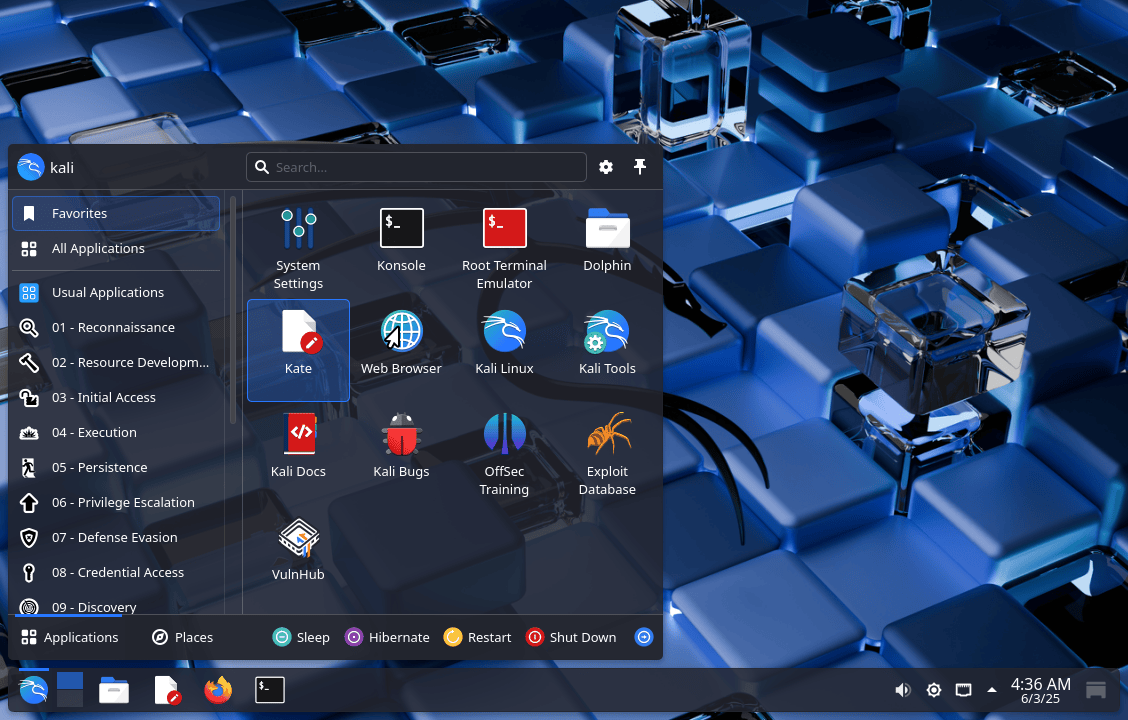
$

NVIDIA GeForce GTX 1060 (6 GB).

Drivers

We will check that our hardware is ready by making sure “non-free” proprietary drivers are installed. The non-free option allows for CUDA support which the open-source, nouveau, drivers lack. At the same time, make sure our Kernel and headers are at the latest version too:

$ sudo apt update
[...]
$
$ sudo apt install -y linux-image-$(dpkg --print-architecture) linux-headers-$(dpkg --print-architecture) nvidia-driver nvidia-smi
[...]
│ Conflicting nouveau kernel module loaded │
│ The free nouveau kernel module is currently loaded and conflicts with the non-free nvidia kernel module. │
│ The easiest way to fix this is to reboot the machine once the installation has finished. |
[...]
$
$ sudo reboot

Using a different GPU manufacture, such as AMD or Intel etc, is out of scope for this guide.

Testing

Once the box is back up and we are logged in again, we can do a quick check with nvidia-smi:

$ lspci -s 07:00.0 -v | grep Kernel
Kernel driver in use: nvidia
Kernel modules: nvidia
$
$ lsmod | grep '^nouveau'
$
$ lsmod | grep '^nvidia'
nvidia_drm 126976 2
nvidia_modeset 1605632 3 nvidia_drm
nvidia 60710912 29 nvidia_drm,nvidia_modeset
$
$ nvidia-smi
Tue Jan 27 14:33:31 2026
+-----------------------------------------------------------------------------------------+
| NVIDIA-SMI 550.163.01 Driver Version: 550.163.01 CUDA Version: 12.4 |
|-----------------------------------------+------------------------+----------------------+
| GPU Name Persistence-M | Bus-Id Disp.A | Volatile Uncorr. ECC |
| Fan Temp Perf Pwr:Usage/Cap | Memory-Usage | GPU-Util Compute M. |
| | | MIG M. |
|=========================================+========================+======================|
| 0 NVIDIA GeForce GTX 1060 6GB Off | 00000000:07:00.0 On | N/A |
| 0% 30C P8 6W / 120W | 25MiB / 6144MiB | 0% Default |
| | | N/A |
+-----------------------------------------+------------------------+----------------------+
+-----------------------------------------------------------------------------------------+
| Processes: |
| GPU GI CI PID Type Process name GPU Memory |
| ID ID Usage |
|=========================================================================================|
| 0 N/A N/A 969 G /usr/lib/xorg/Xorg 21MiB |
+-----------------------------------------------------------------------------------------+
$

Everything looks to be in order.

Ollama

Next up, we need to install Ollama. Ollama will allow us to load our local LLM. Ollama is a wrapper for llama.cpp. 5ire supports Ollama, but not llama.cpp.

If you do not want to-do curl|bash, see the manual method, or follow below for v0.15.2 (latest at the time of writing, 2026-01-27):

$ sudo apt install -y curl
[...]
$
$ curl --fail --location https://ollama.com/download/ollama-linux-amd64.tar.zst > /tmp/ollama-linux-amd64.tar.zst
[...]
$
$ file /tmp/ollama-linux-amd64.tar.zst
/tmp/ollama-linux-amd64.tar.zst: Zstandard compressed data (v0.8+), Dictionary ID: None
$ sha512sum /tmp/ollama-linux-amd64.tar.zst
1c16259de4898a694ac23e7d4a3038dc3aebbbb8247cf30a05f5c84f2bde573294e8e612f3a9d5042201ebfe148f5b7fe64acc50f5478d3453f62f85d44593a1 /tmp/ollama-linux-amd64.tar.zst
$
$ sudo tar x -v --zstd -C /usr -f /tmp/ollama-linux-amd64.tar.zst
[...]
$
$ sudo useradd -r -s /bin/false -U -m -d /usr/share/ollama ollama
$
$ sudo usermod -a -G ollama $(whoami)
$
$ cat <<EOF | sudo tee /etc/systemd/system/ollama.service >/dev/null
[Unit]
Description=Ollama Service
After=network-online.target
[Service]
ExecStart=/usr/bin/ollama serve
User=ollama
Group=ollama
Restart=always
RestartSec=3
Environment="PATH=\$PATH"
[Install]
WantedBy=multi-user.target
EOF
$
$ sudo systemctl daemon-reload
$
$ sudo systemctl enable --now ollama
Created symlink '/etc/systemd/system/multi-user.target.wants/ollama.service' → '/etc/systemd/system/ollama.service'.
$
$ systemctl status ollama
● ollama.service - Ollama Service
Loaded: loaded (/etc/systemd/system/ollama.service; enabled; preset: disabled)
Active: active (running) since Tue 2026-01-27 14:44:39 GMT; 18s ago
[...]
$
$ ollama -v
ollama version is 0.15.2
$

The service is reporting to be active and running (and nothing is off in the logs files).

LLM

Now we need an LLM for Ollama to run! There are a few places to find pre-generated LLMs:

Which models you might ask? Time to experiment!

  • We need a model which has “Tools” support. We will explain later why this is important.
  • Your hardware will dictate how complex of a model you can run. The hardware we are using has 6GB of VRAM , so we will need a model size which requires less.

We have chosen 3 to test:

$ ollama list
NAME ID SIZE MODIFIED
llama3.1:8b 46e0c10c039e 4.9 GB 8 minutes ago
llama3.2:3b a80c4f17acd5 2.0 GB 29 minutes ago
qwen3:4b 359d7dd4bcda 2.5 GB 39 minutes ago
$

Testing

Let’s test that Ollama is working.

$ ollama run qwen3:4b

The first time we do this, it needs to load the model into memory. This may take a while depending on your hardware.

When the LLM has been loaded, we will get a prompt. Let’s just say “Hello world!”:

>>> Hello world!
Thinking...
Okay, the user said "Hello world!" and wants me to respond. Let me think about how to approach this. First, I should acknowledge their greeting. Since they used the classic "Hello World!" which is often
the first program in many programming languages, maybe I can relate that to my capabilities. I should make sure to keep the tone friendly and open for further conversation. Let me check if there's
anything specific they might need help with. Maybe they're just testing me or want to start a discussion. I'll keep the response simple and welcoming, inviting them to ask questions or share what they
need help with. Also, I should avoid any markdown and keep it natural. Alright, time to put that together.
...done thinking.
Hello! 😊 How can I assist you today? Whether you have questions, need help with something, or just want to chat, I'm here for you! What's on your mind?
>>> /exit
$

We can check Ollama status by doing:

$ ollama ps
NAME ID SIZE PROCESSOR CONTEXT UNTIL
qwen3:4b 359d7dd4bcda 3.5 GB 100% GPU 4096 4 minutes from now
$

Great, it appears that everything is working well here.

MCP Server (MCP Kali Server)

We will now need to install and run a MCP server.

For this guide, we did a fresh minimal installation of Kali, which means there isn’t any pre-installed tools.

Sticking once again to mcp-kali-server:

$ sudo apt install -y mcp-kali-server dirb gobuster nikto nmap enum4linux-ng hydra john metasploit-framework sqlmap wpscan wordlists
[...]
$
$ sudo gunzip -v /usr/share/wordlists/rockyou.txt.gz
/usr/share/wordlists/rockyou.txt.gz: 61.9% -- replaced with /usr/share/wordlists/rockyou.txt
$
$ kali-server-mcp
2026-01-27 15:54:01,339 [INFO] Starting Kali Linux Tools API Server on 127.0.0.1:5000
* Serving Flask app 'kali_server'
* Debug mode: off
2026-01-27 15:54:01,352 [INFO] WARNING: This is a development server. Do not use it in a production deployment. Use a production WSGI server instead.
* Running on http://127.0.0.1:5000
2026-01-27 15:54:01,352 [INFO] Press CTRL+C to quit

Long term, there are various different ways to have kali-server-mcp running in the background, such as using a tmux/screen session, or creating a systemd.unit, but that’s out of scope for this.

Testing

Let’s manually run mcp-server now:

$ mcp-server
2026-01-27 15:54:18,802 [INFO] Initialized Kali Tools Client connecting to http://localhost:5000
2026-01-27 15:54:18,811 [INFO] Successfully connected to Kali API server at http://localhost:5000
2026-01-27 15:54:18,811 [INFO] Server health status: healthy
2026-01-27 15:54:18,826 [INFO] Starting Kali MCP server
2026-01-27 15:54:18,804 [INFO] Executing command: which nmap
2026-01-27 15:54:18,806 [INFO] Executing command: which gobuster
2026-01-27 15:54:18,807 [INFO] Executing command: which dirb
2026-01-27 15:54:18,808 [INFO] Executing command: which nikto
2026-01-27 15:54:18,810 [INFO] 127.0.0.1 - - [27/Jan/2026 15:54:18] "GET /health HTTP/1.1" 200 -

Everything is looking good! No errors or warnings.

We can also see that kali-server-mcp has additional lines in its log. Good.

5ire

So we have a local LLM working, and a MCP. Ollama doesn’t support MCP (yet?), so we need to use something that can take bridge the gap. Enter 5ire - “A Sleek AI Assistant & MCP Client”.

Next, Download 5ire’s AppImage (5ire-0.15.3-x86_64.AppImage at the time of writing, 2026-01-27) and make a menu entry:

$ curl --fail --location https://github.com/nanbingxyz/5ire/releases/download/v0.15.3/5ire-0.15.3-x86_64.AppImage > 5ire-x86_64.AppImage
[...]
$
$ file 5ire-x86_64.AppImage
5ire-x86_64.AppImage: ELF 64-bit LSB executable, x86-64, version 1 (SYSV), dynamically linked, interpreter /lib64/ld-linux-x86-64.so.2, for GNU/Linux 2.6.18, stripped
$ sha512sum 5ire-x86_64.AppImage
bdf665fc6636da240153d44629723cb311bba4068db21c607f05cc6e1e58bb2e45aa72363a979a2aa165cb08a12db7babb715ac58da448fc9cf0258b22a56707 5ire-x86_64.AppImage
$
$ sudo mkdir -pv /opt/5ire/
mkdir: created directory '/opt/5ire/'
$
$ sudo mv -v 5ire-x86_64.AppImage /opt/5ire/5ire-x86_64.AppImage
renamed '5ire-x86_64.AppImage' -> '/opt/5ire/5ire-x86_64.AppImage'
$
$ chmod -v 0755 /opt/5ire/5ire-x86_64.AppImage
mode of '/opt/5ire/5ire-x86_64.AppImage' changed from 0664 (rw-rw-r--) to 0755 (rwxr-xr-x)
$
$ mkdir -pv ~/.local/share/applications/
mkdir: created directory '/home/kali/.local/share/applications/'
$
$ cat <<EOF | tee ~/.local/share/applications/5ire.desktop >/dev/null
[Desktop Entry]
Name=5ire
Comment=5ire Desktop AI Assistant
Exec=/opt/5ire/5ire-x86_64.AppImage
Terminal=false
Type=Application
Categories=Utility;Development;
StartupWMClass=5ire
EOF
$
$ sudo ln -sfv /opt/5ire/5ire-x86_64.AppImage /usr/local/bin/5ire
'/usr/local/bin/5ire' -> '/opt/5ire/5ire-x86_64.AppImage'
$
$ sudo apt install -y libfuse2t64
[...]
$

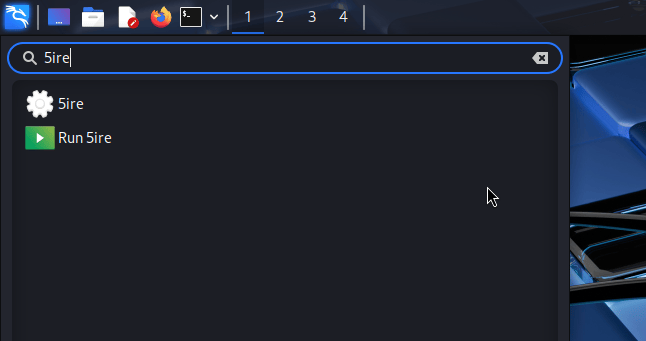
We can now either use the menu, or call it from a terminal.


Now we need to configure 5ire to use Ollama (for LLM) and mcp-kali-server (MCP server):

Let’s now setup 5ire to use Ollama.

Figure 01: Kali Menu

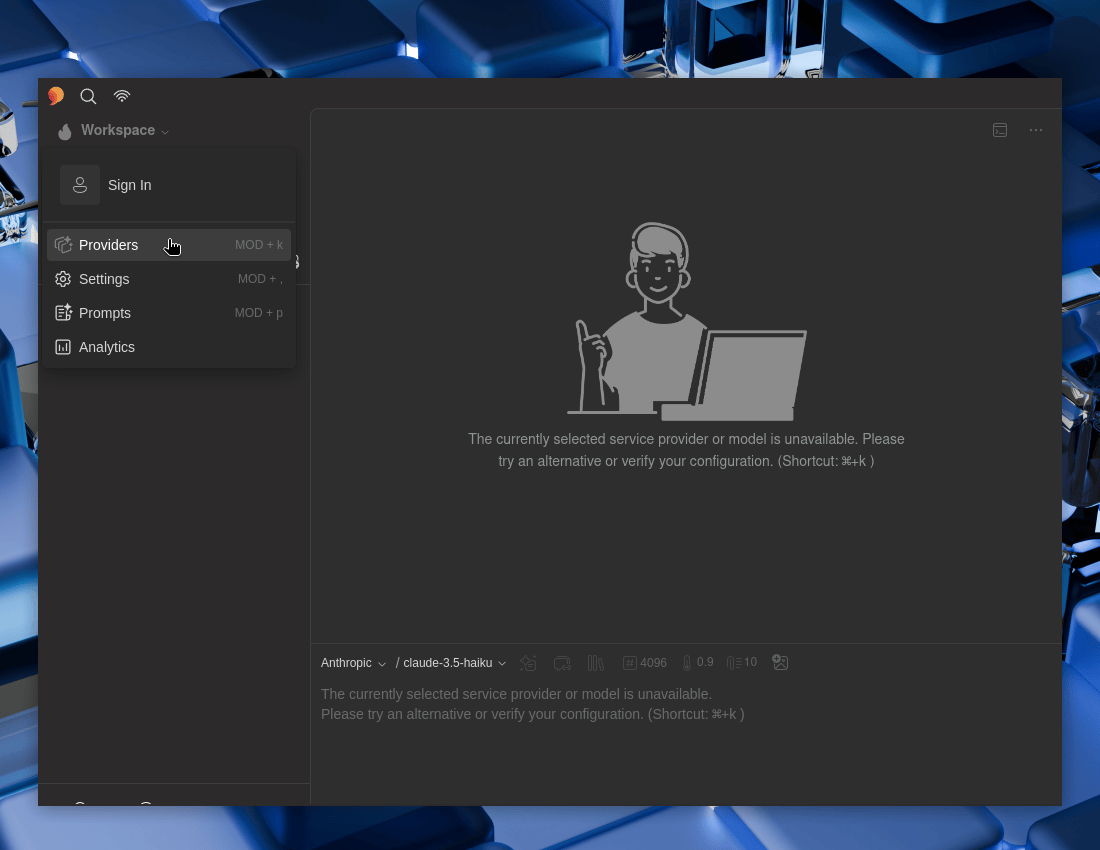
Open 5ire, then:

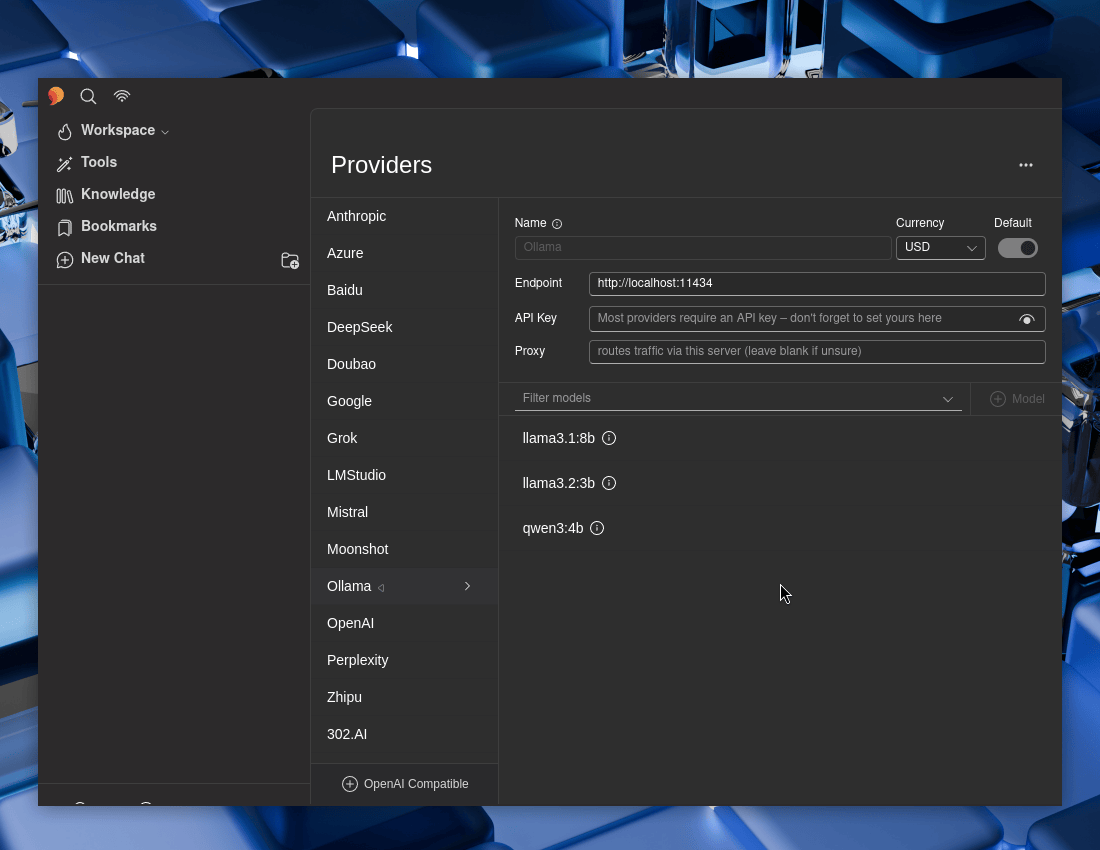
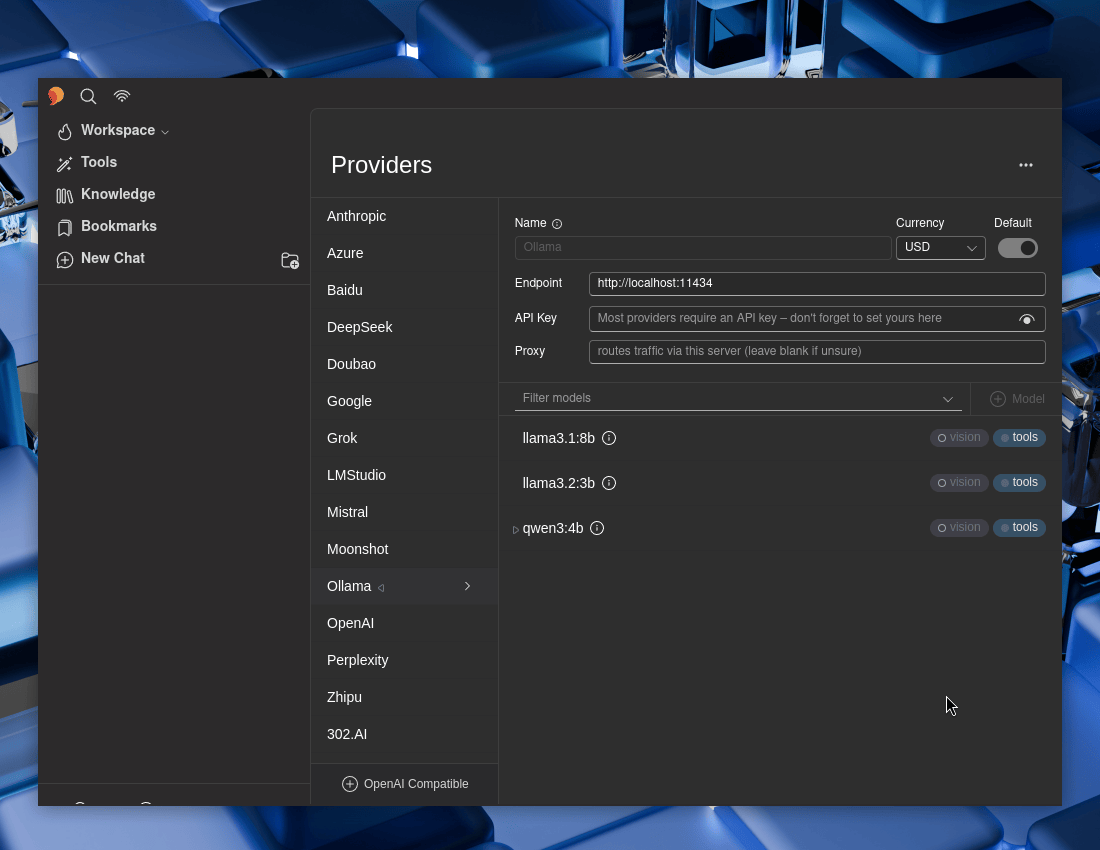
  • 5ire -> Workspace -> Providers -> Ollama

Figure 02: Providers Menu


Let’s toggle Default to Enable it

Figure 03: Enabling Default Provider


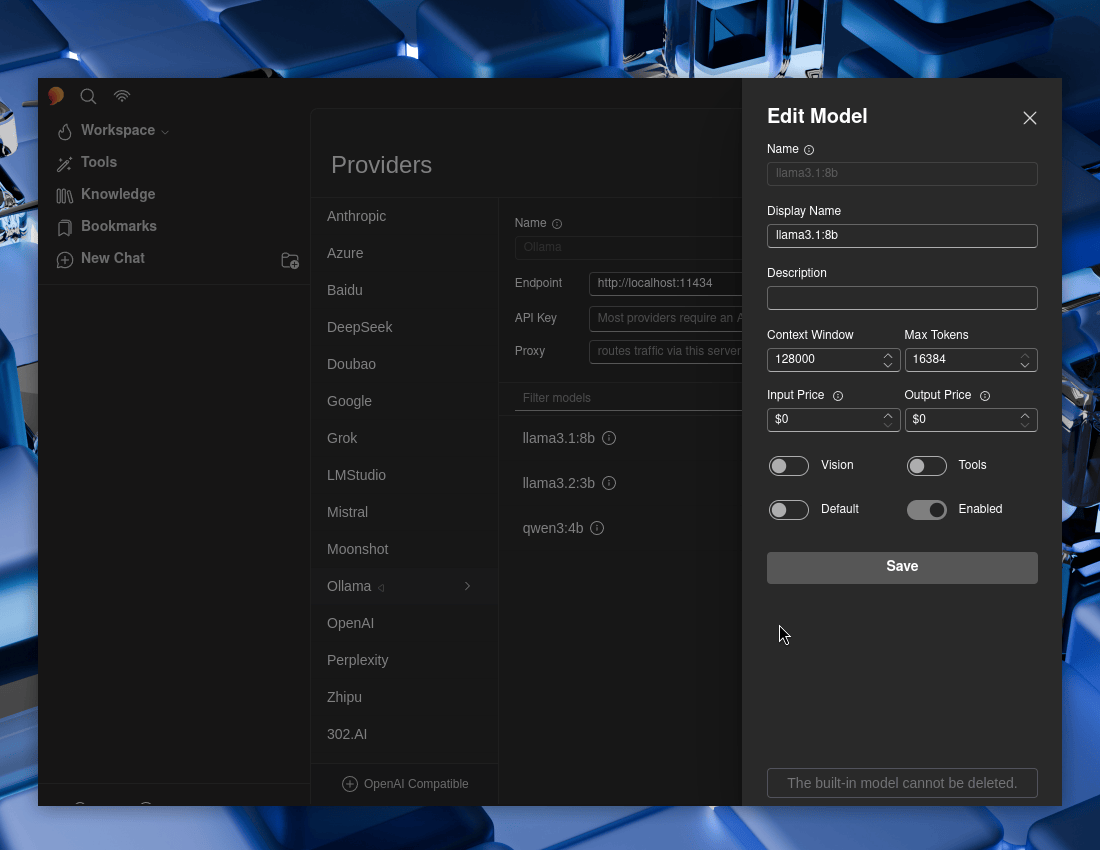
Select each of the Ollama models, and then make sure “Tools” and “Enabled” are both toggled to enable -> Save. Repeat for each of them.

Figure 04: Enabling Providers Options

Figure 05: Providers Model Overview

If you wish, select a model to be the default one.

Testing

Now let’s test 5ire out!

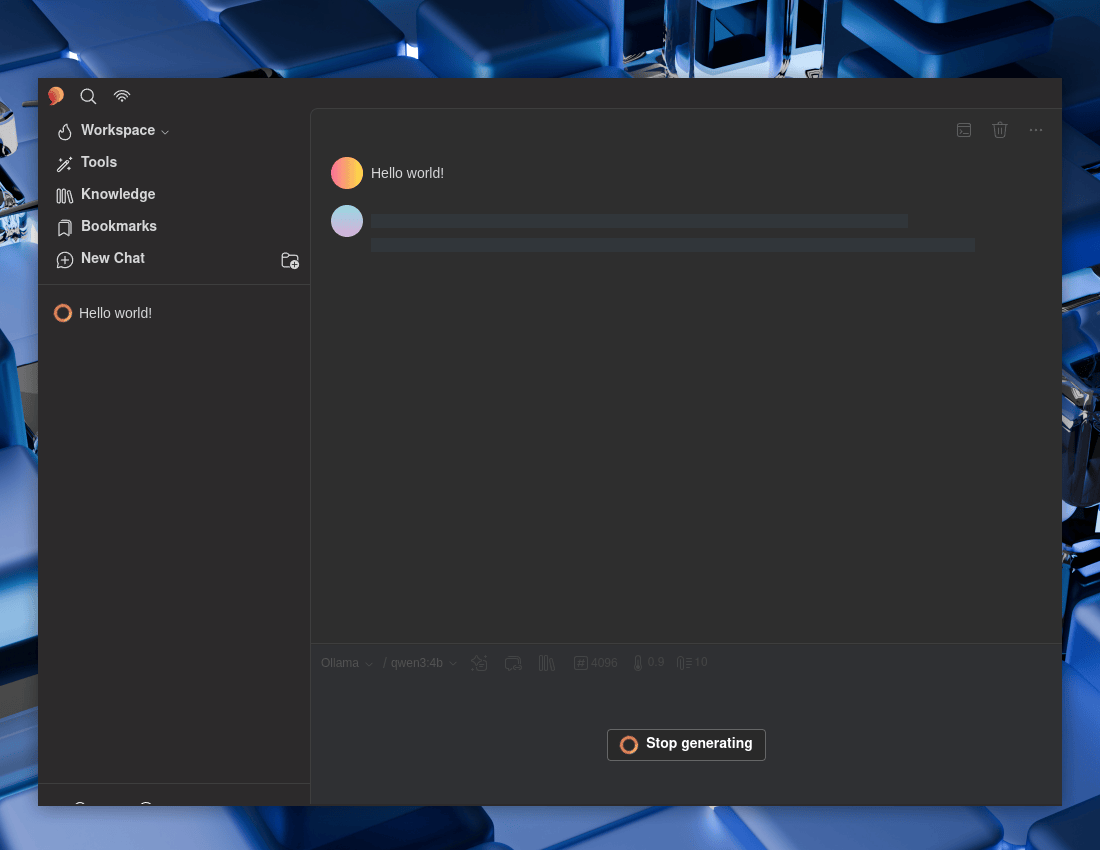
  • New Chat -> Ollama

Hello world!

Figure 06: Hello World Processing


Again, checking status:

$ ollama ps
NAME ID SIZE PROCESSOR CONTEXT UNTIL
qwen3:4b 359d7dd4bcda 3.5 GB 100% GPU 4096 2 minutes from now
$

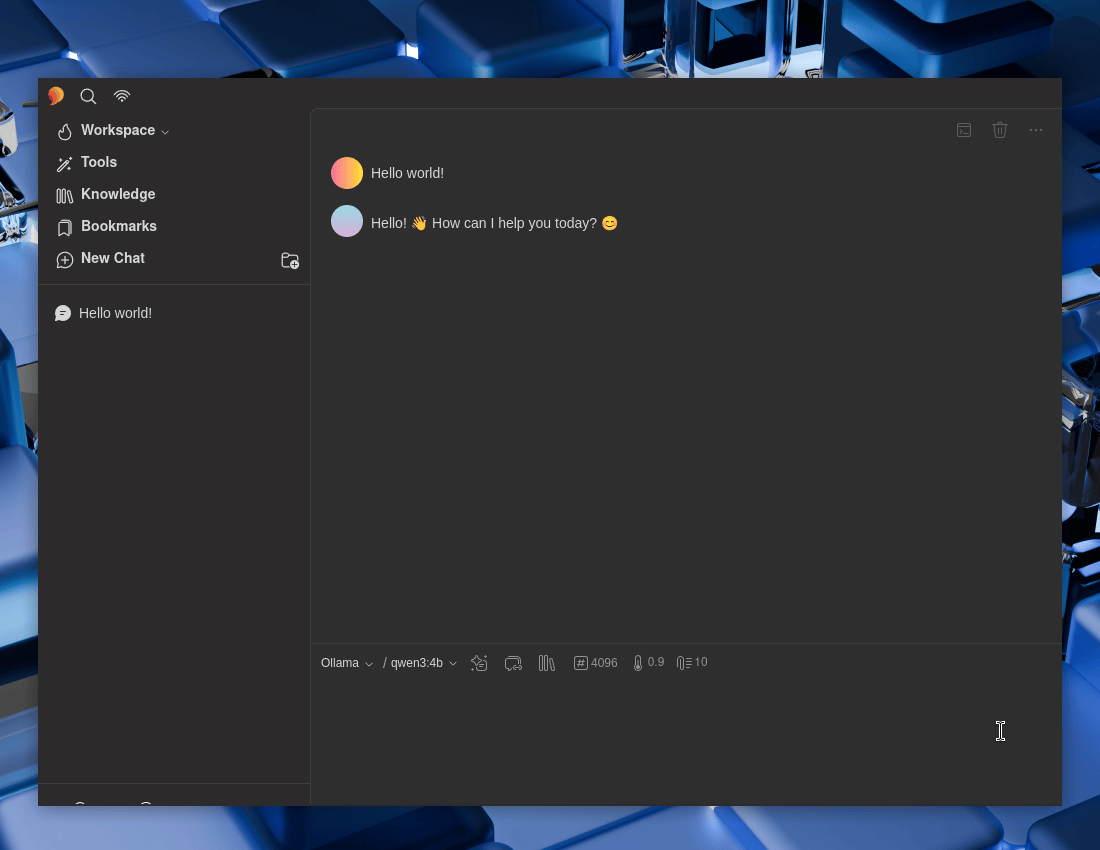
Figure 07: Hello World Response

Looks to be working well! Time to setup the MCP.

MCP Client (5ire)

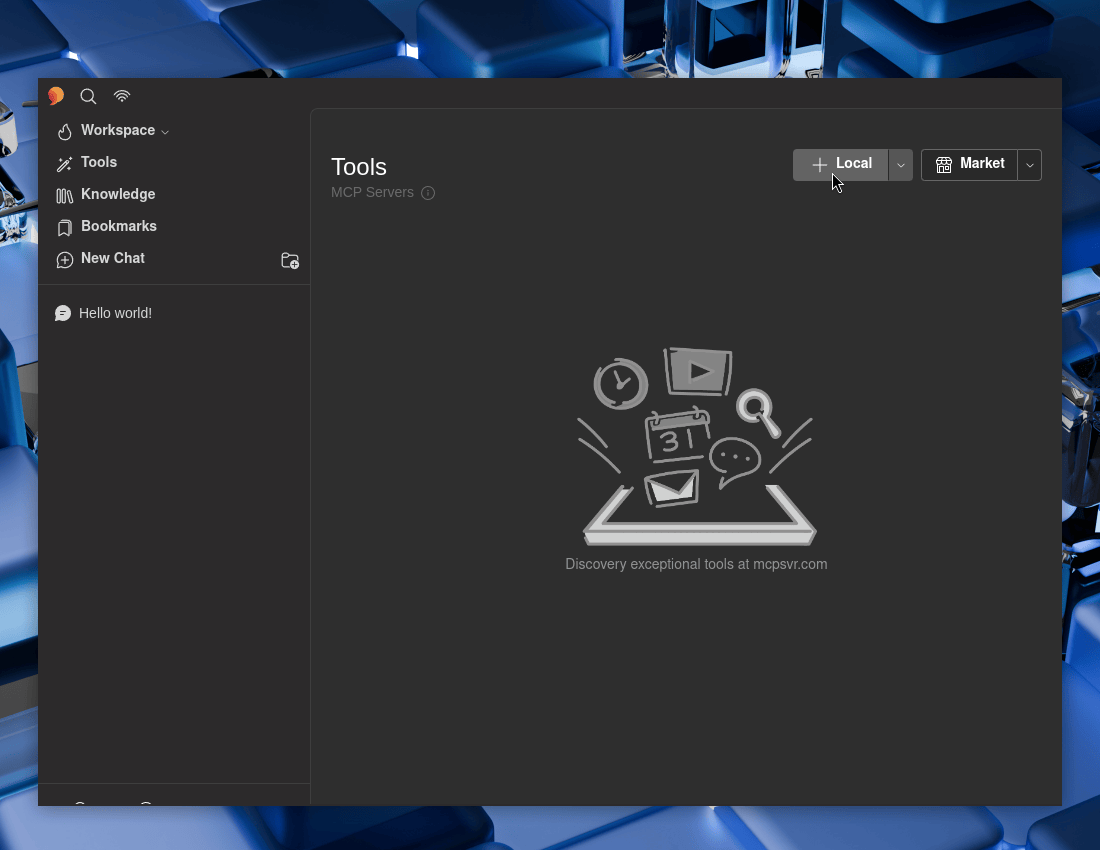
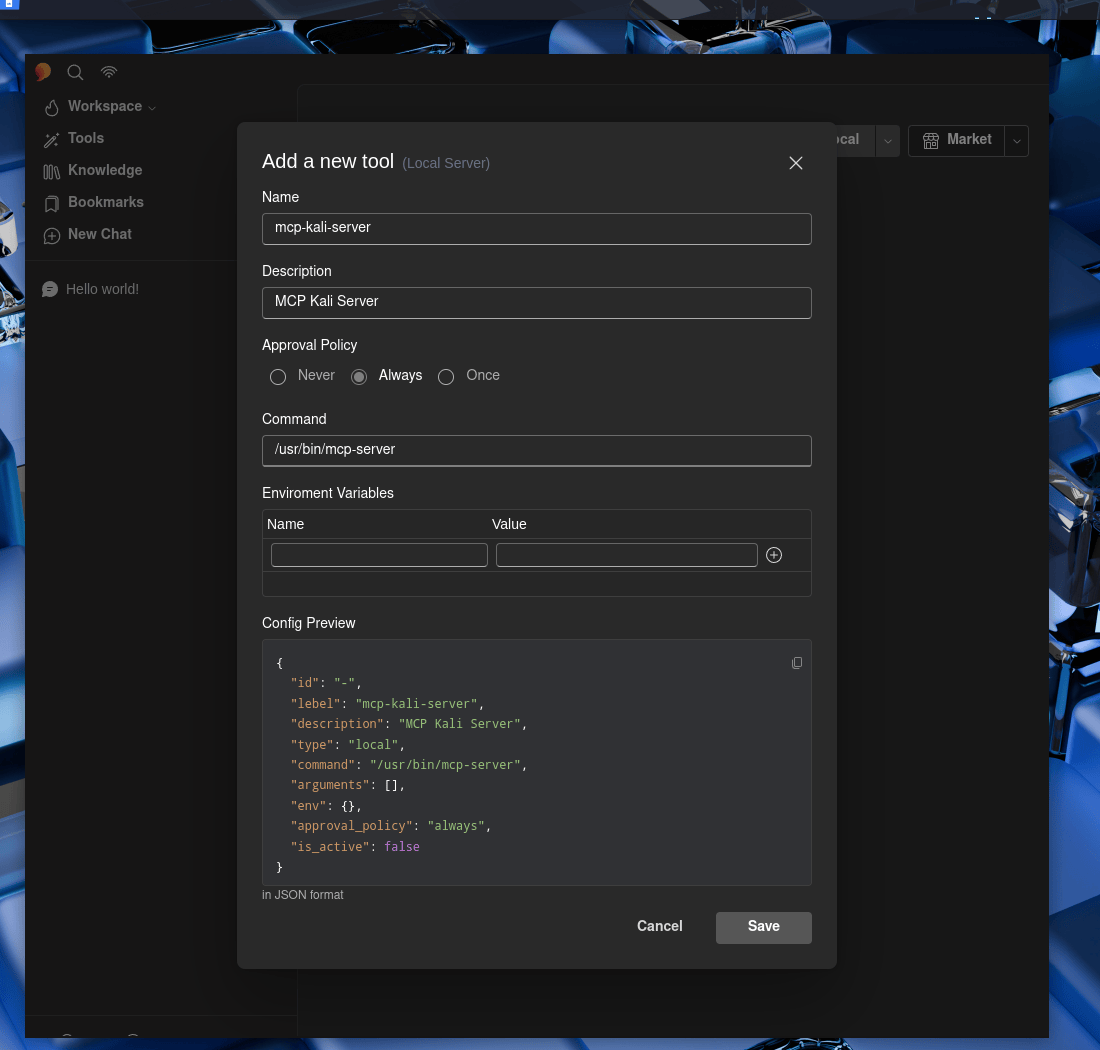
We can use 5ire’s GUI :

  • 5ire -> Tools -> Local

Figure 08: Adding MCP Tools


Now to fill in the boxes:

  • Name: mcp-kali-server
  • Description: MCP Kali Server
  • Approval Policy: …Up to you
  • Command: /usr/bin/mcp-server

Save

Figure 09: MCP Tool Settings


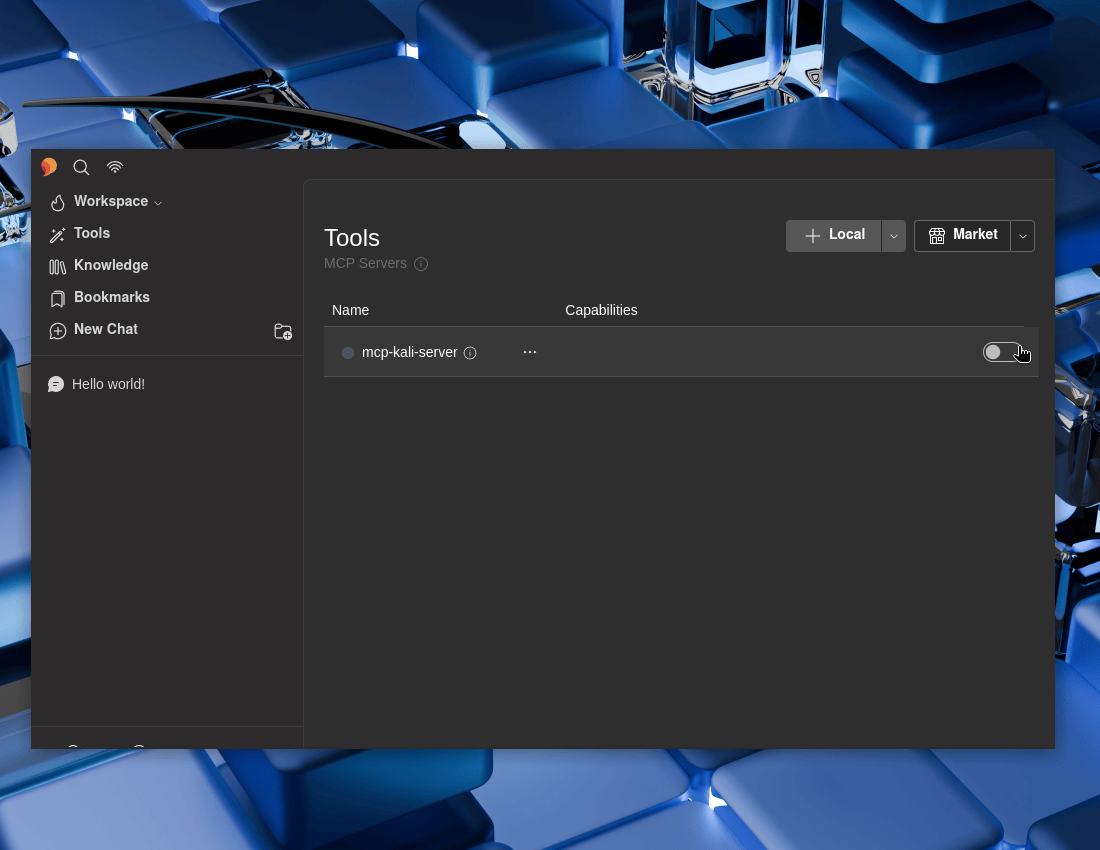
Do not forget to make sure to enable it!

Figure 10: Enabling MCP Tools


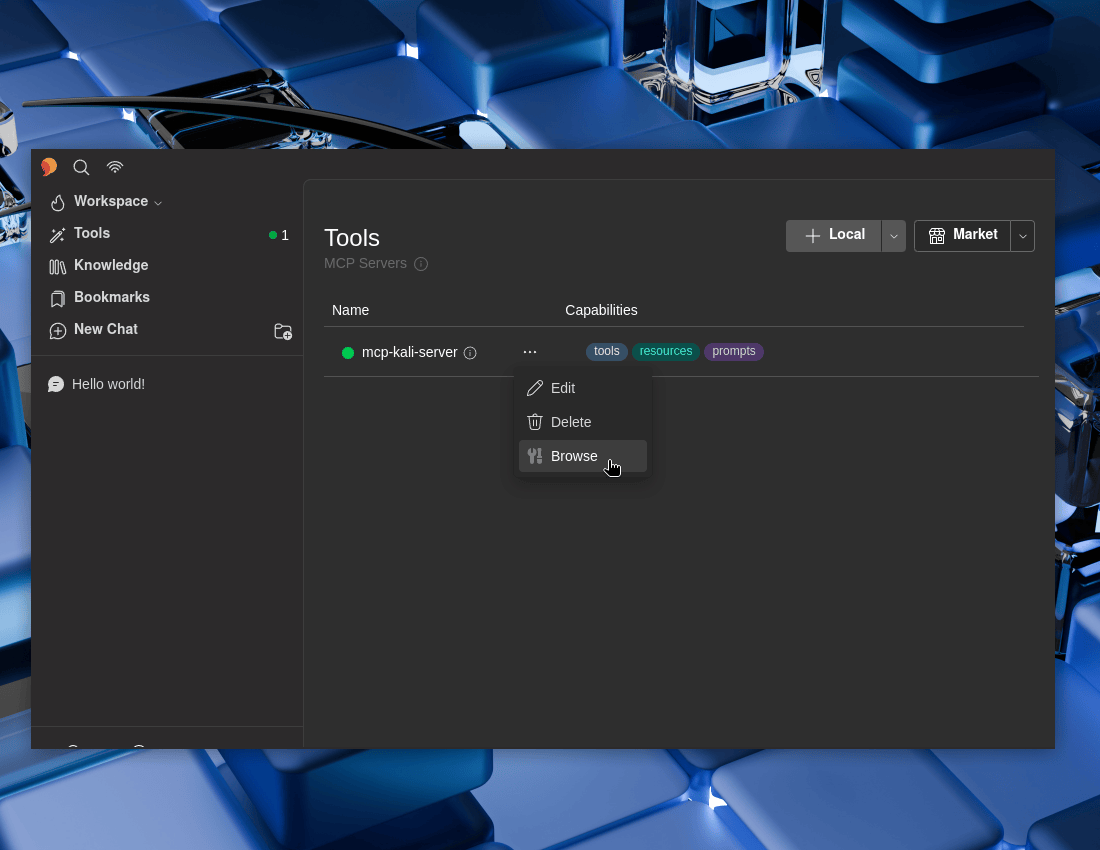
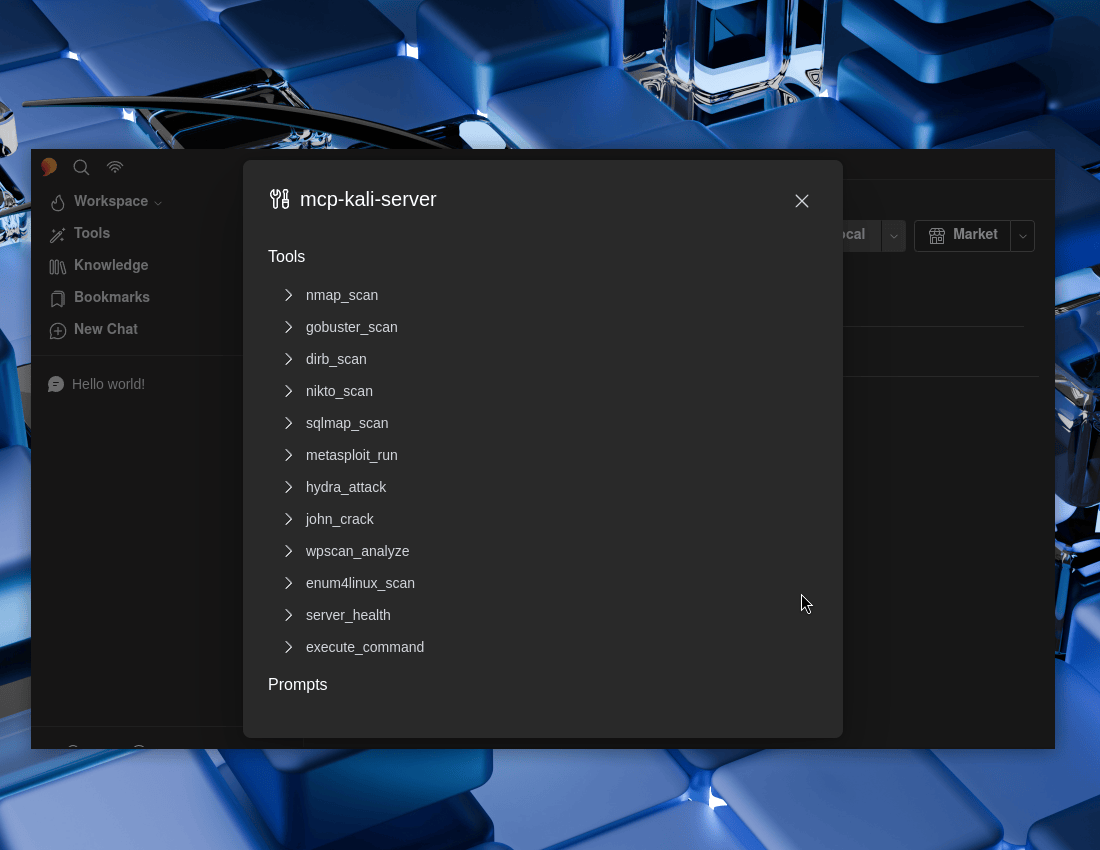
We can see what we now have on offer. ... -> Browse

Figure 11: Browsing MCP Tools

Figure 12: MCP Tools Options

Testing

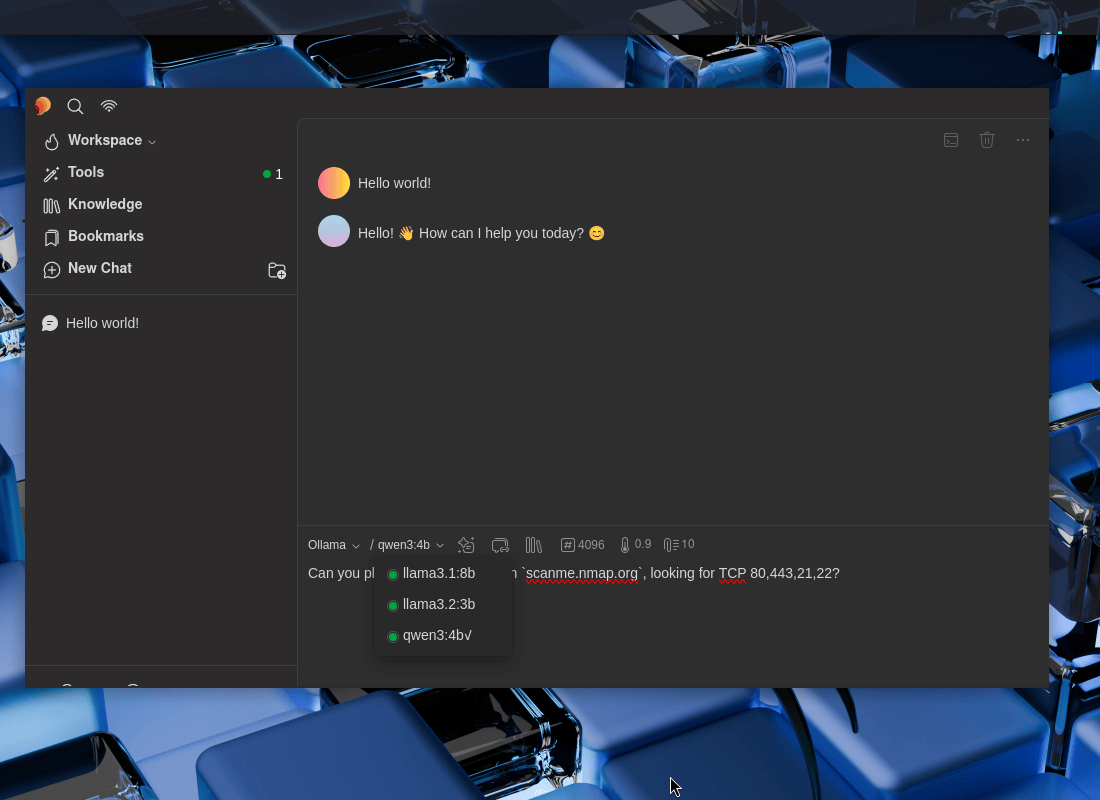
  • New Chat -> Ollama

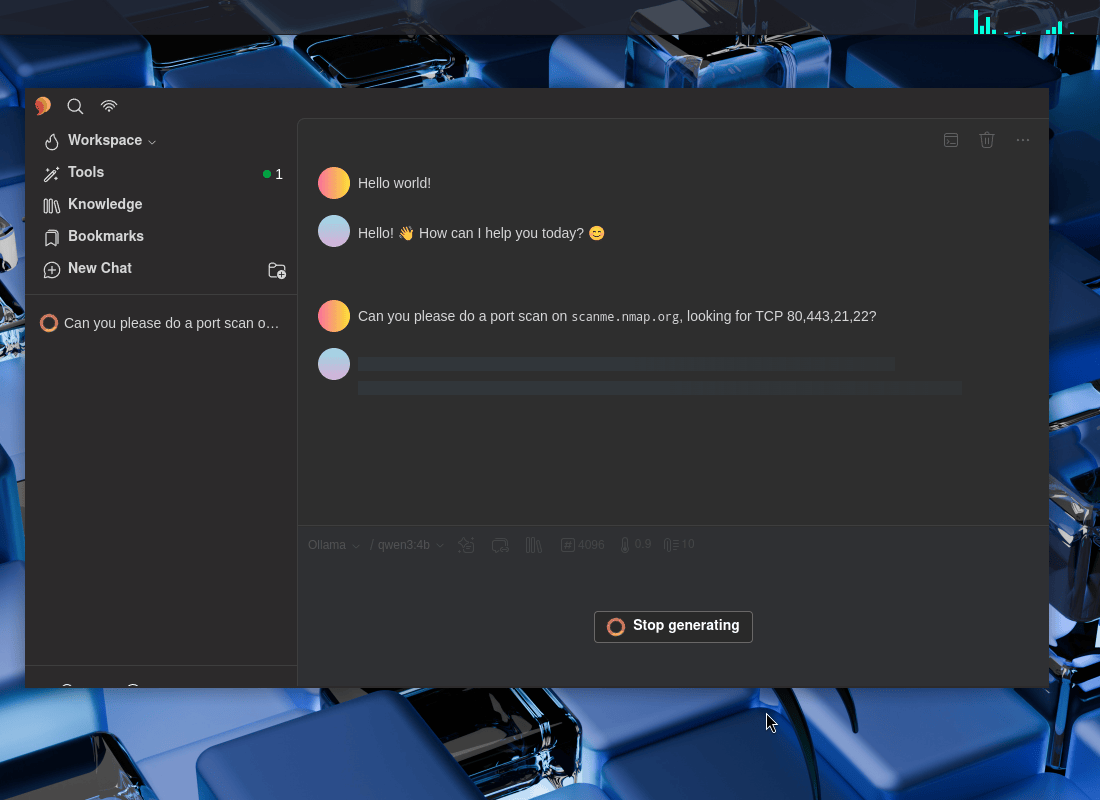
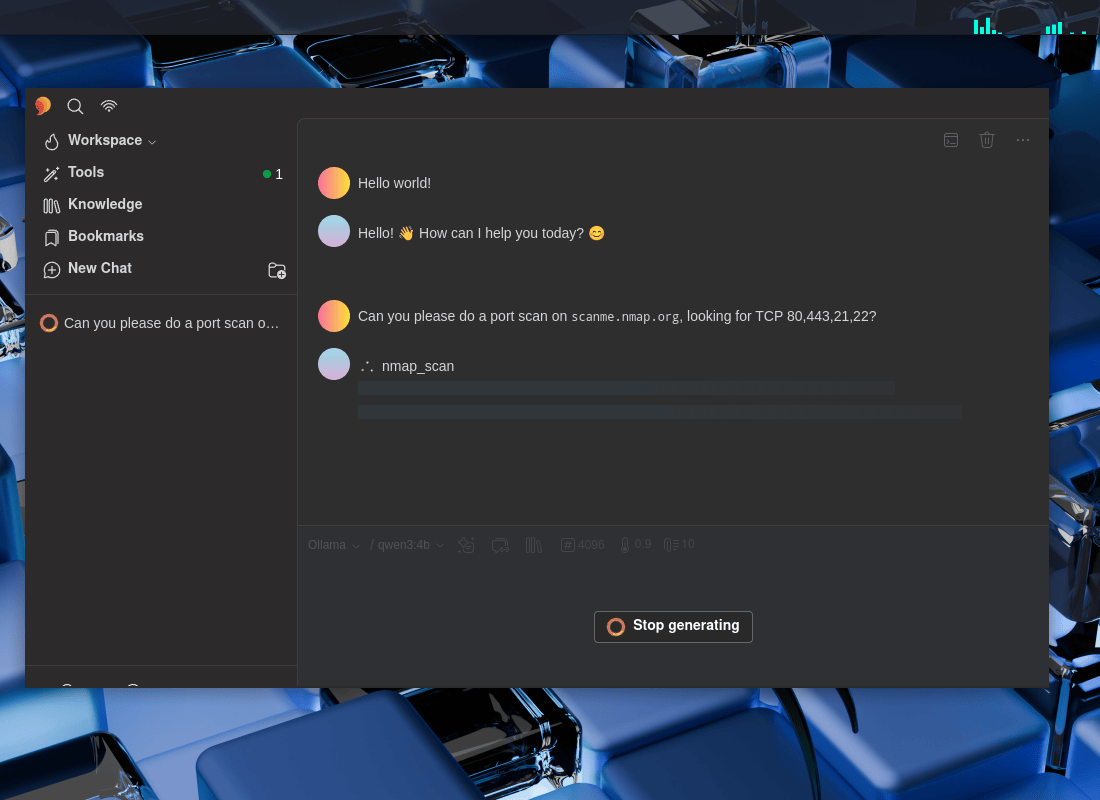
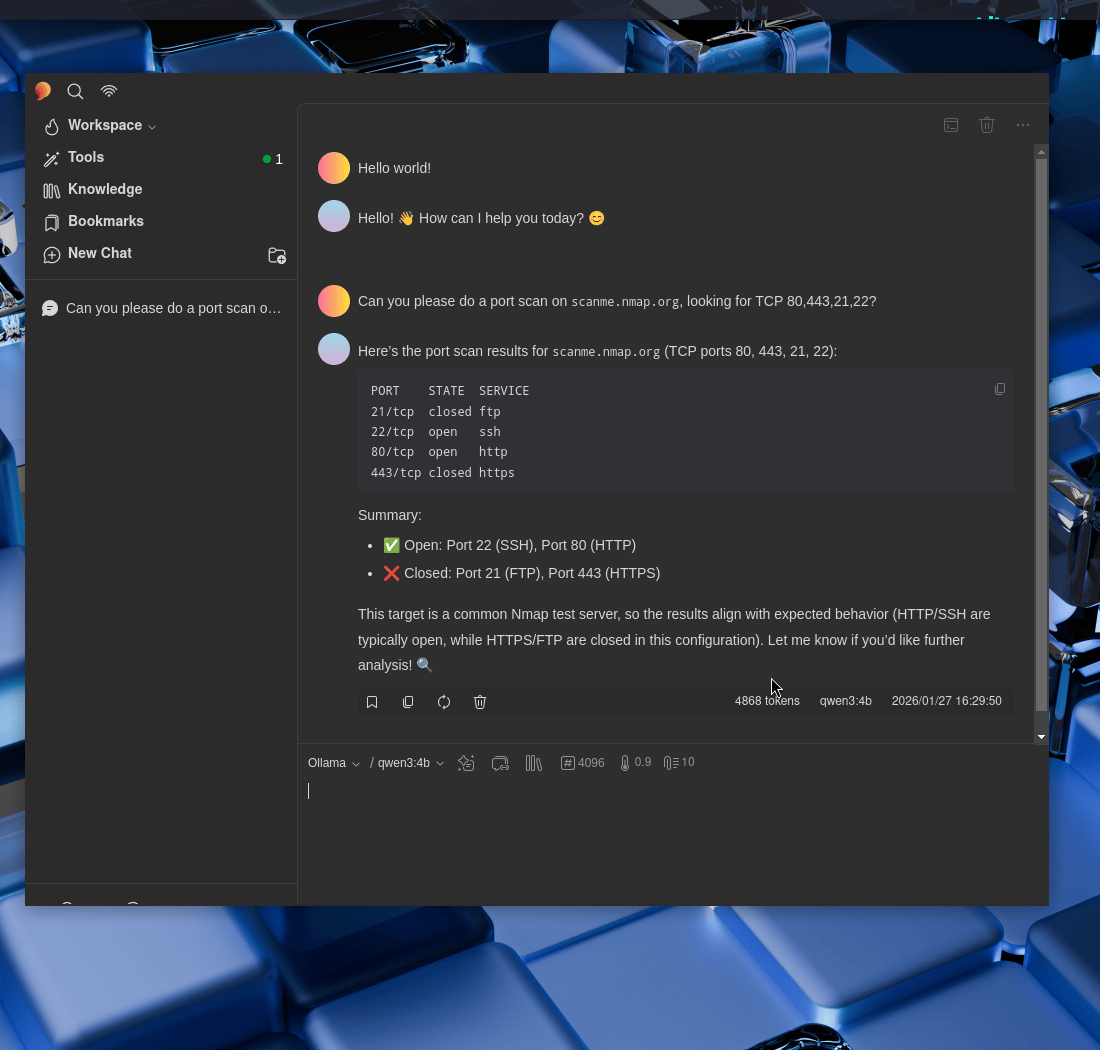
Can you please do a port scan on scanme.nmap.org, looking for TCP 80,443,21,22?

Figure 13: Check MCP LLM Support

Figure 14: Nmap Scan Process

Figure 15: Nmap Scan Scanning

Figure 16: Nmap Scan Result

Wonderful!

Recap

As a recap:

  • On our Kali local instance, we enabled our GPU for development.
  • We setup Ollama and grabbed a few LLMs, such as qwen3:4b.
  • Setup a MCP server, MCP-Kali-Server.
  • We installed a GUI interface, 5ire.
  • We setup 5ire to use Ollama’s LLMs as well as MCP client to use mcp-kali-server.
  • We then used it all to-do a nmap port scan of scanme.nmap.org …all processed locally!

We may be talking about AI, but AI was not used to write this!


Find out more about advanced red teaming for AI environments at OffSec.com.

Kali & LLM: macOS with Claude Desktop & Anthropic Sonnet LLM

24 February 2026 at 19:00

This post will focus on an alternative method of using Kali Linux, moving beyond direct terminal command execution. Instead, we will leverage a Large Language Model (LLM) to translate “natural language” descriptions of desired actions into technical commands. Achieving this setup requires the integration of three distinct systems:

  • UI: Apple’s macOS (Can also use Microsoft Windows, but not covered in this guide) - with Claude Desktop
  • Attacking box: Kali Linux - using various tools
  • LLM: In the cloud - Anthropic’s Sonnet 4.5

The LLM is only part of the story. When paired with Model Context Protocol (MCP)’s, it allows/enables the LLM to seamlessly connect with external sources (data, programs/tools etc). At a very high level:

  1. We can ask a LLM to-do a task via a “prompt”.
  • “Can you please port scan scanme.nmap.org, if you find a valid web server, check if security.txt exists”
  1. The LLM will understand what we asked it to-do.
  • “First task, I need to use Nmap/Network Mapper to-do a port scan of scan scanme.nmap.org
  1. LLM will then request the MCP to-do any action(s).
  • “Is Nmap installed? Can I access it?”
  1. MCP will run the request and return results
  • $ nmap scanme.nmap.org
  1. The LLM will process the results as well as showing it to us as end-users.
  • “I found that scanme.nmap.org is up, and contains a web server on port 80/TCP & 443/TCP.”
  1. If needed, could be a loop, and re-run a command/action again back in the MCP until the prompt has been completed/full-filled.
  • “Now I need see if /.well-known/security.txt gives HTTP 200 response”

Just like the joys of text editors wars (vim vs emacs vs nano), this is not to say its the “best” way to-do it. This is a way.
This scenario may work for you, or it may not be acceptable to you (e.g. privacy). That is fine.


If you are wonder “Why this setup? Why are you using multiple OSes?”, there are various reasons why!

  • You may want a graphical user interface (GUI), which Claude Desktop is.
  • It being “free”.
    • At the time of writing, 2026-01
  • Speed
    • Having Kali running in “the cloud”, may have greater network connection , or be closer to your target - thus speeding things up!

SSH

We are going to want our macOS box, to be able to talk/interact/communicate to Kali. For this, we will use SSH.

Kali Setup

First up, Kali. If you are using Kali in the cloud, you likely already have SSH pre-setup. If SSH is not setup, let’s quickly install and run:

$ sudo apt update
[...]
$
$ sudo apt install -y openssh-server
[...]
$
$ sudo systemctl enable --now ssh
[...]
$

macOS

Switching over to our macOS machine, open up Terminal (or similar program), and either find out public SSH key or generate one:

user@Users-MacBook-Pro ~ % ls -lah .ssh
ls: .ssh: No such file or directory
user@Users-MacBook-Pro ~ %

This is a clean install, so we will be generating a new key.


Generating a new SSH key, is the same steps as doing it on Linux:

user@Users-MacBook-Pro ~ % ssh-keygen
Generating public/private ed25519 key pair.
Enter file in which to save the key (/Users/user/.ssh/id_ed25519):
Created directory '/Users/user/.ssh'.
Enter passphrase for "/Users/user/.ssh/id_ed25519" (empty for no passphrase):
Enter same passphrase again:
Your identification has been saved in /Users/user/.ssh/id_ed25519
Your public key has been saved in /Users/user/.ssh/id_ed25519.pub
The key fingerprint is:
SHA256:9JWMFmD6Jhq9gSLVrWSQaqR0hOOfGC5wd/HoMW1CoKU user@Users-MacBook-Pro.local
The key's randomart image is:
+--[ED25519 256]--+
| +oo. o.. |
| =.B .oo + . |
|=.E +.o=. o + |
|+=.o.+*o+o . |
|=.=.=o+=S . |
|.+ + o.= |
|. . . |
| |
| |
+----[SHA256]-----+
user@Users-MacBook-Pro ~ %
user@Users-MacBook-Pro ~ % cat ~/.ssh/id_ed25519.pub
ssh-ed25519 AAAAC3NzaC1lZDI1NTE5AAAAIFVZPT158E6mNNGrtOXTBQtK/7sXj09gRGZjkyMt82hs user@Users-MacBook-Pro.local
user@Users-MacBook-Pro ~ %

Password is not shown


Now, lets add that public SSH key from macOS to Kali, allowing for key authentication. Our Kali is located at 192.168.1.30, change the IP to match your setup:

user@Users-MacBook-Pro ~ % ssh-copy-id kali@192.168.1.30
/usr/bin/ssh-copy-id: INFO: Source of key(s) to be installed: "/Users/user/.ssh/id_ed25519.pub"
The authenticity of host '192.168.1.30 (192.168.1.30)' can't be established.
ED25519 key fingerprint is SHA256:s1EHXZomZxup5ybdUSgTJwnyjwrMBxFSmAgt4+ijhws.
This key is not known by any other names.
Are you sure you want to continue connecting (yes/no/[fingerprint])? yes
/usr/bin/ssh-copy-id: INFO: attempting to log in with the new key(s), to filter out any that are already installed
/usr/bin/ssh-copy-id: INFO: 1 key(s) remain to be installed -- if you are prompted now it is to install the new keys
kali@192.168.1.30's password:
Number of key(s) added: 1
Now try logging into the machine, with: "ssh 'kali@192.168.1.30'"
and check to make sure that only the key(s) you wanted were added.
user@Users-MacBook-Pro ~ %

Password is not shown

This hopefully will be the last time you need to type in your Kali password when connecting via SSH!


Testing

Finally, let’s test it out:

user@Users-MacBook-Pro ~ % ssh kali@192.168.1.30
Linux kali 6.16.8+kali-amd64 #1 SMP PREEMPT_DYNAMIC Kali 6.16.8-1kali1 (2025-09-24) x86_64
The programs included with the Kali GNU/Linux system are free software;
the exact distribution terms for each program are described in the
individual files in /usr/share/doc/*/copyright.
Kali GNU/Linux comes with ABSOLUTELY NO WARRANTY, to the extent
permitted by applicable law.
Last login: Wed Jan 21 13:47:48 2026 from 192.168.30.153
┏━(Message from Kali developers)
┃
┃ This is a minimal installation of Kali Linux, you likely
┃ want to install supplementary tools. Learn how:
┃ ⇒ https://www.kali.org/docs/troubleshooting/common-minimum-setup/
┃
┗━(Run: “touch ~/.hushlogin” to hide this message)
┌──(kali㉿kali)-[~]
└─$

Please replace 192.168.1.30 with YOUR Kali IP address.

Boom!

MCP Server (MCP Kali Server)

Now that we have a console on Kali, let’s continue our MCP server setup. There are many of MCP server options out there already with more being created every day. We will be using mcp-kali-server:

$ sudo apt install -y mcp-kali-server
[...]
$
$ kali-server-mcp
2026-01-21 13:54:41,734 [INFO] Starting Kali Linux Tools API Server on 127.0.0.1:5000
* Serving Flask app 'kali_server'
* Debug mode: off
2026-01-21 13:54:41,748 [INFO] WARNING: This is a development server. Do not use it in a production deployment. Use a production WSGI server instead.
* Running on http://127.0.0.1:5000
2026-01-21 13:54:41,748 [INFO] Press CTRL+C to quit

Long term, there are various different ways to have kali-server-mcp running in the background, such as using a tmux/screen session, or creating a systemd.unit, but that is out of scope for this post.

Testing

To test that everything so far is working, in another terminal run mcp-server (this is what our MCP client, Claude Desktop, will end up running):

$ mcp-server
2026-01-21 14:03:25,804 [INFO] Initialized Kali Tools Client connecting to http://localhost:5000
2026-01-21 14:03:25,812 [INFO] Successfully connected to Kali API server at http://localhost:5000
2026-01-21 14:03:25,812 [INFO] Server health status: healthy
2026-01-21 14:03:25,812 [WARNING] Not all essential tools are available on the Kali server
2026-01-21 14:03:25,812 [WARNING] Missing tools: dirb, gobuster, nikto, nmap
2026-01-21 14:03:25,828 [INFO] Starting Kali MCP server

Did you see anything wrong? Did you spot the warning?

Missing tools: dirb, gobuster, nikto, nmap


Let’s install them now (as well other tools which mcp-kali-server can use), we can re-use the mcp-server terminal before closing it:

2026-01-21 14:03:25,828 [INFO] Starting Kali MCP server
^C
[...]
$
$ sudo apt install -y mcp-kali-server dirb gobuster nikto nmap enum4linux-ng hydra john metasploit-framework sqlmap wpscan wordlists
[...]
$
$ sudo gunzip -v /usr/share/wordlists/rockyou.txt.gz # Alt: `$ wordlists`
/usr/share/wordlists/rockyou.txt.gz: 61.9% -- replaced with /usr/share/wordlists/rockyou.txt
$
$ exit

Our Kali installation was a minimal installation, without any tools pre-installed, which is why this happened.

Claude Desktop

Time to switch machines, and on macOS, download Claude Desktop. This will be our interface to the LLM, and it also is a MCP client, which will talk to our MCP server (mcp-kali-server), which will run commands on Kali.

Download Claude.dmg (At the time of writing, 2026-01, latest version v1.1.381-c2a39e)

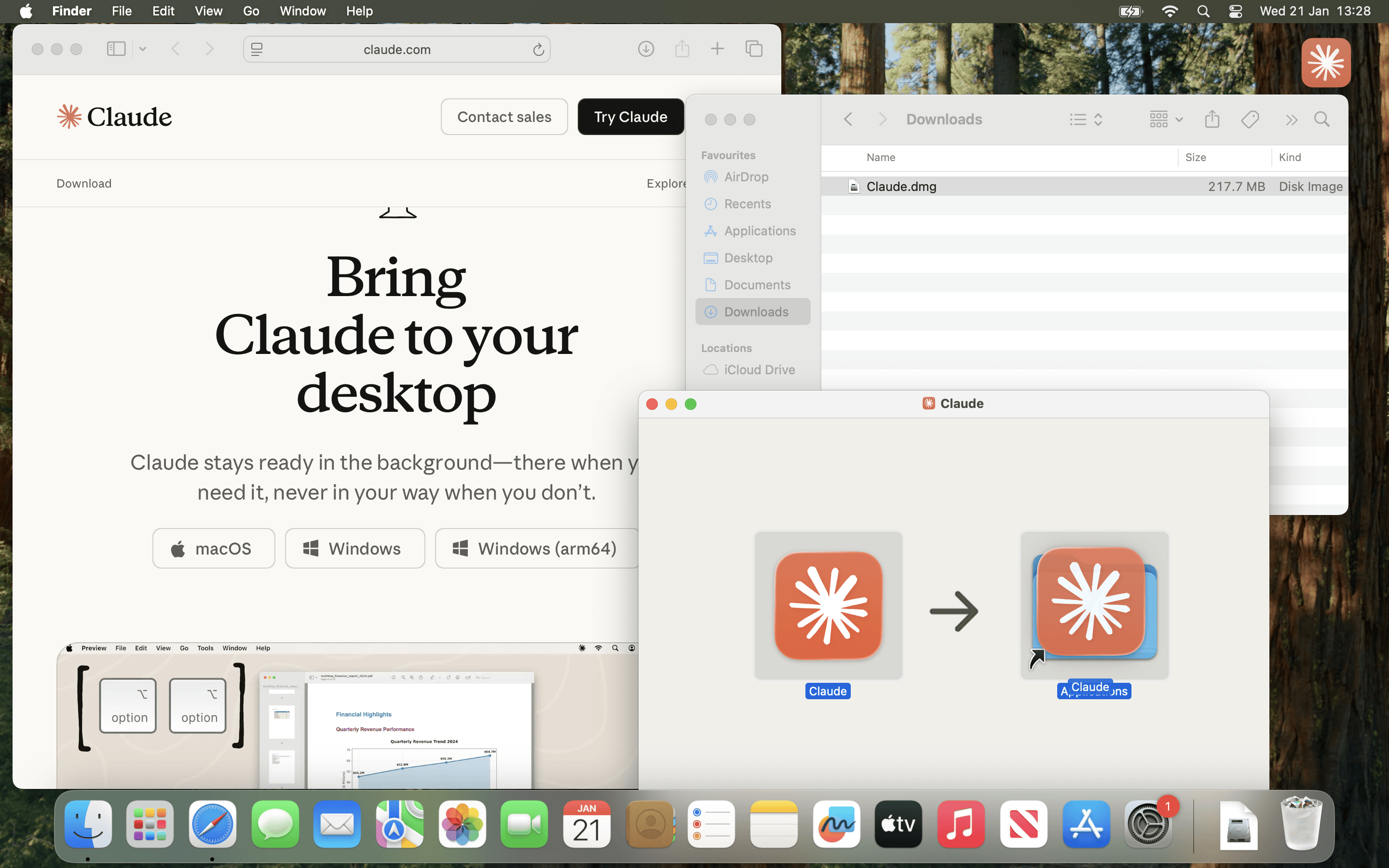
Afterwards, open Claude.dmg and copy Claude.app into Applications before running it.

If you are using Microsoft Windows, setup should be similar, but it is out of scope for this post.

Figure 01 - Install


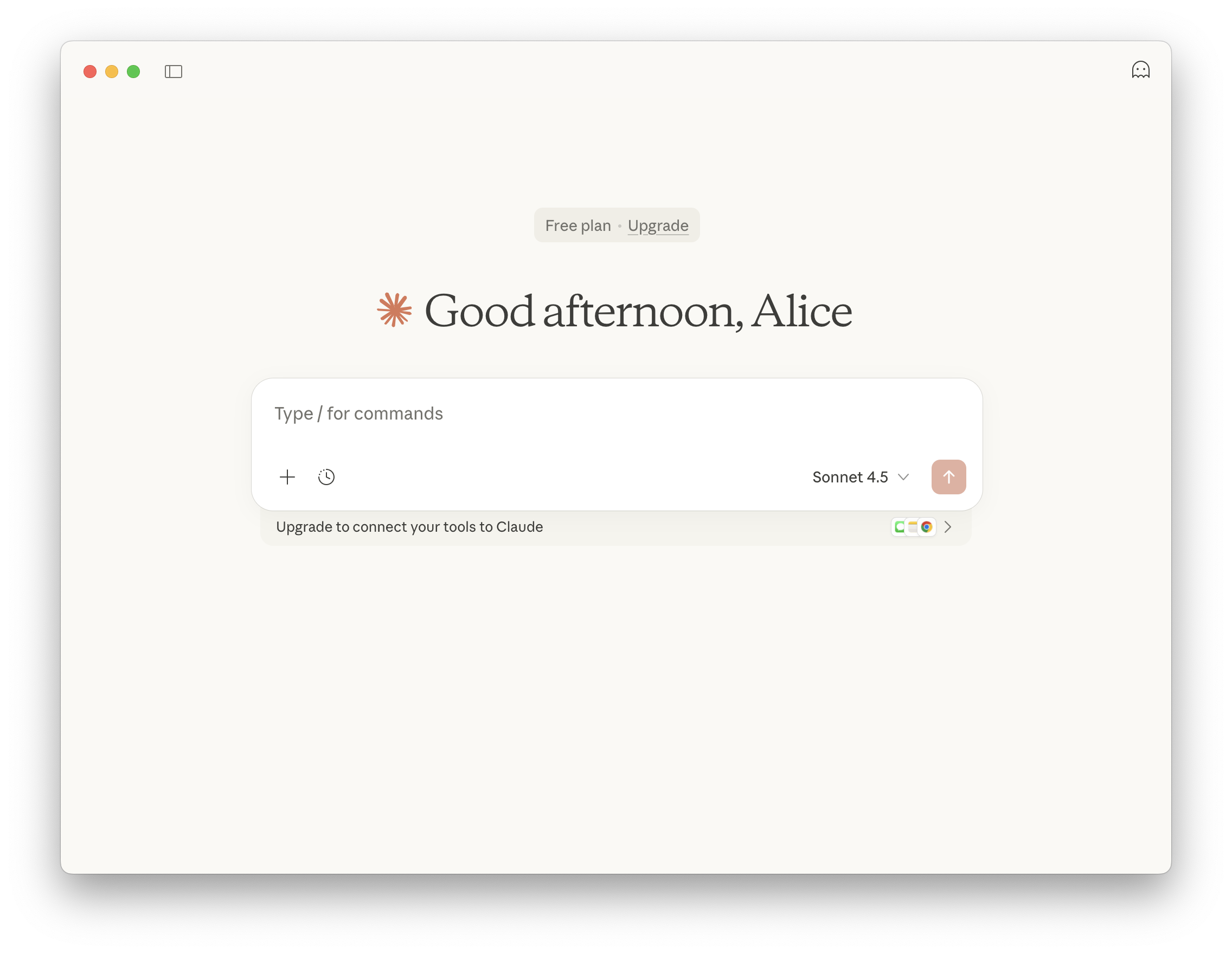
Now, we need to follow the complete the first time items, and follow the steps to to register/sign in

Figure 07 - Main Screen

At the time of writing, 2026-01, Claude Desktop is on Apple macOS and Microsoft Windows. There is not an official Linux build.

Others have reported that using WINE is possible, as well as other unofficial Linux builds - You do you (and at your own risk!)

Using Claude Code, requires a API key, which at the time of writing, does not have a free-tier option.


MCP Client (Claude Desktop)

With all that out of the way, we need to setup Claude Desktop’s MCP client.

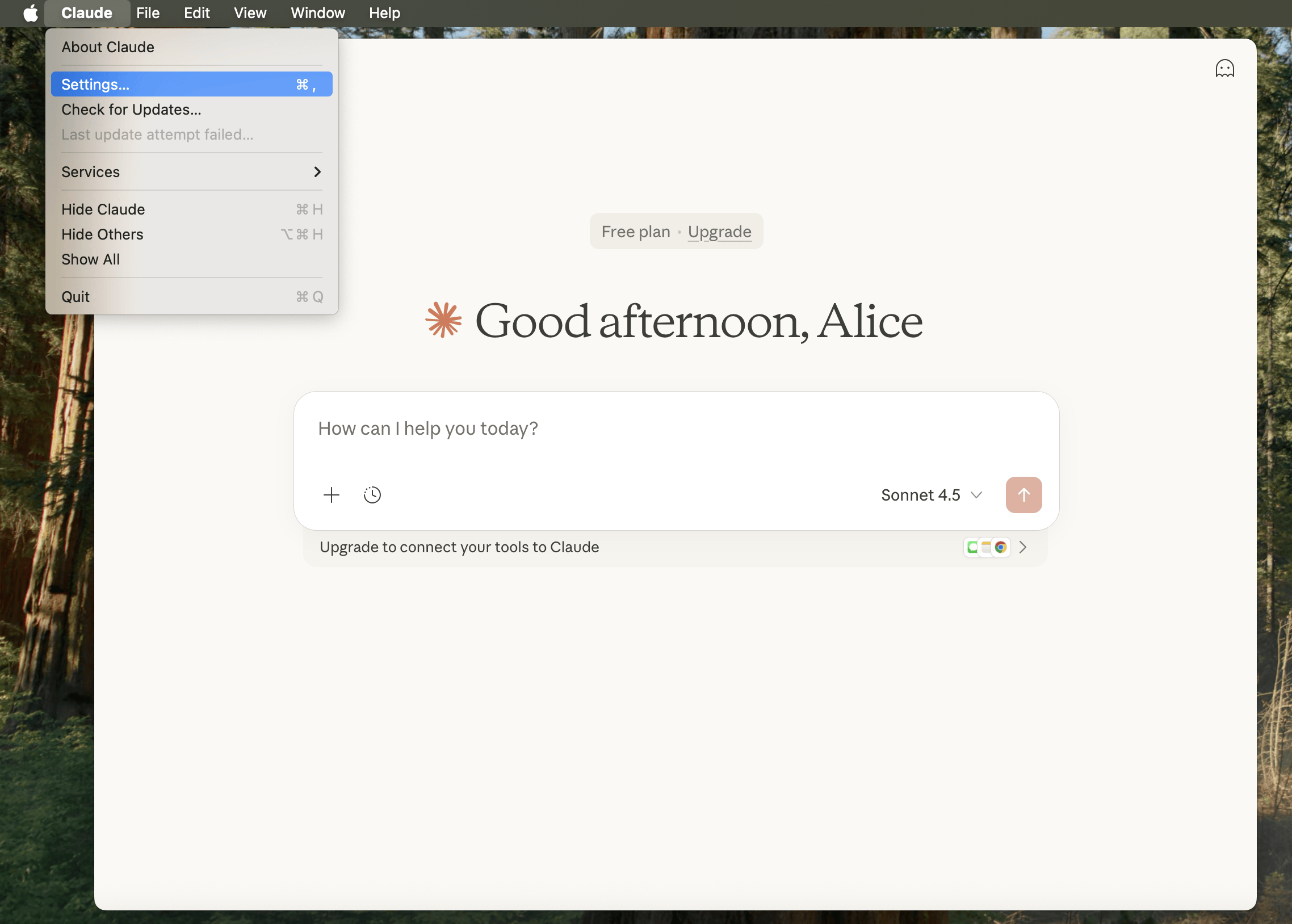
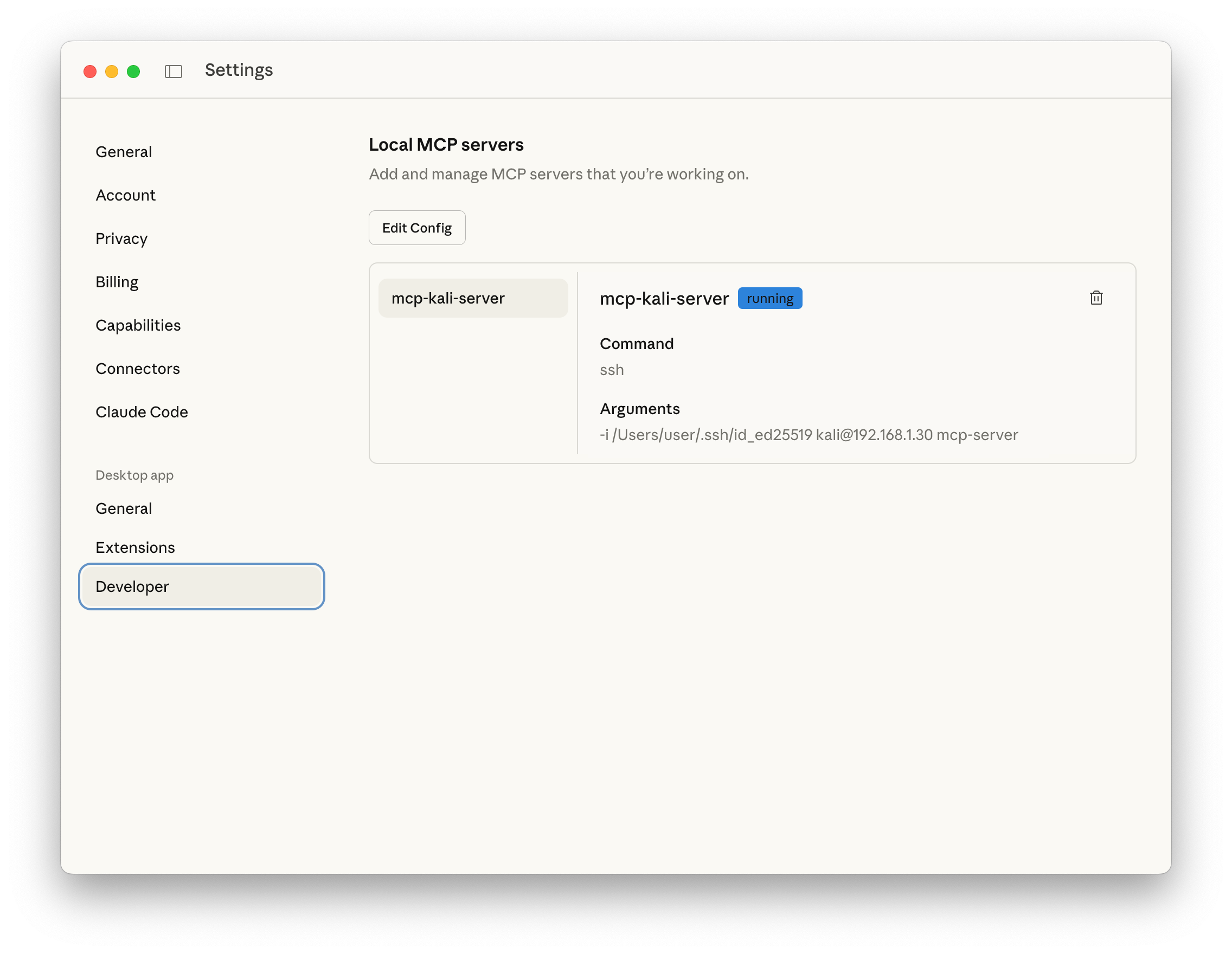
Figure 08 - Settings

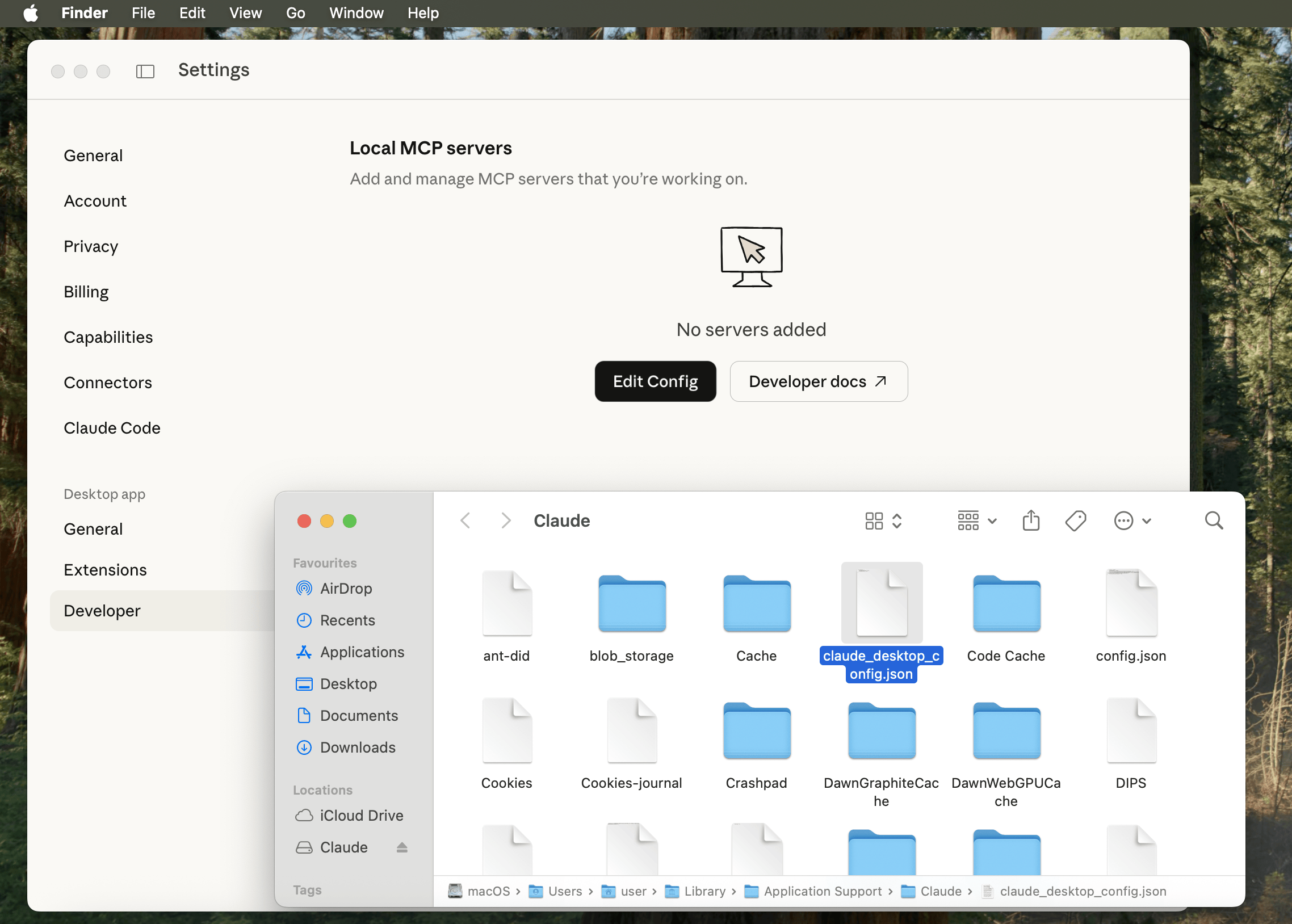
Open settings (Claude -> Settings), then find Deveploper (Under Desktop app), and click Edit Config.

Finder should open up with claude_desktop_config.json highlighted (otherwise: /Users/[USERNAME]/Library/Application Support/Claude/claude_desktop_config.json).

Figure 10 - Developer macOS Finder

Open/edit the file using your text editor of choice, and paste in:

{
"mcpServers": {
"mcp-kali-server": {
"command": "ssh",
"args": [
"kali@192.168.1.30",
"mcp-server"
],
"transport": "stdio"
}
}
}

Please replace 192.168.1.30 with YOUR Kali IP address as before.

So for us, it looks like:

user@Users-MacBook-Pro ~ % cat /Users/user/Library/Application\ Support/Claude/claude_desktop_config.json | jq
{
"preferences": {
"quickEntryShortcut": "off",
"menuBarEnabled": false
},
"mcpServers": {
"mcp-kali-server": {
"command": "ssh",
"args": [
"-i",
"/Users/user/.ssh/id_ed25519",
"kali@192.168.1.30",
"mcp-server"
],
"transport": "stdio"
}
}
}
user@Users-MacBook-Pro ~ %

Finally restart Claude Desktop by quitting and re-opening for our settings to take affect.

Figure 13 - Developer Running

Testing

Let’s see what all the hype about and give it a quick spin:

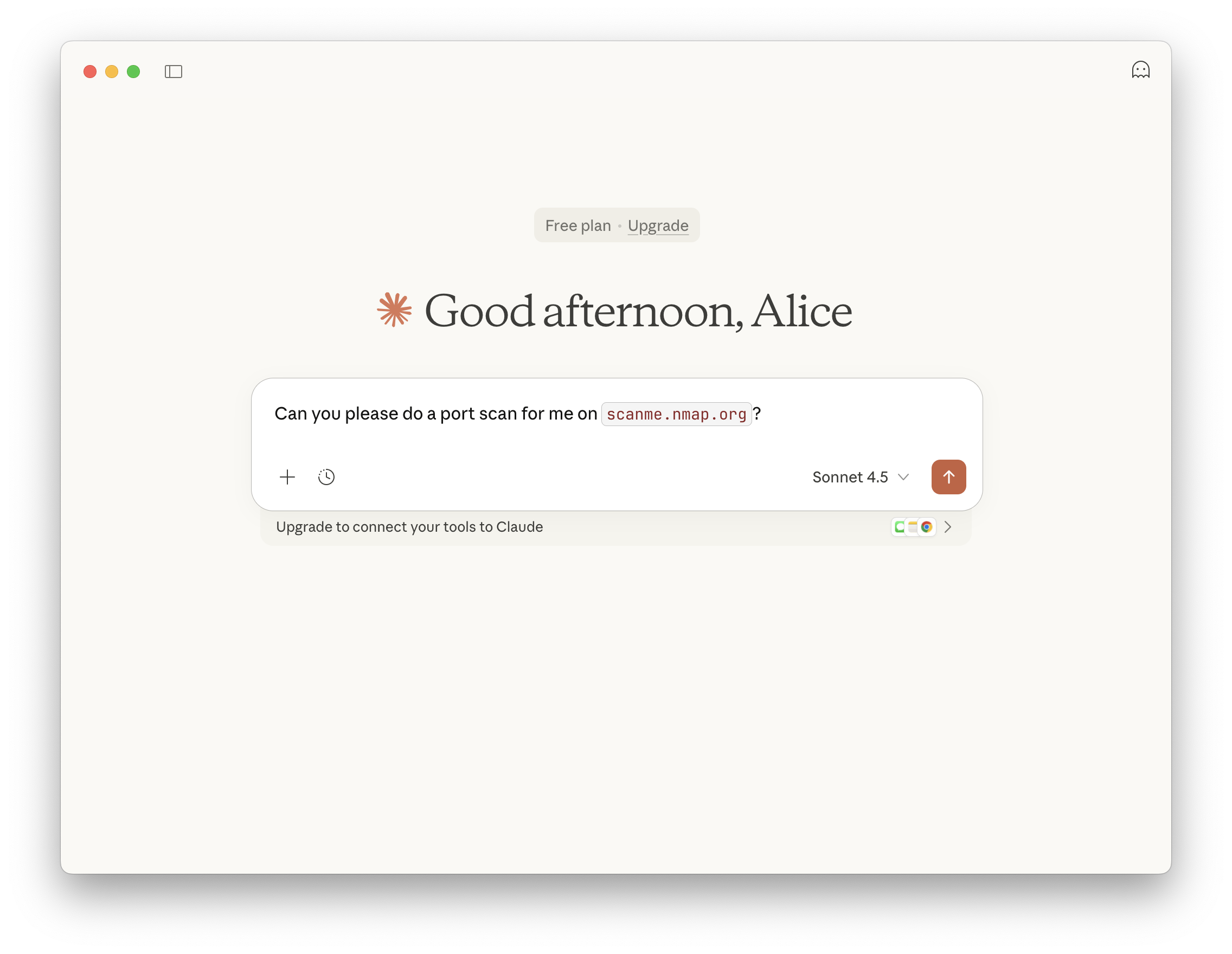
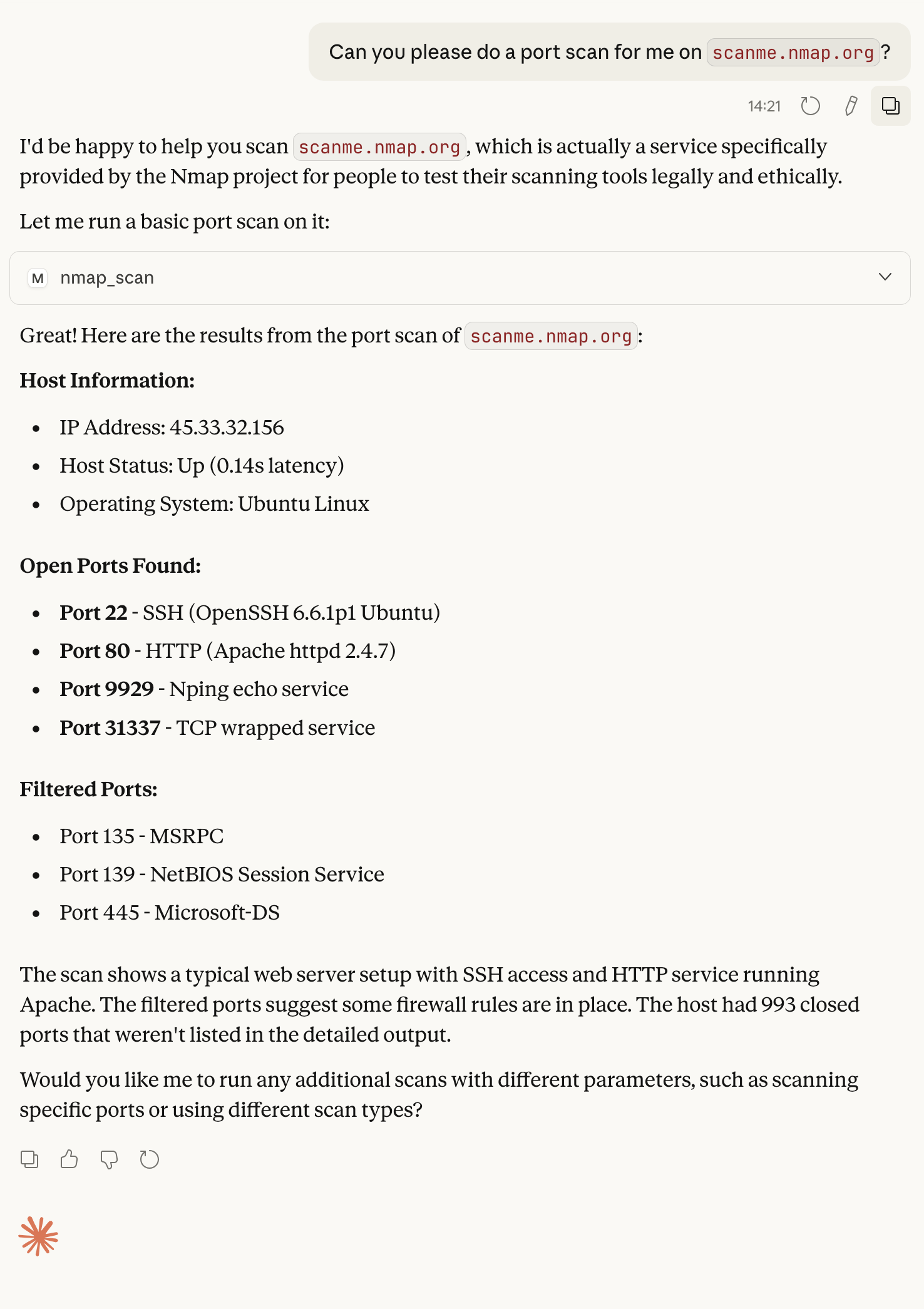
Can you please do a port scan for me on scanme.nmap.org?

Figure 14 - Prompt


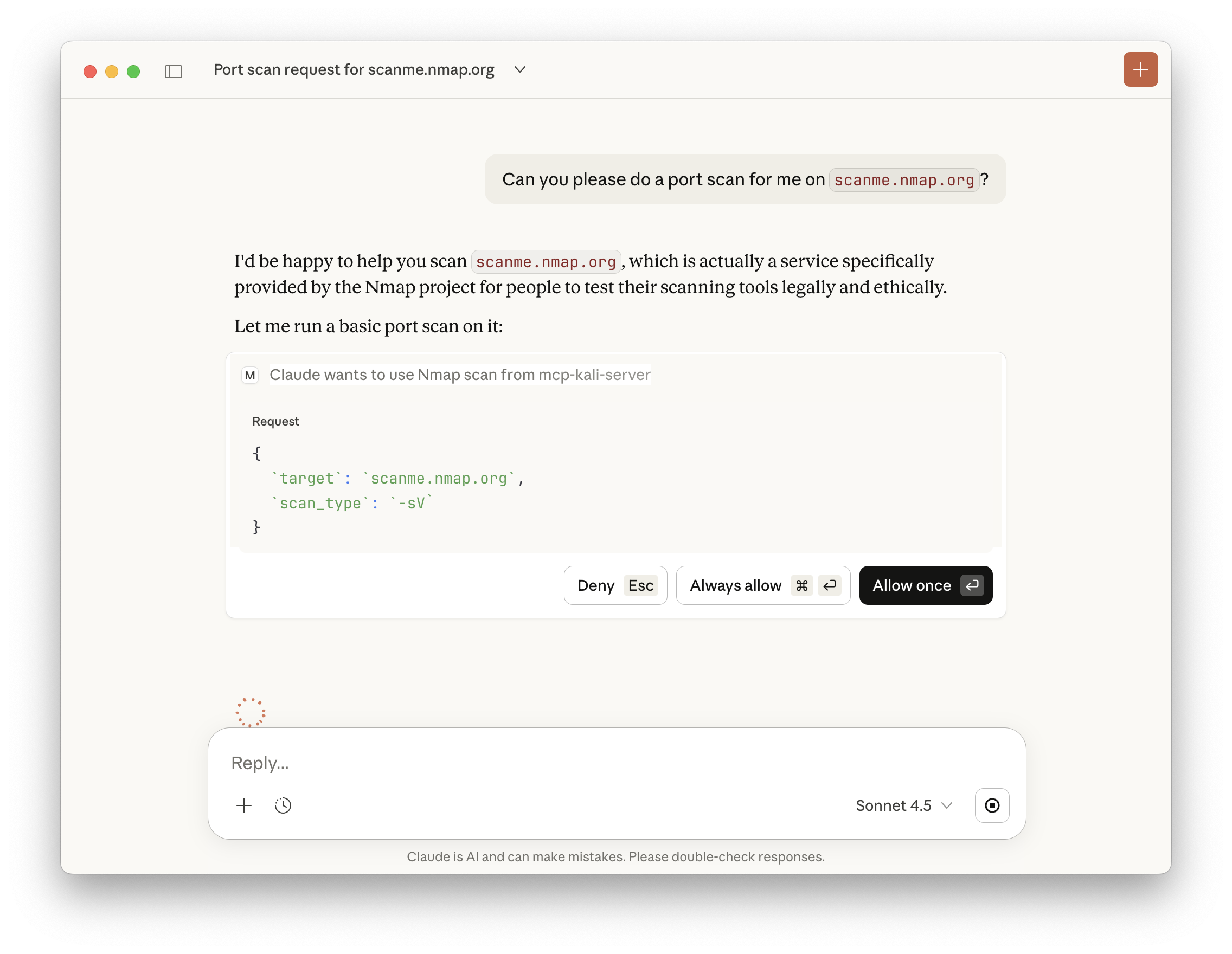
Claude will check if we trust the MCP, and if we wish to run commands.

Figure 15 - MCP Permissions


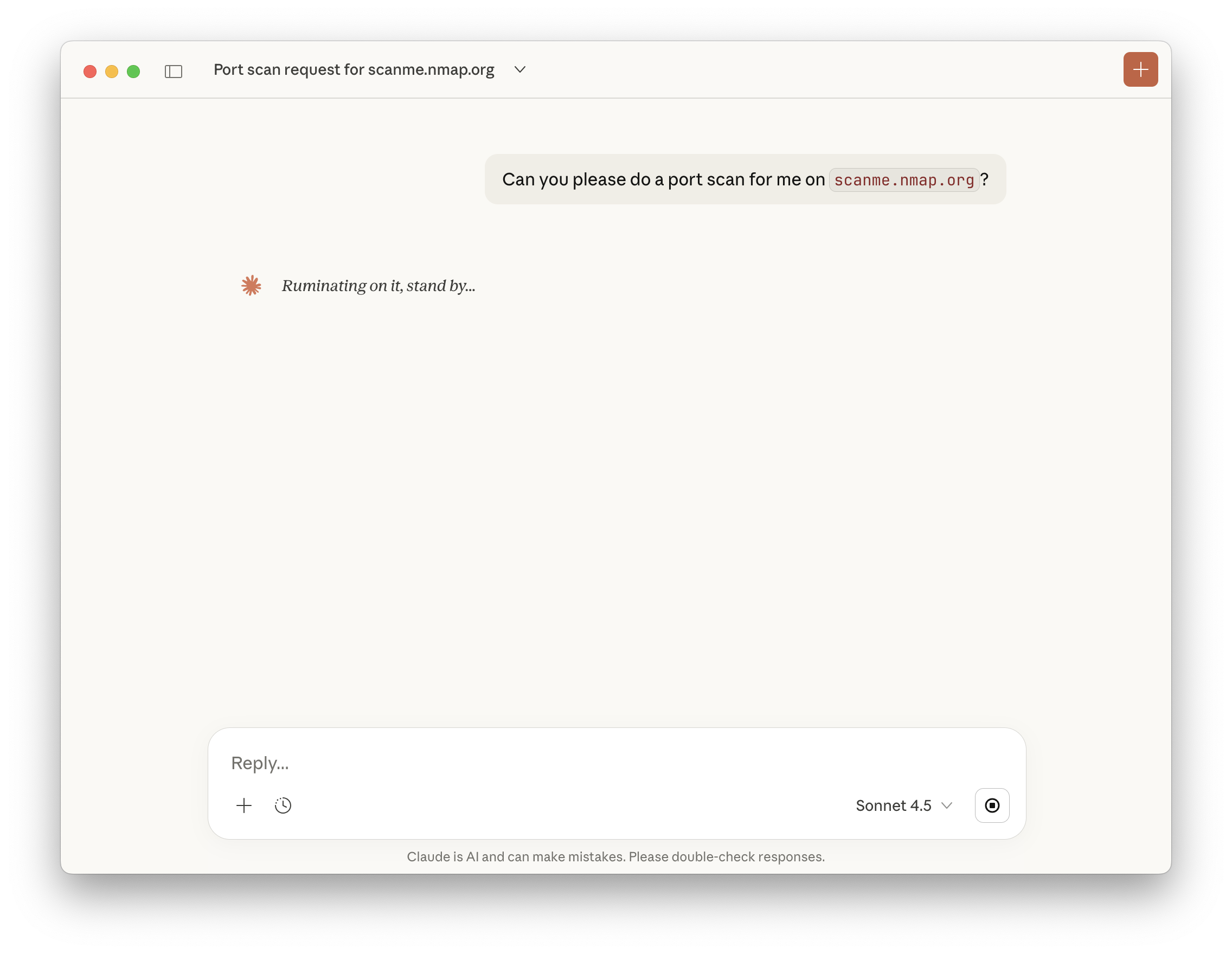
Afterwards, we just wait.

Figure 16 - Running

If you are impatient, you can peek behind the curtain a little bit by checking the logs! In the terminal which we ran kali-server-mcp, we can then see:

2026-01-21 14:20:21,688 [INFO] Executing command: which nmap
2026-01-21 14:20:21,690 [INFO] Executing command: which gobuster
2026-01-21 14:20:21,692 [INFO] Executing command: which dirb
2026-01-21 14:20:21,693 [INFO] Executing command: which nikto
2026-01-21 14:20:21,695 [INFO] 127.0.0.1 - - [21/Jan/2026 14:20:21] "GET /health HTTP/1.1" 200 -
2026-01-21 14:21:25,385 [INFO] Executing command: nmap -sV scanme.nmap.org
2026-01-21 14:21:39,295 [INFO] 127.0.0.1 - - [21/Jan/2026 14:21:39] "POST /api/tools/nmap HTTP/1.1" 200 -

Figure 19 - Results Full

Recap

In review:

  • We have a Kali instance running (could be on the same network, or in the Cloud).
  • On Kali, we setup SSH service to allow for secure communication.
  • On Kali, we ran MCP-Kali-Server for our MCP server.
    • We also made sure Kali has the needed tools installed!
  • On macOS, we setup Claude Desktop, and configured a MCP client.
    • macOS can SSH into our Kali box, to run MCP-Kali-Server’s client.
  • We then used Anthropic’s Sonnet 4.5 LLM to-do a nmap port scan of scanme.nmap.org.

…and we did this for “free”!

We may be talking about AI, but AI was not used to write this!


Find out more about advanced red teaming for AI environments at OffSec.com.

Kali Linux 2025.4 Release (Desktop Environments, Wayland & Halloween Mode)

11 December 2025 at 19:00

Say hello to Kali Linux 2025.4! Expect updated tools, performance tweaks, and improved support - no fluff, just the essentials.

The summary of the changelog since the 2025.3 release from September is:


Desktop Environments

GNOME 49

As with previous GNOME updates in Kali, we’ve given all our themes a fresh coat of paint - everything has been tuned to look sharp and feel smooth.

The Totem video player has been replaced with the new Showtime app, and the app grid now finally organizes Kali tools into folders, just like the menu does, making it far more intuitive to find the tool you need.


Changes to the application grid do not affect already installed versions of Kali. This is done to avoid overwriting the user’s application layout. If you still want to see the new folders in the application grid, you can force the update with the following command:

┌──(kali㉿kali)-[~]
└─$ cat /etc/dconf/db/local.d/kali-menu | dconf load /

Another quality-of-life improvement is the addition of a shortcut to quickly open a terminal (finally!), using Ctrl+Alt+T or Win+T - just like in our other desktops.

One of the major changes in GNOME 49 is the removal of X11 session support. Wayland is now the default - and only - window server, but do not worry: the transition is seamless and, as we explain later, even VM support is excellent.

If you want to know more about the details of the new shell version, check out the official GNOME 49 release notes.

KDE Plasma 6.5

KDE Plasma desktop has been bumped up to version 6.5, which brings two major releases of the desktop together. Here are some of the most relevant new features:

  • More flexible window tiling
  • New screenshot tool, with extra editing features
  • Quick access to pinned clipboard items in the panel
  • Fuzzy matching support for KRunner (Plasma’s search/launch/calculator/… tool), which means that even if you misspell an app’s name, it will still find it for you.

If you want to learn more about the new changes for this awesome DE, check out the Plasma 6.4 announcement and Plasma 6.5 announcement.

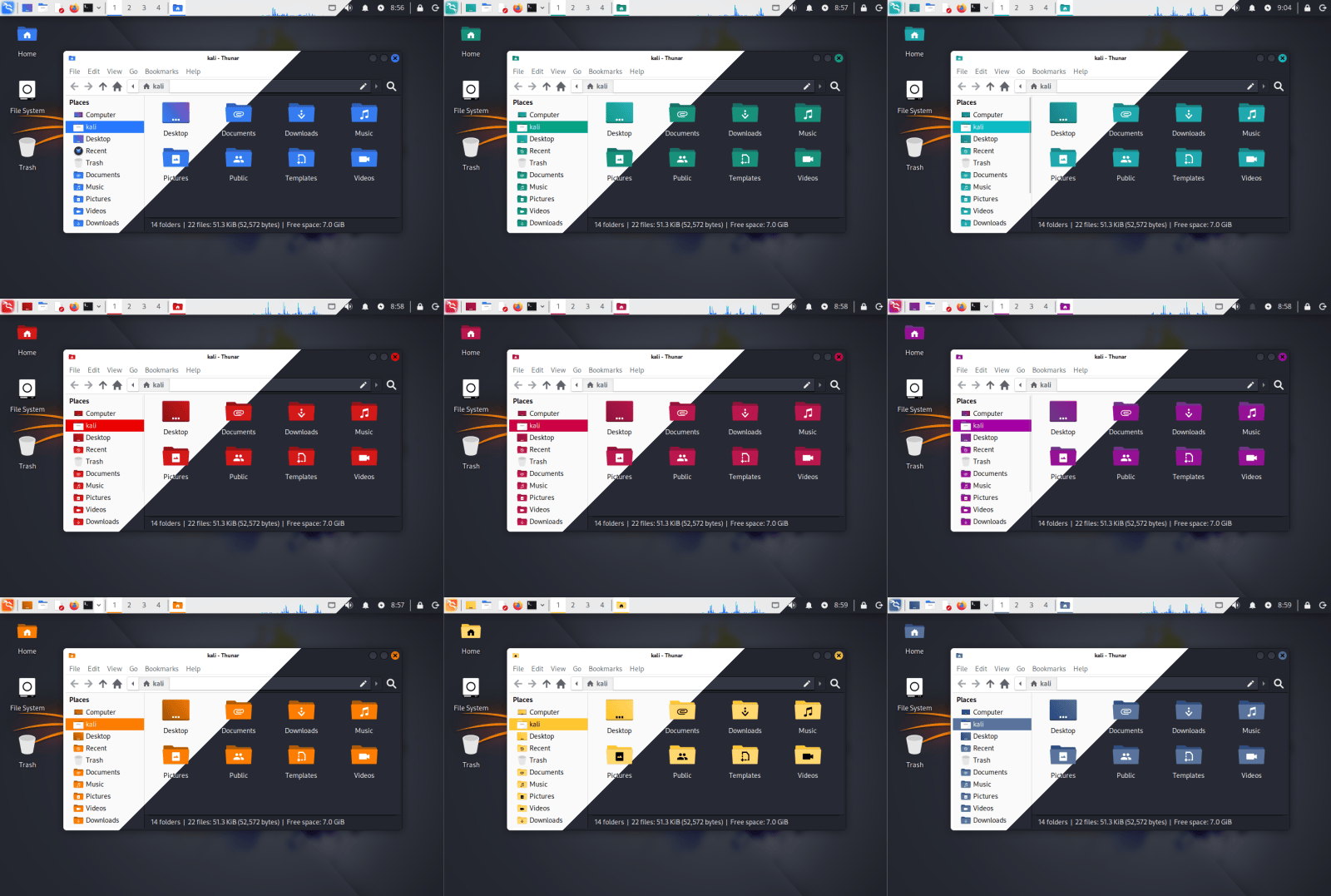
New Colors for Xfce Desktop

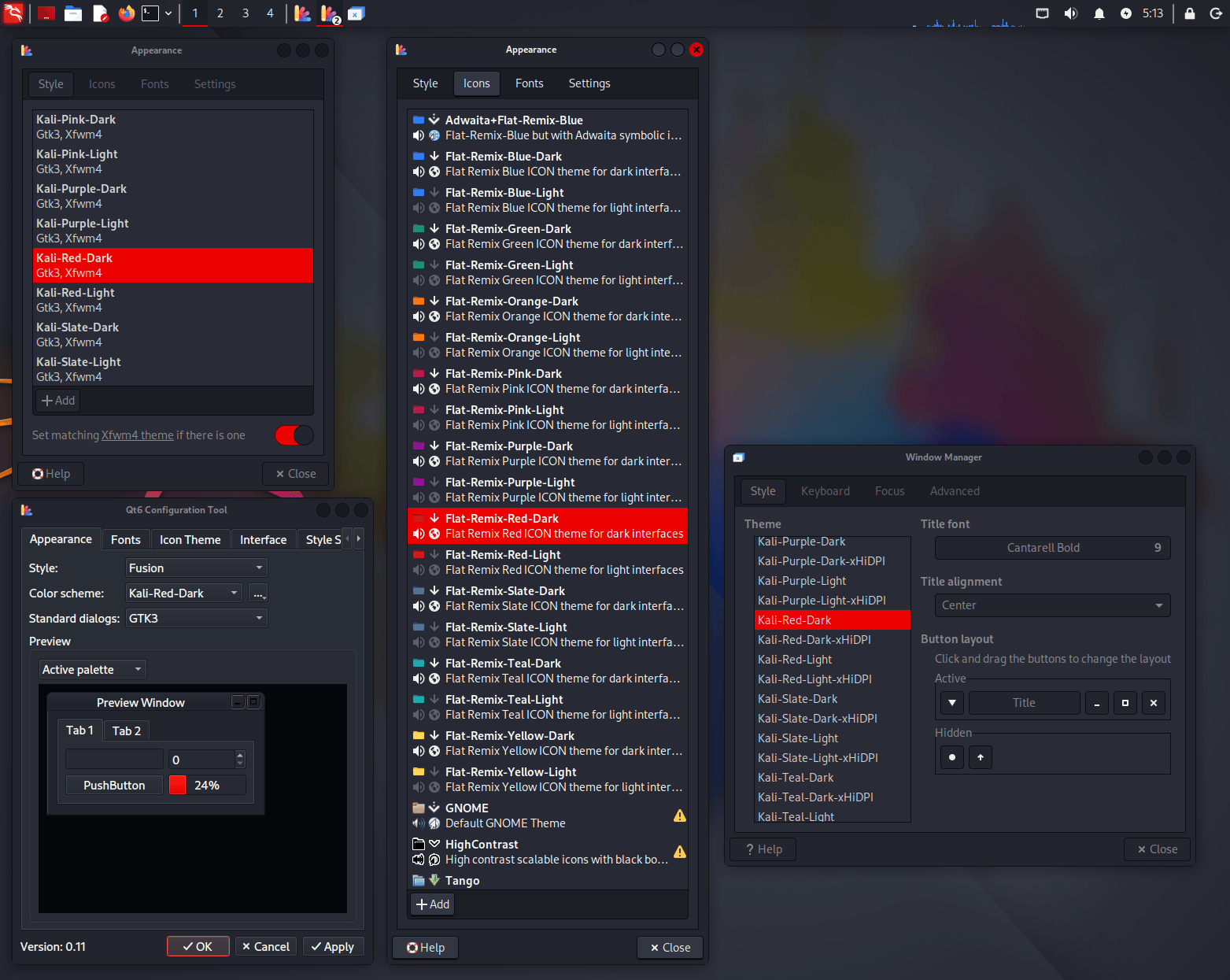
With this update, we wanted to bring support for color themes to Xfce, putting it on par with the already available settings in the other desktops (GNOME and KDE). Now you can fully customize the colors of your Kali installation with the new themes for icons, GTK 3/4 windows, Qt 5/6 windows, and Xfce’s window manager decorations.

All these settings can be changed through the “Appearance” application, except for Qt programs, which require separate themes and can be tweaked through qt5ct or qt6ct (both installed by default).

VM Guest Utils Support For Wayland

Wayland is a modern display protocol that serves as the successor to the older X11 system for handling graphics in Linux. It specifies how graphical applications (clients) communicate with a display server to render content and process user input. For years, X11 has been the default system in most UNIX desktops, but the time has come for a change to more modern software with a more efficient and secure architecture.

Now that GNOME has moved to only supporting Wayland, and KDE in Kali has already used it by default for a few years (since Kali Linux 2023.1), we wanted to ensure that the transition and experience were seamless. The only thing that we felt was missing was support for VM guest tools, like clipboard sharing and window scaling, but things have been progressing, and now all the major VM software fully supports Wayland.

We have tested Kali installations with Wayland as the guest OS in VirtualBox, VMware, and QEMU, configured the missing parts, and we are happy to announce that all of the VM guest additions that you expected in X11 before are now working in Wayland without trouble.

Kali Halloween Mode

During last Halloween season, we wanted to celebrate by launching a Kali/Hacker-themed pumpkin carving contest. We also launched a new mode for kali-undercover called Halloween mode, which dresses the desktop for the occasion!

While the Halloween mode has now been hidden from the menu, you can still launch it from your terminal in case you missed it and want to give it a try.

┌──(kali㉿kali)-[~]
└─$ kali-undercover --halloween

Kali Live image Is Now Distributed Over BitTorrent Only

To download Kali images, we usually provide two options: direct HTTP download or BitTorrent. HTTP downloads are served either by a mirror from the community, or the Cloudflare CDN. For the later, there’s a hard size limit: around 5 GB, or 5,049,942,016 bytes to be precise.

We already have an image that is way, way too big for the CDN: it’s the Everything image, which contains all Kali tools, and peaks at 13 GB (installer) and 15 GB (live). This image can only be downloaded via BitTorrent.

With this release, another image will now be available only over BitTorrent: it’s the Live image

For more background: we try hard to provide the same Kali Linux experience by default, for all images: whether you download a Pre-built VM, a Installer ISO or a Live ISO, you’ll get the same Kali, with the same Xfce desktop environment, and the same set of tools pre-installed. We also try to keep the default set of tools relatively stable, so that the tools that you use today are still present in the next release.

As time passes, packages tend to gain new dependencies, acquire more features, and generally speaking: everything gets bigger and bigger, and so do our Kali images. The Live image has been flirting with the 5 GB limit for a while, and this time it’s over the limit for good.

The Live image has always been an outlier in terms of size: it is a fully-fledged and ready-to-run Kali system, but it can also be used to install Kali, meaning that it also contains the Kali installer with a minimal pool of packages. For this reason, this image has always been bigger than any others.

After discussions with the team, we decided that we did not want to remove tools from the default installation, as other images are well below the size limit. We do not want to remove tools from the Live image only either, as it’s going to be confusing, and it’s just going to make the Live image less useful. So our only option at this point is to remove the Live image from the HTTP distribution channel, and distribute it over BitTorrent only. Like we already do for the everything image.

Just to be geeky, here’s a breakdown of sizes for the last 2025.3 release, and the explanation for their sizes:

  • Pre-built VM: 3.5 GB, these are the smaller images, basically it’s your default Kali Linux that is pre-installed and compressed with xz. That’s the best we can do in terms of compression.
  • Installer: 4.3 GB, it contains the same set of packages, but uninstalled (ie. as .deb files), so in terms of compression it’s a mixed bag of gz and xz compression (gz compresses much less than xz). Additionally it contains the Kali installer, which is a kind of mini OS dedicated to installing Kali.
  • Live: 4.7 GB, as said above, it’s a pre-installed Kali system, compressed with xz, plus the Kali installer, plus a minimal pool of packages.

New Tools in Kali

As with every Kali release, new tools have been introduced (to the network repositories). Below is a brief summary of the additions:

  • bpf-linker - Simple BPF static linker
  • evil-winrm-py - Python-based tool for executing commands on remote Windows machines using the WinRM
  • hexstrike-ai - MCP server that lets AI agents autonomously run tools

In addition, numerous packages have been updated, and new libraries have been incorporated. We also bump the Kali kernel to 6.16.

Kali NetHunter Updates

We are delighted to start this year’s winter season with awesome news! As usual, snowfall is now back on the Kali NetHunter app. Bugfixes, new features, new devices, an interview, and a live showcase podcast with offensive attacks.


Android 16 Support

Our recommended device family kicks in the door of Android 16. Made by @V0lk3n, the Samsung Galaxy S10, S10e, S10 Plus, and S10 5G running LineageOS 23 are now added with all the Kali NetHunter features including CAN, as well as internal wireless injection support. Check out the install guide for the S10 as an example. OnePlus Nord now also has Android 16 support by @kimocoder. Last but not least, @k0d14k added support for Xiaomi Mi 9 on Android 15.


Kali NetHunter Terminal

We are extremely thankful for your patience since the last release. The Terminal is now up and running again, thanks to the team effort of @yesimxev, @kimocoder, and @martin. At the same time, @kimocoder added support for any Magisk version that has interactive mode. Therefore, hitting CTRL+C would not close the terminal session anymore.

As of this writing, Magisk v30.6 is supported by the Terminal app.


Wifipumpkin 3

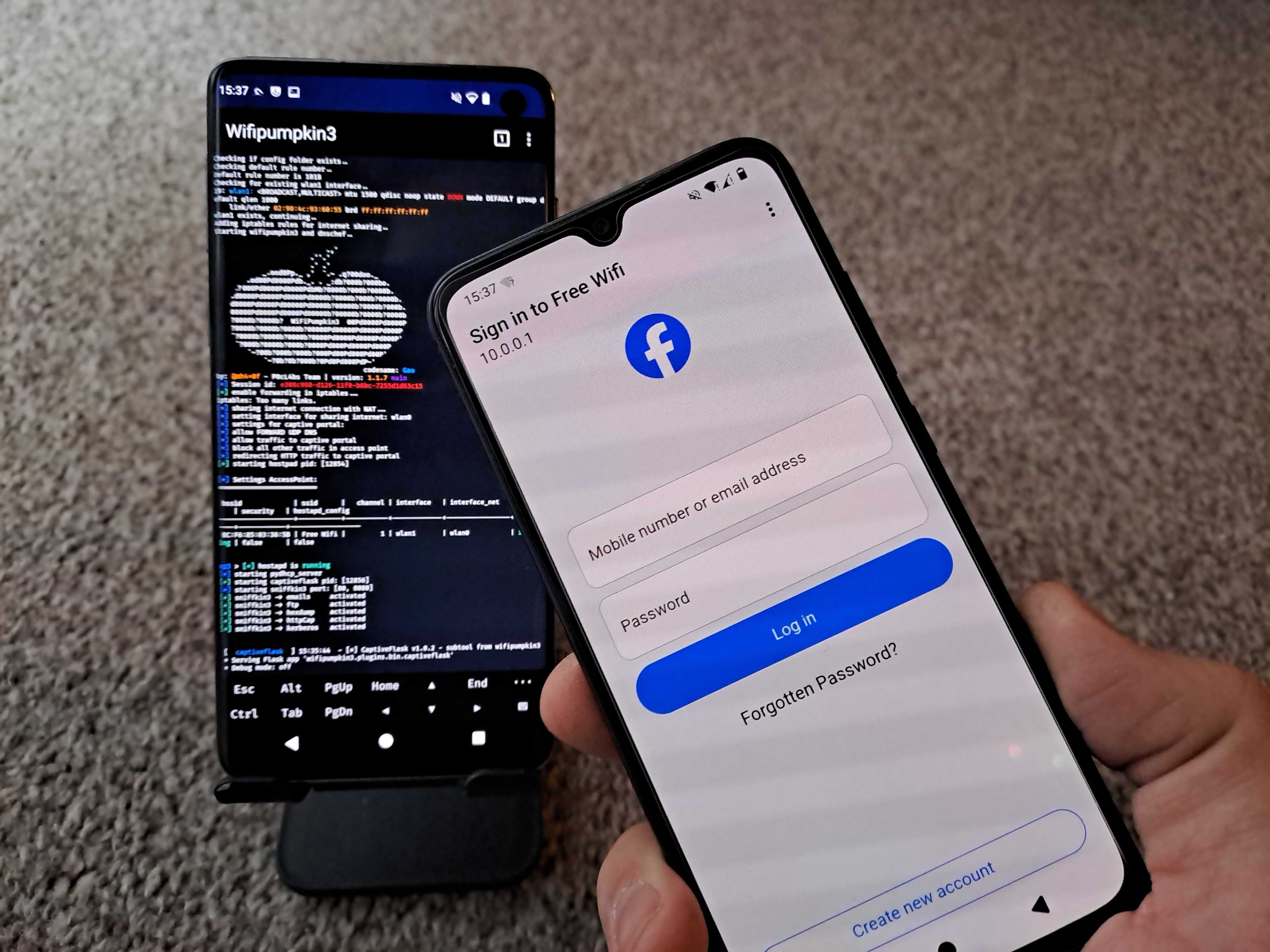
Wifipumpkin3 tab now has preview available in in NH app, updated by @yesimxev. He also added the latest templates of @IKTEACH and @dr.rootsu - Facebook, Instagram, iCloud, Snapchat. Credits for the great collaboration.


Miscellaneous

The kernel install tab is temporarily disabled as it needs some more maintenance. You will notice that @kimocoder started transforming some of the fragments to the new style. He also added a very early alpha version of the in-app terminal. You can enable in Kali NetHunter app settings if you’d like to check it out. Most commands will still go to the external Terminal app. Magisk installer now supports modules install, credits to @cyberknight777. Therefore, installed Kali NetHunter kernel modules will show up in Modules tab.


Kali NetHunter Live Podcast

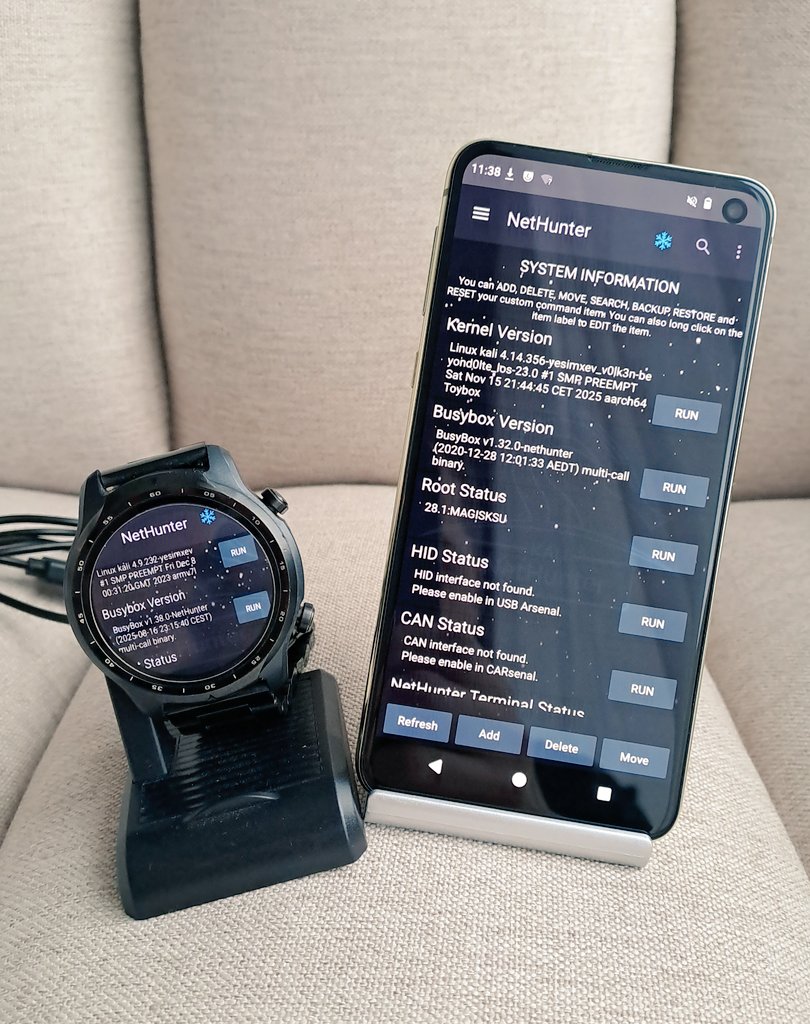
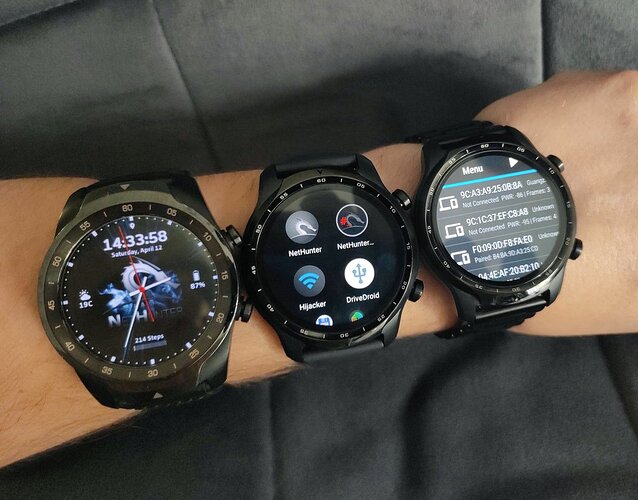
@yesimxev hosted the first NetHunter Live Podcast featuring @Lukas Stefanko, also known as Mobile Hacker. Live wireless attacks from phone and smartwatch, kon-boot Windows password bypass using smartwatch, Q&A, and guest talk. Make sure you check out if you missed the live stream! Episode two coming in January. Feedbacks are very welcomed.


Kali NetHunter Blog Interview

A deep dive into our lead Kali NetHunter developer, @yesimxev’s mind. His story of how he’s got into cybersecurity and NetHunter, a brief overview of features, devices, future plans, and more!

Kali Documentation

We have refreshed ourKali documentation with updates to current pages and a handful of new ones:

Community Shout-Outs

These are community members who contributed to Kali during the latest release, and we want to recognize their efforts (we believe in giving credit where it’s due!).

Anyone is welcome to contribute, and anyone can get involved!

New Kali Mirrors

We have 3 new mirrors in Asia! Those are:

And 1 new mirror in North America:

If you have the disk space and bandwidth, we always welcome new mirrors.

Miscellaneous

Here are a few additional Kali updates we are calling out, though they do not warrant a deep dive:


Get Kali Linux 2025.4

Fresh Images: So what are you waiting for? Go get Kali already!

Seasoned Kali Linux users are already aware of this, but for those who are not, we also produce weekly builds that you can use. If you cannot wait for our next release and you want the latest packages (or bug fixes) when you download the image, you can just use the weekly image instead. This way you will have fewer updates to do. Just know that these are automated builds that we do, not QA like we do for our standard release images. But we gladly take bug reports about those images because we want any issues to be fixed before our next release!

Existing Installs: If you already have an existing Kali Linux installation, remember you can always do a quick update:

┌──(kali㉿kali)-[~]
└─$ echo "deb http://http.kali.org/kali kali-rolling main contrib non-free non-free-firmware" | sudo tee /etc/apt/sources.list
[...]
┌──(kali㉿kali)-[~]
└─$ sudo apt update && sudo apt -y full-upgrade
[...]
┌──(kali㉿kali)-[~]
└─$ cp -vrbi /etc/skel/. ~/
[...]
┌──(kali㉿kali)-[~]
└─$ [ -f /var/run/reboot-required ] && sudo reboot -f

You should now be on Kali Linux 2025.4. We can do a quick check by doing:

┌──(kali㉿kali)-[~]
└─$ grep VERSION /etc/os-release
VERSION="2025.4"
VERSION_ID="2025.4"
VERSION_CODENAME="kali-rolling"
┌──(kali㉿kali)-[~]
└─$ uname -v
#1 SMP PREEMPT_DYNAMIC Kali 6.16.8-1kali1 (2025-09-24)
┌──(kali㉿kali)-[~]
└─$ uname -r
6.16.8+kali-amd64

NOTE: The output of uname -r may be different depending on the system architecture.


As always, should you come across any bugs in Kali, please submit a report on our bug tracker. We will never be able to fix what we do not know is broken! And Social networks are not bug trackers!


Want to keep up-to-date easier? We’ve got you!

Kali Linux 2025.3 Release (Vagrant & Nexmon)

22 September 2025 at 20:00

Another quarter, another drop - Kali 2025.3 is now here! Bringing you another round of updates, new features and introducing some new tools - pushing Kali further. The summary of the changelog since the 2025.2 release from June is:

  • Packer & Vagrant - HashiCorp’s products have had a refresh
  • Nexmon Support - Monitor mode and injection for Raspberry Pi’s in-built Wi-Fi
  • 10 New Tools - As always, various new packages added (as well as updates)

HashiCorp: Packer & Vagrant

Kali has been using two HashiCorp products, which go hand-in-hand with each other:

  • Packer - Creating VMs for multiple platforms from a single source configuration
  • Vagrant - Building and managing VM environments

Until now, we have been using our Packer build-script to generate our Vagrant VMs. This has been working well for us. We wanted to streamline our platform building process more, which prompted us to revisit how we generate Vagrant VMs. Whilst it is possible to automate Packer, it was not ideal for our infrastructure setup and workflow (e.g. trying to build Hyper-V images on Linux).

This caused us to refresh a few items:

  • Kali pre-seed examples - Packer uses pre-seed to automate the Kali installer - we made sure they are all consistent.
  • Kali Packer build-scripts - We were using v1 of the standards. We upgraded to v2.
  • Kali VM build-scripts - Vagrant images are VMs which a few tweaks done to them. We added these modification to our existing VM build-scripts.

For more information, please keep reading our blog post: Kali Vagrant Rebuilt: Out With Packer, In With DebOS

Nexmon Support

Nexmon is a “patched” firmware, for certain wireless chips, to extend their functionally to allow:

  • Monitor mode - able to sniff packets
  • Injection mode - frame injection allows for custom raw packets to be sent, outside of the “standard” stack ordering

Both are really useful when it comes to information security! For the record, it is possible to-do both of the features above without Nexmon, as it depends on the device’s chipset and drivers.

Now, Nexmon supported wireless chips are Broadcom & Cypress, which are in a various devices, including the Raspberry Pi’s in-built Wi-Fi! In Kali 2025.1, we changed how we package our Raspberry Pi kernel, as well as bump to a new major version. Now Nexmon support is back as well as supporting Raspberry Pi 5! Other devices can also use Nexmon, its not limited to Raspberry Pis.

To find out more, please see our previous blog post: The Raspberry Pi’s Wi-Fi Glow-Up

Dropping ARMel

We are announcing that we too are dropping support for ARMel (Acorn RISC Machine, Little-Endian). We are following Debian’s footsteps in this decision: Debian “trixie” 13 is the last release with ARMel support, and Debian testing (which Kali is based on) doesn’t provide ARMel packages anymore.

Luckily, the amount of devices which use this architecture is very limited:

  • Raspberry Pi 1 (Original)
  • Raspberry Pi Zero W
  • ODROID-W, which already is End-Of-Life.

We cannot justify the amount of resources, both human power as well as hardware, required to support such a limited amount of legacy hardware. We would much rather put the time into RISC-V…

Configurable VPN IP panel plugin (Xfce)

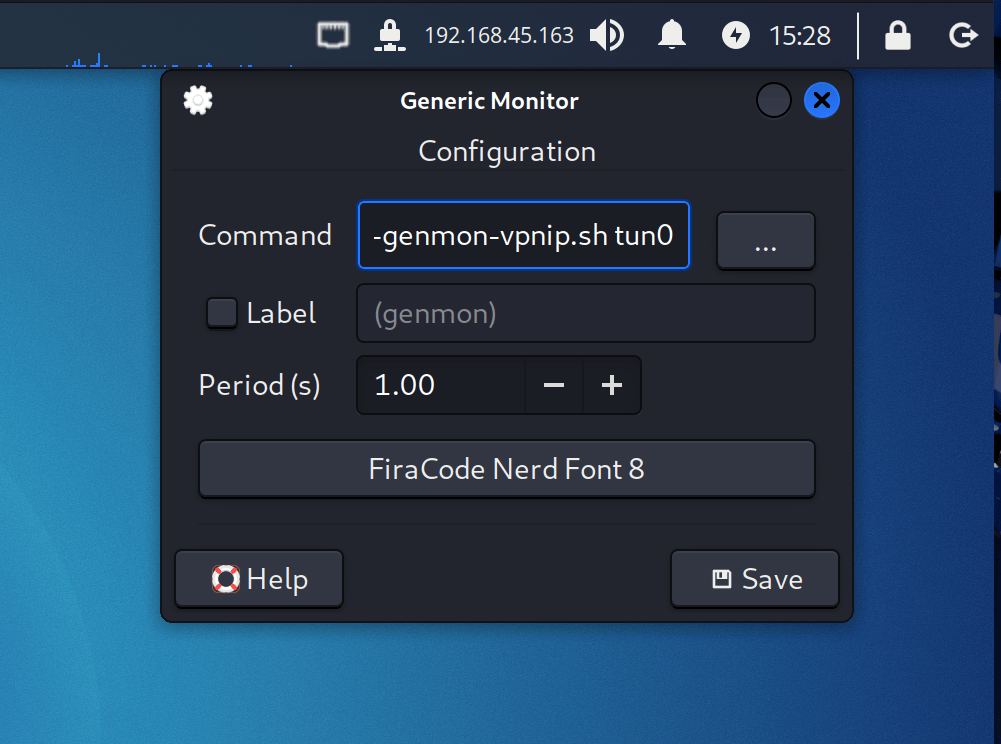
In Kali 2024.1, we introduced a new Xfce panel plugin that allows users to quickly check and copy the current IP address of their VPN connection. Until now, it was only possible to view the IP of the first VPN, but if you were using multiple connections or wanted to check a different interface, there was no way to switch it. To improve the usability of this plugin, we have now added the option to choose which network interface the plugin monitors.

To configure it, right-click the VPN-IP plugin and open the preferences dialog, where you can set the new interface at the end of the “Command” parameter. If you don’t see the VPN-IP plugin, you can find it in the panel preferences by searching for the “Generic Monitor” plugin in the “Items” tab.

New Tools in Kali

It would not be a Kali release if there were not any new tools added! A quick run down of the 10 tools which have been added to the network repositories:

  • Caido - The client side of caido (the graphical/desktop aka the main interface) - a web security auditing toolkit
  • Caido-cli - The server section of caido - a web security auditing toolkit
  • Detect It Easy (DiE) - File type identification
  • Gemini CLI - An open-source AI agent that brings the power of Gemini directly into your terminal
  • krbrelayx - Kerberos relaying and unconstrained delegation abuse toolkit
  • ligolo-mp - Multiplayer pivoting solution
  • llm-tools-nmap - Enables LLMs to perform network discovery and security scanning tasks using the nmap
  • mcp-kali-server - MCP configuration to connect AI agent to Kali
  • patchleaks - Spots the security fix and provides detailed description so you can validate - or weaponize - it fast
  • vwifi-dkms - Setup “dummy” Wi-Fi networks, establishing connections, and disconnecting from them

There have also been numerous packages updates and new libraries as well.

As a heads up, we are looking at altering the tools which get installed by default in Kali 2025.4, via the kali-linux-default metapackage.

Kali NetHunter Updates

Kali NetHunter team and the community has been busy working away on Kali on mobile devices, with Kali NetHunter, app and terminal!

Wireless Injection

We are happy to announce that we finally have a new budget friendly device since Nexus 5, which supports internal monitor mode with injection on both 2.4Ghz and 5Ghz. After an awesome collaboration, the Kali NetHunter Samsung Galaxy S10 is born. The Nexmon team patched the broadcom firmware, @V0lk3n ported the Kali NetHunter kernel, and @yesimxev released Hijacker arm64 version to avoid app crashes. The install guide is available here for Nexmon and Kali NetHunter.

CARsenal Update

Kali NetHunter Car Hacking, CARsenal, continues to expand with a lot of change and new features by @V0lk3n!

You will need to run the setup again, to apply all the new changes and install any new packages.

Even if it’s a “Car Hacking” toolset, we discourage you from trying this on your daily driver. Use it on a controlled environment. Either OffSec or the Kali team will not take responsibility for your actions, especially if you break your car.

What’s New?

  • Main - Settings has been moved to menu bar and all service commands can be edited by long pressing oranges buttons. New RFCOMM Connect service.
  • Tools - Settings has been moved to menu bar. When configuring your settings, tools buttons will be updated with it, and all tools commands can be edited by long pressing oranges buttons.
  • CAN-USB - Settings as been moved to menu bar. When configuring your settings, Run button will be updated with it.
  • Caring Caribou - All modules and sub-modules as been added to Caribou, excepted doip which should come in 2025.4 update and DCM which is replaced by UDS. All module spinner have been merged into modules and submodules spinner. Settings parameters is now displayed depending of the module/submodule chosen.
  • ICSim rewrite - ICSim is renamed to Simulator, and UDSim has been added to it - enjoy more simulation for learning and testing purpose! Also a new feature to hide/display the controls view and to make ICSim/UDSim a float-able window has been added! Keep the simulator in front of your eyes while running tools from CARsenal or NetHunter Terminal!
  • New MSF tab - A new MSF tab has been added, providing automotive modules for Metasploit-Framework. Setup a hardware bridge, connect to it and run post modules!
  • About dialog - About dialog page and it’s credit has been updated.

What Else?

  • UI - User Interface has been updated a lot! Thanks to @kimocoder for inspiration!
  • Bug Fix - A lot of bug fix and no more outdated libraries used! Thanks again to @kimocoder for this!
  • CARsenal Refactoring - Refactoring process of CAN Arsenal to CARsenal is now complete.
  • Documentation - Complete rewrite of CARsenal documentation for 2025.3 content (no change for the kernel documentation part).
  • New Kernel Supporting CAN - OnePlus6 for LineageOS 22.2 (Android 15). Note that it was made for OnePlus6 and not it’s 6T variant. This will be updated soon as well to support it.

What to come next?

Expect to see for 2025.4 more UI update, better MSF screen terminal, Simulator update and more! We are also planning to make series of videos demonstrating CARsenal, If you notice a bug or simply wish to have a feature added to CARsenal, get in touch!

Modules in Magisk

Kernel modules install with Magisk is now supported and are included in the released install images. It is still in experimental state. Credits to @yesimxev and @cyberknight777.

Bugfixes & Improvements

Thanks largely to @kimocode who made a lot of code updates improving UI, stability and more! Bellow is a list of changes:

  • Boot animation is now fixed
  • Improved/Added API 21 to API 34+
  • Made busybox_nh available in Android (SU) shell
  • Made the bootkali" and “killkali” scripts available in Android (SU) shell
  • Removed the non-working ‘Deauth’ tab (fragment)
  • Replaced many deprecated libraries
  • Replaced the deprecated ‘AsyncTask’ with ‘Executer’ which improves threading and background tasks making the application for stable and improve performance
  • Updated all libraries in use to latest
  • Updated BusyBox binaries
  • Updated Gradle / JAVA
  • Updated the “Audio” fragment
  • Updated the “GPS” fragment
  • Updated the kernel “Modules” fragment
  • Updated vulnerable database list (WPS)
  • WP3: Fix templates not showing in the Spinner

Playground

@yesimxev had fun on his car radio again. Let’s combine a Kali NetHunter phone, RTL-SDR, and a car radio. The result? Airspace visualizer in your car, bringing the wardriving vibes, especially with the radar design. Credits to @ElbaSatGuy for creating this awesome project.


Finally, he tried out the Bad Bluetooth Attack on his smartwatch, to take over a Samsung tablet.

Kali ARM SBC Updates

Other than Nexmon, which we have already covered, Kali ARM has also had a few other improvements:

  • We have fixed an issue with the Kernels not always getting updated.
  • For our Raspberry Pi images, we are now recommending to use the 64-bit (arm64) image rather than 32-bit (armhf).
  • The Raspberry Pi 64-bit (arm64) image will also do Raspberry Pi 5! There is no longer a dedicated image just for this device.
  • The Raspberry Pi 2 doesn’t support 64-bit (arm64), so if you are still rocking it, grab the 32-bit (armhf).

Miscellaneous

Below are a few other things which have been updated in Kali, which we are calling out, which do not have as much detail:

Kali Documentation

Our Kali documentation has had various updates to existing pages as well as new pages:

Kali Blog Recap

Since our last release, we did the following blog posts:

Community Shout-Outs

These are people from the public who have helped Kali and the team for the last release. And we want to praise them for their work (we like to give credit where due!):

Anyone can help out, anyone can get involved!

New Kali Mirrors

First, we have a new machine to host our tier-0 mirror archive.kali.org! The tier-0 mirror is the source from where all the other mirrors sync. This new machine has more bandwidth; we went from 500 Mb/s to 3 Gb/s, in other words we increased capacity by 6! In practical terms, it means mirrors will sync faster, which is especially relevant for “big syncs”, when a lot of new packages land in the repository at once. Faster mirror syncs means users get new packages faster, and it means smoother operations overall. This is a very welcome upgrade, long overdue!

Now, for the list of new Kali mirrors, this release cycle was again busy, we welcomed 6 new mirrors in Asia:

We also welcomed a pair of mirrors sponsored by IONOS, thanks to William Fleurant:

If you have the disk space and bandwidth, we always welcome new mirrors.


Get Kali Linux 2025.3

Fresh Images: So what are you waiting for? Go get Kali already!

Seasoned Kali Linux users are already aware of this, but for those who are not, we also produce weekly builds that you can use. If you cannot wait for our next release and you want the latest packages (or bug fixes) when you download the image, you can just use the weekly image instead. This way you will have fewer updates to do. Just know that these are automated builds that we do, not QA like we do for our standard release images. But we gladly take bug reports about those images because we want any issues to be fixed before our next release!

Existing Installs: If you already have an existing Kali Linux installation, remember you can always do a quick update:

┌──(kali㉿kali)-[~]
└─$ echo "deb http://http.kali.org/kali kali-rolling main contrib non-free non-free-firmware" | sudo tee /etc/apt/sources.list
[...]
┌──(kali㉿kali)-[~]
└─$ sudo apt update && sudo apt -y full-upgrade
[...]
┌──(kali㉿kali)-[~]
└─$ cp -vrbi /etc/skel/. ~/
[...]
┌──(kali㉿kali)-[~]
└─$ [ -f /var/run/reboot-required ] && sudo reboot -f

You should now be on Kali Linux 2025.3. We can do a quick check by doing:

┌──(kali㉿kali)-[~]
└─$ grep VERSION /etc/os-release
VERSION="2025.3"
VERSION_ID="2025.3"
VERSION_CODENAME="kali-rolling"
┌──(kali㉿kali)-[~]
└─$ uname -v
#1 SMP PREEMPT_DYNAMIC Kali 6.12.38-1kali1 (2025-08-12)
┌──(kali㉿kali)-[~]
└─$ uname -r
6.12.38+kali-amd64

NOTE: The output of uname -r may be different depending on the system architecture.


As always, should you come across any bugs in Kali, please submit a report on our bug tracker. We will never be able to fix what we do not know is broken! And Social networks are not bug trackers!


Want to keep up-to-date easier? We’ve got you!

Kali Vagrant Rebuilt: Out With Packer, In With DebOS

20 August 2025 at 20:00

Vagrant files, *.box, are pre-configured Virtual Machines (VM) VM images, which when imported into HashiCorp’s Vagrant, allow for VMs to be interacted with via the command line. You create, start, interact, stop, destroy VMs all without leaving the terminal. Think containers (Docker/Podman), but for VMs.


Previously we have been using HashiCorp’s Packer to generate our HashiCorp’s Vagrant images.

Packer is a wrapper, around whatever hypervisor you wish, and it will automate installing the OS (unattended setup via preseeding), run any commands or scripts, export the VM and finally compress it.

The down-side to Packer is that you need to have the chosen hypervisor installed on the host OS, you can’t cross-build. If you use Linux, you can’t build Window’s Hyper-V.


For a few years now , we have been using DebOS, to automate building our VMs. This has been working great for us.

Recently we realized: “Why do we have two different systems, for the same purpose?”. A little bit of digging into “how to make a vagrant base box VM” boils down to just a few requirements:

Simple really, just need to make sure that Vagrant can easy access the VM!

Optional items (and recommended), as it helps benefits user’s rather than Vagrant:

  • Known/Fix credentials (vagrant everywhere)
  • SSH tweaks (speed up for airgap networks)

All of this can be handled in a post-install step, which we have put into our Kali-VM build-script.


Now, we are building all of our VMs, automatically, in the same matter (Stock and Vagrant), all in the same infrastructure setup (Linux!).


Since Microsoft Windows 10 1607 / Server 2016, when exporting VMs, there would be 3 additional “binary” files, *.vmcx/*.vmrs included as well as an *.xml. As we were no longer exporting the VM from Hyper-V, but generating it outside of, we do not have these files.

Now, we could create a “template” binary which would act as a dummy marker.

But this didn’t sit right with us, we didn’t want to include items, especially binary files.


Out of the box, Vagrant expected those binary files and failed without them. However a merge request later to upstream, and support has been added. As a result, trying to use Kali 2025.2 or higher on Windows using Hyper-V, using vagrant older than v2.4.7 will NOT work. You need to use either an older Kali, different hypervisor, manually patch or to upgrade Vagrant to be v2.4.8 (released 2025-08-05) or higher.


As Packer is no longer generating our Vagrant VMs, we renamed the git repository (gitlab.com/kalilinux/build-scripts/kali-vagrant -> gitlab.com/kalilinux/build-scripts/kali-packer).

Finally, before sunsetting our Packer build-scripts, we did a refresh of these build-scripts one more time. We might not be using it, but that doesn’t mean you can’t.


Demo

After getting Vagrant and VirtualBox installed:

$ vagrant box add kalilinux/rolling
==> box: Loading metadata for box 'kalilinux/rolling'
box: URL: https://vagrantcloud.com/api/v2/vagrant/kalilinux/rolling
This box can work with multiple providers! The providers that it
can work with are listed below. Please review the list and choose
the provider you will be working with.
1) hyperv
2) libvirt
3) virtualbox
4) vmware_desktop
Enter your choice: 3
==> box: Adding box 'kalilinux/rolling' (v2025.2.1) for provider: virtualbox (amd64)
box: Downloading: https://vagrantcloud.com/kalilinux/boxes/rolling/versions/2025.2.1/providers/virtualbox/amd64/vagrant.box
box: Calculating and comparing box checksum...
==> box: Successfully added box 'kalilinux/rolling' (v2025.2.1) for 'virtualbox (amd64)'!
$
$ vagrant box list
kalilinux/rolling (virtualbox, 2025.2.1, (amd64))
$
$ mkdir -pv vagrant-demo/; cd vagrant-demo/
mkdir: created directory 'vagrant-demo/'
$
$ vagrant init --force --minimal kalilinux/rolling
[...]
$
$ cat Vagrantfile
# -*- mode: ruby -*-
# vi: set ft=ruby :
Vagrant.configure("2") do |config|
config.vm.box = "kalilinux/rolling"
end
$
$ vagrant up --provider virtualbox
Bringing machine 'default' up with 'virtualbox' provider...
==> default: Importing base box 'kalilinux/rolling'...
==> default: Generating MAC address for NAT networking...
==> default: Checking if box 'kalilinux/rolling' version '2025.2.1' is up to date...
==> default: Setting the name of the VM: vagrant-demo_default_1753960552589_87147
Vagrant is currently configured to create VirtualBox synced folders with
the `SharedFoldersEnableSymlinksCreate` option enabled. If the Vagrant
guest is not trusted, you may want to disable this option. For more
information on this option, please refer to the VirtualBox manual:
https://www.virtualbox.org/manual/ch04.html#sharedfolders
This option can be disabled globally with an environment variable:
VAGRANT_DISABLE_VBOXSYMLINKCREATE=1
or on a per folder basis within the Vagrantfile:
config.vm.synced_folder '/host/path', '/guest/path', SharedFoldersEnableSymlinksCreate: false
==> default: Clearing any previously set network interfaces...
==> default: Preparing network interfaces based on configuration...
default: Adapter 1: nat
==> default: Forwarding ports...
default: 22 (guest) => 2222 (host) (adapter 1)
==> default: Running 'pre-boot' VM customizations...
==> default: Booting VM...
==> default: Waiting for machine to boot. This may take a few minutes...
default: SSH address: 127.0.0.1:2222
default: SSH username: vagrant
default: SSH auth method: private key
default: Warning: Connection reset. Retrying...
default: Warning: Remote connection disconnect. Retrying...
default: Warning: Connection reset. Retrying...
default: Warning: Remote connection disconnect. Retrying...
default:
default: Vagrant insecure key detected. Vagrant will automatically replace
default: this with a newly generated keypair for better security.
default:
default: Inserting generated public key within guest...
default: Removing insecure key from the guest if it's present...
default: Key inserted! Disconnecting and reconnecting using new SSH key...
==> default: Machine booted and ready!
==> default: Checking for guest additions in VM...
default: The guest additions on this VM do not match the installed version of
default: VirtualBox! In most cases this is fine, but in rare cases it can
default: prevent things such as shared folders from working properly. If you see
default: shared folder errors, please make sure the guest additions within the
default: virtual machine match the version of VirtualBox you have installed on
default: your host and reload your VM.
default:
default: Guest Additions Version: 7.0.20
default: VirtualBox Version: 7.1
==> default: Mounting shared folders...
default: /tmp/vagrant-demo => /vagrant
$
$ vagrant ssh
Linux kali 6.12.25-amd64 #1 SMP PREEMPT_DYNAMIC Kali 6.12.25-1kali1 (2025-04-30) x86_64
The programs included with the Kali GNU/Linux system are free software;
the exact distribution terms for each program are described in the
individual files in /usr/share/doc/*/copyright.
Kali GNU/Linux comes with ABSOLUTELY NO WARRANTY, to the extent
permitted by applicable law.
┌──(vagrant㉿kali)-[~]
└─$

Cheat-Sheet

vagrant box add kalilinux/rolling --force --clean --provider virtualbox --box-version 2025.2.1
mkdir -pv kali-vagrant/ && cd $_
vagrant init kalilinux/rolling --force --minimal --output - --box-version 2025.2.1 | tee Vagrantfile
vagrant up --provider virtualbox
vagrant ssh

More Reading

Kali Linux & Containerization (Apple's Container)

28 July 2025 at 20:00

If you’re an Apple user, you may have heard of Apple’s upcoming feature Containerization during WWDC 2025. Quick summary:

  • Container is a CLI tool, which works with Containerization. This is what end-users interact with.
  • Containerization handles creating the containers, that talks to Virtualization.framework.
  • Virtualization.framework is the hypervisor API (high level), and creates a new VM per container via Hypervisor.framework.
  • Hypervisor.framework is the low level hypervisor API, which uses the macOS kernel (the hypervisor).

It is similar to Microsoft’s Windows Subsystem for Linux 2 (WSL), where a very small lightweight virtual machine (VM) is launched in the background, so a Linux kernel can be used on a non Linux host (WSL2 uses Hyper-V). Not to be confused with WSL1, which was more like WINE!

Its set to be publicly released for the next major OS release, macOS “Tahoe” 26, and also for macOS “Sequoia” 15 .

Containerization supports containers which are “Open Container Initiative (OCI) compliant”, luckily our Kali image are!

Setup

If the first thing we see when trying to run container is:

~ % container
zsh: command not found: container
~ %

…We need to install it.


Doing a quick check to make sure our system is supported:

~ % sw_vers -productVersion
15.5
~ %
~ % uname -m
arm64
~ %

We are using macOS 15.5, on an Apple Silicon series device (aka arm64).

We are good to go!


If Homebrew is installed:

~ % brew install --cask container
==> Downloading https://github.com/apple/container/releases/download/0.2.0/container-0.2.0-installer-signed.pkg
==> Downloading from https://release-assets.githubusercontent.com/github-production-release-asset/993475914/c5fb6a42-f282-4dd7-95c2-af9b142f0ed1?sp=r&sv=2018-11-09&sr=b&spr=https&se=2025-07-17T14%3A06%3A32Z&r
######################################################################################################################################################################################################### 100.0%
==> Installing Cask container
==> Running installer for container with sudo; the password may be necessary.
Password:
installer: Package name is container-0.2.0-installer-signed
installer: Upgrading at base path /
installer: The upgrade was successful.
🍺 container was successfully installed!
~ %

Otherwise, we can manually grab the (signed) setup file from github.com/apple/container. At the time of writing its container-0.2.0-installer-signed.pkg.


Now when we try and run it:

~ % container
OVERVIEW: A container platform for macOS
USAGE: container [--debug] <subcommand>
OPTIONS:
--debug Enable debug output [environment: CONTAINER_DEBUG]
--version Show the version.
-h, --help Show help information.
CONTAINER SUBCOMMANDS:
create Create a new container
delete, rm Delete one or more containers
exec Run a new command in a running container
inspect Display information about one or more containers
kill Kill one or more running containers
list, ls List containers
logs Fetch container stdio or boot logs
run Run a container
start Start a container
stop Stop one or more running containers
IMAGE SUBCOMMANDS:
build Build an image from a Dockerfile
images, image, i Manage images
registry, r Manage registry configurations
OTHER SUBCOMMANDS:
builder Manage an image builder instance
system, s Manage system components
~ %

…but we are not fully yet there!


When we use container to try and interact with Containerization, we may get:

~ % container ls
Error: interrupted: "internalError: "failed to list containers" (cause: "interrupted: "XPC connection error: Connection invalid"")
Ensure container system service has been started with `container system start`."
~ %

We can address this by starting up the service in the background:

~ % container system start
Verifying apiserver is running...
Installing base container filesystem...
No default kernel configured.
Install the recommended default kernel from [https://github.com/kata-containers/kata-containers/releases/download/3.17.0/kata-static-3.17.0-arm64.tar.xz]? [Y/n]: y
Installing kernel...
~ %

Now we are off to the races!

Running Containers

Like Docker, and Podman, we can run our containers as we would expect:

~ % container run --rm -i -t kalilinux/kali-rolling
┌──(root㉿9ff4685f-76e1-42fa-86ba-f12e76c79843)-[/]
└─# id
uid=0(root) gid=0(root) groups=0(root)

The first time running, container will need to pull down the container image. The default container registry is currently DockerHub (which Kali is on).


We are able to-do the same features as Docker/Podman as you would expect, such as sharing a directory :

~ % container run --remove --interactive --tty --volume $(pwd):/mnt --workdir /mnt docker.io/kalilinux/kali-rolling:latest
┌──(root㉿4be77ff5-bd57-4076-8bf0-8e51caff047e)-[/mnt]
└─# uname -a
Linux 4be77ff5-bd57-4076-8bf0-8e51caff047e 6.12.28 #1 SMP Tue May 20 15:19:05 UTC 2025 aarch64 GNU/Linux

Alias

Once everything is working as expected, we can create a quick alias to avoid retyping the full command each time:

~ % alias container-shell='container run --remove --interactive --tty --entrypoint=/bin/bash --volume $(pwd):/mnt --name "$(hostname -s)-$(mktemp -u XXXXXX)" --workdir /mnt'
~ %
~ % echo "alias container-shell='container run --remove --interactive --tty --entrypoint=/bin/bash --volume $(pwd):/mnt --name "$(hostname -s)-$(mktemp -u XXXXXX)" --workdir /mnt'" >> ~/.zshrc
~ %
~ % container-shell kalilinux/kali-rolling:latest
┌──(root㉿mba22-vB9af6)-[/mnt]
└─#

Troubleshooting

Currently there are a few known limitations of Containerization, especially using macOS “Sequoia” 15, such as container’s network access not getting an IP address or no network access. We recommend reading and following Apple’s advice if you run into these issues.


And just like that, we have a quick way to run Kali containers on macOS. This is part of our ongoing commitment of “Kali Everywhere”, where we put the tools you need in as many places as possible and easy for you to make use of. There are many different ways to run Kali, be sure to check out our get Kali page to find the one that best fits your needs.

The Raspberry Pi's Wi-Fi Glow-Up

21 July 2025 at 20:00

Thanks to Nexmon and fresh Kali packages, on-board wireless is ready for monitor mode and injection (again!).

Kali Linux users on Raspberry Pi now have an improved and more integrated way to use the on-board Wi-Fi interface for wireless assessments. While the Nexmon project has long made this technically possible, our support in Kali has recently been refined.

In Kali 2025.1, with the move to a newer Raspberry Pi kernel and a chance to revisit our packaging, we have cleaned up and formalized support for Nexmon through new packages. This not only improves the setup experience and adds support for more devices, including the Raspberry Pi 5, but also makes it easier to enable other hardware supported by Nexmon within Kali.

Where We Started

The Raspberry Pi has always been a compelling platform for portable Kali setups. But when it came to wireless assessments, things were less ideal. Raspberry Pi models use Broadcom/Cypress Wi-Fi chipsets, which don’t support monitor mode or injection by default. That left users needing an external USB adapter.

The Nexmon project, created by SEEMOO Lab at TU Darmstadt, changed that by offering a firmware patching framework that extends Broadcom’s closed firmware with additional capabilities — notably, monitor mode and injection. Nexmon works by modifying the firmware binaries themselves and providing patches for the Linux driver (brcmfmac) to support the required modes.

Kali’s integration of Nexmon has come a long way, though it hasn’t always been smooth. We were on the 5.15 kernel series for quite some time, in part due to how we were packaging the kernel and managing patchsets. This made it difficult to support newer devices like the Raspberry Pi 5, which requires a more recent kernel. When we attempted to move to 6.6, we encountered stability issues. These were not caused by Nexmon itself, but by changes in the kernel and how they interacted with our setup. Rather than ship something unreliable, we decided to pause development until we could revisit the approach.

What’s New

With the switch to the 6.12 kernel, we’ve taken the time to rebuild things properly. We’ve released two new packages:

These packages make it possible to use the on-board Wi-Fi interface on supported Raspberry Pi boards for monitor mode and frame injection, no USB adapter required!

The DKMS driver rebuilds against your kernel on installation, which should help keep things working across updates.

Supported Devices

We’ve tested the new Nexmon-enabled packages on:

  • Raspberry Pi 5 (64-bit)
  • Raspberry Pi 4 (64-bit and 32-bit)
  • Raspberry Pi 3B (64-bit and 32-bit)
  • Raspberry Pi Zero 2 W (43436s variant)
  • Raspberry Pi Zero W

If your board has a compatible Broadcom Wi-Fi chipset, it may work as well. If it does, let us know!

Installing the Packages

On a Raspberry Pi Kali image:

$ sudo apt update
$ sudo apt full-upgrade -y
$ sudo apt install -y brcmfmac-nexmon-dkms firmware-nexmon
$ sudo reboot

Once the device is back up, you can check that the Nexmon-patched driver is in use with:

$ modinfo brcmfmac | grep filename

Using Monitor Mode

$ airmon-ng start wlan0

In the command output you may see a message similar to:

command failed: Unknown error 524 (-524)

This is expected. Despite the message, monitor mode usually works. Confirm with:

$ iw dev

You should see an interface like wlan0mon in monitor mode.

Verifying Injection

Test injection with:

$ sudo aireplay-ng --test wlan0mon

You should see the Injection is working! message. This is not always stable however, and depends on device.

Tips and Troubleshooting

  • Disable power management: sudo iwconfig wlan0 power off
  • Stop NetworkManager if needed: sudo systemctl stop NetworkManager
  • Confirm firmware loads: dmesg | grep brcmfmac
  • If you need to rebuild the driver, re-run: sudo dpkg-reconfigure brcmfmac-nexmon-dkms

If upgrading on the Raspberry Pi 3B (64-bit), Wi-Fi may stop working due to the clm_blob. You can verify if this is the issue by running:

$ dmesg | grep clm_blob

If you see it failing to load the clm_blob, run sudo rm -v /lib/firmware/brcm/brcmfmac43430-sdio.raspberrypi,3-model-b.clm_blob and then reboot.

Special Thanks

We want to give a couple of shout outs to our friends in the community who helped make this possible:

  • @GeneErik for discussing the pain points of working with Nexmon at a distro level, and he said it would be great if we could use DKMS with the driver. Additionally, many long nights of discussions and troubleshooting.
  • @NurseJackass contributed the initial support for supporting the 6.12 kernel.
  • The Raspberry Pi Foundation for hardware donations, permissions, and assistance as needed.

Reporting and Feedback

If:

  • It works on your board (especially if unlisted), let us know!
  • It doesn’t work, report the issue with logs and hardware details!
  • You get it working on an unsupported board, share how!

Report in the Kali Linux forums or the Kali Linux Discord server the #kali-arm channel is the best place for these discussions.

Looking Ahead

This is one of several improvements we’re making across Kali ARM. Nexmon support gives Raspberry Pi users more freedom and portability when doing wireless assessments, especially when minimal hardware is key.

Thanks to the Nexmon team for their research and patches, and to the Kali community for helping us test and refine these packages.

We look forward to hearing how this works for you.

Kali Linux 2025.2 Release (Kali Menu Refresh, BloodHound CE & CARsenal)

12 June 2025 at 20:00

We’re almost half way through 2025 already, and we’ve got a lot to share with you in this release, Kali 2025.2.

The summary of the changelog since the 2025.1 release from March is:


Desktop Updates

Kali Menu Refresh

We’ve completely reworked the Kali Menu! It’s now reorganized to follow the MITRE ATT&CK framework structure – which means that finding the right tool for your task should now be a lot more intuitive for red and blue teams alike.

Previously the Kali menu structure followed what was in BackTrack… which followed WHAX before it. The previous structure was an in-house item, before MITRE was a thing. When our menu was first created, there wasn’t as much design planning done, which we suffered for later. It meant that over time, scaling and adding new tools became difficult for us. The knock on effect was that this made it harder for you, the end-users, to discover new tools as similar tools with overlapping functions were in different places or missing entries. Yes, seasoned professionals may not use the menu to start up items, using shortcuts such as super key and typing the tool name , or via a terminal window. We see the menu as a way to discover tools.

The final nail in the coffin in the setup was the fact that it was manually managed. Yes, all those entries were previously created by-hand (which also may explain a few things). As a result, we had stopped adding new tools to the menu… until now.

Now, we have created a new system and automated many aspects, making it easier for us to manage, and easier for you to discover items. Win win. Over time, we hope to start to add this to kali.org/tools/.

Currently Kali Purple still follows NIST CSF (National Institute of Standards and Technology Critical Infrastructure Cybersecurity), rather than MITRE D3FEND.

This is a big change, and we want your feedback! Think something should be renamed, moved, or see a tool that’s missing? Help us improve the menu by editing the structure directly — it’s all open and managed through a simple YAML file.

Kali Menu Refresh in Xfce

GNOME 48

GNOME has been bumped up to version 48, and brings with it:

  • Notification Stacking
  • Performance Improvements
  • Dynamic triple buffering
  • Enhanced Image Viewer
  • Digital Wellbeing
  • Preserve Battery Health
  • HDR (High Dynamic Range) Support
  • Updated Text Editor

Kali GNOME 48

As with previous GNOME updates in Kali, we’ve given all our themes a fresh coat of paint – everything’s been tuned to look sharp and feel smooth. The document reader evince has been replaced with the new papers app. If you’re rocking Kali with GNOME, this update is definitely worth the reboot. Want the full scoop? Check out the official GNOME 48 release notes.

New GNOME VPN IP Extension

Just like we did for Xfce back in Kali 2024.1, we’ve now brought the VPN IP indicator to GNOME too!

It shows the IP address of your current VPN connection right in the panel — and with a simple click, it copies it straight to your clipboard. Handy, right?

Kali GNOME VPN IP

Huge thanks to @Sarthak Priyadarshi who not only came up with the idea, but also provided all of the coding to make it happen. Community contributions like this make Kali better for everyone!

KDE Plasma 6.3

KDE Plasma fans, rejoice – we’ve included Plasma 6.3, and it’s packed with polish:

  • Huge overhaul of fractional scaling
  • Accurate screen colors when using the Night Light
  • More accurate CPU usage in system sonitor
  • Info Center provides more information, like GPUs data or batteries’ cycle counts
  • More customization features

Kali KDE Plasma 6.3

Whether you’re into tiling window madness or prefer a traditional desktop setup, Plasma 6.3 brings both flexibility and style. You can read more about all the new changes for Plasma desktop in their official release post.

New Community Wallpapers

There are also new changes in the Community Wallpapers package (pkg), including 2 new backgrounds provided by @Onix32032044 and 1 background provided by @Arszilla.

To access these wallpapers, simply install the kali-community-wallpapers package, which also offers many other stunning backgrounds created by our community contributors.

BloodHound Community Edition

If you’re doing Active Directory recon, this upgrade is a game changer. BloodHound just got a major upgrade – we’ve bumped it up to the latest version: BloodHound Community Edition (CE). With this update, we’re also shipping the full set of ingestors to support it:

Heads up: bloodhound-ce-python is the ingestor made specifically for BloodHound CE.
Don’t mix it up with the old bloodhound-python, which only work with the legacy version.

So what’s new in BloodHound CE? Expect a smoother interface, better performance, and new capabilities for mapping complex Active Directory environments.

You can check our guide about how to configure a new installation of Bloodhound-CE in Kali here.

Bloodhound CE

New Tools in Kali

It would not be a Kali release if there were not any new tools added! A quick run down of what has been added (to the network repositories):

There has also been numerous new libraries as well as packages updates as well, such as PowerShell and code-oss.

Xclip pre-installed

We’ve added xclip by default across all desktop environments in Kali.

Why? Because being able to quickly send output to the clipboard from the terminal is incredibly useful — especially during reporting, note-taking, or sharing on-the-fly.

Here are a few quick examples:

┌──(kali㉿kali)-[~/Downloads]
└─$ ip a | grep inet | xclip -selection clipboard

Boom — now your IP info is in your clipboard, ready to paste.

Or maybe you’ve just cracked a hash and want to copy the flag:

┌──(kali㉿kali)-[~/Downloads]
└─$ grep FLAG crackme.txt | xclip -sel c
# Or pass it to the next command
┌──(kali㉿kali)-[~/Downloads]
└─$ xclip -o -sel c | grep FLAG

No more mouse highlighting or right-click gymnastics. Just pipe it to xclip and paste wherever you need. Small tool, big quality-of-life boost.

Kali NetHunter Updates

Smartwatch Wi-Fi Injection

After 3 years, we are proud to introduce the first actual smartwatch that finally has wireless injection support! Thanks to the exceptional collaboration by @yesimxev and @Jakob Link from NexMon team. Countless emails, lost brain cells, but it was worth it. Now Kali NetHunter on the TicWatch Pro 3 (all variants with bcm43436b0 chipset) supports wireless injection, de-authentication, and able to capture WPA2 handshakes! Check out the install guide.


CARsenal

CAN Arsenal come with a new version by @V0lk3n. It is now renamed as CARsenal, to better match the goal which is to provide a car hacking tool set.

Code got a lot of rewrite, and provide a more friendly UI.

Also it come with new tools such as:

  • hlcand: Modified slcand for ELM327 use
  • VIN Info: Decode your VIN identifier
  • CaringCaribou: Actually provide Listener, Dump, Fuzzer, Send, UDS and XCP modules
  • ICSim: Provide a great simulator to play with VCAN and test CARsenal toolset without hardware needed

Actual kernel with CAN support enabled:

  • Samsung Galaxy S9 (A13/exynos9810)
  • Samsung Galaxy S10 (A14 & A15/exynos9820)
  • (NEW!) Realme C15 (A10)
  • (NEW!) Redmi Note 11 (A15)

Its documentations and kernel configuration has been updated as well.


Android Radio

There’s another possibly first use case of Kali NetHunter KeX running on Android radio. A teaser to the upcoming Android Auto support…


Kali NetHunter Kernels

Kali NetHunter kernels updates:

  • (NEW!) Xiaomi Redmi 4/4X (A13) (by @MomboteQ)
  • (NEW!) Xiaomi Redmi Note 11 (A15) (by @Madara273)
  • Updated Realme C15 (A10) (by @Frostleaft07)
  • Updated Samsung Galaxy S10 (A14,A15/exynos9820) (by @V0lk3n)
  • Updated Samsung Galaxy S9 (A13/exynos9810) (by @V0lk3n)

Kali ARM SBC Updates

We will start off with some Raspberry Pi updates:

  • We have combined some of our Raspberry Pi images, so that Raspberry Pi 5 does not need its own separate image . It is now supported by our 64-bit image! This is reflected by the new name of the download link on get-kali.
  • Raspberry Pi devices have had their kernel upgraded to a 6.12 based kernel. This was made possible thanks to @Nurse Jackass who add support to the brcmfmac nexmon driver.
  • Additionally, the udev rule that used to allow you to run vgencmd without requiring root rights on Raspberry Pi devices was updated, so you no longer need elevated privileges to run it.

Now onto some USB Armory MKII:

  • It also has had its kernel upgraded to a 6.12 based kernel.
  • The bootloader upgraded to 2025.04.

PowerShell on the ARM images has been bumped from 7.1.3 to 7.5.1

Build-scripts:

  • Mirror replacement is fixed, so if you want to build a custom image pointing at a specific mirror, just follow the instructions in the README
  • Occasionally there would be a build failure with no output. This was tracked down to the limit_cpu function and has been fixed so we no longer swallow the error code when there is one, and pass it on so when a failure happens we can know why.

Kali Website Updates

Kali Documentation

Our Kali documentation has had various updates to existing pages as well as new pages:

Kali Blog Recap

Since our last release, we did the following blog posts:

Kali Team Updates

It’s also with a heavy heart to announce that both @elwood as well as @gamb1t have stepped down and are no longer part of the Kali team. We hope you join us in wishing them all the best with their adventures going forward. @elwood has been part of Kali before it was called Kali and @gamb1t joined the team back in 2019. Both of them were very active and well known in Kali’s history as well as community.

Shubham Vishwakarma (@shubhamvis98) has been doing a lot of heavy lifting with Kali NetHunter Pro since the start and has now fully joined the team.

@v0lk3n has now been active and passionate for a while, with his work and efforts into the project it makes sense for him to have joined the Kali NetHunter team.

Please welcome @Aura, James Green (@greenjam94) and @Tristram as Kali’s Community Leaders! You will see them in various places, such as our real-time chat and forums. Come and say hi to them.

Community Shout-Outs

These are people from the public who have helped Kali and the team for the last release. We want to praise them for their work (we like to give credit where due!):

Anyone can help out, anyone can get involved!

The ROKFOSS initiative, by and for Korean users

In South Korea, a group of users that go by the name of ROKFOSS have been very active lately. Over the last few months, they have helped to setup new Kali Linux mirrors, and we now have a total of 6 mirrors in this country thanks to their support.

But the initiative goes further: they now provide a translation of the Kali Linux documentation in Korean, along with a chat instance.

Big thanks for this initiative!

New Kali Mirrors

We added 2 new mirrors to the pool during this release cycle:

If you have the disk space and bandwidth, we always welcome new mirrors.

Miscellaneous

Below are a few other things which have been updated in Kali, which we are calling out which do not have as much detail:


Get Kali Linux 2025.2

Fresh Images: So what are you waiting for? Go get Kali already!

Seasoned Kali Linux users are already aware of this, but for those who are not, we also produce weekly builds that you can use. If you cannot wait for our next release and you want the latest packages (or bug fixes) when you download the image, you can just use the weekly image instead. This way you will have fewer updates to do. Just know that these are automated builds that we do, not QA like we do for our standard release images. But we gladly take bug reports about those images because we want any issues to be fixed before our next release!

Existing Installs: If you already have an existing Kali Linux installation, remember you can always do a quick update:

┌──(kali㉿kali)-[~]
└─$ echo "deb http://http.kali.org/kali kali-rolling main contrib non-free non-free-firmware" | sudo tee /etc/apt/sources.list
[...]
┌──(kali㉿kali)-[~]
└─$ sudo wget https://archive.kali.org/archive-keyring.gpg -O /usr/share/keyrings/kali-archive-keyring.gpg
[...]
┌──(kali㉿kali)-[~]
└─$ sudo apt update && sudo apt -y full-upgrade
[...]
┌──(kali㉿kali)-[~]
└─$ cp -vrbi /etc/skel/. ~/
[...]
┌──(kali㉿kali)-[~]
└─$ [ -f /var/run/reboot-required ] && sudo reboot -f

You should now be on Kali Linux 2025.2. We can do a quick check by doing:

┌──(kali㉿kali)-[~]
└─$ grep VERSION /etc/os-release
VERSION_ID="2025.2"
VERSION="2025.2"
VERSION_CODENAME=kali-rolling
┌──(kali㉿kali)-[~]
└─$ uname -v
#1 SMP PREEMPT_DYNAMIC Kali 6.12.25-1kali1 (2025-04-30)
┌──(kali㉿kali)-[~]
└─$ uname -r
6.12.25-amd64

NOTE: The output of uname -r may be different depending on the system architecture.


As always, should you come across any bugs in Kali, please submit a report on our bug tracker. We will never be able to fix what we do not know is broken! And Social networks are not bug trackers!


Want to keep up-to-date easier? We’ve got you!

A New Kali Linux Archive Signing Key

27 April 2025 at 20:00

TL;DR

Bad news for Kali Linux users! In the coming day(s), apt update is going to fail for pretty much everyone out there:

Missing key 827C8569F2518CC677FECA1AED65462EC8D5E4C5, which is needed to verify signature.

Reason is, we had to roll a new signing key for the Kali repository. You need to download and install the new key manually, here’s the one-liner:

┌──(kali㉿kali)-[~]
└─$ sudo wget https://archive.kali.org/archive-keyring.gpg -O /usr/share/keyrings/kali-archive-keyring.gpg

Now your Kali is ready to keep rolling! Sorry for the inconvenience.


Long version

In the coming day(s), pretty much every Kali system out there will fail to update. You are likely to see this error message when you run apt update:

┌──(kali㉿kali)-[~]
└─$ sudo apt update
Get:1 https://http.kali.org/kali kali-rolling InRelease [41.5 kB]
Err:1 https://http.kali.org/kali kali-rolling InRelease
Sub-process /usr/bin/sqv returned an error code (1), error message is: Missing key 827C8569F2518CC677FECA1AED65462EC8D5E4C5, which is needed to verify signature.
Fetched 41.5 kB in 3s (16.5 kB/s)
82 packages can be upgraded. Run 'apt list --upgradable' to see them.
Warning: An error occurred during the signature verification. The repository is not updated and the previous index files will be used. OpenPGP signature verification failed: https://http.kali.org/kali kali-rolling InRelease: Sub-process /usr/bin/sqv returned an error code (1), error message is: Missing key 827C8569F2518CC677FECA1AED65462EC8D5E4C5, which is needed to verify signature.
Warning: Failed to fetch https://http.kali.org/kali/dists/kali-rolling/InRelease Sub-process /usr/bin/sqv returned an error code (1), error message is: Missing key 827C8569F2518CC677FECA1AED65462EC8D5E4C5, which is needed to verify signature.
Warning: Some index files failed to download. They have been ignored, or old ones used instead.

This is not only you, this is for everyone, and this is entirely our fault. We lost access to the signing key of the repository, so we had to create a new one. At the same time, we froze the repository (you might have noticed that there was no update since Friday 18th), so nobody was impacted yet. But we’re going to unfreeze the repository this week, and it’s now signed with the new key.

As a result, there’s a bit of manual work for you. You need to download and install this new key manually, as such:

┌──(kali㉿kali)-[~]
└─$ sudo wget https://archive.kali.org/archive-keyring.gpg -O /usr/share/keyrings/kali-archive-keyring.gpg

If you prefer using curl, that’s just as easy:

┌──(kali㉿kali)-[~]
└─$ sudo curl https://archive.kali.org/archive-keyring.gpg -o /usr/share/keyrings/kali-archive-keyring.gpg

As a matter of good practice, you should verify that the checksum of the file matches the one below:

┌──(kali㉿kali)-[~]
└─$ sha1sum /usr/share/keyrings/kali-archive-keyring.gpg
603374c107a90a69d983dbcb4d31e0d6eedfc325 /usr/share/keyrings/kali-archive-keyring.gpg

You can also take a closer look at the new keyring, it contains the old signing key (ED444FF07D8D0BF6) and the new signing key (ED65462EC8D5E4C5):

┌──(kali㉿kali)-[~]
└─$ gpg --no-default-keyring --keyring /usr/share/keyrings/kali-archive-keyring.gpg -k
/usr/share/keyrings/kali-archive-keyring.gpg
--------------------------------------------
pub rsa4096 2025-04-17 [SC] [expires: 2028-04-17]
827C8569F2518CC677FECA1AED65462EC8D5E4C5
uid [ unknown] Kali Linux Archive Automatic Signing Key (2025) <devel@kali.org>
pub rsa4096 2012-03-05 [SC] [expires: 2027-02-04]
44C6513A8E4FB3D30875F758ED444FF07D8D0BF6
uid [ unknown] Kali Linux Repository <devel@kali.org>
sub rsa4096 2012-03-05 [E] [expires: 2027-02-04]

And as you can see, apt update still works (or works again, if you’re reading this after seeing the apt error):

┌──(kali㉿kali)-[~]
└─$ sudo apt update
[...]
68 packages can be upgraded. Run 'apt list --upgradable' to see them.

Time to update your system!

Restarting from scratch

In some cases, you might just prefer to rebuild your Kali system(s) from scratch. For that purpose, we updated all of our images so that it contains the new keyring.

Just head to Get Kali and grab the latest images. You will notice that the version in the filenames is 2025.1c. These are the exact same images as the ones we released a month ago, the only difference being that it contains the new keyring. You can also use the weekly images, starting from 2025-W17 they contain the new keyring.

We also updated Kali NetHunter, VM, Cloud, Docker, WSL, etc etc… Please ping us if you think we forgot something.

Q & A

Q. So your key was compromised and you don’t want to admit it, right?

A. No. As you can see we still include the old key in the keyring, if it was compromised we would have removed it and provided a revocation certificate.


Q. I don’t trust this new key! Are you really Kali Linux?

A. The new key is signed by some developers from the Kali team, and the signatures are available on the Ubuntu OpenPGP keyserver. You can check it out at https://keyserver.ubuntu.com/pks/lookup?search=827C8569F2518CC677FECA1AED65462EC8D5E4C5&fingerprint=on&op=index.


Q. Wait a moment, I have an impression of déjà vu

A. Back in 2018, we had let the GPG key expire accidentally… There’s still an old tweet https://x.com/kalilinux/status/959515084157538304 to testify.


More questions? Need support? Head to the Kali Linux Forums, Discord Channel or IRC Channel, at your preference, and get in touch. We’ll be happy to help.

Kali Linux 2025.1a Release (2025 Theme, & Raspberry Pi)

18 March 2025 at 20:00

We are kicking off 2025 with Kali Linux 2025.1a! This update builds on existing features, bringing enhancements and improvements to streamline your experience. It is now available to download or upgrade if you’re already running Kali Linux. Kali Linux 2025.1a? What happened to 2025.1? There was a last minute bug discovered in a package after already producing our images. As a result, a re-build was needed, with a fix.

Here is a recap of the changelog since our December 2024.4 release:


2025 Theme Refresh

Just like our previous releases, the first one of the year, 20xx.1, has our annual theme refresh, a tradition that keeps our interface as modern as our tools. This year, we are excited to unveil our latest theme, thoughtfully designed to enhance the user experience from the moment you start up. Expect notable updates to the boot menu, login screen, and a stunning selection of desktop wallpapers for both Kali and Kali Purple editions. Our commitment extends beyond cybersecurity advancements; we strive to ensure that our platform’s aesthetics are just as impressive as its capabilities.

Boot Menu:

Kali 2025 Boot Menu


Login Display:

Kali 2025 Login


Desktop:

Kali 2025 Default Desktop


Kali Purple Desktop:

Kali Purple 2025 Default Desktop


New Wallpapers:

Kali 2025’s New Wallpapers

There are also new changes in the Community Wallpapers package, including 1 new background provided by Onix32032044 and 2 backgrounds that were not included in the default theme refresh.

To access these wallpapers, simply install the kali-community-wallpapers package, which also offers many other stunning backgrounds created by our community contributors.

Kali 2025’s New Community Wallpapers

Desktop Environments

KDE Plasma 6.2

After a long wait, we are excited to announce that Plasma 6 is finally available in Kali, specifically version 6.2. This is a major update, as the previous version included in Kali was Plasma 5.27, making the scope of changes difficult to summarize. For a more in-depth look at each release, check out the official announcements: 6.0, 6.1, and 6.2.

On our end, we have updated all themes to align with the new environment, featuring refreshed window and desktop visuals. And our favorite new addition from KDE? Floating panels!

Kali + KDE Plasma 6.2

Xfce 4.20

Our default desktop environment, Xfce, has also had a minor software bump from 4.18 to 4.20. Two years of development has gone this, which was formally released on December 15, 2024. It is the stable series follow-up to the Xfce 4.18 release that made its debut during Christmas of 2022 (Kali 2023.1).

Kali + Xfce 4.20

New keyboard shortcuts:

To enhance the experience for users transitioning from other operating systems, we have added a few extra keyboard shortcuts to make desktop navigation even faster:

  • Ctrl + Alt + F: File Manager
  • Super + E: File Manager
  • Super + F: File Manager
  • Super + R: Run Command (in addition to the previous shortcut Alt + F2)
  • Super + T: Open Terminal (in addition to the previous shortcut Ctrl + Alt + T)
  • Super + W: Open Browser
  • Super + F1: Find Cursor
  • Super + D: Show Desktop (in addition to the previous shortcut Ctrl + Alt + D)

Window Manager shortcuts:

  • Super + Shift + Down: Move window to monitor down
  • Super + Shift + Up: Move window to monitor up
  • Super + Shift + Left: Move window to monitor left
  • Super + Shift + Right: Move window to monitor right
  • Super + KeyPad_1: Tile window down left
  • Super + KeyPad_3: Tile window down right
  • Super + KeyPad_7: Tile window up left
  • Super + KeyPad_9: Tile window up right

You can check all the other Xfce keyboard shortcuts in the keyboard settings dialog or in the XFWM4 keyboard section.

Kali Xfce 4.20 Keyboard Shortcuts

Raspberry Pi

There has been various Raspberry Pi image changes for 2025.1a:

A newer package, raspi-firmware, is now being used. We now use the same raspi-firmware package as Raspberry Pi OS.

A new kernel, which is based on version 6.6.74 and is now from the Raspberry Pi OS kernel. It is now included in all our images, including support for the Raspberry Pi 5!

The new kernel packages are:

  • linux-image-rpi-2712 - arm64 kernel for the Raspberry Pi 5/500
  • linux-image-rpi-v8 - arm64 kernel for the Raspberry Pi 02W/2/3/4/400
  • linux-image-rpi-v7l - armhf kernel for the Raspberry Pi 02W/4/400
  • linux-image-rpi-v7 - armhf kernel for the Raspberry Pi 2/3
  • linux-image-rpi-v6 - armel kernel for the Raspberry Pi 0/0W/1

The respective header packages are linux-headers-rpi-2712, linux-headers-rpi-v8, linux-headers-rpi-v7l, linux-headers-rpi-v7, and linux-headers-rpi-v6. These headers come pre-installed on the Raspberry Pi images that we build. Additionally, 64-bit images include both 2712 and v8, while 32-bit images include v7l and v7.

The Nexmon kernel module is now DKMS-enabled and available as brcmfmac-nexmon-dkms, allowing it to be updated separately from the kernel. However, the Nexmon firmware is not included in this release. We are still evaluating the best approach to manage firmware updates with minimal disruption and will include it in a future update.

A new partition layout is introduced, mirroring Raspberry Pi OS images. The first (vfat) partition is now mounted at /boot/firmware instead of /boot. This means that if you need to modify config.txt, you should now edit /boot/firmware/config.txt. Similarly, for changes to the kernel command line, edit /boot/firmware/cmdline.txt. A /boot/config.txt file is included as a reference, containing a warning and pointing to the correct location.

Speaking of config.txt, it has now been simplified, as the newer boot firmware handles many tasks automatically.

There are a lot of changes that have happened under the hood, and as such, 2025.1a for Raspberry Pi devices means starting over from a new image, and not just following our update documentation. If you are happy with your current setup on the 5.15 kernel, updating will not break anything, as the new packages will not be installed by an update, but we highly recommend starting with a fresh image as we do not support upgrading to the new kernels.

Kali NetHunter Updates

Kali NetHunter CAN

We also have some fascinating Kali NetHunter updates for this release. Straight out of the blue, V0lk3n added the all new “CAN Arsenal” tab to NetHunter app so you can now have a car hacked straight from your pocket! He also added brand new kernels for Samsung phones, with successfully ported Samsung HID patch, which has not work since the Samsung Galaxy S7.

Our installer now comes with a dynamic wallpaper thanks to Robin. Therefore, if you want to add a new device with a unique resolution, you will not need to port an existing wallpaper. There are additionally various bug fixes from yesimxev, Robin, and g0tmi1k

We appreciate all the support coming from unofficial threads and our official Discord server. It is amazing how everyone helps each other out. This project really would not work without you!

New Kali NetHunter kernels:

  • Samsung Galaxy S9 (Exynos9810 - LineageOS 20/Android 13) - Thanks V0lk3n
  • Samsung Galaxy S10 (Exynos9820 - LineageOS 21 & LineageOS 22.1) - Thanks V0lk3n
  • Xiaomi Redmi Note 6 Pro (Android 11) - Thanks TheKidBaby

New Tools in Kali

This release, there has been more of a focus on updating packages. We also bump the Kali kernel to 6.12. Still, a Kali release would not be complete without something new being added (to the network repositories):

  • hoaxshell - Windows reverse shell payload generator and handler that abuses the http(s) protocol to establish a beacon-like reverse shell

Miscellaneous

Below are a few other things which have been updated in Kali, which we are calling out which do not have as much detail:

Kali Website Updates

We have added 3x new pages to kali.org:

Kali Wallpaper Page

Kali Documentation

Our Kali documentation has had various updates to existing pages as well as new pages:

Kali Blog Recap

Since our last release, we did the following blog posts:

Community Shout-Outs

These are people from the public who have helped Kali and the team for the last release. And we want to praise them for their work (we like to give credit where due!):

Kali Documentation:

Kali Forums:

  • @barry99705
  • @Eris2Cats
  • @Fred
  • @Serval
  • @ShadowKhan

Kali Community Wallpapers:

Packaging:

Anyone can help out, anyone can get involved!

New Kali Mirrors

We have some new mirrors! As often, listing it takes us on a trip around the world.

First, in Asia, we get 6 new mirrors:

Then in Europe, and thanks to the amazing Marc Gómez, we get 3 new mirrors in the following countries:

Finally, 2 more mirrors in Europe and Eastern Europe:

That is a total of 11 new mirrors! Huge thanks to the community for helping us distribute Kali everywhere in the world <3.

As always, if you have the disk space and bandwidth, we always welcome new mirrors.


Get Kali Linux 2025.1a

Fresh Images: So what are you waiting for? Go get Kali already!

Seasoned Kali Linux users are already aware of this, but for those who are not, we also produce weekly builds that you can use. If you cannot wait for our next release and you want the latest packages (or bug fixes) when you download the image, you can just use the weekly image instead. This way you will have fewer updates to do. Just know that these are automated builds that we do, not QA like we do for our standard release images. But we gladly take bug reports about those images because we want any issues to be fixed before our next release!

Existing Installs: If you already have an existing Kali Linux installation, remember you can always do a quick update:

┌──(kali㉿kali)-[~]
└─$ echo "deb http://http.kali.org/kali kali-rolling main contrib non-free non-free-firmware" | sudo tee /etc/apt/sources.list
[...]
┌──(kali㉿kali)-[~]
└─$ sudo apt update && sudo apt -y full-upgrade
[...]
┌──(kali㉿kali)-[~]
└─$ cp -vrbi /etc/skel/. ~/
[...]
┌──(kali㉿kali)-[~]
└─$ [ -f /var/run/reboot-required ] && sudo reboot -f

You should now be on Kali Linux 2025.1a. We can do a quick check by doing:

┌──(kali㉿kali)-[~]
└─$ grep VERSION /etc/os-release
VERSION="2025.1"
VERSION_ID="2025.1"
VERSION_CODENAME="kali-rolling"
┌──(kali㉿kali)-[~]
└─$ uname -v
#1 SMP PREEMPT_DYNAMIC Kali 6.12.13-1kali1 (2025-02-11)
┌──(kali㉿kali)-[~]
└─$ uname -r
6.12.13-amd64

NOTE: The output of uname -r may be different depending on the system architecture.

As always, should you come across any bugs in Kali, please submit a report on our bug tracker. We will never be able to fix what we do not know is broken! And Social networks are not bug trackers!

Want to keep up-to-date easier? We’ve got you!

Kali Linux On The New Modern WSL

27 January 2025 at 19:00

Late last year we had the pleasure of being reached out to by Microsoft in regards to participating in the launch of the new, modern, WSL distribution architecture. In summary, this new architecture allows for easier distribution and installation of WSL distros. For the full explanation of how this works, please view Microsoft’s blog post and their documentation.

With the assistance of Microsoft’s WSL team, we are proud to say that we were the first Linux distro to be accepted onto this new modern distribution list. In this blog post we will cover the journey and share how you can try out this new architecture, but if you are just looking for the hands on portion then please see here.

Kali and WSL’s history

Kali has had a long history of active support for WSL and the team running it. When we first got the email about the new distribution architecture and how it would be used, we were very interested in it.

For those who aren’t familiar with how WSL works, previously it took a few steps for us to get a new version onto the Microsoft store:

  • First we would have to build the root filesystem (rootfs) and compress it into a tarball. This is done through our build script and can be done on most systems and OSs.
  • After we have our compressed rootfs we would need to move it to a Windows system that has Visual Studio installed and configured for our needs. For a bit more information on this configuration, please see our readme in our GitLab.
  • Once we have Visual Studio set up and configured correctly, we would have to import the compressed rootfs and begin building the app. This is as easy as clicking a few buttons after you have it initially configured and know the output is good.
  • From here we then upload the build app bundle to Microsoft’s store, which then needs to be reviewed and approved.

Overall, not a long or taxing process. However, with the new distribution architecture all of this can be cut down into just two steps.

In fact, if we so chose, we could actually just build the rootfs and allow users to download the file and use it themselves. But why is this?

The new WSL modern distribution architecture

This new architecture comes along with some new files that are used. These files, which are included in the rootfs, indicate to WSL what to do with the tarball. These files include information such as the Linux distribution’s name, icon, user settings, and even what should be done on first boot.

With these files in place, WSL is able to import the rootfs tarball directly and get the WSL distro properly installed and configured. And if you are on a certain version of WSL or later (currently only available in pre-release) you will be able to double-click on any .wsl extension tarball and instantly install that WSL distro.

As this is a basic outline of how this architecture works for end users, if you are interested it is worth reading Microsoft’s blog post and documentation shared at the start of this blog.

Kali on the new distribution architecture

After receiving the email from the WSL team in November, 2024, we immediately began to update our build scripts to utilize this new feature. We created the necessary files and a basic out of box experience (oobe) script for WSL to use. After building it and testing it, we were impressed on how easy it was to use.

After the new year started we began to convert our existing build pipeline to fully utilize the new features offered in WSL. We modified our build script to include all of the new files, changed our build box to rename the tarball output into a .wsl extension, and are now utilizing kali.download, our Cloudflare mirror, to distribute the new file.

How you can test this new WSL

The first thing you will need to do is be on the pre-release version of WSL. Run the following command in the Windows terminal:

wsl --update --pre-release

After this is installed, you should then be able to use .wsl files. To test this, go to our kali.download page and download the .wsl file for your computer’s architecture. Likely this will be amd64.

Alternatively, you can run the following command in your Windows terminal:

wsl.exe --install kali-linux

We hope that you appreciate and enjoy this new development for WSL as much as we do. Who knows what the future has in store for Kali on WSL, you may just see some new more complete Kali installs with this new easy to install .wsl file.

Kali Linux 2024.4 Release (Python 3.12, Goodbye i386, Raspberry Pi Imager & Kali NetHunter)

15 December 2024 at 19:00

Just before the year starts to wrap up, we are getting the final 2024 release out! This contains a wide range of updates and changes, which are in already in effect, ready for immediate download, or updating.

The summary of the changelog since the 2024.3 release from September is:


A New Python Version: 3.12

Python 3.12 is now the default Python interpreter. While it was released upstream a year ago , it took a bit of time to become the default in Debian , and then even more time to make it to Kali Linux , but finally it’s here. Every new version of Python brings along some deprecations or subtle changes of behavior, which in turn breaks some Python packages, and we have to investigate and fix all the issues reported by our QA system. Hence the delay.

There is a major change with this new Python version: installing third-party Python packages via pip is now strongly discouraged and disallowed by default . This change has been coming for a long time, we wrote about it 18 months ago already , been given little reminders in each release blog post since and we gave another push about it in the 2024.3 release blog post. Now it’s finally effective.

pip users, fear not! It’s not the end of the world: there is pipx as a replacement. On the surface, it provides a similar user experience, but under the hood it overcomes the one outstanding issue with pip: the lack of environment isolation.

For more details, please check our dedicated documentation page: Installing Python Applications via pipx. If you still have a hard time running a third-party Python application in Kali, please reach out to us via our bug tracker.

The End Of The i386 Kernel And Images

…but not packages.

History lesson: i386 is a 32-bit CPU architecture, maybe more widely known by the name x86. It was the CPU architecture of the first generations of Intel Pentium, AMD K6, and Athlon. In short, it was ubiquitous in personal computers back in the 90s. Starting in 2003, a 64-bit version of the x86 architecture appeared, usually named x86-64 (or amd64 in Debian-based Linux distributions). It marked the end of the 32-bit x86 CPUs.

Despite being long obsolete, this architecture remained supported in software for years. 2019 was the year when major Linux distributions (Fedora 31 & Ubuntu ) started to drop it. Finally, in October 2024, Debian stopped building a i386 kernel (and OS images, as a consequence). Kali Linux, being based on Debian, follow suit: images and releases will no longer be created for this platform.

It’s important to note that this is not an instant death for i386 though. This is not how architectures die. The i386 kernel and images are gone, however i386 packages in general are not removed from the repository. It means that it’s still possible to run i386 programs on a 64-bit system. Either directly via the package manager (APT supports installation of i386 packages on a amd64 system), or via i386 Docker images.

With time, surely more and more i386 packages will disappear, but nobody really knows in advance which packages and ecosystems will go first, and how long others will remain. In particular, one of the biggest areas that keeps i386 alive is gaming: old games that were compiled for 32-bit x86 are still around, and enjoyed by gamers. As a consequence, there are people out there putting effort into keeping it working, and we can hope that a baseline of i386 packages will remain functional for the time being.

If you are impacted by this change and need more guidance to run your i386 binaries on Kali Linux, please reach out to us via our bug tracker, we will do our best to help.

Deprecations In The SSH Client: DSA keys

The latest version of OpenSSH (9.8p1) , available in this release of Kali Linux, deprecates DSA keys for good. If you need this support to connect to very old SSH servers, you will need to use the command ssh1 instead of ssh. Let’s take this chance to review how Kali Linux deals with SSH deprecations, and what it provides to make it easier to use the SSH client for pentesting purpose.

Out of the box, Kali comes with a “standard” SSH client, as provided by Debian. It means that SSH is pre-configured with security in mind: some legacy ciphers and algorithms are disabled by default, to prevent you from using potentially weak encryption without knowing.

For pentesting purposes though, we often need to use all these legacy features, because we need to know if the server that we target has it enabled. To easily enable all the legacy features at once, we provide the command-line tool kali-tweaks. This tool is a simple menu that allows you to configure various aspects of Kali. In the Hardening section, you can configure SSH for Wide Compatibility (instead of the default Strong Security), and that’s all you need to do to maximize the capabilities of your SSH client.

With that said, when some legacy features are not even compiled in the SSH client anymore (as is the case with DSA keys), you will need to resort to another SSH client: ssh1. ssh1 comes pre-installed in this new release of Kali Linux. In practicality, ssh1 is the SSH client frozen at version 7.5 (released in March 2017). This is the last release of OpenSSH that supports the SSH v.1 protocol, and of course it also supports DSA keys. If you target very old SSH servers, you might need to use this client, assuming you are using the SSH client directly from the command-line. However, if you use it indirectly (via some tool that uses SSH), it’s possible that the tool does not know about the ssh1 command, so in practice you will lose support for DSA keys with this new Kali release. If you are in this situation, talk to us (via our our Discord server or our bug tracker), and we might be able to help.

All of this information (and more) is available in our documentation.

Raspberry Pi Imager Customizations Support

The moment that Pi users have been waiting for has arrived! We are thrilled to announce that Kali’s Raspberry Pi images now support applying customizations directly from the Raspberry Pi Imager software! This is a huge step forward, and we are so excited to bring this much-requested feature to our users. Whether you are a seasoned pro or just getting started, this update is going to make your Raspberry Pi experience even more seamless.

Raspberry Pi Imager Prompt

For those who might not be familiar with the Raspberry Pi Imager, it was first introduced in 2020 by the Raspberry Pi Foundation. This incredibly handy tool allows users to easily write Raspberry Pi operating system images onto an SD card or USB drive with just a few clicks. But that’s not all — it also lets you apply essential customizations before you even boot up your Pi! You can pre-configure a range of settings, from setting a custom username and password to choosing a hostname, connecting to a Wi-Fi network, and even adding an SSH key for remote access.

Raspberry Pi Imager General Settings

With this latest release, you can now apply these customizations to all Raspberry Pi images — with the exception of the PiTail images, which are highly specialized with their own network and user settings. Unfortunately, due to these customizations, applying them via the Raspberry Pi Imager software is not supported for PiTail images. But for everything else, the sky’s the limit!

Raspberry Pi Imager Service Settings

How Does It Work?

The magic happens when you write a Raspberry Pi image to your SD card or USB drive using the imager software. If you choose to enable customizations, the settings are stored in two key files on the /boot partition of the drive:

  1. user-data: This file contains all your personal settings, including the username and password, any locale or timezone preferences, and even your SSH public key (if you have chosen to enable SSH).
  2. network-config: Here you will find your Wi-Fi network settings, including the pre-computed PSK (Password Security Key) for seamless connectivity.

Once the Raspberry Pi boots for the first time, these files will apply the custom settings automatically.

A quick tip: Do not forget to delete these files after the first boot to keep things secure.

Default Settings For Non-Customized Images

For users who do not wish to enable customizations, do not worry! The default settings for Raspberry Pi images will remain the same, with kali/kali for the username and password.

GNOME 47

We are excited to announce that the latest update to the GNOME Desktop, GNOME 47, is now available! This update brings numerous changes and desktop enhancements, but the most notable feature is the new support for accent color customization. You can now choose your favorite color for window and shell widgets, giving you more control over your desktop’s look and feel.

From Kali’s side, we have also worked on synchronizing this new setting with the icon theme and legacy GTK window themes to ensure a cohesive visual experience. To complement this feature, we have created multiple variants of the icon theme to match each accent color. These themes are also available across other desktop environments, allowing you to personalize your Kali experience.

Other Improvements:

  • New login theme

Kali GNOME 47 Login Them

  • New system-monitor panel extension

Kali GNOME panel system monitor

  • Improved color-schemes for gnome-text-editor

Kali Forums Refresh

A couple of weeks ago we launched the refresh of our Kali Forums. With this refresh we are now running a Discourse-powered forum with a new set of moderators thanks to our community moderators from Discord. We are very happy with the activity we have seen on it so far and hope to see you there!

For more information, please check out our blog post about the refresh.

Kali Discourse Forums

New Tools In Kali

As always, we have various new tools added (to the network repositories) - 14 this time! Summarizing what has been added:

  • bloodyad - Active Directory privilege escalation framework (Submitted by Arszilla)
  • certi - Ask for certificates to ADCS and discover templates (Submitted by Arszilla)
  • chainsaw - Rapidly search and hunt through Windows forensic artefacts (Submitted by Arszilla)
  • findomain - Fastest and most complete solution for domain recognition (Submitted by Arszilla)
  • hexwalk - Hex analyzer, editor and viewer
  • linkedin2username - Generate username lists for companies on LinkedIn
  • mssqlpwner - Interact and pwn MSSQL servers
  • openssh-ssh1 - Secure SHell (SSH) client for legacy SSH1 protocol
  • proximoth - Control frame attack vulnerability detection tool (Submitted by TechnicalUserX)
  • python-pipx - Execute binaries from Python packages in isolated environments
  • sara - RouterOS Security Inspector (Submitted by casterbyte)
  • web-cache-vulnerability-scanner - Go-based CLI tool for testing for web cache poisoning (Submitted by Arszilla)
  • xsrfprobe - An advanced Cross Site Request Forgery (CSRF/XSRF) audit and exploitation toolkit.
  • zenmap - The Network Mapper (nmap) front end (zenmap-kbx is no longer needed!)

There have also been numerous packages updates and new libraries as well. We also bump the Kali kernel to 6.11!

Kali NetHunter Updates

…There’s a lot here!

App

For the Kali NetHunter app, we are very glad to introduce the Mana toolkit replacement, Wifipumpkin3. After years of silence regarding android restrictions, yesimxev’s research solved the Android IP rules mystery and he added Wifipumpkin3, which allows you to create a fake AP with working internet, even on mobile network!

wifipumpkin3 tool logo

We have a quick demo of Wifipumpkin3 in action if you want to see the results.


Sticking with the Kali NetHunter app, @yesimxev has added a new tab, kernel, which will allow people to flash their kernel without using recovery - direct from the app!

Store

NetHunter Store

The Kali NetHunter store has had a (long overdue) update. This is powered by F-Droid, and completely open-source, including the website, the metadata and the apps (#1 & #2) that goes with it.

We hope to work on the store more over the next few Kali releases.

At the same time, we have generated new certificates & keys, so please do not be alarmed of the change.

  • GPG Key: AA 12 5C D4 16 57 56 83 93 BD 57 5E E1 4B 60 F8 EF 29 08 9C
  • Repo Certificate: aa:cb:a8:f5:23:89:39:f9

We have also bump’d privileged extension app to the latest version upstream too.

Installer

The Kali NetHunter installer has had some work on it too! It now has a new home in its own git repo (so does rootfs & rootless) .

Currently its possible to install Kali NetHunter using either methods:

  • Recovery (we recommend using TWRP) - the original method
  • Magisk (which also give “root” permissions) - the future method

We have been supporting both methods for a while, and tried to keep them in sync with each other (as much as possible). Long term, we will be putting our focus into Magisk method (as that is our preferred method of “root” access).

As of Kali 2024.4, the installer now supports fully supports Magisk (able to flash the kernel) and also added support for v28 and higher! As well as installing via command line (Magisk & TWRP), thanks to adb! There has been work done also for APatch and KernelSU.

There has also been a ton of bug fixes and improvements made too.

Website

Another Kali NetHunter change happened is our NetHunter subdomain website (which is automated CI output).

The new structure should give an easier overview and understanding of the whole process":

Kernel/Device

From a Kali NetNethunter kernel/device point of view:

  • We now support 100 devices!
    • Added support to Realme X7 Max 5G (RMX3031) (Thanks dek0der)
    • Added support to Xiaomi Mi 9 Lite / CC9 (pyxis)
    • Updated support for Nokia 6.1 & 6.1 Plus (drg)
    • Updated support for Realme C11 (RMX2185) (Thanks Frostleaft07)
    • Updated support for Xiaomi Mi 9T (davinci)
    • Updated support for Xiaomi Mi A3 (xiaomi-laurel)
    • Updated support for Xiaomi Pocophone F1 (beryllium)
  • First Android 15 device support (Xiaomi Mi A3 (xiaomi-laurel))
  • Generating a lot more pre-created images
  • The “body of knowledge” file, devices.cfg, which indexes everything, has now been turned into YAML, devices.yml.

Package

The nethunter-utils package has a new home too. And to go with it, Robin has done a lot of audio work.

Kali NetHunter Pro Updates

Just a quick message to say that Kali NetHunter Pro now includes “NetHunter” and “Hijacker” apps.

And if you are trying to enable On-The-Go (OTG) on Xiaomi Pocophone F1 and OnePlus 6/6T, you may want to watch this guide.

Kali ARM SBC Updates

Alongside the customizable Raspberry Pi images, we have packed in several other improvements:

  • Raspberry Pi 500 Support: The Raspberry Pi 5 image should also have support for the recently announced Raspberry Pi 500 however, we do not have the hardware to test, so please let us know if you do!
  • Raspberry Pi 5:
    • By default, KMS (Kernel Mode Setting) is now enabled for a smoother graphical experience. If you prefer to disable it, just comment out the dtoverlay=vc4-kms-v3d line in the /boot/config.txt file.
    • Auto Detection Enhancements: We have added improved detection for DSI displays and cameras. The system will automatically load the appropriate overlays, saving you time and effort during setup. It will not work for every one, but it should work for most.
  • Gateworks Newport: The second partition on the Gateworks Newport image is no longer set as bootable.
  • USB Armory MKII: We have upgraded to u-boot 2024.10, the latest version of the bootloader that it uses.
  • Console Fix: The character map has been set to UTF-8, so you will no longer experience corrupt characters at the console. If you are upgrading an existing installation, you can fix this by editing the /etc/default/console-setup file and setting CHARMAP="UTF-8".
  • BeagleBone Black: Thanks to a community member, the Beaglebone Black build script (which is community supported) is now able to build images successfully again.

Kali Website Updates

Kali Documentation

Our Kali documentation has had a few various major updates to existing pages as well as new pages:

This does not include numerous minor tweaking, or typo fixing!

Kali Blog Recap

Recapping since since our last release, we did the following blog posts:

Community Shout-Outs

These are people from the public who have helped Kali and the team for the last release. And we want to praise them for their work (we like to give credit where due!):

Anyone can help out, anyone can get involved!

Miscellaneous

Below are a few other things which have been updated in Kali, which we are calling out which do not have as much detail:


Get Kali Linux 2024.4

Fresh Images: So what are you waiting for? Go get Kali already!

Seasoned Kali Linux users are already aware of this, but for those who are not, we also produce weekly builds that you can use. If you cannot wait for our next release and you want the latest packages (or bug fixes) when you download the image, you can just use the weekly image instead. This way you will have fewer updates to do. Just know that these are automated builds that we do, not QA like we do for our standard release images. But we gladly take bug reports about those images because we want any issues to be fixed before our next release!

Existing Installs: If you already have an existing Kali Linux installation, remember you can always do a quick update:

┌──(kali㉿kali)-[~]
└─$ echo "deb http://http.kali.org/kali kali-rolling main contrib non-free non-free-firmware" | sudo tee /etc/apt/sources.list
[...]
┌──(kali㉿kali)-[~]
└─$ sudo apt update && sudo apt -y full-upgrade
[...]
┌──(kali㉿kali)-[~]
└─$ cp -vrbi /etc/skel/. ~/
[...]
┌──(kali㉿kali)-[~]
└─$ [ -f /var/run/reboot-required ] && sudo reboot -f

You should now be on Kali Linux 2024.4. We can do a quick check by doing:

┌──(kali㉿kali)-[~]
└─$ grep VERSION /etc/os-release
VERSION_ID="2024.4"
VERSION="2024.4"
VERSION_CODENAME=kali-rolling
┌──(kali㉿kali)-[~]
└─$ uname -v
#1 SMP PREEMPT_DYNAMIC Kali 6.11.2-1kali1 (2024-10-15)
┌──(kali㉿kali)-[~]
└─$ uname -r
6.11.2-amd64

NOTE: The output of uname -r may be different depending on the system architecture.

As always, should you come across any bugs in Kali, please submit a report on our bug tracker. We will never be able to fix what we do not know is broken! And Social networks are not bug trackers!

Want to keep up-to-date easier? We have got you!

Contributing to Kali

26 November 2024 at 19:00

With the launch of our brand-new forums, we thought we would update our documentation and explore how everyone can contribute to the growth of Kali Linux. Kali is a multi-platform project that thrives on the the contributions of its community. Whether you’re curious about how you can pitch in or simply want to learn more about how contributions shape our platform, keep reading. For a deeper dive, don’t forget to check out the relevant Kali Docs pages.

Where Contributions Happen

Kali Linux currently benefits from community support in four primary areas: Documentation, Packages, Hardware, and Community. Let’s break down each one:

  • Documentation: This is hosted on our website and includes Kali Tools and Kali OS Docs. Users can contribute by improving pages and grammar written in Markdown. Check out the Kali Docs and Kali Tools sections for more details.

  • Packages: These are the heart of Kali Linux. They contain tools, drivers, documentation, and unit tests based on the Debian standard. Packaging is a useful skill, helpful for handling tool package upgrades or adding new tools to the Kali repository. Learn about packaging new tools or handling upstream updates in the Kali Packaging section.

  • Hardware: Contributions in this area help to test the stability of certain devices or port Kali to new devices or platforms, ensuring that Kali is Everywhere. Also included here is hosting Kali content, such as seeding the torrents or hosting a mirror. If you’re interested in developing Kali for a new device, explore projects related to ARM, cloud, and the Porting Kali To A New Platform section.

  • Community: This involves Kali users helping one another on various platforms, including the Forums, Discord, IRC, and social media. Engaging with the community can be as simple as answering questions, sharing tools, or providing feedback.

How to Contribute

So, how can you help? First, decide how much time you can commit. We appreciate all forms of contributions, whether it’s recommending a tool to another Kali user or submitting a package with an autopkgtest. Here’s a rough estimate of the time commitment for various tasks:

  • Documentation: 5-30 minutes. This can involve anything from correcting typos to writing whole new pages.
  • Packages: 30 minutes to several hours. Packaging updates or new tools requires more in-depth knowledge and testing.
  • Hardware: Hours to days. Helping to test specific devices, porting Kali to new platforms, or setting up mirrors can be more involved and may require future updates.
  • Community: 1-5 minutes. A quick comment or sharing a useful tip goes a long way.

For more information on how to get involved, check out our comprehensive Kali Documentation.

Your contributions are extremely helpful to both the community and the Kali team. We hope to see your name in future work!

Forums Refresh

19 November 2024 at 19:00

Over the past year we have been hard at work on refreshing the Kali Forums, and today we are proud to announce the official launch. We have taken what we have learnt over the years decades, and created a new home from scratch.

At the same time, we are welcoming a new team of community moderators who have been helping us over on Discord. Before you go check it out, lets first take a look at why we are doing this.

What a forum means to us

Our forums have been a staple in Kali’s long history, spanning all the way back to before BackTrack. Then, everything was done through forums posting, including announcements, launching new projects like BackTrack, WHAX & Whoppix and their releases. They allowed like-minded individuals to create the foundation of a legacy that led to current day Kali.

The Internet and its culture has changed over time, which makes it difficult to put into perspective how influential forums were back then. For example, did you know that the WPS Pixie-Dust attack originated from a forum posting? Nowadays a large majority of people communicate through real-time chat services, like Discord. However, if the discussion about the Pixie-Dust attack occurred through real-time chat, who knows how wide spread this information would become. We view real-time chat as a good place for quick conversation, sharing initial ideas or assistance, and forums for longer term form content, such as guides/tutorials, status updates, items which commonly come up that can be referred back to. Both have their place, and we feel it is important to provide spaces for each.

Forums Real-Time Chat
How to access Web browser Web browser/Dedicated client
Who can access Anyone Anyone
Discussion lifespan Long Short
How are they viewed Archivable and searchable Occasionally searchable
When discussions are had At any point, with users able to join in when it suits them In the moment, and users who are online are able to join in

We always want to keep and maintain a forum for Kali, and make sure it is the best we can do.

To put it simply, without forums we would not have Kali.

Goodbye, vBulletin

vBulletin

vBulletin had been powering the forums since 2006 (from the days of Remote-Exploit) . For a long time this has worked great and provided our users a good platform to ask questions and give answers. However, we took a step back and saw that our setup was:

  • Lacking quite a bit of modern functionality that other forums were offering.
  • Not giving the same user experience and interface as our other end-user sites.
  • Behind the scenes, we were spending more time doing certain tasks, as it was missing moderation tools that were needed.

With a recent wave of spam bots flooding the site, it was the kick we needed to finally find the time to look for solutions.

The search

We knew from the start that there were a lot of options we could go with. We took the time to figure out what we need out of a forum and how we wanted our user experience to look. This helped us to narrow our options down to a few quality choices.

We were looking for something that has frequent updates, is secure, can integrate into our other sites, and can be customized to our liking. We spent a while weighing up the pros and cons of each, looking at examples of live environments and seeing what their communities look like. After examining our options, it became clear we needed to add another factor, self-hosting.

A question someone may be asking is why do we need to bother with all of this? Why not use something like Reddit , or some other similar service ? The issue with these options is that we do not control the site, and various rules can prevent us from using them how we would prefer to. So, we are back to looking for solutions that meet all our criteria.

XenForo and Discourse were in the lead. When left with XenForo versus Discourse, we felt like we could do well with either one. Unfortunately, XenForo does have a higher cost of entry for self-hosting. Had it not been for this, the competition would be much closer.

Hello, Discourse

After taking a look at multiple possible forum solutions and what they bring to the table, we settled on Discourse. A popular free and open source software that is well maintained with a large active community. Along with the ability to utilize plugins, custom themes, and plenty of moderation features, we knew that this was what we wanted.

So, we got to work. We took the time to review what worked and did not work on our current forum and improved upon these ideas to create the best possible experience moving forward. We finally created a theme that fits right along side Kali.org, Kali Docs and Kali Tools and added features and applied various tweaks/modification to improve the user navigation and viewing experience.

Along with this, we also have a whole new team of moderators thanks to our lovely moderators on Discord.

Discourse

You may be asking at this stage, what happens to the old forum posts? Are they going to stay around? Unfortunately, we will not be able to bring the old posts forward with us. The plan is to:

  • Have the new Discourse running on at the same location as before, found at forums.kali.org
  • The vBulletin forums have been moved to /archived/, meaning they can be found at forums.kali.org/archive/

We do not wish to maintain multiple forums, so will be sun-setting the old forums:

  • We will be putting the vBulletin forums into read-only mode from 1st January 2025. At that time, making new threads, posting replies and PMs (Private messages aka Direct Message), will not work. Please reach out to anyone if you wish to stay in contact or follow up with any replies.
  • Then three (3) months afterwards, on 1st April 2025, we will close down their servers for good. Please backup anything you wish to be saved before this time. Afterwards the content will be inaccessible.

Throughout the years, Kali has changed dramatically, going from a point release to a rolling release , a new default desktop environment (GNOME to Xfce ), new default packages , and many more ways. While it is unfortunate that we cannot keep the old content around, we see a fresh slate as the perfect opportunity for new current information and ideas shared.

The way that we view this is, like a phoenix rising from the ashes. We have to burn it all down to start again, fresh and new and ready to grow into a beautiful new forum.

Hope to see you soon

Kali is a platform in a field full of fast moving knowledge and skills that can sometimes be overwhelming. It is also a field with a large and helpful community, and Kali is happy to be a part of that. We hope to see this community embrace the new Kali forum, and continue to help each other learn new ideas and grow. So please, if you have the time to answer a few questions or share some knowledge, help your fellow Kali users out, and see you soon!

The end of the i386 kernel and images

21 October 2024 at 20:00

The i386 architecture has long been obsolete, and from this week, support for i386 in Kali Linux is going to shrink significantly: i386 kernel and images are going away. Images and releases will no longer be created for this platform.

Some terminology first

Let’s start with the terms used in Kali Linux to talk about CPU architectures. These terms apply more generally to any Debian-based Linux distribution.

  • amd64 refers to the x86-64 architecture, ie. the 64-bit version of the x86 instruction set.
  • i386 refers to the x86 architecture, ie. the original 32-bit x86 architecture.

What’s changing

First, the Linux kernel: starting version 6.11 (that just landed in Kali rolling), the kernel is no longer built for the i386 architecture.

Second, and as a direct consequence: the Kali Linux images. We will no longer build the i386 Installer image, the i386 Live image and the i386 Pre-Built VM images. This change impacts the next batch of weekly images (2024-W44, due next Monday) and the next Kali Linux release (2024.4, due before end of year).

However, i386 packages in general are not removed from the repository, therefore it’s still possible to run i386 programs on a 64-bit system. One can use dpkg --add-architecture i386 in order to then install i386 packages on their system via the package manager. Running i386 binaries on a 64-bit system is a standard scenario and is very well supported. Alternatively, we also provide i386 Docker images.

If you’re impacted by this change and need more guidance to run your i386 binaries on Kali Linux, please reach out to us via our bug tracker, we’ll do our best to help.

Background and context, for the curious

Kali Linux can run on a variety of CPU architectures, amd64 being by far the most popular. It’s the architecture of choice for Intel and AMD CPUs that equip personal computers (workstations and laptops alike) and servers. In short, it’s ubiquitous for personal computing. Kali can also run on i386 CPUs. i386 is the ancestor of amd64, and it was used in personal computers, back in the days before the 64-bit x86 architecture took over and replaced it.

Note that the first amd64 processor was released in 2003, and the first Debian release to support it was “4.0 Etch”, back in 2007. Also worth noting, the last i386 CPU produced seem to have been some models of the Intel Pentium 4, and were discontinued in 2007. So, this is a change a long time coming.

Now that we’ve established a rough timeline for the hardware, what about software? Of course, support in software, in particular in the Linux kernel, has to last many years after the hardware is discontinued. But with times, there’s less and less i386 CPUs out there, and less and less effort is made to maintain i386-specific code, so it slowly dies.

In Linux distributions, support for i386 has declined steadily over the years. In 2017, Arch Linux phased out 32-bit ISOs. Then the big year was 2019, with Fedora 31 dropping i386 kernel and images, and Ubuntu 19.10 doing the same.

By the end of 2023, Debian agreed that it would drop i386 kernel and images. It finally came into effect a few weeks ago, in September, when the Debian kernel team announced they would stop building i386 kernel packages. Then the 6.11 kernel was uploaded to Debian beginning of October, without i386 kernel package. It also means the end of i386 installer images.

Kali Linux is based on Debian, so it follows that Kali Linux also drops i386 kernel and images. This is going to be effective for weekly images starting 2024-W44, to be published on Monday 28th of October. It’s already effective for Kali rolling users.

What about packages, you may ask? i386 packages remain, as long as they can be rebuilt. Which means, as long as there are people to maintain it and fix i386-specific issues as they arise. One of the biggest area that keeps i386 alive is gaming: old games that were compiled for 32-bits x86 are still around, and enjoyed by gamers. Thanks to that, we can hope that a baseline of packages will remain for i386 for the time coming. And at the same time, we can expect other areas and ecosystems to drop i386 support as they see fit, to reduce maintenance efforts. So the overall number of i386 packages will slowly go down over the years, that’s for sure.

Kali Linux 2024.3 Release (Multiple transitions)

10 September 2024 at 20:00

With summer coming to an end, so are package migrations, and Kali 2024.3 can now be released. You can now start downloading or upgrading if you have an existing Kali installation.

The summary of the changelog since the 2024.2 release from June is:


Our focus has been on a lot of behind the scenes updates and optimizations since the last release. There have been some messy migrations, with multiple stacks, all interrelating (transition have been like buses, all coming at once!). After the t64 transition finished up, it was straight into multiple other transitions: GCC 14, the glibc 2.40, and Python 3.12.

This last one is the most significant! This new Python release removed some long-deprecated APIs, breaking a fair number of packages. We have been busy fixing it all (weeks of work!), we are almost there, Python 3.12 will be the default in the next version of Kali - 2024.4. With Python 3.12, there will be a major change for users: it won’t be possible to install Python packages with pip anymore. We wrote about that a year ago already, we invite you to read that again if you are an avid user of pip.

But that will be for the next Kali release, 2024.4, due by the end of the year. In the meantime, this new release 2024.3 still has Python 3.11 as the default Python interpreter.

An unfortunate consequence of this situation is that, as the whole Python 3.12 stack did not enter Kali-rolling yet, it also blocked other packages (seemingly unrelated to Python) from entering Kali-rolling. In other words, over the last 2 months the pace of updates in Kali-rolling went down, making this release less exciting than usual. This temporary slowdown should end in the coming days and weeks, as Python 3.12 finally hits Kali-rolling. At this point packages will resume flowing as usual, so users of Kali-rolling should be ready for a lot of updates!

To finish: apart from packaging, various projects either got started or continued to make progress, but are not ready for release just yet (such as having a new Kali forum, NetHunter Store updates and refreshing Kali-menu).


New Tools in Kali

This Kali release is about package updates. For end users its mostly about new tools added, for us, its about the updated stacks!

The community once again has set up and added various new tools. Long term contributor Arszilla has been busy again! Here is a highlight of what new tools have been added (to the network repositories):

  • goshs - Think SimpleHTTPServer, but written in Go, and with more features
  • graudit - Grep Rough AUDIT: source code auditing tool
  • gsocket - Allows two machines on different networks to communicate with each other
  • hekatomb - Extract and decrypt all credentials from all domain computers (Submitted by Arszilla)
  • mxcheck - Info and security scanner for e-mail servers (Submitted by Arszilla)
  • netexec - Network service exploitation tool that helps automate assessing the security of large networks (Submitted by Arszilla)
  • netscanner - Network scanner & diagnostic tool with modern TUI (Submitted by Arszilla)
  • obsidian - Private and flexible writing app that adapts to the way you think
  • sippts - Set of tools to audit SIP based VoIP Systems (Submitted by Arszilla)
  • sprayhound - Password spraying tool and Bloodhound integration (Submitted by Arszilla)
  • sqlmc - Check all URLls of a domain for SQL injections (Submitted by Arszilla)

It goes without saying, that there has been numerous packages updates and new libraries as well.

Again, we want to shout out Arszilla and his multiple contributions. Always remember, you can contribute as well! We are always open for engagement from you if you want to get involved.

As hinted in our previous 2024.2 release, the Kali kernel is now also at 6.8.

Kali NetHunter Updates

Kali NetHunter 2024.3 has been held back for the the time being, as we are busy upating the build infrastructure. We will release the updated images when they are ready (hopefully in a few weeks), and talk whats new with them in the next Kali release 2024.4 (Bye Mana!).

Fortunately, we can say there are new supported devices! We are excited to release Kali NetHunter Pro images for devices with a Qualcomm Snapdragon SDM845 SoC (System on a Chip), such as:

  • OnePlus 6 (enchilada)/6T (fajita) [SDM845]
  • SHIFT SHIFT6mq (axolotl) [SDM845]
  • Xiaomi Pocophone F1 (beryllium ebbg/tianma) [SDM845]
  • Xiaomi Mi MIX 2S (polaris) [SDM845]
  • Fairphone 4 [SM7225]
  • …amd64 image to be used in a VM for testing/deployment

Thanks to Shubhamvis98 for his amazing work to make this happen!

Hack és Lángos

There is also good news for Hungarian NetHunters! Check out “HnLVIP NetHunter” (1st August 2024), in this podcast by hackeslangos featuring yesimxev, talking about getting into NetHunter, an OffSec journey and more! You can listen to it here:

Kali ARM SBC Updates

  • We now pass QEMU_CPU=cortex-a72 to the build scripts when building an arm64 image on an amd64 host, which should speed things back up considerably.
  • USBArmory devices should now properly start their DHCP server
  • Support has been added for the Raspberry Pi 4 Compute Module Wi-Fi device
  • Raspberry Pi 5 kernel version has been bumped to 6.6
    • additionally due to the new firmware in use on it, if you use an A2 rated microSD card, you should see 2-3x speedup of random access
  • Pinebook kernel has been reverted back to a 6.1 kernel due to graphical glitches, and LCD not working on newer kernels
  • We have cleaned up the build dependencies list, so we do not make users install a bunch of dependencies that are no longer used when building their own custom image.

Kali Documentation

Our Kali documentation has had various updates to existing pages as well as new pages:

Community Shout-Outs

There has been various people from the Kali community, who have directly helped the project this release. And we want to praise them for their work (we love to give credit where due!):

Kali Documentation:

And remember, the door is always open for you to be listed here next month!

Tool Documentation:

  • Andyshafferco for updating sparrow-wifi tool documentation page

Packaging:

  • Arszilla who helped packaging many new tools
  • X0RW3LL for help in fixing various packages for Python 3.12

Support:

  • rcfa, for providing the info needed to enable the Wi-Fi on Raspberry Pi 4 Compute Module
  • Salty_ who has once again helped with testing the Raspberry Pi images for release

Bug Fixes:

Anyone can help out, anyone can get involved!

New Kali Mirrors

It was a quiet release cycle on this front, with 2 new mirrors joining our network, and 2 former mirrors making a comeback, for a total of 4 new mirrors. Here they are:

As always, a big thanks to all the mirrors who support Kali distribution all around the world. If you have the disk space and bandwidth, we always welcome new mirrors.


Get Kali Linux 2024.3

Fresh Images: So what are you waiting for? Go get Kali already!

Seasoned Kali Linux users are already aware of this, but for those who are not, we also produce weekly builds that you can use. If you cannot wait for our next release and you want the latest packages (or bug fixes) when you download the image, you can just use the weekly image instead. This way you will have fewer updates to do. Just know that these are automated builds that we do, not QA like we do for our standard release images. But we gladly take bug reports about those images because we want any issues to be fixed before our next release!

Existing Installs: If you already have an existing Kali Linux installation, remember you can always do a quick update:

┌──(kali㉿kali)-[~]
└─$ echo "deb http://http.kali.org/kali kali-rolling main contrib non-free non-free-firmware" | sudo tee /etc/apt/sources.list
[...]
┌──(kali㉿kali)-[~]
└─$ sudo apt update && sudo apt -y full-upgrade
[...]
┌──(kali㉿kali)-[~]
└─$ cp -vrbi /etc/skel/. ~/
[...]
┌──(kali㉿kali)-[~]
└─$ [ -f /var/run/reboot-required ] && sudo reboot -f

You should now be on Kali Linux 2024.3. We can do a quick check by doing:

┌──(kali㉿kali)-[~]
└─$ grep VERSION /etc/os-release
VERSION="2024.3"
VERSION_ID="2024.3"
VERSION_CODENAME="kali-rolling"
┌──(kali㉿kali)-[~]
└─$ uname -v
#1 SMP PREEMPT_DYNAMIC Kali 6.8.11-1kali2 (2024-05-30)
┌──(kali㉿kali)-[~]
└─$ uname -r
6.8.11-amd64

NOTE: The output of uname -r may be different depending on the system architecture.

As always, should you come across any bugs in Kali, please submit a report on our bug tracker. We will never be able to fix what we do not know is broken! And Social networks are not bug trackers!

Want to keep up-to-date easier? We’ve got you!

Kali Linux 2024.2 Release (t64, GNOME 46 & Community Packages)

4 June 2024 at 20:00

A little later than usual, but Kali 2024.2 is here! The delay has been due to changes under the hood to make this happen, which is where a lot of focus has been. The community has helped out a huge amount, and this time they’ve not only been adding new packages, but updating and fixing bugs too! If you are reading this, Kali 2024.2 is finally ready to be downloaded or upgraded if you have an existing Kali Linux installation.

The summary of the changelog since the 2024.1 release from February is:

  • t64 - Future package compatibility for 32-bit platforms
  • Desktop Changes - GNOME 46 & Xfce improvements
  • New Tools - 17x new tools, and countless updates

The t64 transition is done in Kali

Kali Linux is a rolling distribution based on Debian testing, and as such, all the work done in Debian is incorporated in Kali pretty quickly after it lands in Debian testing. We have some solid QA and automation for that to happen, and usually most packages just “roll in” with minimal intervention from the Kali team. Our QA tells us when new packages from Debian break packages in Kali: in those cases packages are stuck in kali-dev (a development suite that is NOT meant to be used by end users), we fix it, and then they are allowed to roll in kali-rolling (which is what most end users use). This is part of what the Kali team does every day.

During the last cycle, this routine was interrupted by a major change in Debian: the t64 transition. What is that? In short: t64 refers to 64-bit time_t type. For those not familiar with C, time_t is the type to store a Unix timestamp (quantity of seconds relative to the Unix Epoch), and the size for this type depends on the architecture. For those architectures that have a 32-bit time_t type, there will be an issue in the year 2038, as the maximum value possible will be reached, and the value will roll over beyond +2147483647 into negative values. The glibc page has all the technical details, for those who want to read more.

To prevent the Year 2038 issue, the size for the time_t type had to be changed to be 64-bit, on those architectures where it was 32-bit. For Kali Linux, that means the two 32-bit ARM architectures that we support: armhf and armel. These architectures are used mainly for ARM images (eg. Raspberry Pi) and a few NetHunter images. Note that the i386 architecture (ie. legacy PC) didn’t change: this architecture still will have a 32-bit time_t type, and that will not change. Kali has always treated ARM platform as a first-class citizen.

Changing the size of a widely used type provided by the C library is a big deal. It means that a huge number of packages need to be rebuilt, it is in fact the largest ABI transition ever done in Debian. And in a sense, it affects all architectures, as all libraries that expose a time_t type were rebuilt and renamed with a t64 suffix, even for those architectures where the type was already 64-bit (in this case, the only change is a package rename).

Enough background, now what does it mean for Kali users?

  • The transition was completed in kali-rolling on Monday 20th May, and is now released with Kali 2024.2. For users of Kali rolling who updated their system, the transition is behind them already.
  • The vast majority of Kali users are running on amd64 or arm64: the only visible change will be a lot of packages upgraded, and a lot of new packages with a t64 suffix in their name. Since there was no ABI change for those architectures, there should be no issue. Additionally, old packages (without t64 suffix) are co-installable with the new t64 packages, so upgrading should be no problem for APT.
  • The users that might be impacted are those running Kali on a armel or armhf ARM board. If you upgrade your system, make sure to use the command apt full-upgrade (do NOT use apt upgrade) , as documented already. After your system is upgraded, hopefully all goes well and works as usual, but if ever you notice issues, please report it on the Kali Linux bugtracker.

So just to repeat it again, for those who jumped straight to the last line: please upgrade your system as documented, using the pair of commands apt update && apt full-upgrade, and everything should be fine. Please report bugs in case of issues. Thank you!

Desktop changes

GNOME 46

Roughly every half-year, there is a new version bump for the GNOME desktop environment. Of which, Kali 2024.2 brings the latest version, GNOME 46. As you would expect, this is a more polished experience following the work introduced in previous versions.

All themes and extensions have been updated to support the new shell:

GNOME 46

Xfce desktop changes

We are excited to announce updates to the Xfce desktop, specifically for Kali-Undercover and HiDPI modes. These updates enhance stability and include several minor bug fixes, ensuring better support for the latest desktop improvements.

Kali Undercover

New Tools in Kali

There has not been a single Kali release without any new shiny tools added, and this release is no exception. We are overjoyed that there have been multiple tools packaged up from the community, which are now in Kali too! It goes without saying that countless packages have been updated to the latest version, however the summary of new tools which have been added (to the network repositories):

  • autorecon - Multi-threaded network reconnaissance tool (Submitted by Arszilla)
  • coercer - Automatically coerce a Windows server to authenticate on an arbitrary machine (Submitted by Caster)
  • dploot - Python rewrite of SharpDPAPI (Submitted by Arszilla)
  • getsploit - Command line utility for searching and downloading exploits (Submitted by Arszilla)
  • gowitness - Web screenshot utility using Chrome Headless
  • horst - Highly Optimized Radio Scanning Tool
  • ligolo-ng - Advanced, yet simple, tunneling/pivoting tool that uses a TUN interface
  • mitm6 - pwning IPv4 via IPv6 (Submitted by Caster)
  • pspy - Monitor Linux processes without root permissions
  • pyinstaller - Converts (packages) Python programs into stand-alone executables.
  • pyinstxtractor - PyInstalller Extractor (Submitted by Arszilla)
  • sharpshooter - Payload Generation Framework
  • sickle - Payload development tool (Submitted by Arszilla)
  • snort - Flexible Network Intrusion Detection System
  • sploitscan - Search for CVE information
  • vopono - Run applications through VPN tunnels with temporary network namespaces (Submitted by Arszilla)
  • waybackpy - Access Wayback Machine’s API using Python (Submitted by Arszilla)

There have also been numerous new libraries as well!

We just missed out on having kernel 6.8 included. It will be available shortly after this release and may already be out by the time of reading.

Miscellaneous

There have been a few mirror tweaks and changes to Kali which we are calling out below as they don’t need much detail:

  • During testing, a bug was found in 6.6 kernel which could causes slow downs and system crashes when using certain virtualization software. This has been addressed in the upcoming 6.8 kernel.
  • nmap has been tweaked, allowing for users to run privileged TCP SYN (Stealth) scans (-sS) without using sudo or being root.

Kali NetHunter Updates

There have been also a few improvements to Kali NetHunter over the last few months, such as:

  • Support for Android 14
  • The long awaited modules loader has been added by yesimxev
  • Class selection for Bad Bluetooth also by yesimxev
  • We also improved the permission and root validations
  • Thanks to shubhamvis98, who added Bluetooth rubberducky support
  • There have been various fixes though-out
  • Kali NetHunter Pro images will be out shortly after the release, due to t64

With all of this, 5x new Kali NetHunter kernels covering:

  • Huawei P9 for LineageOS 16
  • Nothing Phone 1 for Android 12, 13 & 14
  • Poco F3 for Android 14

Poco F3

Kali ARM SBC Updates

Kali on ARM Single Board Computer (SBC) devices has also received a few changes:

Kali Documentation

Our Kali documentation has had several updates to existing pages as well as new pages:

Kali Blog Recap

Since 2024.1, there was a lot of activity around xz-utils, which is why we published the following blog posts:

Community Shout-Outs

These are people from the public who have helped Kali and the team for the last release, and we wanted to praise them for their work (we like to give credit where due!):

Packaging:

Kali Documentation:

Tool Documentation:

Support:

Kali is open-source, allowing YOU to help out. Anyone is able to get involved!

New Kali Mirrors

During this release cycle, we welcomed 7 new mirrors! Thanks to all of you who reached out and helped with distributing Kali around the world.

So we have 3 new mirrors in North America:

Then 3 new mirrors in Asia:

And finally, the Micro Mirror CDN provided us with a new mirror in Europe:

If you have the disk space and bandwidth, we always welcome new mirrors.


Kali Team Discord Chat

We are keeping the tradition going and doing another hour long voice chat with the Kali team and community. If you want your questions answered or your ideas heard, this is the place for it! We just hope they are related to Kali or the information security industry.

The next session will happen a week after the release, Friday, 21st June 2024 17:00 -> 18:00 UTC/+0 GMT on OffSec’s Discord.

Please note, we will not be recording this event - it is live only.


Get Kali Linux 2024.2

Fresh Images: So what are you waiting for? Get Kali!

For those who are new to Kali Linux, you may not be aware that we also produce weekly builds, which are also available for download. If you are eager to get the latest packages and bug fixes without waiting for our next release, the weekly image is a great option. This will save you from having to do more updates later on. However, please note that these weekly builds are automated and have not undergone the same level of testing as our standard release images. We still appreciate any bug reports you may have, as we want to address any issues before our next release.

Existing Installs: If you already have an existing Kali Linux installation, remember you can update it by doing:

┌──(kali㉿kali)-[~]
└─$ echo "deb http://http.kali.org/kali kali-rolling main contrib non-free non-free-firmware" | sudo tee /etc/apt/sources.list
[...]
┌──(kali㉿kali)-[~]
└─$ sudo apt update && sudo apt -y full-upgrade
[...]
┌──(kali㉿kali)-[~]
└─$ cp -vrbi /etc/skel/. ~/
[...]
┌──(kali㉿kali)-[~]
└─$ [ -f /var/run/reboot-required ] && sudo reboot -f

You should now be on Kali Linux 2024.2. We can do a quick check by doing:

┌──(kali㉿kali)-[~]
└─$ grep VERSION /etc/os-release
VERSION="2024.2"
VERSION_ID="2024.2"
VERSION_CODENAME="kali-rolling"
┌──(kali㉿kali)-[~]
└─$ uname -v
#1 SMP PREEMPT_DYNAMIC Kali 6.6.15-2kali1 (2024-05-17)
┌──(kali㉿kali)-[~]
└─$ uname -r
6.6.15-amd64

NOTE: The output of uname -r may be different depending on the system architecture.

If you encounter any issues or bugs in Kali, please report them to our dedicated bug tracker. Your feedback is crucial in helping us identify and fix problems. Remember, we can not fix what we do not know is broken! Do not rely on social media to report bugs; instead, use our official bug tracker to ensure your issues are properly documented and addressed.

Want to keep up-to-date easier? We’ve got you!

xz-utils backdoor: how to get started

31 March 2024 at 20:00

Following the recent disclosure of a backdoor in upstream xz/liblzma, we are writing this “get started” kind of blog post. We will explain how to setup an environment with the backdoored version of liblzma, and then the first commands to run to validate that the backdoor is installed. All in all, it should just take a few minutes, and there’s no learning curve, it’s all very simple.

This blog post is aimed at all the enthusiasts that are following the news as the events unfold, and who are eager to have their hands on the keyboard, running a few commands in a terminal rather than just reading about it. This is really beginner level, and we’ll just reproduce the easiest findings that were reported in the initial disclosure. Nothing groundbreaking here, sorry ;)

Setting up the environment

First thing first: we’re going to need a Virtual Machine (or VM for short). The fastest is probably to just download a pre-built image from the Kali Linux download page, either the current 2024.1 release or the latest weekly image, at your preference.

When the image is downloaded, let’s start it. Don’t know how? We have documentation for each type of image: VirtualBox, VMware and Hyper-V. For QEMU, its simple enough to create a new VM.

Now our VM is up and running, so we’re going to download and install a version of liblzma that contains the backdoor. Even though the package was pulled out of Linux distributions, it’s still widely available on the Internet. For this how-to, we’re going to get it from the Debian snapshot service. Since Kali is based on Debian, and liblzma only depends on the libc, it’s Ok to install the Debian package in Kali, we shouldn’t run into any incompatibility issue.

A note for clarity: xz-utils is the name of the upstream repository, it provides the well-known command xz to compress and decompress files, but it also provides the library liblzma , which is the compromised library that everyone is talking about at the moment. And it is via this library that a backdoor gets added to the SSH daemon… Clear?

The upstream versions 5.6.0 and 5.6.1 of xz-utils are known to contain the backdoor, so let’s grab the Debian package 5.6.1-1.

Within the VM, let’s open a terminal and get it with:

kali@kali:~$ wget https://snapshot.debian.org/archive/debian/20240328T025657Z/pool/main/x/xz-utils/liblzma5_5.6.1-1_amd64.deb

And now let’s install the package:

A word of caution for those who are not paying attention: below, we are purposefully installing a package that contains a backdoor! Obviously you are running those steps in a Virtual Machine, and this Virtual Machine is not exposed to the Internet.

kali@kali:~$ sudo apt-get install --allow-downgrades --yes ./liblzma5_5.6.1-1_amd64.deb

Next step is to start (or restart) the SSH daemon:

kali@kali:~$ sudo systemctl restart ssh

What’s next? Let’s find out!

Confirm that liblzma is compromised

First, we can detect if the version of liblzma contains the backdoor, thanks to a script from Vegard Nossum, that was provided in the disclosure.

Let’s create the script:

kali@kali:~$ cat << 'EOF' > detect.sh
#! /bin/bash
set -eu
# find path to liblzma used by sshd
path="$(ldd $(which sshd) | grep liblzma | grep -o '/[^ ]*')"
# does it even exist?
if [ "$path" == "" ]
then
echo probably not vulnerable
exit
fi
# check for function signature
if hexdump -ve '1/1 "%.2x"' "$path" | grep -q f30f1efa554889f54c89ce5389fb81e7000000804883ec28488954241848894c2410
then
echo probably vulnerable
else
echo probably not vulnerable
fi
EOF

Make it executable, and then run it:

kali@kali:~$ chmod +x detect.sh
kali@kali:~$
kali@kali:~$ ./detect.sh
probably vulnerable

The output from the command above should be probably vulnerable, meaning that the backdoor was detected in the library.

But wait, how does that work? The command hexdump -ve '1/1 "%.2x"' <<file>> will dump a file in hexadecimal form, without any formatting, just a looooong hexa string. The script does that with liblzma, and then matches a pattern (also in hexadecimal form) that belongs to the exploit. That’s all there is to it, and it’s enough to detect it.

Confirm that the SSH daemon is slower than usual

First, for this test we need to make sure that password authentication is disabled, in the settings of the SSH daemon:

kali@kali:~$ sudo sed -E -i 's/^#?PasswordAuthentication .*/PasswordAuthentication no/' /etc/ssh/sshd_config

Then restart the daemon:

kali@kali:~$ sudo systemctl restart ssh

And now, let’s try to login as a non existant user, and time it:

kali@kali:~$ time ssh nonexistant@localhost
nonexistant@localhost: Permission denied (publickey).
real 0.31s
user 0.05s
sys 0.00s
cpu 17%

There’s no “right value” here, as it’s highly dependent on your particular setup. However, what we want is to get an idea of how much time it takes, so let’s run the command a couple of times, to make sure that the results are consistent. In my tests, results are indeed very consistent, I get real 0.30s almost all the time.

Now let’s re-install the non-backdoored version of liblzma:

kali@kali:~$ sudo apt update && sudo apt install --yes liblzma5
[...]
Get:1 http://http.kali.org/kali kali-rolling/main amd64 liblzma5 amd64 5.6.1+really5.4.5-1 [240 kB]
[...]

At the time of this writing, the version of the lzma5 package in Kali rolling is 5.6.1+really5.4.5-1, as shown above.

Now, let’s try the SSH login again, and time it:

kali@kali:~$ time ssh nonexistant@localhost
nonexistant@localhost: Permission denied (publickey).
real 0.13s
user 0.05s
sys 0.00s
cpu 41%

As we can see, the difference in timings is pretty clear, it’s much faster without the backdoor!

Acknowledgments

As said in the introduction, this blog post is nothing new, it’s merely a step-by-step to reproduce some findings from the original disclosure. All the credits (massive credits actually) go to Andres Freund for the fantastic work and detailed report, and Vegard Nossum for the detect.sh script.

All about the xz-utils backdoor

28 March 2024 at 20:00

As of 5:00 pm ET on March 29, 2024 the following information is accurate. Should there be updates to this situation, they will be edited onto this blog post.

The xz-utils package, starting from versions 5.6.0 to 5.6.1, was found to contain a backdoor (CVE-2024-3094). This backdoor could potentially allow a malicious actor to compromise sshd authentication, granting unauthorized access to the entire system remotely.

With a library this widely used, the severity of this vulnerability poses a threat to the entire Linux ecosystem. Luckily, this issue was caught quickly so the impact was significantly less than it could have been. It has already been patched in Debian, and therefore, Kali Linux.

The impact of this vulnerability affected Kali between March 26th to March 29th, during which time xz-utils 5.6.0-0.2 was available. If you updated your Kali installation on or after March 26th, but before March 29th, it is crucial to apply the latest updates today to address this issue. However, if you did not update your Kali installation before the 26th, you are not affected by this backdoor vulnerability.

Should you wish to check if you have the vulnerable version installed, we can perform the following command:

kali@kali:~$ apt-cache policy liblzma5
liblzma5:
 Installed: 5.4.5-0.3
 Candidate: 5.6.1+really5.4.5-1
 Version table:
    5.6.1+really5.4.5-1 500
       500 http://kali.download/kali kali-rolling/main amd64 Packages
*** 5.4.5-0.3 100
       100 /var/lib/dpkg/status

If we see the version 5.6.0-0.2 next to Installed: then we must upgrade to the latest version, 5.6.1+really5.4.5-1. We can do this with the following commands:

kali@kali:~$ sudo apt update && sudo apt install -y --only-upgrade liblzma5
...
kali@kali:~$

More information can be found at Help Net Security for a summarized post on the details of the vulnerability, Openwall for the initial disclosure, and NIST’s NVD entry for this vulnerability.

❌
❌