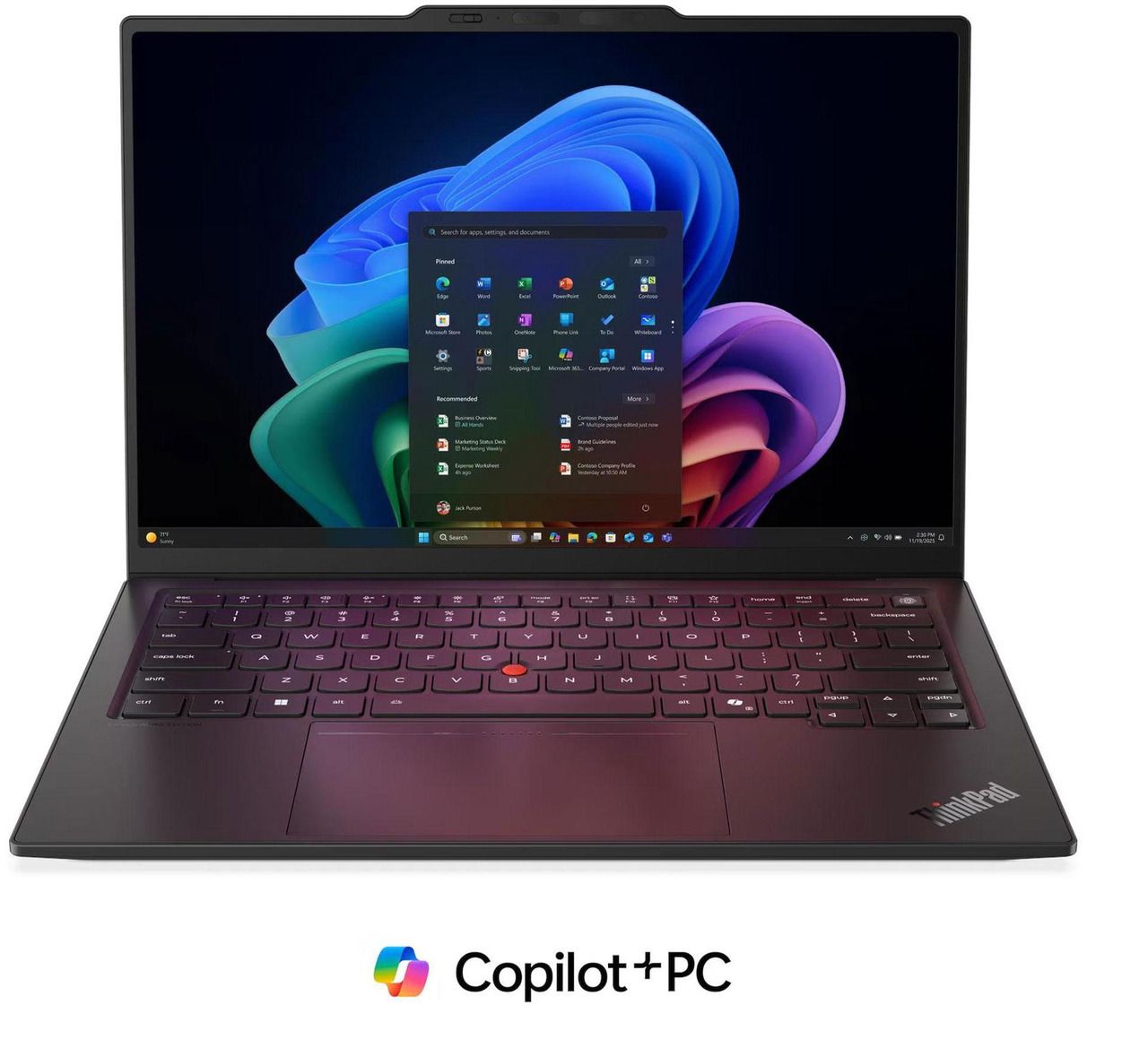
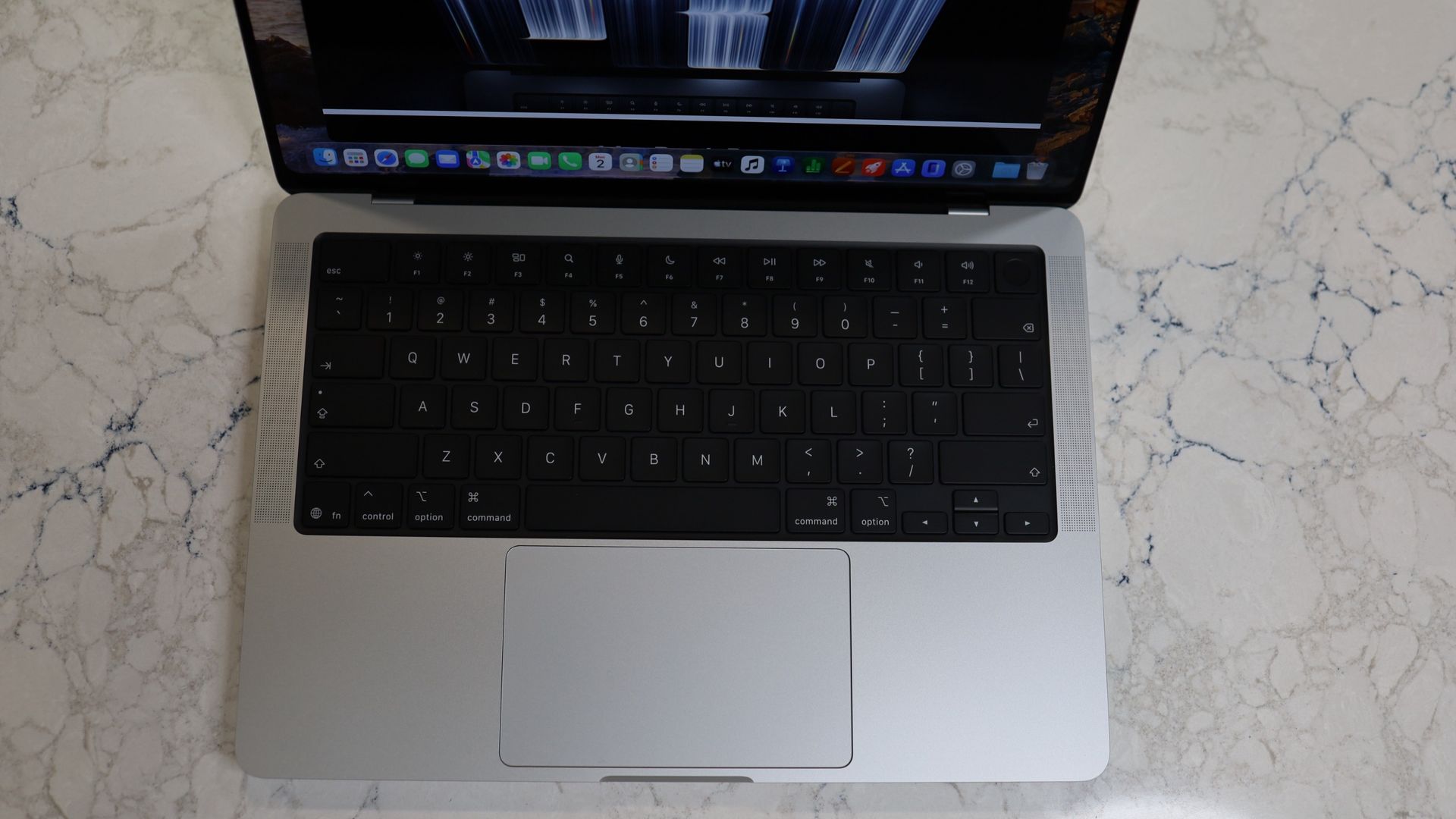
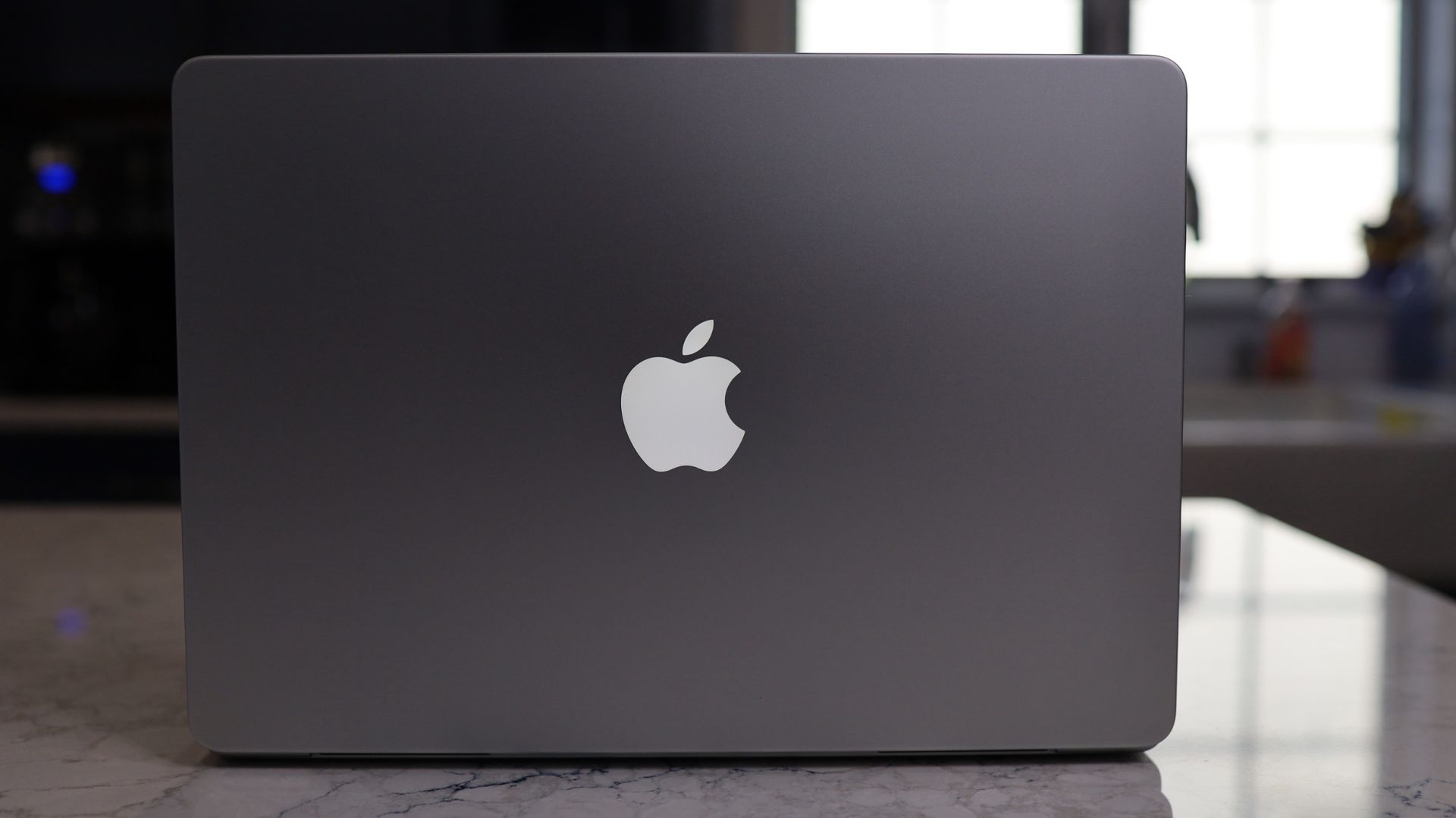
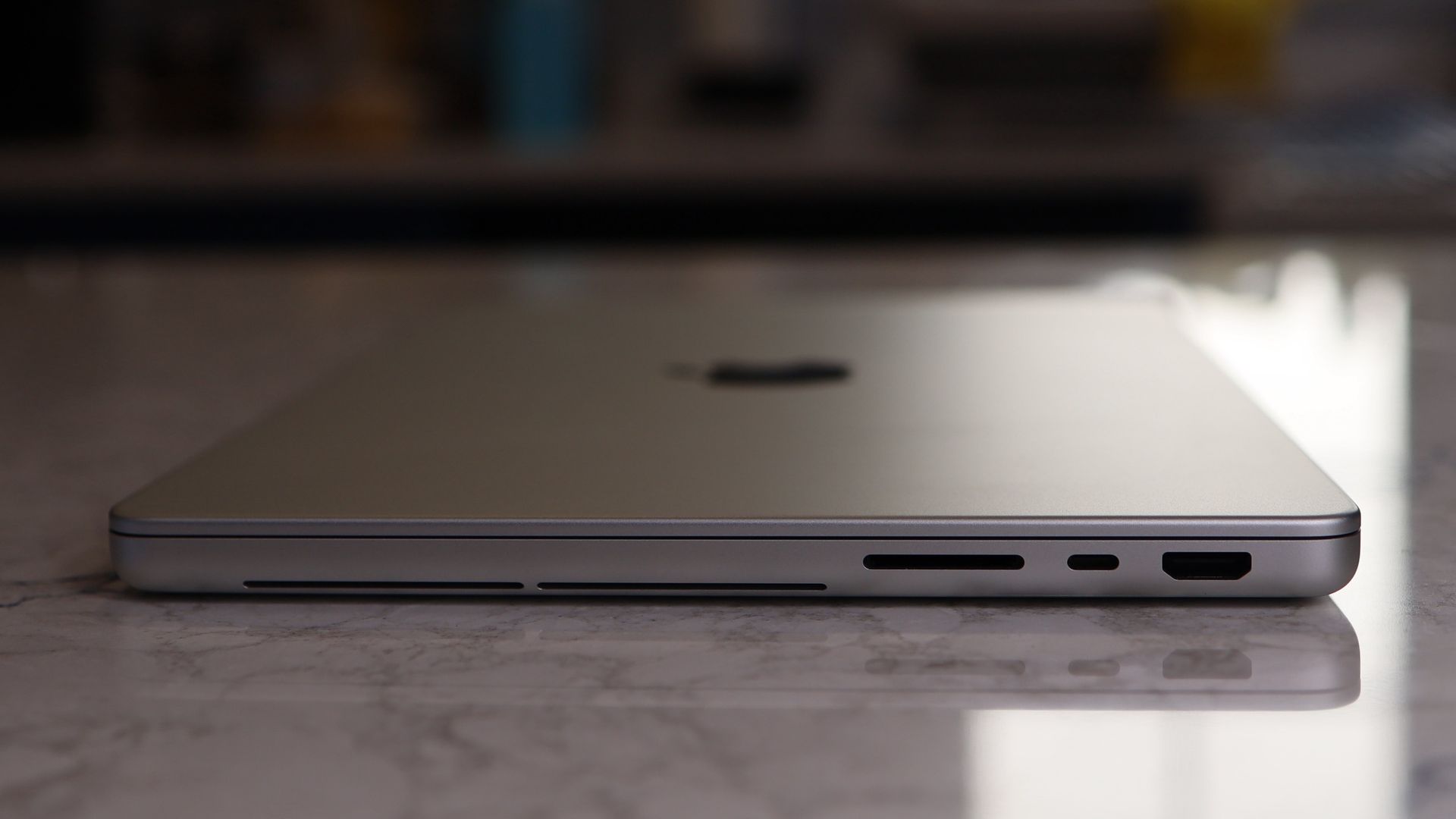
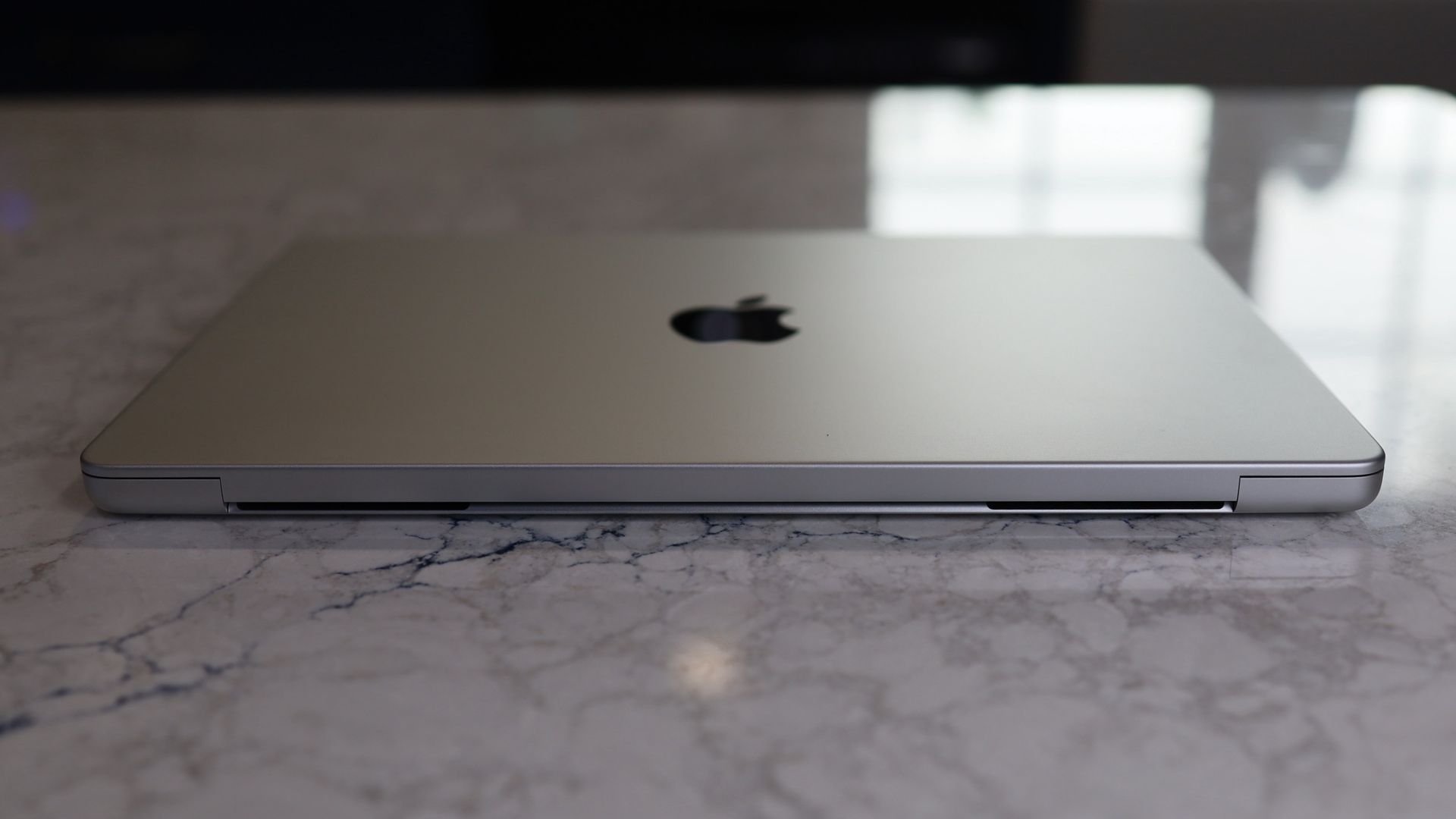
Lenovo's ThinkPad X1 Carbon range has long been a favorite of ours, as well as a popular choice among business users. The Gen 14 Aura Edition builds on that reputation with modern hardware and a focus on productivity. It's an expensive laptop, but there's a big saving available at Newegg in time for Black Friday.
• Best for: Business professionals, executives, and remote workers who want a premium laptop for demanding everyday work.
• The deal: Newegg has reduced the price of the ThinkPad X1 Carbon Gen 14 Aura Edition laptop by $500 for Black Friday, bringing it down from $2,899 to $2,399.
Lenovo's X1 Carbon is designed for business users who spend much of their working day on a laptop. Its 1920 x 1200 IPS display provides more vertical space than a conventional Full HD screen, and the anti-glare coating and 500-nit brightness will help in brightly lit environments.
The Intel processor supports vPro technology for business management and security, and the integrated graphics are well suited to business tasks.
We gave the previous generation laptop a five-star review and an Editor's Choice award and our expert Collin praised its portability and AI-enhanced performance. He called it "a top choice for constantly moving business professionals."
He also said: "This computer is intended for the business professional whose day-to-day work depends on their needs. Still, one thing is for sure: they need something reliable, able to jump in and out of work, portable enough to go from place to place, has a great port selection for what may come and whatever they may need, and the ease of use that comes with a ThinkPad. It might be one of the best Lenovo ThinkPad laptops around — and it's definitely my favorite yet."
Price context & historical value
Lenovo's laptop is firmly in premium territory and expensive as a result. That said, a $500 saving is not to be sniffed at, especially when you're getting an Intel Core Ultra 7 365 vPro processor, 32GB of fast LPDDR5X RAM, a 1TB SSD, and a 14-inch touchscreen.
It's cheaper at Newegg than it is at Lenovo and given the specifications, I'd definitely recommend it.
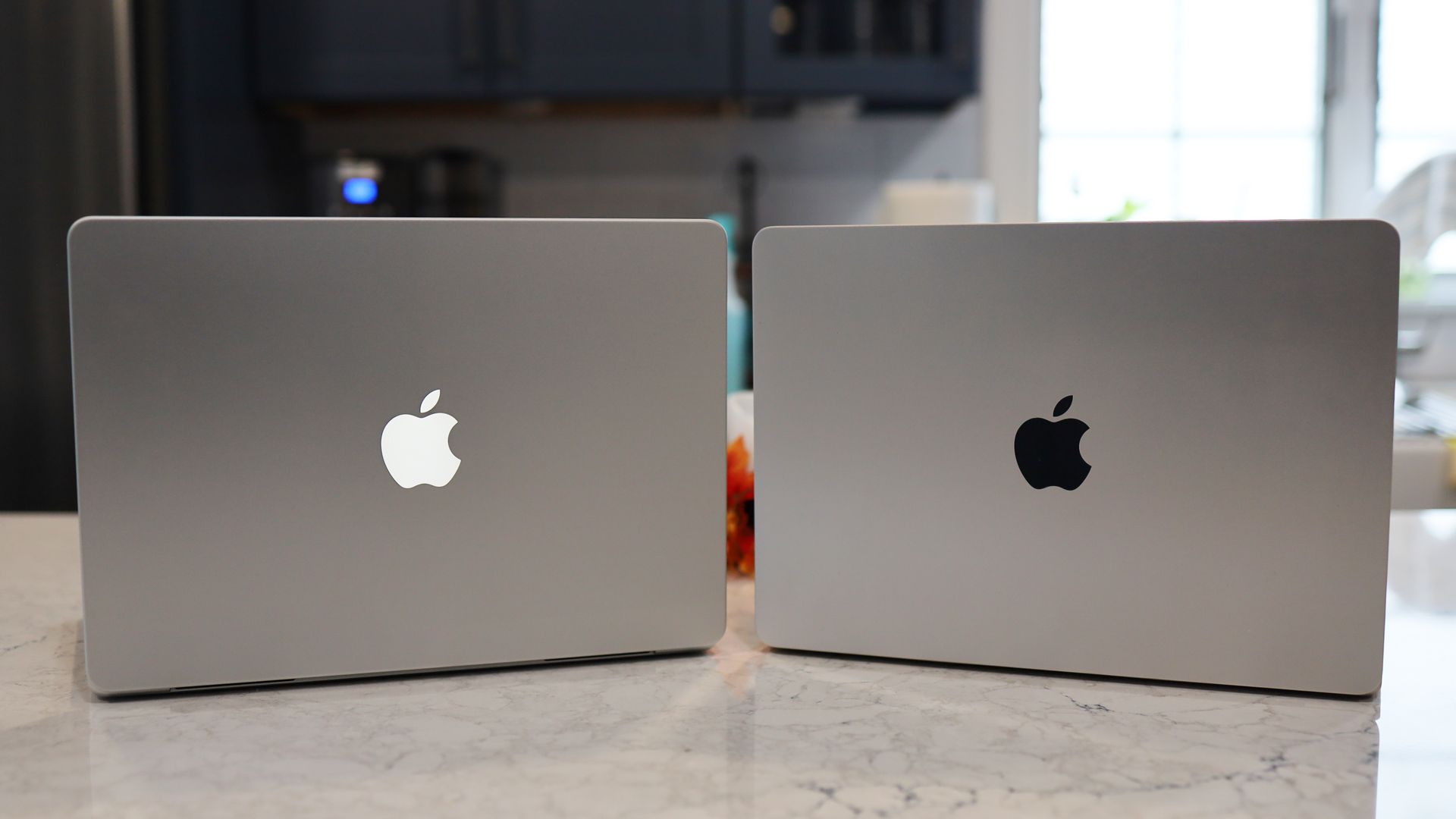
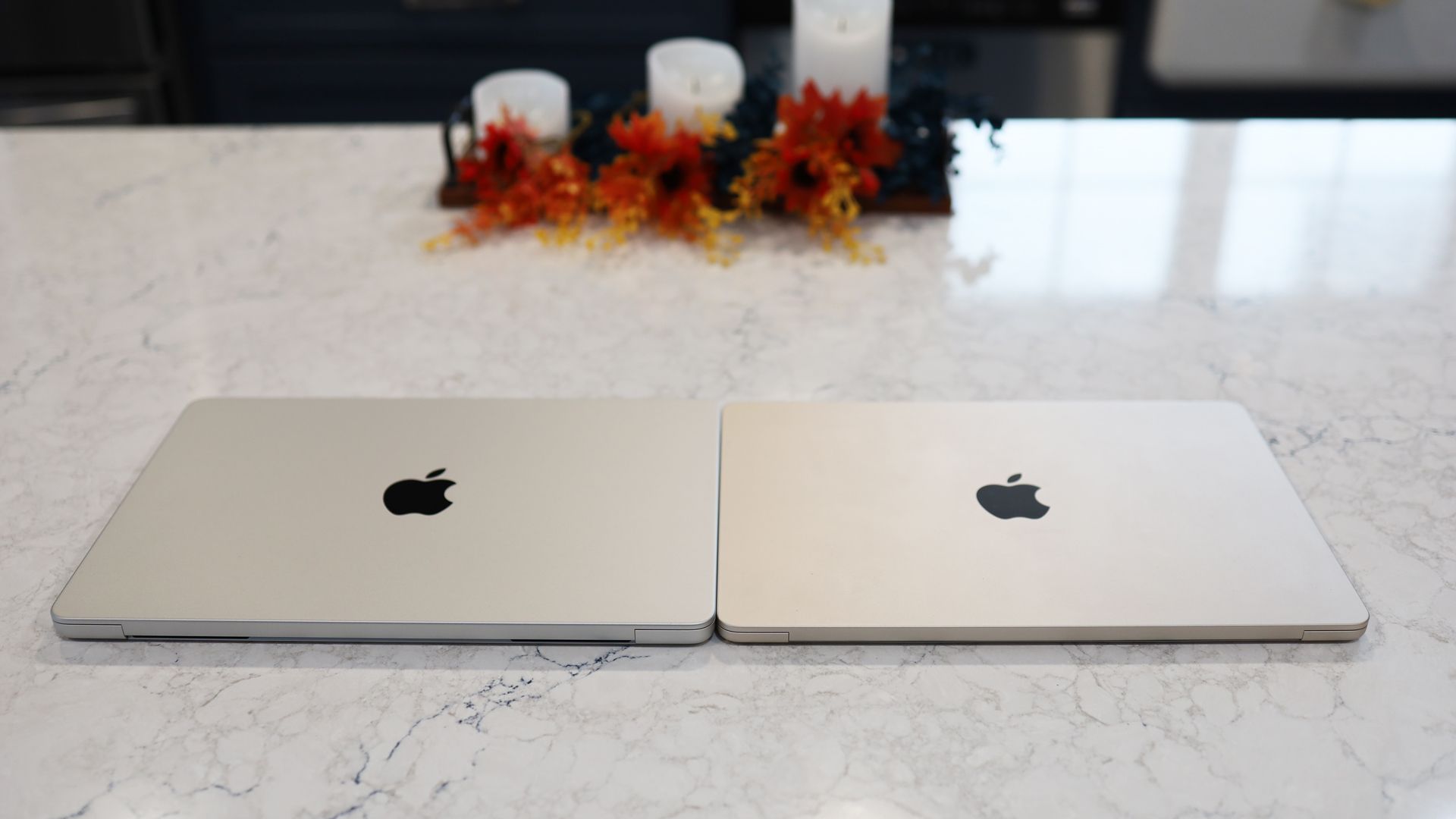
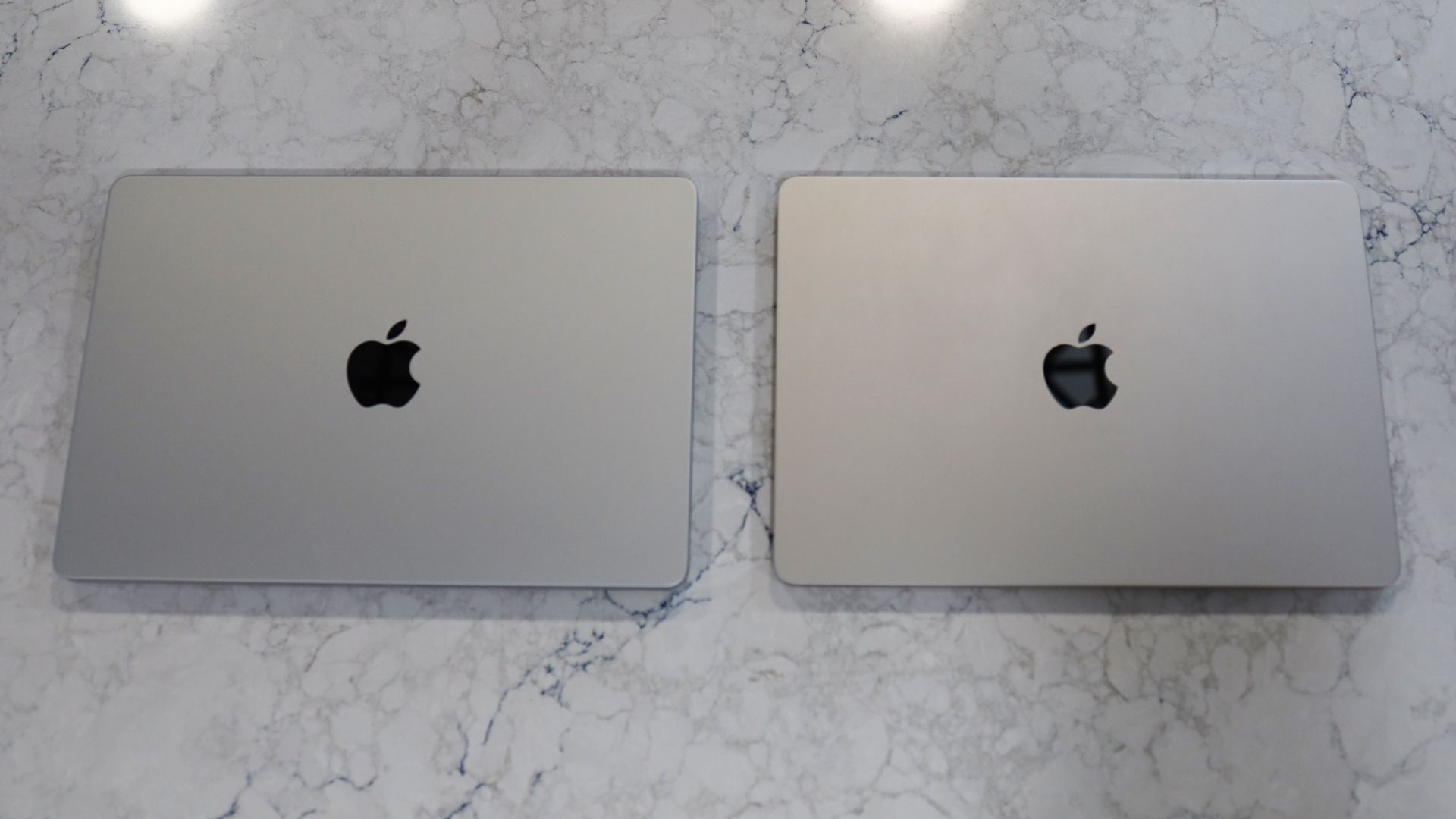
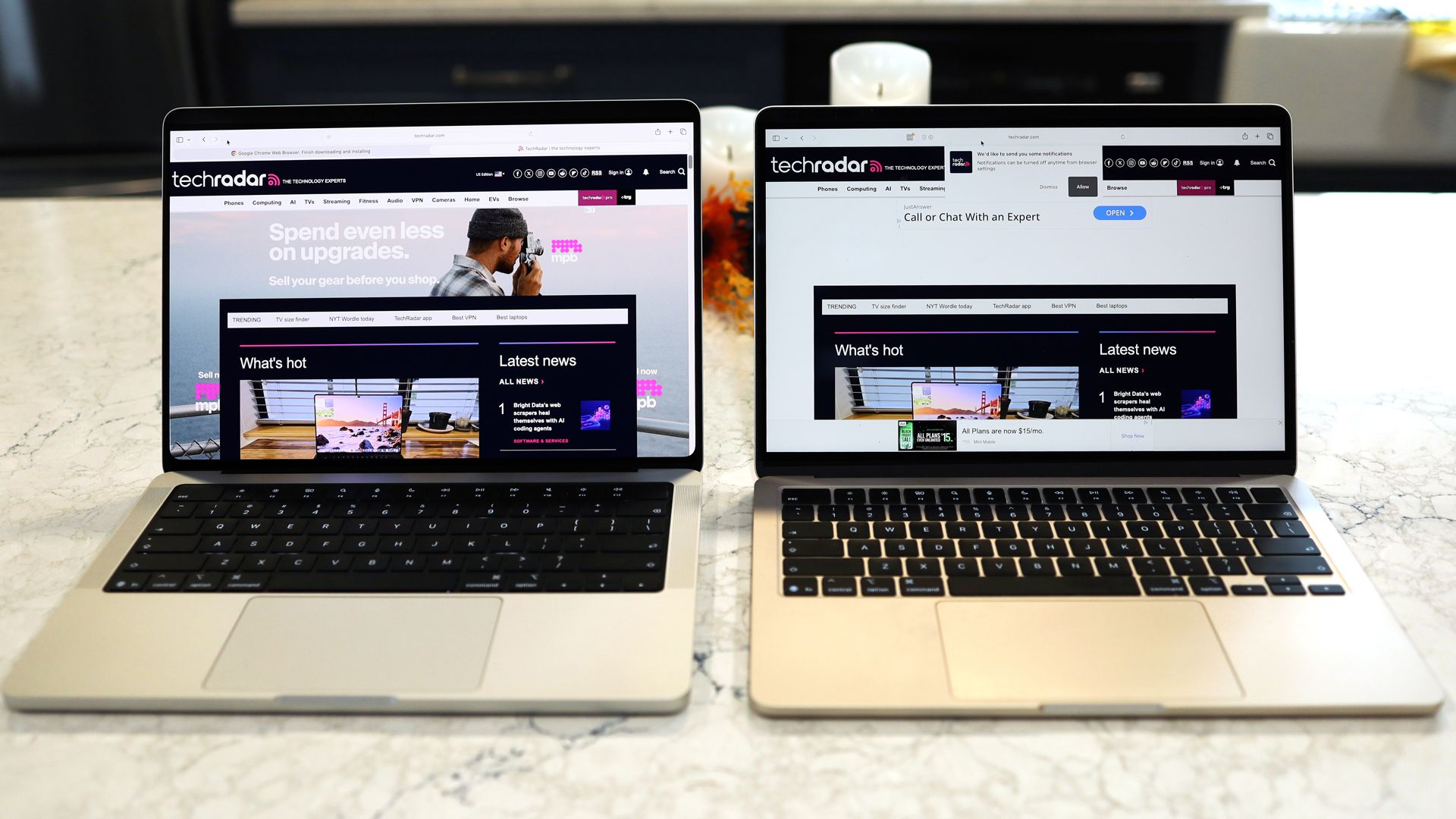
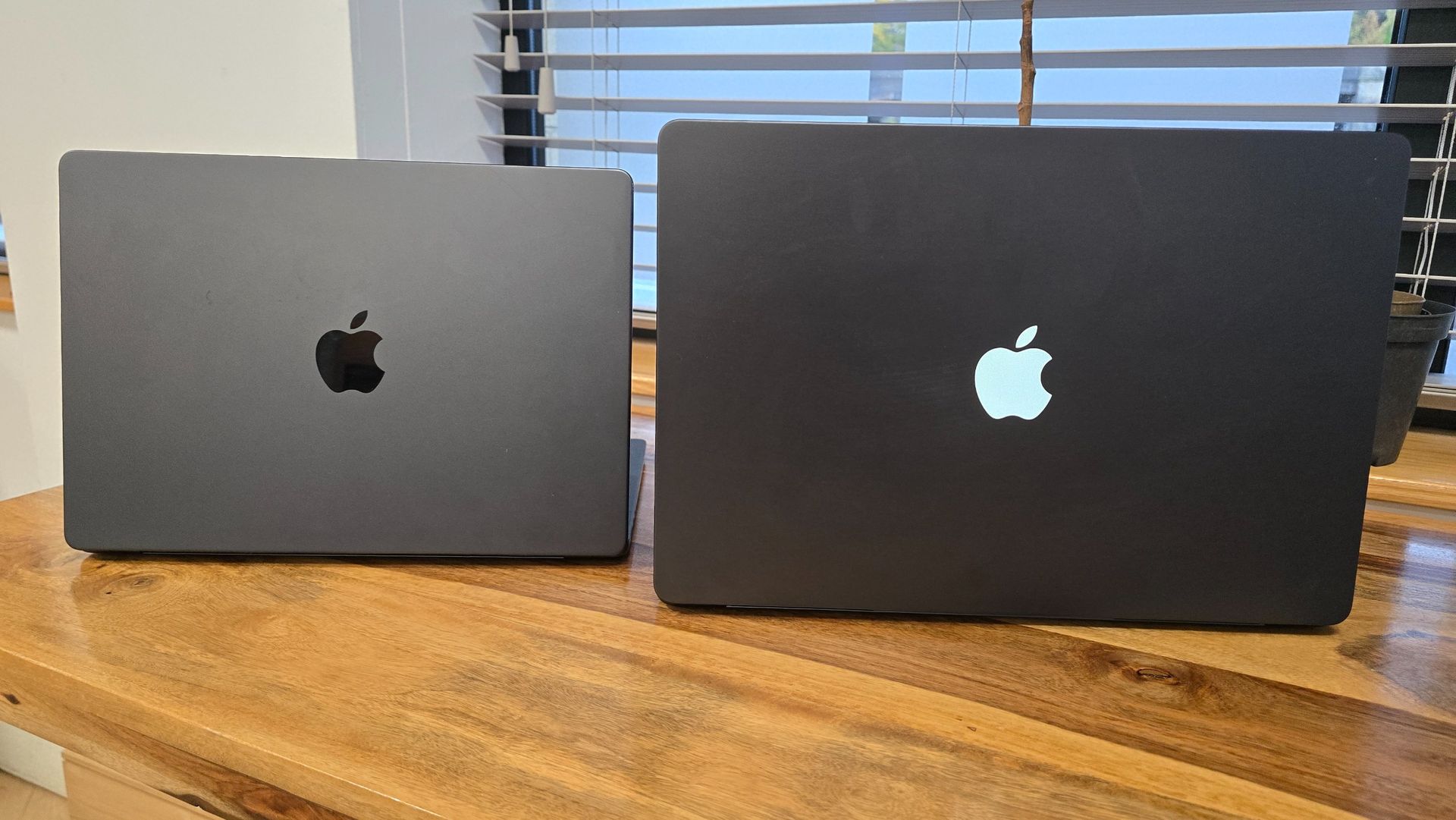
It wasn’t until I unboxed the all-new touchscreen MacBook Pro that I understood the enormity of what Apple had done. They’d told me it was now a 3lb system that was both thinner and smaller than the MacBook Pro M5 (and the recently released M6 model), but it wasn’t until I put the new laptop next to the M5 and then compared it to the MacBook Air M5 that I knew Apple had changed its laptop game.
Here's what you should know about me: I hate a heavy backpack. That’s one of the reasons I carried a Microsoft Surface Pro for a decade and have now carried a succession of excellent MacBook Air laptops for the last few years. At 2.7 lbs, it's light enough to be mostly unnoticeable in my backpack, and since the M-class Apple silicon chips, Apple has packed in more than enough power for my needs.
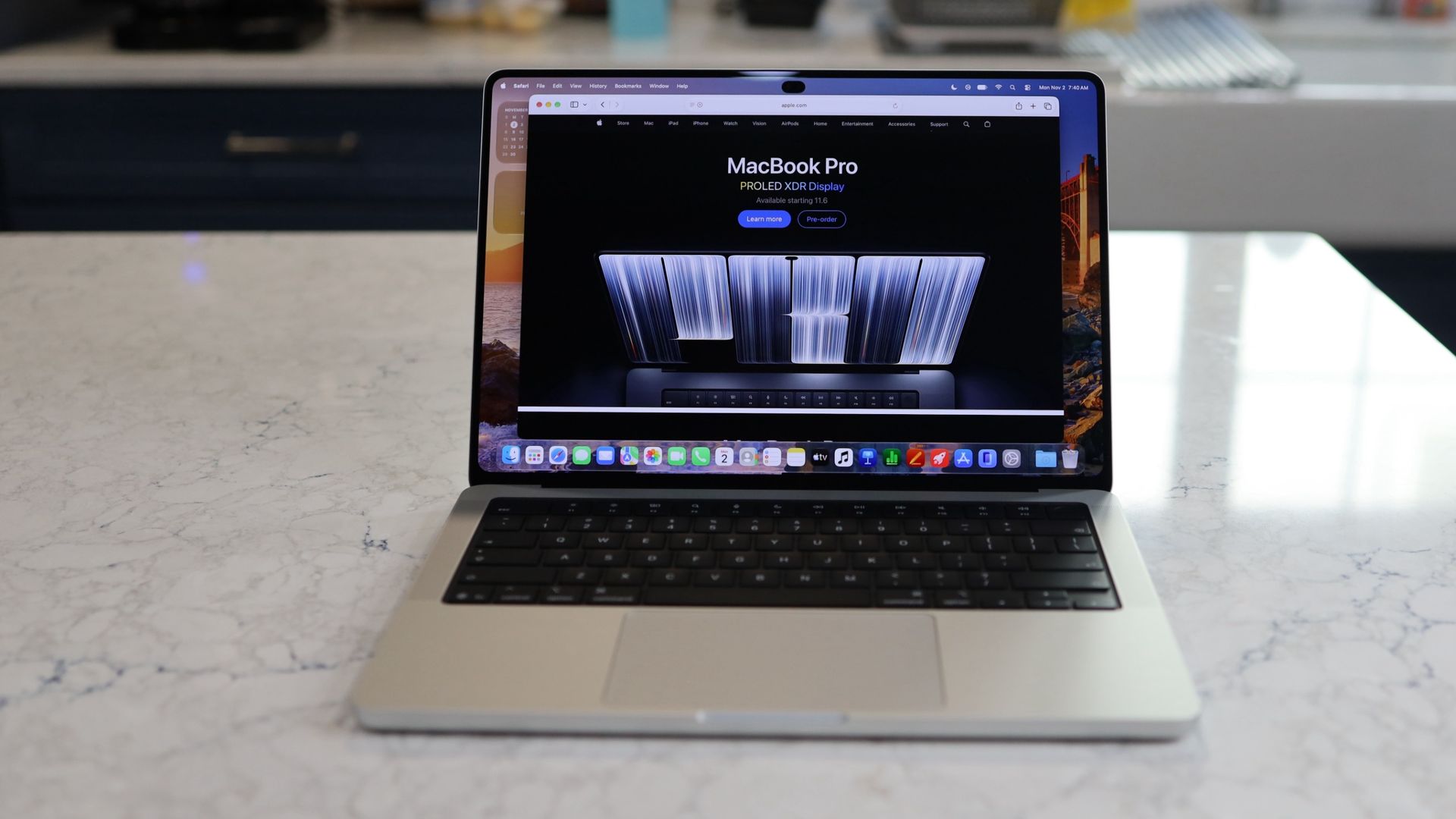
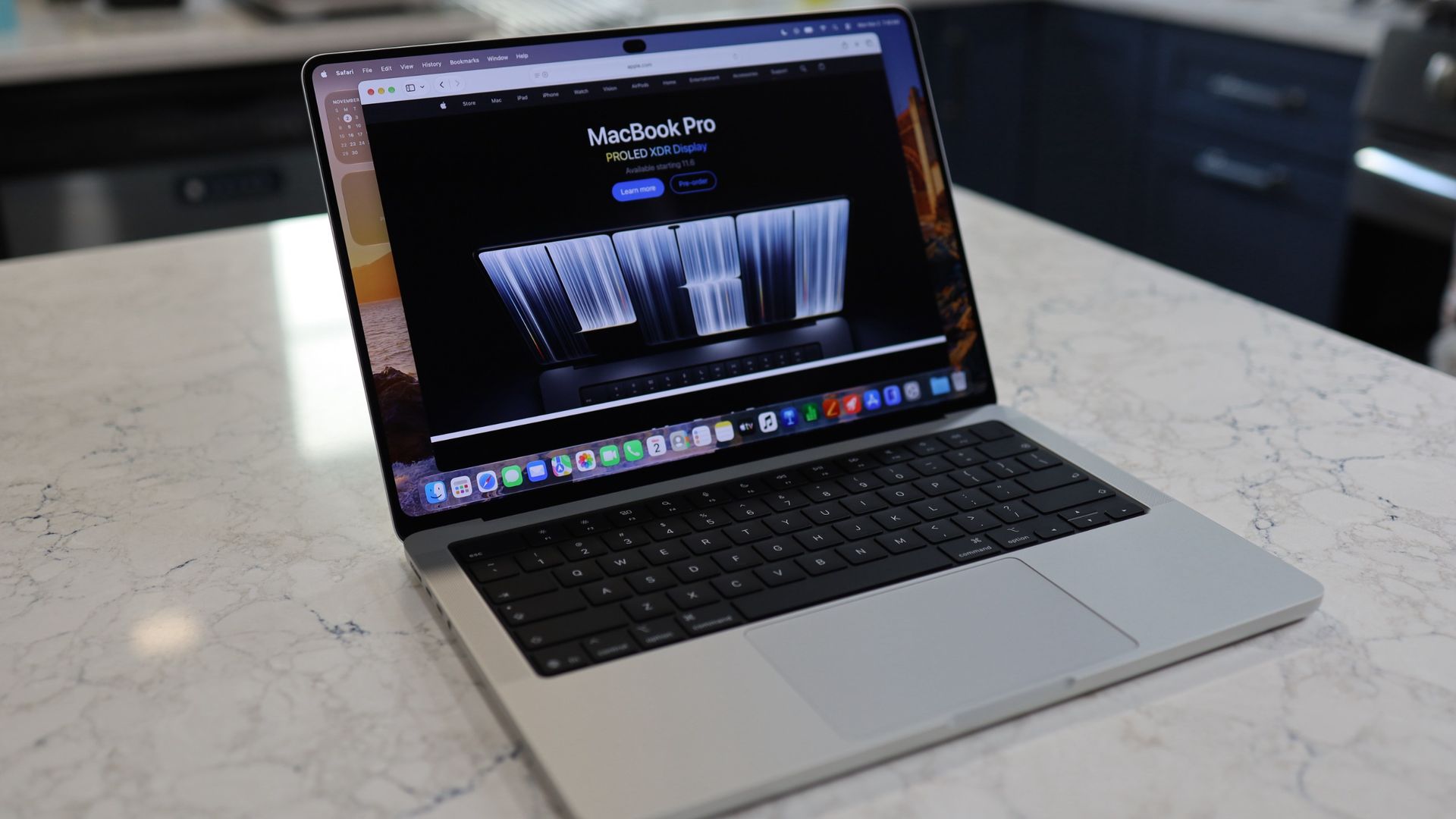
The new Touchscreen MacBook shrinks the traditional Pro chassis by a full half pound. That’s right, it’s now just 0.3 pounds heavier than my MacBook Air. It’s not just the weight. Overall bulk — despite a larger (and also in part because of) PROLED XDR display — is not much more than the Air.
Here are the specs:
MacBook Air 13-inch M5
Height: 0.44 inch
Width: 11.97 inches
Depth: 8.46 inches
MacBook Pro PROLED XDR Display 14-inch
Height: 0.59 inch
Width: 12.24 inches
Depth: 8.52 inches
Obviously, the touchscreen MacBook Pro is fractionally larger in every dimension, but it no longer feels like a bulky, heavy Pro system.
Apple’s ability to shrink this powerful laptop's dimensions — while leaving ports, keyboard, trackpad, and speakers virtually untouched and oh-so-familiar — comes down, in large part, to the new tandem OLED display, which is considerably thinner than the M6’s mini-LED-based Liquid Retina Display.
It’s also wholly redesigned, stretching far deeper on the cover than the Liquid Retina panel on the traditional MacBook Pro. That extra depth is how Apple almost magically fits a 14.2-inch display on a smaller chassis.
MacBook Pro PROLED XDR Display 14 on the left and the MacBook Air M5 13-inch on the rightLance Ulanoff / FutureMacBook Pro PROLED XDR Display 14 on the left and the MacBook Air M5 13-inch on the rightLance Ulanoff / FutureMacBook Pro PROLED XDR Display 14 on the left and the MacBook Air M5 13-inch on the rightLance Ulanoff / FutureMacBook Pro PROLED XDR Display 14 on the left and the MacBook Air M5 13-inch on the rightLance Ulanoff / Future
Perhaps you can see where I’m going: By shrinking its most powerful portable (with a touchscreen, no less), Apple is, whether purposefully or not, introducing some buying confusion. A MacBook Pro is officially nearly ultra-portable territory.
Obviously, the price and power disparity is what will now cleave consumers one way or the other. The MacBook Air 13-inch M5 starts at $1,099 / £1,099 / AU$1,799 with 16GB of RAM, a 10-Core CPU, 8-Core GPU, and 512GB of storage. The 14-inch MacBook Pro PROLED XDR Display starts at $2,899 / £2,899 / AU$4,599, with a 15-Core M5 Pro, 16-Core GPU, 24GB of RAM, and 1TB of storage.
The difference is clear: this is a Pro-grade system, which has far more power than anyone looking at a MacBook Air-class system probably needs.
Still, with this new MacBook Pro, I think the MacBook Air’s portability advantage has been taken off the table.
The magic touch
Now, I’ve spent some time with a slightly juiced-up MacBook Pro PROLED XDR Display (M5 Pro with an 18-Core GPU, 20-Core GPU, 48GB of RAM, and 1 TB of storage for $3699) and have come to realize that aside from formidable, virtually endless power, it’s the remarkable screen that I now believe is set to change the trajectory of all Apple MacBooks.
I want to be clear: the ability to touch the MacBook Pro screen and manipulate data, content, screen views, desktops, and more is exciting. But I‘m not gonna lie, I’ve been struggling to figure out what it was made for. As I wrote when Apple unveiled the touchscreen MacBook Pro, I’m quite familiar with touchscreen systems and, when necessary, did touch my Surface Pro screen.
However, it’s becoming clear to me that as I use the MacBook Pro PROLED XDR Display system as my everyday driver, I don’t touch the display very often. Instead, I kept looking for reasons to touch the display.
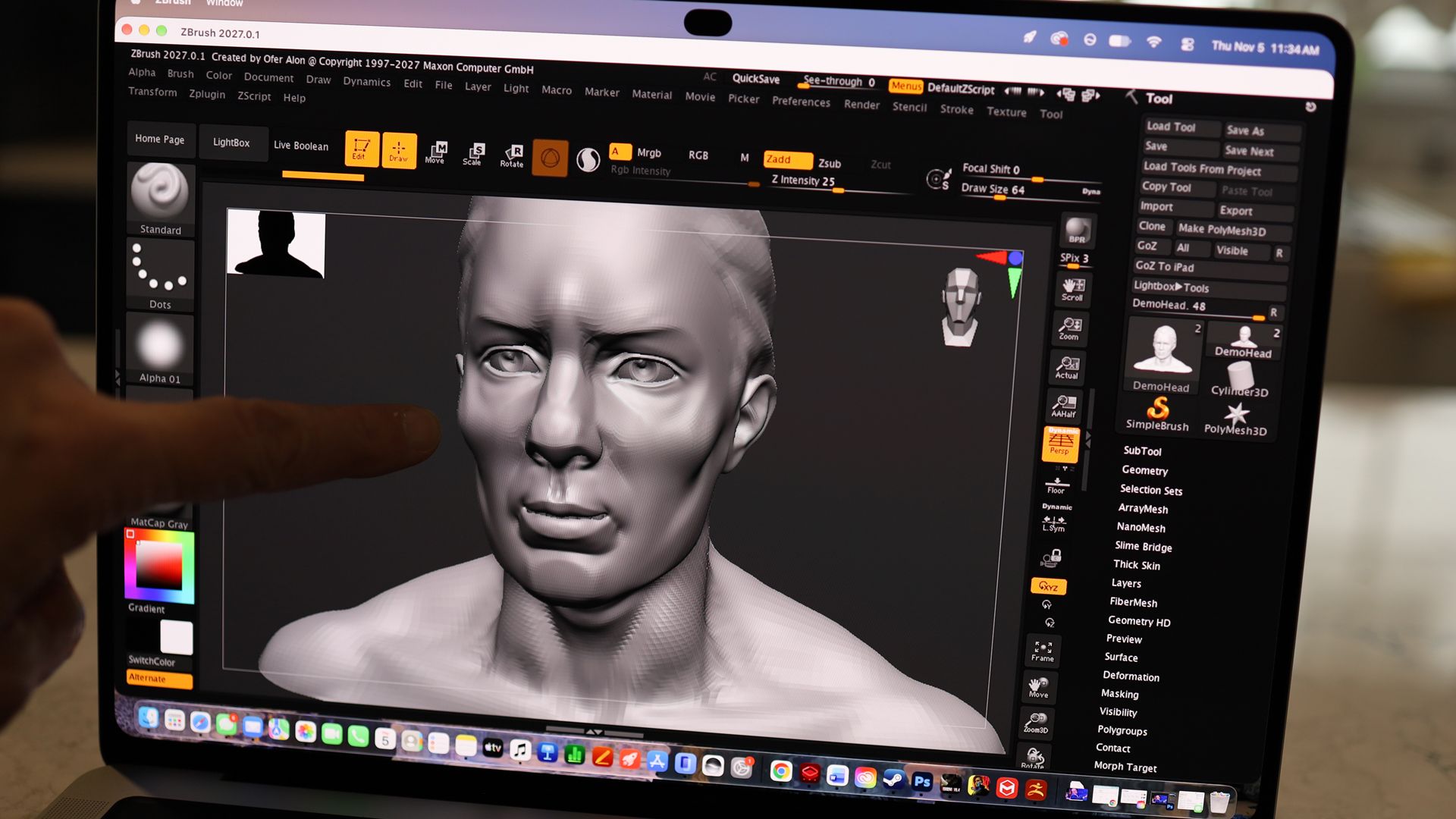
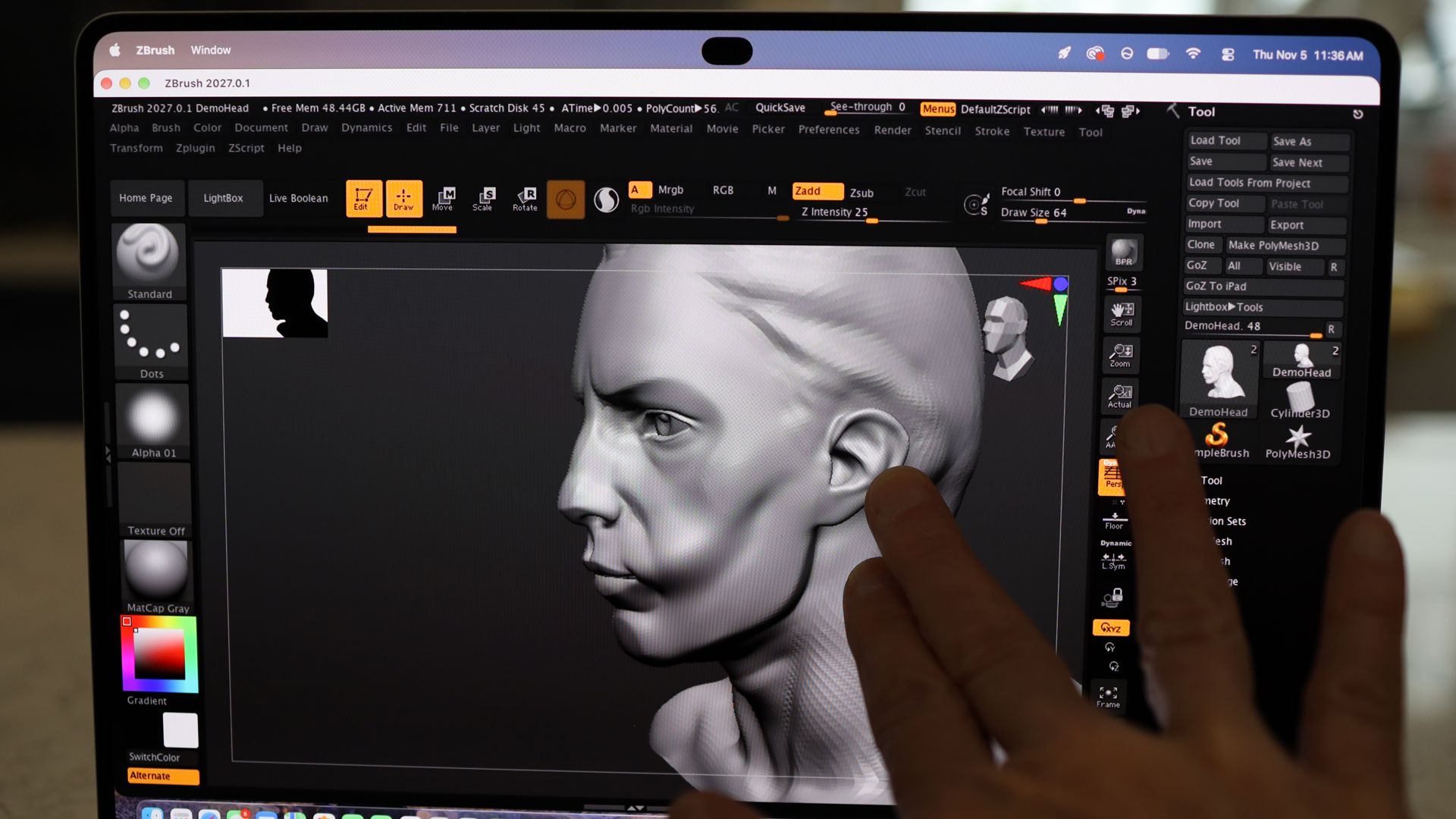
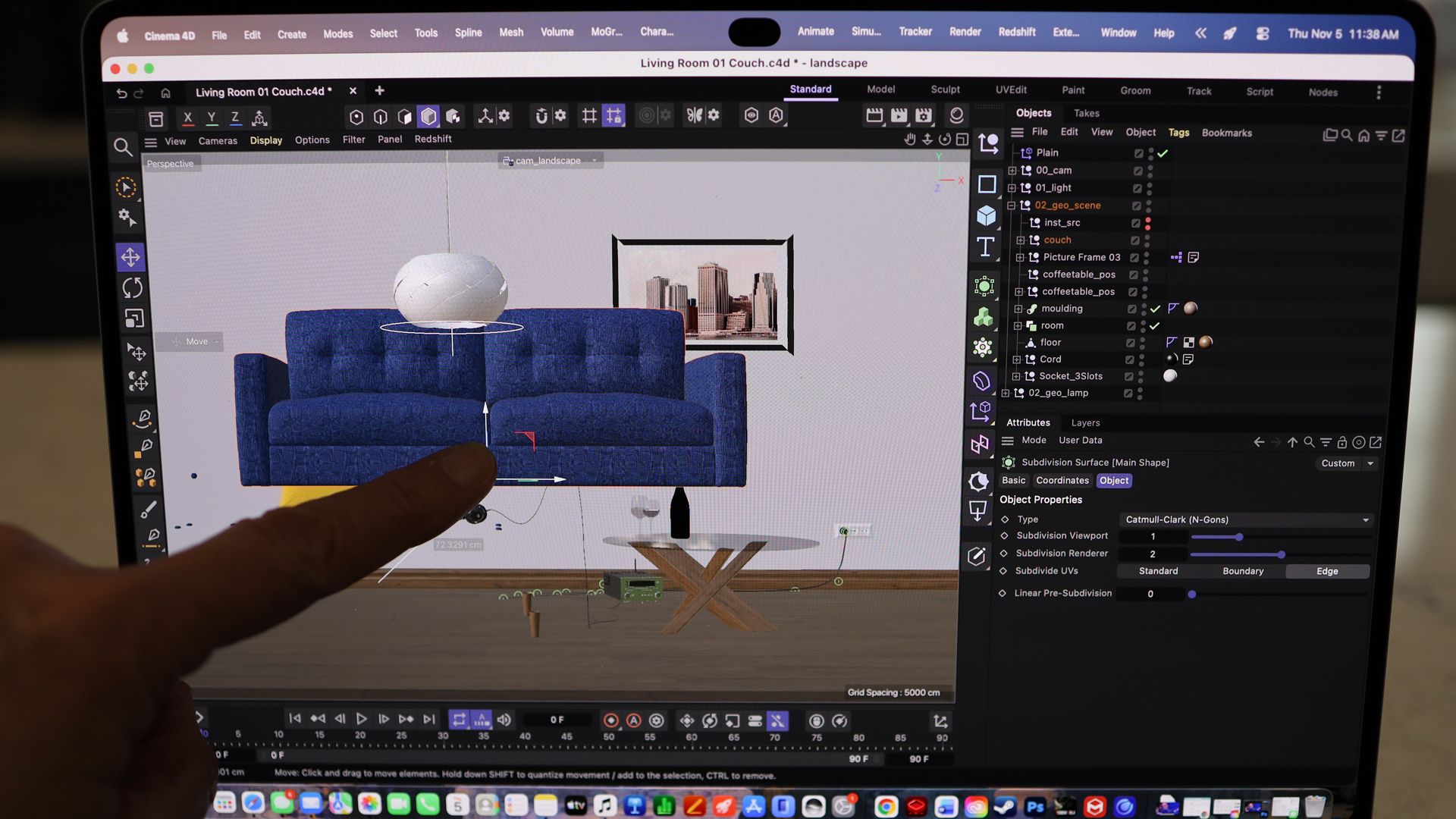
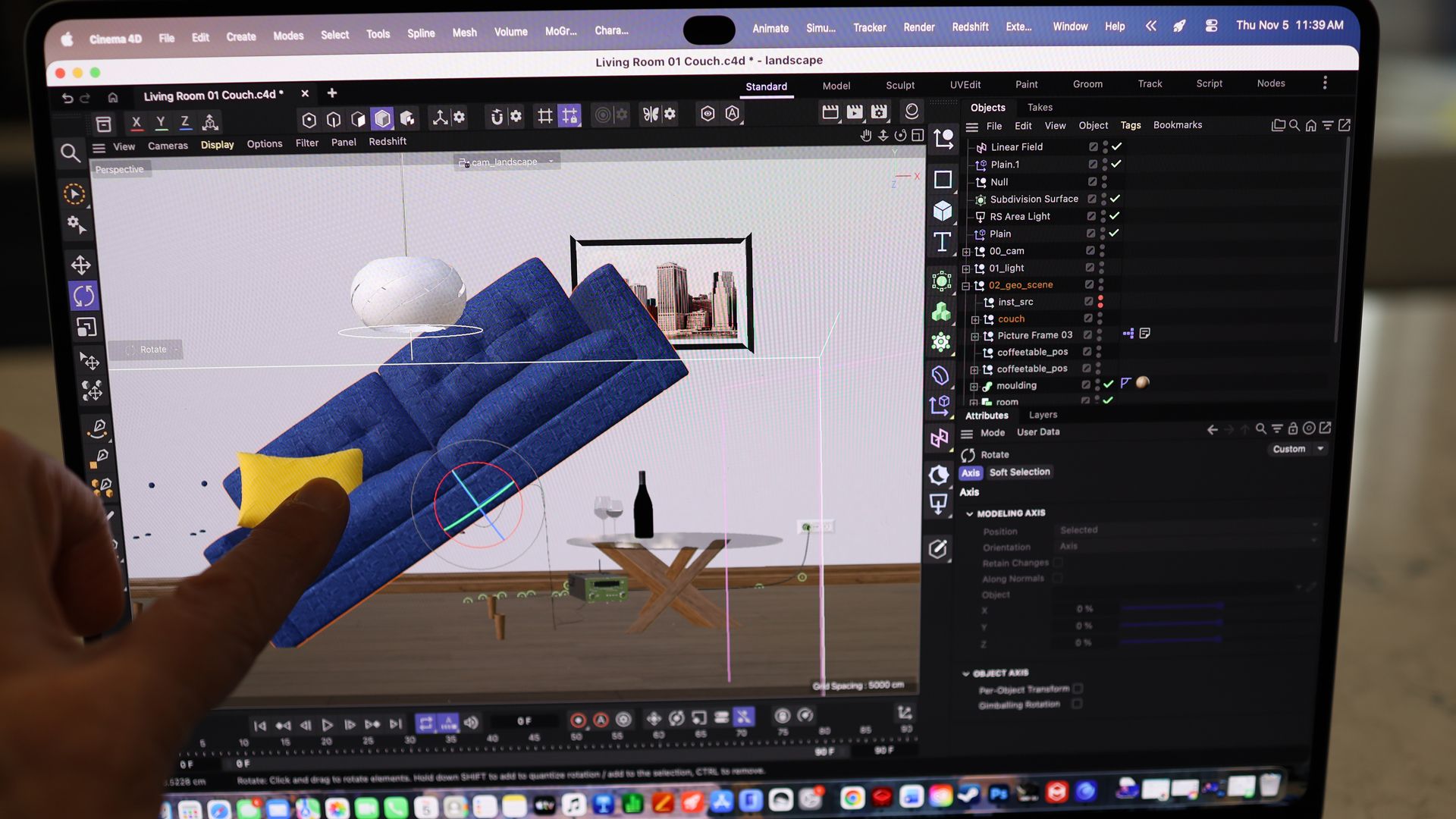
There are apps where it’s fun to try, like the 3D-manipulating ZBrush, which lets me pull and push 3D models like a digital sculptor, and 3D scene-creating Cinema 4D (using my fingers to manipulate a 3D couch was harder than I thought it would be), but these are, at least not for me, everyday tools.
ZBrush on the MacBook Pro PROLED XDR Display 14Lance Ulanoff / FutureZBrush on the MacBook Pro PROLED XDR Display 14Lance Ulanoff / FutureCinema 4D on the MacBook Pro PROLED XDR Display 14Lance Ulanoff / FutureCinema 4D on the MacBook Pro PROLED XDR Display 14Lance Ulanoff / Future
I fiddled with the laptop’s touchscreen to scroll through web pages, but I'm just as happy to use the giant Force Touch trackpad.
I take a lot of screen grabs by holding down Command/Shift/4 to launch the grabber, and I usually use the mouse to select the capture area. With the touchscreen, I could drag my finger diagonally across the screen to select a capture area. That was kind of cool, though not a game changer, and I’m fine with using the mouse.
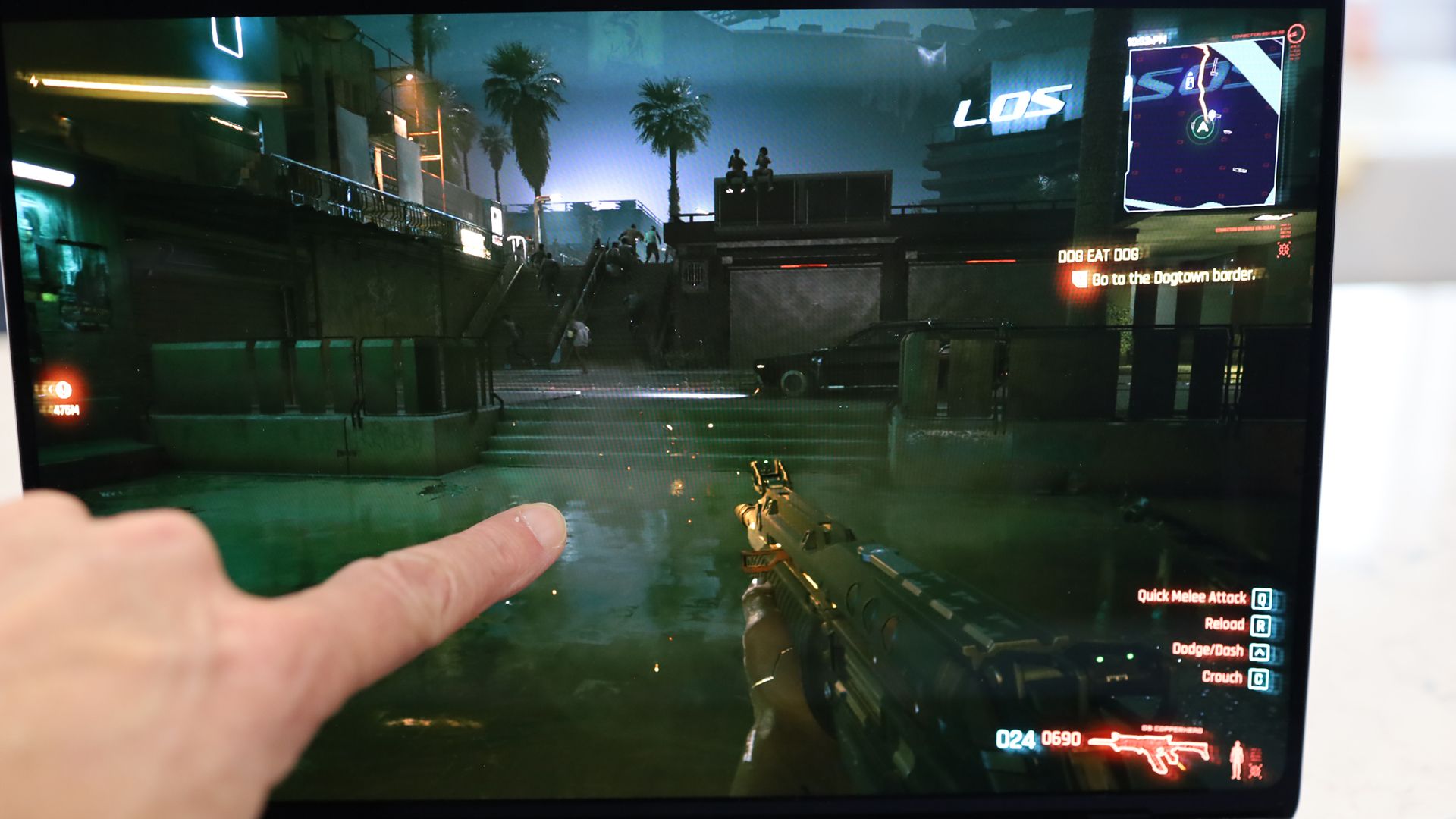
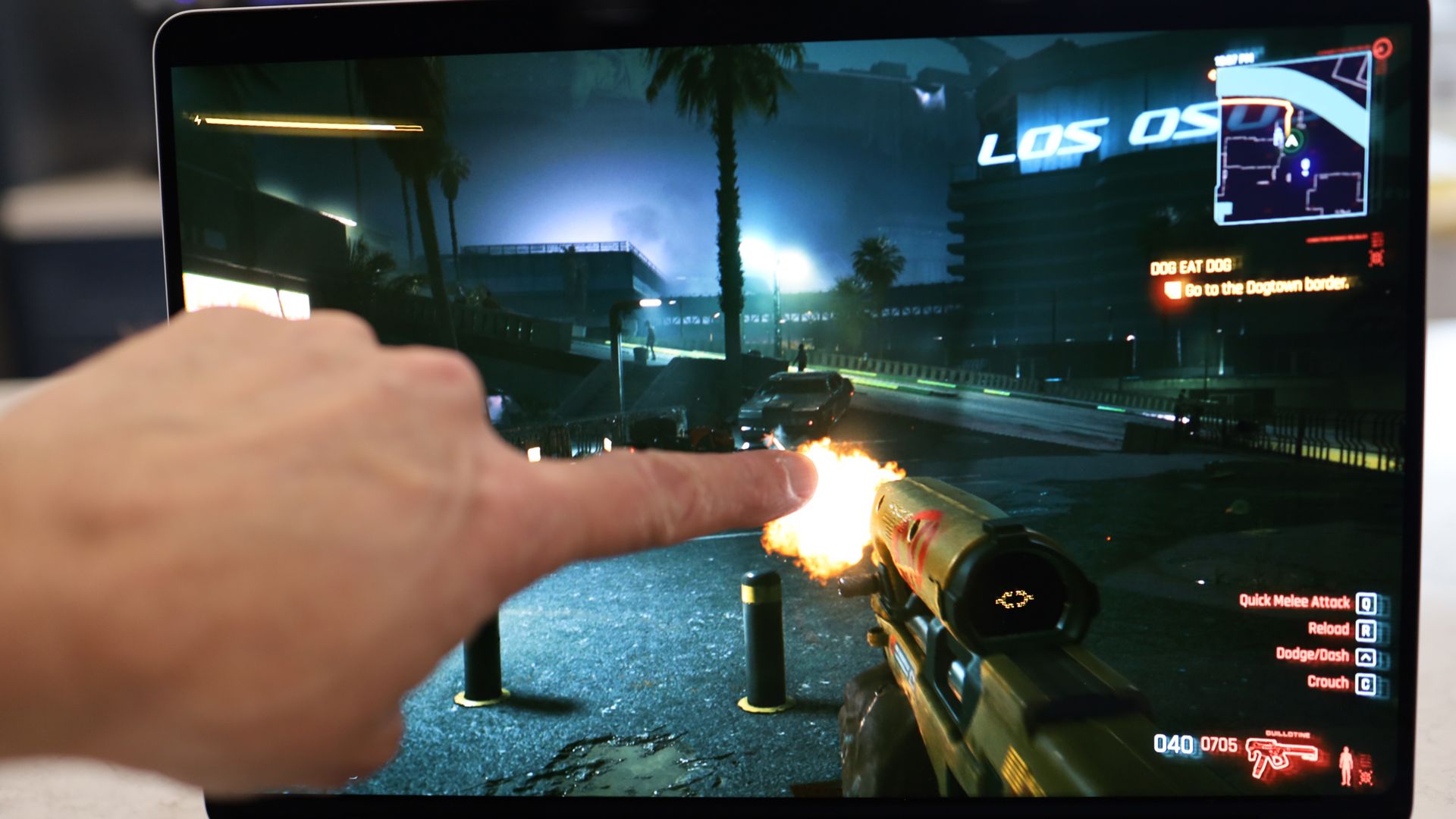
I tried using my fingers to manipulate my Cyberpunk 2077 character, and it was a disaster. I kept accidentally drawing my weapon and blasting away at random strangers. I decided to stick with the mouse and trackpad. Side note: I ran all of these games and apps at once. This system is such a beast.
Cyberpunk 2077 on the MacBook Pro PROLED XDR Display 14Lance Ulanoff / FutureCyberpunk 2077 on the MacBook Pro PROLED XDR Display 14Lance Ulanoff / Future
The point is, I think touch has its applications and place, but I think it’ll end up being mostly useful in specific, vertical workflows.
That feeling may change over time. After all, sometimes touching a MacBook display does feel like an illicit act. Each time I went to close a window or scroll a webpage with a fingertip, I did glance around to see who was watching, wondering if they thought I’d gone a bit daft, as they thought, “Dude, you can’t touch a MacBook screen; Steve Jobs told us so.”
Those who do choose this relatively lightweight and incredibly powerful system probably won’t do so because of touch, but they may choose it for another reason:
The astonishing display.
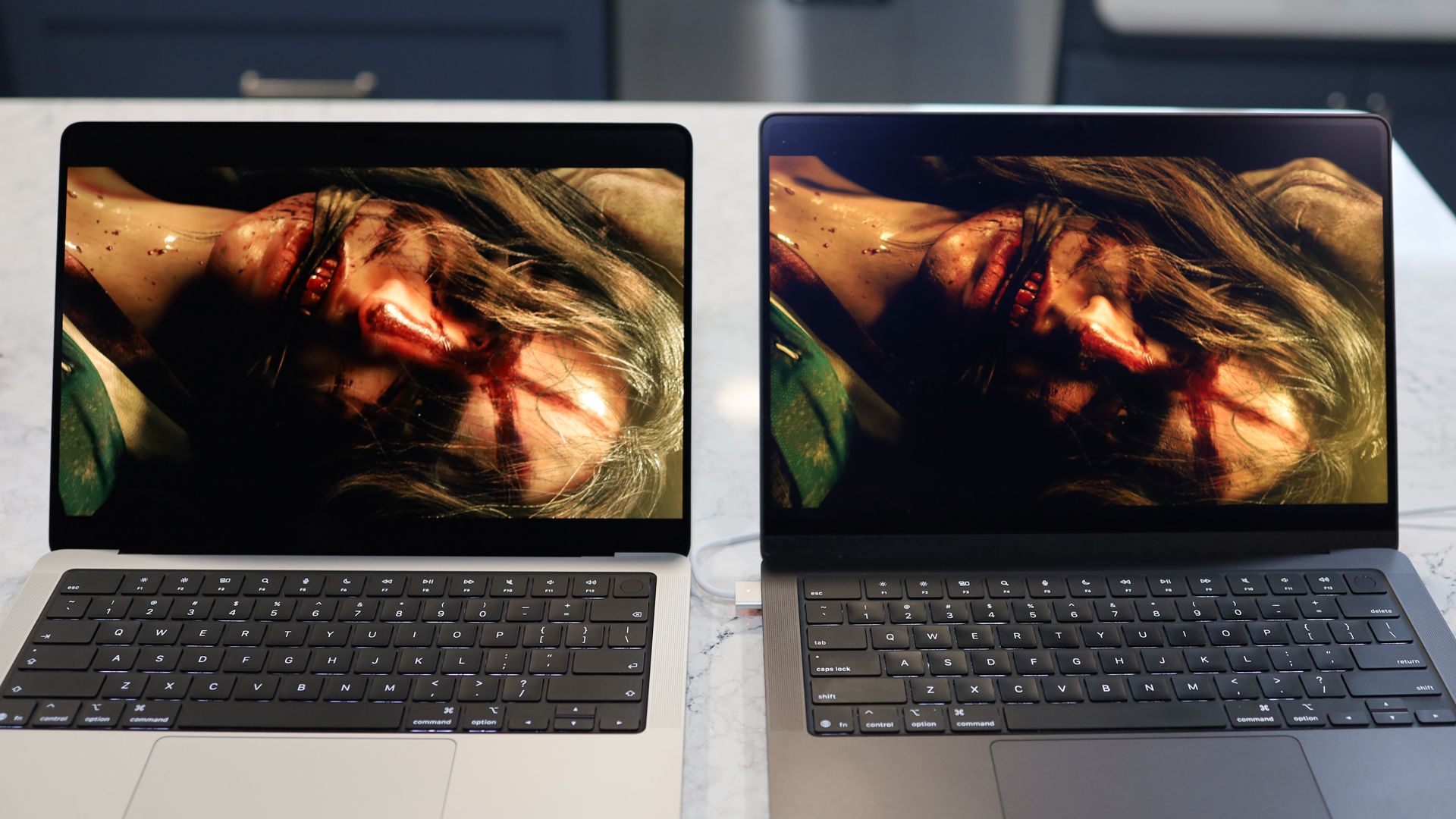
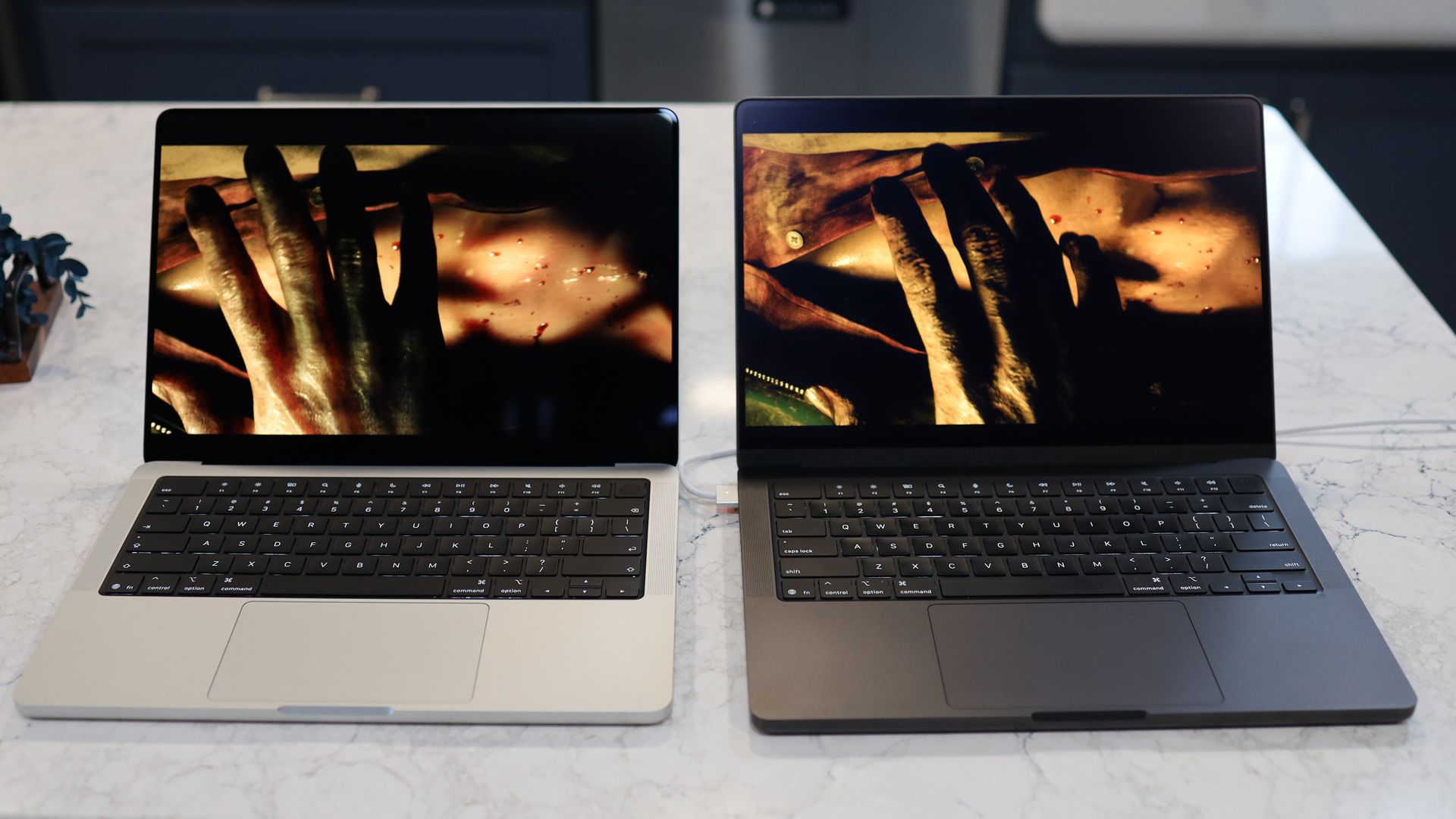
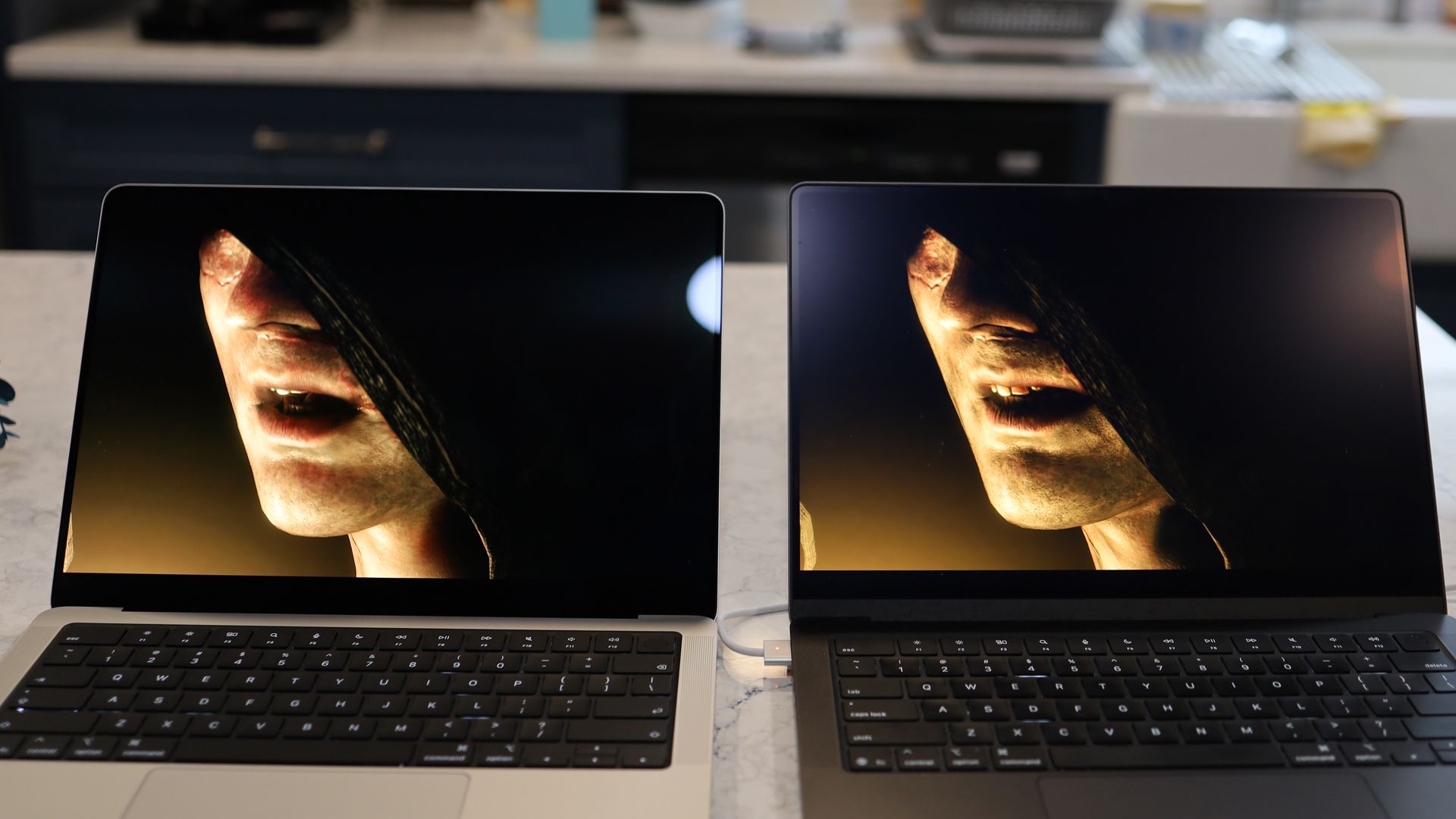
MacBook Pro PROLED XDR Display 14 on the left and the MacBook Pro 14-inch M5 on the rightLance Ulanoff / FutureMacBook Pro PROLED XDR Display 14 on the left and the MacBook Pro 14-inch M5 on the rightLance Ulanoff / FutureMacBook Pro PROLED XDR Display 14 on the left and the MacBook Pro 14-inch M5 on the rightLance Ulanoff / Future
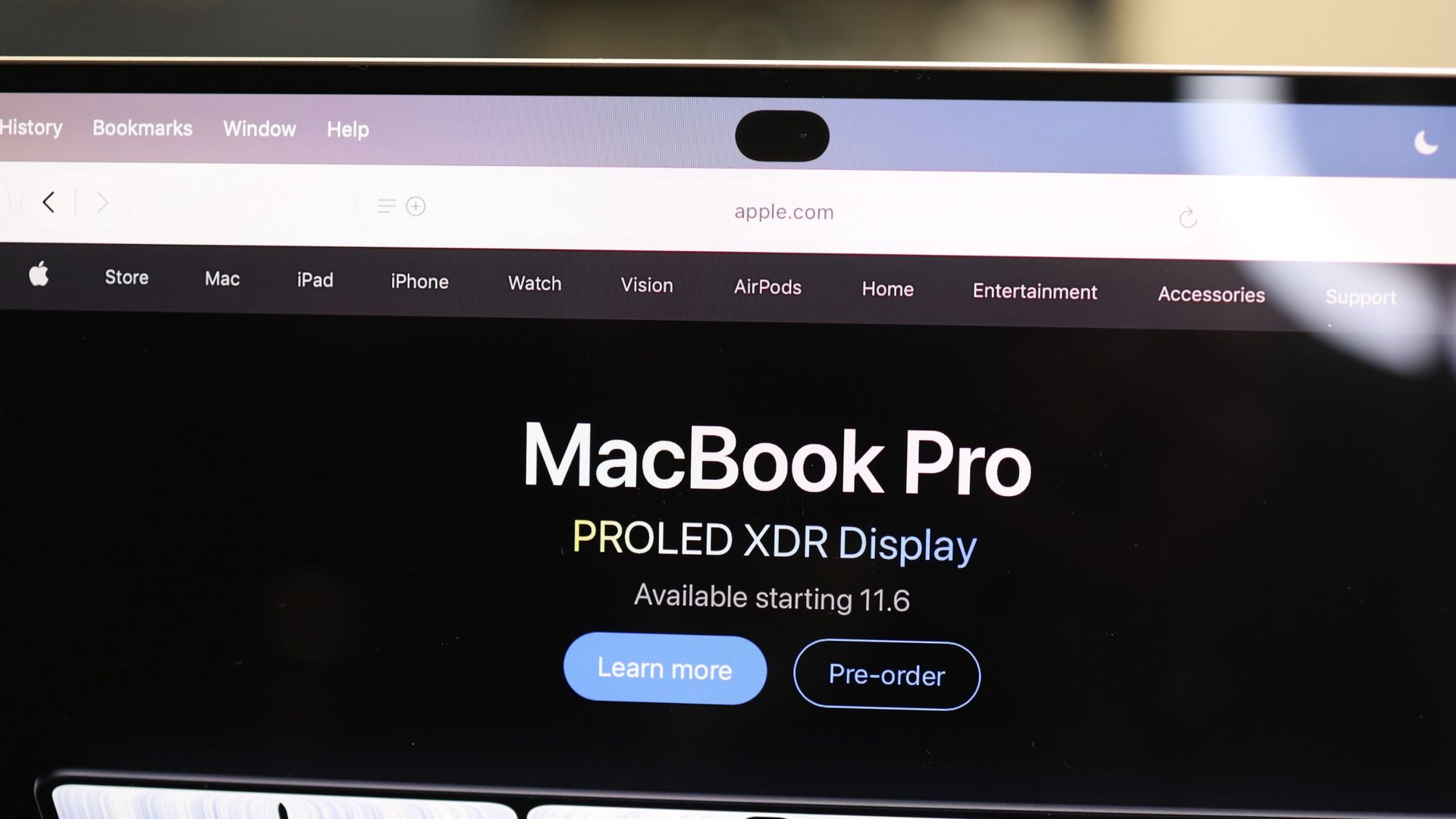
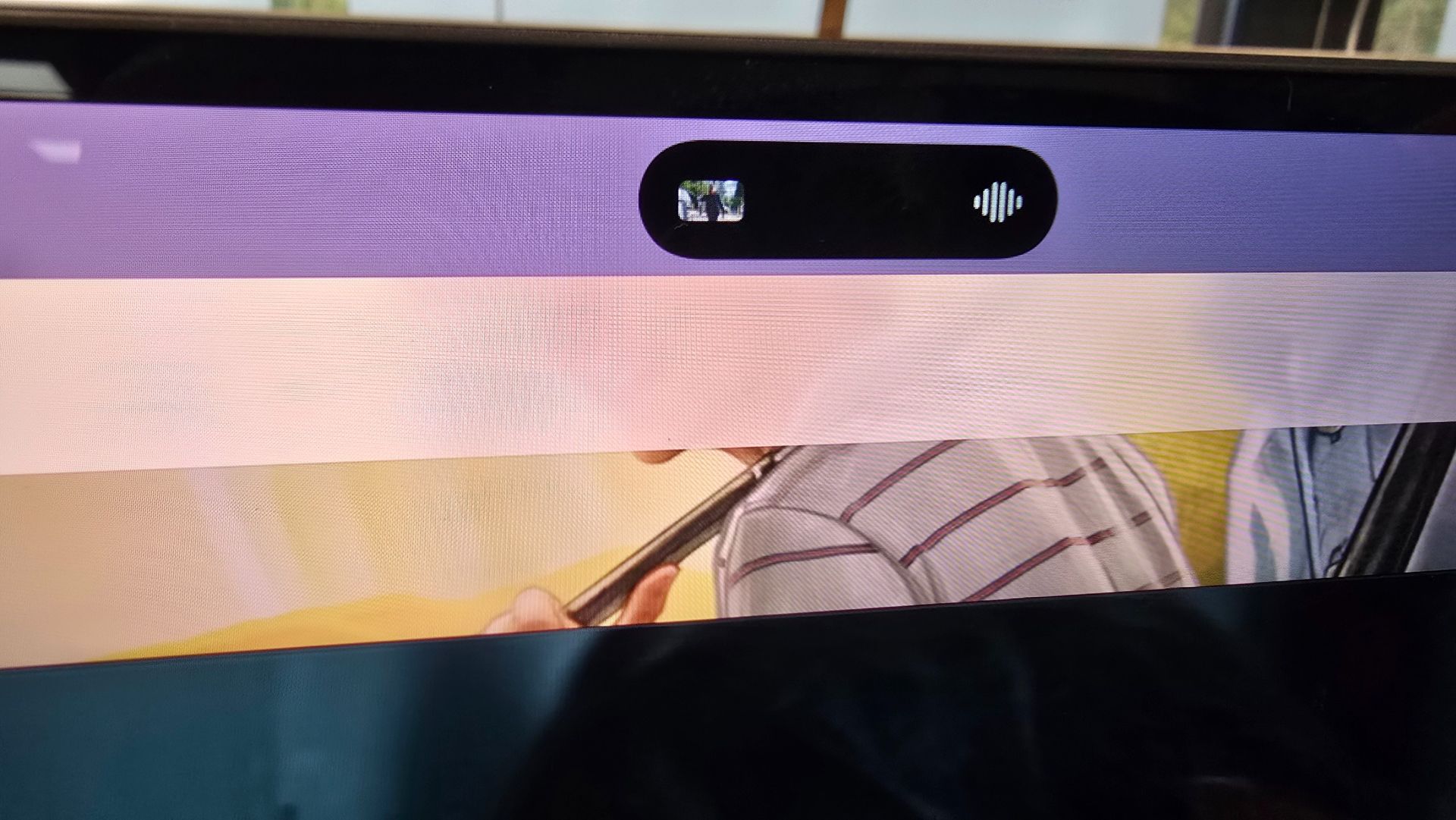
From the new Dynamic Island that replaces the giant notch on my old MacBook Pro (and provides some useful live info but sadly not Face ID) to the thinner bezels and curved bottom, it’s more aesthetically appealing. The tandem OLED technology, though, transforms the visuals in ways that no other laptop I’ve ever used or seen can approach.
(Image credit: Lance Ulanoff / Future)
I put the MacBook Pro PROLED XDR Display next to the MacBook Pro M5, and the difference is nothing short of remarkable.
The promised 10,000,000-to-1 contrast ratio pays dividends with blacks that are inkier than the deep center of a black hole. That’s paired with colors and clarity that make everything pop, and with ProMotion (up to 120Hz), everything is smooth as silk.
(Image credit: Lance Ulanoff / Future)
Viewed separately, imagery still looks great on the MacBook M5’s Liquid Retina XDR, but next to the new PROLED XDR, everything on the M5 Pro looks muted. Even the off-angle viewing is noticeably better on the PROLED XDR Display. I wasn’t alone in this assessment. I showed the side-by-side laptops to a group of coworkers, and they all agreed.
That spectacular screen is paired with a more performant silicon that easily bested the standard M5 in my older MacBook Pro. In my side-by-side tests with Resident Evil 4, the M5 Pro MacBook Pro loaded the game faster and stayed a step ahead of the M5 MacBook Pro.
Here’s my conundrum. Most people shopping for laptops are not making a feature film, cutting a studio album, working on giant CAD-level projects, or running large language AI models locally, all things that the MacBook Pro PROLED XDR and its M5 Pro are more than capable of (often, as I noted above, at the same time, but with a lot of fan noise). But I cannot think of a single potential user who would not want this display.
They don’t all need the touchscreen, for as cool as it is, but as for that big, efficient, bright, and contrast-rich tandem OLED, everyone could use that.
So the question I’m left with after my MacBook Pro PROLED XDR Display 14-inch experience is: when will the next MacBook Air get this display, shrink by half a pound, and regain its position as the ultra-portable king? Oh, and how soon can the MacBook Air get that glowing logo on the back?
Did you know TechRadar now has membership?
(Image credit: Future)
Become a TechRadar Insider by simply clicking 'Join Now' at the top of this page. Have a question? Please email membership@techradar.com
At a glance: Apple MacBook Pro with PROLED XDR Display 16-inch (2026, M5 Max)
What is it?
The MacBook Pro with PROLED XDR Display is Apple’s latest and greatest workstation laptop aimed at professionals. It doesn’t come with the newest M6 chip architecture, and instead sticks with the previous, yet very powerful, M5 Pro and M5 Max generation. The big change this time around, however, is the PROLED XDR Display. Apple has dropped mini LED technology for tandem OLED, and the screen is gorgeously vibrant — and it’s the first time Apple has included a touchscreen on a MacBook.
What does it cost?
The Apple MacBook Pro with PROLED XDR Display comes in two sizes: 14-inch and 16-inch. The 14-inch model starts at $2,899 / £2,899 / AU$4,599 and the 16-inch model starts at $3,399 / £3,399 / AU$5,499. These versions come with 24GB of unified memory and 1TB storage, and are powered by the M5 Pro chip (the 16-inch model’s M5 Pro chip features a more powerful 20-core GPU, compared to the 14-inches’ 18-core GPU). You can configure both models with the more powerful M5 Max chip up to 128GB memory and 16TB of storage, but things get very expensive, very fast.
Alternatives
The launch of the Apple MacBook Pro with PROLED XDR Display comes at a time when there’s a lot of competition in the prosumer laptop market, thanks to the launch of a range of laptops powered by Nvidia’s RTX Spark chip. These laptops, such as the Asus ProArt P16 RTX Spark and Microsoft Surface Laptop Ultra, have powerful chips, unified memory and touchscreens (many of them are OLED as well), which pits them squarely against the new MacBook Pro.
Apple MacBook Pro with PROLED XDR Display scorecard
How the Apple MacBook Pro with PROLED XDR Display scored in our review
Value
3
Design
4.5
Performance
5
Battery life
5
Overall
4.5
Group 1 Data
Product
Value ()
Design ()
Performance ()
Battery life ()
Overall ()
Apple MacBook Pro with PROLED XDR Display 16-inch (2026, M5 Max)
3
4.5
5
5
4.5
Apple MacBook Pro with PROLED XDR Display 16-inch (2026, M5 Max): Value for money
Starting at $2,899 / £2,899 / AU$4,599 for the 14-inch version, and $3,399 / £3,399 / AU$5,499 for the 16-inch model, and going all the way up to an astonishing $14,549 / £14,549 / AU$22,424 for the fully specced-out model, the question of value isn’t so much about price, but about what this laptop can enable you to do.
Put simply, if you just want a MacBook that will excel at day-to-day tasks you’d be much better off buying a MacBook Air (M5), and even for more ambitious workloads, the recently-announced MacBook Pro (M6), which starts at $1,999 / £1,999 / AU$3,199, will likely more than suffice. Neither of those, of course, feature a touchscreen, but I wouldn’t suggest buying any model of the Apple MacBook Pro with PROLED XDR Display for the touchscreen alone.
(Image credit: Future)
Thankfully, this version of the MacBook Pro has other features that help to justify the higher price tag, including tandem OLED screen technology, a lighter design, and more powerful components. Despite being older than the M6 chip, both the M5 Pro and M5 Max outperform it, so if you need a seriously powerful laptop, and image quality is of the utmost importance, the Apple MacBook Pro with PROLED XDR Display could be a worthy investment, especially if its raw performance means you can complete projects faster, allowing you to take on more work, for example.
If you don’t need that kind of horsepower, then there are much more affordable options you should consider, tempting as the touchscreen functionality or OLED display might be.
Compared to rival RTX Spark laptops, the Apple MacBook Pro with PROLED XDR Display is much more competitive. The Asus ProArt P16 RTX Spark starts at $4,399.99 / £3,899.99 / AU$7,999, though it comes with a lot more memory, packing 64GB.
Meanwhile, the Surface Laptop Ultra starts at $2,599.99 / £2,599 / AU$4,399 for the same amount of memory (24GB), but only half the storage space (512GB). So, while the Apple MacBook Pro with PROLED XDR Display is an extremely expensive laptop, when you consider what it offers, who it’s aimed at, and how much the competition costs, the price tag makes more sense, even if that doesn’t make it any easier to afford. View Deal
Apple MacBook Pro with PROLED XDR Display 16-inch (2026, M5 Max): Design
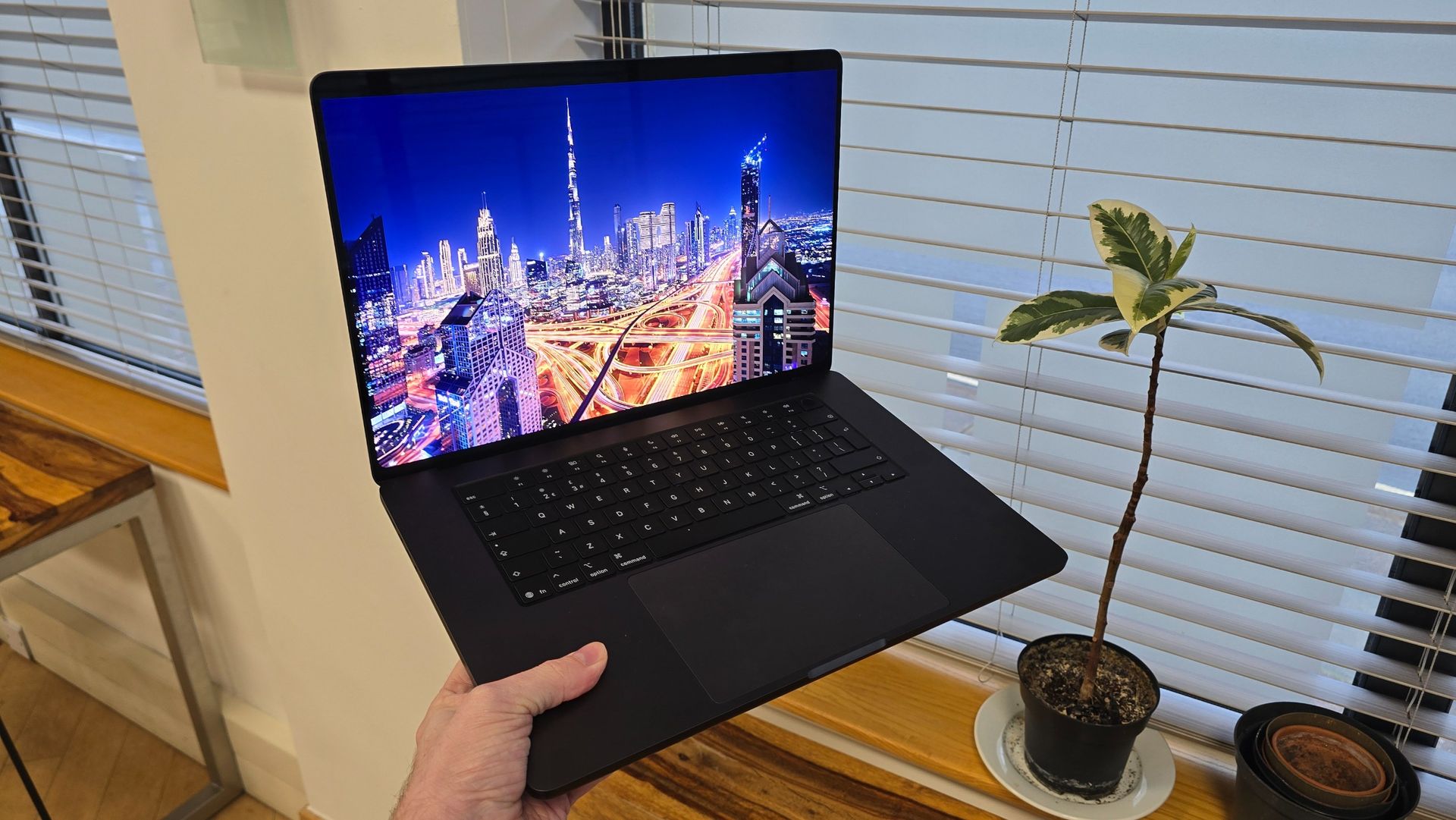
PROLED XDR screen is a clear highlight
Slightly lighter than previous models
iPhone-like Dynamic Island replaces the controversial ‘notch’ around the webcam
Given that the MacBook Pro design hasn’t changed in years, the Apple MacBook Pro with PROLED XDR Display in both size variants comes with some major tweaks in this department. This isn’t, though, the kind of overhaul we saw when Apple introduced the 16-inch and 14-inch MacBook Pros that replaced the 15-inch and 13-inch models, respectively, around five years ago; instead, this is a more subtle refinement of the design, and pretty much all of the tweaks are a result of the new display, so let’s start there.
Apple calls the new PROLED XDR screen "the best display on a laptop" and, to be fair, it has a good reason to be boastful. Previous screens on the MacBook Pro were already pretty darn good, and now Apple has swapped the mini-LED tech for tandem OLED. This essentially uses two layers of organic light-emitting diodes (OLED) on top of each other, rather than just a single layer, so peak brightness can go even higher, while the display can remain power-efficient. The PROLED XDR screen can achieve 2,000 nits of peak brightness, whereas the mini-LED screen of previous MacBook Pros had a peak brightness of 1,600.
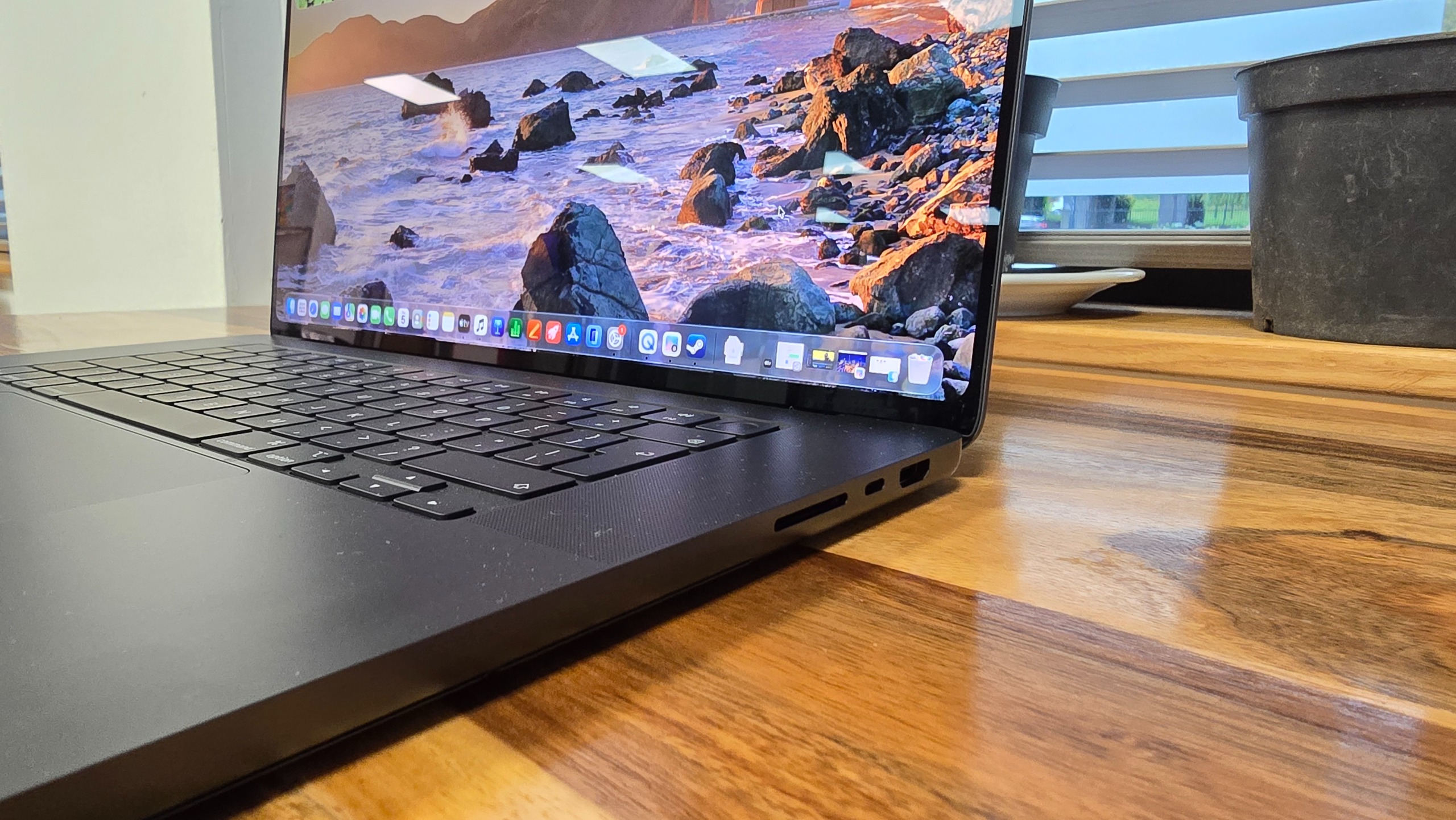
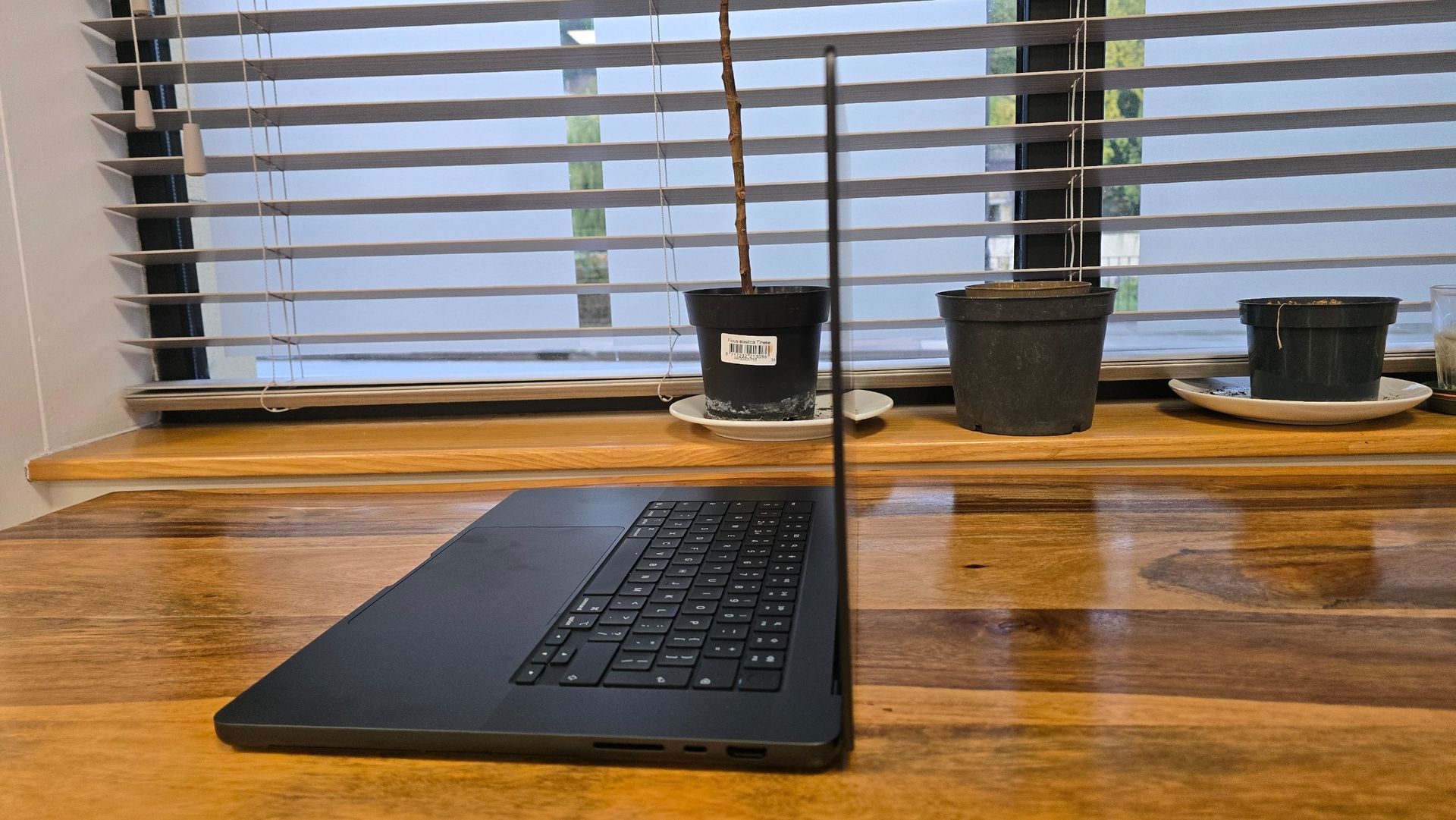
SDXC Card Slot
Memory card slot for importing photos and videos straight from your camera
HDMI & USB-C port
On the right-hand side there's a full size HDMI port and one of three USB-C Thunderbolt 5 ports
Touch ID button
This button powers on the MacBook Pro, and can scan your fingerprint to log in
Side view of the Apple MacBook Pro with PROLED XDR Display 16-inch (2026, M5 Max)
Combine that with the usual benefits we’ve come to expect from OLED displays, namely the higher contrast ratios and lack of halo effects (where there’s noticeable bloom surrounding light colors that bleeds into pixels that should be showing darker, or completely black, colors) that come thanks to each OLED pixel being independently controlled (including being able to be turned off completely), rather than relying on an LED backlight, which offers less precise control over the pixels in the display.
The contrast ratio of the PROLED XDR screen is an incredible 10,000,000:1, a pretty huge bump over the 1,000,000:1 contrast ratio of the previous model with a Liquid Retina XDR display. Contrast ratio is a way of comparing the brightest white to the darkest black of a display, and the greater the difference, the more vibrant the image quality, so you can forget about washed-out colors and blacks that look more gray, and enjoy rich, deep colors that really pop compared to darker tones, and even the total blackness that OLED technology enables.
While MacBook displays have supported the P3 color gamut, which is particularly important for people working with video who require accurate colors, the PROLED XDR screen also supports the Adobe RGB gamut, which offers wider coverage for green and cyan colors, and is popular with photographers and designers.
The addition of touch functionality has also had implications for the design. The hinges of the MacBook Pro with PROLED XDR Display have been tweaked to reduce movement and flex when you touch the screen. I’d have loved it if Apple had taken this opportunity to increase the amount by which the screen can be pushed back, ideally introducing hinges to allow the touchscreen to lie flat on a desk, or even flip behind the keyboard to turn the laptop into an iPad-like device.
FutureFutureFutureFutureFuture
This would have made the redesign of the MacBook Pro with PROLED XDR Display even more ambitious, and would have likely meant much more work for Apple to ensure the macOS operating system works with a 2-in-1 laptop form factor, but it would have made the whole idea of a touchscreen much more viable. Instead, we’re still stuck with a traditional clamshell laptop design, so touchscreen gestures require you hovering your arm over the keyboard as you jab horizontally at the screen — it's not the most natural-feeling way to interact with a device, and this was one of Steve Jobs’ biggest criticisms of touchscreen laptops when, as CEO, he dismissed the idea of Apple making one all those years ago.
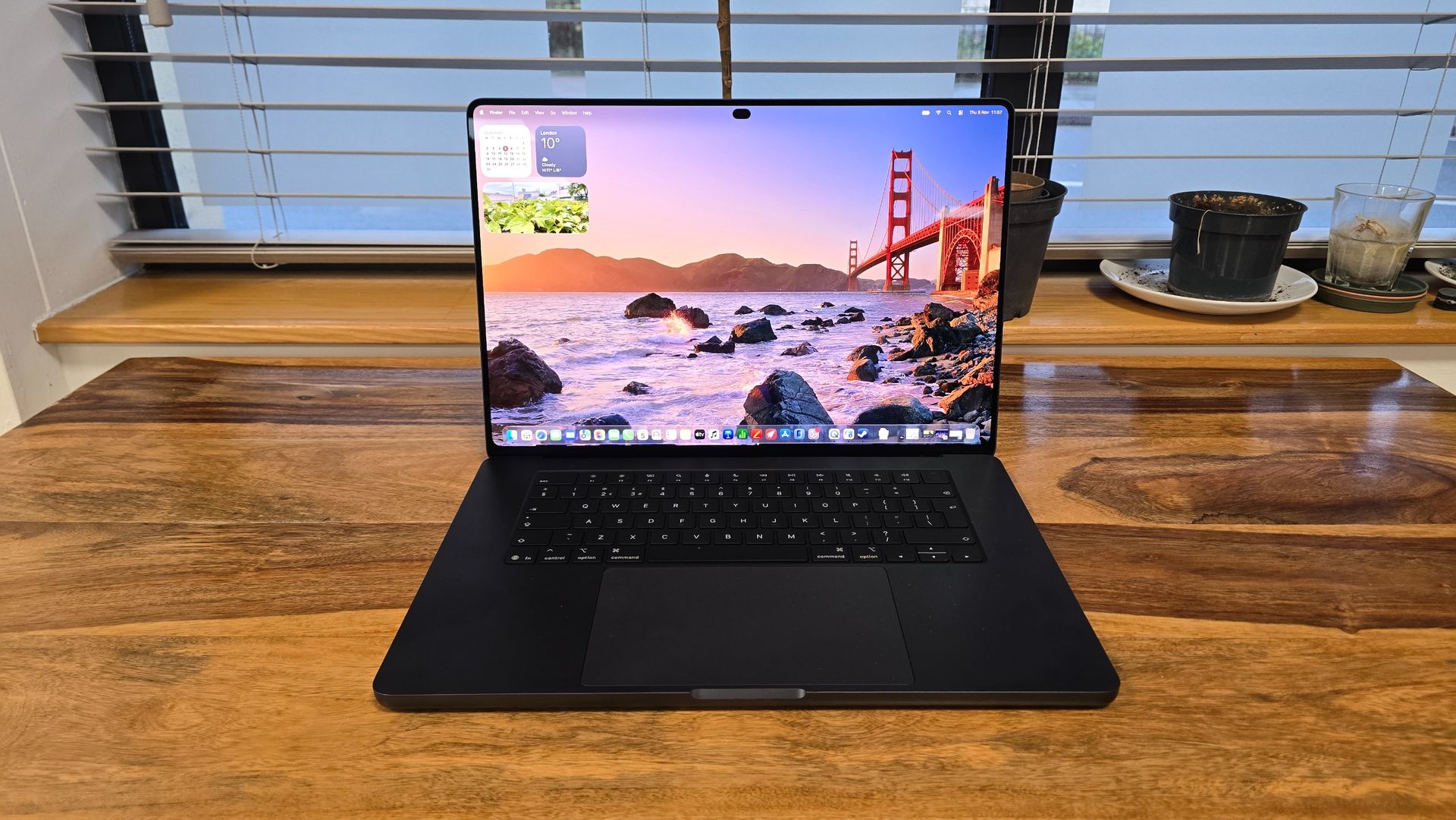
The PROLED XDR screen also allows for thinner bezels around it, and the once-controversial notch that surrounded the webcam has been replaced by Apple's Dynamic Island, as seen on the iPhone, which gives you quick touch access to controls such as media playback, AirDrop sharing and accessing Spotlight. It’s one of the best examples of Apple tweaking macOS to better make use of the touchscreen, and I can confidently predict that the Dynamic Island will be less hated than the notch, which was just dead space that intruded on the desktop.
The more compact Dynamic Island and thinner bezels mean the screen of this 16-inch Pro is slightly larger than on previous models at 16.3 inches vs 16.2 inches, with a higher resolution of 3472 x 2266 pixels vs 3456 x 2234 pixels.
The OLED screen technology (and new thermal system that’s used to keep the laptop’s components cool) has also helped Apple reduce the weight of the MacBook Pro with PROLED XDR Display 16-inch (2026, M5 Max) by half a pound — that's 15% lighter — and make it around 1mm thinner.
(Image credit: Future)
The MacBook Pro was always a great showcase that proved powerful workstation laptops don’t need to be big and bulky, so it's impressive that Apple has been able to make this new model both lighter and thinner.
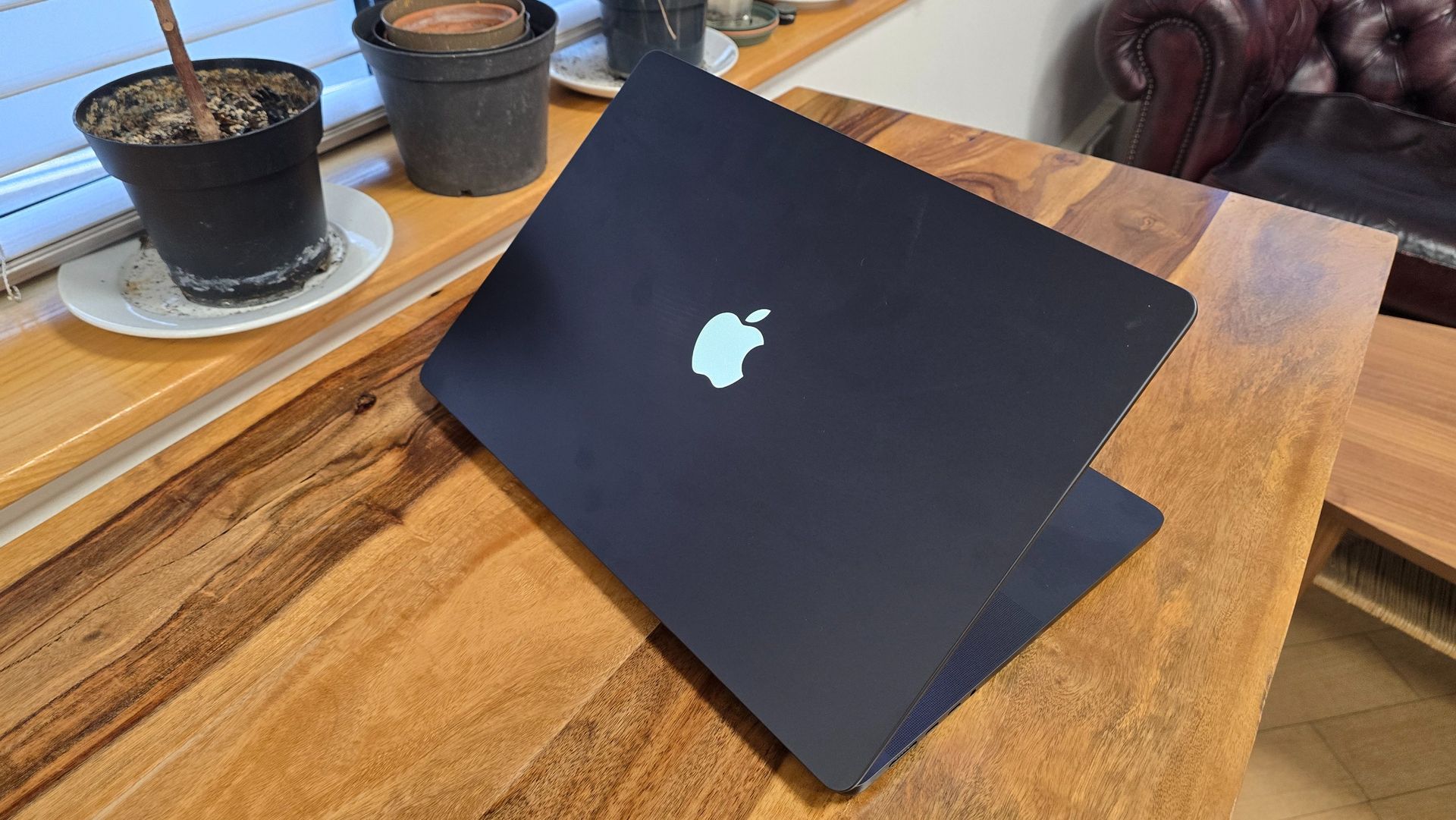
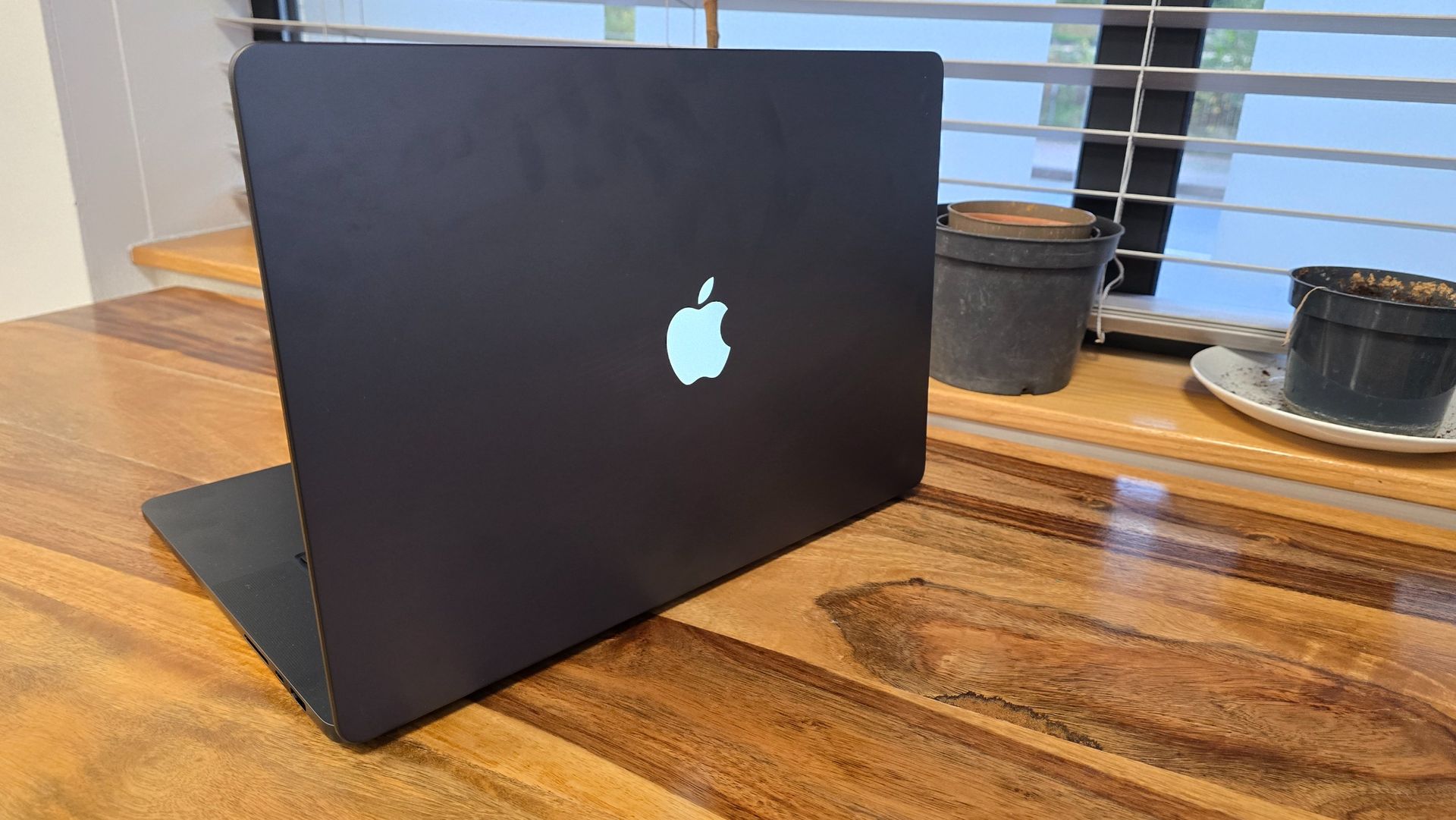
The final design change is a relatively minor one, but one that will likely prove to be very popular. Apple has returned to having an illuminated Apple logo on the back of the lid — it's a nod to the past, while also helping the latest MacBook Pro stand out more compared to the previous models.
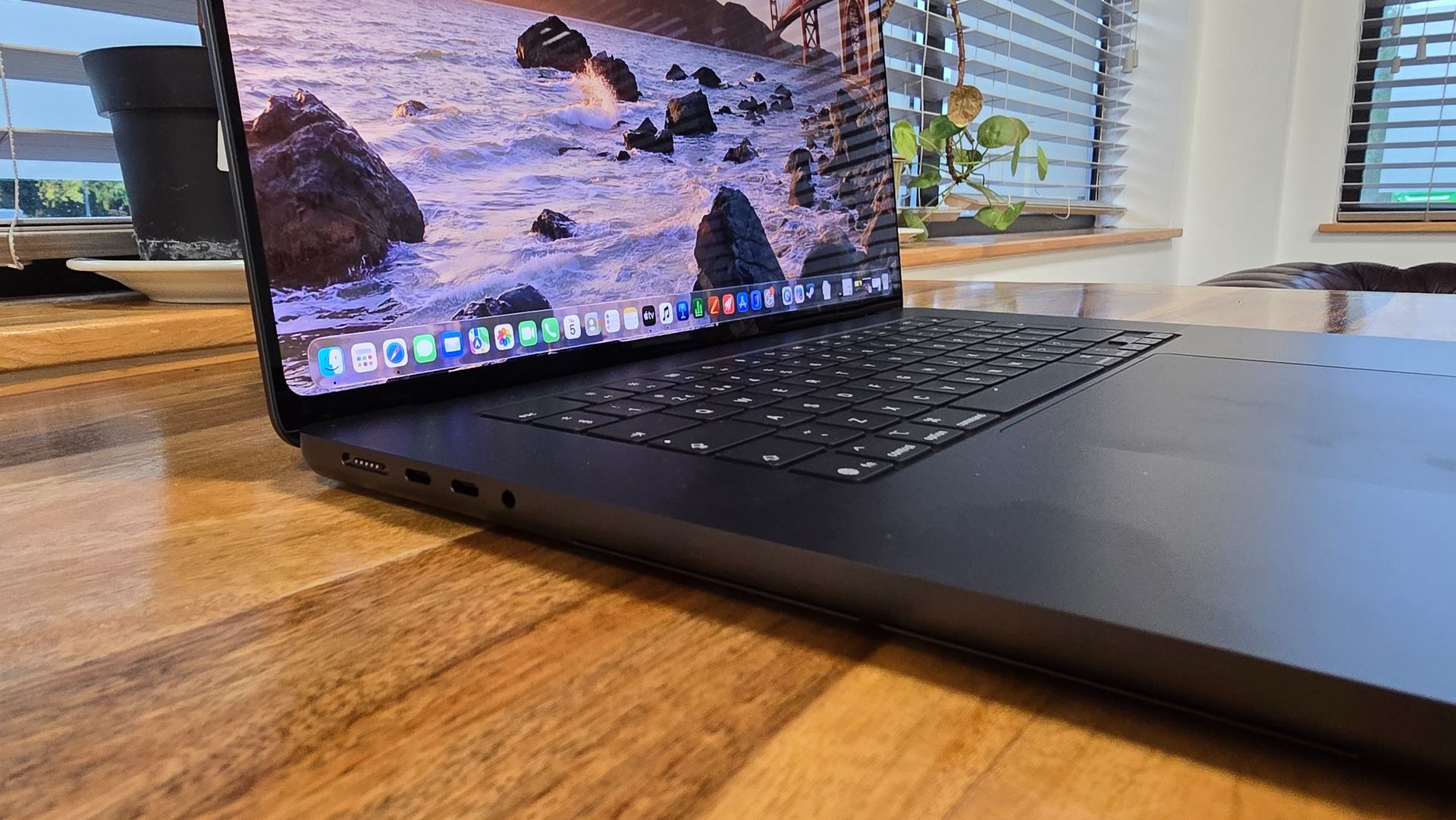
Apart from those changes, the MacBook Pro with PROLED XDR Display 16-inch (2026, M5 Max)’s design is essentially the same as the previous few generations of MacBook — but that’s no bad thing, as it remains a great-looking laptop with plenty of ports (three USB-C Thunderbolt 5 ports, SDXC card slot, HDMI, 3.5mm audio and the MagSafe 3 port) for pros.
Apple MacBook Pro with PROLED XDR Display 16-inch (2026): Specs
Apple MacBook Pro with PROLED XDR Display 16-inch base configuration
Apple MacBook Pro with PROLED XDR Display 16-inch max configuration
Processor
Apple M5 Pro (18-core)
Apple M5 Max (18-core)
Graphics
20-core GPU
32-core GPU
Display
16.3‑inch (diagonal) tandem OLED PROLED XDR display (3472 x 2266), Touch, Wide color (P3 + Adobe RGB), True Tone, ProMotion up to 120Hz
16.3‑inch (diagonal) tandem OLED PROLED XDR display (3472 x 2266), Touch, Wide color (P3 + Adobe RGB), True Tone, ProMotion up to 120Hz
Memory
24GB Unified Memory
36GB Unified Memory
Storage
1TB SSD
2TB SSD
Battery Life
Integrated 100‑watt‑hour lithium‑polymer battery, up to 17 hours web browsing, up to 24 hours video streaming
Integrated 100‑watt‑hour lithium‑polymer battery, up to 16 hours web browsing, up to 22 hours video streaming
High-fidelity six‑speaker sound system with force-cancelling woofers, 12MP Center Stage camera with support for Desk View
High-fidelity six‑speaker sound system with force-cancelling woofers, 12MP Center Stage camera with support for Desk View
Wireless
Wi-Fi 7; Bluetooth 6.0
Wi-Fi 7; Bluetooth 6.0
Dimensions & Weight
0.63 x 14 x 9.62 inches (1.60 x 35.55 x 24.42cm), 4lbs (1.82kg)
0.63 x 14 x 9.62 inches (1.60 x 35.55 x 24.42cm), 4.1lbs (1.84kg)
Apple MacBook Pro with PROLED XDR Display 16-inch (2026, M5 Max): Performance
No M6 version with PROLED XDR Display
Touchscreen is responsive, but not an essential addition
Very fast SSD
I’m going to be honest: I think Apple has got itself into a little bit of a pickle with its M-series naming convention and release cadence. For a company that was often lauded for offering an elegant simplicity here, compared to the complexity of some competitors, it’s made a bit of a confusing mess.
Want the very latest M-series architecture, the M6, which is the company’s first-ever 2nm compute chip? Well, if so, you can forget about the PROLED XDR Display, as Apple is only offering it in the 14-inch MacBook Pro with Mini-LED screen. If you want the M6 and don’t care about a touchscreen or OLED, but prefer the larger 16-inch screen size, then you’re out of luck.
If you want the most powerful chips in a MacBook, then you’re left with the previous-generation M5 Pro and Max chips. But, getting an M5 Max-powered MacBook Pro doesn’t guarantee it’s the most powerful chip, as the default M5 Max chip that comes with the MacBook Pro with PROLED XDR Display 16-inch features an 18-core CPU and 32-core GPU, but you can upgrade (for $300 / £300 extra) to a more powerful M5 Max with a 40-core GPU. To be honest, unless you’re working with extremely graphically-intensive projects, the standard M5 Max chip will be more than enough, and even the M5 Pro will handle pretty much anything you throw at it.
As I mentioned, if you want the M6 generation and the improvements it brings, namely with a smaller 2nm process, which should lead to better power efficiency, and a dual 16-core Neural Engine for improved on-device AI performance, then you’ll need to forego both the PROLED XDR Display and 16-inch screen size.
Benchmarks
How the Apple MacBook Pro with PROLED XDR Display 16-inch (2026, M5 Max) performed in our suite of benchmark tests
3DMark: Steel Nomad
4402
3DMark: Steel Solar Bay
78412
020,00040,00060,00080,000
Score
3DMark
Data
Product
3DMark: Steel Nomad (Score)
3DMark: Steel Solar Bay (Score)
Apple MacBook Pro with PROLED XDR Display 16-inch (2026, M5 Max)
4402
78412
Blackmagic Disk Speed Test: Write
13335
Blackmagic Disk Speed Test: Read
12783
03,7507,50011,25015,000
Score
Blackmagic Disk Speed Data
Product
Blackmagic Disk Speed Test: Write (Score)
Blackmagic Disk Speed Test: Read (Score)
Apple MacBook Pro with PROLED XDR Display 16-inch (2026, M5 Max)
13335
12783
Geekbench 6.7.2: Single-Core
4359
Geekbench 6.7.2: Multi-Core
30327
Geekbench 7.1.0: Single-Core
3766
Geekbench 7.1.0: Multi-Core
35679
Geekbench AI 1.8 (Core ML/Neural Engine): Single Precision Score
6200
Geekbench AI 1.8 (Core ML/Neural Engine): Half Precision Score
47515
Geekbench AI 1.8 (Core ML/Neural Engine): Quantized Score
64473
020,00040,00060,00080,000
Score
Geekbench Data
Product
Geekbench 6.7.2: Single-Core (Score)
Geekbench 6.7.2: Multi-Core (Score)
Geekbench 7.1.0: Single-Core (Score)
Geekbench 7.1.0: Multi-Core (Score)
Geekbench AI 1.8 (Core ML/Neural Engine): Single Precision Score (Score)
Geekbench AI 1.8 (Core ML/Neural Engine): Half Precision Score (Score)
Geekbench AI 1.8 (Core ML/Neural Engine): Quantized Score (Score)
Apple MacBook Pro with PROLED XDR Display 16-inch (2026, M5 Max)
4359
30327
3766
35679
6200
47515
64473
PugetBench for Adobe CC (Photoshop)
18431
PugetBench for Adobe CC (Premiere Pro)
155248
050,000100,000150,000200,000
Score
PugetBench Data
Product
PugetBench for Adobe CC (Photoshop) (Score)
PugetBench for Adobe CC (Premiere Pro) (Score)
Apple MacBook Pro with PROLED XDR Display 16-inch (2026, M5 Max)
18431
155248
Apple MacBook Pro with PROLED XDR Display 16-inch (2026, M5 Max)
109
037.575112.5150
fps
Cyberpunk 2077 (Ray Tracing Ultra, 1920 x 1200) Data
Product
Value
Apple MacBook Pro with PROLED XDR Display 16-inch (2026, M5 Max)
109
1 of 5
The MacBook Pro with PROLED XDR Display model Apple sent to me for review comes with the M5 Max chip with 18-core CPU and 40-core GPU, 128GB of unified memory, and 2TB of storage. That’s a hefty list of specs, and would set you back a similarly hefty $7,399 / £7,399 / AU$11,699.
I’ve previously tested the M5 and M5 Pro in the 14-inch MacBook Pros launched earlier this year and late last year, and as expected, the M5 Max in my 16-inch Apple MacBook Pro with PROLED XDR Display is incredibly powerful, with macOS and its built-in apps all launching quickly and feeling fast and snappy.
When it comes to the touchscreen, macOS again feels fast and responsive, and using a finger to quickly browse up and down a website, selecting options in a dialog box or menu, and moving windows around the screen all feels natural, especially if you’ve ever used an iPhone or an iPad.
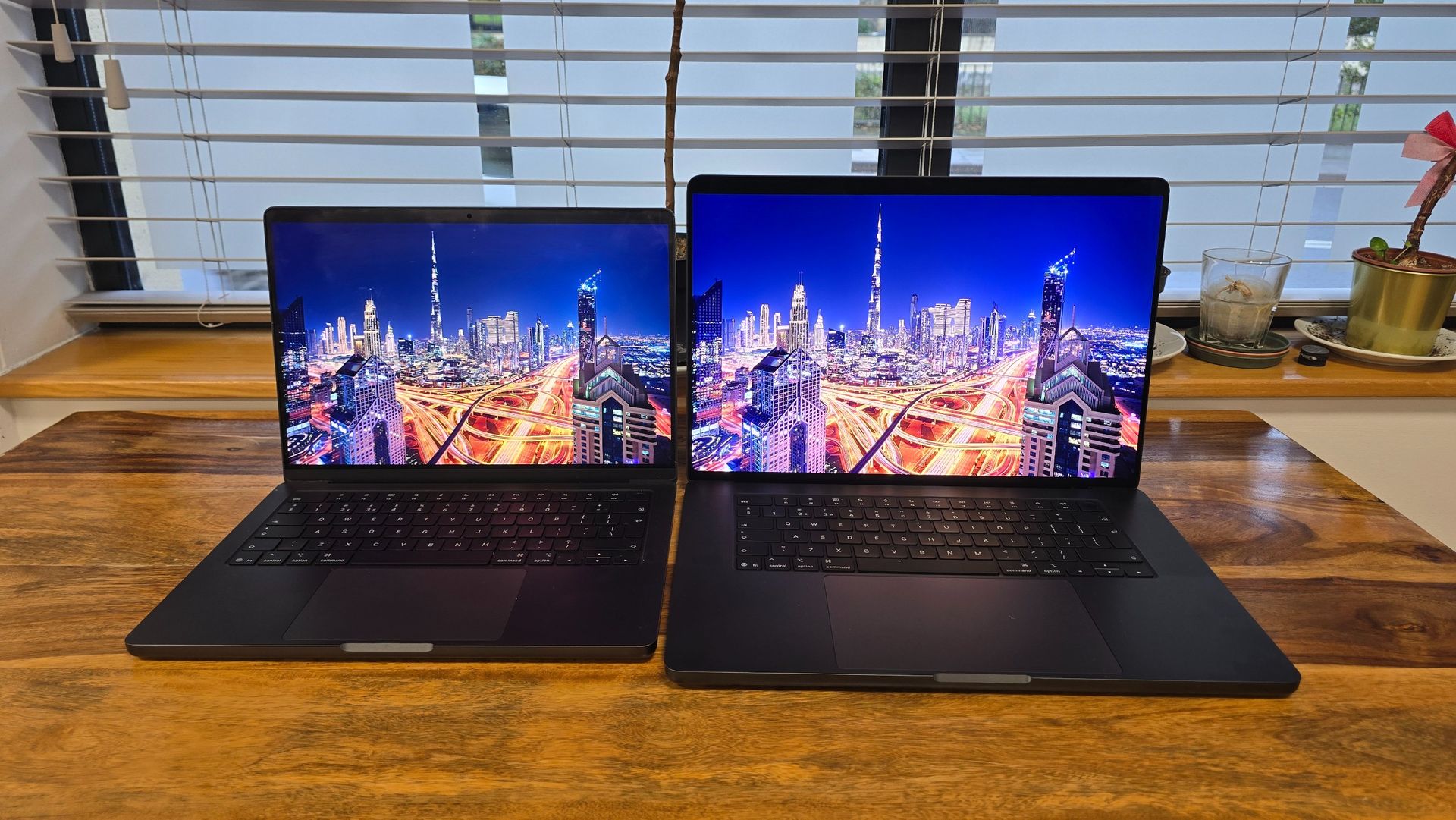
A comparison of the Mini-LED screen of previous MacBooks on the left, with the PROLED XDR Display on the right. Both at 100% brightness (Image credit: Future)
Unlike people who have only used Macs and MacBooks from the once touchscreen-phobic Apple, I’ve had extensive experience using Windows laptops and Chromebooks with touchscreens, so using one on the MacBook Pro isn’t as big of a culture shock as it might be to some. While it worked well, and there are some nice touches (forgive the pun), such as pressing down your finger on certain tools in Final Cut Pro to open up a radial menu for more precise touch control, I have to say that Windows 11, Chrome OS, and Google’s new Googlebook OS are better suited to touch controls.
This might come as little surprise, as this is Apple’s first MacBook to have a touchscreen, while Windows laptops and Chromebooks have had them for decades, and in the case of Chrome OS and Googlebook OS, Google has used its experience working on Android to develop the operating system. And, for as much grief as a lot of us (myself included) gave Windows 8 when it launched back in 2012, it inspired Microsoft to make a touchscreen-friendly interface, elements of which are still found in Windows 11, primarily with larger, easier to tap, buttons and menus.
Currently, macOS Tahoe still looks and feels like an operating system that’s best used with a traditional mouse and keyboard, because that’s what it is. But that also means some elements of the user interface, such as menus, feel a bit fiddly to control via touch.
Hopefully this will change if more MacBooks come out with touchscreens. But, because Apple has decided to put its first laptop touchscreen on its most powerful (and expensive) MacBooks, there’s a danger that the company will end up thinking that because the numbers of touchscreen MacBook users is so small, it’s not worth making big changes to the interface.
Another issue I have with Apple’s decision to put a touchscreen on its highest-end MacBook Pros, rather than a more mainstream MacBook Air or Neo — something I’ve written about — is that touchscreen gestures and controls often aren’t the best way to control a laptop when you're performing complex tasks where precision is key. Sure, you can pull up a virtual piano in Garage Band and tap on the keys on screen, but while this is handy for quick ideas, you don’t want to play or write an entire song using it.
Most professionals will have peripherals, such as physical MIDI keyboards, for precise control. It’s the same with photographers and digital artists — using your fingers to pinch and zoom an image feels fast and natural, as does scribbling some notes or doodles, but for long-term use, many professionals will use a drawing tablet. If the MacBook’s PROLED XDR Display was compatible with the Apple Pencil stylus, that would make it a more useful tool for professionals, but it's not, which is a rather odd omission.
One touchscreen-friendly change Apple has made to macOS, and which I’m a big fan of, is adding an iPhone-like Dynamic Island where the notch around the webcam used to be. Tapping this gives you quick context-relevant tools, such as media controls when watching a video. Spotlight search and Siri AI are now located here as well. This is a great addition that adds value to the MacBook Pro’s touchscreen, and I’d like to see it expanded, and more touch-friendly UI elements to make the touchscreen a must-have, rather than nice-to-have-but-far-from-essential, which is what it feels like at the moment.
The tandem OLED tech powering the PROLED XDR Display is a much bigger deal, and likely the reason why most people will consider the Apple MacBook Pro with PROLED XDR Display over the standard model. The previous Mini-LED screen was already one of the best displays you’d find on a laptop, and thanks to tandem OLED, this new screen is even better. Straight out of the box without needing any calibration, the colors are bright and vibrant — so much so that I was surprised to see that the screen was only at 50% brightness.
Placing my 14-inch MacBook Pro with the M5 chip and Mini-LED screen next to the 16-inch MacBook Pro with PROLED XDR Display 16-inch really highlighted just how much better the PROLED XDR screen is. The Mini-LED looked dimmer, despite it being at 100% brightness, even with the PROLED XDR screen remaining at 50%. Now, as I said, the Mini-LED display of the (slightly) older MacBook Pro is no slouch, so to see such a stark difference in image quality is a big deal, especially for people who want a laptop for working with photos, videos and digital art. The new support for Adobe RGB color gamut is another big plus here, though as usual for Mac devices you’ll want to turn off the True Tone feature — it tweaks the colors of the screen depending on the ambient light you’re working in, which can make what’s on the screen look better to you in that moment, but could lead to color inaccuracies in a production workflow.
I won’t delve too deep into the performance of the M5 Max, as it’s been in other Apple devices for a while now, but this is the first time I’ve used a MacBook running it (I have tested both the previous M5 and M5 Pro MacBook Pro models).
According to Apple’s benchmarks, the M5 Max is around nine times faster than the M4 Max when it comes to ‘first token performance’, while AI image generation is apparently around six times faster. If those are the kind of stats that excite you, then enjoy!
(Image credit: Future)
In our benchmark tests, compared to the M5 MacBook Pro with a 10-core CPU and 10-core GPU, the Apple MacBook Pro with PROLED XDR Display 16-inch (2026, M5 Max) with an 18-core CPU and 40-core GPU unsurprisingly outperformed the older MacBook Pro when it came to graphic-intensive tests. In the 3D Mark Wild Life Extreme graphics test, for example, the M5 MacBook Pro scored 73.6fps compared to the M5 Max’s 214.1fps.
With gaming, the M5 MacBook Pro hit 11fps at 1920 x 1200 with Ray Tracing set to Ultra, while the M5 Max model managed a much more playable 38.75fps. This is a good example of the graphical performance gap, but if you want a laptop to game on you’re still better off buying a dedicated gaming laptop, which is a bit of a shame, as the PROLED XDR Display makes games look fantastic.
The SSD inside the Apple MacBook Pro with PROLED XDR Display 16-inch (2026, M5 Max) offers up to 14.5GB/s speeds, with Apple claiming it’s twice as fast as the SSD in the previous generation, and in our tests it scored a very good 13,334.7MB/s and 12,782.7MB/s write and read speeds, respectively. A fast SSD like this is important if you’re working on large files and complex projects.
The SSD in the Surface Laptop Ultra with RTX Spark N1X chip scored a rather paltry 1,921MB/s write speeds in comparison. Check out our benchmark result charts for more comparisons.
The rest of the Apple MacBook Pro with PROLED XDR Display 16-inch (2026, M5 Max) works as well as expected. The spatial speakers are loud and clear, and the Center Stage webcam offers excellent clarity, alongside some nice software-powered features that improve the image quality further. A nice additional feature added is that macOS will virtually stabilize the webcam’s footage if you’re using the touchscreen at the same time, to stop it wobbling while you’re on calls. It’s a handy feature, and shows the attention to detail we’ve come to expect from Apple.View Deal
Apple MacBook Pro with PROLED XDR Display 16-inch (2026, M5 Max) review: Battery Life
Battery life results
How long does the battery last?
Versus Comparison Data
Attribute
Apple MacBook Pro with PROLED XDR Display 16-inch (2026, M5 Max)
Apple MacBook Pro 16-inch (2024, M4 Pro)
Asus ProArt P16 RTX Spark
Battery life video test
24.35
21.5
11.383333333333333
VS
Battery life video test (hours, mins)
+13%24:21:00
21:30:00
Our battery life benchmark involves playing a looped 1080p video at 50% brightness until the laptop turns off.
Apple has claimed the new 16-inch MacBook Pro with PROLED XDR Display lasts up to 24 hours on battery when streaming videos, and up to 17 hours when browsing the web, and I found those claims to be pretty much spot on, with the device lasting an incredible 24 hours and 21 minutes in our battery test, which involves playing a looped 1080p video at 50% brightness.
It blows past the MacBook Pro 16-inch (M4 Pro, 2024), which managed 21 hours and 32 minutes in the same test, and over double the 11 hours and 23 minutes the Asus ProArt P16 RTX Spark hit. The MacBook Pro is able to sustain its performance when on battery life, rather than throttling it to conserve energy, so you’ll be able to go multiple work days on a single charge while still being productive, though of course the battery will drain more quickly if you’re using it for more intensive tasks.
The battery life is seriously impressive for a large workstation laptop with such powerful components and a bright and vibrant display, and laptop makers (as well as Nvidia itself) producing RTX Spark rivals will need to seriously up their game, given that they're only managing around half of what the MacBook Pro with PROLED XDR Display 16-inch (2026, M5 Max) can achieve.View Deal
Should I buy the Apple MacBook Pro with PROLED XDR Display 16-inch (2026, M5 Max)?
Buy the MacBook Pro with PROLED XDR Display if...
✅ You want a powerful yet portable workstation laptop for creative work The MacBook Pro with PROLED XDR Display performs brilliantly when tasked with almost any creative project, but the M5 Max chip really comes into its own when handling complex graphical workloads. Battery life is also phenomenal, allowing you to work on this laptop pretty much anywhere. ✅ Your work requires accurate image quality The tandem OLED tech behind the PROLED XDR Display really is impressive, and thanks to support for the P3 and Adobe RGB color gamuts you get very accurate images without the need for deep calibration — making this MacBook a great choice for photographers and videographers. ✅ You develop apps for iPhones and iPads One of the best use cases I’ve seen for the touchscreen aspect of the PROLED XDR Display is for app developers who can run emulated versions of their apps on the MacBook, and use the screen to see how touchscreen elements will work.
Don't buy the MacBook Pro with PROLED XDR Display if...
❌ You don’t care about the touchscreen If you still agree with Steve Jobs’ touchscreen-on-MacBook skepticism, you can save a lot of money by going for one of Apple's many other MacBooks. You will miss out on the gorgeous tandem OLED display, however. ❌ You only care about the touchscreen Conversely, if you want a laptop primarily for a touchscreen, I’d recommend a 2-in-1 Windows 11 laptop or Chromebook, which are currently much better suited to touchscreen controls. Paying so much extra just for a touchscreen on the MacBook Pro with PROLED XDR Display is a waste. ❌ You don’t need the power or image quality The MacBook Pro with PROLED XDR Display 16-inch is a very expensive laptop in all its configurations, and even the base model will be overkill for most users.
Also consider
Samsung
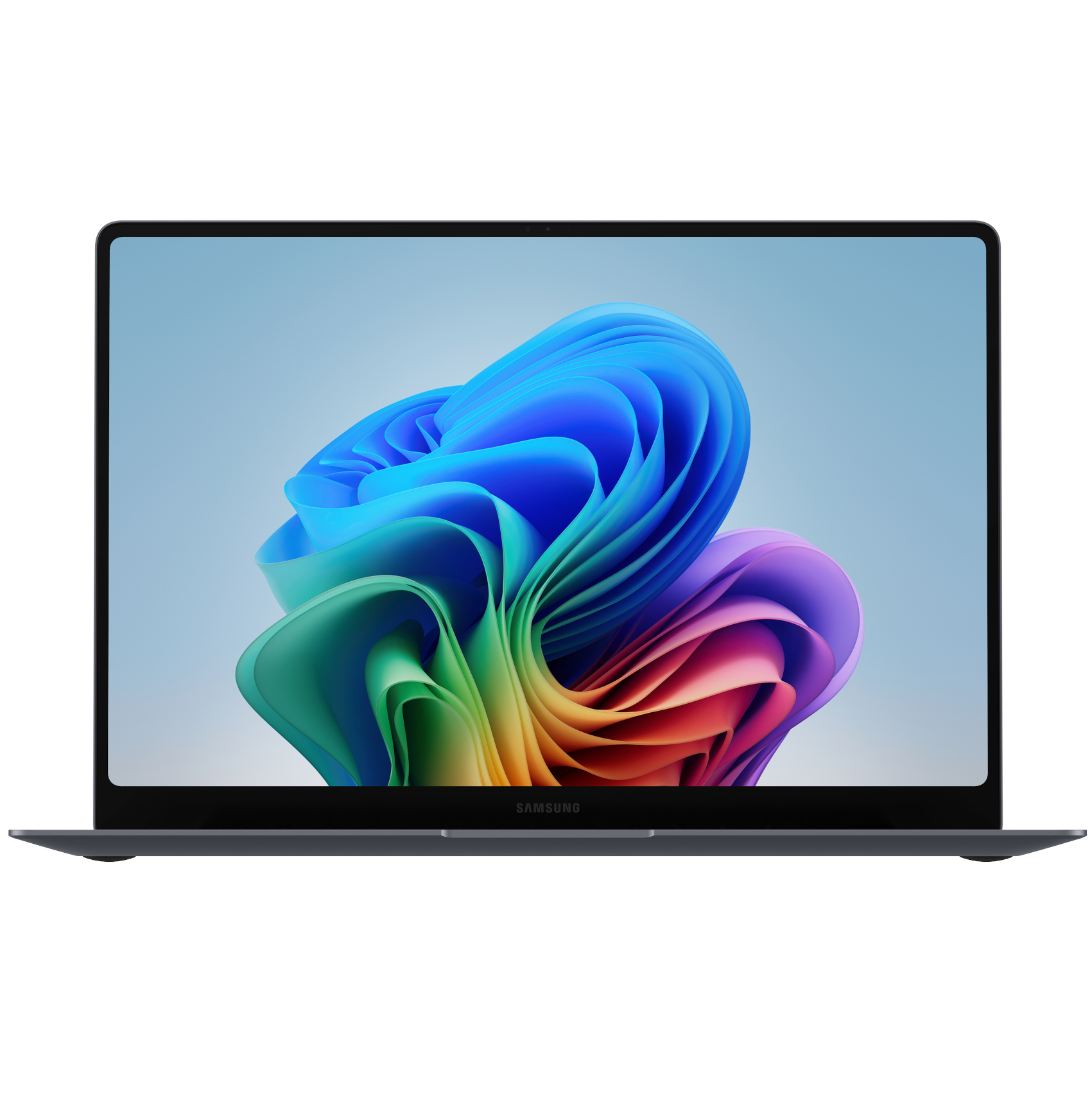
Galaxy Book6 Pro (14-inch)
Pros
Exquisite design
Glorious large display
Respectable graphical performance
Cons
Not the lightest
Lacks ports
Heavy keys
Asus
ProArt P16 RTX Spark
Pros
Stunning 3K OLED screen
Stylish, lightweight design
Strong creative, AI and gaming performance
Cons
Very expensive
Bested by dedicated gaming or creative laptops
Some wobble to the screen
How I tested the Apple MacBook Pro with PROLED XDR Display 16-inch (2026, M5 Max)
(Image credit: Future)
I used as my main work laptop for five days
I used a variety of apps during my testing
I have extensive experience reviewing MacBooks, laptops and Chromebooks
As soon as Apple sent me the Apple MacBook Pro with PROLED XDR Display 16-inch (2026, M5 Max) I started using it as my daily laptop, and even wrote some of this review on it. I tested numerous apps including Photoshop, and played Cyberpunk 2077 on it to see how it performs, and to see how good the PROLED XDR Display looks. I also viewed and edited some very high-quality photos by photographer Paul Reiffer, and supplied by Apple.
Throughout my time with the MacBook Pro with PROLED XDR Display 16-inch (2026, M5 Max), I used both the standard keyboard and touchpad, and the touchscreen.
I’ve been reviewing laptops, including MacBooks and touchscreen laptops, for nearly 20 years, and have used that experience to inform this review.
At a glance: Apple 14-inch MacBook Pro (M6) Review
What is it?
Apple's latest update to the 14-inch MacBook Pro doesn't change much, but it keeps the line ticking over with the new M6 chip for improved overall performance and better connectivity, all in the same familiar build.
What does it cost?
The 14-inch MacBook Pro with M6 starts at $1,999 / £1,999 / AU$3,199, with 16GB of RAM and 1TB of storage. You can configure it with up to 32GB of RAM and 4TB of storage, add a Nano-Texture display, or step up to the more powerful M5 Pro or M5 Max chips.
Alternatives
If you need more power or a bigger screen, there's the 16-inch MacBook Pro with M6, or the 14-inch and 16-inch models with M5 Pro or M5 Max. The 13-inch and 15-inch M5 MacBook Air are better picks if you want a more portable build and can live with slightly less performance. If you want an OLED touchscreen and a thinner, lighter design, you'll need to look at the more expensive PROLED 14-inch or 16-inch models with the M5 Pro or M5 Max.
Apple MacBook Pro 14-inch (2026, M6) scorecard
How the Apple MacBook Pro 14-inch (2026, M6) scored in our review
Value
4
Design
4
Performance
4.5
Battery life
4.5
Overall
4
Group 1 Data
Product
Value ()
Design ()
Performance ()
Battery life ()
Overall ()
Apple MacBook Pro 14-inch (2026, M6)
4
4
4.5
4.5
4
Apple 14-inch MacBook Pro (M6) Review: Value for money
(Image credit: Jacob Krol/Future)
No, this isn't the headline-grabbing new MacBook Pro with an OLED touchscreen and a thinner, lighter build. Alongside introducing those new models, Apple is sticking with a trend I'm a big fan of: yearly updates that ensure the entry-level MacBook Pro remains a solid proposition, with Apple's latest silicon and other top-end specs under the hood.
Apple hasn't changed much with the 2026 14-inch MacBook Pro, but it didn't need to. As the entry-level Pro, and a step up from the MacBook Air in terms of specs, it offers more ports in a familiar design that's slightly bulkier than the Air, but still plenty portable. You also get a very capable 14-inch Liquid Retina XDR mini-LED display with a notch at the top, a clicky-clacky keyboard with nice travel, a larger trackpad, and great sound with Spatial Audio and Dolby Atmos support.
The big change is the M6 chip under the hood, with this model joining the still-available M5 Pro and M5 Max models. Those chips, while older, are more powerful, but don't let the M6 Pro's entry-level positioning fool you: Apple's latest silicon is no slouch, delivering excellent everyday performance with plenty of power for more intensive tasks, including photo and video editing, coding, and AI work.
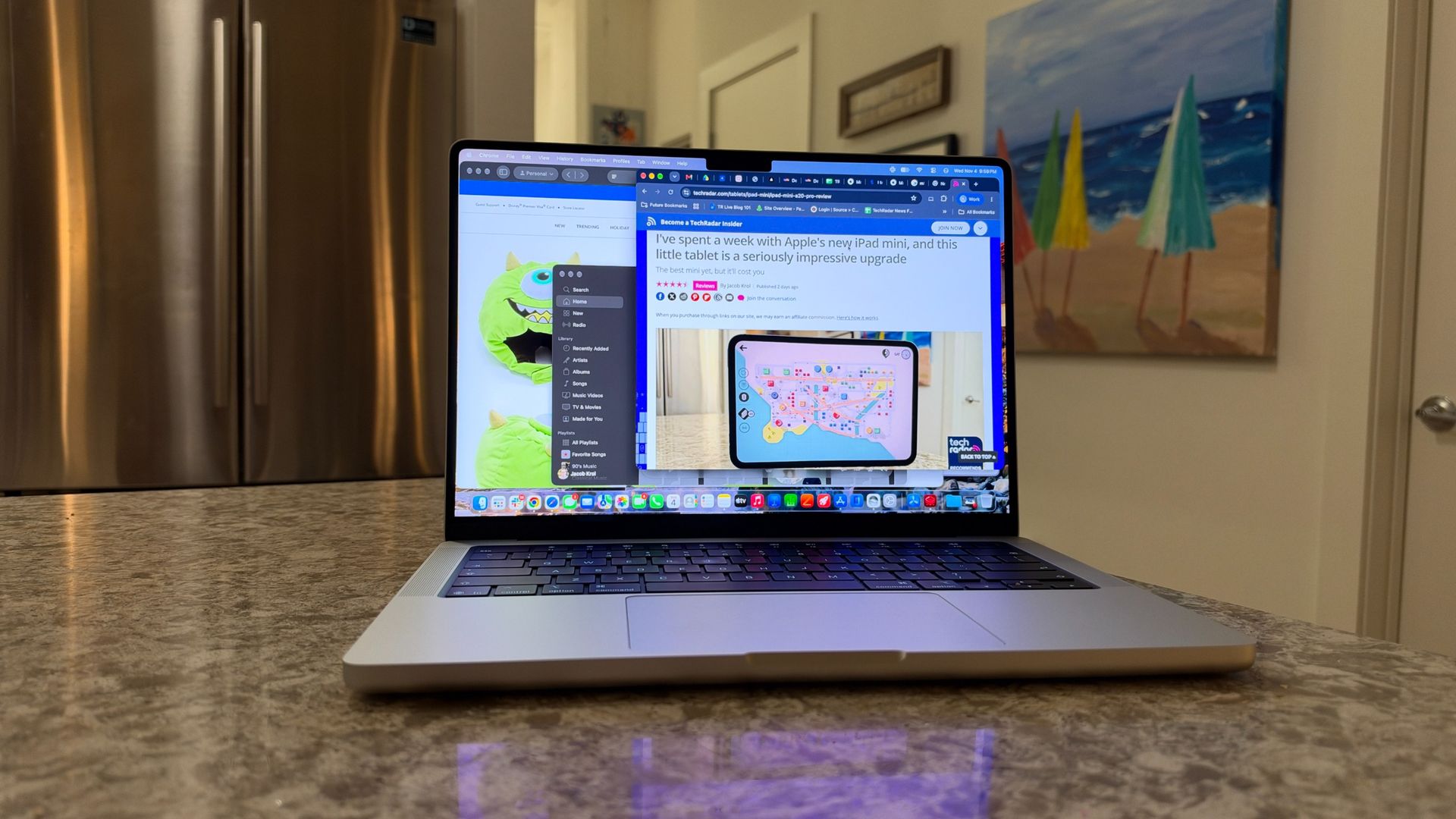
I've been using the 14-inch MacBook Pro with M6 for the best part of a week, and it's been smooth sailing. It's handled my daily mix of productivity and creative work in apps like Slack, Safari, Google Chrome, Notes, Pages, Pixelmator Pro, and Final Cut Pro, running alongside Messages and FaceTime, effortlessly, without me needing to quit or close anything. The configuration I'm testing pairs the M6's 12-core CPU — split between two super cores, four performance cores, and six efficiency cores — with a 12-core GPU and Dual 16-core Neural Engine, and the base 16GB of RAM and 1TB of storage.
Just like the 14-inch MacBook Pro with M5, the new-for-2026 model with M6 starts at $1,999 / 1,999 / AU$3,199. Yes, that M5 model got a price hike earlier this year, but it’s good to see that Apple didn’t push this further, and with this price tag getting you the M6 chip, 16GB of RAM, and 1TB of storage, it's excellent value.View Deal
Apple 14-inch MacBook Pro (M6) Review: Design
(Image credit: Jacob Krol/Future)
Same design as M5 Pro, with plenty of ports
Excellent 14.2-inch Liquid Retina XDR display with ProMotion
Comfortable keyboard, oversized trackpad, and 12MP Center Stage camera
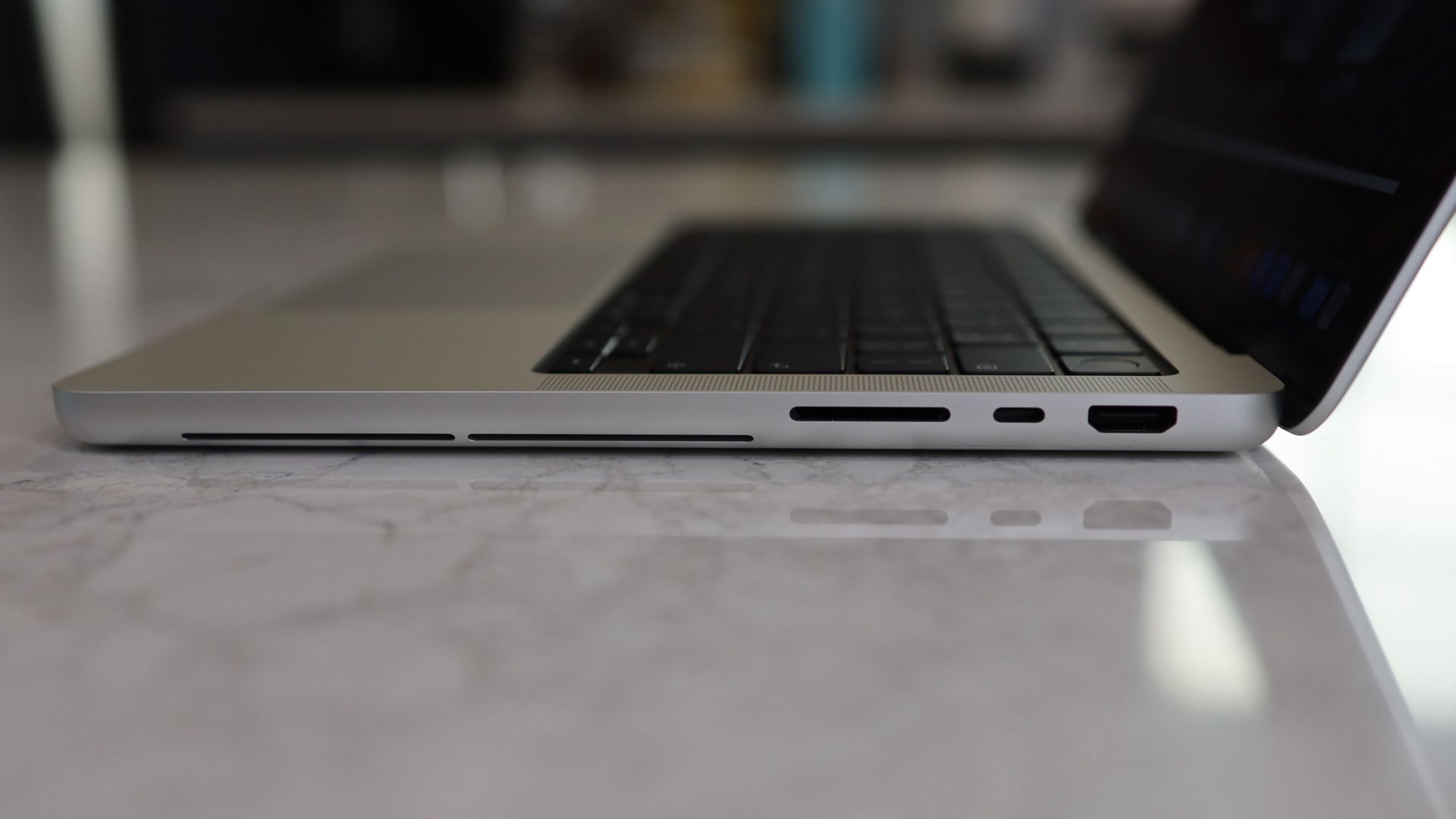
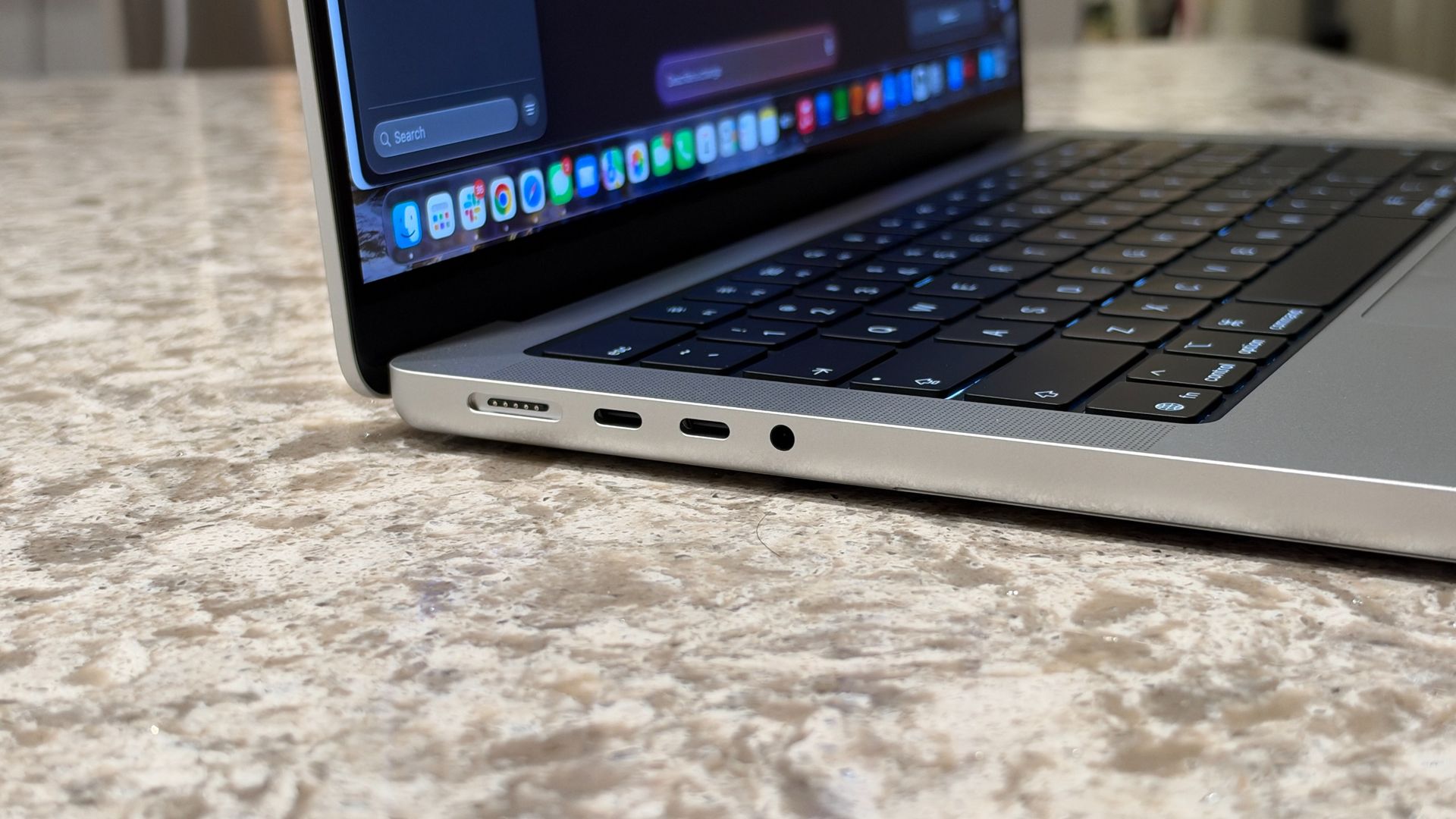
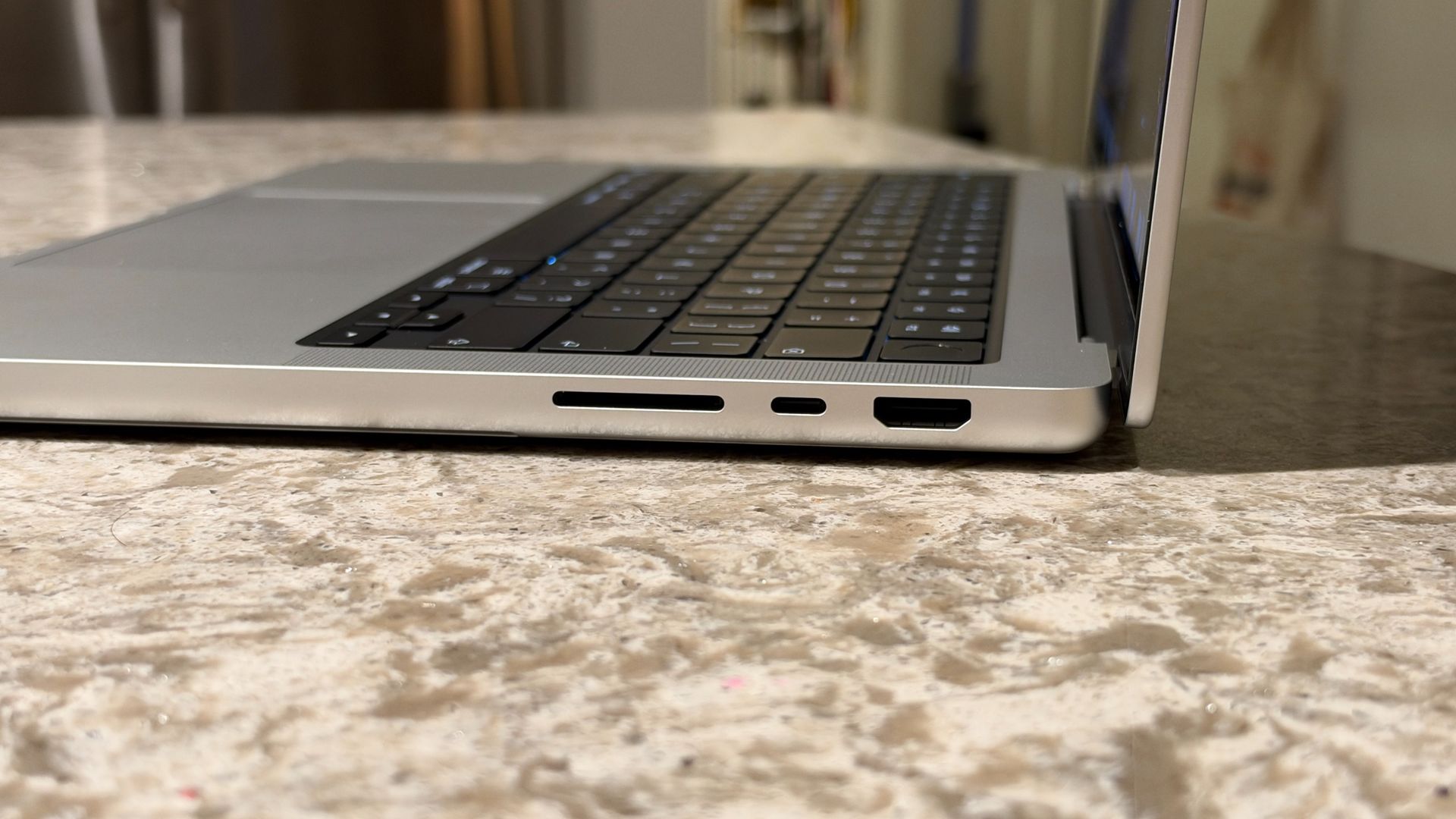
The M6 14-inch MacBook Pro sticks with the well-loved and well-tested design of recent Pro models. It's a little bulkier than the Air on account of its plentiful connectivity options, which include three Thunderbolt 4/USB-C ports, an HDMI port, an SD card slot, a headphone jack, and a MagSafe 3 port.
It's the same sleek design as the M5, M4, and even M3 versions that came before it. It's a design I know well, and one I use daily myself, and I appreciate that it doesn't feel too light or flimsy, but also not too heavy at just 3.4 pounds.
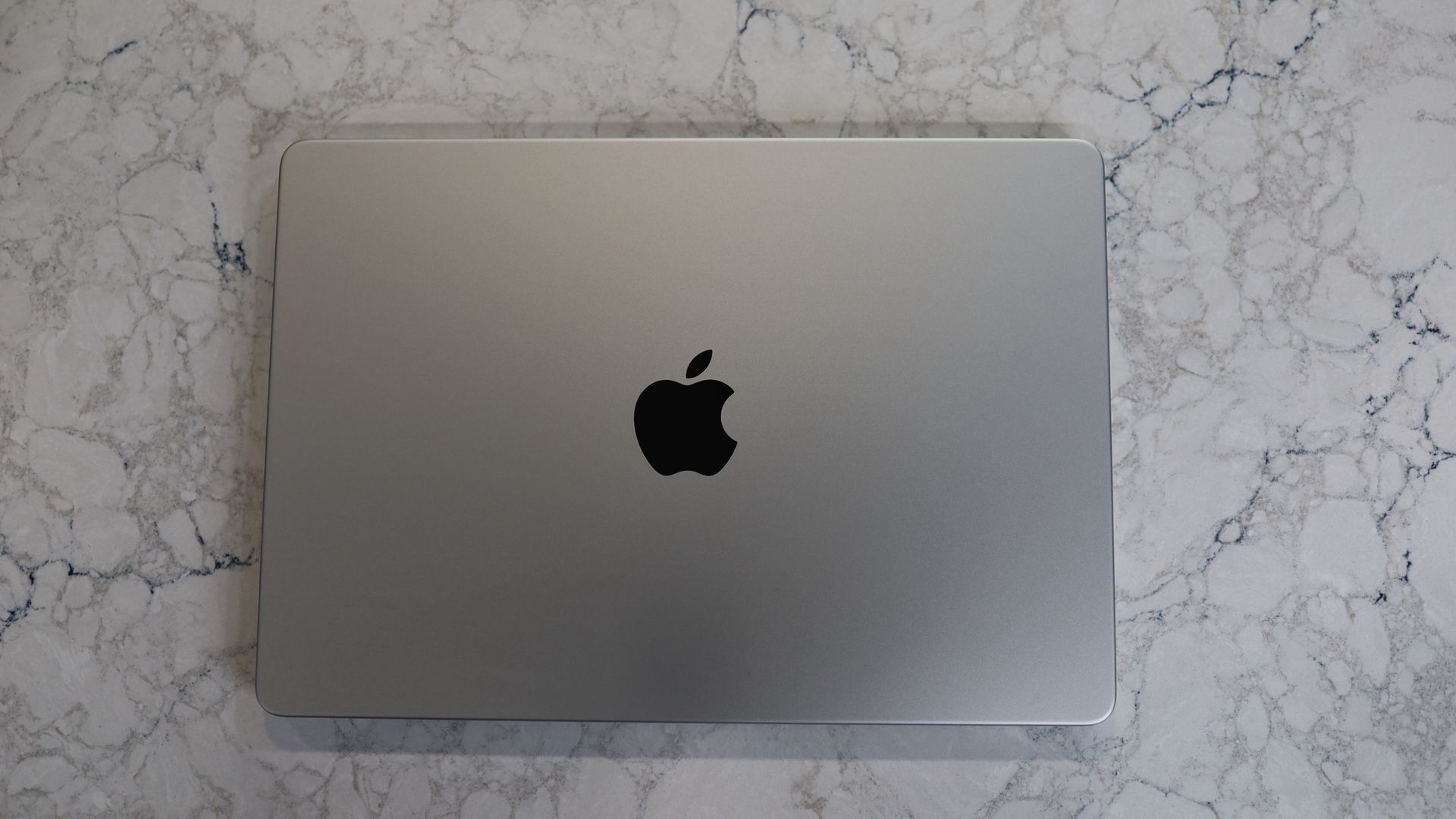
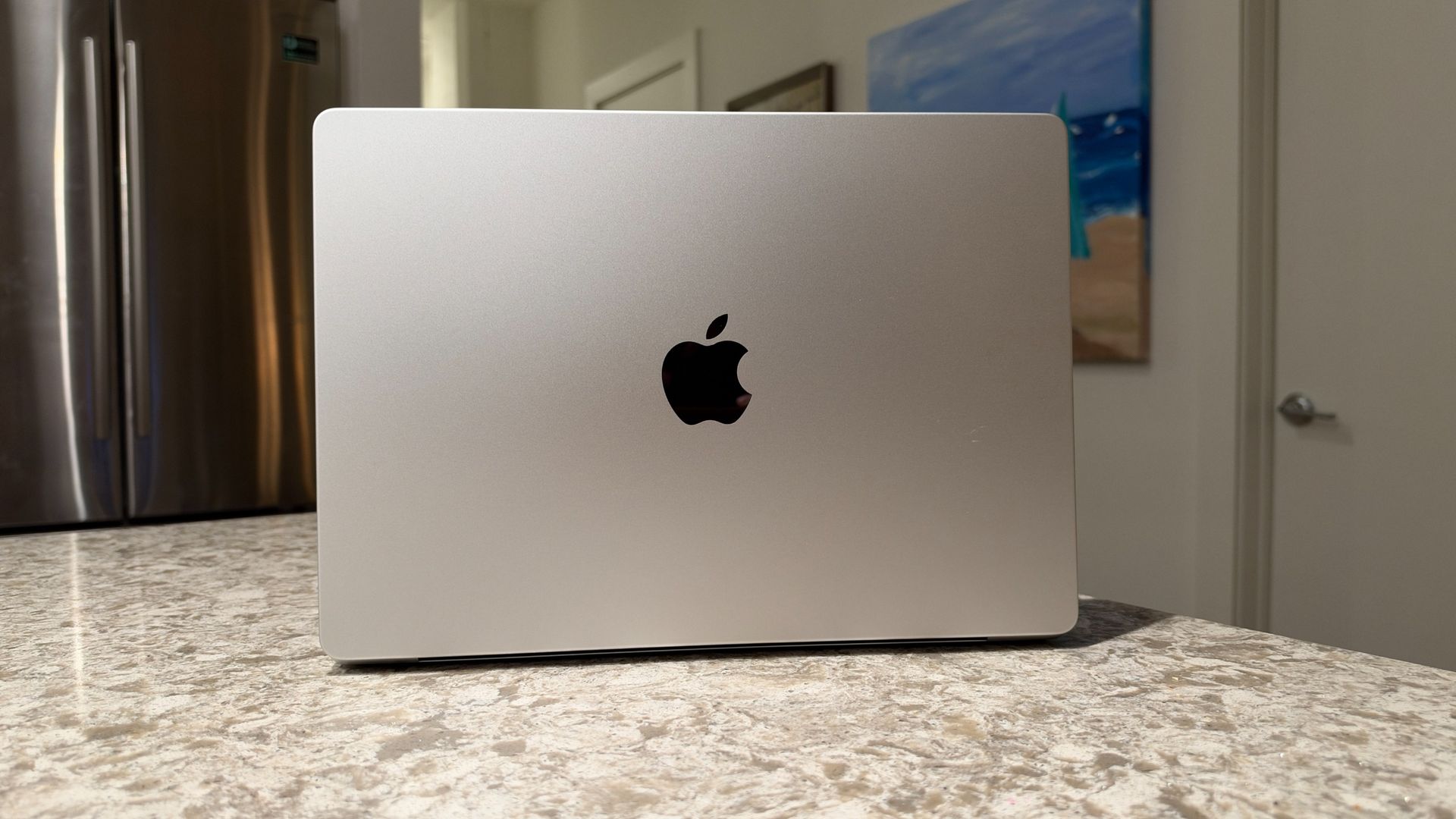
It keeps the same overall dimensions as last year's 14-inch Pro at 12.31 x 8.71 x 0.61 inches. You also get the same two color choices, Space Black or Silver; my review model is Silver, and it contrasts quite nicely with the darker, mirrored Apple logo on the rear — unlike the logo on the newly redesigned touchscreen MacBook Pro, though, this one doesn't light up.
Jacob Krol/FutureJacob Krol/Future
The M6 Pro also doesn't pack Apple's fancy new tandem OLED display, which is a stunner, with especially impressive contrast and the added benefit of not having the notch. The 14.2-inch Liquid Retina XDR display here is no slouch, though, and even with that higher-end model's arrival, this remains one of the best laptop screens on the market.
It supports refresh rates up to 120Hz thanks to ProMotion, and delivers a 3024 x 1964 resolution with vibrant colors and excellent contrast, including wonderfully inky blacks. I've found it great for photo editing in Photos or Pixelmator Pro, video editing in iMovie, CapCut, or Final Cut Pro, streaming videos, FaceTime calls, and even the more straightforward task of writing this review. I always appreciate those inky blacks as I type away.
(Image credit: Jacob Krol/Future)
I've become used to the rectangular cutout notch centered at the top of the display, and I'm still confident that if you've never experienced it before, any initial annoyance at its presence will quickly fade. I am eyeing the pill-shaped Dynamic Island on the more expensive MacBook Pro, but it's really not a necessity.
Here, the menu bar wraps around the notch, which houses a 12-megapixel Center Stage camera that keeps you in the frame and looking sharp during video calls. It also supports Portrait mode to blur your background, and you can use the edges of the screen as a ring light in low lighting conditions.
(Image credit: Jacob Krol/Future)
The keyboard still offers excellent travel, and a decidedly satisfying typing experience. I've written a few articles on this machine, including this review, and I still appreciate the Touch ID sensor baked into the top-right key. It's handy for unlocking your Mac, authenticating, and Apple Pay transactions. Equally, the oversized trackpad makes navigation easy, whether you're using classic point-and-click controls or gestures.View Deal
Apple 14-inch MacBook Pro (M6) Review: Specs
Apple MacBook Pro 14-inch (M6/M5 Pro/M5 Max) specs
MacBook Pro 14-inch (M5)
MacBook Pro 14-inch (M5 Pro)
MacBook Pro 14-inch (M5 Max)
Price
$1,999 / £1,999 / AU$3,199
$2,199 / £2,199 / AU$3,499
$3,599 / £1,999 / AU$5,799
CPU
M6 12-core
M5 Pro 15-core
M5 Max 18-core
GPU
12-core
16-core
32-core
RAM
16GB unified memory
24GB unified memory
36GB unified memory
Storage
1TB SSD
1TB SSD
2TB SSD
Display
14-inch Liquid Retina XDR display (3024 x 1964), 120Hz
14-inch Liquid Retina XDR display (3024 x 1964), 120Hz
14-inch Liquid Retina XDR display (3024 x 1964), 120Hz
12.31 x 8.71 x 0.61 inches (31.26 x 22.12 x 1.55cm)
12.31 x 8.71 x 0.61 inches (31.26 x 22.12 x 1.55cm)
12.31 x 8.71 x 0.61 inches (31.26 x 22.12 x 1.55cm)
Apple 14-inch MacBook Pro (M6) Review: Performance
(Image credit: Jacob Krol/Future)
M6 is an excellent chip
Handles everyday multitasking, creative apps, and gaming with ease
Apple's N1 chip brings support for latest Wi-Fi and Bluetooth standards
Any Mac with Apple silicon really pushes the value meter, and the M6 inside the MacBook Pro is no different. But that also means that if you have an M5, M4, M3, or even an older MacBook Pro or MacBook Air, and its performance is still good enough for your needs, you likely don't need to rush to upgrade just yet.
The M6 14-inch Pro sits alongside the M5 Pro and M5 Max, and only one chip configuration is available as the entry-level option. It's a 12-core CPU — made up of two super cores, four performance cores, and six efficiency cores — alongside a 12-core GPU and a Dual 16-core Neural Engine. While the M5 Pro and M5 Max can outperform it on the GPU front, those chips don't feature efficiency cores in the CPU or the doubled-up Neural Engine. The M6 starts with 16GB of RAM and 1TB of storage — the configuration I've been testing — but can be specced with up to 32GB of RAM and 4TB of storage.
So just how good is the M6 chip inside the 14-inch MacBook Pro? Well, quantitatively, it scored 4,752 in Geekbench 6's single-core test and 21,184 in multi-core. In Geekbench 7, it hit 4,027 single-core and 22,305 multi-core. Compare that to the M5-powered 14-inch MacBook Pro, which scored 4,288 and 17,926 in Geekbench 6, respectively. That's a considerable improvement of around 11% in single-core performance and 18% in multi-core. It also shows off the M6's multitasking chops and efficiency, the latter of which is mission-critical for a laptop with a battery inside — more on that below.
On the storage front, the SSD is largely unchanged. In the Blackmagic Disk Speed Test, the M6 MacBook Pro clocked read speeds of 6,684.6 MB/s and write speeds of 6,501.6 MB/s. That's essentially on par with the M5 model, which managed 6,619.7 MB/s read and 6,517 MB/s write. So, no major improvement here, but not a step backwards either.
Over the past few days, I've put the 14-inch MacBook Pro with M6 through its paces as my daily machine. I regularly use Slack, Google Chrome, Safari — both browsers with dozens of tabs open, as I don't love closing them — Notes, Photos, Pixelmator Pro, Siri, and Music, alongside Messages and the occasional FaceTime or iPhone Mirroring session. I also put it through some video exports and project-creation work, mainly for social video at 2K or 4K, using iMovie, Final Cut Pro, and Edits. I also spent some time gaming with titles like Mini Metro, Mini Motorways, and Disney Dreamlight Valley.
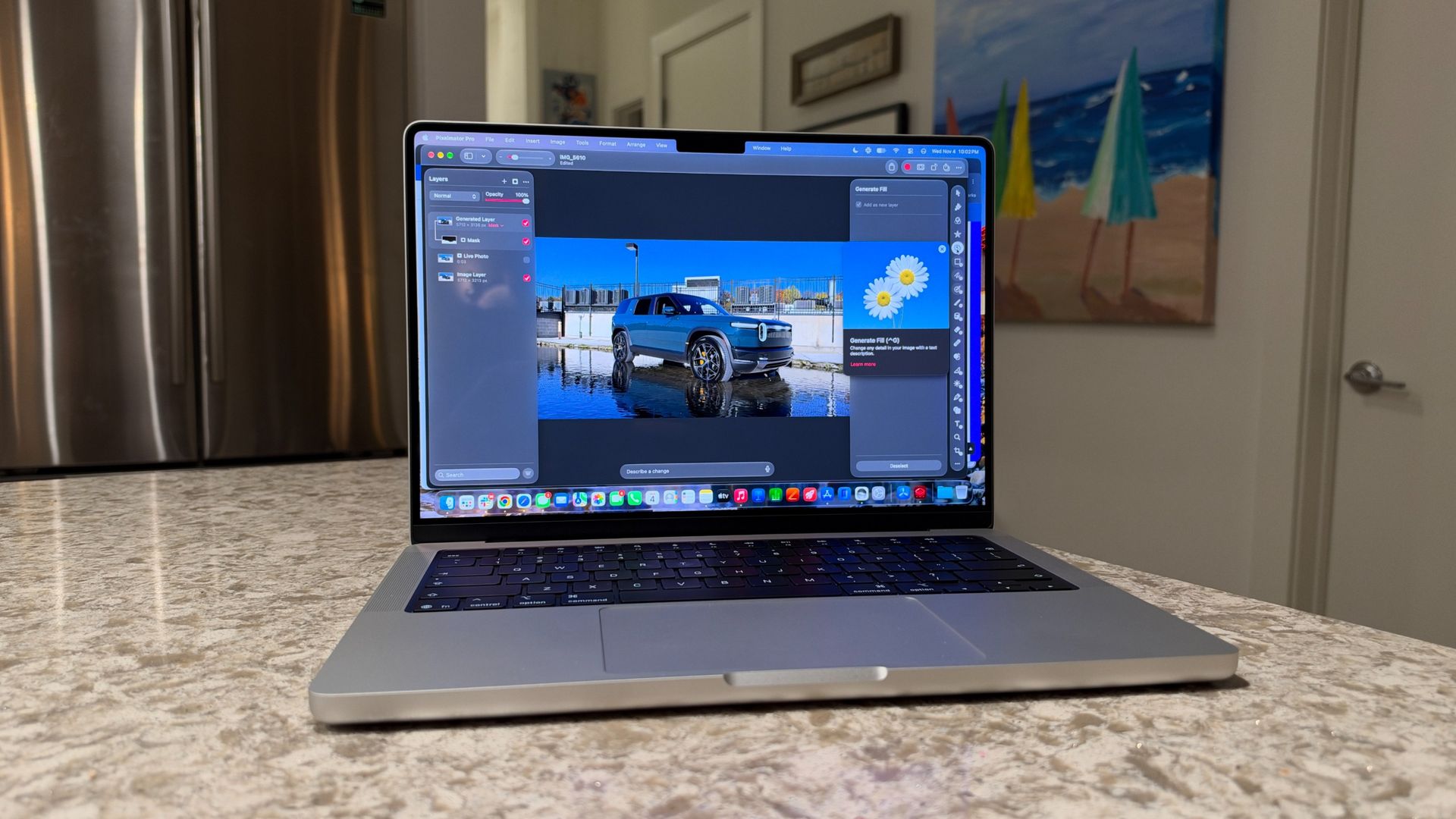
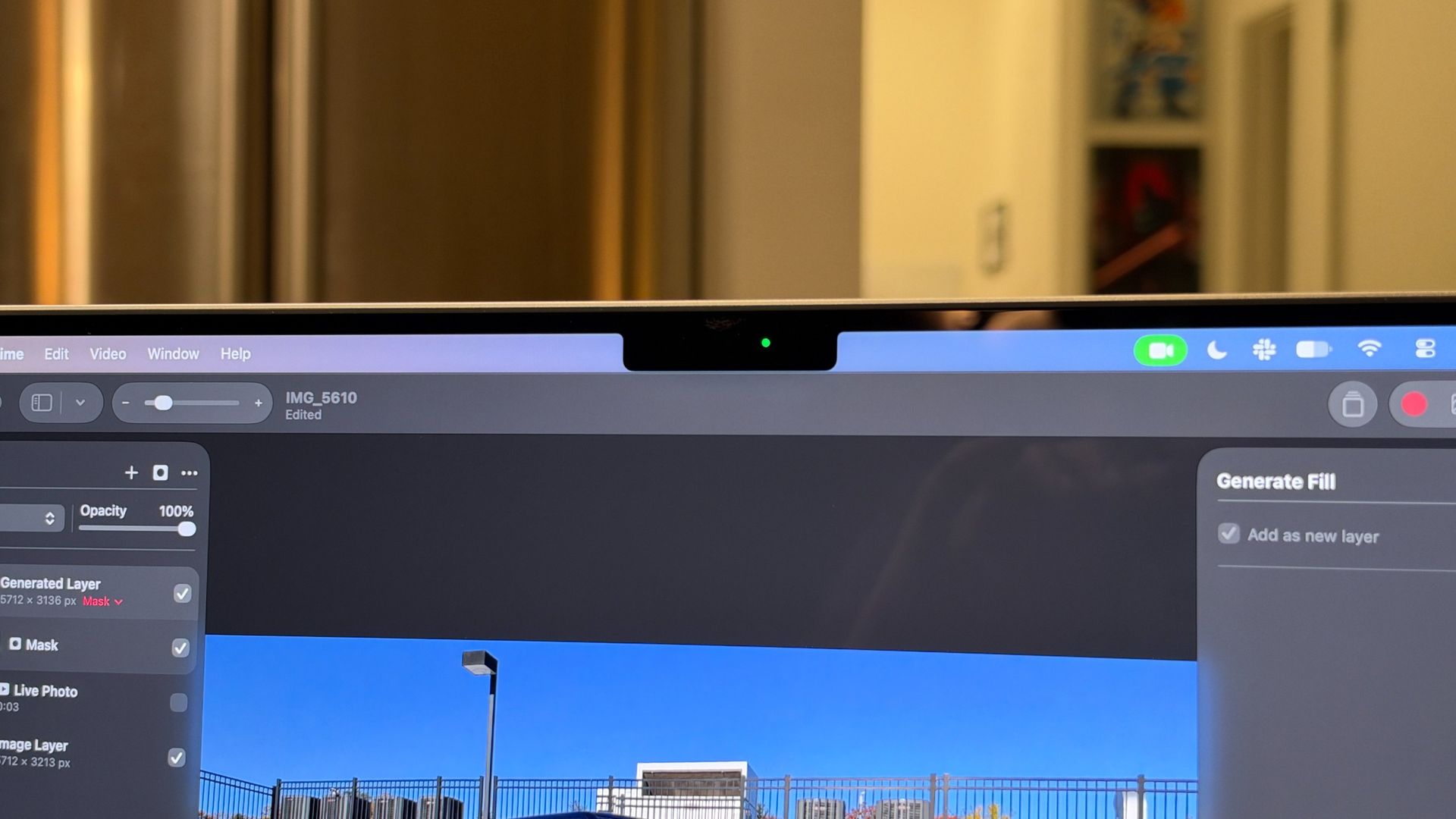
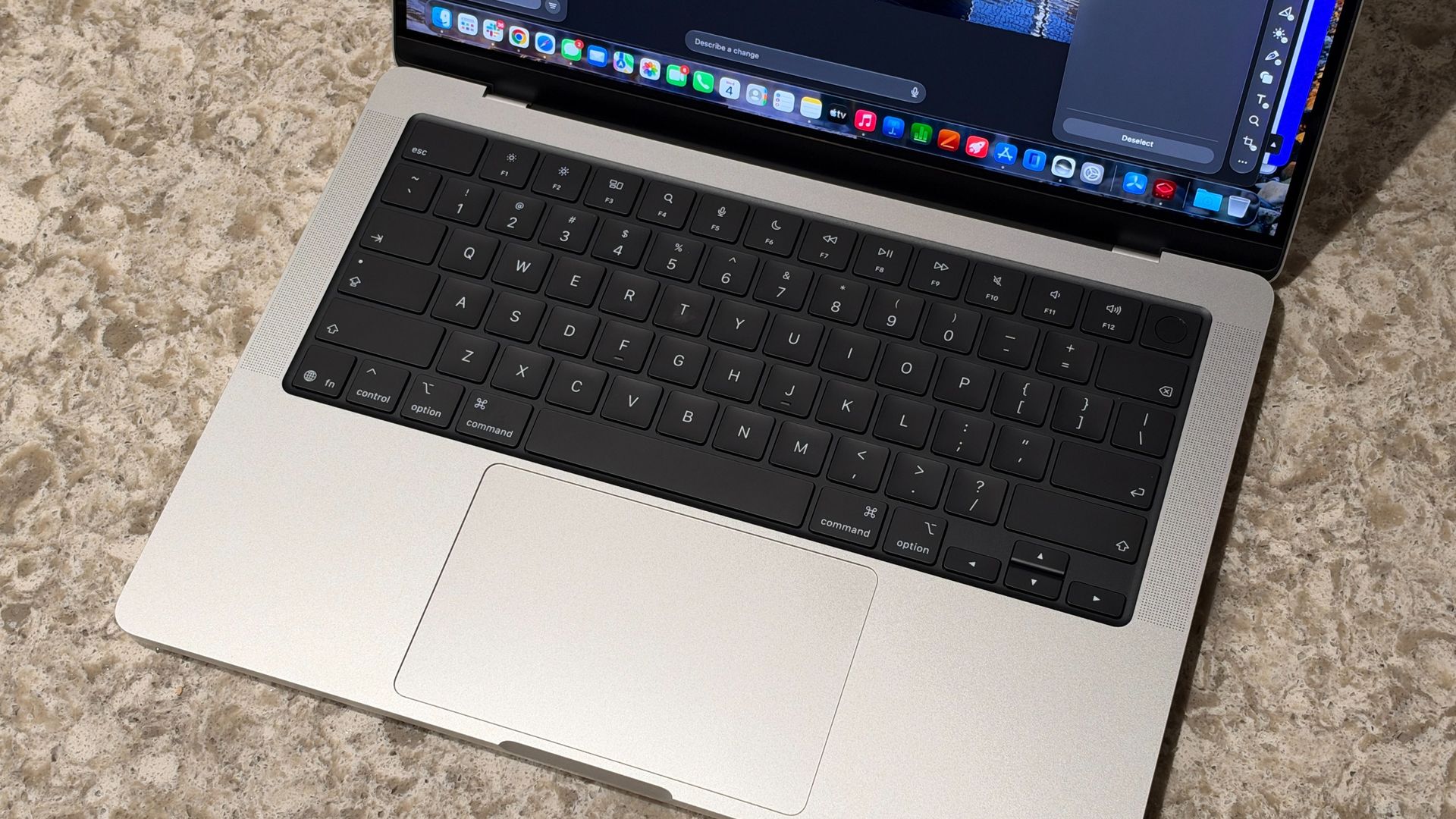
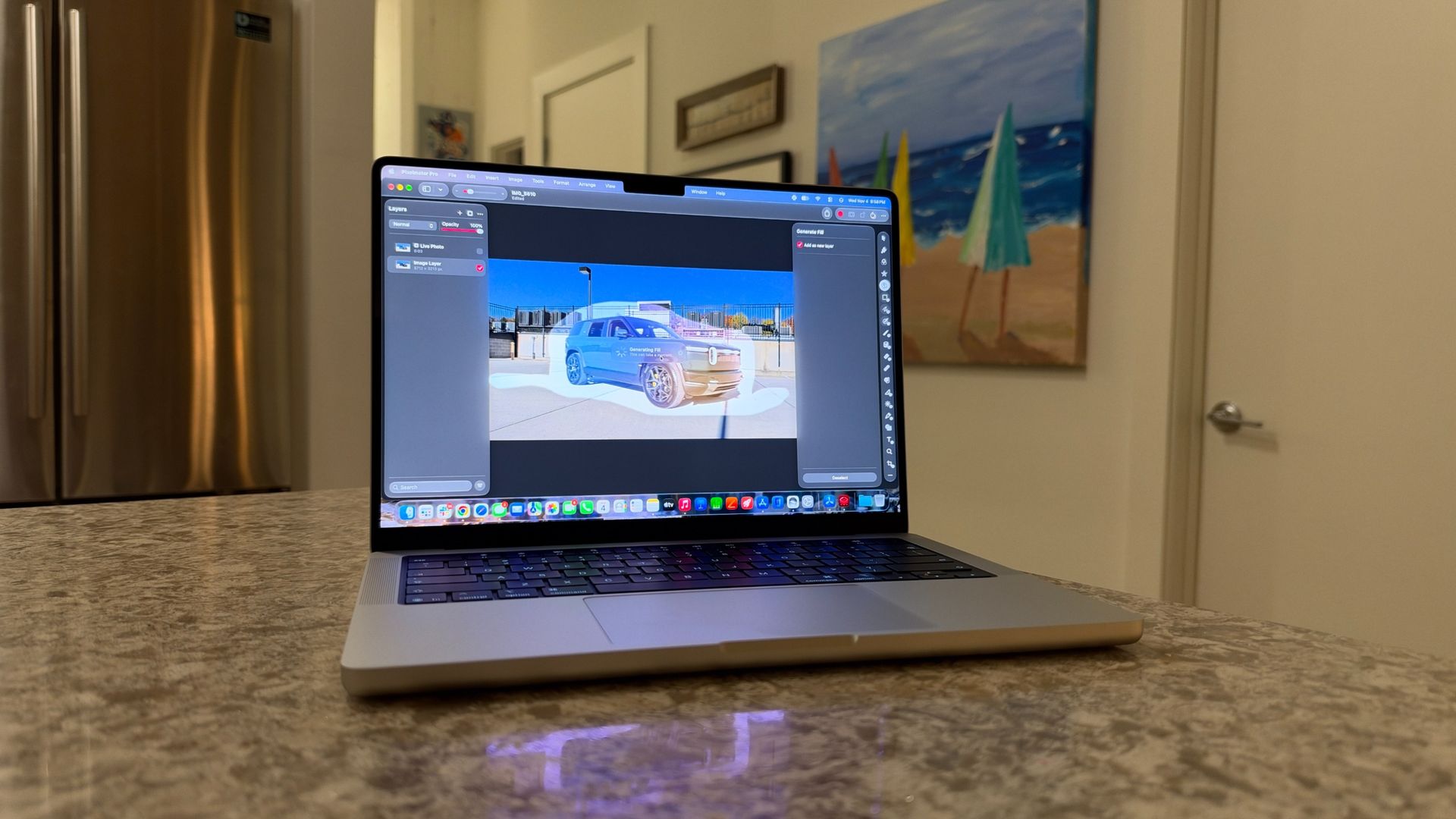
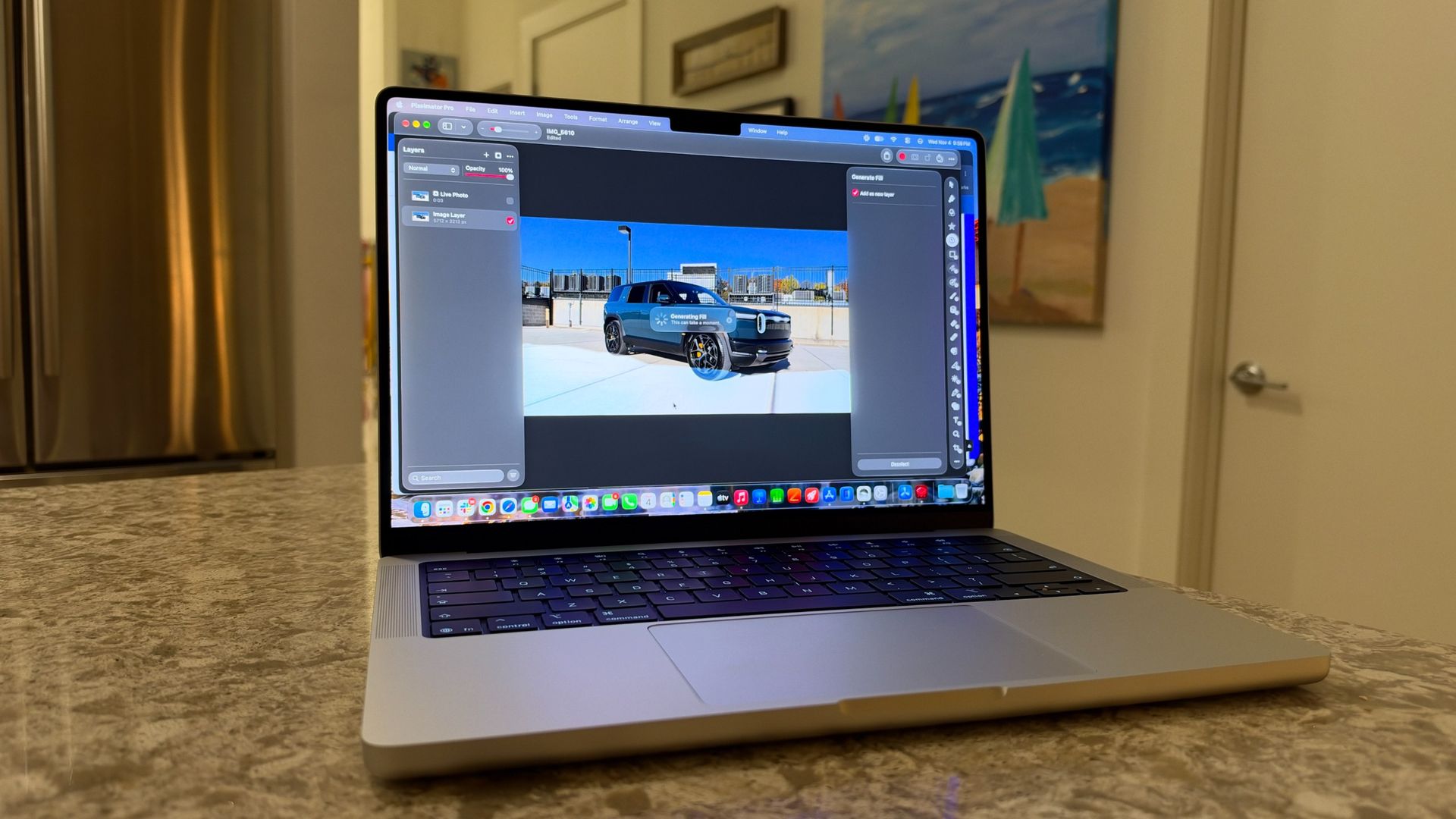
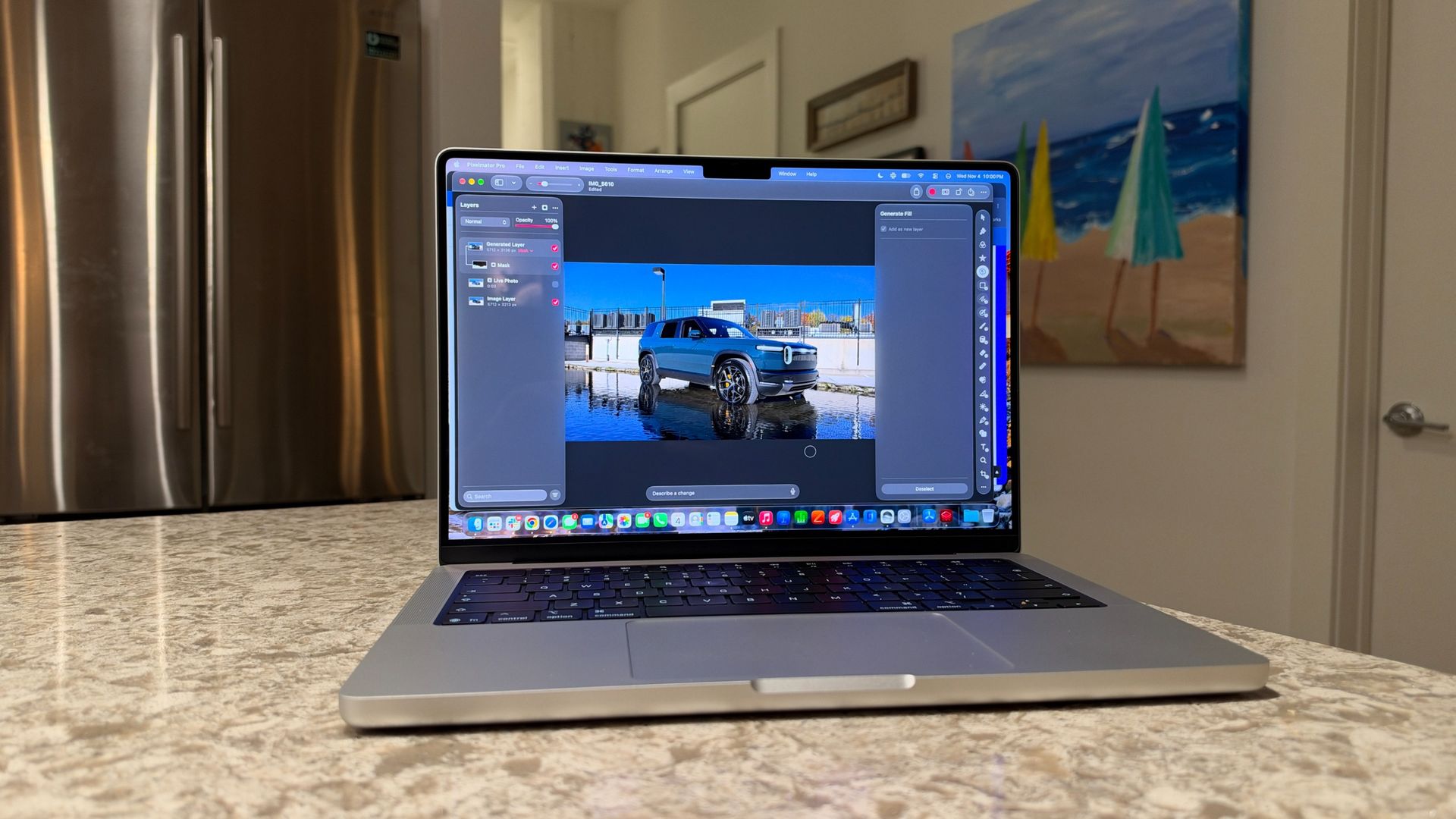
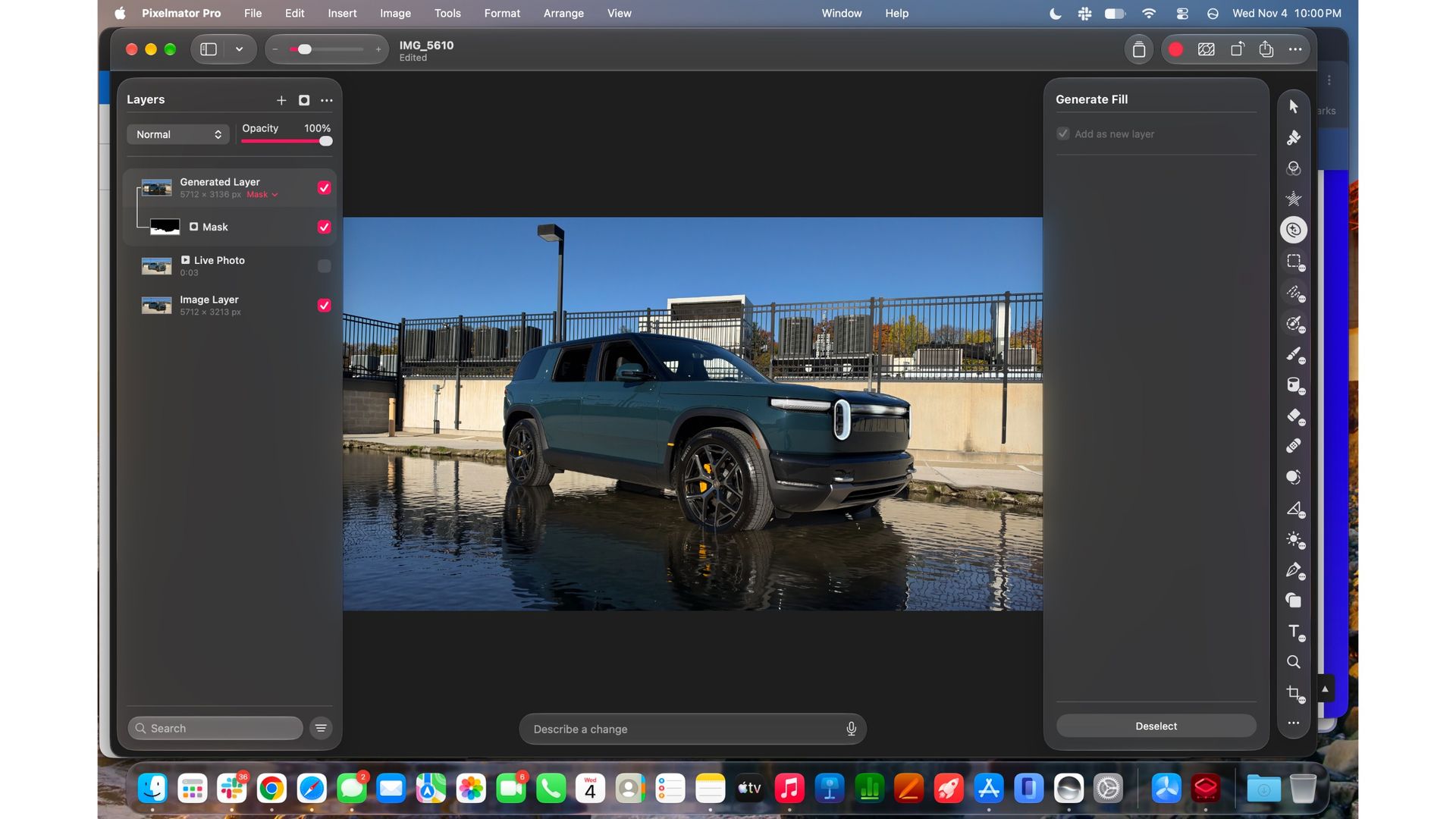
Apple Intelligence is another area where the M6 feels right at home. Siri AI was particularly quick in my testing, especially with multimodal tasks, such as asking it about items on-screen or handling multi-step processes. Apple's Creator Studio improvements also ran smoothly, including Generative Fill in Pixelmator Pro. These are the kinds of tasks that show off the M6's Neural Engine, and I didn't have to wait around for results.
Generative Fill in Pixelmator Pro, as part of Creator Studio, is really impressive, and while it can take a beat to process, it's on a par with Photoshop's Generative Fill. Take a look at the example below, where I added a river below a photo of a Rivian R2 in a parking garage.
Jacob Krol/FutureJacob Krol/FutureJacob Krol/Future
With plenty of apps open and a demanding workload running, I did occasionally hear the fans kick in, but never for sustained periods. For the most part, the MacBook Pro remained quiet, even with my usual mix of productivity and creative apps running.
The M6 doesn't quite beat the M5 Pro or M5 Max 14-inch MacBook Pro models for more intensive tasks, like larger video exports. It can certainly hold its own, but those jobs take a little longer, and the fans might kick in along the way. For everyday use and then some, though, whether that's photo or video editing, music creation, or even gaming, the 14-inch MacBook Pro with M6 easily holds its own.
And that's the case whether you're plugged in or unplugged and running on battery. I didn't notice any performance throttling when switching to battery power, so you can expect the same capable performance without being tethered to an outlet.
Beyond adding the M6 chip, Apple also upgraded the connectivity specs, with the in-house-made N1 wireless chip bringing support for Wi-Fi 7, Bluetooth 6, and the Thread smart-home standard.
I’ve found the Pro offers fast connectivity, mostly through my at-home network powered by Eero Pro 6s, and Bluetooth 6 provides a stable connection with my AirPods 5, AirPods Pro 3, and Beats 360.View Deal
Apple 14-inch MacBook Pro (M6) Review: Battery Life
(Image credit: Jacob Krol/Future)
All-day battery life
Beats Apple's own web-browsing estimate of 16 hours
Lasted an impressive 19 hours and 5 minutes in our browsing test
Unsurprisingly, the 14-inch MacBook Pro remains a battery-life champ with the M6 inside. Since Apple switched to its own in-house chips, performance, efficiency, and battery life have all improved compared to its previous Intel-powered laptops.
The M6 model features a 72.4-watt-hour lithium-polymer battery like the M5 before it, with Apple promising up to 24 hours of video playback, 16 hours of web browsing, and, as always, "all-day battery life." You can still charge it either with MagSafe — Apple includes a USB-C to MagSafe cable in the box — or via USB-C.
Even with pretty heavy use, the 14-inch MacBook Pro can comfortably last a full workday, and might stretch to multiple days without charging, depending on what you're doing. That's seriously impressive — and as I noted above, performance stays fast whether you're plugged in or running on battery.
In the TechRadar and Future PLC labs test, the 14-inch MacBook Pro with M6 lasted an impressive 19 hours, 5 minutes, and 30 seconds in our web-browsing test. That's a fantastic result, beating Apple's own 16-hour web browsing estimate, and around 50 minutes longer than the previous M5-powered 14-inch MacBook Pro.View Deal
Should I buy the Apple 14-inch MacBook Pro with M6?
Buy the 14-inch MacBook Pro with M6 if...
✅ You're ready for an M-series MacBook Pro
You get the modern MacBook Pro experience, plenty of performance from the M6 paired with 16GB of RAM and 1TB of storage to start, an excellent display, and long battery life. If you're still holding onto an Intel-powered MacBook Pro, now is an excellent time to make the jump to Apple silicon.
✅ You want excellent performance and battery life
The M6 handles creative workloads with ease, and the 14-inch MacBook Pro lasted over 19 hours in our web-browsing test.
Don't buy the 14-inch MacBook Pro with M6 if...
❌ You need a bigger screen
If you want a bigger screen you'd be better off looking at the 15-inch MacBook Air, 16-inch MacBook Pro, or the 16-inch MacBook Pro with PROLED XDR Display.
❌ You need the most powerful MacBook Pro
Since this only has the M6 inside, those who need even more performance — say, to run powerful AI models on-device or handle more creative, intensive tasks — should look at the M5 Pro or M5 Max MacBook Pros, available with or without the PROLED XDR Display.
How I tested the Apple 14-inch MacBook Pro with M6
I spent five days using the 14-inch MacBook Pro with M6 as one of my daily work machines, taking it through the kind of workload I'd typically throw at my own MacBook. That meant plenty of writing, editing, and multitasking, with dozens of tabs open across Safari and Chrome, with Slack, Notes, Messages, and other everyday apps running alongside creative tools like Pixelmator Pro.
I also tested how well the M6 handled more demanding tasks, including video exports, Apple Intelligence features, and gaming. I compared its performance with the M5 Pro-powered 14-inch MacBook Pro and an M4 14-inch MacBook Pro, and I also used it plugged in and on battery to see whether performance changed when untethered.

 Login