❌

Reading view

There are new articles available, click to refresh the page.

Is your home safe this summer? Security tech expert Chris Price shows how to expand a single camera into a budget-friendly home defence setup for when you're away on vacation

Planning a summer getaway but worried about leaving your house for a few weeks? While statistically you are more likely to suffer a break-in during the winter months when it’s much darker, summer also presents an ideal opportunity for burglars. Even if you're at home there are increased risks, especially if you leave your windows open to get some fresh air into the house during a heatwave.

Of course, there are basic steps you can take to reduce your risk such as asking a neighbor to take in your mail and packages, and making sure windows are closed when you go out. But technology can help big time too. What’s more, you don’t have to spend a fortune on all the gear. Whereas once you had to spend thousands on security cameras and PVRs (personal video recorders) that had to be professionally installed, now you can buy cameras and video doorbells for a fraction of the price that can be controlled easily via your smartphone.

Starting simple

The trick is to start simple. A good idea if you are going away for a long time is to have an indoor camera focused on the most vulnerable part of the house where a burglar is most likely to break in β€” such as a back door. I’ve got a Nest Cam IQ Indoor focused on my patio doors leading out to the garden. I like it because it can record when it hears sound (such as glass breaking) as well as motion.

However, there are other cheaper models available from companies such as Amazon-owned Blink and Ring as well as lesser-known, but popular, Chinese brands such as EZVIZ, Reolink and Aqara.

Focused on the front door I have a tiny Blink Mini 2K+ which also provides a chime for the Blink video doorbell so we can hear it ringing in the house. Usually, I switch the motion sensor off on the Blink Mini during the day because it’s triggered every time a family member opens the front door which can be a bit of a pain. However, when I go on holiday I switch the motion sensor on just in case.

Google Nest Cam on table

I use a Google Nest Cam IQ Indoor, which can record sounds like breaking glass

One important consideration is how footage is stored β€” either locally on a MicroSD card or in the cloud. Personally, I prefer storing footage locally on an SD card, although the downside is that you will usually have to buy a card separately. The advantage of local storage is that not only is it generally more secure (there have been cases of servers being hacked and private security footage being leaked), it also often works out cheaper in the long term.

That’s because many home security companies will charge you a monthly subscription fee to store all your recorded footage and access advanced AI-driven features such as facial recognition and text descriptions of videos.

While these features may be vaguely useful, especially if you have lots of people coming to the door, for the vast majority it’s probably not worth the monthly fee.

Let’s go outside

Obviously, no discussion of home security is complete without talking about outdoor cameras and video doorbells. Whether it’s summer or winter, these devices are invaluable when it comes to optimizing your home security set-up and helping to prevent burglary.

Choosing the type of outdoor camera you want is largely down to personal choice and the type of property you live in. Generally speaking, outdoor cameras should be mounted reasonably high on your property to give you a better view and to prevent theft.

Close-up of IMOU AOV PT security camera mounted outside summer house

Some security cameras, like the IMOU AOV PT, can pan and tilt to follow potential threats (Image credit: Future)

Many offer a wide viewing angle of between 130 and 180 degrees, while some of the latest models, such as the latest IMOU AOV PT, are pan-and-tilt models that detect and track movement automatically.

Want a security camera to act as a deterrent to an opportunist burglar? Then it’s worth considering a device with a powerful built-in spotlight and loud siren. If there are two things that burglars hate more than anything else, they're excessive noise and light that draws attention to what they are up to. Reolink’s Solar Floodlight Cam covers both bases with twin spotlights either side of the camera and an integrated 110dB siren.

Going solar

Unlike indoor cameras, which usually plug into the mains, powering an outdoor camera is a little more challenging. Although some are designed to plug into the mains via a waterproof housing, most now rely on either disposable/rechargeable batteries and/or solar power. Indeed, solar-powered cameras, such as the Reolink Solar Floodlight Cam mentioned above, have become increasingly popular in the UK particularly as summers have got hotter and panels have become more efficient.

While many of the latest outdoor cameras comprise separate solar panels that need to be mounted separately and plugged into a USB-C socket on the camera, others such as the IMOU Cell 3C come with a solar panel built in. Chinese company Baseus even has an innovative solar-powered camera, the Baseus Security S2, that boasts an innovative rotating solar panel that moves as the sun moves in order to maximize power to the camera.

Baseus Security S2 Outdoor Camera 4K mounted outside

Solar panels can dramatically extend the battery life of security cameras, and the Baseus Security S2 has an innovative one that rotates throughout the day to follow the sun (Image credit: Chris Price)

Deciding how to power your outdoor camera isn’t the only factor you need to consider either. You also need to think about the technology you are going to use to transmit video clips to your phone’s security camera app. While for indoor cameras this is usually WiFi, for outdoor devices getting a connection between the indoor router and outdoor camera can be more challenging β€” especially over distances of around 30m.

One option therefore, may be to buy a device that offers dual-connectivity, including Wi-Fi and cellular (usually 4G), such as the IMOU AOV PT or Eufy 4G LTE Cam S330.

Optimizing your setup

So you’ve got your outdoor camera. What next? Well, now begins the process of optimizing it for your security needs. Generally, most outdoor cameras are far too sensitive and record far more footage than you actually need to look at. As a result, you could find your entire time on holiday viewing footage of someone walking past your house, or a car whizzing by, instead of enjoying quality time away.

Not only is this highly annoying, it could really waste battery power β€” something that's both costly and time-consuming, especially if you have to climb up on a ladder to take the device down to recharge or change the batteries every couple of weeks.

By reducing video quality you will be able to store more footage on the SD card/in the cloud

Chris Price

Within the app, it’s therefore a good idea to set the motion detection zones so that the camera only records footage captured on your property and also reduce the sensitivity settings too so the camera isn’t recording too much footage. If you know you are going to be away for a set period of time then it’s probably a good idea to ensure the camera can detect motion 24/7, but when you are home you may want to use the menus so it only records at time of the day when you know family members or flat mates aren’t going to be entering or leaving the property (such as night time).

When it comes to video quality, most outdoor cameras now offer at least 1080p video quality. However, some such as the Baseus Security S2 and the Reolink Altas PT Ultra, offer stunning 4K picture quality. While this is great, especially if you want to zoom in on close ups of a potential suspect, most of the time it’s probably unnecessary. By reducing video quality you will be able to store more footage on the SD card/in the cloud and not consume as much power either.

Footage from Reolink Altas PT Ultra camera on an iPhone screen

Many modern security cameras, such as the Reolink Altas PT Ultra, can record in 4K, but dialling down the quality means you'll be able to store more video footage when you're away (Image credit: Chris Price)

For night-time monitoring, standard infra-red (IR) night vision provides clear monochrome visibility in total darkness while a colour night-vision option uses advanced low-light sensors or built-in LED spotlights to capture colour details after dark.

Video doorbells β€” it’s good to talk

Think someone may be intruding on your property while you’re not around? All security cameras that I’ve ever tested (probably over 50 now) feature two-way audio so you can, if you so wish, talk directly to the intruder to tell him or her to get off your land. And they can also talk back to you, of course, using the built-in microphone.

Video doorbells [let] you speak directly to people who press the button, even if you are sitting on beach sipping a strawberry daiquiri

Chris Price

Some of the latest models even generate automated messages or use different voices so the person doesn’t actually know who they are talking to (for example the Aqara G100 indoor/outdoor security camera lets you turn your voice into that of a robot or clown.) It’s a feature that some women and teens in particular might find reassuring, especially if they don’t want a man to think they are at home by themselves β€” though I can’t help thinking of Kevin McCallister in the film Home Alone.

Essentially video doorbells take the technology one step further by enabling you to speak directly to people who press the button, even if you are sitting on beach sipping a strawberry daiquiri on your summer vacation (as with the G100, Aqara’s G410 Doorbell Camera Hub also allows you to disguise your voice). Invented by Ring’s founder Jamie Siminoff back in 2013, video doorbells have really taken off in the last few years with most home security manufacturers now producing models.

Aqara Doorbell Camera Hub G410 video doorbell

Video doorbells let you see and speak to visitors (welcome or otherwise) when you're away from home via an app, and some can even change your voice for privacy (Image credit: Chris Price)

Usefully, not only do video doorbells enable you to talk to whoever comes to the door as if you were at home, they can also be set up to detect and record nearby movement just like standard outdoor security cameras. The only real difference is that, whereas outdoor security cameras often have a wide viewing angle and wide aspect ratio, video doorbells tend to offer a much squarer field of view β€” often 1:1 β€” so you can see whoever is at the door more clearly.

Advanced functionality

For those looking to replace their traditional doorbell, video doorbells are a great solution. With many models, it’s even possible to use existing doorbell wiring to power them, rather than having to rely on disposable or rechargeable batteries. Many come with separate plug-in chimes so you can hear the doorbell clearly inside the house with a choice of customizable β€˜ringtones’, ranging from classical music to Christmas carols.

Did you know TechRadar now has membership?

Various tech product cutouts next to the words 'Insider TechRadar Learn More'

(Image credit: Future)

Become a TechRadar Insider by simply clicking 'Join Now' at the top of this page. Have a question? Please email membership@techradar.com

That’s not to say that video doorbells are the perfect security solution for everyone. They’re not. Often, I’ve found there is quite a lag when you are talking to someone and if you live on a busy street it can be difficult to hear what they are saying. To counter this, some models, including those from Ring, enable you to play automated responses to the visitor, a bit like an old-fashioned answerphone β€” for example, β€˜please leave the parcel outside’ or β€˜call back in an hour’s time’.

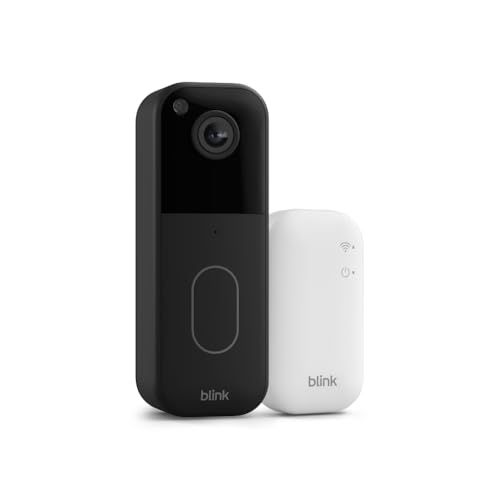
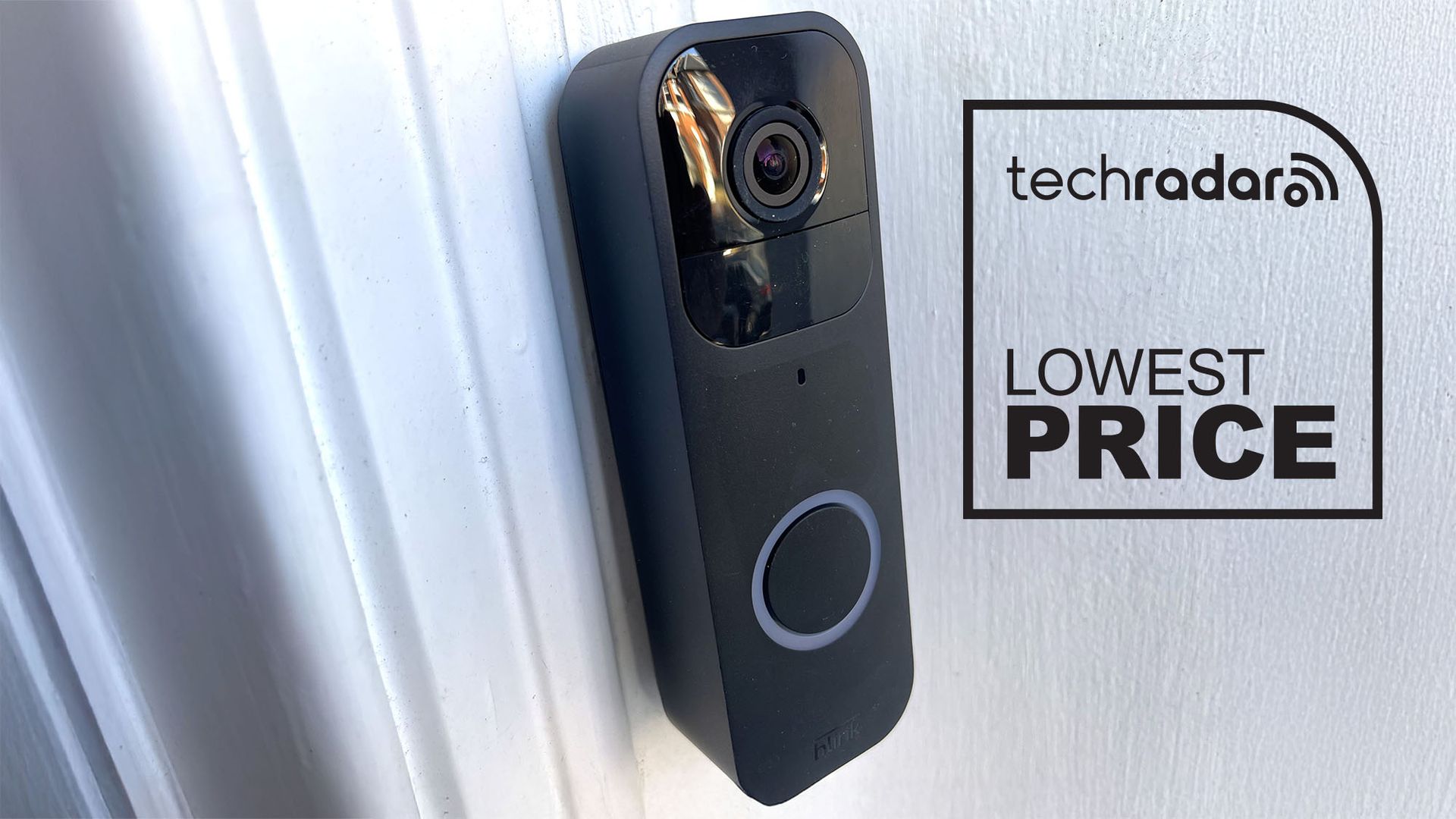
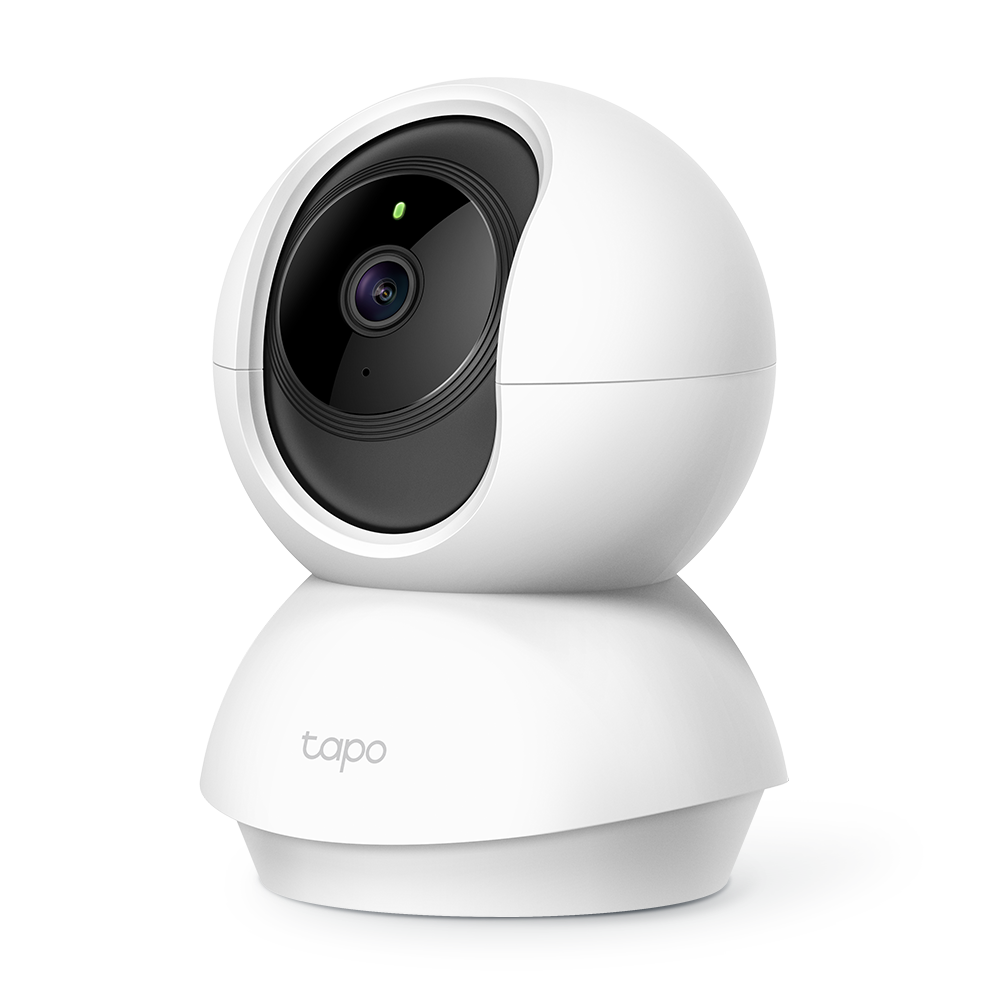
Another issue is that with subscription services such as Ring Pro you can spend up to $19.99 / Β£15.99 a month on premium features such as person, package and vehicle alerts, video descriptions and 180 day video playback. At least with a Blink video doorbell it’s possible to store clips on the Blink Sync Module 2 hub using a separate USB drive while the TP Link Tapo D235 is one of the few doorbells with integrated MicroSD storage (it also offers free AI smart detection to distinguish between vehicles, pets and people).

Complete security solutions

Looking for a more advanced security solution for when you go away over the summer? Most manufacturers will allow you to view several cameras via their app. However, if you want to put different types of security devices together β€” such as locks, lights and a burglar alarm β€” then you will need a more advanced setup.

Ring Alarm supports certified third-party products via the encrypted Z-Wave network

Chris Price

For example, one advantage of the Aqara G410 video doorbell is that it’s actually a fully-fledged smart home hub with a built-in Matter bridge and Thread border router that can be used as part of a smart home ecosystem such as Apple HomeKit, Google Home, Amazon Alexa and Smart Things.

Owned by Amazon, Ring products including cameras, video doorbells and burglar alarms can easily be controlled using Alexa routines with footage viewable via Echo Show devices. Furthermore, Ring Alarm also supports certified third-party products via the encrypted Z-Wave network, including smart locks from Yale, Schlage and Kwikset. This means you can lock/unlock doors, manage guest PIN codes and trigger automated security routines (such as arming the alarm when the door is locked) all inside the Ring app.

Securing your home for summer

With the summer holiday season well and truly upon us, and houses left empty as we down tools for a well needed break, now is the time to think about securing your home. While traditional precautions β€” such as securing windows, clearing letterboxes and locking away garden tools (including ladders) β€” remain essential precautions, modern technology can help too.

Protecting your home against burglary needn’t cost the earth either. You can now buy indoor cameras focused on vulnerable parts of the house for less than $70 / Β£50 while most outdoor cameras and video doorbells cost between $120 / Β£100 and $250 / Β£200. And while subscription charges do push up prices, often these aren’t necessary β€” especially if you can store footage locally on an SD card or USB drive.

Ultimately, combining the latest tech solutions with solid physical security will give you the peace of mind needed for you to truly unwind, ensuring your home remains a well-guarded fortress while you enjoy your break.

TP-Link’s solar-powered Tapo C660 Kit security camera provides crisp 4K video and clear night vision for an affordable price

TP-Link Tapo C660 Kit: One-minute review

The TP-Link Tapo C660 Kit is a feature-packed 4K outdoor security camera that delivers many of the perks usually reserved for pricier models, including solar charging, pan-and-tilt coverage, color night vision and local microSD storage.

That last feature means you won’t need to pay for a subscription for video playback and download, but there are still some great (but non-essential) features in the paid Tapocare subscription, especially if you plan to expand your home's security with more than a single camera.

The Tapo app is also easy to use, and the C660 Kit will slot in alongside other Tapo smart home gear like lights, plugs and more to form its own smart home ecosystem. On the other hand, if you have other smart devices in the mix and would prefer a hub to control them all, Alexa has the strongest support, while Google Home only works with voice commands and video streaming to smart displays and TVs. There’s no native support for Apple HomeKit.

While it doesn't necessarily stand out in a crowded market with its design, the white casing looks sleek and stylish, and the IP65 waterproof rating means the C660 Kit is dust-tight and can withstand low-pressure water jets from any direction (aka rain, splashes or hose spray).

A Tapo C660 Kit camera mounted on a house's wooden pole

(Image credit: Future | Nico Arboleda)

TP-Link Tapo C660 Kit review: Price and availability

  • Starts at $169.99 / Β£179.99 / AU$299 for a single camera unit
  • Available in multipacks of 2, 3 and 4-camera bundles
  • Optional Tapocare subscription plans start at $3.49 / Β£2.99 / AU$3.99 per month

The Tapo C660 Kit costs $169.99 / Β£179.99 / AU$299 for a single camera unit, although multipacks of 2-, 3- and 4-camera kits are available either as set bundles or as part of a build-your-own package option directly from Tapo as well as through third-party retailers like Amazon.

While you may not need a subscription package, especially if you use a single camera unit, Tapocare might well be worthwhile for some users. It offers cloud storage, extended video clip history for up to 30 days and enhanced notifications, with plans starting at $3.49 / Β£2.99 / AU$3.99 per month for one camera on the Basic Tapocare tier. Prices increase as you add more cameras.

You can also buy the camera on its own without the solar panel under the TP-Link Tapo C560WS name for $99.99 / Β£109.99 / AU$199.

  • Value: 5/5

TP-Link Tapo C660 Kit review: Specs

Price

$169.99 / Β£179.99 / AU$299

Megapixels

8MP

Resolution

4K / 3840 x 2160 pixels

Field of view

105ΒΊ

Pan/tilt

360ΒΊ horizontal rotation, 90ΒΊ vertical

Storage

microSD up to 512GB (not included)

Smart home

Alexa, Google Home, Siri Shortcuts; no HomeKit

Battery

10,000mAh

Connectivity

2.4GHz / 5GHz Wi-Fi 4

IP Rating

IP65

TP-Link Tapo C660 Kit review: Design and installation

  • Sleek black and white color scheme
  • Straightforward installation with easy-to-follow instructions
  • Recommended mounting height is between 2.5m and 3m (8-10 feet)

The Tapo C660 Kit has a sleek white plastic body with black accents around the lens, with IP65 rating for dust ingress protection and resistance to low-pressure water jets from any direction. This means water from rain, splashes or hose spray will be fine, but it won’t withstand immersion and pressure washing.

The solar panel is just the right size relative to the camera β€” it isn’t small and subtle by any means and it’s definitely noticeable once installed, but it isn’t too imposing either. As mentioned above, there is a rubber flap underneath the camera lens concealing the power button, a reset button and a microSD card slot.

Installing the Tapo C660 Kit is straightforward thanks to the easy-to-follow instructions included in the box. You start by drilling holes where you want to mount the base plate, then slot the camera in. The solar panel is screwed on top, then plugged into the camera’s USB-C port located on the bottom.

The included mounting bracket of the Tapo C660 Kit security camera on a pole without the camera installed

(Image credit: Future | Nico Arboleda)

It’s worth taking some time to think about where you want the camera placed before you install it, though. While the Tapo C660 Kit can pan and tilt the camera, getting the full view of an entire space isn’t guaranteed if it’s mounted too low since it doesn’t tilt upward. TP-Link recommends mounting it between 2.5m and 3m (8-10 feet) and in a location where the solar panel gets the most sunlight throughout the year.

TP-Link also recommends that the camera shouldn’t point at swaying trees and other moving objects like vehicles and pedestrians to prevent an avalanche of notifications, but if it’s unavoidable, the C660 lets you set motion detection zones via the app to reduce or minimize notifications of movement within those zones.

The Tapo C660 Kit solar panel mounted with the camera on a wooden pole

(Image credit: Future | Nico Arboleda)

One thing to note about the installation is that the camera has a manual power button tucked away beneath a flap under the lens. Unlike other security cameras that power up automatically when plugged into a power source (like the solar panel or a USB-C cable), this button needs to be switched on before mounting (especially when it's in a hard-to-reach height) and pairing with the Tapo app.

Pairing the camera to the app is quick and straightforward, with only a few setup options at the beginning, like Wi-Fi connection type (2.4GHz for longer range or 5GHz for better video streaming quality, both using the Wi-Fi 4 standard), assigning the camera’s location and even the icon you want displayed in the Tapo app home screen.

  • Design: 5/5

TP-Link Tapo C660 Kit review: Software and smart home support

  • Tapo app is intuitive and easy to use
  • Alexa has full support, while Google Home is limited
  • Motion detection zones move with the camera instead of a fixed area

TP-Link’s Tapo C660 Kit natively integrates with the Tapo smart home app, allowing the camera to slot into any existing Tapo smart home ecosystem that might include lights, plugs, switches, robot vacuums, door locks and more.

If you have devices from other brands and use a smart assistant to consolidate them into one interface, the camera supports Amazon Alexa and Google Home. Alexa supports both live footage playback and voice commands, while Google Home only supports voice controls and video streaming on select devices. Apple HomeKit isn’t supported, but alerts and automations can still be done through Siri via iOS shortcuts enabled through the Tapo app.

Screenshots of the Amazon Alexa and Google Home apps showing the Tapo C660 Kit security camera feed

(Image credit: Future | Nico Arboleda)

The app works well, with an intuitive interface using tiles to show all your Tapo devices, with dedicated tabs for the different gadget categories (like cameras, vacuums and 'Smart' for automations). You can play the live feed and adjust settings by tapping on the tile for the camera (or cameras if you have more).

Camera settings include two-way audio, a toggle for the built-in spotlight and adjustments for panning and tilting the camera. There’s also an option to 'save' a set camera position via 'Viewpoints' and easily access those positions without manually adjusting each time. Those views can be used for automations, too.

To try out the feature, I set the camera to monitor the rear of the house instead of the driveway and front stairs for just a few hours during the day, and it would activate as scheduled each time. Patrol Mode also lets you move the camera between those set positions, but the Tapo app warns that this mode may impact the camera motor’s longevity.

The Tapo app showing the video feed from the C660 Kit security camera

(Image credit: Future | Nico Arboleda)

One annoyance I found with the Viewpoints feature was that the motion detection zone that I set also moved with the camera and there’s no option to lock it to a specific spot. Thankfully, I didn’t have to move my camera too often for that to personally impact me, but I can see it being inconvenient for some users.

Adding to the motion tracking is a setting subject detection like person, pet or vehicle, and it can also be set for different motion detection zones as well.

  • Software: 4/5

TP-Link Tapo C660 Kit review: Performance

  • Crisp 4K image quality from 8MP lens
  • Built-in spotlight provides color at night
  • Solar panel keeps the unit running 24/7

The Tapo C660 Kit captures videos through its 8MP lens with 4K (3840 x 2160 pixels) resolution, with a frame rate of 15 or 20 frames per second. The recorded video clips were crisp and detailed when viewing live or when playing back previously recorded footage. It was clear enough for me to see details like faces, vehicle license plates and larger text from further away, while the 18x digital zoom provided more detail than lower-resolution cameras.

It managed to retain detail in brighter areas and the video wasn’t washed out, like when direct sunlight was hitting the driveway. There’s built-in wide dynamic range to prevent overexposure in bright sunlight or underexposure in dark shadows.

Motion tracking was responsive, and the C660 Kit could track me moving when I was walking quickly, running or cycling (although I wouldn’t necessarily call myself a fast runner or cyclist to try and avoid the tracking). I also liked that the camera automatically reverts to the original position after detecting movement, so I didn’t have to adjust it manually as some security cameras require you to do.

At night, the f/1.6 aperture takes in enough light to provide a clear image, and the built-in spotlight adds more low-light visibility. There’s also an infrared sensor as an alternative to color night vision. While I found both modes were able to detect movement almost instantly, the image quality isn’t as crisp as daytime mode, but it was still decent enough to be clear and fully visible.

The built-in microphone produced clear audio and was loud enough for a conversation even when I wasn't at home.

An Amazon Echo Show 5 playing a live feed from the Tapo C660 Kit security camera

(Image credit: Future | Nico Arboleda)

The solar panel kept the battery topped up, with the camera almost always running at 100% apart from some overcast days. It was only when I switched on 24/7 Capture (which frankly most people won’t need) that the solar panel struggled to keep the camera charged, and I eventually had to bring it indoors (it can be removed from its base plate easily) for a top-up via a USB-C cable.

In a different test, I tried running the camera without the solar panel plugged in, and the camera ran uninterrupted for just over 2 weeks before it needed charging.

The Tapo app showing the battery statistics for the Tapo C660 Kit security camera

(Image credit: Future | Nico Arboleda)

The Tapo C660 Kit isn't necessarily the cheapest 4K security camera, but having local storage via a microSD card makes it a great value option compared to others that require a subscription to access cloud storage for recorded footage. It supports up to 512GB, though you'll need to purchase the microSD card separately as it doesn't come with one in the box.

TP-Link says that’s enough for around 16 complete days of recording, which is plenty for most people. Local storage means you can also back up those recordings to your home computer or another drive for redundancy. The Tapo app also lets you password-protect the microSD card for an extra layer of security.

Accessing footage from the card is easy through the app, and notifications reliably link to recordings with almost no delay after the camera detects motion. Video playback is also very smooth in the app. If you prefer cloud storage, you can opt for the aforementioned Tapocare subscription and choose a plan based on the number of connected cameras you plan to have.

Other features in Tapocare include 30 days of encrypted video storage for events, rich notifications and video summaries.

  • Performance: 4/5

Should I buy the TP-Link Tapo C660 Kit?

TP-Link Tapo C660 Kit report card

Attribute

Notes

Score

Value

You get some premium features like 4K resolution and 360ΒΊ views for an affordable price, while on-device storage means you don’t have to pay for a subscription.

5/5

Design

It features a clean, sleek white design that’s relatively sturdy, and the solar panel that helps to extend its battery life is a proportionate fit.

5/5

Software

The Tapo app is clean and intuitive, with plenty of adjustments to fine-tune the settings. Alexa has the strongest support for smart home integrations, with Google Home at a distant second.

4/5

Performance

It captures crisp 4K footage well, and also performs reasonably well in low-light situations thanks to a built-in spotlight.

4/5

Buy it if

You need to cover a large area

With a field of view up to 105ΒΊ and 360ΒΊ horizontal rotation, a single camera can cover a building’s full side, although you'll need multiple units if you want even better coverage.

You don’t want to recharge a security camera frequently

When placed in a sunny spot, the solar panel will keep the camera running long enough for infrequent charging, but it can even be further optimized with the right settings.

You don’t want to pay for a subscription

On-device storage via a microSD card means most of the essential functions aren’t locked behind a paywall.

Don't buy it if

You live somewhere that doesn’t get much sun

A wired security camera may be more suitable if you don’t get enough sunlight to benefit from the included solar panel.

You want better smart home integration

Alexa has the strongest support, but the camera doesn’t support live footage with Google Home, while Apple HomeKit is not supported at all.

How I tested the TP-Link Tapo C660 Kit

I installed the Tapo C660 Kit to a porch post on my property for a few months to get a sense of both its recording capabilities and whether its solar panel would keep the camera’s battery charged.

I tested all the settings, but had the alarm and spotlight mostly turned off to avoid disturbing neighbors, only doing one-off tests to see if they perform as advertized. I would also check captured footage whenever I got a push notification.

The smart home integrations were tested with smart displays (a 2nd-gen Google Nest Hub and an Amazon Echo Show 5) in addition to the Alexa and Google Home mobile apps.

First reviewed July 2026

Ring has upgraded two of its cameras and the new peephole model looks like it'll be perfect for apartment-dwellers β€”its no-drill installation won't damage your door, so it's ideal for renters

  • Ring had launched an updated Outdoor Camera and Peephole Camera 2K
  • They will both go on sale in August 2026
  • The Outdoor Camera is Β£99.99 (about $130 / AU$190), and the Peephole Camera is Β£79.99 (about $110 / AU$150)

Ring has announced two brand new smart security cameras, one for mounting outdoors and one for installing into the peephole of your door.

Let's start with the outdoor option first. The new Ring Outdoor Camera (2nd Gen) is available in both wired and battery versions. It has a wide-angle lens (140 degrees horizontal and 85 degrees vertical), and delivers 2K resolution with up to 6x enhanced zoom. It has B&W night vision, customizable privacy zones and motion detection, and you can talk to visitors via Live View and Two-Way Talk. If you subscribe to Ring Protect you can also get intelligent alerts and the ability to scroll back in time to rewatch footage. Wi-Fi is single-band Wi-Fi 4 using the 2.4GHz frequency band.

One of the big selling points here is easy installation: it's simple to mount the camera and it's designed to cope with temperatures from -20ΒΊC to +50ΒͺC, although Ring says the camera may temporarily turn itself off if it's in direct sunlight during extreme heat conditions.

The Ring Outdoor Camera (2nd Gen) has a list price of Β£99.99 (about $130 / AU$190) and it'll be available from August 12, 2026. Pre-orders are open now.

The Ring Outdoor Camera 2nd gen mounted underneath a roof

(Image credit: Ring)

Ring Peephole Camera 2K: this peep is fairly cheap and fits in doors that are quite deep

The new Ring Peephole Camera 2K is more stylish than its rather boxy predecessor, with a more triangular shape and a good-looking speckled finish. It fits through the space where you'd normally have an optical peephole, and there's no need to drill, run cables or do anything at all as it's completely wireless and runs off a rechargeable battery. It's designed to fit peepholes from 12mm to 14mm in size and go through doors between 32.5mm and 60mm.

I think this is going to be particularly popular with flat dwellers, especially renters who can't make any physical changes to the property: simply unscrew the optical peephole, install the camera, and you can take it with you when you move. Don't forget to keep the original peephole somewhere where you can find it again, though.

Like the new Outdoor Camera (2nd Gen) the resolution is 2K with up to 6x enhanced zoom, Live View and Two-Way Talk, but there's no night vision here so you'll need to make sure the door is facing a well-lit area. Ring says its camera is tuned for low-light conditions, but this camera doesn't see in the dark like the Outdoor Camera does.

The field of view is 140 x 140 degrees to deliver 'head-to-toe' visuals, and the quick release battery is easy to remove for charging. Wi-Fi is Wi-Fi 4 on the 2.4GHz frequency band.

The Ring Peephole Camera 2K will be available from August 19, 2026, and pre-orders are open now. The list price is Β£79.99 (about $110 / AU$150).

Security cameras are going cheap for Prime Day in Australia β€” here are 5 subscription-free options for a safer home

While the TechRadar Australia team has been knee-deep in covering this week's Amazon Prime Day sale, we were rocked by the news of my colleague, Max Langridge, recording a break-in attempt at his home with a Ring security camera. It was enough for him to bolster security further by picking up some extra Blink cameras while they're discounted.

One of the best things about modern home-security cams is that they're very cheap to purchase, with Ring cameras starting as low as AU$35 for the indoor camera (although the brand has some premium options, too) and Blink with even more affordable offerings from AU$31 for a 2-pack of the Mini 2K+.

But there’s a catch with these Amazon-made security cameras β€” you have to sign up for a monthly subscription to access some of their most useful features, like cloud video storage and movement detection . There are some workarounds with Blink cameras, such as the flash storage-supporting Sync Module 2, but on the whole, you need to pay extra to use the cameras to their full potential.

Fortunately, there are plenty of other compelling Prime Day deals on security cameras that don’t require a monthly subscription to access essential features.

I’ve pulled together five such subscription-free security camera discounts below, including offerings from reputable brands like TP-Link, Reolink, Wyze and more:

The Wyze Cam v3 is an affordable security camera with a microSD slot for video storage and playback, and it can be placed either indoors or outdoors. It β€˜only’ supports 1080p resolution (some newer models support 2K or even 4K recording), but it still has good colour and infrared night vision for the price. It is wired, which may be limiting for those who can’t go down this install route, and person detection is, admittedly, still locked behind a subscription. However, our reviewer found the camera is perfectly usable without it, meaning the Cam v3 earns a spot on this list.View Deal

Moving up to 2K resolution, Imou’s Ranger 2C also has a microSD slot for video storage and playback, and still provides both motion detection and alerts without the need for the Imou Protect subscription service. It also has two-way audio to allow you to communicate with the person (or pet) on the other side, as well as alerting you to unusual sounds, like a baby crying or a barking dog. We’ve reviewed an older version of the Ranger 2C here for more information.View Deal

For an extra deterrent, this camera comes with some big, bright spotlights on either side of the unit to illuminate any potential intruders once they trip the motion detection sensor. There’s also a fixed solar panel for additional power so you won’t have to take it down to recharge every few months. It also comes with microSD storage and, while there is a subscription service available, it mainly relates to cloud storage options β€” something that's not essential due to that microSD slot. Read our Reolink Solar Floodlight Cam review.View Deal

I’m in the process of testing and reviewing this security camera and so far it’s proving to be a great value option if you want 4K video and local storage via microSD card. This kit comes with a solar panel to keep it powered, and in my experience so far it works a charm β€” I’ve never had to charge it myself. Plus, the built-in spotlight helps retain colour while capturing footage at night. My only real complaint is with the limited smart home compatibility, although Alexa is fully supported.View Deal

Our review praised the crisp 4K video recordings, pan-and-tilt functionality to cover an extra-wide area, and local 64GB storage. The Altas PT Ultra works well enough during the day, but its night-time performance is where it excels, thanks to the Reolink ColorX technology capturing impressive colour footage without needing a spotlight. The battery is a large 20,000mAh unit, and the included solar panel also means you generally shouldn't need to manually recharge it.View Deal

I was skeptical about the necessity for home security cameras β€” a late-night scare has now changed my mind

Smart home security cameras are nothing new. They’ve been protecting Australian homes for well over a decade now, but for a long time I never felt the need for them. This was predominantly because for the majority of my adult life living away from home, I’ve been in rented accommodation, and so I’ve either been unable to install anything of my own, or I’ve been on an upper floor of an apartment building.

I’m now living in a ground floor apartment with my partner, and we’re the owners. That means we’re free to install cameras as we see fit, and so we decided to place an old Ring Outdoor Stick-Up Cam above our front door, mainly as a β€˜just in case’ safeguard.

I’m now glad we did, and I’ve just invested in some newer Blink Outdoor 2K+ cameras with clearer vision following an attempted break in. The good news is they weren’t expensive, with a 2-pack currently costing AU$77 in the Amazon Prime Day sales.

I never thought my home would experience an attempted break in, and there’s a chance you’ve had the same thought. For such a low price right now, it’s better to be safe than sorry.

These affordable Blink cameras last up to two years with 2 AA batteries, can record colour vision at night and can be installed practically anywhere via a range of mounting accessories. You do need to pay a subscription to view and store footage, but it could be a small price to pay to keep your home safe. View Deal

So, why have I made the impulsive decision to invest more heavily in home security? Well, my partner noticed the street-facing gate to our courtyard left ajar in the early hours of the morning. He suspected I just hadn’t closed it properly when we came home the night before.

Wanting to exonerate myself, we checked back over the footage taken by our Ring camera, which proved my innocence. We noticed more events were recorded around 1am, and sure enough, the Ring captured two youths climbing over the wall in the wee hours of the morning.

To say we were gobsmacked would be an understatement.

Fortunately nothing was stolen and they didn’t manage to get into our home β€” despite some clear hand prints on the glass door proving they peered in to see if there was anything worth nabbing.

Unfortunately, the Ring camera missed the activity by our door because it was only covering the front yard and fence area. I therefore now want to install more cameras in our outdoor area to ensure there are no blind spots, and the Blink cameras seem perfect for the job.

Blink Outdoor 2K+ security camera with hub on table

(Image credit: Future)

Our Blink Outdoor Cam 2K+ review found that recorded footage is clear and sharp, even at night. Perhaps the biggest selling point for me is the two-year battery life with two AA batteries. The Ring camera I have right now relies on a rechargeable battery that needs to be recharged frequently.

The biggest drawback, however, is a new Sync Module Core that requires a paid subscription to store and view back footage. It’s crazy that you need to pay to use the camera you just bought, but hey, it’s 2026. A subscription costs from AU$4.95p/m for one device, or AU$15p/m for unlimited devices. Since I’ve bought two Blink cameras, I’ll need the latter.

Fortunately, the older Sync Module 2 is still available and is compatible with the newer Blink cameras. With this module, you can attach a USB flash drive to store footage on, bypassing the need for a subscription. Based on the AU$15 Blink Plus subscription, I’d make my money back in just under four months.

However, the subscription does also open up extra features, including AI motion detection β€” you’ll receive notifications only when it detects specific things such as animals or vehicles.

At just AU$77 in the current Prime Day sales, I was more than happy to add the Blink Outdoor Cam 2K+ to my basket. There are many other options to choose from of course, many of which are also on sale right now. I’ve listed a few below, and be sure to check out our guide to the best home security cameras and best video doorbells for total home protection.

The EZVIZ EP4 is a great home security camera for renters β€” but its facial recognition won't stop it from spamming you with alerts when you come home

EZVIZ EP4: one-minute review

Fitting a video doorbell or security camera is often a non-starter if you rent or live in an apartment where drilling into the walls isn’t allowed. That’s where the EZVIZ EP4 Wire-Free Peephole Door Viewer comes in β€” by fitting through your front door’s existing peephole, it brings almost everything you’d get from a full video doorbell, without any damage that could upset your landlord.

The physical setup is incredibly easy and took me just 10 minutes to complete. After you’ve unscrewed the old peephole, the EP4 securely clamps onto the door without a power tool in sight.

Once it’s running, the footage captured is very clear, giving you a detailed look at anyone outside. The companion app is simple to use and intuitively designed, making it effortless to check live feeds, use the two-way talk feature, or adjust security settings.

When it comes to saving video footage, EZVIZ doesn’t lock you into a subscription plan like some rivals. While the company includes a free trial of its cloud subscription service, you aren’t forced to pay for it afterwards. If you want to skip the recurring fees, you can opt to install a local microSD card (up to 512GB) to store clips locally.

However, the EP4’s AI facial recognition has a notable quirk. Although it's smart enough to identify who is at your door, there’s currently no way to stop the app from sending you notifications when it spots someone you know β€” including you. Because you can’t tell the camera to ignore certain individuals, you’ll be alerted every time you walk through your own front door.

EZVIZ EP4: price and availability

  • List price Β£229.99 (about $300 / AU$440)
  • Available in the UK, but not the US or Australia
  • No subscription necessary if you use a microSD card

The EZVIZ EP4 Wire-Free Peephole Door Viewer is available in the UK for Β£229.99 (about $300 / AU$440), but I’ve seen it discounted to as little as Β£159.99 during sales events. It’s not yet available in the US and Australia at the time of writing, but older models are, so hopefully the EP4 will launch more widely soon.

If you want to store your videos at home subscription-free, you’ll also need a microSD card (up to 512GB), so factor this into the cost. If you’d prefer to store footage in the cloud, you’ll want an EZVIZ CloudPlay subscription. After a 30-day free trial, there are three plans to choose from:

Plan Type

Cameras supported

Unlimited cloud storage

7-day event-based video history

30-day event-based video history

Individual plan


1

Yes

Monthly: $3.99 (about Β£3, AU$6)

Yearly: $39.99 (about Β£30, AU$58)

Monthly: $6.99 (about Β£5.30, AU$10)

Yearly: $69.99 (about Β£53, AU$100)

Home plan


4

Yes

Monthly: $5.99 (about Β£4.60, AU$8.70)

Yearly: $59.99 (about Β£46, AU$87)

Monthly: $10.99 (about Β£8.40, AU$16)

Yearly: $109.99 (about Β£84, AU$160)

Business plan


10

Yes

Monthly: $12.99 (about Β£9.90, AU$19)

Yearly: $129.99 (about Β£99, AU$190)

Monthly: $27.99 (about Β£21, AU$41)

Yearly: $279.99 (about Β£210, AU$410)

  • Value score: 4.5/5

EZVIZ EP4: design

  • Discreet external camera
  • Very simple to fit without damaging door
  • Internal screen projects an inch into the room
  • Visitors might not spot the doorbell button

The EP4 has two main parts: the camera, which has a cable that threads through the peephole in your door, and a screen that sits on the inside. The camera has a doorbell button below the lens (though visitors might not notice it because it's at an unusual level), a motion sensor at the top, and a speaker and microphone on the side.

It’s compatible with doors between 1.4 x 4.1 inches / 35 x 105mm thick, with a peephole diameter between 0.6 inches and 2 inches / 14mm and 50mm. That’s a wide range, and should be fine for the vast majority of internal and external doors, but it’s worth measuring yours first just to be sure. You can remove the peephole from your door by simply unscrewing it, though if it’s particularly tight, you might need to use a pair of pliers to get it started.

Fitting Ezviz Wire-Free Peephole Door Viewer EP4 to door
The camera unit threads through an existing peephole and is compatible with most doorsFuture
Fitting Ezviz Wire-Free Peephole Door Viewer EP4 to door
I recommend using a spirit level to get the camera straight before securing it in placeFuture
Screwing on Ezviz Wire-Free Peephole Door Viewer EP4 backplate
The screws connect the backplate to the camera, clamping them to your door without damaging itFuture

To fit the EP4, start by measuring the thickness of your door using the card template provided, and choose the appropriate pair of screws, indicated by the instruction manual. These will be used to clamp the EP4 onto your door. Peel the paper off the 3M tape on the back of the camera unit, position it on the outside of your door (I recommend using a spirit level to get it straight), thread the screws and data cable through the peephole (you can roll a piece of paper around them to avoid snagging), and press down to secure it.

Then tighten the screws a little, slide the mounting plate for the screen into place, tighten the screws the rest of the way, plug in the data cable, and slide the screen into place. The whole process takes no longer than 10 minutes, and when you want to remove it, there’ll be no damage to your door.

Ezviz Wire-Free Peephole Door Viewer EP4 camera on outside of door
The external camera is unobtrusive, and visitors might not realize it's also a doorbellFuture
Ezviz Wire-Free Peephole Door Viewer EP4 footage on internal screen
The internal display gives a clear view of the area beyond your front door, but you'll get a better picture in the appFuture
Ezviz Wire-Free Peephole Door Viewer EP4 display on inside of door
The screen stands about an inch proud of your doorFuture
Original peephole removed from door before installing Ezviz Wire-Free Peephole Door Viewer EP4
When you move, just unscrew the EP4 and screw the original peephole back in placeFuture

It’s a clever design, and the exterior camera is discreet (it comes with stickers to put on your door if you want to warn visitors they are being recorded), but it’s worth being aware that the interior screen stands about an inch proud of the door, so you’ll need to be very careful if it opens opposite a wall.

You can detach the screen unit to charge it via a microUSB cable (supplied with the EP4) and insert a memory card. It’s a shame there’s no hot-swappable battery β€” you can’t use the camera and doorbell while the unit is charging β€” but battery life is quite respectable. EZVIZ suggests up to 120 days, though this will depend on how many times the camera is triggered and how often you use the internal screen to see what’s happening outside.

  • Design score: 4.5/5

EZVIZ EP4: performance

The EP4 is an ingenious home security device that provides many of the advantages of a video doorbell or home security camera without needing to make permanent changes to your property. It’s a great pick for an apartment, with excellent picture quality and smart notifications, though it’s worth being aware of a few drawbacks β€” particularly when it comes to person recognition.

The resolution of the internal screen is fine, and you’ll immediately benefit from a field of view that’s much wider than your original peephole, but it doesn’t do justice to the EP4’s 4K camera. To see footage in its full 4K glory, you’ll need to use the Ezvizlife app, which also gives you access to all the EP4’s settings, as well as event history, saved recordings, call logs, two-way talk, and static photos.

Ezvizlife app main screen
The app's welcome screen gives you quick access to video logs and live viewFuture
Live camera view in Ezvizlife app
The camera records 10-second clips when triggered, which are kept in your video logsFuture
Video logs in Ezvizlife app
You can browse recordings at any time, scrub through video, capture stills, and export video filesFuture

Footage in the Ezvizlife app is incredibly sharp, and there’s very little lag between events happening outside and the camera starting to record. You’ll notice a delay when using two-way talk, but it’s only a couple of seconds, and no worse than some much higher-end video doorbells we’ve tested here at TechRadar.

When a visitor uses the doorbell, you'll receive an incoming-call-style notification that you can choose to reject or answer to start two-way talk. It's also possible to start two-way talk at any time through the app if you can see someone at the door.

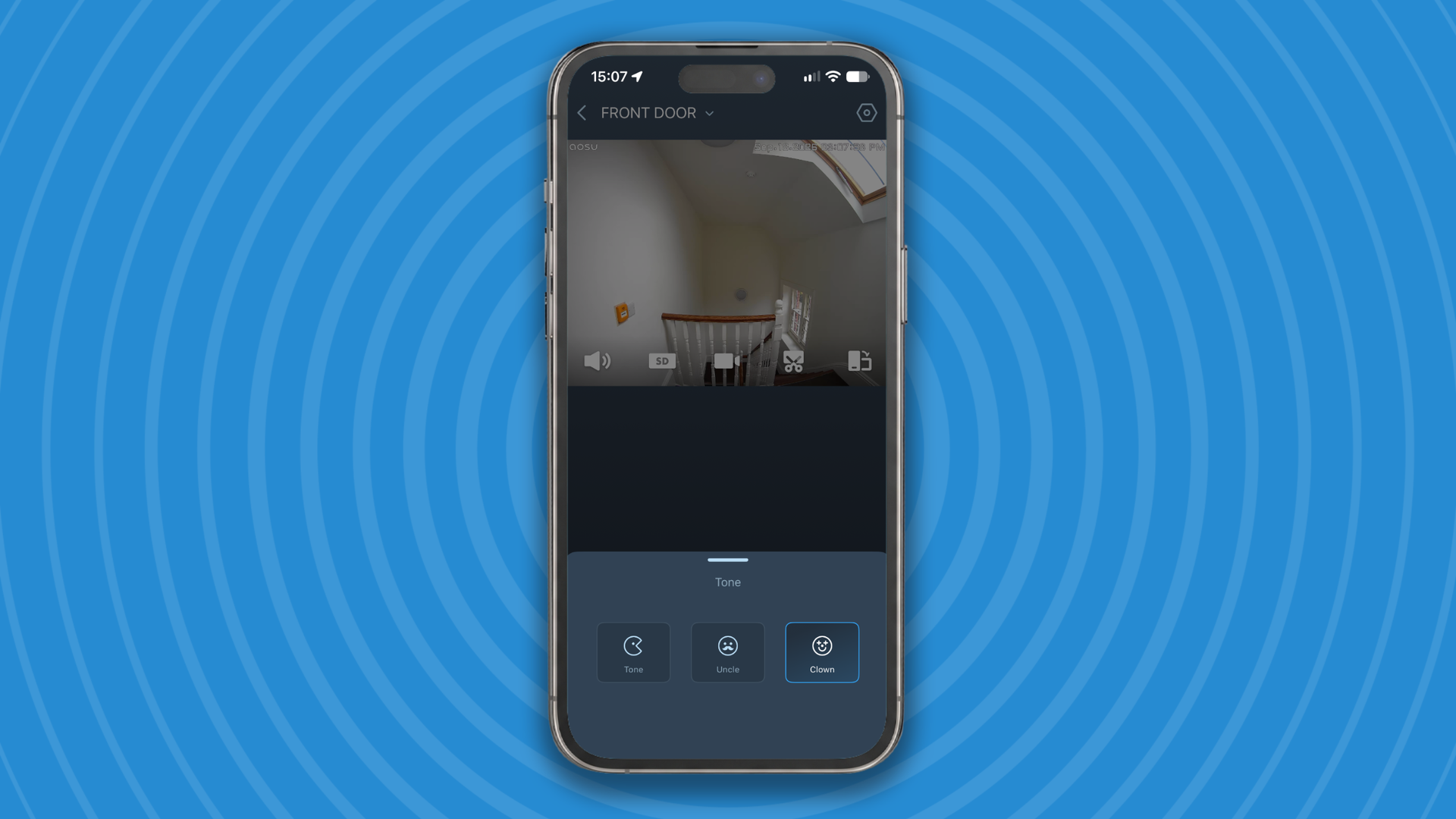
Want to keep your identity private? The app gives you two options: β€˜Uncle Tone’, which deepens your voice, and β€˜Clown Tone’, which makes it high and squeaky, both of which work well and will effectively disguise your voice if you don’t want to be recognized. Personally, I would prefer an option that doesn’t sound quite so cartoonish, but they’re a welcome feature nonetheless.

I found the fisheye-correction option particularly useful during my testing, along with the AI person-shape recognition, which correctly identifies subjects even when they’re wheeling a bike or carrying a large object that might obscure their body shape.

When a person is detected, the camera will send a notification to the EZVIZ app, and start recording a 10-second video clip, which will be saved on an SD card or in the cloud, depending on which storage option you’ve chosen. You can also choose to watch through the camera live at any time, trigger a recording, or capture a still image.

Person with bike detected in Ezvizlife app
Person identification works even when an individual's outline is obscured by large objectsFuture
Live camera view in Ezvizlife app
You can see a live view through the app or internal screen any timeFuture
Video logs in Ezvizlife app
Check your video logs in the app, export videos, and capture still imagesFuture

You can also export videos from your logs at any time, which is very useful if you're unfortunate enough to need them as evidence for the police.

EZVIZ is a Chinese company, and although the app has been localized quite well, some parts are still confusing. For example, if you attempt to toggle a feature that’s still in beta, you will see a notification reading: β€œThe current status of this detection is closed. Please enable the corresponding algorithm in the intelligent detection before enabling this function”.

For me, the biggest drawback β€” and the one that holds the EP4 back from a better score β€” is the implementation of facial recognition. In an ideal world, you wouldn’t receive a notification when your own face is detected, and you could disable alerts for other members of your household as well, so you’re only alerted when a stranger arrives. Unfortunately, that’s not an option with the EP4, which notified me that β€œCat appeared” each time I arrived home from work.

Adding a 'familiar face' in the Ezvizlife app
You can add a person to 'Familiar Faces' using an existing photo, or take a new oneFuture
Adding a 'familiar face' in the Ezvizlife app
Photos should be well-lit and taken from the frontFuture
Person detection alerts in the Ezvizlife app
Adding yourself to 'Familiar faces' doesn't mean that the app will 'ignore' you Future

Facial recognition works very well, and even identifies a person wearing a cycle helmet and sunglasses, but at the moment, the implementation seems back-to-front. In fairness, though, the feature is still in beta, so perhaps the developers at EZVIZ will make that change before its full launch. For now, it's a real problem.

  • Performance score: 3.5/5

Should you buy the EZVIZ EP4?

EZVIZ EP4 score card

Attribute

Notes

Score

Value

Very reasonably priced, particularly during sales, though you'll need an SD card too.

4.5/5

Design

Ingenious design that's great for renters, though screen projects quite far into the room and isn't very high-res.

4/5

Performance

Key functions are great, but you'll receive notifications whenever it detects your own face.

3.5/5

Buy it if

You rent your home

There’s no need to drill or make any permanent changes to your door, which will keep your landlord happy. When it’s time to move, the EP4 comes right off, and you can screw the old peephole back into place.

You’re on a budget

The EP4 is a great value doorbell and camera combo, and is frequently discounted on Amazon.

Security is a real concern

The 4K footage will make it easy to identify anyone who’s up to no good, if you’re unfortunate enough to need it as evidence.

Don't buy it if

You particularly want to watch for packages

Although the EP4 has a good horizontal field of view, it doesn’t cover your doorstep, so you won’t be able to see parcels left there.

You have notification fatigue

At the moment, there’s no way to avoid receiving a message when you approach your own front door.

EZVIZ EP4: also consider

If you're not sure whether the EZVIZ EP4 is the right security camera/doorbell for your home, here are two other wireless alternatives to consider.

Philips 7000 Series Video Doorbell

This excellent subscription-free doorbell earned our seal of approval due to its sharp 2K recordings, ease of use, and great battery life.

Read our full Philips 7000 Series Video Doorbell review

Eufy Video Doorbell Dual

Another solid subscription-free option, with dual cameras so you can keep an eye out for deliveries.

Read our full Eufy Video Doorbell Dual review

How I tested the EZVIZ EP4

I installed the EZVIZ EP4 on the door to my apartment, having first unscrewed the original peephole. I used it for two weeks, adding myself and my husband as 'familiar faces' halfway through. I used the two-way talk function to speak to him when I received a notification that he had arrived, and we used the doorbell function to speak to one another. I kept recordings on a microSD card once the seven-day cloud storage trial expired, and used the app to review recordings, export videos, and capture still images.

At the end of the test period, I removed the EP4 and replaced my door's original peephole. For more details, see how we test, review, and rate products at TechRadar.

First reviewed July 2026.

The new Blink Outdoor 2K+ is a sharper budget camera to protect your property, with one frustrating catch

Blink Outdoor 2K+: two-minute review

Blink has become the brand you recommend to people who don't really want a security camera. Cheap, painless, owned by Amazon, and a forgiving field of view. The catch was that previous 1080p pictures turned to mush the moment anything moved, or the sun went down.

The Outdoor 2K+ fixes this by capturing would-be crims at 2560 x 1440 in its top "Best" setting. There's 4x zoom for closer inspections, noise-cancelling two-way audio making doorstep conversations less of a shouting match, and an improved low-light sensor that holds color as the light fades before switching to infrared black-and-white. Drop to 1080p 'Standard' or 720p 'Saver', and you'll claw back a bit of battery life.

Blink Outdoor 2K+ security camera with hub on table
Future
Blink Outdoor 2K+ security camera with hub on table
Future

Blink quotes up to two years from a pair of AA lithium cells, and while I can't fast-forward through two summers to prove it, a fortnight’s daily use barely dented the gauge. There's a USB-C port if you'd rather wire it to the mains with Blink's separately sold weather-resistant adapter, an IP65 rating shrugs off wet weather, and it’s compatible with the existing Outdoor 4 accessory range, so floodlight mounts and battery packs carry over.

Setup should be the usual Blink doddle. Scan the code, follow the app, pair the Sync Module, done in under 10 minutes with no cabling and no electrician. For a first-time buyer, it's about as low-friction as home security gets, although we did encounter some teething problems connecting the kit to a home Wi-Fi network.

Then you discover the real kicker. The Outdoor 2K+ ships with a new Sync Module Core rather than the old Sync Module 2 we were supplied with, and the Core has had its USB port removed. That port was the whole point for subscription-averse buyers: plug in a flash drive, store clips locally, pay Amazon nothing.

Blink Outdoor 2K+ security camera mounted on wall
Future
Blink Outdoor 2K+ security camera mounted on wall
Future

Without it, the free experience reduces to live view and motion alerts, while saved recordings, person and vehicle detection and the smarter notifications all sit behind a Blink subscription that starts at Β£2.50 (about $3.50 / AU$5) a month and rises to Β£8 (about $10 / AU$20) for unlimited cameras. An older Sync Module 2 still works if you own one, but most people buying this won't.

It leaves the 2K+ in an odd spot. As a camera, it's the best budget outdoor option Blink has made. As a package, it's less optimal. Judge it on the camera and battery life alone, and it's a comfortable recommendation. Judge it on the small print, and you’ve got a new monthly bill the old model didn’t demand.

Blink Outdoor 2K+: price and availability

  • List price: Β£89.99 / $99.99 / AU$119
  • Launched October 2025
  • Available in the US, UK and Australia

Pitched at the affordable end as ever, the Outdoor 2K+ slots in alongside the cheaper Mini 2K+ and the Blink Arc β€” a mount that pairs two Mini 2K+ cameras for a panoramic view β€” as part of the brand's 2K refresh. The one-camera kit includes the Sync Module Core, two AA lithium batteries, and a mount, so nothing essential to buy on day one β€” unless you want your footage saved anywhere, at which point the maths changes.

That's the rub. The headline price buys you a very capable camera and a deliberately hamstrung storage situation. Anyone who bought the Outdoor 4 specifically to dodge a subscription should know the goalposts have moved, because the bundled module no longer takes a USB stick. Frequent discounting means the camera itself rarely costs full RRP for long, which softens the blow, but the ongoing cost is the number to watch.

  • Value score: 3.5/5

Blink Outdoor 2K+: subscription costs

Blink has two subscription tiers to choose from, both offering unlimited cloud storage for recordings for up to 60 days (up to 30 days in the EU and UK). Monthly or yearly billing is available.

  • Blink Basic: $3.99p/m | Β£2.50p/m | AU$4.95p/m
  • Blink Plus: $11.99p/m | Β£8p/m | AU$15p/m

Blink Basic includes support for one device, motion-event recording, live-view recording, instant video access, video sharing, person detection, and photo capture. Blink Plus includes all Basic features, along with unlimited device inclusion, moments capture, notification snoozing and 10% off Blink devices.

Blink Outdoor 2K+: specifications

Specification

Details

Resolution

2K QHD (2560 x 1440)

Field of view

130Β° Diagonal

Night vision

Color Night Vision (up to 30 ft) & Infrared

Power source

Rechargeable Battery (up to 6 months) or Solar Panel compatible

Connectivity

2.4 GHz Wi-Fi

Storage options

Local MicroSD (up to 256GB) & Cloud Storage

Audio

Two-Way Audio with Noise Cancellation

Smart integration

Amazon Alexa, Google Assistant

Weather resistance

IP65 Weatherproof

Motion detection

AI Person/Vehicle/Pet Detection

Smart home

Amazon Alexa

Camera dimensions

70 x 70 x 41mm

Sync Module Core dimensions:

81 x 45 x 21.55mm

Weight:

142g (camera); 43.6g (Sync Module Core)

Blink Outdoor 2K+: design

  • Compact and easy to place
  • IP65 weatherproofing
  • Sync Module Core changes rules

There's nothing here to frighten the neighbours. The 2K+ keeps Blink's small, squared-off black housing, the kind of camera that disappears into a porch corner or sits on a windowsill without announcing itself. It's light, the bundled mount screws to a wall, and you can equally stand it on a flat surface and forget about it.

The IP65 rating earned its keep through sporadic summer showers and wind with no fogging or dropouts. Power comes from two AA batteries hidden behind a sealed cover, or bypass them with USB-C and an optional weather-resistant power adapter, if you'd rather not think about batteries at all.

Like the Sync Module 2, Blink’s bundled Sync Module Core is a similarly small puck minus a USB connection.

  • Design score: 4/5

Blink Outdoor 2K+ performance

  • 2K is a visible upgrade
  • Color night vision is useful
  • Smart features cost extra

The Blink Outdoor’s 2K output greatly enhances the chances of identifying strangers. I set it to watch a back garden, and it did an able job of capturing my faux break-in attempts. The 4x zoom is digital, so it softens as you push in, but it's enough to pick up distinguishing features or marks.

Low-light performance is the other win. An improved sensor holds color as daytime fades, while garden lights and street lamps keep footage useful. Let the light go entirely, and it reverts to black-and-white. For genuine color after dark, you can add Blink's separate Outdoor Floodlight Mount.

Three-quarter view of Blink Outdoor 2K+ security camera
Future
Three-quarter view of Blink Outdoor 2K+ security camera
Future
Side of Blink Outdoor 2K+ security camera
Future
Back of Blink Outdoor 2K+ security camera
Future
Side of Blink Outdoor 2K+ security camera
Future
Blink Outdoor 2K+ security camera with mount and batteries on table
Future

Motion detection was razor-sharp, even if the default settings felt overzealous. Definitely adjust sensitivity and activity zones in the app to avoid being swamped with notifications about plump pigeons and swaying flora… unless you’re aiming for Springwatch in forensic form.

This is also where the subscription cost bites again: person and vehicle detection β€” the features that stop your phone buzzing every time a fox crosses the lawn β€” only switch on with a Blink plan.

Footage from Blink Outdoor 2K+ security camera
Future
Footage from Blink Outdoor 2K+ security camera
Future
Footage from Blink Outdoor 2K+ security camera
Future

Run it free, with the Core module, and you're left with motion alerts and a live view, which is a thinner experience for a 2K camera. As ever, there's no way to view footage on a computer or browser; it's the phone app or nothing.

  • Performance score: 4/5

Should you buy the Blink Outdoor 2K+?

Attribute

Notes

Score

Value

A capable 2K camera at a low price, undercut by the storage you'll need to pay for.

3.5/5

Design

Compact, weatherproof and dead simple.

4/5

Performance

Sharp 2K video and useful color night vision, with the best features locked behind a subscription.

4/5

Buy it if

You want a sharp camera for very little cash

The 2K upgrade is real, and the entry price stays low, especially during Blink's frequent sales.

You value a two-year battery life

Set it, mount it and largely forget it β€” the AA lithium endurance is still a standout at this price.

You're a first-time buyer in the Blink or Alexa world

For someone starting from scratch, this is the easiest home security addition going.

Don't buy it if

You bought Blink to avoid subscriptions

The bundled Sync Module Core no longer takes a USB drive, so free local storage is off the table unless you own an older module.

You want Matter or HomeKit

Blink remains its own walled garden β€” Alexa only, with no Matter, Apple Home or Google Home.

You need top-tier image quality

2K is a welcome leap, but premium rivals shooting 2K HDR or 4K will still out-resolve it.

Blink Outdoor 2K+: also consider

If you're not sure whether the Blink Outdoor 2K+ is the right home security camera for you, here are two others to keep in mind.

Blink Mini 2K+

The wired indoor sibling with the same 2K sensor and smarts, for less money β€” handy if you mainly want eyes inside, or outside with the weatherproof adapter.

Ring Battery Doorbell Plus

If it's the front door you care about, Ring's head-to-toe doorbell covers the same ground with a visitor in mind, albeit with its own subscription.

How I tested the Blink Outdoor 2K+

  • Tested at a domestic property
  • Mounted outdoor
  • Assessed video, night vision, audio, and battery

I lived with the Blink Outdoor 2K+ as a normal household would, mounting it to watch the back garden. I ran it through all three resolution modes, checked color night vision against lit and unlit spaces, and held two-way conversations to judge the audio. The two-year battery claim is, by definition, untestable in weeks, so I've reported Blink's figure and my short-term experience rather than pretending otherwise.

For more details, see how we test, rate, and review products at TechRadar.

Blink cameras are super cheap for Prime Day, but these 5 subscription-free alternatives are just as good β€” and deeply discounted too

There are huge savings on Blink home security cameras this Amazon Prime Day, but don't rush to grab one just yet. Although basic features are included with Blink cameras β€” live view and two-way-talk β€” for anything more advanced you'll need a Blink subscription in addition to the cost of the camera itself, which adds up over time.

β€’ Shop more Prime Day deals at Amazon US
β€’ Shop more Prime Day deals at Amazon UK

That's not the case with all home security cameras though, and here I've rounded up my top five Blink alternatives that give you local storage, plus features like AI facial-recognition, object-tracking, and pre-roll all without any extra payments.

1. Baseus Security S2 Outdoor Camera 4K

Baseus Security S2 Outdoor Camera 4K installed outside
Chris Price
Baseus Security S2 Outdoor Camera 4K installed outside
Chris Price
Baseus Security S2 Outdoor Camera 4K
Chris Price
Baseus Security S2 Outdoor Camera 4K
Chris Price
Baseus Security S2 Outdoor Camera 4K
Chris Price
Baseus Security S2 Outdoor Camera 4K
Chris Price
Baseus Security S2 Outdoor Camera 4K
Chris Price

The Baseus Security S2 isn't the only solar-powered security camera we've tested, but it's the only one with a photovoltaic panel that rotates around its body to follow the sun, ensuring it captures as much light as possible throughout the day. It looks strange, but in our tests, we found it worked brilliantly, noticeably extending the battery life.

During tests, the S2 produced very few false alerts. This not only prevents you from being bombarded with unnecessary phone notifications, it also means recording is triggered only by genuine events, extending the cam's battery life. Images are superbly detailed during the day, and the spotlight is excellent for illuminating the garden at night to ensure high-quality footage in the dark, too.

The Baseus S2 is also one of the most affordable subscription-free security cameras we've tested. The camera itself has a nice little Prime Day price cut, and the absence of fees for storage and advanced features mean it almost certainly works out cheaper overall.

If you're on a strict budget, take a look at the Baseus Security S1 instead. It's available for about half the price of the S2 and has the same rotating solar panel. However, it records at only 2K and has 8GB built-in storage rather than up to 256GB via a microSD card.

Read our full Baseus Security S2 Outdoor Camera 4K review

A record-low Prime Day price for this feature-packed home security camera. It blew us away in our tests, and with no subscription fees to worry about, it's spectacular value.View Deal

The S2 Outdoor Camera 4K is currently out of stock in the UK, but you can snag the previous generation S1 for Β£33.99 right now. It has the same rotating solar panel, but has a maximum resolution of 2K rather than 4K.View Deal

2. Reolink Altas PT Ultra

Reolink Altas PT Ultra camera mounted outside
Chris Price
Reolink Altas PT Ultra camera mounted outside
Chris Price
Reolink Altas PT Ultra camera mounted outside
Chris Price
Solar panel for Reolink Altas PT Ultra camera
Chris Price
Reolink Altas PT Ultra camera and accessories removed from box
Chris Price
Reolink Altas PT Ultra camera
Chris Price
Side view of Reolink Altas PT Ultra camera
Chris Price

The Reolink Altas PT Ultra earned four stars in our review thanks to its crisp video recordings, pan-and-tilt functionality to cover an extra-wide area, and local storage for your video. Although it's somewhat bulky, it looks smart and didn't worry our neighbors unnecessarily (always a plus).

The camera can automatically track subjects such as people and animals, or you can pan and tilt it manually using the app, if there's something in particular that you want to keep an eye on. There's a pre-record option, too, similar to the one you'd get with a dash cam, which captures footage continuously in the background and saves the 10 seconds that were recorded before a trigger event.

You can store your videos to an SD card, or to an encrypted Reolink Home Hub. The Home Hub comes with 64GB storage, expandable with up to two 512GB SD cards, which should be more than enough. Cloud storage is available if you really want to pay for it, but there's really no need and all the standout features are available free of charge.

Read our full Reolink Altas PT Ultra review

With an enormous $70 off for Prime Day, this is the cheapest the Altas PT Ultra has been this year and a great investment in your home security. There's a reason it won a TechRadar Choice award for best home security camera.View Deal

A discount of Β£57 is not to be sniffed at, and makes the Altas PT Ultra brilliant value in the UK as well. In fact, it's a record-low price for this feature-packed security camera, with no subscription fees necessary afterwards,View Deal

3. EZVIZ EP4 Peephole Door Viewer

Fitting Ezviz Wire-Free Peephole Door Viewer EP4 to door
Future
Fitting Ezviz Wire-Free Peephole Door Viewer EP4 to door
Future
Screwing on Ezviz Wire-Free Peephole Door Viewer EP4 backplate
Future
Ezviz Wire-Free Peephole Door Viewer EP4 camera on outside of door
Future
Ezviz Wire-Free Peephole Door Viewer EP4 footage on internal screen
Future
Ezviz Wire-Free Peephole Door Viewer EP4 display on inside of door
Future

This little camera threads through the peephole in your front door, giving you a wide-angle view of the area beyond in sharp 4K on an internal screen, and on your phone. It's a clever design that means there's no need to drill any holes, and is ideal if you live in an apartment and/or rent.

Installation is a piece of cake (I had it fitted and working within 10 minutes during my tests) and you'll receive alerts to your phone when motion is detected. This will trigger a 10-second video recording, which can be saved to an SD card in the display unit. The AI person detection works very well, but what impressed me most was the facial recognition. Just upload photos of friends and family, and you'll be notified when they arrive. Ideal if you want to be sure that the kids have got home safely, for example.

It doubles as a doorbell too, offering two-way talk and even a voice changer so you can stay anonymous if you prefer β€” all subscription-free.

Read our EZVIZ EP4 Peephole Door Viewer hands-on

The EP4 is currently only available in the UK, where Amazon has knocked a very generous Β£70 off the price for Prime Day. That's a surprising saving considering the camera only launched a few months ago.View Deal

4. Eufy eufyCam 3 S330

eufy cam3 spotlight camera
Future / Rachel Ogden
Underside of the Eufy eufyCam 3 S330 installed outside
Future / Rachel Ogden
eufy cam3 hmebase
Future / Rachel Ogden
ai detection and recognition using the eufy cam3
Future / Rachel Ogden
eufy cam3 device set up
Future / Rachel Ogden

The eufyCam 3 S330 is a full security system designed for large properties, and even businesses. It consists of a set of cameras (the starter kit includes two, and additional ones are available to purchase separately) plus a HomeBase unit that connects them all to one another, and to your home Wi-Fi network.

Your videos are stored within the HomeBase unit, which comes with 16GB of storage that you can expand up to a colossal 16TB by plugging in an external hard drive, so you don't need to pay for cloud storage and your data is safely saved indoors.

Although it's a 'prosumer' system partially aimed at businesses, we found it easy to install and set up for the average user. Each camera has a 135-degree field of view, and a bright floodlight that can be triggered by motion at night for full-color footage, and a top-mounted solar panel so you don't need to take them down for frequent charging. Subject detection is excellent (and available without a subscription), though on the standard settings it proved so sensitive that it sometimes also mistook a person's reflection for someone else in our tests, so it's worth taking some time to tinker with the settings.

Read our full Eufy eufyCam 3 S330 review

Amazon has trimmed a huge $170 off the eufyCam 3 S330 starter kit, which includes the base station and two cameras. It's a great deal for mid-sized homes, and you can expand it later with extra cams if necessary.View Deal

There isn't a Prime Day deal on the full eufyCam 3 S330 system in the UK, which is a shame, but if you already have the base unit then you can snap up an additional camera for Β£60 off the list price, which is a steal.View Deal

5. Aqara Camera Hub G350

Close-up of front of Aqara Camera Hub G350 security camera
Future
Aqara Camera Hub G350 security camera with 'rabbit ears' accessory beside it
Future
Aqara Camera Hub G350 security camera with 'rabbit ears' attached
Future
Aqara Camera Hub G350 security camera with 'rabbit ears' removed
Future
Aqara Camera Hub G350 security camera front and back view
Future

Don’t be fooled by this camera’s cute looks, complete with removable bunny ears. Despite looking like a gadget for kids, it’s actually a very advanced piece of kit with a motorized base which provides a 360-degree field of view with zero blind spots. This is paired with a dual lens setup that allows you to track a subject (human or animal) using the wide-angle lens or zoom in to an area of detail using the telephoto lens. A 9x hybrid zoom is provided which really does allow you to get close up to your subject with reasonable picture quality.

There's advanced subject-detection, but what really impressed our reviewer Chris Price was the AI-powered sound recognition which can identify noises like a dog barking or a baby crying, and send you notifications accordingly.

It also acts as a Zigbee hub and Matter controller, meaning it can serve as the heart of your smart home. All the key features are available subscription-free, and there's no need to pay for cloud storage; just slide in a microSD card and you can keep all your recordings safely at home. A few features are only available to HomeGuard members, such as AI video search, but only a couple.

Read our full Aqara Camera Hub G350 review

This is the first time Amazon has cut the price of this mini indoor security camera, which captures super sharp 4K video and stores it locally without the need for a subscription. Just supply your own SD card.View Deal

In the UK? Good news β€” you get the same discount as shoppers in the US, with 15% off the G350 for Prime Day 2026. It's compatible will all the main smart home ecosystems, so it's a safe buy that'll fit right in.View Deal

More Prime Day deals in the US

More Prime Day deals in the UK

Ring doorbells are going cheap for Prime Day, but these 5 subscription-free alternatives could cost you less in the long run

Ring video doorbells always get deep discounts for Amazon Prime Day, but the savings might not be quite as impressive as they first seem. Although the up-front cost might be low, you'll need a Ring Home subscription to get the most out of your new purchase, and that can really add up over the years. That's not the case with all video doorbells, though, and here I've rounded up my top five picks that give you full functionality without the monthly fees.

β€’ Shop more early Prime Day deals at Amazon US
β€’ Shop more early Prime Day deals at Amazon UK

The key is that all the video doorbells here let you store videos on a microSD card. Some brands offer cloud storage if you really want it, but it's definitely not necessary. Some doorbells (like the EZVIZ EP4 I'm testing right now) also include newer features like facial recognition that you'd usually expect to be part of a paid membership plan.

All of these doorbells have been tested, reviewed, and given the seal of approval by our team of home tech experts, so you can be confident you're making the right choice.

Eufy Video Doorbell Dual

Eufy Video Doorbell Dual har tvΓ₯ kameror
Daniel Hessel
Eufy video Doorbell Dual lyser upp nΓ€r nΓ₯gon trycker pΓ₯ knappen
Daniel Hessel
Nattetid anvΓ€nder ena kameran IR-belysning och den undre LED-lampor
Daniel Hessel
Basstationen Eufy Homebase 2 har 16GB inbyggd lagring fΓΆr video
Daniel Hessel
Bildexempel dagtid frΓ₯n Eufy Video Doorbell Dual
Daniel Hessel
Bildexempel kvΓ€llstid frΓ₯n Eufy Video Doorbell Dual
Daniel Hessel
Basstationen Eufy Homebase 2 kan kopplas upp antingen via wifi eller ethernet-sladd.
Daniel Hessel

Eufy's smart-looking device is an excellent option if you're looking for a subscription-free video doorbell on a budget. The Video Doorbell Dual records video at 2K, which is just fine for us, and is loaded with advanced features like package detection and the ability to play pre-recorded voice messages, all with no membership necessary.

It has an infrared sensor that detects visitors' body heat, while a radar motion detector scans for movement. Better yet, its software includes AI person-recognition, and during our tests, it was able to accurately identify and label visitors in our video clips. We didn't receive any false positives, and the detailed app notifications meant we could tell who was calling at a glance, without even picking up our phone.

All your footage is stored locally on the HomeBase 2 (bundled with the doorbell), which provides 16GB for your clips. You can buy cloud storage if you really want to, but there's no compelling reason to when you can keep control over your own videos and access them for free.

We didn't love having to take the doorbell down to charge it (there's no swappable power pack), but it can be connected to existing doorbell wiring if you'd rather not run it from its battery.

Read our full Eufy Video Doorbell Dual review

SwannBuddy 4K

SwannBuddy4K video doorbell
Chris Price
SwannBuddy4K video doorbell
Chris Price
SwannBuddy4K video doorbell
Chris Price
SwannBuddy4K video doorbell
Chris Price
SwannBuddy4K video doorbell
Chris Price
SwannBuddy4K video doorbell
Chris Price
SwannBuddy4K video doorbell
Chris Price

Swann makes some of the best video doorbells and best home security cameras we've tested here at TechRadar, and they all have one big selling point: there's no subscription plan necessary to save your videos or to use their most advanced features. Although you can pay for cloud storage if you really want to, it's not necessary at all.

The Swann Buddy4K is also a fully-fledged home security camera with features like motion detection and the ability to differentiate among subjects such as people, pets, cars, and packages. All of this is included with the initial cost of the doorbell (unlike devices from brands like Ring, which charge a regular fee to unlock such features).

"It’s possible to store videos by type – particularly handy if you want to find out when a parcel was left on the doorstep," said our reviewer Chris Price. "Alternatively, you can store videos in chronological order on the built-in MicroSD card."

The doorbell's AI assistant (which generates custom voice responses for visitors so you don't have to speak to them) was still in beta when we reviewed it, but even without it, it's an excellent device that comes highly recommended for helping secure your home.

Read our full SwannBuddy 4K review

Philips 7000 Series Video Doorbell

Philips 7000 Series Video Doorbell installed on door
James Holland
Philips 7000 Series Video Doorbell unit
James Holland
Philips 7000 Series Video Doorbell installed by door
James Holland
Philips 7000 Series Video Doorbell installed by door
James Holland
Mounts for Philips 7000 Series Video Doorbell
James Holland
Philips 7000 Series Video Doorbell
James Holland

The Philips 7000 Series boasts impressive video quality, great viewing angles, and a generous 8GB of onboard storage.

It boasts dual cameras to give a clear view of both visitors and any packages they may leave on your doorstep. Its 2K resolution will be ample for most homes (4K doorbells are now widely available, but usually burdened by subscription fees), and during our tests, we were thoroughly impressed by how sensitive it was to motion. In terms of responsiveness, it was up there with the best home security cameras. Night vision is crisp as well (the doorbell is equipped with infrared sensors).

We found installation refreshingly straightforward, with a choice of mounting plates so you can choose one to suit your home, and it can be used with existing doorbell wiring or wireless from a rechargeable battery.

The 7000 Series isn't the cheapest video doorbell around, but its price is competitive considering how much you're getting. It's around the same as the Ring Video Doorbell 2, which requires a membership to save and review video footage.

The only other drawback for us was a slight lag we noticed during two-way talk with visitors. Otherwise, the 7000 Series is hard to beat (though it's not currently available to buy in the UK).

Read our full Philips 7000 Series Video Doorbell review

Aqara Video Doorbell G4

Aqara Video Doorbell G4 mounted on wall beside door
Les Watson
Aqara Doorbell Camera Hub G410 video doorbell
Chris Price
Aqara Doorbell Camera Hub G410 video doorbell
Chris Price
Aqara Doorbell Camera Hub G410 video doorbell
Chris Price
Aqara Doorbell Camera Hub G410 video doorbell
Chris Price
Aqara Doorbell Camera Hub G410 video doorbell
Chris Price

Aqara is well known for its excellent subscription-free video doorbells and home security cameras, and the Video Doorbell G4 ranks among the best. It works with all the main smart home platforms, which is quite rare, can run from a battery or be used wired, and is packed with extra features that you'd normally expect to come with a hefty subscription fee, such as subject-identification and customizable motion-detection zones.

You can store your videos on a microSD card installed in the doorbell chime supplied in the box, but Aqara also offers a free cloud storage plan that saves 7 days of recordings at no charge. You can pay for extra online storage if you really want, but there's no need.

Its field of view is narrower than you'd get with a Ring doorbell, and its picture isn't as sharp, but it's still a great budget option β€” and one that could get even cheaper on Amazon Prime Day.

Read our full Aqara Video Doorbell G4 review

EZVIZ EP4 Wire-Free Peephole Door Viewer

Ezviz Wire-Free Peephole Door Viewer EP4 camera on outside of door
Future
Fitting Ezviz Wire-Free Peephole Door Viewer EP4 to door
Future
Screwing on Ezviz Wire-Free Peephole Door Viewer EP4 backplate
Future
Ezviz Wire-Free Peephole Door Viewer EP4 display on inside of door
Future
Person using internal screen on Ezviz peephole camera
Future
AI person detection notification in Ezviz app
Future
Detection notifications in Ezviz app
Future
Recordings in Ezviz app
Future

The clever little EZVIZ EP4 is marketed as a security camera, and it does serve that purpose, but it does double-duty as a video doorbell, with a large push-button on top that triggers a notification on your phone when pressed, allowing you to see and speak to the person at your door via the EZVIZ app.

This is a great option for anyone who rents or lives in an apartment, because there's absolutely no drilling required, and when you want to move out, you can simply remove it and take it with you. Just unscrew the peephole from your front door, and you can install it in seconds. I used it at home and had it up and running within 10 minutes. Removing it is even quicker, and it did no damage to my door whatsoever.

The 4K picture is sharp and vivid, whether you're viewing it on the internal screen or within the EZVIZ app. The camera has AI person-detection, and can alert you when someone is at the door even if they've not pressed the bell. It can also use facial recognition to let you know when certain individuals have arrived.

There's no subscription required (videos can be stored on an internal MicroSD card), and for me, the only significant drawback is that the camera's field of view isn't wide enough to see packages on your doorstep. Note that the EZVIZ EP4 is currently only available in the UK.

Read my hands-on with the EZVIZ EP4 Wire-Free Peephole Door Viewer

More Prime Day deals in the US

More Prime Day deals in the UK

The top 5 subscription-free home security cameras, tested and recommended by home tech experts

A home security camera will give you peace of mind, watching over your property, alerting you to any unusual happenings, and capturing video evidence. However, they can also be expensive to run; many systems require a monthly or annual subscription plan to store your video clips, and to unlock features like subject recognition.

It doesn't have to be that way, though. Here at TechRadar we've tested dozens of security cameras, including lots without any extra fees. This is a great time to pick one up too, with lots of models likely to be discounted for Amazon Prime Day.

Here I've put together a list of the top five subscription-free home security cameras we recommend, with options for everything from apartments through to large detached properties and even small businesses.

1. Baseus Security S2 Outdoor Camera 4K

Baseus Security S2 Outdoor Camera 4K
Chris Price
Baseus Security S2 Outdoor Camera 4K
Chris Price
Baseus Security S2 Outdoor Camera 4K
Chris Price
Baseus Security S2 Outdoor Camera 4K
Chris Price
Baseus Security S2 Outdoor Camera 4K
Chris Price
Baseus Security S2 Outdoor Camera 4K
Chris Price
Baseus Security S2 Outdoor Camera 4K
Chris Price

The Baseus Security S2 isn't the only solar-powered security camera we've tested, but it's the only one with a photovoltaic panel that rotates around its body to follow the sun, ensuring it captures as much light as possible throughout the day. It looks strange, but in our tests, we found worked brilliantly, noticeably extending battery life.

In addition, an SD card slot in the bottom means you can save your video recordings locally, without paying for cloud storage. However, the real standout feature in our view is the S2's built-in facial-recognition, which can alert you if the camera spots familiar people nearby. Just upload their photos to the app, and it will keep an eye out for them. It's the kind of advanced feature that would normally only be available as part of a premium subscription package, but here it's thrown in.

During tests, the S2 produced very few false alerts. This not only prevents you from being bombarded with unnecessary phone notifications, it also means recording is triggered only by genuine events, extending the cam's battery life. Images are superbly detailed during the day, and the spotlight is excellent for illuminating the garden at night to ensure high-quality footage in the dark, too.

The Baseus S2 is also one of the most affordable subscription-free security cameras we've tested. Yes, the up-front cost is more than you'd pay for a camera from Blink or Ring, for example, but the absence of fees for storage and advanced features mean it almost certainly works out cheaper overall.

If you're on a strict budget, take a look at the Baseus Security S1 instead. It's available for about half the price of the S2 and has the same rotating solar panel. However, it records at only 2K and has 8GB built-in storage rather than up to 256GB via a microSD card.

Read our full Baseus Security S2 Outdoor Camera 4K review

2. Swann MaxRanger4K Solar

Swann MaxRanger4K Solar camera mounted outside
Future
The back of the Swann MaxRanger4K Solar
Future
Swann MaxRanger4K Solar
Future
Swann MaxRanger4K Solar
Future
Swann MaxRanger4K Solar
Future

Swann's MaxRanger4K Solar cameras are sold in packs of two or three, bundled with a base station that provides 64GB local storage for your videos, and is expandable with an SD card if you need even more room. If that isn't enough coverage, you can also pick up extra cams to connect to the station.

These high-definition cameras were seriously impressive – especially considering you don't need to subscribe to get the most out of them. Each camera arrives with a tough weather-resistant chassis, and captures super-crisp 4K footage with a wide 105-degree viewing angle. That's great for a camera without pan-and-tilt functionality.

That's not all – the cameras also have a sensor that uses heat and motion to identify people, vehicles, and other disturbances, and labels them accordingly. It's the kind of feature you'd usually only get with a paid security plan, but it's bundled in here – and in our tests it worked brilliantly, accurately identifying triggers.

The app lets you tweak camera settings, including its sensitivity, which is a handy way to extend the battery life of the units. Each cam has a solar panel that allows it to last months between charges, but you'll need to spend some time optimizing settings for maximum effect. The more frequently recordings are triggered, the faster the battery will drain.

Read our full Swann MaxRanger4K Solar review

3. Reolink Altas PT Ultra

Reolink Altas security camera mounted outdoors
Chris Price
Reolink Altas PT Ultra camera mounted outside
Chris Price
Reolink Altas PT Ultra camera mounted outside
Chris Price
Reolink Altas PT Ultra camera and solar panel mounted outside
Chris Price
Reolink Altas PT Ultra camera and accessories removed from box
Chris Price
Solar panel for Reolink Altas PT Ultra camera
Chris Price
Side view of Reolink Altas PT Ultra camera
Chris Price

The Reolink Altas PT Ultra earned four stars in our review thanks to its crisp video recordings, pan-and-tilt functionality to cover an extra-wide area, and local storage for your video. Although it's somewhat bulky, it looks smart and didn't worry our neighbors unnecessarily (always a plus).

The camera can automatically track subjects such as people and animals, or you can pan and tilt it manually using the app, if there's something in particular that you want to keep an eye on. There's a pre-record option, too, similar to the one you'd get with a dash cam, which captures footage continuously in the background and saves the 10 seconds that were recorded before a trigger event.

Footage is super clear during the day, but we found that the Altas PT Ultra really excels at night. Most home security cameras produce pretty shoddy monochrome video after dark, but Reolink's ColorX technology captures impressive color footage without a spotlight.

Storing your videos in the cloud costs extra, but there's no need when you can save them to an SD card, or to an encrypted Reolink Home Hub. The Home Hub comes with 64GB storage, expandable with up to two 512GB SD cards, which should be more than enough.

Read our full Reolink Altas PT Ultra review

4. EZVIZ EP4 Wire-Free Peephole Door Viewer

Split image of Ezviz peephole camera installed in door, and footage captured by the camera in the Ezviz app
Future
Fitting Ezviz Wire-Free Peephole Door Viewer EP4 to door
Future
Fitting Ezviz Wire-Free Peephole Door Viewer EP4 to door
Future
Ezviz Wire-Free Peephole Door Viewer EP4 camera on outside of door
Future
Screwing on Ezviz Wire-Free Peephole Door Viewer EP4 backplate
Future
Ezviz Wire-Free Peephole Door Viewer EP4 footage on internal screen
Future
Detection notifications in Ezviz app
Future
AI person detection notification in Ezviz app
Future

If you like the idea of a security camera to cover the front of your home, but you don't want to (or can't) drill holes anywhere, the EZVIZ EP4 is an excellent option. It's installed through the peephole in your front door, and has a wide field of view that gives great visibility in sharp 4K. I installed it in the front door of my apartment within 10 minutes, and was very impressed by the clarity of the picture on the internal display, and on my phone.

When the camera's motion sensor is triggered, it will send a notification to your phone and record a 10-second video clip, which can be saved to a microSD card. You can choose to pay for cloud storage if you want, but there's no need. You also don't need to pay for EZVIZ's facial recognition tool, which lets you upload photos of friends and members of your family, and then notifies you when they arrive. During my tests it worked very well, despite being in beta. The only downside that was you can't yet choose not to receive these alerts, so you would only be notified if a stranger arrives.

The EP4 also functions as a video doorbell, and offers two-way talk, with two voice changing options for privacy. All in all, it's an excellent option for renters and apartment-owners, and when you move out, you can simply take it with you.

Read my EZVIZ EP4 Wire-Free Peephole Door Viewer hands-on

5. Eufy eufyCam 3 S330Β 

underside of the eufy cam3
Future / Rachel Ogden
eufy cam3 spotlight camera
Future / Rachel Ogden
eufy cam3 hmebase
Future / Rachel Ogden
ai detection and recognition using the eufy cam3
Future / Rachel Ogden
eufy cam3 device set up
Future / Rachel Ogden

The eufyCam 3 S330 is a full security system designed for large properties, and even businesses. It consists of a set of cameras (the starter kit includes two, and additional ones are available to purchase separately) plus a HomeBase unit that connects them all to one another, and to your home Wi-Fi network.

Your videos are stored within the HomeBase unit, which comes with 16GB of storage that you can expand up to a colossal 16TB by plugging in an external hard drive, so you don't need to pay for cloud storage and your data is safely saved indoors.

Although it's a 'prosumer' system partially aimed at businesses, we found it easy to install and set up for the average user. Each camera has a 135-degree field of view, and a bright floodlight that can be triggered by motion at night for full-color footage, and a top-mounted solar panel so you don't need to take them down for frequent charging.

Subject detection is excellent, though on the standard settings it proved so sensitive that it sometimes also mistook a person's reflection for someone else in our tests, so it's worth taking some time to tinker with the settings. It includes facial recognition as well, and unlike the EZVIZ camera above, this doesn't rely on a set of photos and can 'learn' to identify individuals over time. The initial price isn't cheap, but when you consider how much you'd need to pay for an equivalent subscription setup, it's good value in the long term.

Read our full Eufy eufyCam 3 S330 review

More Prime Day deals in the US

More Prime Day deals in the UK

Should I buy a Blink or Ring doorbell this Prime Day? Two big video doorbell brands compared

Two of the biggest brands in the video doorbell market are Blink and Ring. Incidentally, both are owned by Amazon, which means both have more than their fair share of deals this Amazon Prime Day. If you're not sure which brand is better, read on. In this guide I'll summarize the main differences between the two brands and run through your different options, so you can pick the right one for your needs.

The Ring video doorbell range is extensive, including multiple battery-powered and hardwired options. Generally speaking, this is the more premium brand β€” the prices are higher than Blink's, but the specs and features are also generally more advanced.

Blink, in comparison, has just three video doorbells β€” the Blink range is far more focused on home security cameras. There's one wired option, a budget battery option, and a slightly pricier battery option. At list price, all are cheaper than any of Ring's doorbells (although the current Prime Day deals might mix things up a bit).

For me, I'd buy the Ring Wired Doorbell for $39.99 (was $79.99). Wired doorbells are generally a much better choice than battery-powered ones, and the Ring range generally offers better specs than Blink's. For slightly more advanced specs, I'd also consider the Ring Wired Doorbell Plus for $99 (was $179.99).

Not sure about Blink or Ring? Head to our best video doorbell ranking for some alternatives from other brands.

Ring doorbell deals

Ring Wired Doorbell (newest Model), Wide-Angle Retinal 2k, Up to 6x Enhanced Zoom, Pair With Alexa or Ring Chime for In-Home Alerts, Speckled Gray

Ring
Wired Doorbell

Ring Wired Doorbell Plus (newest Model), Home or Business Security, Retinal 2k With Wide-Angle Video, 4x Enhanced Zoom, and Low-Light Sight, Nickel Silver

Ring
Wired Doorbell Plus

Ring Wired Doorbell Pro (newest Model), Home or Business Security, Retinal 4k With Wide-Angle Video, 10x Enhanced Zoom, and Low-Light Sight, Deep Silver

Ring
Wired Doorbell Pro

Ring Wired Doorbell Elite (newest Model), Native Power Over Ethernet, Retinal 4k Video, Remote Gate Access, 10x Enhanced Zoom, and Low-Light Sight

Ring
Wired Doorbell Elite

Ring Battery Doorbell (newest Model) β€” Retinal 2k With Wide-Angle Video, Up to 6x Enhanced Zoom, Two-Way Talk, and Built-In Battery, Speckled Gray

Ring
Battery Doorbell

Ring Battery Doorbell Plus (newest Model), Retinal 2k With Wide-Angle Video, Up to 6x Enhanced Zoom, Night Vision, and Quick Release Battery Pack, Nickel Silver

Ring
Battery Doorbell Plus

Ring Battery Doorbell Pro (newest Model), Retinal 4k With Wide-Angle Video, Up to 10x Enhanced Zoom, Night Vision, and Quick Release Ultra Battery Pack, Deep Silver

Ring
Battery Doorbell Pro

Blink doorbell deals

Blink Battery Doorbell 2k+ (newest Model) β€” Wireless Video Doorbell, 2k Resolution, Enhanced Audio. Required Sync Module Not Included – Add-On (black)

Blink
Battery Doorbell 2K+ (add-on, Sync module not included)

Blink Video Doorbell – Head-To-Toe Hd View, Two-Year Battery Life, and Simple Setup. Sync Module Core Included – System (black)

Blink
Battery Doorbell (with Sync module)

Introducing Blink Wired Doorbell 2k+ β€” Head-To-Toe 2k Video Doorbell, Continuous Hardwired Power, Pair With Alexa or Blink Chime (sold Separately) Required for In-Home Alerts

Blink
Wired Doorbell 2K+

Blink vs Ring: features

For the best image quality, you need to shop in the Ring range. Its Pro doorbells both offer 4K video, which is about the most detailed picture you'll find on any video doorbell. The rest of Ring's doorbells, and two of the three Blink options, have 2K (1920 x 1920p) video. Finally, Blink has a budget option that has just 1440p resolution.

In terms of field of view, there's nothing really in it β€” pretty much every option in both ranges can 'see' 140 degrees vertically and 140 degrees horizontally. Surprisingly, the one exception is the basic, battery-powered Blink Video Doorbell, which offers 150 degrees.

For both there's a subscription option that adds extra features, but what's included as standard and what sits behind that subscription varies by model and also by country. However, you can expect to have to pay for a subscription if you want to save and store video clips for extended periods of time.

Because both brands are Amazon-owned, they'll both work nicely with Alexa and other compatible devices such as Amazon Echo show smart displays.

Blink vs Ring: value for money

At list price, all the Blink doorbells are all cheaper than the Ring ones β€” prices on the Blink range from $49.99 to $69.99, while the Ring range starts at $79.99. However, in either case, you'll want to make sure the features you want are not tied to a subscription, because that can shift the value-for-money proposition.

Generally speaking, the Blink doorbells are more basic than the Ring ones β€” check the spec comparison table below to see how the key features compare.

In the Amazon Prime Day sales, there are massive discounts across both ranges. Personally, I'd be tempted to use this opportunity to pick up a better quality doorbell that's been discounted into your budget.

Blink vs Ring: specs compared

❌