❌

Reading view

There are new articles available, click to refresh the page.

How small businesses can use NodeJS to save time and money

As a small business, your developer budget is small but your to-do list isn't. Yet every new tool seems to arrive with another expensive subscription to keep track of. NodeJS is popular among SMBs because it helps teams build more with less.

Let’s say you run an online store that needs a faster checkout. Or you're an operations lead drowning in spreadsheets. Or perhaps you're a founder deciding what your first developer hire should know. NodeJS can save you real hours and money, but there are some tasks where it’s better suited than others.

Build and host your Node.js app with ease

Hostinger Web Apps Hosting combines a full Node.js runtime, managed MySQL, SSL, and simple deployment, so you can spend less time managing infrastructure and more time growing your business.View Deal

What makes NodeJS so useful?

Node.js is an open-source runtime environment that lets you run JavaScript outside a web browser. Developers use it to build servers, web apps, command-line tools, and scripts.

The project’s official documentation describes it as an “asynchronous event-driven JavaScript runtime.” Plainly speaking, Node.js doesn't sit idle while waiting on a database, payment gateway, or file to respond. It moves on to the next request and returns to the earlier tasks when the answer arrives. According to the Node.js docs, almost no function in Node directly pauses execution for a response, so the process never stalls.

That said, the bigger win for a small business is the language itself. JavaScript is used by 66% of respondents to the 2025 Stack Overflow Developer Survey, while Node.js is used by 48.7%. That gives you a large hiring pool plus one language that covers both the storefront your customers see and the back end that keeps your business running.

It's also very easy to maintain for smaller teams. Node's long-term support (LTS) releases typically receive critical bug fixes for 30 months. The project advises running only LTS versions in production, which takes most of the guesswork out of planning upgrades.

7 ways small businesses can use NodeJS

Most small businesses don't need a sprawling tech stack. They need a handful of reliable systems that talk to each other, stay online, and don't demand a full-time engineer to babysit them. Node.js fits that brief because it's strongest at the everyday work of moving data between people, apps, and services:

1. Run your whole web stack on one language

When your website's front end and back end share a language, one developer can work on both. You avoid paying for separate specialists or waiting on handoffs between two teams. It also means code for things like form validation can be written once and reused on both sides.

The classic example is PayPal's move to Node.js. Its engineers reported building an app almost twice as fast with fewer people, using 33% fewer lines of code than the Java equivalent. Your business isn't PayPal, although the lesson scales down nicely: fewer moving parts mean fewer billable hours.

2. Automate repetitive admin work with scripts

Think about the tasks your team repeats every week. Renaming files, compiling sales reports, sending invoice reminders, and cleaning up exported CSVs are all jobs a short Node script can handle. None of them needs a full application, only a file of code and a scheduler.

Because Node.js is built for command-line tools and scripts, you can schedule these to run overnight while nobody is at a desk. A few hours of developer time up front can claw back several hours of staff time every month. Fewer manual steps also mean fewer copy-paste errors creeping into your invoices.

3. Glue your business apps together with APIs

Your payment processor, CRM, email platform, and accounting software probably all offer APIs. In most cases, those apps already hold the data you need, but they rarely share it with each other. Node.js treats HTTP as a first-class citizen, with a global fetch()function that has been stable since Node 21.

That makes it a natural fit for tasks like syncing a new order to your stock list or pushing paid invoices into your books. Instead of paying for a pricey integration subscription, Node services can do the same job for pennies in hosting. You also get to own the logic this way, so you're not stuck when a third-party connector changes its pricing tiers.

4. Add real-time features your customers will notice

Live chat, order tracking, booking availability, and instant notifications all rely on keeping connections open, which ties up server resources and gets more expensive as visitors pile up. That's exactly the kind of work Node's event-driven design handles well.

Node now ships with a browser-compatible WebSocket client, stable since version 22.4. You can build live updates into your customer portal without bolting on extra infrastructure. Customers who can see their order status for themselves also tend to send fewer “where's my parcel?” emails, which means less pressure on your support team.

5. Plug AI services into your workflows

You don't need to train your own AI model to benefit from one. Most small businesses simply call a hosted AI service to summarise support tickets, draft product descriptions, or sort incoming emails.

Those calls are mostly waiting time while a remote server does the thinking. Node.js is very good at waiting efficiently, so it can manage many AI requests at once while the heavy computation happens elsewhere. If you later switch AI providers, you usually only need to change the few lines that point to the new API.

Just be careful with what you send. Customer data passed to a third-party AI service is still your responsibility, so check each provider's data retention terms before connecting it to your inbox.

6. Keep your hosting bills in check

Because Node handles lots of concurrent connections with little overhead, a small app can often run on a modest server. PayPal's team reported doubling requests per second on a single core, compared with five cores for its Java app.

Node is also widely supported by serverless platforms, where you pay only when your code runs. For a booking form or a contact handler that sees sporadic traffic, that can mean a monthly bill measured in cents rather than dollars. Keep an eye on usage-based pricing, though, since a sudden traffic spike can push those cents up quickly.

7. Trim your toolchain with built-in features

Recent versions of Node.js absorb jobs that used to need extra packages. The built-in test runner has been stable since Node 20. Node can also load secrets from a .env file with the --env-file flag, which is no longer experimental as of versions 24.10 and 22.21.

TypeScript users benefit too. Type stripping is on by default and marked stable from Node 25.2 and 24.12, so simple TypeScript files run without a separate build step. Every dependency you skip is one less thing to update, audit, or pay someone to fix.

NodeJS limitations you should know

The official Node.js guide is clear that Node stays fast only while each task is small, because a thread busy with a long job "cannot handle requests from any other clients." That makes CPU-heavy work like AI model training, deep learning, or large-scale video processing a poor fit. Worker threads help with some CPU-intensive jobs, but even Node's TensorFlow bindings hand the heavy maths to a native C library, which is why most teams train models in Python on dedicated GPUs.

Dependency bloat is the next headache. A single npm package can pull in dozens of others, each with its own maintainers and update schedule. Over time, your project accumulates code you never use but still have to patch, quietly eating into the time NodeJS was supposed to save.

Security is where that bloat bites hardest. In September 2025, attackers phished a maintainer and pushed malicious versions of 20 popular packages with over 2 billion combined weekly downloads. Days later, a self-replicating worm named Shai-Hulud (fittingly, after the sandworms of Dune) compromised over 500 packages, with a second wave in November hitting roughly 800 more.

I wouldn’t say that any of these are reasons to avoid Node.js altogether, but you have to be disciplined with it. Keep dependencies lean, run npm audit regularly, and use npm's min-release-age and ignore-scripts settings to skip brand-new package versions and block install scripts. Treat every new package like a new hire — to be vetted thoroughly before granting access.

How to vibe code your first website

Vibe coding began as a buzzword but quickly became a software category of its own. Now there are more AI platforms offering vibe coding features than there are days in a year. But if you’re going to use one, you need to know how they work and the ways they’re different from the no-code or low-code platforms you may have used in the past.

It’s a bit more complicated than simply entering a prompt and generating a fully functional website you can use right away, though that is often the way it’s marketed. In reality, you’re still left to fine-tune the generated output until it’s functional, decide on hosting infrastructure, and troubleshoot any security or operational issues that arise.

I’ve spent a lot of time working with vibe coding apps over the past couple of years, weaving several of them in and out of my workflow depending on the project scope. Here, I’ll share with you what I’ve learned, including the things that have changed in the industry since vibe coding began as a concept.

How vibe coding works

Vibe coding isn’t programming in the traditional sense. You’re not writing code, so it’s more similar to no-code or drag-and-drop website builders than writing HTML5 or React-based apps in a text editor.

But thanks to recent improvements in Large Language Models (LLMs) and generative AI, you can essentially describe what you want your website to do and how you want it to look, then let the platform interpret your prompt and generate the code you need in HTML, CSS, and JavaScript.

You can then export the code as raw files into any web hosting server of your choice, register a new domain, and go live within a matter of minutes.

But in reality, it’s not always so simple.

When you enter a prompt for the AI to generate from — depending on how specific you are and how advanced the underlying technology is — you’ll end up with something that’s at best close to functional but not ready for production quite yet. You’ll then have to tweak the AI-generated site, using subsequent prompts to refine the design until you get to something you’re satisfied with.

Types of vibe coding tools

Not all vibe coding tools work the same way, of course.

Some are more typical AI generators that let you build a website from start to finish by talking to a chatbot. Others combine this with drag-and-drop editors and other visual aids to let you tweak the design directly. A few even function like traditional text editors that programmers use, but with the option to use chatbot assistance to generate chunks of code while you still retain authority over what to keep.

Tool category

What it does

Best for

Full-stack app builders

Generate frontend, backend, database, and hosting from a single prompt

Complete websites or web apps with accounts, forms, or stored data

Frontend/UI generators

Generate visual components and layouts, often exportable as code

Landing pages, design prototypes, or polishing an existing site's look

All-in-one platforms

Bundle AI code generation with hosting, domains, and email in one subscription

Beginners who want a single dashboard for the whole website, start to finish

AI coding assistants

Sit inside a code editor and speed up work for people who already write code

Developers extending or customizing a site beyond what pure prompting can do

For a first website, a full-stack app builder or an all-in-one platform is usually the simplest starting point. They even package things like hosting infrastructure, domain registration, and ongoing support into the same platform, making it easier for you to get your website ready for launch without too much fuss.

How to vibe code your first website, step-by-step

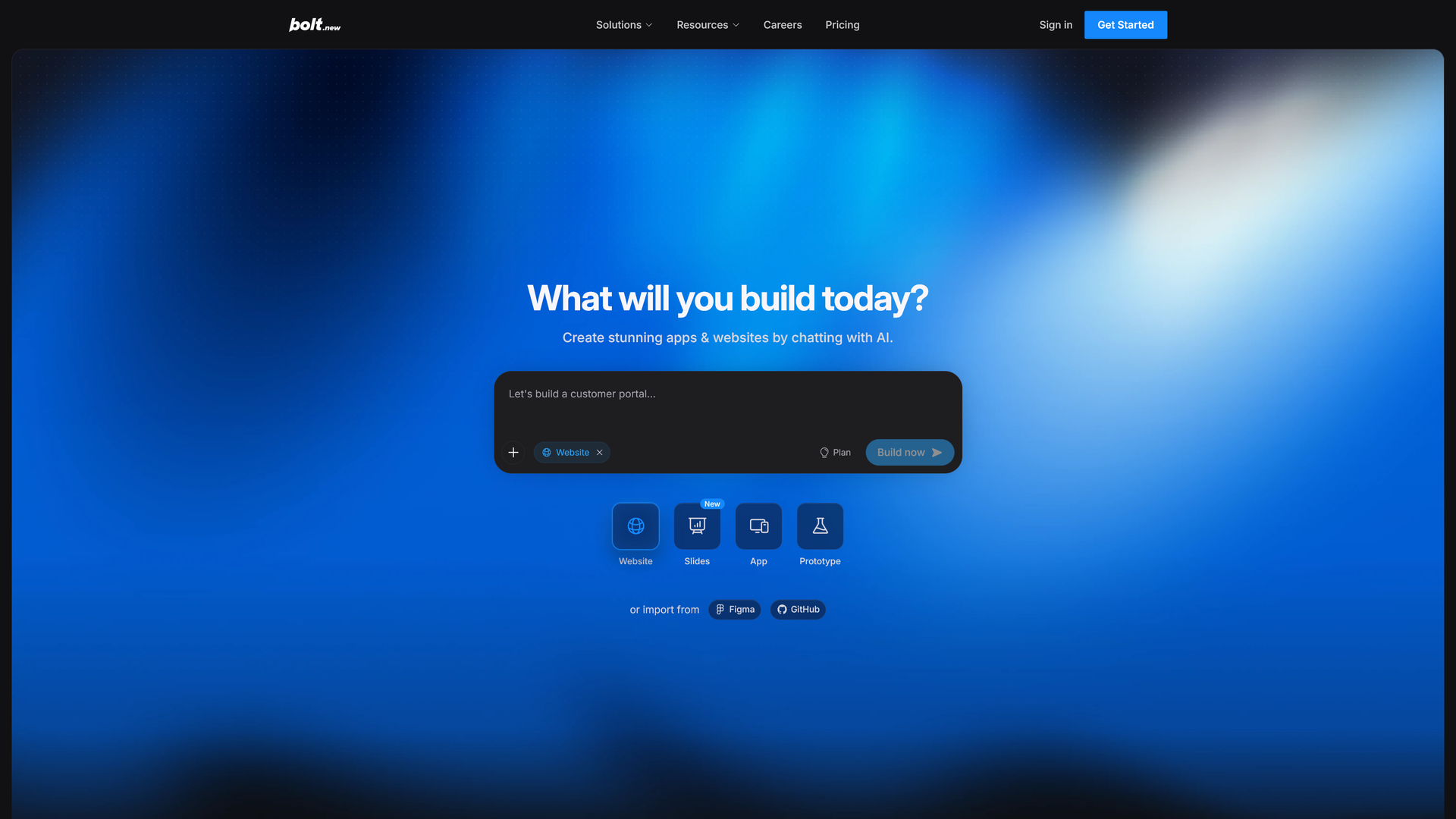
Prompt-based AI app generator on Bolt's landing page

(Image credit: Bolt.new)

Every vibe coding project follows roughly the same arc, regardless of which platform you choose. You'll move from a plain-language brief to a live preview, then layer on the pages, design, and any extras your site needs before you publish.

The steps below outline that workflow at a level that applies across most tools. Swap in the specific platform of your choice at each stage, and expect to spend more time refining than generating.

Step 1: Write your first prompt

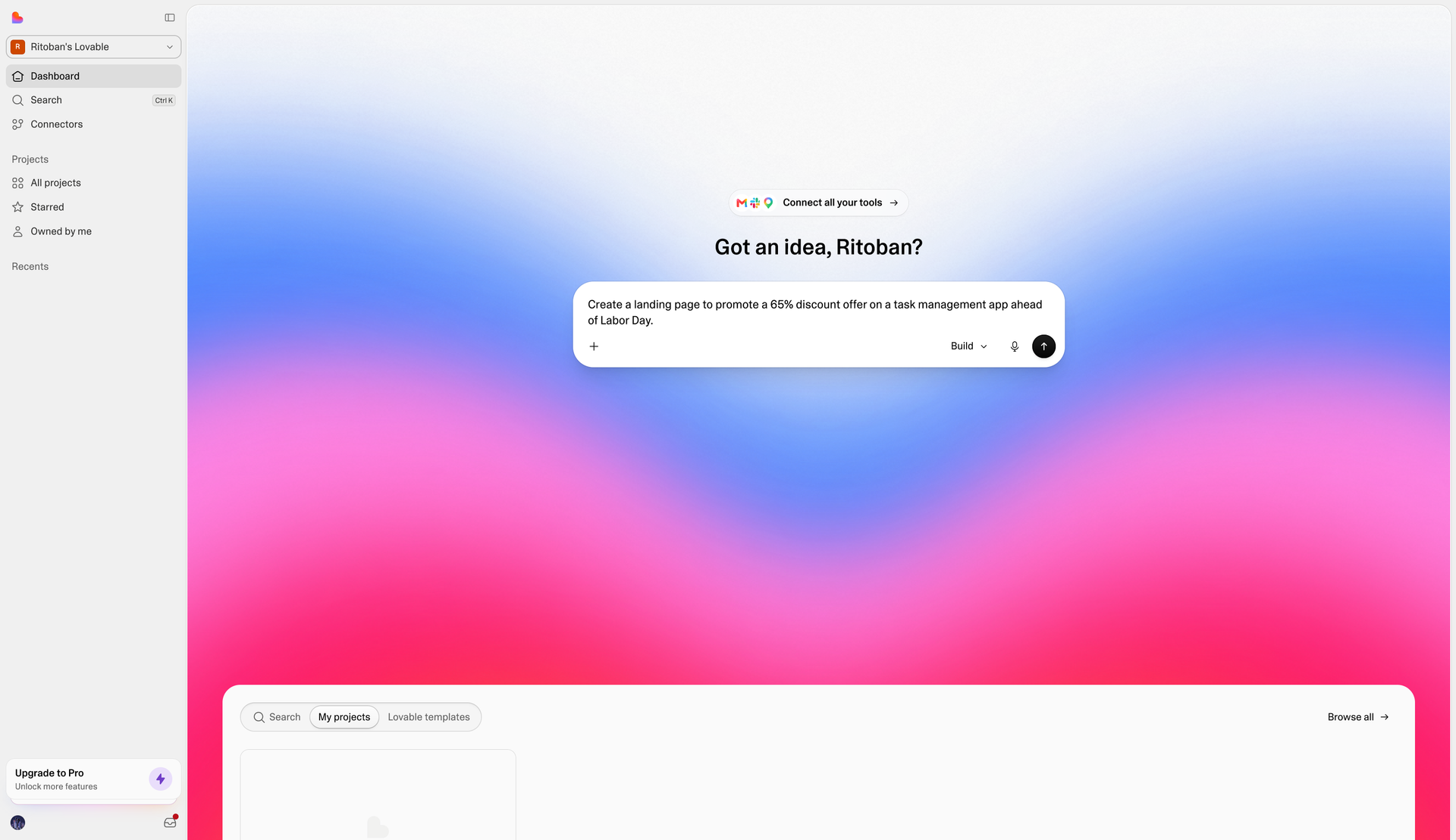
Start with clear and specific instructions, not a single sentence. Describe your site’s purpose, the pages you need (home, about, contact, services), your design aesthetic, and any brand colors or fonts you already use.

The more details you offer upfront, the less back-and-forth you'll need later. Most platforms generate an initial working version, complete with a live preview, within a minute or two of your first prompt.

Writing a prompt for a vibe coding app

(Image credit: Lovable)

Step 2: Review the generated structure

Look at the pages and navigation the AI has created before you touch the design. Check that the site structure matches how you actually want visitors to move through it, since restructuring later is more disruptive than adjusting styling.

If something's missing, like a pricing page or a booking form, ask for it directly in a follow-up prompt rather than trying to work around the gap.

Step 3: Refine the design with follow-up prompts

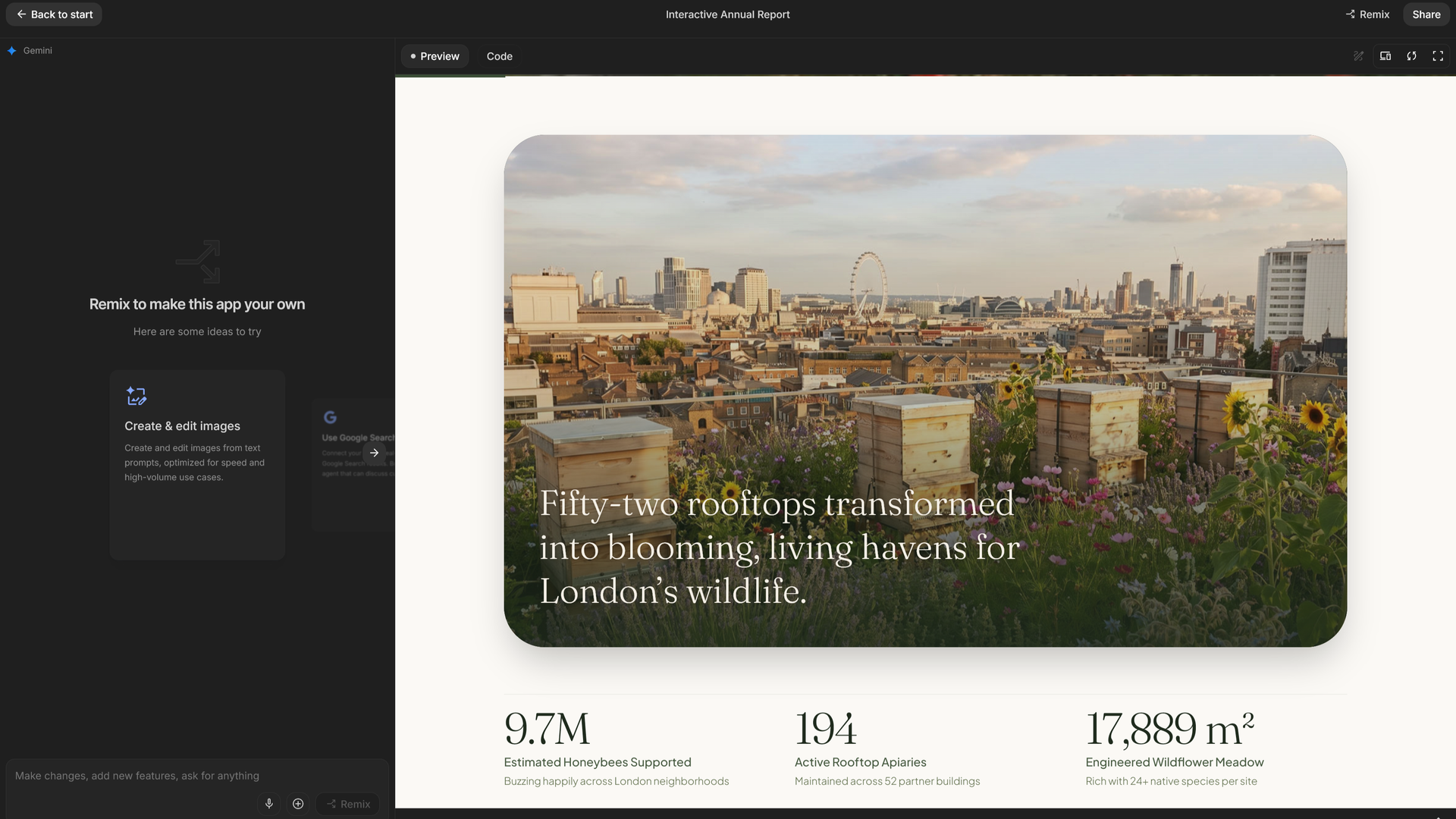
Use targeted prompts to adjust individual elements like colors, spacing, fonts, image placement, or button styles. Many platforms also include a visual editor where you can click an element and edit it directly, which tends to be faster than describing a small tweak in words.

Upload your logo and any brand assets at this stage so the AI can work them into the design instead of generating generic placeholders.

The Remix feature on Google AI Studio in action

(Image credit: Google)

Step 4: Add a CMS if you'll be publishing content regularly

If your site needs a blog, news section, or other content you'll update often, ask the platform to add CMS features or connect a third-party content management system through an API. This gives you an editing interface separate from the code, so future updates don't mean rewriting prompts every time.

Skip this step entirely if your site is just a static handful of pages that rarely change.

Step 5: Add ecommerce features if you're selling anything

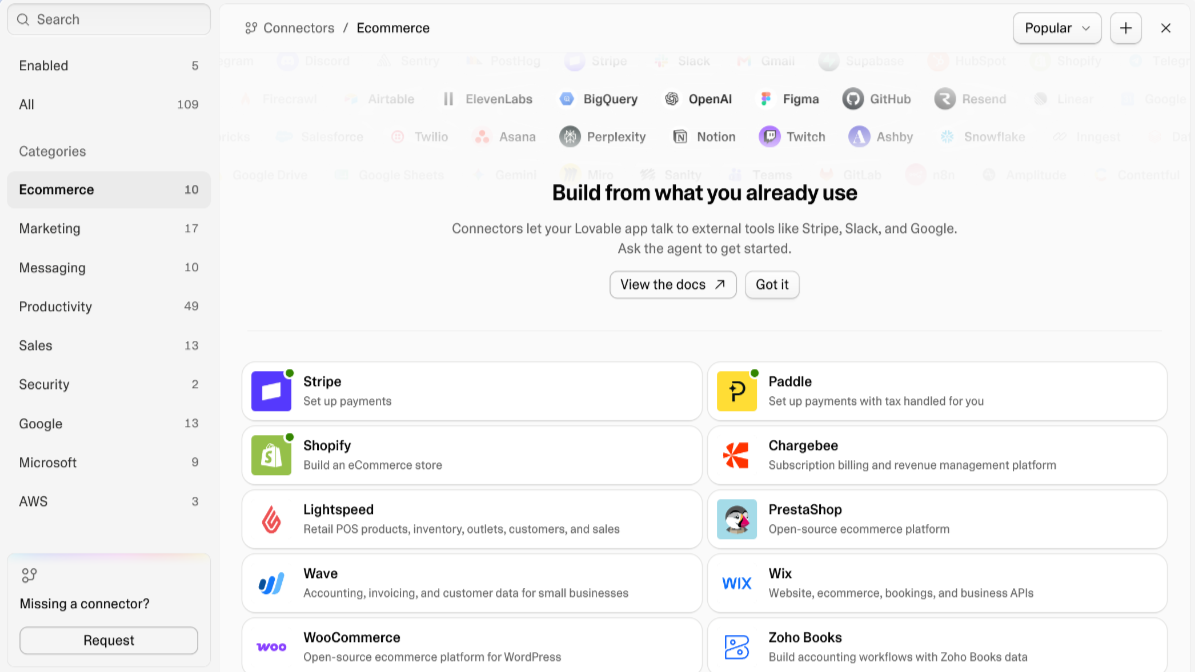
You can build an online store by asking the AI to add product listings, a shopping cart, checkout, and a payment processor through supported integrations. Test the full purchase flow yourself, including failed payments and confirmation emails, before it goes live.

Most full-stack builders support popular payment providers as plug-in integrations rather than requiring you to build checkout logic from scratch.

A display of ecommerce integrations from Lovable's connector marketplace

(Image credit: Lovable.dev)

Step 6: Connect a domain and go live

Once you're happy with the site, connect your custom domain through the platform's settings and confirm SSL is active before publishing. Many all-in-one platforms handle domain registration and SSL certificates automatically, while others expect you to point your DNS records to their hosting.

Do a final pass on every page and link once the domain is live, since some elements can render differently outside the preview environment.

Vibe coding dos and don'ts

Vibe coding tools remove a lot of the technical barriers to building a website, but that speed comes with trade-offs worth knowing about before you publish.

Security researchers have repeatedly found that AI-generated applications ship with vulnerabilities at a higher rate than traditionally coded ones, including exposed credentials and missing authentication on features that should be locked down.

Treat any AI-generated code as a first draft rather than a finished product, especially anything touching customer data, logins, or payments. Review what the platform built, and if you're not confident reading code yourself, have someone who can check it before you collect real customer information. Also keep any sensitive details, like API keys, tokens, or passwords, out of your prompts entirely. Don't paste credentials into a chat window expecting the platform to keep them secure, since prompts and generated code aren't a safe place to store secrets.

Finally, don't assume a polished-looking preview means the site is secure. Researchers have found thousands of publicly deployed AI-built sites with no authentication on pages that should require a login, often because the builder never thought to ask for it. Test your site's forms, accounts, and checkout flow the way an attacker might before you consider it done, and lean on your platform's built-in security scanning if it offers one.

❌