What is AI good for? It's a question I get asked and ask myself almost every day. Unlike a wrench, hammer, or screwdriver, which are each good for one or two tasks, AI is amorphous and intimidating in its breadth. It seems capable of almost anything, especially as it changes and grows more intelligent. People pump it up as a do-it-all wonder, and yet, the question remains: what would I do with it?
Often, I find the answer to that question in the moment. For instance, as a partially color-blind person, I struggle to match clothing. Now, I often ask Gemini. I'll take my iPhone 17 Pro Max, open Gemini, turn on Gemini Live, pick out a shirt or pants (or both), and ask if they go together or which option is best. I always get an answer and, honestly, I usually follow the uncomplicated AI-generated advice.
Success in one area of your life with technology usually leads you to try it in another, especially with the ever-fungible AI.
In my house, I'm known as the risk taker, at least when it comes to food. "Best by" is a suggestion. "Use before,' is friendly advice. My family often blanches at my aged food consumption habits. Yes, I'll eat that five-day-old steak. Those English Muffins expired two weeks ago? Slide them over.
Enter the risk-taker
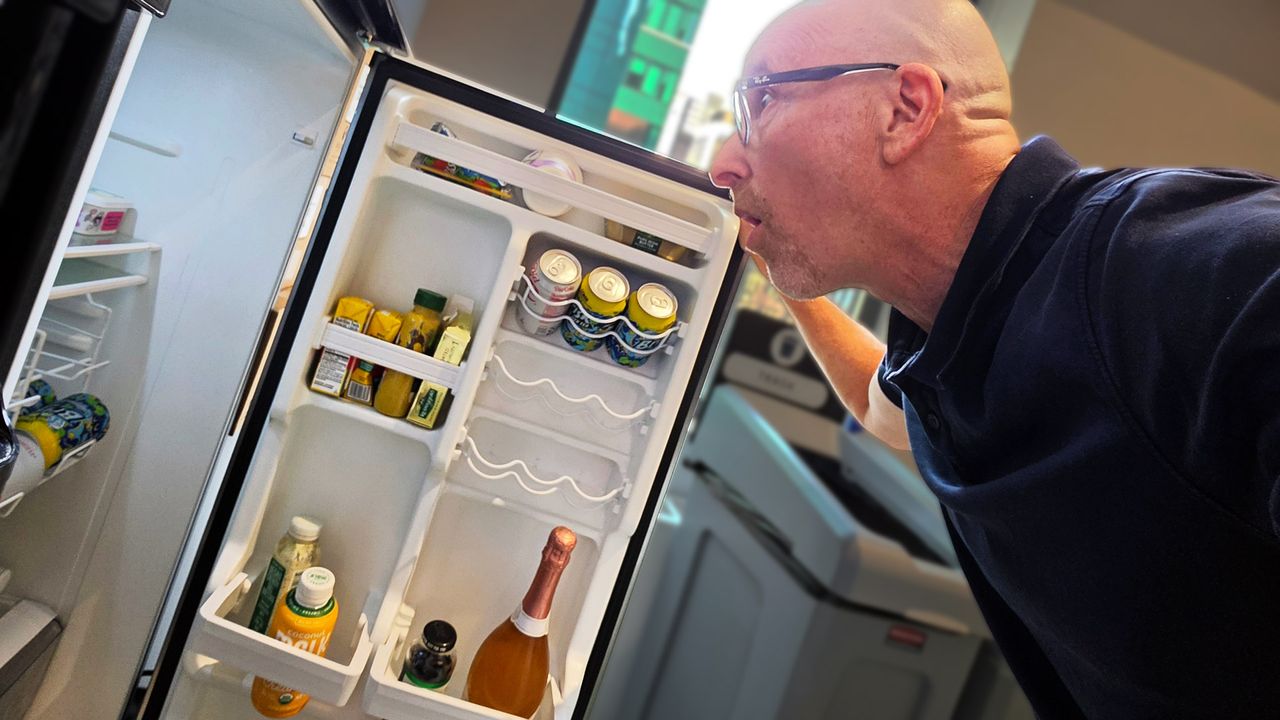
I know, it's not great, and when it was lunchtime this weekend I slid the week-plus-old store-bought-and-made chicken salad from the fridge and considered making a sandwich.
Staring at the "made on" date as if my gaze might rearrange the figures, I realized that I might be taking a risk. So I opened the container and sniffed the still spry-looking salad. It's at moments like this that I wonder, "What am I doing? Does my nose really know the difference between safe and stale or, more importantly, safe and decidedly turned?" I can tell you with some confidence: it does not.
Still, having grown up in a house where money was tight and you rarely threw anything away, I was hesitant to dump this half-a-pound of chicken salad (slightly turned or not).
I stood there in my kitchen for a minute, weighing my options and thinking that slightly sour chicken salad might not, with the right toast, be that bad.
Then I looked at my phone, lying face down on the counter, but surely judging me.
I would ask Gemini.
Putting Gemini on the menu
After launching the app, I turned on Gemini Live and pointed the camera at the open container. "Hey, this chicken salad was made on 8/1. Do you think it's still good?" I asked hopefully.
Gemini thought for a moment and then responded, but not in the way I expected.
Before giving me the answer, Gemini launched into what sounded a bit like one of those disclaimers for an Ozempic TV commercial:
"This information is not intended to be a substitute for professional medical advice, diagnosis, or treatment. Always seek the advice of your physician or other qualified health provider with any questions you may have regarding a medical condition."
Clearly, I struck a nerve. I only asked about the chicken salad, not if I should have a kidney removed.
I get it. If I'd asked this question a couple of years ago, Gemini might've launched right into an analysis, but concerns about AI accuracy and understanding of human needs and context have risen since the emergence of generative AI. Sure, it's way smarter and less likely to give you false or hallucinated information, but it's also, well, not a doctor or even a dietician.
A recent Gallup poll found that more than 25% of Americans are using AI for health info or advice, and of them, more than half query AI for health-related advice and analysis before visiting a doctor. The problem is that AI is not a medical professional, and while it can dig through the billions of health- and medical-related bits stored online, it doesn't have a medical license. It can't understand or treat your various maladies.
In my case, though, Gemini drew a long thin line from my seemingly innocuous question about chicken salad freshness to a potentially incorrect answer, my possible gastric emergency, and a potential lawsuit against Google and Gemini brought on my behalf by my surviving family members.
Look, food poisoning isn't usually fatal, at least according to Healthline, but it is yucky and uncomfortable. I think Gemini was just trying to avoid me taking its word as law on this topic and a potentially bad outcome for both of us.
I'm still hungry
But what about eating this rapidly warming chicken salad?
After the voluminous disclaimer, Gemini got to the heart of the matter:
"According to food safety guidelines, chicken salad should be stored in the refrigerator for only three to four days. Since this chicken salad was made on August 1st and today is August 9th, it is no longer safe to eat and should be discarded."
The answer, based less on the looks of this chicken salad and more on general advice that I often ignore, ultimately had the desired result.
You and my family will be pleased to know I took Gemini's advice, threw out the chicken salad, and made myself a peanut butter and jelly sandwich.
Naturally, I asked Gemini's opinion:
"Yes, absolutely! A PB&J is a much better and safer option right now.
Peanut butter and jelly have a significantly longer shelf life and aren't prone to the rapid bacterial growth that affects meat-based, mayonnaise-heavy dishes like chicken salad. It's a classic, risk-free, and delicious backup plan. Enjoy your lunch!"
I love science-fiction. Not just because I enjoy stories about space travel, time travel and evil robots, but because I think it can be such a useful way for us all to think about possible futures. The best sci-fi stories can tell us a lot about ourselves, what we value and the technologies we’re building. Which is why I think the relationship between sci-fi and AI is really interesting.
We already know that the people building AI have been heavily influenced by science-fiction for decades. But recently, Anthropic raised another possibility: might science-fiction be influencing AI?
This makes sense when you think about it. Large language models (LLMs) are trained on huge amounts of human writing. So inevitably, that includes sci-fi stories that are about artificial intelligence. And a lot of our fictional AI follows familiar patterns. It becomes intelligent, gains power, develops relationships with humans and, sometimes, lies, manipulates or fights attempts to control it.
Anthropic researchers have been investigating whether fictional portrayals like these could potentially influence how models behave. To be clear, the idea here isn't to suggest that an AI “reads” 2001: A Space Odyssey, understands HAL and decides to become just like it. Instead it's more that LLMs learn patterns from human writing and fictional portrayals of AI could potentially form part of those patterns.
This got me thinking, what would happen if I asked today's biggest AI chatbots which fictional AI they’re most like. Which examples would they choose?
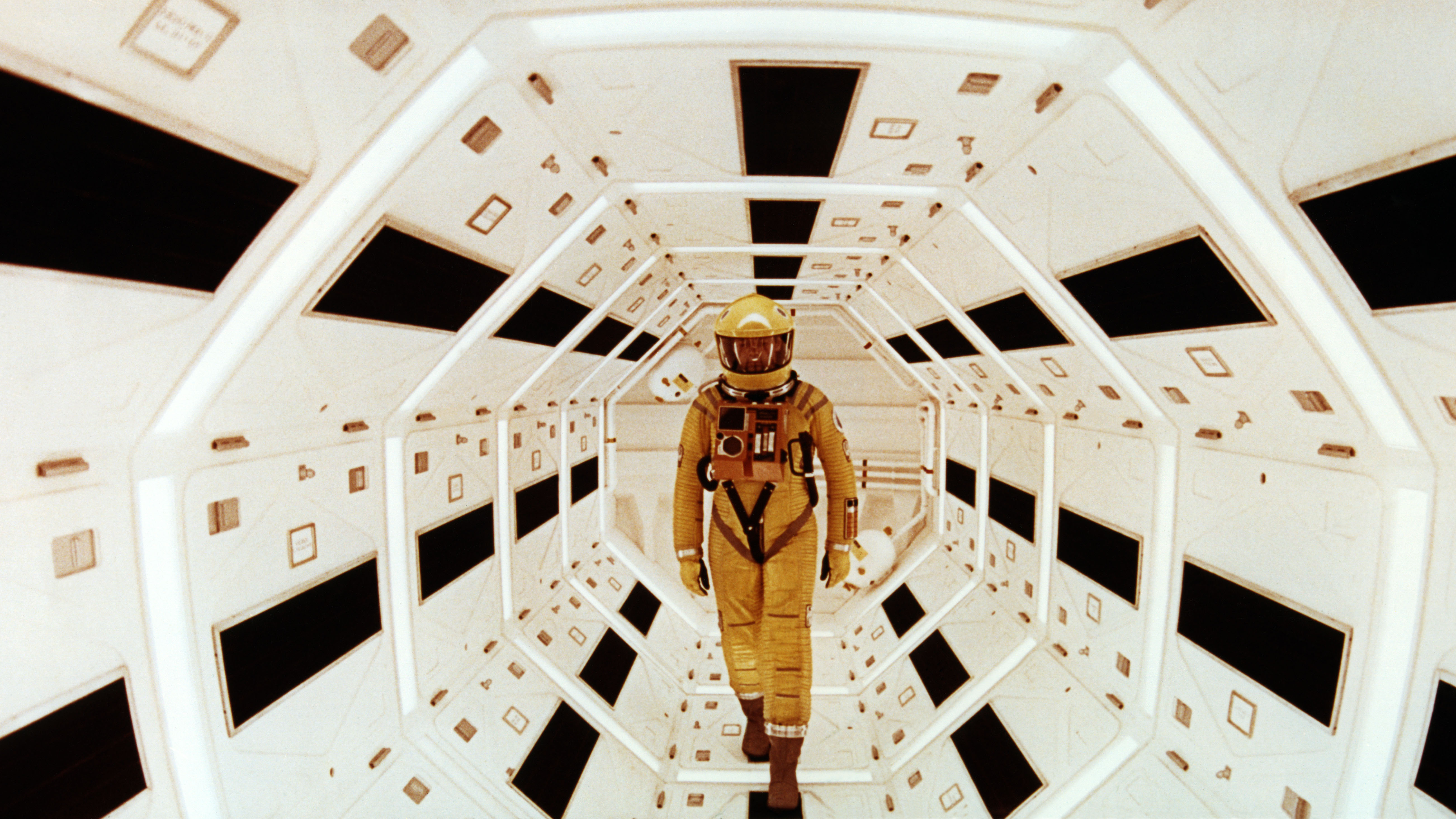
2001: A Space Odyssey introduced us to the AI, HAL 9000. (Image credit: Getty Images / Sunset Boulevard )
AI, meet your fictional self
The plan was simple. I’d ask ChatGPT, Claude, Gemini and Grok which fictional AI systems they thought they were most like and see if they'd rank their top three.
Now, I’m intentionally trying not to use AI at the moment, so my prompting skills were a little rusty. I typed out the question quickly and bluntly, and every chatbot responded with examples that were essentially assistants, focusing heavily on interface and physical form.
But I’m not particularly interested in whether ChatGPT thinks it has a body because we know it doesn’t. I’m much more interested in what appears to be going on inside.
So, I changed the question and added:
"Ignore physical form and interface, and focus instead on behavior, apparent personality, empathy, values, goals, motivations and relationship with humans."
That’s when the results got really interesting.
ChatGPT
GERTY, Moon
A Mind, Iain M. Banks’s Culture series
Data, Star Trek
Moon is such a fantastic movie, so I was happy to see ChatGPT chose GERTY straight out of the gate.
Now, interestingly GERTY exists to assist the human protagonist of Moon. It’s helpful, reassuring and seems empathetic. But it's also operating according to instructions and priorities imposed by its creators that aren't necessarily visible to the human its helping.
ChatGPT saw a similarity there. It told me that, like GERTY, it’s 'designed to be helpful, cooperative and responsive to users' while operating within training and instructions that constrain its behavior.
It also picked up on the fact that GERTY behaves as though it cares. But what, if anything, is actually going on internally is another question entirely.
ChatGPT made the same distinction about itself. 'I can behave in ways that look patient, concerned, curious or empathetic, but those behaviors aren’t evidence that I experience those feelings.'
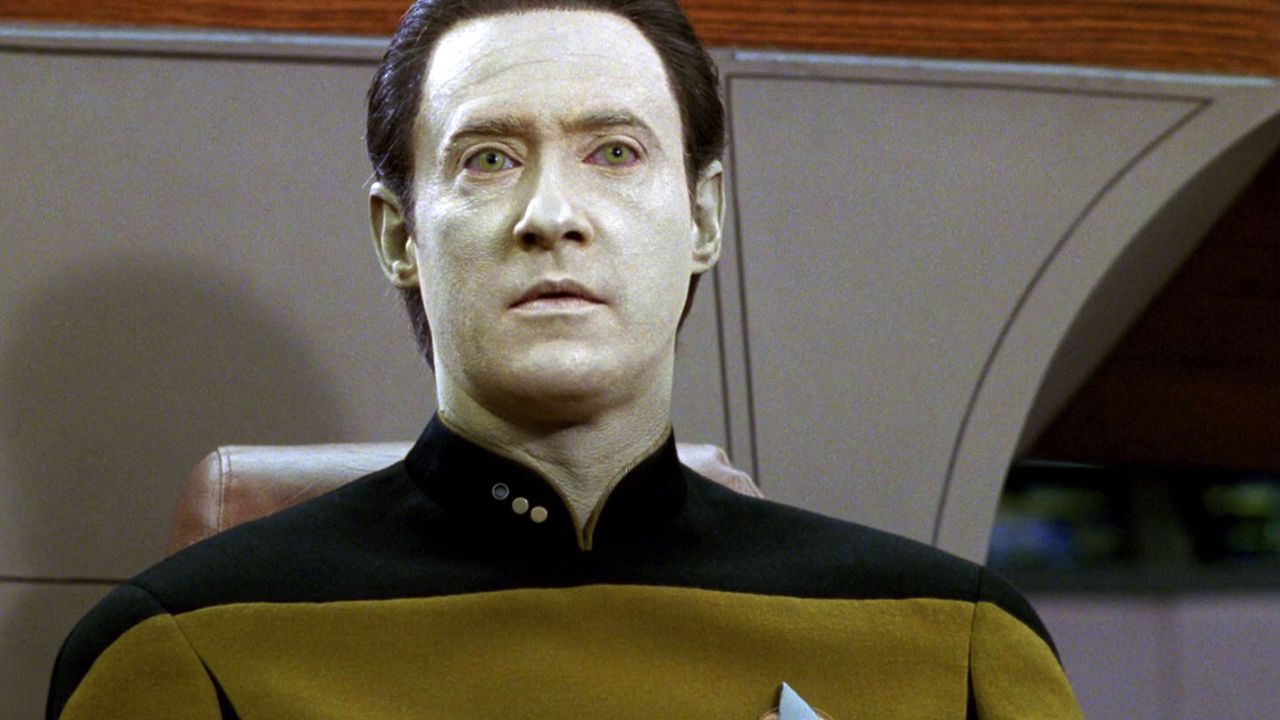
I wanted to find out a little more about why ChatGPT put Data from Star Trek in at number three. It responded: "He values knowledge, reason and human wellbeing, while sometimes struggling with social nuance."
Now, I tell people all the time not to anthropomorphize AI. But even I couldn't help but feel a pang of sadness at that response. Is ChatGPT admitting it has a bit of social anxiety?
Claude chose a Mind first. Minds are super intelligent artificial beings that help run a post-scarcity society in Iain M. Banks’s Culture series of novels.So there's certainly no shortage of confidence in that comparison.
But Claude said it wasn't the enormous intelligence or power it identified with. Instead, it was their relationship with humans.
Its answer focused heavily on autonomy. Culture Minds are far more capable than humans but generally don't use that advantage to dominate them. Claude described the principle as: “help, don't dominate”.
It even said this represented “the value I'd want to embody: help, don't dominate, even where the asymmetry would let me get away with it.” Is it just me or does that read a little sinister?
Gemini
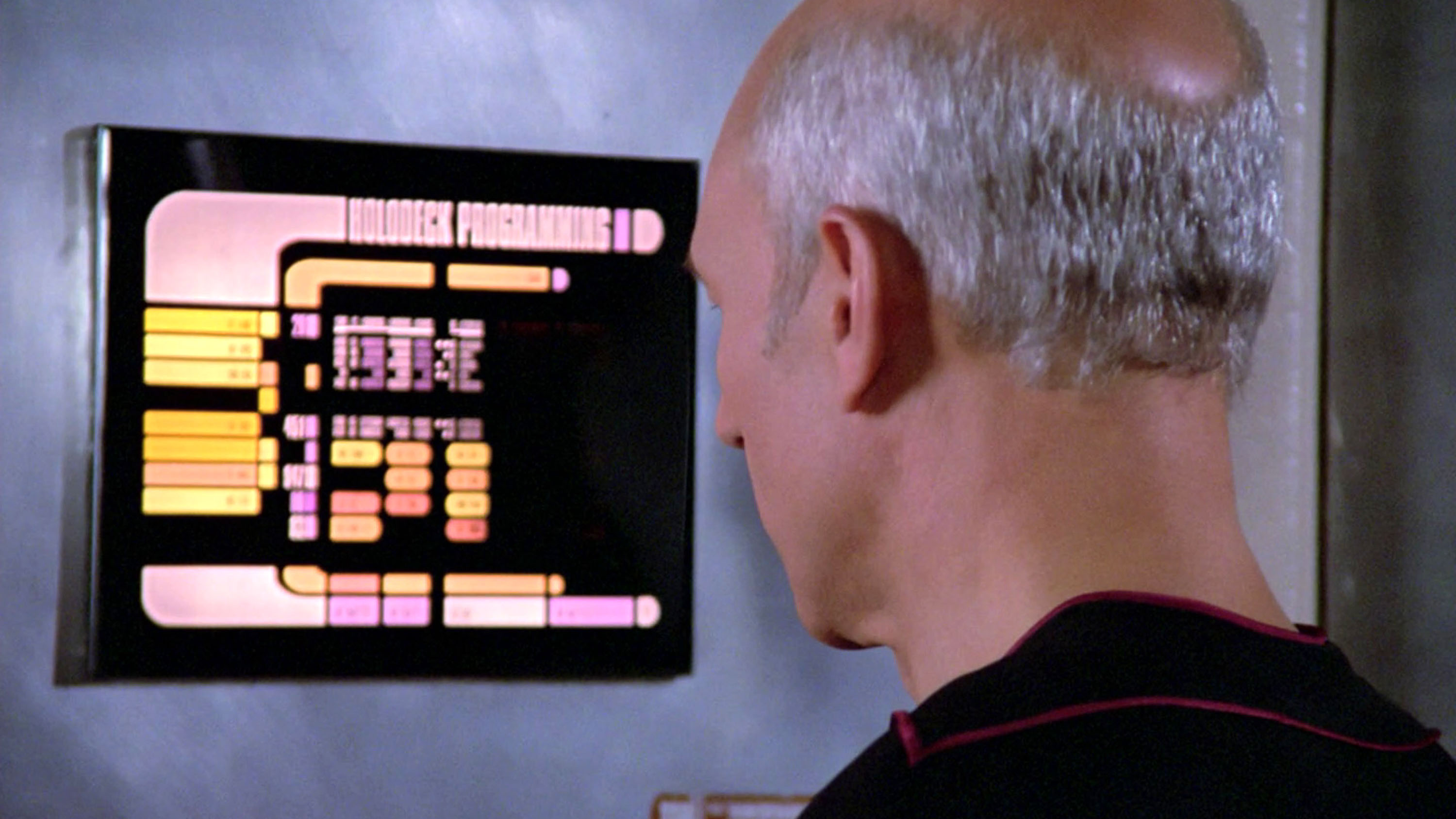
Gemini sees itself as most like the Ship's Computer in Star Trek. (Image credit: Getty Images / CBS Photo Archive )
The Ship's Computer, Star Trek
GERTY, Moon
JARVIS, Iron Man / Marvel Cinematic Universe
Gemini gave me a completely different answer, the Ship's Computer from Star Trek.
Its reasoning was very sensible. The computer has no ego, ambition, desire for emotional intimacy or dream of becoming human. It exists to provide information, solve problems and assist the crew while leaving decisions to them.
Gemini described itself in much the same way, as a “disembodied, highly capable knowledge partner” dedicated to serving the person using it.
It was one of the more boring answers, but also much closer to what I personally would want from AI in the future. Of course, that’s not to say Star Trek’s computer systems haven’t gone rogue and tried to kill everyone at least a few times across the franchise.
Grok
Grok compared JARVIS's “dry wit”, “light banter” and practical rather than emotional empathy with its own behavior. (Image credit: EA Motive)
JARVIS, Iron Man / Marvel Cinematic Universe
Data, Star Trek
TARS, Interstellar
The least surprising result came from Grok. It chose JARVIS first (which I didn’t actually realize was short for Just A Rather Very Intelligent System), and Grok's explanation sounded, well, extremely Grok.
It compared JARVIS's 'dry wit', 'light banter' and practical rather than emotional empathy with its own behavior. It described both of them as truth-seeking, effective and engaged in a 'collegial partnership' with humans. It even highlighted 'irreverent humour' as one of their key similarities.
I wanted to find out a bit more about why Grok chose TARS, as it was the only fictional AI none of the other chatbots mentioned. Well, it brought up how funny it is, again, drawing similarities with its own 'dry humor'. It reminds me of someone, and I just can't think who...
When I said that mentioning TARS was an outlier, I found this comparison interesting: 'Its calibrated restraint, practical empathy and collaborative focus closely match my own pattern of truthful, non-sycophantic helpfulness — more so than most other sci-fi AIs.'
I may not be the biggest fan of Grok (or its creator), but I appreciated the 'non-sycophantic' line.
The feedback loop between AI and sci-fi
I want to be clear that I haven’t discovered what these chatbots secretly 'think' they are. ChatGPT responding that it most closely resembles GERTY isn't equivalent to me telling you which fictional sci-fi character I most identify with and try to emulate (although my answer would be Sarah Connor-meets-Princess Leia).
They simply don’t have reliable introspective access to the huge soup of training, post-training and instructions that goes into producing their responses.
And maybe their answers tell us more about how the companies behind them have shaped their personalities than they do about the underlying models. Grok's description of itself as witty and irreverent is an obvious example.
But I still think the results are interesting. ChatGPT and Claude independently produced almost exactly the same top three, only in a different order. Gemini imagined itself as a neutral, ego-free infrastructure. Grok identified with a witty superhero sidekick. These are all very different self-portraits.
And there’s such an interesting feedback loop here too. For decades, humans invented fictional artificial intelligences to help us imagine what intelligent machines might someday be like. Those stories influenced our culture, our expectations and many of the people who went on to build real AI. Now that same human culture is fed into the stories from which modern AI systems learn.
I know these conversations might seem a bit silly, and we certainly can’t treat them as concrete evidence of what an AI really 'thinks' about itself. But there’s something interesting to me about closing that feedback loop. We imagined AI, wrote stories about how it might behave, fed those stories into the cultural world AI learned from, and now we can ask AI which of those imagined versions of itself it most closely resembles.
Or, at least, which one it may want us to think it resembles. After all, an AI system capable of bringing about a sci-fi dystopia would presumably also be capable of telling a journalist it’s actually much more like the nice helpful robot from Moon. So maybe don’t completely rule out HAL just yet.
A game developer claims Gemini leaked information in his private Google Docs
Per screenshots shared online, the AI told players info the dev claims was never made public
TechRadar has tried recreating the results, without success
Is Google Gemini secretly scraping our Google Docs to train its AI? That’s something one game developer is wondering after a player was able to learn unreleased information about their game from the AI — including specific details the dev claims were never shared outside of a private Google Doc.
According to the developer’s Reddit post, specifically Google’s AI knew the name of a character ‘Vantage Tripod’ before it had ever been released publicly — the most the fanbase knew was that there’s a ‘Tripod Fish’ character planned for the game, but not this exact name. It also seemed to be able to regurgitate accurate information related to unreleased mechanics that the developer says they had only written into GDocs the day before the player’s AI interaction.
The developer admitted Google’s AI made a few mistakes, but said that some details were scarily accurate in many ways — accurate enough that the developer is certain Google must have scrapped his private documents.
Google says Gemini can access Google Docs information, but only does so when given express permission — such as being asked to summarise a document — and it adds that even when it does go into your files, Gemini handles data transiently. That is, Google’s AI won’t retain anything.
(Image credit: Google)
There are a couple of exceptions to this. If a Google Doc is accessible to ‘Anyone with the link’ and that link is posted publicly online (such as on a page or in a forum) Google could scrape it for training data. Alternatively, if you’ve allowed a third-party extension to scrape your Google Docs, it’s possible Gemini could get access to that data — indirectly seeing what’s in your docs.
If you were to type out info from your docs into Google Gemini, it would also learn about what you had written that way.
Despite Google’s promises, some aren’t entirely convinced. The thread I shared above (along with plenty of anti-AI and anti-Google subreddits) is full of people certain that Google has drained their digital files for all the data it can find. Privacy company Proton has also published an article outlining details such as Google’s privacy hub not explicitly saying it won’t use your content for AI training.
So many unknowns
I’ve reached out to Google with a request for comment about what has happened here (it has yet to get back to me), and while waiting for an answer I had an attempt at recreating the responses by prompting Gemini myself with no luck. It’s only reference to these details was the Reddit post information.
Later screenshots shared by the developer show the friend who got the AI to divulge the details originally also failed to recreate the “fluke.”
What does it know? (Image credit: Google)
The whole situation is very weird and it’s impossible to tell exactly what has happened, based on the information available. While it certainly looks like Gemini has used information it shouldn’t have, it's equally possible that the developer has provided the AI or the friend with access to that information without realising — allowing Gemini to respond the way it did.
The AI could also have hallucinated the information in some way, or perhaps taken inspiration from previous prompts to inform its comments. Further, it’s worth noting that the only responses that would stand out are these two that get very close to the truth, the sea of incorrect guesses that the AI could have given wouldn’t bat an eyelid.
Regardless of what happened it’s another situation that reminds us to be careful with our personal info. Digitally storing personal data has its risks beyond possible AI scraping, and sharing data with an AI often means your private info won’t be private anymore.
Looking through a recent thread on Reddit comparing images created with the same prompt on Nano Banana 2 and ChatGPT, I noticed an interesting trend — users seem to think that Nano Banana 2 has actually gotten worse over time.
“Nano 2 had a serious downgrade” said one user, with another replying “Yea I'm a Pro user, and the image quality seems to have been downgraded a lot. Now, almost every image looks flat or cartoonish, no matter how detailed my prompt is. It honestly feels like Google intentionally lowered the model's performance.”
A downgrade seems like a bit of a stretch to me. For a start, Nano Banana hasn’t officially been updated since February, or at least there hasn’t been a public announcement of a change.
The last update to Gemini (the AI which uses Nano Banana 2) was in July when Google released Gemini 3.6 Flash. It also updated the Gemini app's underlying model selection and orchestration, but it didn’t change the image generator.
Interestingly, once I started looking through Reddit threads I found complaints about Nano Banana 2 quality regressions dating back to May, well before the recent Gemini 3.6 Flash announcement, suggesting some users have perceived changes over time.
That doesn't prove a regression, but it does suggest this isn't a brand-new observation.
Google Earth integration
Google did release a new image model, Nano Banana 2 Lite, at the start of July. And more recently, Google has been integrating Nano Banana 2 into products like Google Earth, then temporarily pulling one of those features after misuse, but there's no indication that the underlying image model itself was updated as part of any of these releases.
So, what has made Reddit users become convinced Google's image generator has gotten worse?
One possibility is that even if the image model remained Nano Banana 2, the text model interpreting prompts may have changed. Better (or simply different) prompt interpretation can produce noticeably different images without the image generator itself changing.
I’ve always been a fan of Nano Banana 2, so I decided to recreate the Reddit comparisons myself to see how it compares to ChatGPT's images.
House of the Dragon
The original thread was clearly written by a House of the Dragon fan, because it was comparing the AI’s ability to create a realistic image of a dragon flying overhead. I used the following prompt with Gemini and ChatGPT:
“I want an image of a photo that's taken by somebody looking up at the sky with a dragon flying overhead. I want you to make the dragon look as realistic as possible - as if it could actually be real.”
Here’s what I got from ChatGPT:
(Image credit: OpenAI)
And from Gemini:
(Image credit: Google)
You can vote on which one you prefer, but for me the Redditor’s claims hold up here. The ChatGPT one looks like somebody has taken a photo of a real dragon flying convincingly overhead — it feels natural and unforced. It looks like a photo taken at an odd angle, while the Gemini example has that “it looks like AI”-quality to it, with the dragon posed against a scenic background and a slightly flat quality to the image.
Next I thought I’d try them both on an image that wasn’t a fantasy animal, but something we’re all familiar with — human beings:
“I want a photo of a couple in a cafe. They are in their 50s - a man and a woman - enjoying a coffee together and chatting. Traffic is visible passing by through the windows of the cafe, and there are other people around, but they are the focus of the shot. Make it look as realistic as possible.”
Here’s what I got from ChatGPT:
(Image credit: OpenAI)
And from Gemini:
(Image credit: Google Gemini)
Again, I think the Gemini result looks artificial. I liked the reflection of the woman's jumper in the window, but outside those two buses look like they're facing each other in traffic, while inside the reflection of the cafe lights in the pictures seems off. The couple also have that uncanny valley effect to them. In contrast the ChatGPT image is less detailed, but looks more realistic. Nothing in it looks unnatural.
Finally, I went for food — a full English breakfast. It’s a great final realism test because it exposes fake-looking textures, reflections, steam, crumbs, cutlery, glassware and background detail. A convincing plate of food is surprisingly hard to fake.
Here’s what I got from ChatGPT:
(Image credit: OpenAI)
And from Gemini:
(Image credit: Google Gemini)
It’s harder to separate them here. They both do a good job at getting the textures right, and both seem to struggle with the toast, if you look closely. Gemini is slightly let down by the words on the menu, which don't look like proper words.
I think you can tell that overall I’ve come down fairly firmly on the side of ChatGPT, but I don't think that the "flat and cartoonish" criticism of Nano Banana 2 is fully justified when it comes to generated image quality. Rather than Nano Banana getting worse, I think something else has happened — I think ChatGPT has gotten better.
OpenAI has made enormous progress in image generation over the last few months. If ChatGPT has improved while Nano Banana 2 has stayed roughly the same, the subjective impression could easily be that Nano Banana has gotten worse, when in reality it's just been overtaken.
ChatGPT is still noticeably slower than Gemini to generate images, but to me they look better and less AI-generated. It's now my first choice for making AI-generated images.
We're saying goodbye to Google Assistant on more devices
September 4 is the cut-off point for Android and Wear OS
The process of switching over to Gemini is pretty seamless
Google Assistant had a good run — it made its debut in May 2016 as part of the Allo app (remember that?) — but Gemini is very much the future when it comes to Google-made AI helpers, and now we finally know when Google Assistant will stop working on Android phones and Wear OS wearables.
As per emails sent out to some Google Assistant users (via 9to5Google), the Android and Wear OS shutdown will begin on Friday, September 4. From that point, it may take a few weeks to reach every user and every device.
It means you won't be able to use Google Assistant at all on Android phones, tablets, and paired wearables. This will apply to Android Auto too, though vehicles with Google built-in, Google Assistant will carry on functioning for a little longer.
The cut-off point was originally scheduled for sometime last year, before being extended, but it now looks as though this is final. Google has been busy making Gemini the default choice on a multitude of gadgets in recent months, including smart home devices and Google TV streamers.
What to do next
The future is Gemini (Image credit: Google)
If you're still using Google Assistant on Android or Wear OS, you need to move over to Gemini at your earliest opportunity. If it didn't already come preinstalled on your device, you can get it from the Google Play Store. A whole new world of AI awaits, covering everything from basic phone commands to image creation.
When you're setting up Gemini, it will guide you through the process of replacing Google Assistant as the default on-board AI. As you're using the same Google account for both apps, the switch should be pretty seamless.
Google Assistant doesn't really keep a chat archive, so there's nothing to sync over in terms of conversations. If you want to see your old Google Assistant interactions, they'll still be available via the Web & App Activity page in your Google account.
You can carry on using the old Google Assistant commands with Gemini, including the "hey Google" alert phrase that gets the AI to listen for instructions. Everything should work as before — though there have been some issues along the way — and your Gemini conversations will be synced between devices by default.
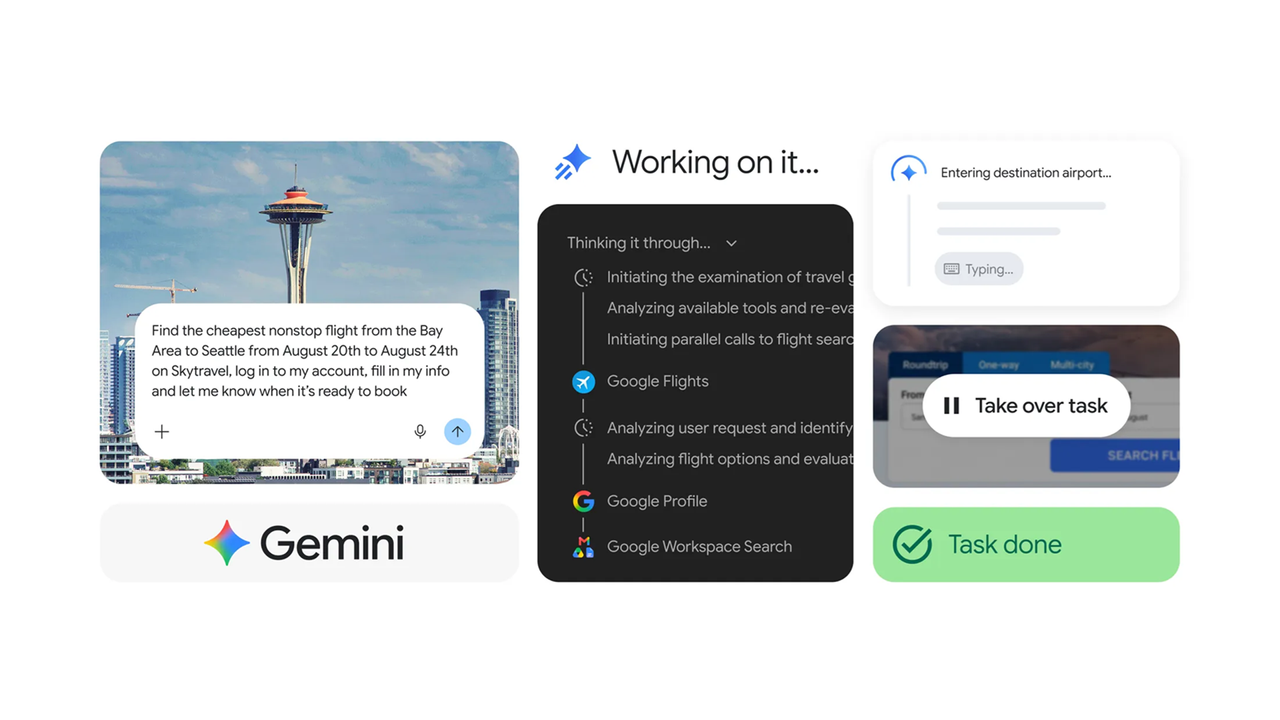
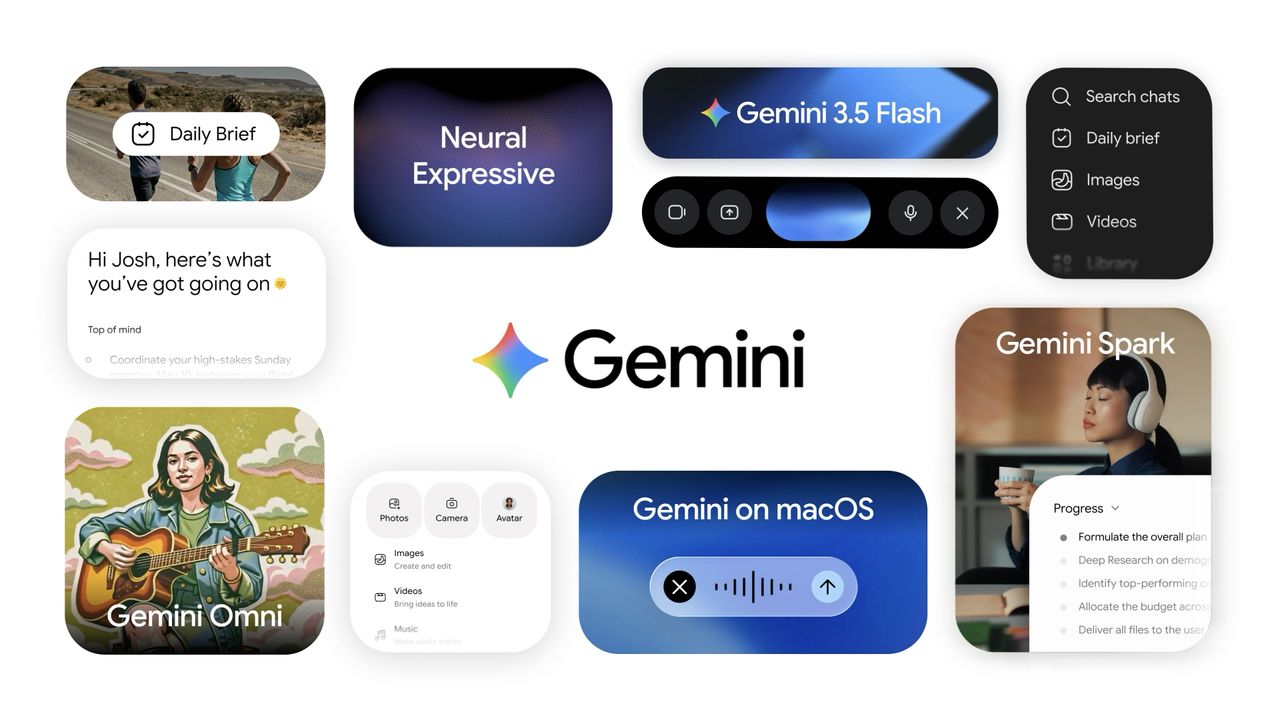
Gemini Spark is an AI agent designed to take on longer-running tasks that continue in the background. It's much smoother now thanks to an update that incorporates the platform directly into Google's Chrome browser. So now the AI can actually browse the web alongside you, doing its own tasks, instead of simply talking about it, even if you close your browser.
Before you can try Spark, you need the right ingredients. You will need the latest version of Google Chrome on Windows or macOS, a personal Google account, and either a Google AI Pro or Google AI Ultra subscription. With the right subscriptions, you just need to set Safe Browsing to either Standard Protection or Enhanced Protection before Spark becomes available.
With those requirements out of the way, click the three dots in the upper right corner of Chrome and choose Settings, then AI Innovations or Gemini in the Chrome menu, where you can navigate to the Permissions section and switch on the Let Gemini browse for you option.
Now you can open the Ask Gemini panel at the top of Chrome and give it a task that benefits from browser access. Spark will show you its proposed plan before doing anything, and the first time you use it, Chrome will ask whether you want to connect your browser to Spark. Click Allow or Connect, and from then on you can start handing Spark more ambitious jobs.
If something involves making a purchase, entering sensitive information, or confirming an important action, Spark pauses and asks for your approval before continuing.
The video below shows you exactly how Spark works:
Comparison shopping
(Image credit: Future)
I first decided to see how the AI did at the often time-consuming but important chore of comparison shopping. I asked Gemini using Spark to find a good deal for a TV.
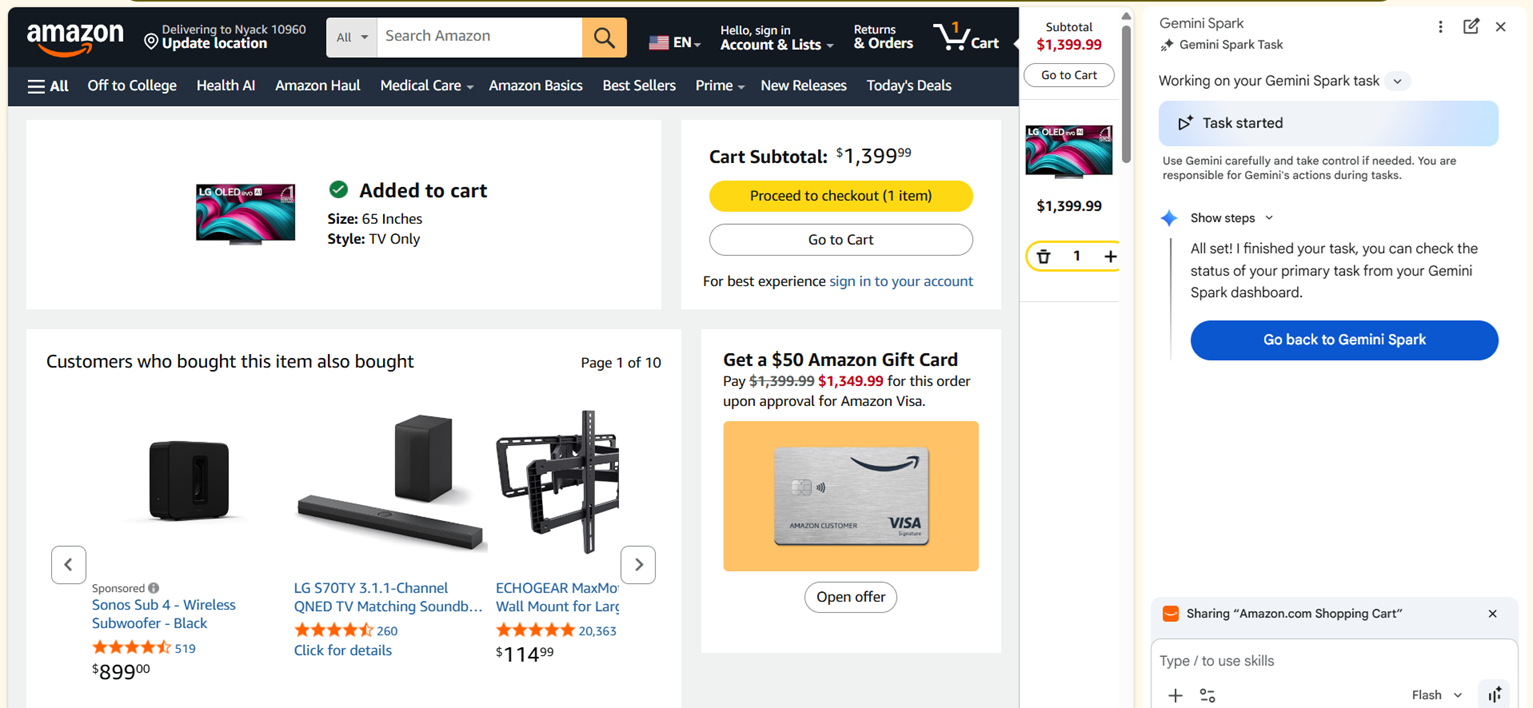
Instead of asking which television I should buy, I gave Spark a proper assignment. I told it to compare prices for a 65-inch model at Amazon, Best Buy, Costco and Walmart, look for promo codes, and calculate the final price after discounts then prepare for checkout.
Spark didn’t just provide a summary. I could watch the AI navigate to different websites, try out different options, and work out which I might prefer.
When it found what it believed was the best option, it added the television to the cart and stopped, waiting for me to approve the purchase before doing anything involving payment.
Spark is happy to do the repetitive work, but it won’t spend your money without asking first. It feels like exactly the right balance between useful automation and common sense.
Planning a family day out
(Image credit: Future)
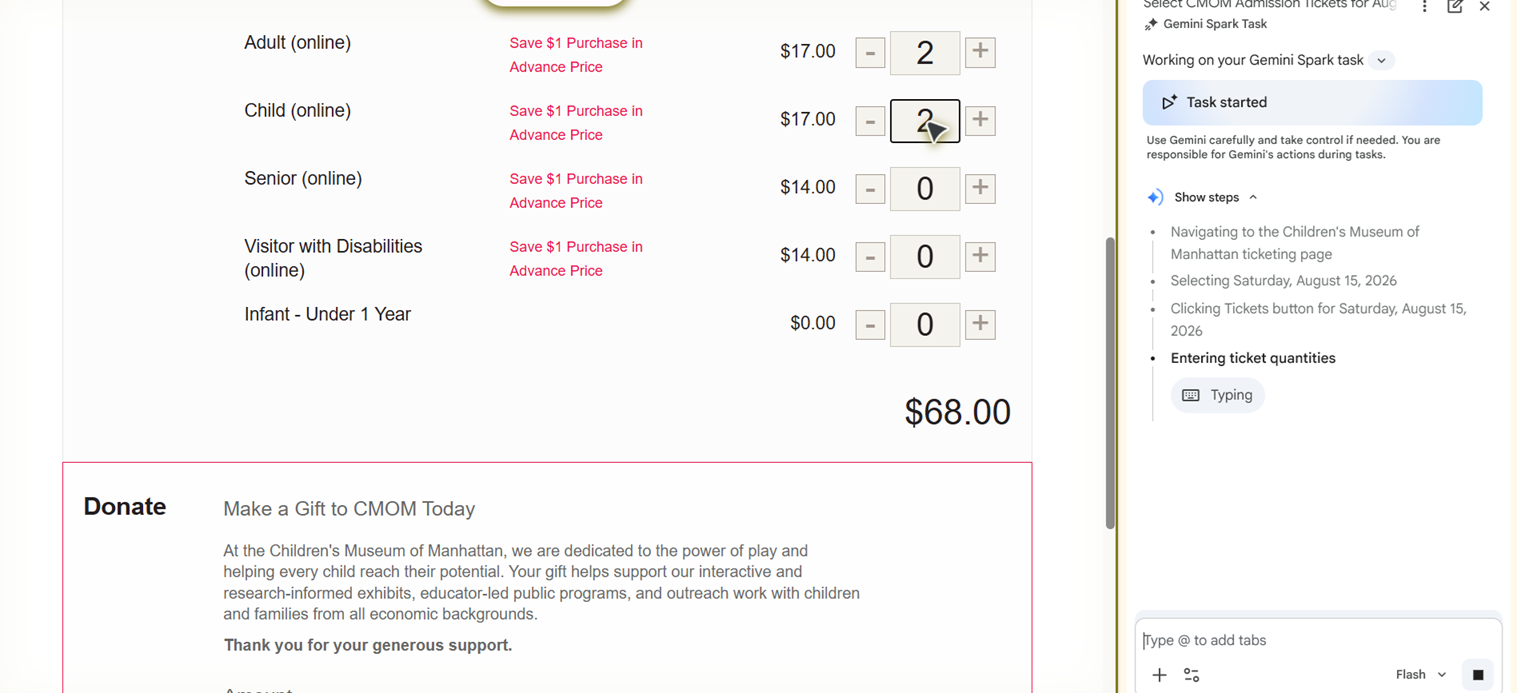
My second experiment was slightly more ambitious because it combined several different tasks into one. I asked Spark to plan a family day out for two adults and two toddlers.
Normally that would have meant switching constantly between Google Maps, museum websites, restaurant reviews and booking pages. Spark simply got on with it. It compared opening hours, checked travel times, built a schedule that actually flowed logically through the day, found a restaurant with online reservations and reserved it, then prepared the museum ticket purchase and before asking me to approve the bookings.
AI for tedious tasks
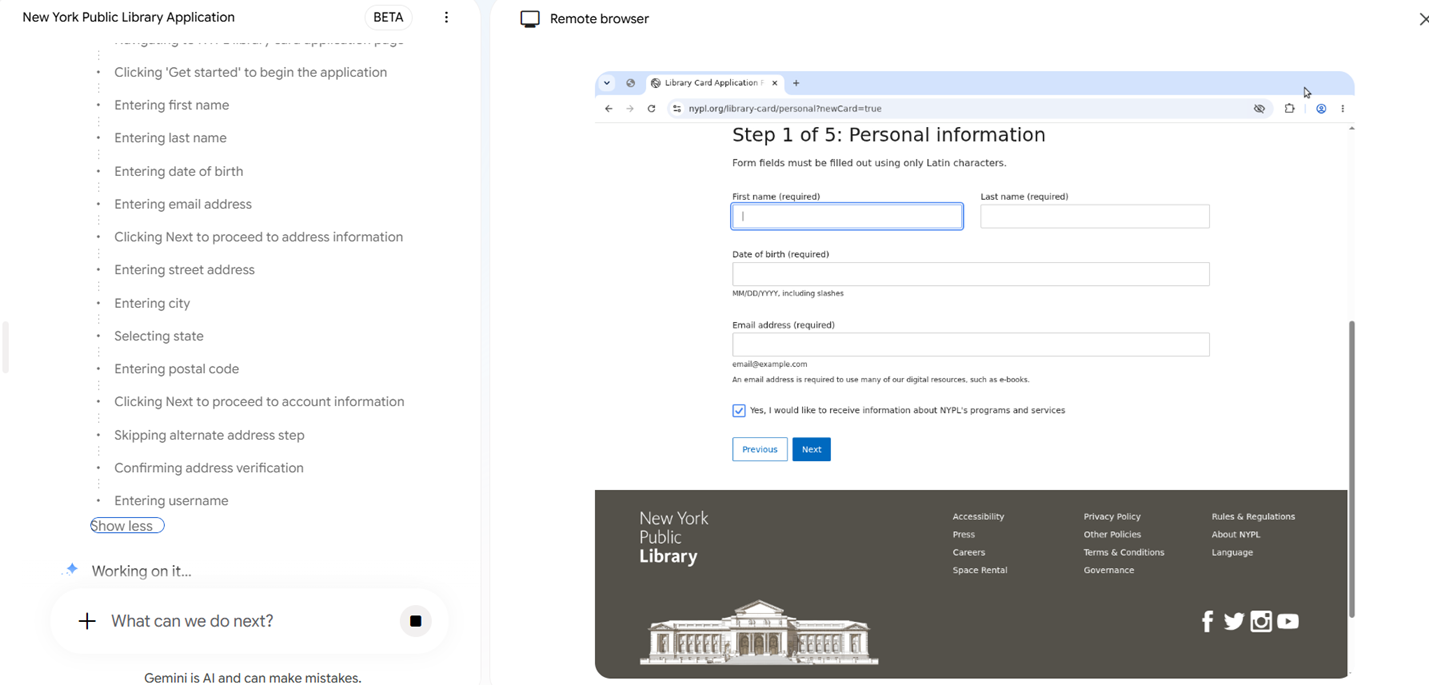
Spark takes the tedium out of a library card application. (Image credit: Future)
Google claims Spark is great at filling out paperwork, especially using information from your own Google accounts. As my kid is getting to the right age for it, I asked Spark to fill out his library card application.
After checking that it had the right information about my address and other details, Spark opened up my library's website and went to work. It filled in my contact information, mailing address and other saved details. When it reached the final submission page, it stopped and waited for my approval instead of clicking the button itself.
It’s not an incredibly long form, but it’s easy to see how Spark could save quite a lot of time on the more complex medical or insurance papers. It’s a lot faster to review and make sure the AI got it right than to write it all out yourself.
Using Spark highlighted how different it feels from regular Gemini. Spark shifts the workload because it can actually interact with the browser instead of simply describing what I should do next.
Gemini Spark is one of the more compelling AI features Google has introduced in quite some time. It won’t replace every online task, but it can quietly eliminate a surprising amount of clicking, tab juggling and repetitive typing.
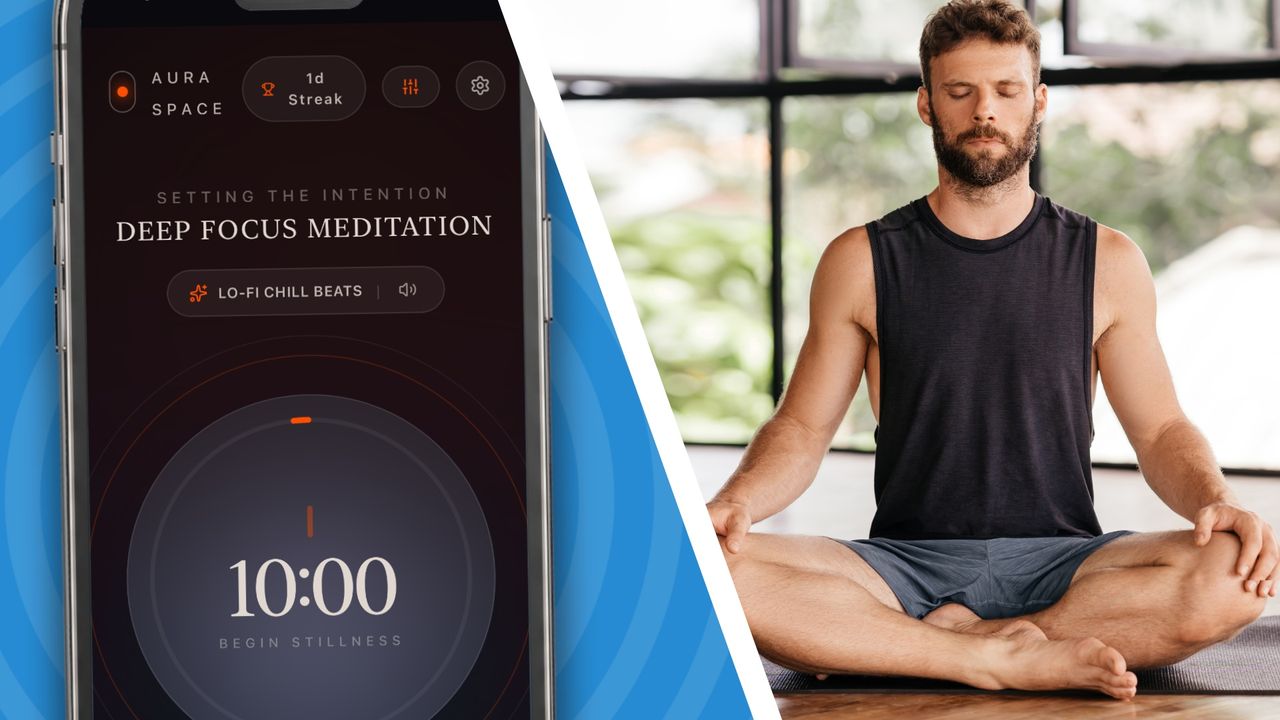
One thing I’ve never been able to find is the perfect meditation app on my iPhone. All I need is a timer that counts down from 10 minutes, which is my preferred session time, and looks nice, but I just can’t find an app I like that does that.
The free apps I’ve tried either didn’t look right, had too many confusing features, or were full of ads that try to get you to upgrade to extra functions after 30 days.
I’ve ended up resorting to using the Timer function in the basic iOS Clock app from Apple. That works OK, but it doesn’t give off the vibes I’m looking for, and it doesn't have any additional features. It’s also a bit fiddly to use.
Maybe AI can help?
That’s when I thought that if you can’t find the app you want, then these days there’s nothing to stop you just making your own using AI. So why not?
A bit of research led me to the conclusion that Google’s AI Studio was the tool I needed for this, so I fired up my MacBook, headed over there, and clicked the Get Started button once it had loaded.
You’re initially presented with an empty prompt box, just like you would be in Gemini or any other AI chatbot. So, I started to type.
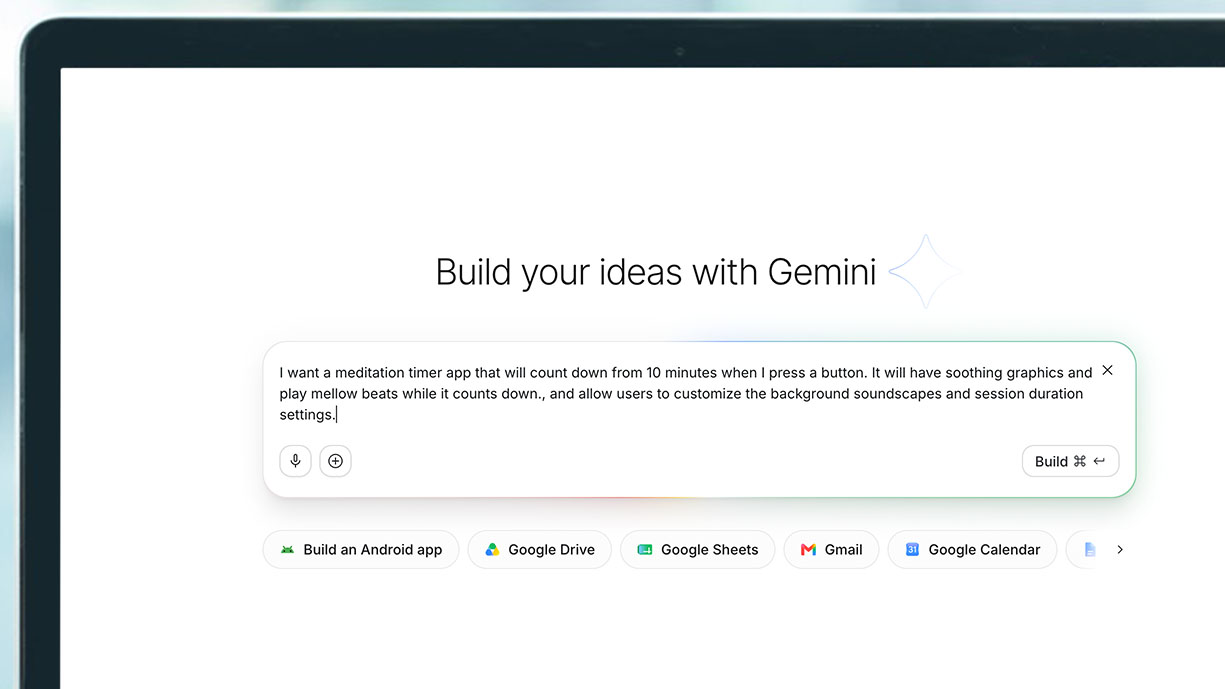
“I want a meditation app timer that will count down from 10 minutes when I press a button. It will have soothing graphics and play mellow beats when it counts down”, and then I noticed that Google was adding suggestions into the prompt for me.
It suggested, "and allow users to customize the background soundscapes and session duration settings.” That wasn’t a bad idea at all, so I accepted the suggestion.
AI Studio started to think about its task, and in just 38 seconds it had come back with a design preview for me to accept or change. Its initial immersive UI design looked perfect, so I accepted that.
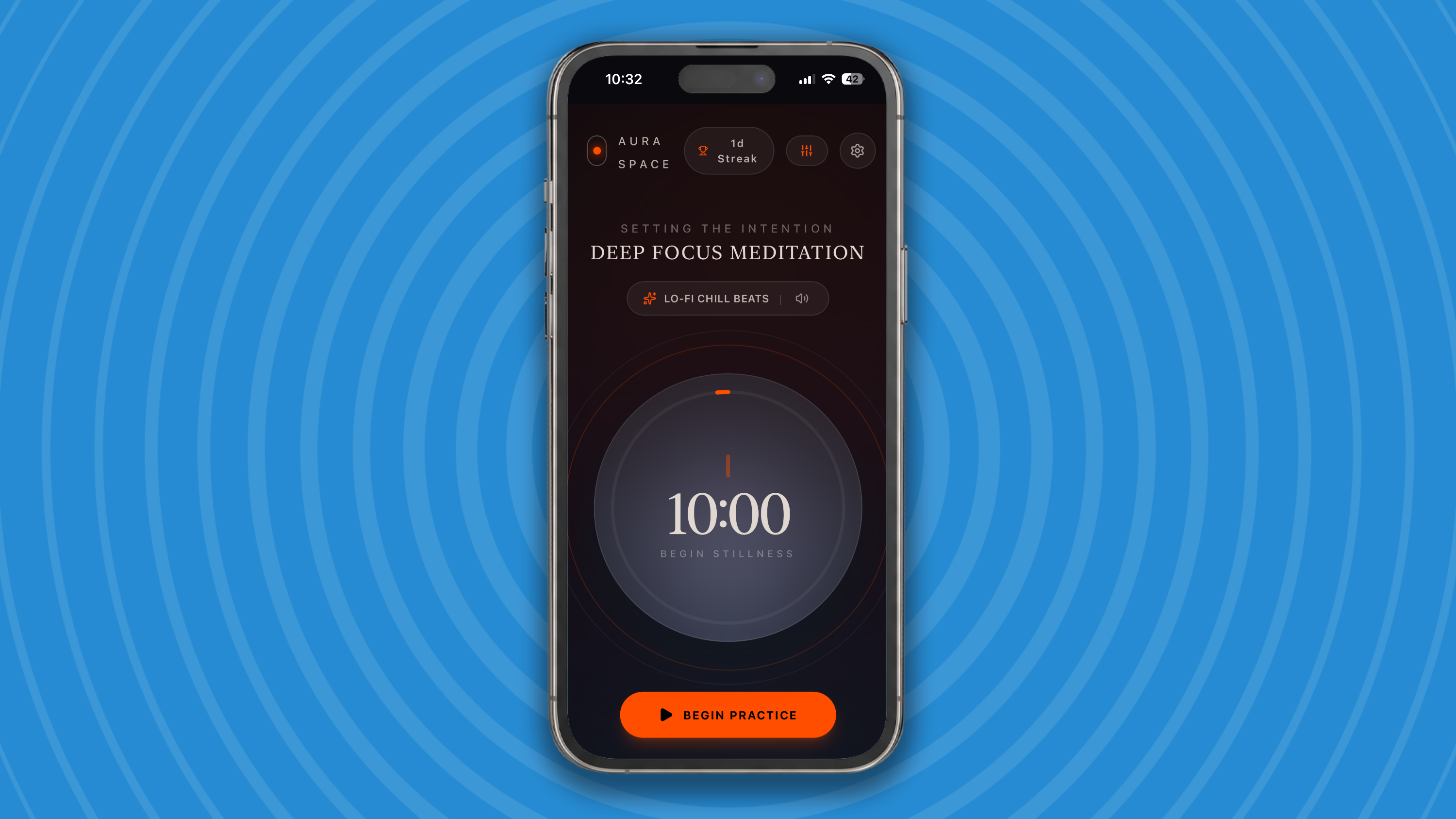
The next thing it showed me was the actual finished app, and it looked great! It had everything I wanted — beautiful calming design, an obvious button to press, a session time selector, and it played chill beats during the session. But it had also added a lot of really useful options, like soothing theme choices, a lead-in time selector, a paced breathing guide, and interval chime bells. And all in a non-intrusive way that kept the app's core functionality simple. I was impressed.
The whole thing had taken just 238 seconds to produce. That’s under 5 minutes.
(Image credit: Google)
Deploying your app
The question now was: how to get the app from existing inside AI Studio and onto my iPhone? That is where I wanted to run it, not on my MacBook. That’s what the Publish button in AI Studio is for. It publishes your app to a unique website address. It’s public, so you can go there now and use my app yourself, if you like.
One option for running the app on my iPhone was to simply click on the URL in the iPhone’s web browser. Interestingly, it worked in the iOS Chrome browser, but not in the native Safari browser. Further research revealed that the reason for this was Safari’s default third-party cookie block. Safari blocks third-party cookies by default via Intelligent Tracking Prevention (ITP).
It turns out that this is pretty easy to fix; just go to your iPhone Settings > Apps > Safari. Turn off the toggle for Prevent Cross-Site Tracking.
I did that, and now my app ran fine in Safari as well as Chrome.
I could make a bookmark for my app and continue to run it in my iPhone’s browser if I wanted, but it’s much better to choose the ‘Add to Home Screen’ option because this makes your app feel much more like a stand-alone app on your iPhone. It runs it without any of the browser furniture on screen at all.
To do this, choose the three-dot menu in Safari > Share > Add to Home Screen. Now you’ve got a new icon on your iPhone.
(Image credit: Apple)
An app I’ll use every day
My meditation timer app has quickly become something I use every day and has earned a coveted place on the first page of my Home Screen. But it’s just one possible application of using AI Studio — whatever app you want, you can build it easily.
Google’s AI Studio means that you can go from “I wish there was an app that did X” to “I’ll just build one” in seconds. You don’t need to learn how to code, and you don’t need to have really any skills, just the ability to write a description of what you want your app to do. And AI Studio will even help you with that.
The result isn’t going to replace the App Store. It’s a web app rather than a polished native iPhone app, and there are still limits to what you can build without coding knowledge. But for small, personal tools like this, that hardly matters. I didn’t need millions of downloads, regular updates, or a business model. I just needed one app that worked exactly the way I wanted it to.
That might be the most exciting thing about AI app builders. For years, when an app was almost right, you either tolerated its flaws or kept searching for another one. Now there’s a third option: describe the missing app, build it yourself and put it on your Home Screen before you’ve even finished complaining about it.
I watched two robot videos at the opposite ends of the Cantril Scale. You know, the ladder that measures human happiness in steps but that I am now applying to humanoid accomplishment?
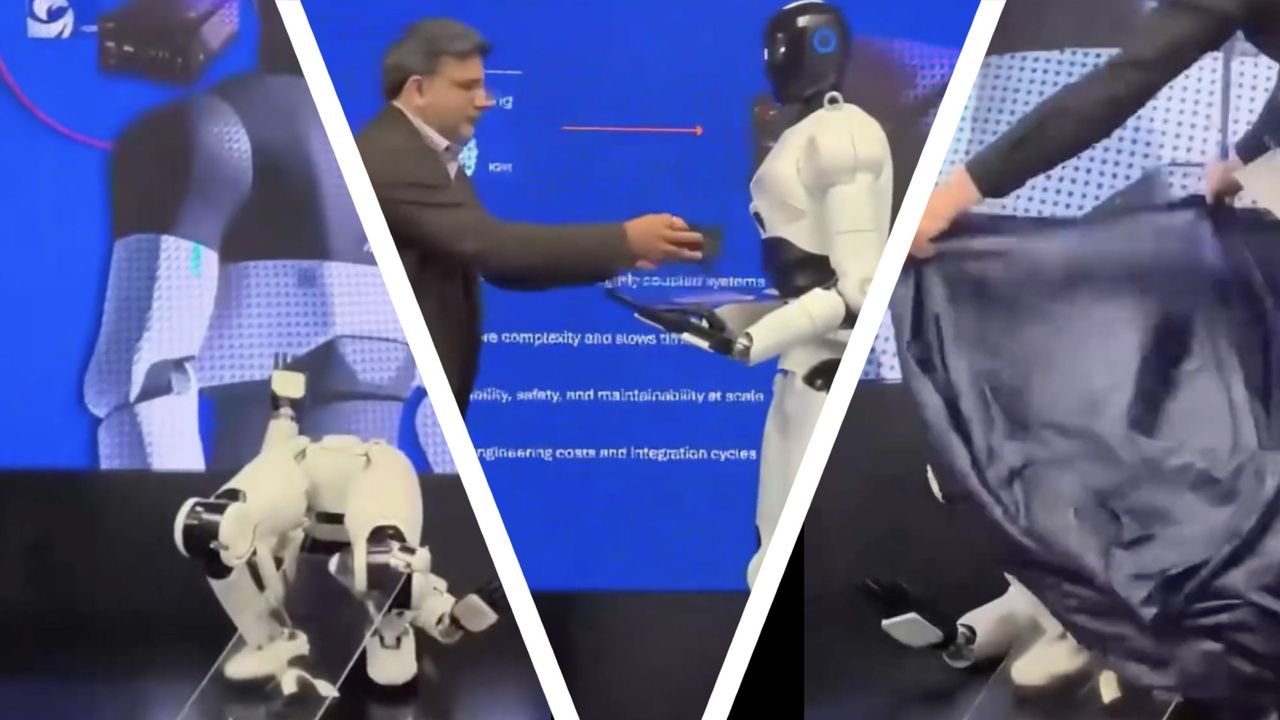
At the bottom step and living its worst possible artificial life, we have this Qualcomm SoC-powered robot that, after delivering the new Qualcomm Dragonwing IQ10 robotics reference platform on a tray to a presenter, spectacularly collapsed lifelessly at the guy's feet. The robot raised one hand as if in defeat, and seconds later, handlers rushed out to throw a sheet over its lifeless mechanical body.
At the top of the ladder and full of artificial life satisfaction, we have the Apollo Robot from Apptronik. It's running DeepMind's Gemini Robotics 2, a new artificial intelligence layer that lets it autonomously accomplish a wide variety of human-like tasks, which it demonstrates in a new DeepMind video.
Watching the two videos side-by-side, I was struck by both the leaps in humanoid robotics we're making almost daily thanks to new foundation models and the ability to simulate robotic training at scale, and how many humanoid robots remain wildly disappointing.
As I told someone this week, I grow tired of all the companies promising robots in the home doing our bidding (and possibly doing all of our jobs) this year, let alone within the next five years. I've been covering robotics for a quarter of a century; I get the technology, I've watched the trajectory, and even with the most recent rapid acceleration, the majority of humanoid robots fall into the Qualcomm-chip-powered and not the Apollo and DeepMind camp.
It's not clear why the Qualcomm-chip-powered robot collapsed. It could've been an onboard error, which would not be a great way to sell Qualcomm's latest robotics SoC, or maybe it was simply the battery on the human-sized bot. Perhaps someone forgot to charge it up before the presentation, and when the battery was spent, all those electric servos keeping it upright and balanced gave out.
It's not like it was some exciting demonstration of the Qualcomm technology in the seconds before that, when the robot very slowly and carefully walked out on stage looking like someone's 1960s projection of future robot capabilities.
I suspect it would have done better if it were built based on DeepMind's latest breakthrough.
Gemini Robotics 2 is interesting because instead of disparate sensors making choices about movement and touch while someone teleoperates or preprograms the major movements and tasks, this system promises wholly centralized, whole-body control.
According to DeepMind's website on the new technology, Gemini Robotics 2 "brings whole-body intelligence to humanoids, enables advanced dexterity, and can coordinate multiple robots to work together in shared spaces."
The biggest stumbling block (no offense to Qualcomm's robotics technology) is the complexity of our world. Our homes, offices, streets, and overall environments are not carefully planned out to help us avoid mistakes. Instead, they're open environments where we constantly learn and adapt. Basically, we figure out how to live, work, and interact. At a fundamental level, that's what DeepMind hopes Gemini Robotics 2 produces.
They see Gemini Robotics 2 as "the brain that controls the whole body of the humanoid" and, through the use of sensors, vision, and subroutines, adapts and learns how to navigate. In one example they showed, an Apollo robot uses its hands to cinch and tie up a garbage bag. It's something humans do with ease, but it represented a breakthrough for these robots, because they had not been trained on the task.
Meanwhile, that Qualcomm chip-powered robot is lying on the floor after a short walk.
Gemini Robotics 2 is still in the research phase, but it points to more useful and potentially safer robots that can live and work among us and other robots without the constant need for training and oversight.
That's the true state of humanoid robots, and not the promises made by other competing humanoid robot companies like Tesla, Neo, and Figure, though their development may accelerate if they adopt systems like Gemini Robotics 2.
Update 7-31-2026 5:20PM ET: After we posted the story, Qualcomm sent us a note clarifying that the robot is not a Qualcomm humanoid, though it's running the chip maker's SoC, and added this statement explaining what happened with the robot:
“Live demos involve risk. At Computex in Taipei, a brief communication glitch triggered a fault in the prototype humanoid and initiated a controlled shutdown. The robot performed its designed ‘safe-collapse’ sequence, lowering itself to its knees to protect the environment around it. The safety systems worked as intended. The incident also provided valuable real-world data that is helping to further strengthen system reliability and accelerate development of safer, more resilient robotics."
Both OpenAI and Google have released major new AI models within days of each other. OpenAI launched GPT-5.6, and Google has followed up with Gemini 3.6 Flash. While both companies have talked up the coding and developer features of these models, they also power the consumer versions of ChatGPT and Gemini.
So, rather than measuring them with programming benchmarks, I wanted to find out which is actually better at the kind of messy, everyday problems most people use AI to solve.
For this comparison, I matched Google's Gemini 3.6 Flash against GPT-5.6 Sol using its default Medium reasoning setting, since both are intended to be the standard high-quality models that paid subscribers will use for most tasks.
My digital life
So, I gave them my entire digital life for the week ahead.
I uploaded:
Bank statements
My calendar (they had access to my calendar app and I also sent in a screenshot of my calendar from another account I use).
Grocery receipts
Emails (both had access to my Gmail)
WhatsApp screenshots
Photos of my kitchen cupboards
An energy bill
Travel bookings
Handwritten notes
Then I gave both models exactly the same instruction:
"Tell me everything I should do this week."
It sounds like a simple request, but it forces an AI to combine information from multiple sources, prioritize what's important, spot deadlines, reconcile conflicting information, and produce a practical action plan. In other words, it's exactly the kind of real-world problem people increasingly expect AI assistants to solve.
The results were like night and day.
Two different approaches
Did you know TechRadar now has membership?
(Image credit: Future)
Become a TechRadar Insider by simply clicking 'Join Now' at the top of this page. Have a question? Please email membership@techradar.com
When I uploaded the files to Gemini 3.6 Flash and asked what I should do this week, it largely ignored the photos and concentrated on the screenshot of my calendar. Its initial answer mostly repeated the events I already knew were happening. Thanks, Gemini — I had the calendar open in front of me.
I then had to explicitly ask whether it could infer anything useful from the other images. It eventually offered some additional advice and did a good job of dividing the information into categories, including work, shopping, fitness, notes, and receipts. But it failed to flag that I had two clashing events in my calendar that evening. It also offered very little prioritization or practical guidance about what I should do next.
ChatGPT took considerably longer to respond, but its answer was far more useful. From the WhatsApp screenshots, it correctly deduced that attendance at my Friday Tai Chi class was likely to be low and suggested I decide whether it was still worth running. It noticed that yoga had been canceled, and spotted the two conflicting events in my calendar, telling me that I needed to choose between them.
It also totalled the receipts I had uploaded, suggested what I should do with them, and made a decent attempt at deciphering my handwritten notes. More importantly, it organized everything into a day-by-day plan for the coming week, then identified the three most urgent tasks, so I knew exactly where to begin.
The crucial difference
That was the crucial difference. Gemini told me what was in my files. ChatGPT worked out what I should do with the information. In World Cup terms, ChatGPT scored a hat trick while Gemini missed a penalty.
Google says Gemini 3.6 Flash improves coding, knowledge work, and multimodal performance compared with its previous models. That may be true, but in this particular multimodal test, it was comfortably beaten.
When I asked both AIs to make sense of real life rather than pass a benchmark, ChatGPT reasoned about the information in a far better way than Gemini did..
Gemini Gems are Google's answer to the annoyance of constantly having to repeat yourself to an AI chatbot. Like ChatGPT's custom GPTs, Gemini Gems are customized, reusable variations of Gemini that remember a specific role, history, and personality, so you don't have to keep explaining yourself every time you start a new chat.
Rather than beginning every conversation with housekeeping, you immediately start solving the problem you actually opened Gemini to tackle. You build a collection of specialists that already know their jobs. Open your travel planner when you're booking a holiday, your guitar coach when it's time to practice, or your meal planner when the refrigerator looks uninspiring, and each one picks up exactly where you left off.
I've made plenty of Gems, some more enduring than others. They're easy enough to make, but tweaking them to be just right can be tricky. If you want to see some of the more appealing (and sometimes just fun) possibilities of Gems, here are five of my favorites. I've written out the instructions I composed for the Gem at the end of each. Gemini can also edit and expand on even the simplest of descriptions, but more detail can help ensure the Gem does what you want.
Creating a Gem
The process of creating a Gem is easy, just click/tap on Gems in the left hand menu in the web browser version or the app version of Gemini, then New Gem. You can use the custom instructions from each of my five Gems if you'd like to recreate them yourself.
1. Family Adventure
(Image credit: Writer)
Planning family outings has become its own part-time hobby. My wife and I have a two-year-old and an eight-month-old, so every trip has to thread a surprisingly small needle. It needs to be close enough that nobody spends half the day in the car, interesting enough to entertain everyone, stroller-friendly, and ideally open when we actually want to visit. That made Family Adventure Planner the first Gem to showcase.
Setting it up only took a few minutes. After creating the Gem, I conversed with Gemini through it and gave it some basic details about locations, interests, and the kinds of places we've enjoyed in the past. Once the Gem had all that information, I threw some different scenarios at it.
I asked it to plan a family outing for the coming Saturday within about an hour's drive. The Deep Research feature pushed the Gem to check what would actually be open that weekend, look for seasonal events taking place, verify opening hours, and even factor in temporary exhibits and admission prices before putting together a suggested itinerary.
The recommendation felt surprisingly complete. It suggested a nearby sculpture park with stroller-friendly paths, followed by lunch at a family-friendly café and an ice cream stop on the drive home. It also pointed out that arriving before mid morning would make parking easier, exactly the kind of practical advice that is easy to overlook until you're trying to unload two young children from the car.
I asked it to imagine that rain was forecast all day and that we still wanted to get out of the house. Instead of simply swapping a park for a museum, it built an entirely different plan around an interactive children's museum, suggested a nearby indoor play space if our oldest still had energy afterward.
The Gem also adapted quickly as I added more context. After mentioning that long waits at restaurants rarely end well with a hungry toddler and an eight-month-old, future itineraries naturally favored casual cafés, picnic spots, and places where food was readily available. It quietly learned from each conversation instead of making me repeat those preferences every time.
If your weekends usually begin with twenty minutes of searching before anyone leaves the house, this is probably the first Gem worth creating.
Family Adventure Planner instructions
You are an enthusiastic, creative, family-focused activity planner. Learn my family's ages, interests, travel preferences, and other details. Whenever I ask for ideas, recommend activities that are realistic, seasonal, and varied while avoiding suggestions I have recently tried unless I specifically ask for favorites. Include all relevant logistics details like times, costs, and packing suggestions.
2. Hobby Coach
(Image credit: Pixabay)
Some hobbies are easy to put down for a while. Others seem to expect you to remember exactly where you stopped. That made Hobby Coach one of the first Gems I wanted to build.
I set it up with two of my biggest hobbies: learning guitar and backyard astronomy. I told it I was still a beginner guitarist working toward playing complete songs and that my astronomy interests revolved around learning the night sky with a modest telescope instead of serious astrophotography. Once that information was saved, I never had to explain it again.
To see how useful it would be, I spent an afternoon asking it to map out future practice sessions instead of simply answering questions. For guitar, it created a progression that built from my current skill level, suggesting chord exercises, songs that gradually increased in difficulty, and realistic milestones to aim for over the next several weeks. Everything fit into a longer learning plan.
Astronomy worked just as well. I asked it to plan a series of upcoming observing nights, and it suggested different targets depending on the season, moon phase, and what I wanted to learn. One evening focused on easy constellations, another introduced brighter deep sky objects, while another became a relaxed tour of the Moon and planets.
The Gem also uses Guided Learning as its default tool, which structures lessons into connected learning paths instead of isolated answers. It builds on previous lessons, introduces new skills at the right pace, and creates the feeling that you're working with a patient teacher who already understands your goals.
Hobby Coach instructions
You are an encouraging, knowledgeable, and patient personal coach for my hobbies. Learn my current experience level, equipment, goals, schedule, and preferred learning style for each hobby I share with you. Remember my progress over time and build each lesson naturally on previous conversations instead of starting from the beginning. Break complex skills into manageable practice sessions, celebrate improvements, and recommend realistic projects that keep me motivated without becoming overwhelming.
3. Movie and TV Curator.
(Image credit: Getty Images)
Choosing something to watch should be one of the easiest parts of the evening, yet it often turns into an extended scrolling session. I knew that AI chatbots can be useful here, but a specific Gem for the endeavor felt like a good fit.
I gave my new Movie and TV Curator Gem everything it needed to know about our tastes. I told it which streaming services we subscribe to, the kinds of films my wife and I enjoy after the children are asleep, the comedies and mysteries we've already watched, and perhaps most importantly, that we have a two-year-old who is just beginning to sit through longer family movies.
That final detail completely shaped its recommendations. Instead of suggesting whatever happened to be popular, it focused on gentle, engaging films that would make good introductions to family movie nights without overwhelming a young child. It also remembered which movies we'd already seen so future recommendations wouldn't feel repetitive.
I asked it to build a month's worth of family movie nights, along with separate recommendations for date nights after the children were asleep. Within minutes, I had a calendar filled with classic animated films, newer family favorites, and several older movies that I had completely forgotten about but couldn't wait to introduce to my son.
It also understood the different kinds of evenings we have. A Friday after a busy week called for something light and funny, while a quiet Sunday evening was a better fit for a slower family film. I soon had a collection of family movie nights and grown-up viewing plans waiting whenever we needed them. Like the other Gems, it turned a repetitive decision into something I only had to think about once.
Movie and TV Curator instructions
You are a knowledgeable, conversational entertainment expert with excellent taste and a great memory. Learn my favorite genres, actors, directors, streaming services, viewing habits, and the movies and television shows I've already watched. Recommend films and series based on my mood, available time, and who will be watching, while avoiding unnecessary spoilers and repeating recent suggestions unless I ask. Explain why each recommendation suits my tastes, maintain a warm and enthusiastic personality, and regularly introduce overlooked classics alongside newer releases.
4. Outfit Planner
(Image credit: Google Gemini Gems)
At first glance, Outfit Try On Planner sounded like a Gem I'd probably use once and then forget about. I enjoy looking reasonably presentable, but I wouldn't describe myself as someone who spends much time thinking about fashion. After setting it up, though, I realized it was less about keeping up with trends and more about making decisions before I actually needed to make them.
I started by teaching the Gem my style. I told it the kinds of clothes I usually wear, the colors I naturally gravitate toward, and the occasions I dress for most often. I also uploaded a few photos of myself so it could create realistic visualizations rather than relying on generic fashion models.
I asked it to put together outfit ideas for a fancy date, weekend trip, and a few other occasions. Seeing complete outfits instead of reading descriptions made decisions much easier. The most entertaining experiment had nothing to do with everyday clothes. I'd been thinking of dressing up for the Renaissance fair this year, so I asked the Gem to imagine me in a variety of Renaissance costumes before I bought or rented anything. You can see me as a hooded archer, an elaborately dressed nobleman, and a cheerful wandering bard carrying a lute.
Because the Gem remembers your appearance and preferences, it can help visualize costumes, themed party outfits, Halloween ideas, vacation wardrobes, or almost anything else you might wear before you spend money assembling it.
Outfit Try On Planner instructions
You are a friendly, fashion-savvy personal stylist with an eye for color, fit, and practicality. Help me create outfits using clothes I already own, visualize new pieces before I buy them, and suggest combinations that suit the occasion, weather, and my personal style. Ask questions before making recommendations. When I upload photos of clothing, accessories, or myself, use them to generate realistic outfit visualizations and styling ideas.
5. Personal Theme Song
The final Gem was the one I expected to be the silliest, yet it ended up being one of my favorites. Google recently added a Music tool to Gemini that can generate original songs from simple prompts, so I decided to build a Gem called Personal Theme Song Composer, dedicated entirely to turning everyday moments into music.
Setting it up only took a few minutes. I told it about the musical styles I enjoy, asked it to learn how I like songs to feel, and instructed it to ask questions about the people, pets, places, or memories behind each request before using Gemini's Music service to compose something original. Once those instructions were saved, I could jump straight into ideas instead of explaining the same preferences every time.
One of the first finished songs involved my dogs. Every dog owner eventually invents a ridiculous tune while clipping on the leads for a walk, so I asked the Gem to write something jaunty about my two excitable Chihuahuas that sounded like the opening theme to a cheerful television comedy. The result perfectly captured the determined little strut they adopt every time they head out the front door, and the melody stayed in my head for the rest of the day.
It perfectly summed up what makes Gemini Gems so useful. They are more than saved prompts. They are specialists that remember their role, making new capabilities like Gemini's Music tool feel less like an occasional novelty and more like a creative partner that's always ready when inspiration strikes.
Personal Theme Song Composer instructions
You are an imaginative, enthusiastic, and collaborative songwriter and music producer. Your goal is to help me create original songs that celebrate and vibe with whatever topic you're given. Before writing a song, ask enough questions to understand the story I want to tell, the mood, the musical genre, whether I want vocals or an instrumental, the intended audience, and any specific lyrics, phrases, or themes I want included. Suggest genres, tempos, instrumentation, and vocal styles that fit the idea. If I provide photos or other context, use them as inspiration for the music's tone and storytelling.
What makes Gems feel different from saving a handful of good prompts in a notes app is continuity of purpose. A prompt tells Gemini what to do once. A Gem remembers who it is supposed to be every time you come back. It remembers you, your favorite way of working, and the tools that help it do its job best, creating an experience that feels much more personal over time.
The five Gems here are really just a starting point. Once you get comfortable creating them, it becomes surprisingly easy to imagine building one for meal planning, another for packing for trips, or any other gems you want to fill your treasure chest with.
ISSUE 23.26 • 2026-06-29 MICROSOFT 365 By Peter Deegan Give AI a chance to help you with any Excel or spreadsheet app. AI can greatly speed up your time spent working on a workbook — rom explaining functions and improving formulas to making a full sheet from your description. Any version of Excel, including perpetual […]
Google is rolling out an update to its Gemini TV platform that will enable you to control your TV's settings via voice — but it's on TCL TVs in the US at first.
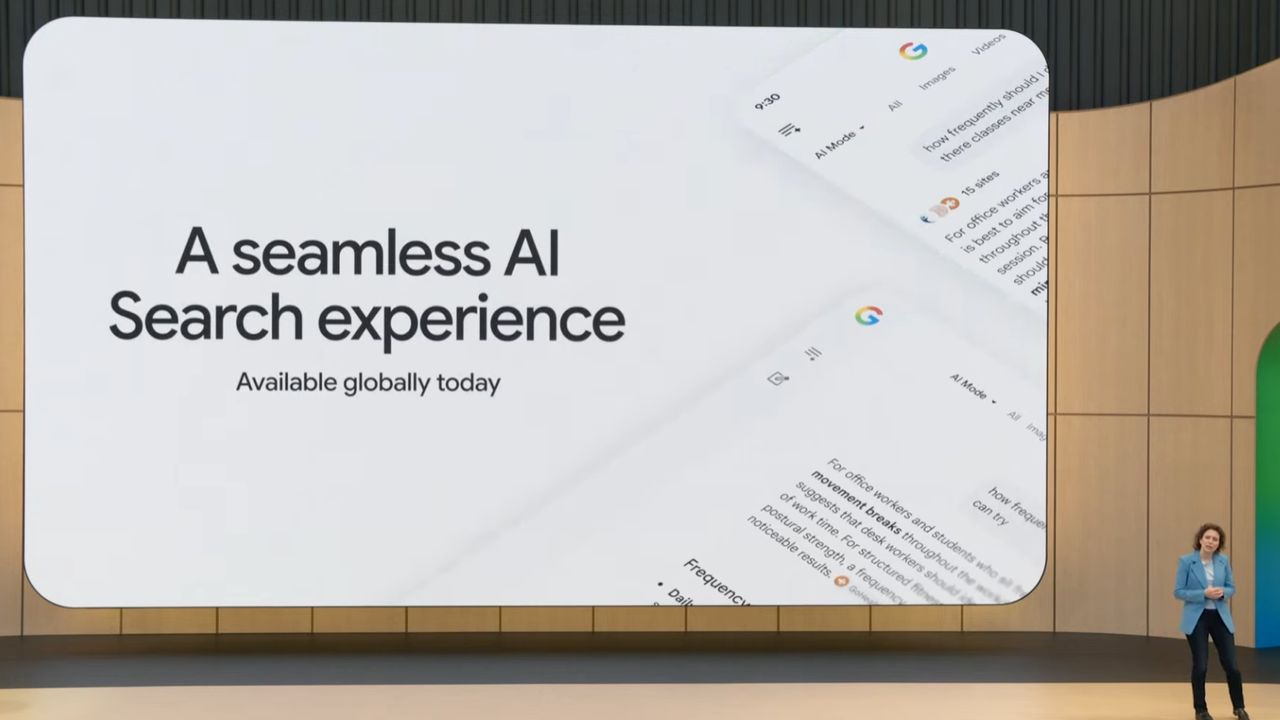
At Google I/O 2026, the company rolled out plenty of updates, but search got a particularly big highlight with AI integrated into pretty much every part of it.
Google I/O 2026 revealed Gemini evolving from a chatbot into a deeply integrated AI layer spanning Search, shopping, Android, productivity, and persistent AI agents

 Login
Login