Reading view

There are new articles available, click to refresh the page.

Klarna member? You can now get a free NordVPN subscription — here's how

  • Klarna has partnered with NordVPN to include a free VPN subscription
  • Only Klarna Premium and Max members can redeem one NordVPN plan
  • The perk is bundled into existing memberships

Buy now, pay later giant Klarna has a new perk for its paying members, and this one is all about your privacy.

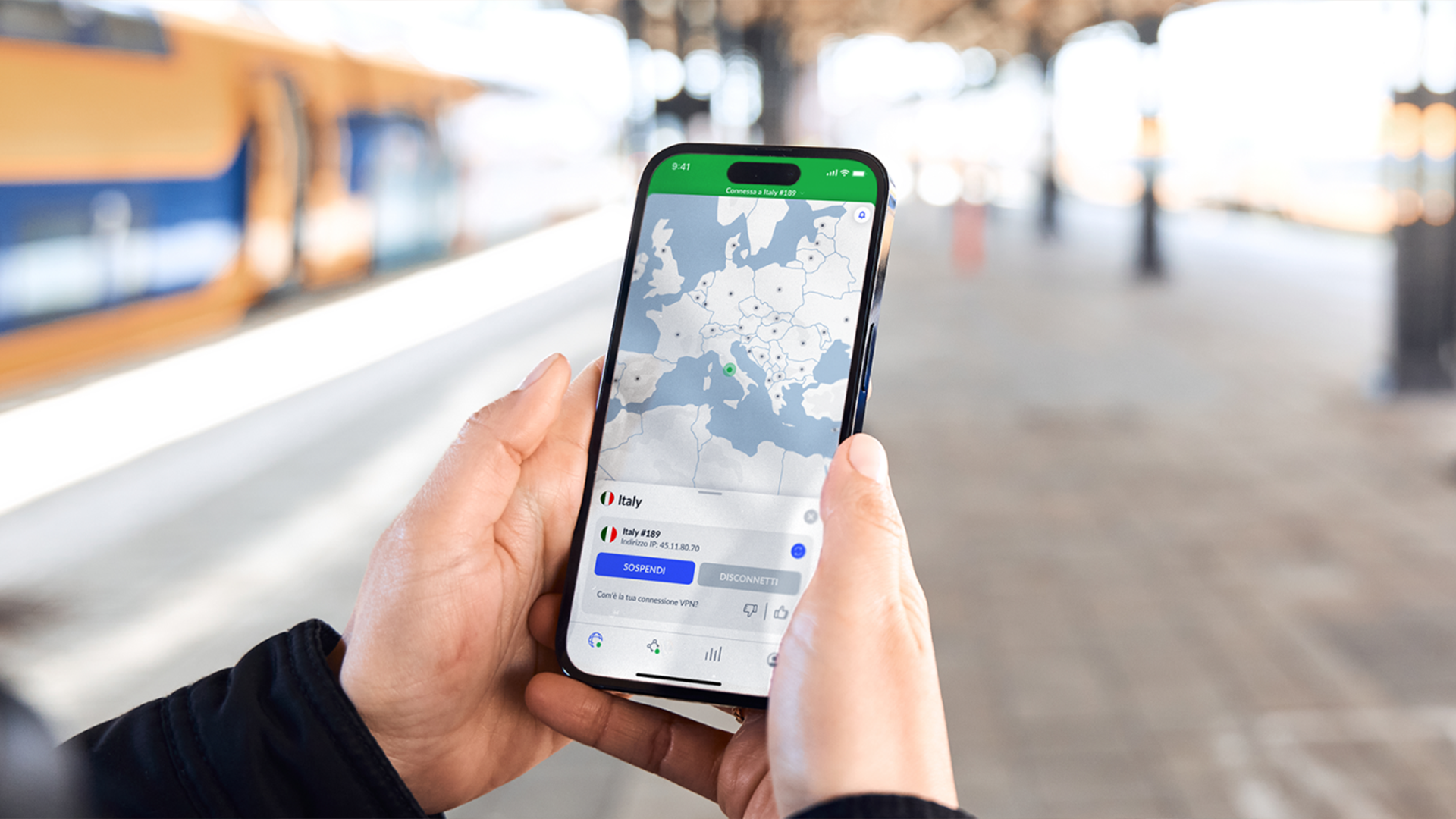
The company has partnered with NordVPN to add encrypted connectivity as an included benefit for Klarna Memberships subscribers, folding a digital security tool into a subscription that was previously focused on cashback, travel protection, and lifestyle rewards.

It's the latest example of a payments company bundling in one of the best VPN services as a membership sweetener, and it follows hot on the heels of NordVPN's tie-up with Mastercard earlier this year, as well as other collaborations with companies such as CrowdStrike and Marvel.

The idea is simple. If you already have a Klarna membership, you can now activate a NordVPN subscription at no extra cost. Which tier you get depends on your membership level.

NordVPN – the best VPN overall
NordVPN came out on top in our 2026 round of VPN tests. We think it's the best VPN for most people. We’re confident that virtually anyone can sign up for NordVPN and get what they need from it. It’s easy to use, very secure, fast enough for gaming, and offers flawless streaming service unblocking.

Subscriptions start from $3.49 per month, and you can try it out risk-free with a 30-day money-back guarantee.View Deal

What the Klarna and NordVPN partnership involves

The structure is tied directly to Klarna's membership tiers.

Klarna Premium members will receive access to NordVPN Basic, while Klarna Max members will receive access to NordVPN Complete, both included within their existing membership subscription.

It's worth mentioning that at the time of writing (August 10, 2026), Klarna's membership page wrongly indicates that the perk for Max users is NordVPN Standard — described as "secure VPN access with enhanced security features". A NordVPN spokesperson clarifies to TechRadar that the company actually meant its Complete plan.

Regarding the partnership, NordVPN argues that VPN protection has become relevant infrastructure for both professionals and consumers, supporting secure connections on public and shared networks, such as those found in coffee shops, airports, and hotels.

Klarna describes the move as part of a strategy focused on offering tangible, valuable benefits at scale, giving members more control over aspects of their digital activity, and positioning its memberships to compete on overall value.

How to claim your free NordVPN subscription

Because the VPN is bundled into your Klarna membership, the first step is simply making sure you're on an eligible tier (Premium or Max).

With NordVPN's comparable Mastercard partnership, once users activate their NordVPN subscription, the service asks them to set up their Nord account and download the NordVPN app. We can likely expect the Klarna flow to follow the same rough path: confirm eligibility, activate the benefit, create or sign in to a Nord Account, then install the app on your devices.

If you're unsure whether your specific plan includes the perk, it's worth checking directly with Klarna, since availability can vary by region and membership level. Once it's live, you'll have the full NordVPN app to set up across your phone, laptop, and other devices.

NordVPN Basic vs NordVPN Complete: what's included

NordVPN running on a desktop, mobile devices, Apple TV, a router and a game console

While users can use both plans on up to 10 devices simultaneously, features offered slightly differ.

As the name suggests, NordVPN Basic is the entry-level tier, and the main feature is the virtual private network (VPN) itself, using the same core software found across every NordVPN plan.

You get access to all NordVPN's server network — 211 locations in 135 countries— which TechRadar's reviewers found to be larger than any rival we test. You also get NordVPN's fast, secure NordLynx protocol, a reliable kill switch, and post-quantum encryption already baked in.

Basic also includes NordVPN's standard Threat Protection — now known as NordVPN's next-gen antivirus suite — which filters your traffic through NordVPN's DNS servers to block ads and malicious sites.

NordVPN Complete expands on Threat Protection's reach by adding real-time anti-malware and file scanning. The plan also bundles premium access to its password manager tool (NordPass) and 1TB of encrypted NordLocker cloud storage.

The end of anonymous protest — How facial recognition puts democracy at risk

Imagine attending a peaceful demonstration, only to have hidden cameras scan your face, match your identity, and log your details into a police database within seconds. This scenario is at the heart of a debate that reignited in Italy last week, highlighting a high-stakes clash between public safety and personal privacy.

Although Italian lawmakers passed the bill on Tuesday with added safeguards, the decision reflects Europe’s expanding appetite for biometric monitoring. A practice Europeans once watched unfold with dread in authoritarian states is now quietly taking root at home.

From London and Paris to Amsterdam and Berlin, police forces across democratic Europe are increasingly piloting AI-powered face-scanning in public spaces and at political demonstrations.

While European leaders frame the technology as a necessary tool to combat crime, privacy advocates warn that facial recognition creates a chilling effect on the right to peaceful assembly and free expression. And the long-term risk may be even more troubling: once facial recognition is normalized, expanding its reach may be the next natural step.

How police in Europe use facial recognition at protests

Facial recognition technology (FRT) is a biometric tool that uses AI to identify individuals by analyzing their facial geometry — such as the distance between the eyes or the contour of the jawline — against a database. This software creates a unique digital signature, often called a "faceprint," which can be integrated directly into CCTV networks, drones, apps, and mobile police units.

Law enforcement deploys FRT in several ways, with Live Facial Recognition (LFR) being the most controversial. LFR scans real-time video feeds to cross-reference passersby against police watchlists almost instantaneously.

Despite significant legal pushback — including a landmark 2020 UK Court of Appeal ruling that found South Wales Police's deployment unlawful — London's Metropolitan Police deployed LFR across two major demonstrations last May.

Similarly, Hungarian authorities used biometric scanning to monitor participants during the 2025 Budapest Pride March.

A placard warns of live facial recognition in progress on the High Street on December 7, 2024 in Southend, England, United Kingdom.

(Image credit: Photo by John Keeble/Getty Images)

By contrast, retrospective facial recognition (RFR) functions more like traditional fingerprinting. Rather than scanning crowds live, police analyze recorded footage or photographs after an event to identify suspects.

This is the technology Italian lawmakers attempted to regulate last week, though police forces across the UK, France, the Netherlands and other European nations have already routinely deployed it.

At first glance, RFR might appear less intrusive — simply another investigative tool for law enforcement to access when necessary. However, human rights experts argue the distinction is misleading.

According to Chloé Berthélémy, Senior Policy Advisor at European digital rights network EDRi, the difference between live and post-event scanning is "largely a procedural distinction."

Speaking to TechRadar, Berthélémy warned: "In human rights terms, there is no salient difference between real-time and post-remote biometric identification. Threats posed to rights and freedoms are not reduced just because authorities or companies have extra time to review footage."

Berthélémy also cautions against the rise of Algorithmic Video Surveillance (AVS) — a system she labels "fundamentally unreliable." AVS uses AI software to analyze live video feeds and automatically flag suspicious or dangerous behavior.

Unlike facial recognition, AVS doesn't log facial features. Instead, it is trained to detect behavioral anomalies and physical triggers, such as sudden crowd surges, unattended luggage, weapons, fires, or individuals falling.

The 2024 Paris Olympic Games served as a testing ground for this technology, making France the first EU member state to legalize AI video analytics.

What European law says about facial recognition and our right to privacy

While facial recognition technology poses a risk to personal privacy, explicit statutory frameworks governing its use remain scarce.

Despite nearly a decade of police trials, the UK still lacks specific legislation governing facial recognition — a gap that Jasleen Chaggar, Senior Legal and Policy Officer at Big Brother Watch, warns has created a "real legal vacuum."

Chaggar explained to TechRadar that British police forces instead rely on a patchwork of common law precedents, existing data protection acts, and broader human rights legislation.

Although the UN Human Rights Committee called on the UK to end police facial recognition at protests, Chaggar notes that governments have resisted statutory regulation, citing police "operational independence."

"This has effectively given police a very long leash to experiment with these technologies," Chaggar told TechRadar. "And now we're in a tipping point situation where it's about to be expanded all over the country, and there's a real necessity for those legal frameworks to be in place."

❌We don't consent to biometric ID checksPolice will be using live facial recognition at @boardmasters festivalThis tech doesn’t just record what you do, your face becomes a barcode in the same way as your fingerprint or DNA#StopFacialRecognition⤵️https://t.co/9do8SIF81t pic.twitter.com/VSgXMTuX1YAugust 6, 2026

In contrast, the European Union's AI Act establishes a binding legislative framework across all member states. While offering greater legal clarity than the UK's approach, digital rights campaigners view the legislation as only a partial victory.

Dr. Matt Mahmoudi, campaign lead for Amnesty International's 'Ban the Scan' initiative, warns that failing to enact a total ban on public biometric surveillance creates broad national security exemptions that jeopardize fundamental rights.

"And it's not just the right to privacy. It's not just the right to protest and the freedom of assembly and expression. It's also the right to equality and non-discrimination," Mahmoudi told TechRadar.

The end of anonymous dissent?

Before facial recognition technology was deployed in public spaces, citizens attending demonstrations could rely on a degree of practical anonymity. Biometric surveillance fundamentally alters that expectation.

Digital rights experts interviewed by TechRadar agree that this level of intrusion steadily erodes civic space. The knowledge that your face is being scanned and cross-referenced against a police watchlist actively deters citizens from attending demonstrations.

“You may decide not to exercise your democratic rights because you're afraid of how it might be perceived by the authorities,” Big Brother Watch's Jasleen Chaggar explained.

Yet this chilling effect extends far beyond the physical cameras deployed at a single rally.

Facial recognition does not operate in isolation. It depends on extensive, often covert data harvesting. To construct watchlists, authorities aggregate imagery from diverse sources, including scraped social media profiles, government identity databases, police custody photos, CCTV archives, and commercial biometric databases.

AI facial recognition tech concept on man face

(Image credit: HQuality / Shutterstock)

As Amnesty International’s Dr. Matt Mahmoudi explains, extensive data aggregation transforms ordinary digital footprints into a pervasive surveillance dragnet.

"Facial recognition is not a simple technology, but a system that effectively weaponizes your entire daily life," Mahmoudi told TechRadar.

Beyond baseline privacy concerns, the underlying technology remains prone to systemic errors.

During eight pilot trials conducted by London's Metropolitan Police between 2016 and 2018, 96% of initial alerts generated were false positives.

Academic research and independent audits consistently show that these algorithmic inaccuracies disproportionately target non-white individuals, women, and ethnic minorities.

The human cost of these algorithmic errors was starkly shown in 2024, when Metropolitan Police officers stopped and searched Sean Thompson — a Black anti-knife-crime campaigner — after live facial recognition software falsely matched his face to a watchlist.

Although computer vision algorithms have advanced in recent years, privacy campaigners emphasize that inherent system limitations remain. As Big Brother Watch's Jasleen Chaggar highlights, because facial recognition relies on probabilistic matching — calculating similarity scores rather than absolute matches — the technology can never be entirely error-free.

Beyond faces: the evolution of biometric surveillance

Even as lawmakers scramble to regulate facial recognition, law enforcement's appetite for public surveillance continues to expand.

In the UK, the growth is reinforced by stricter protest laws like the 2023 Public Order Act, with police monitoring group Netpol warning that enforcement will inevitably rely on an increased use of live facial recognition during demonstrations.

The Conservatives are also calling for greater use of the technology to investigate crimes, while Devon and Cornwall police have already confirmed the use of FRT during the upcoming Boardmasters Festivals.

The obvious immediate danger is that eliminating anonymous dissent could permanently reshape democratic participation. However, privacy advocates warn of an even broader threat: biometric surveillance expanding beyond simple identification into behavioral classification.

Border control authorities are already experimenting with pairing facial recognition with emotion detection and gait analysis — the automated tracking of how an individual walks — which campaigners say could be used to target political demonstrations.

Amnesty International’s Dr. Matt Mahmoudi says that normalizing facial recognition paves the way for other speculative tools that could "fundamentally erode the presumption of innocence."

This rapid technological expansion forces a fundamental question upon democratic societies: how much liberty are citizens expected to trade for security? When scanning a crowd becomes routine policing, public squares risk morphing from spaces of free expression into arenas of perpetual surveillance — where a face is only the initial data point.

This Russian VPN has been accused of breaching its no-log policy — here's what we know

  • Split VPN has been accused of breaching its no-log policies
  • It allegedly leaked 58M connection logs, which SplitVPN denies as its own
  • Users trusting a no-log policy is not enough

Russian SplitVPN (formerly NotVPN) has been accused of breaching its own no-log policy after a data leak exposed a MySQL database containing a variety of data linked to the service, including a staggering 58 million alleged connection logs.

While the VPN provider — whose service is widely used to bypass blocks in countries with heavy censorship — told TechRadar that any allegations it keeps logs are false, the incident highlights the limitations of no-logs policy when things go wrong.

Even with the best VPNs, no-log policies are often based on trust rather than verifiable safeguards, meaning they may not give users a clear picture of the risks users could face if their VPN were exposed to a breach — particularly in countries where criminal prosecution due to the illegal use of VPNs is real.

A no-logs VPN policy means a VPN pledges not to collect or share users' information, including search queries, websites visited, time spent on them, and downloads, while they are connected to one of its servers.

However, it remains difficult for users to verify these claims for themselves. That is why the most secure VPNs have their policies regularly audited by independent organisations, ensuring their privacy promises are genuine and not just a fabricated image.

SplitVPN's alleged data breach

On July 21, a threat actor on the Altenen cybercrime forum distributed a 17 GB SQL database claimed to have been stolen from SplitVPN and which allegedly contained a staggering amount of connection logs alongside user records, devices and payments.

The research team at Mysterium VPN analysed the database and claimed part of it (known as 'deviceproxy') indeed contained around 58 million connection logs.

Although this consisted of anonymised metadata indicating which device had connected to which server and at what time rather than complete browsing histories, SplitVPN maintains that it does not retain such data in accordance with its no-logs policy.

Graph with SplitVPN alleged data breach's findings (August 2026)

(Image credit: MysteriumVPN)

SplitVPN told TechRadar that while the leaked subscription metadata — including email addresses, users' countries of origin, subscription status, masked credit card information and device names — is authentic, the deviceproxy table instead is entirely fabricated.

"The third-party listing claims 58 million connection logs, but this is a fabrication added to inflate the price," a company spokesperson said.

"Because we do not generate or store device-server-timestamp mappings, any records claiming to show this are not from our infrastructure," they added. "The exposed data contains only basic account information, which fully aligns with our no-logs commitment."

SplitVPN added that immediately after discovering the breach, they changed all VPN server node IPs, rotated all access credentials and encryption keys, closed the vulnerability, and engaged external security specialists to audit their infrastructure. Operations have now returned to normal.

The lesser of two evils

While it is arguably nearly impossible to independently verify the deviceproxy data’s authenticity, both scenarios present users with fundamental issues.

If allegations are true, the existence of these logs would directly contradict Split VPN's no-logs policy. When cross-referenced with the IP address of the most recent connection and hardware identifiers, these logs could be sufficient to determine who connected, from where, to which server, and when, putting millions of users in areas with heavy censorship at serious risk.

If claims are fabricated, users are still forced to rely on conflicting statements that they cannot independently verify, with leaked official data potentially causing concern amongst users living in countries where VPN usage is banned.

To ensure your privacy is respected, always look for a privacy policy audit and additional security features including kill switches, double VPN servers, and post-quantum encryption. Advanced technologies such as RAM-only servers or advanced cryptographic privacy can really make a difference. Ultimately, words pass, but technical expertise remains —especially when it’s your data that’s under threat.

NordVPN gives Linux users a major upgrade with automatic GUI app installation

  • NordVPN 5.3.0 for Linux automatically installs the GUI app alongside the command-line daemon
  • A new NordVPN diagnostics command bundles troubleshooting info into a single shareable file
  • CLI commands are now case-insensitive, and older operating systems like Ubuntu 20.04 are no longer supported

NordVPN has rolled out version 5.3.0 of its Linux app, marking a notable shift in how the provider approaches the notoriously command-line-heavy operating system. Starting with this August 2026 release, the provider’s graphical user interface (GUI) will now install automatically alongside the standard daemon.

The best VPN on the market according to TechRadar's testing, NordVPN has spent the last couple of years steadily improving its Linux offerings. While the company first launched a full GUI for Linux to make securing open-source systems as simple as clicking a button, it previously required a separate installation step.

Now, by making it part of the default setup process, NordVPN aims to increase its usage among Linux users who may have skipped or missed the extra package entirely.

"The GUI app now installs automatically alongside the daemon," the provider noted in its latest release notes. "It's been around for a while, but we figured it deserved a little more visibility."

This change ensures that all Linux users immediately benefit from visual features like light and dark mode, server maps, and easy toggles for post-quantum encryption, without ever having to touch the terminal. The integration comes just a year after NordVPN made its Linux GUI app open-source, allowing the community to inspect the code for complete transparency.

NordVPN – the best VPN overall
NordVPN came out on top in our 2026 round of VPN tests. We think it's the best VPN for most people. We’re confident that virtually anyone can sign up for NordVPN and get what they need from it. It’s easy to use, very secure, fast enough for gaming, and offers flawless streaming service unblocking.

Subscriptions start from $3.49 per month, and you can try it out risk-free with a 30-day money-back guarantee.View Deal

Simpler troubleshooting and broader changes

While the automatic GUI installation is the most visible change, version 5.3.0 brings several major quality-of-life improvements to the Nord's Linux VPN.

First is a brand-new diagnostics command. In the past, Linux users troubleshooting connection issues had to manually run a series of complex commands to pull network information, system specs, and firewall rules.

The new tool consolidates this process, gathering all necessary data into a single file that can be securely shared with the support team. However, NordVPN clarifies that "this command is not yet available for Snap package installations."

The command-line interface (CLI) has also received an overdue tweak: commands are now case-insensitive. As the company jokingly explained in the notes, users can "feel free to shout in ALL CAPS if the need ever arises."

Additionally, the NordVPN pause command has officially made its CLI debut, and the system tray app now includes a highly requested “Open NordVPN app” button. As the provider states, it "does exactly what the label suggests, which is always reassuring."

Under the hood, a few technical adjustments were made to improve networking. For users struggling to find local devices, mDNS traffic is now allowed by default when LAN discovery is turned on, meaning printers and local servers will no longer remain "impressively undiscoverable."

However, users running older setups should take note before upgrading. To keep up with modern standards, NordVPN has raised the minimum glibc version to 2.35. As a result, the 5.3.0 update officially deprecates support for older operating systems, including Ubuntu 20.04, Debian 11, and Fedora 32 through 42.

Exclusive: Turbo VPN releases emergency Windows update after TechRadar uncovers persistent IP leaks

During our latest tests of Turbo VPN's Windows client, we identified active IP leaks and misconfigured protocols that put users' privacy at risk.

Owned by Singapore-based Innovative Connecting Pte. Limited, Turbo VPN boasts over 500 million downloads on Android.

Although the provider issued a patch after receiving our initial technical findings earlier this week, version 3.6.0.0 continued to leak IPv6 addresses across its proprietary protocols (Lepus and LinkSentinel) as well as standard OpenVPN connections.

Following further technical evidence provided by TechRadar, Turbo VPN has deployed a second update (version 3.7.0.0) for Windows to patch the persistent IPv6 leaks. Our testing confirms that this latest build now successfully blocks unencrypted IPv6 traffic.

However, information regarding the app's proprietary protocols remains scarce, and one protocol (V2Ray) was quietly removed during the recent updates. When asked about its removal, the company told TechRadar it is "still checking" the protocol.

Intermittent IP leaks

Concealing your IP address is a VPN's primary objective. However, when we began testing Turbo VPN's proprietary protocols earlier this week on an IPv4-only connection, we found that our real IP address wasn't being hidden at all.

Despite the app displaying that we were "connected," every online IP lookup test we ran showed our real IPv4 address. We rebooted our machine, reinstalled the app, and used multiple independent lookup tools, but the issues persisted.

Split screen showing IP leaks with Turbo VPN connected

Screenshot showing IPv4 leaks with Turbo VPN connected during our initial tests on version 3.5.2.0 (Image credit: Future)

To confirm our findings, we installed the app on a second machine on a separate dual-stack IPv4/IPv6 network. Testing on this setup revealed a distinct failure: while our IPv4 address was masked, our genuine IPv6 address remained exposed.

Subsequent follow-up tests on our IPv4-only connection also saw IPv4 masking stabilize, which highlights the intermittent nature of the initial build.

After we shared these technical findings with the team, Turbo VPN issued an update (version 3.6.0.0). In our testing of this build, the app successfully masked IPv4 addresses consistently but IPv6 addresses remained exposed on proprietary protocols and standard OpenVPN connections.

Given that most modern operating systems and web browsers favor IPv6 connections over IPv4, failing to tunnel or block this traffic left users on dual-stack connections exposed by default.

Following a subsequent update issued today, the Windows app is now blocking unencrypted IPv6 traffic while masking IPv4 addresses consistently.

Screenshot showing IPv6 leak on Turbo VPN

Screenshot showing IPv6 leaks on Turbo VPN version 3.6.0.0 (Image credit: Future)

Lepus: a VPN or Shadowsocks proxy?

Lepus is listed alongside Turbo VPN's standard VPN protocols. It is described as providing "excellent camouflage with equally outstanding speed and stability built for highly restricted networks."

However, during our initial tests Lepus operated in ways distinct from standard VPN protocols. Rather than creating a system-wide encrypted tunnel, it executed a local ShadowsocksR (ssr.exe) process that toggles Windows settings (ProxyEnable: 1) to run a local proxy on port 46288.

That means any non-browser data sent from your device — including background OS traffic, desktop messaging apps, and command-line utilities — did not benefit from an encrypted tunnel and was instead routed over a standard connection.

We asked the team at Turbo VPN how long this behavior may have been present for, but they did not reply to that specific question.

In our subsequent tests, version 3.6.0.0 successfully protected all outbound traffic in an encrypted tunnel and successfully operated as a system-wide tunnel for IPv4 traffic.

However, its configuration still allowed for IPv6 leaks, which means users on a dual-stack connection were left exposed. This is because the app did not enable any IPv6 virtual interfaces, assigned zero IPv6 gateway routes, and set no firewall rules to block outbound IPv6 traffic as shown below.

Screenshot showing IPv4 and IPv6 route table while connected to Turbo VPNs Lepus protocol

Screenshot showing IPv4 and IPv6 route table while connected to Turbo VPN's Lepus protocol on version 3.6.0.0. (Image credit: Future)

The official response, and what comes next

After sharing multiple rounds of technical feedback with Turbo VPN, the Windows app (version 3.7.0.0) appears to have fixed the remaining IPv6 leak issues.

Rather than attempting to create a full IPv6 infrastructure, the latest version appears to have implemented IPv6 blocking at the client level. This forces all web traffic down the encrypted IPv4 tunnel.

However, detailed information about the proprietary protocols remains conspicuously absent both within the app and on Turbo VPN's website — a search of the company's official website yields no results for Lepus or LinkSentinel.

Beyond a brief descriptor on the protocol-selection tab, users are given no technical context about how these protocols route traffic or what security mechanisms they employ. Combined with the silent removal of V2Ray, users are left with little information on how best to secure their connection.

The company did not respond to questions about the lack of information regarding the app's proprietary protocols. In response to our initial findings, the company said: "The behavior observed in the Windows client arose only under certain network configurations, appearing to occur in a limited number of network environments.

"Following the points you raised, our technical team carried out a thorough review and implemented the necessary improvements in the latest Windows build within a short timeframe."

We will continue to test the product and update our full review in the coming weeks.

Hackers caught hijacking this Chinese Windows VPN's installers to spread malware

  • Fortinet experts found malicious code in QuickFox VPN's Windows installer
  • The attack actively avoided personal gaming computers
  • QuickFox has since removed the malicious components from version 3.59.6

Cybersecurity researchers have uncovered a severe supply chain attack targeting QuickFox, a popular Chinese Windows VPN application.

According to a new report from Fortinet’s FortiGuard Labs, attackers trojanized the software's installers for over a year to quietly deploy malicious backdoor implants onto users' machines.

As Fortinet's experts explain, QuickFox "is a VPN proxy and game accelerator typically employed by Chinese users to speed up access to Chinese-based resources, often to improve video game user experience."

However, experts found that malicious actors altered the application's underlying code to deliver a highly targeted malware campaign. The threat actors modified an HTML file within the app's installer to automatically download and execute malicious JavaScript.

To avoid raising suspicion, this malicious code was pulled from a fake domain intentionally registered to mimic QuickFox’s legitimate infrastructure. Fortinet notes that the campaign had been active since at least August 2025, with QuickFox removing the malicious code with version 3.59.6.

TechRadar has not independently verified Fortinet's findings, but we have reached out to QuickFox for comment and will update this article if we receive a reply.

A highly targeted backdoor

QuickFox's app logo

(Image credit: QuickFox)

The malware didn't infect everyone who downloaded the compromised VPN software. Instead, it used clever guardrails to filter out standard consumers.

If the malicious script detected Steam — the popular distribution service for online games — running on the victim's device, it immediately stopped the infection process to avoid personal gaming computers.

However, if it found tools used by developers, IT administrators, or cryptocurrency users, such as Visual Studio Code, Telegram, or various cryptocurrency wallets, it proceeded with the attack. This behavior suggests the hackers were explicitly hunting for high-value corporate environments and professionals rather than casual gamers.

When a target was deemed suitable, the script abused a legitimate Microsoft utility to secretly install the FDMTP implant and inject the malware. This persistent backdoor allowed attackers to collect sensitive system information, including IP addresses, active processes, MAC addresses, and usernames.

Because FDMTP is highly modular, it also enabled the hackers to remotely download and execute additional malicious plugins, granting them long-term access to compromised machines.

While macOS builds contained the modified file, the infection process only executed on Windows endpoints. Android and iOS apps were completely unaffected.

How to stay safe

While Fortinet researchers have not confidently attributed the attack to a specific group, they noted significant technical crossovers with Twill Typhoon, a known threat actor.

The good news is that the threat now appears to be contained. According to the cybersecurity firm, "QuickFox has removed the described malicious components from their Windows installer from v3.59.6," following responsible disclosure.

If you have used QuickFox on a Windows machine over the last year, you should immediately update to the latest version directly from the vendor and run a full antivirus scan on your system.

Organizations are also advised to check their networks for any unusual activity or unrecognized file transfers originating from QuickFox installations.

Private Internet Access just more than doubled its streaming VPN server network

  • PIA has added 22 streaming-optimized VPN server locations
  • No update, reinstall, or plan change is needed to access new servers
  • Countries getting the label for the first time include France, Spain, Brazil

Private Internet Access (PIA) has more than doubled the size of its Streaming Optimized network, growing from 13 dedicated streaming locations to 35 with the addition of 22 new countries.

The expansion spreads across Europe, the Americas, Asia Pacific, Africa, and the Middle East, giving users a far wider spread of servers picked out specifically for watching online content.

For a provider already regarded as one of the best VPN options for value and customization, the change is less about adding raw server count and more about making the right servers easier to find.

Most of these countries already had standard PIA locations. What's new is a dedicated Streaming Optimized label sitting alongside them in the app. The new options show up automatically across PIA's apps without any updates required.

Private Internet Access (PIA)
A solid, budget-friendly VPN, PIA is an industry veteran that has proven its no-logs policy in court (twice). Some unblocking issues and underwhelming speeds saw it fall out of our top ranks, but this update may be exactly what it needs to reverse this. Why not try it risk-free for 30 days? Plans start from just $2.03 per month.

What PIA has actually added

PIA's Streaming Optimized locations are servers the company monitors and regularly tests against a range of streaming services, rather than general-purpose servers that may or may not work. The idea is to give users a reliable starting point instead of leaving them to guess which location to try.

France, Spain, Brazil, Mexico, South Korea, New Zealand, and South Africa are among the countries picking up the label for the first time, with further additions across Central and Eastern Europe. The full list of 22 new locations spans the Americas, Europe, Asia Pacific, the Middle East, and Africa.

According to PIA, the rollout was made possible as more of its locations became "technically ready to support the setup," part of a broader run of network upgrades the provider has been pushing out through 2026, as well as bringing its app to the Google-alternative app store, F-Droid.

Why streaming-optimized servers matter

Streaming platforms restrict content by region, checking your IP address against a database of known ranges and serving a different catalog depending on where you appear to be.

A virtual private network (VPN) sidesteps that by routing your traffic through a server elsewhere, so the platform sees the server's location rather than yours.

The catch is that services actively block IP addresses linked to VPNs, which turns finding a working server into a guessing game. Dedicated streaming servers exist to cut down that trial and error, with providers monitoring and refreshing them to keep the success rate up.

It is worth noting that performance still varies by service and account, and using a VPN this way may run against a platform's terms.

How to use the new PIA's streaming-optimized servers

PIA servers list in app

(Image credit: Private Internet Access)

Getting to the new locations takes seconds. Open the PIA app, head to the location list, and type "streaming" into the search bar.

The new countries appear alongside PIA's existing streaming picks. Choose the one you want and connect as usual.

Because everything is included with existing subscriptions and rolls out automatically, there is no separate plan or toggle to hunt for. PIA says it plans to keep expanding the network over time.

VPN deal of the week: 97% of TechRadar readers would rather pay a flat fee than face price rises — here's the VPN that does that best

It’s official: TechRadar readers want VPN pricing to change. In a recent set of polls, 54% of TechRadar readers said price jumps were the most annoying part of VPN subscriptions, while a whopping 97% said they’d rather pay a flat fee than a discounted rate that rises later on.

The problem is that many of the best VPNs don’t work this way. Most opt for a reduced rate that increases at the end of the fixed plan. And while some providers offer an end-of-plan offer, it isn’t guaranteed.

One VPN that breaks this mould is Mullvad VPN. It costs €5 per month, every month.

Its price hasn't changed since it launched way back in 2009. What’s more, if you’d like to keep your payment anonymous, it allows cash payments, which require no identification whatsoever.

Mullvad VPN: €5 per month, forever!
Mullvad is a superb VPN if you want to get rid of infuriating price rises. You pay one price, every month, for everything Mullvad offers. This includes:

🛑DNS content blocking
🧭 Multihop connections
🚇 Split tunneling
👤 Obfuscated protocols
Quantum-resistant protocols

You can sign up for as long as you wish, and you're also covered by a 14-day money-back guarantee.View Deal

Mullvad's single price does mean it is more expensive per month than options offering an initial discount. NordVPN, for example, costs $3.49/month initially, over a dollar less, but you're faced with a $80+ price rise at the end of two years, and you pay the whole fee upfront.

Mullvad gives you greater control of your payments; no price rises, and performance that rivaled the very best VPNs in our March 2026 testing.

It achieved 2,308 Mbps using WireGuard in our speed testing, second only to PrivadoVPN. It also proved to be reasonably effective with streaming services. It struggled with Disney+ and Prime Video in some regions, but was flawless with global Netflix libraries and local services such as BBC iPlayer.

Compared to other VPNs, Mullvad does fall short on additional security features. It lacks capabilities such as antivirus, password management, or dark web monitoring to secure you outside of the VPN. For these features, you'd need to look to VPNs such as NordVPN or Surfshark.

Wanna have your own say? The polls are still open, so feel free to leave your vote and let us know why in the comments below.

'The largest in history:' Russia blocks over 20 popular VPNs in major internet crackdown

  • On August 4, users in Russia reported widespread disruptions to 20+ VPNs
  • The attack targets the IPs and entire subnets of major hosting providers
  • On August 5, connectivity appeared to have been restored for some

Citizens attempting to bypass Russia's stringent digital censorship are facing fresh obstacles, as a new wave of aggressive government blockages has knocked numerous popular VPN services offline.

On August 4, users across the country reported severe connectivity issues, as reported by Meduza, a Russian independent news outlet. The restrictions appear to have affected more than 20 popular services, making it increasingly difficult for citizens to connect to an open internet.

If you rely on circumvention tools to access independent news, finding the best VPN apps that work in Russia is more crucial than ever. However, this latest blackout suggests the Russian state communications regulator, Roskomnadzor, is deploying more sophisticated methods to sever the country's digital lifelines.

These ongoing blockages are becoming a daily reality for citizens, proving that Russians need a VPN to access Google and Apple as unexplained nationwide outages hit core web infrastructure.

On his Telegram channel, Leonid Volkov, an executive at the Anti-Corruption Foundation (FBK), described the current offensive against independent services as "the largest in history," though the exact scale of the disruptions remains difficult to quantify.

A new era of internet censorship in Russia

The recent outages appear to involve broad, aggressive network restrictions.

According to Russian tech outlet SecurityLab, these new restrictions have targeted the IP addresses and entire subnets of major hosting providers, taking a blunt-force approach to network censorship.

Specifically, Volkov speculated on Telegram that Roskomnadzor’s enhanced blocking capabilities might stem from data harvesting. He suggested that domestic Russian applications, such as banking and marketplace apps, could be tracking users and feeding a massive database of IP addresses to state censors for targeted strikes.

This wave coincides with reports that Russia's Ministry of Digital Development (Mintsifry) is planning to tighten control over corporate VPNs.

Sources suggest the government wants to establish a continuous monitoring mechanism with hosting providers to quickly exclude disguised circumvention tools from a whitelist of permitted corporate IP addresses. This aligns with ongoing fears that Russia's solution to its VPN crackdown is a state-owned VPN.

Shape of Russia filled with Russian flag-colored internet codes on a black hacking background

(Image credit: Getty Images)

Paper VPN is among the services publicly acknowledging connectivity issues, with some users reporting completely broken connections while others simply experience slower speeds.

In a post published on Wednesday (August 5), the company confirms that "the connection has been restored for most users."

Amnezia VPN — which recently strengthened its apps to fight Russia's new approach to VPN blocking — was caught up in the government's wider summer crackdown. The provider previously restored its premium service in Russia following a devastating state-sponsored cyberattack that lasted a month and a half.

Regarding the August 4 wave, however, the provider stated on its channels that its service is "working reliably" in Russia.

"Friends, over the past two days we have seen many reports of massive blockages of other VPNs. Not long ago this happened to us, but the new wave did not affect us," wrote Amnezia VPN, adding that the team is also currently testing a new "Greenland" location for bypassing whitelists.

TechRadar has reached out to the provider for further comment on the current situation. We will update this story as we learn more.

Your living-room VPN just got faster: IPVanish rolls out WireGuard and OpenVPN on Apple TV

  • IPVanish has updated its Apple TV app to widen its VPN protocol choice
  • Beyond IKEv2, the app supports WireGuard and OpenVPN (with Scramble)
  • Both existing and new subscribers can unlock everything with a single step

IPVanish has given its Apple TV app a notable upgrade, adding support for the WireGuard and OpenVPN protocols in addition to the current IKEv2.

For anyone who streams from the sofa, this is a meaningful change. Protocol choice affects speed, stability, and how easily a VPN slips past networks that try to block it, so having multiple options is much better than a single default.

The update also comes with a bold competitive claim. IPVanish argues it's now the only provider offering WireGuard, OpenVPN (with Scramble), and IKEv2 together on Apple TV, building on its early arrival as one of the first premium services on the platform.

Subbu Sthanu, IPVanish's General Manager of Consumer Cybersecurity, framed the launch around the living room, saying the provider wants to give Apple TV owners "the ultimate balance of speed, security, and customization."

If you're shopping for the best VPN for your living-room setup, more protocol flexibility is exactly the kind of feature that separates a bare-bones tvOS app from a properly capable one.

IPVanish — starting from $2.19 per month
A fast VPN with a decent track record for unblocking streaming services, IPVanish can really help you boost your Apple TV experience. It supports unlimited simultaneous devices so you can extend protection to all your machines, too. With its cheapest plan working out to the equivalent of $2.19 a month — that's $52.56 for 2 years — IPVanish is also among the cheapest VPNs you can get right now.

What's new in the IPVanish Apple TV app

The refreshed app, rolled out in late July 2026, brings two of the most widely used VPN protocols to Apple TV for the first time, sitting alongside the existing IKEv2 option.

WireGuard is the headline addition. Built on a lean codebase with modern encryption, it's designed to deliver fast connections and low latency. This makes it well suited to streaming and gaming on a big screen.

OpenVPN is the other new arrival. As one of the oldest and most battle-tested protocols around, it's prized for flexibility, supporting both UDP and TCP connections and editable port settings.

Crucially, OpenVPN ships with IPVanish's Scramble feature. Scramble obfuscates VPN traffic so it looks less recognizable to networks that try to detect and limit VPN connections, which can help you stay connected on fussier Wi-Fi.

Why the VPN protocol choice matters

Apple TV just got more ways to connect.WireGuard and OpenVPN are now available in the IPVanish Apple TV app, joining IKEv2. More protocol choice. More control over your connection. pic.twitter.com/nJD37VE1s3July 27, 2026

The value of multiple protocols comes down to fit. No single option is best for every network, so being able to switch lets you match your connection to the situation.

WireGuard offers the best balance of speed and security for most people, and it's the one to reach for when you just want smooth 4K playback. OpenVPN is the more configurable fallback, handy when a network is being awkward or actively blocking VPNs, especially with Scramble turned on.

Apple has allowed Apple TV VPN apps for a few years now, but many providers still ship fairly basic living-room clients. Adding genuine protocol choice puts IPVanish a step ahead of rivals.

How to change protocols on IPvanish Apple TV app

There's no complicated setup involved. All existing and new IPVanish subscribers can access the protocols simply by updating to the latest version of the app from the tvOS App Store.

Once updated, open the app, head into its settings, and pick your protocol before connecting. New to the app entirely? Our guide to installing IPVanish on Apple TV walks you through it.

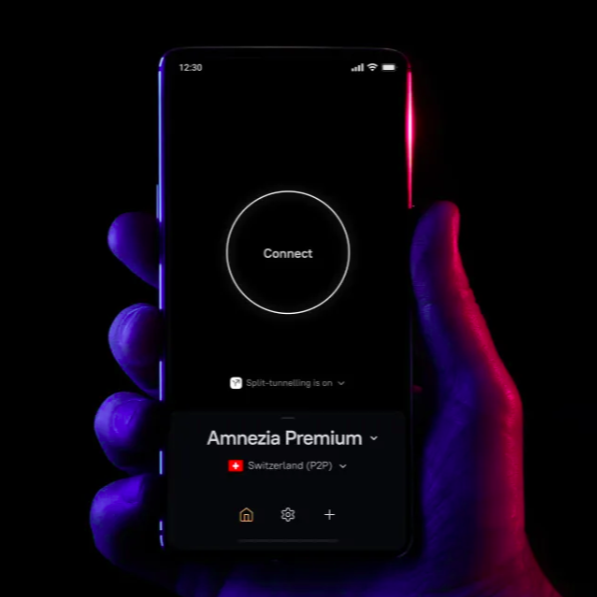
Amnezia VPN now supports human rights defenders with free premium VPN subscriptions

  • Amnezia VPN and Civil Rights Defenders teamed up to protect free speech
  • Journalists, activists can ask for free access to Amnezia Premium VPN
  • NordVPN and Surfshark previously introduced similar initiatives

Amnezia VPN has partnered with independent non-profit organisation Civil Rights Defenders to provide free access to Amnezia Premium for journalists and activists.

It’s not the first time the anti-censorship VPN has helped the category. Indeed, Amenzia VPN previously partnered with NGOs to support more than 300 journalists and activists from countries with heavy censorship — including Venezuela, Turkey, Russia, and Myanmar.

We all love the best VPNs to hide our real location, prevent our internet provider and third-party marketing companies from tracking us, or to protect our data when we connect to public Wi-Fi networks.

However, as regulators and platforms tighten their grip on freedom of digital access and the freedom of online expression itself, professionals writing about censorship or human rights violations and digital rights require reliable digital tools more than ever — particularly when they are located in countries with heavy internet censorship.

"Through this program, we hope to reach even more people," Amnnezia said.

In the meantime, its free service Amnezia Free continues to serve 2.5 million monthly active users for free in heavily censored countries, as the VPN continues to strengthen its commitment to protecting digital freedom by recently unveiling new anti-censorship protocols.

How to apply for the Amnezia VPN and Civil Rights Defenders program

The program is open to independent professionals and media organisations covering topics including freedom of expression and digital security, or that live and work in countries subject to censorship, media restrictions or state surveillance.

It will provide annual subscriptions to Amnezia Premium service — which, during our testing, has delivered impressive unblocking and access to 20 global server locations — with the option to renew the subscription for longer periods. There is currently no deadline for applications, and the program is expected to remain in place for at least one year.

To apply, professionals can complete a form if they have an email address linked to a specific project. Alternatively, they can contact Civil Rights Defenders by sending a description of their work and some references to vpn@civilrightsdefenders.org. Signal contact is also available upon request. You can find all the information in this blog post.

📝 Are you a journalist or activist covering human rights, censorship, or cybersecurity? Amnezia VPN has teamed up with Civil Rights Defenders to offer sponsored Amnezia Premium subscriptions for secure connection & digital protection. Apply now: https://t.co/G8z10U6uEh…July 28, 2026

Mazay Banzaev, founder of Amnezia, emphasised that journalists and human rights defenders' work is vital to society. "Supporting them is part of what we consider our mission," he said.

In this context, the partnership with Civil Rights Defenders is ideal, as the organisation operates in over 50 countries and provides a range of digital support and security services, including legal assistance, temporary relocation and digital protection measures to enable human rights defenders to continue their work.

"Civil Rights Defenders partners with human rights defenders in some of the world's most repressive environments to ensure that those who work for democratic rights and freedom of expression have the right tools to minimize risks imposed by isolationism and censorship," said Sofia Walan, Executive Director of Civil Rights Defenders.

The partnership adds to previous collaborations between other VPN firms and non-profit organisations, reflecting a growing awareness and desire for new initiatives aimed at combating digital threats.

Earlier this year, NordVPN partnered with Internews to boost digital protections for journalists and activists by directly integrating NordVPN’s security tools and 'Changemakers' training sessions into Internews' global digital security programmes.

Surfshark had also previously collaborated with the same organisation to provide fully funded Surfshark One subscriptions to 100 media outlets and civil society organisations operating in nine high-risk countries.

Private Internet Access now lets you ditch Google as it brings its VPN app to F-Droid

  • Private Internet Access has rolled out its VPN for Android on F-Droid
  • It provides de-Googlers with an alternative to sideloading
  • It reinforces PIA's commitment to maintaining its open-source status

Open-source Private Internet Access (PIA) VPN has rolled out its Android app on the digital store F-Droid, a privacy-focused alternative to the Google Play Store.

The move comes to the delight of VPN users who don’t trust Big Tech and its notorious track record of privacy violations, but are also fed up with more old-school, DIY de-Googling alternatives.

From now on, PIA users will be able to safely download the Android VPN app directly from the community-run store dedicated to open-source Android apps. This ensures that the version is free of Google dependencies without users having to manually source and upgrade new versions themselves.

The best VPNs often benefit from independent third parties to prove their reliability, including through commissioning security reports or independent audits.

With PIA now available via F-Droid, PIA users can now rely on a community of privacy-conscious individuals instead of having to blindly trust a binary file provided by the VPN directly. "We pride ourselves on being a VPN where anyone can read the code we actually ship — landing on F-Droid is a natural extension of that commitment," said the company.

Private Internet Access (PIA) — best Linux VPN
One of the best VPNs for Linux, and a popular VPN for torrenting, PIA is an industry veteran that has proven its no-logs policy in court (twice). Some connection issues and underwhelming speeds saw it fall out of our top ranks, but it's still offer reliable open-source apps across all major platforms at among the best cheap VPN pricing you can get.

What is F-Droid?

To install a VPN, Google Play Store is usually the common way. However, some users steer clear of the tech giant, which has faced countless legal cases relating to privacy and is known for collecting vast amounts of user data, including for targeted advertising.

A breath of fresh air, F-Droid's catalog of free and open-source Android apps is run by a group of volunteers that builds every app from the public source code rather than from a file provided by the developer, and makes it available on its Google-alternative store.

Because all apps on F-Droid are open-source and compiled independently, users can be sure that the binaries are tamper-free builds of the listed source code.

What’s more, F-Droid volunteers carry out these checks on users' behalf by auditing the open-source code, inspecting the code to check that it contains no spying or any sort of malicious behaviour — so you don’t have to do it yourself.

Why a native PIA's F-Droid app matters

PIA and F-Deoid logo on the left, PIA app on android smartphone on the right — promo image

(Image credit: Private Internet Access)

The digital store offers a far more reliable alternative to the more traditional method of sideloading your VPNs. This involves changing the device's security settings to allow the installation of apps from sources outside the Google Play ecosystem, including the VPN's website or alternative sites.

However, compiled binary code is opaque and has to come from somewhere, often the developer themselves. And by relying on the developer you are implicitly trusting their word — something that is easily abused.

Furthermore, with sideloading, you won’t receive the automatic notifications and pop-up messages from the official app stores that you would get via Google Play, which means you’ll need to monitor and install the APK manually to keep the app up to date — something that F-Droid takes care of.

To download the F-Droid app, you can visit f-droid.org in your browser and download and install the F-Droid APK; then install PIA once you've found it in the list of downloaded apps.

Ultimately, you are always relying on a third party unless you install the software yourself. But between a profit-driven company and a group of volunteers with a privacy policy that guarantees no shared accounts, no installation tracking and no adverts, we are sure the choice for many will remain a no-brainer.

Meet deGDID: Windscribe's answer to the Windows tracker that VPNs cannot mask

  • Windscribe has released deGDID, a free tool that targets a hidden Windows identifier that VPNs cannot mask
  • The identifier surfaced in a US court case where it helped trace a suspect's PC across VPNs and three countries
  • Blocking the identifier can break Microsoft account features like Xbox, Outlook, and the Store

Windscribe has built a new tool that takes aim at a form of Windows tracking that even the best VPN cannot switch off.

The tool, called deGDID, targets a little-known Microsoft identifier called the Global Device Identifier, or GDID. It is a server-assigned code tied to a Windows installation.

The GDID burst into public view in July after it appeared in a US federal complaint against an alleged member of the Scattered Spider hacking group, where Microsoft gave investigators logs that correlated a Windows GDID with IP activity. Investigators traced the machine through VPN obfuscation across multiple countries over roughly eight months.

Windscribe: a feature-packed VPN
Windscribe is fast, capable, and stacked with features. While the provider offers one of the best free VPNs around, Windscribe Premium gives you access to the full server network across 115 locations and extra features, including threat protection and port forwarding. If you find that you're unhappy with the product, you can get your money back within a week of signing up. View Deal

What Microsoft's GDID is, and why a VPN won't help

A Microsoft representative described the GDID in the complaint as a persistent, device-level identifier designed to uniquely identify an installation of Windows on a device.

It survives Windows updates but not a clean reinstall, which generates a fresh one. The privacy risk appears when that stable ID is tied to telemetry, Edge browsing data, Microsoft Store records, and IP addresses, letting Microsoft reconnect the same machine across sessions and services.

A virtual private network (VPN) protects your traffic by masking your IP address and encrypting your data. The GDID sits outside that tunnel, at the layer where Windows talks to Microsoft's cloud, so it ties every session together no matter which IP the traffic came from.

Switching to a local Windows account doesn't fix it either. Windscribe found its test machine still created a GDID even as a local account, and after manually deleting the value from the registry, it reappeared after a reboot.

How Windscribe's deGDID works, and how to use it

Windscribe's deGDID uses hosts file modifications and firewall rules to block the registration paths Windows uses to fetch a GDID, and wipes known local identity artifacts.

To run it, download the degdid.ps1 script from GitHub and run it in PowerShell with administrator rights. Use the -Status flag for a read-only check, or -Protect for the full block, verify, and wipe routine, with an -Unprotect option to reverse the changes.

The tool deliberately refuses to run on managed, domain-joined, or corporate machines.

Windows is spying on you. By design.Microsoft's GDID is a unique, server-assigned identifier for your Windows install. A recent court filing showed Microsoft was able to connect a GDID to IP activity.VPNs don't help. Local accounts don't fix it.So we built deGDID.July 27, 2026

This is not a clean opt-out. In hands-on testing, the script ran without errors, but then broke logins to Xbox, Outlook, and the Microsoft Store because the firewall rules also cut off the connectivity those services depend on.

Windscribe warns it may also affect OneDrive, passkeys, and Windows Hello, cannot guarantee it catches every GDID pathway, and does not erase records Microsoft already holds server-side.

For most people, this is just another reminder of what it means to be a Windows user, but if you want to inspect or reduce the identifier, deGDID is currently one of the only tools that tries. And if you want a more comprehensive solution, Windscribe suggests giving Linux a go.

Millions of downloads, zero security: how clone VPNs are gaming the Google Play Store

When browsing the Google Play Store for a mobile VPN, downloads in the tens of millions is usually the ultimate stamp of approval. If 10 million people use an app, it must be well-maintained, technically secure, and backed by a legitimate business, right?

Unfortunately, our latest audit of Android VPNs shows that high download metrics and large app catalogs don't equal operational support, technical maintenance, or store compliance.

Primarily, our data suggests that Google Play's automated submission checks are allowing multi-million-download apps and commercial app networks to circumvent certain developer website requirements.

Instead of real support portals, these developers are using blank domain placeholders, error pages, and ad monetization text files to game the system.

Broken infrastructure in 10M+ download "Super-Apps"

When you pay for one of the best VPNs, you get a dedicated corporate infrastructure, 24/7 support channels, and transparent legal documentation. But on Google Play, some of the top-ranking apps we audited are operating as ghost towns.

Our audit identified 14 separate Android VPN apps with over 10 million downloads each that maintain non-existent, broken, or dummy website links. For example, both USA VPN - Get USA IP and VPN Indonesia - Indonesian IP direct users to tap2free.net, which is a completely blank page.

Other high-volume apps redirect to active server errors. AnonyTun directs users to an HTTP '403 forbidden' error. The link for v2RayTun simply times out, and examples like Fast VPN lead to "Invalid URL" messages.

Even when the sites load, they are often devoid of information. VPN 365 is one of several examples that display generic single-line welcome banners like "Welcome to facefaster.com!" with no other content. MTM Tunnel Lite links to an empty free Blogspot page containing a single post stating "there’s nothing here."

Most embarrassing of all is Armada VPN, which points to a blank white page that actually misspells the app’s own product name as "Aramda VPN".

Other major listings were also found to omit a website URL entirely on their official store pages.

More risk of hijacking

These missing and broken links indicate abandoned or completely unmaintained web assets, heightening the risk of quiet service degradation or future domain hijacking.

More importantly, it leaves millions of active users with no obvious or easy channels to seek technical support, report severe security vulnerabilities, or legally request account and data deletion.

It also prevents users from verifying company registration details or reading binding terms of service outside the application client.

The problem of multi-app developer rings

The broken links on individual apps are bad enough, but the audit also exposed massive "developer rings", single entities spinning up dozens of clone apps to flood the search results and trick Google's automated systems.

One of the most common ways these developer networks game the rules is through the "app-ads.txt" exploit.

App-ads.txt is a standard format websites use to manage their Google ads, and many sites host these files for free. Developers need only paste these raw monetization file links into their app store submission forms to satisfy Google's website requirement without having to build a real site.

This exploit is happening on an industrial scale. The developer account Karastm operates 39 VPN apps, and 35 of them link back to Google Play via a generic app-ads text file.

Another developer, helalik, operates 19 VPN apps, including seven with over 1 million downloads, that all point to a single adzonemax.site file. Similar ad-file exploits were found across several other networks of similar size.

When developer rings aren't using ad files, they use dummy blogs. The developer BanglaTach operates 26 VPN apps (including two with over 1 million downloads) that all point to naruto24.com, a generic, dummy WordPress template that contains no information about VPN services.

Networks like BD IT POINT (8 apps) point their store listings to empty blog feeds, removed accounts, or placeholder domains.

So what?

These multi-app networks create a dangerous illusion of software variety. They trick users into believing they are choosing between distinct, competing privacy providers, when they are actually downloading reskinned clone apps.

These white-label fleets share identical infrastructure, identical bugs, and identical data logging practices, all while successfully evading Google's operational transparency and support obligations.

Consumer advice & actionable insights

Because of the ways Google Play permits apps into its store, and the weaknesses in this, users must become their own security auditors to navigate the storefront safely.

Start by completely disregarding download metrics. You should treat high download totals merely as indicators of past distribution popularity, rather than proof of current security, technical maintenance, or legitimacy.

Before downloading, always click the developer's name on the app store listing to audit their portfolio. If you see them operating dozens of identical clone apps sharing generic names, avoid their software entirely.

Finally, pay close attention to the provided URLs. Do not download an app if its official store website link ends in an "/app-ads.txt" extension or points to a free blogging domain like Blogspot. Ultimately, legitimate privacy companies invest in and own their own web domains.

The bottom line

Our data shows that, currently, Google Play's app verification methods offer enough maneuverability for apps to use dead links, blank pages, and ad monetization files to register their apps in place of truly helpful information hubs for users.

Until automated store submission checks are replaced with genuine corporate verification, consumers should evaluate independent security audits and clear corporate domain ownership rather than assuming app store popularity reflects developer reliability.

When contacted about our findings, Google responded, saying: "We are looking into this. When made aware of an app that violates our policies, we will review the apps in question and take appropriate action."

We also contacted all the VPNs mentioned in this article for comment on the issues found. As of publishing, none have responded thus far though we will update with any responses as they arrive.

Surfshark pulls the plug on Search as it shifts focus to fighting scams

  • Surfshark is retiring its private Search tool, blaming a lack of usage
  • Already begun on mobile, the full shutdown is expected by the end of 2026
  • The company says the move frees up resources for its Antiscam Hub

Surfshark is preparing to shut down Search, its built-in private search engine, for the simple reason that not enough people were using it.

In a note to TechRadar, the company confirmed that the tool, which is bundled with its One and One+ plans, will be wound down over the coming months.

Surfshark framed the decision as a way to free up resources for the areas its customers care more about, chiefly its Antiscam Hub.

The move is a notable trim for one of the best VPN providers around, a company that has spent recent years bolting extra privacy tools onto its app. Search was one of them, offering ad-free, tracker-free results with the option to switch regions.

Surfshark – the best cheap VPN
Surfshark is a fast, easy-to-use VPN that seriously beats the competition when it comes to subscription pricing. Its two-year Starter plan works out at $2.49 a month (plus tax), but we think Surfshark One is the best value plan as it adds an antivirus, data breach monitor, and alternative ID tool starting from the equivalent of $2.79 a month. View Deal

Why Surfshark is retiring Search

The problem, by Surfshark's own admission, is that hardly anyone used it. The company told TechRadar that adoption stayed limited to a very small slice of its user base, and that retiring the tool lets it pour resources into higher-demand areas instead. Chief among those is the Antiscam Hub.

It's a pragmatic call. Standalone private search engines face stiff competition from established names like DuckDuckGo, Startpage, and Brave Search, and a search tool tucked inside a VPN app was always going to be a hard sell against them.

The wind-down is staggered rather than immediate. Search has already been pulled from iOS, and it will disappear from Android with the next app release in early August. For now, it survives on Surfshark's web app, so anyone who relies on it there has some time to choose their new alternative.

Surfshark says it will retire Search everywhere else by the end of the year, and tidy up any lingering mentions of it across its website.

Where the resources are going: the Antiscam Hub

Surfshark Antiscam hub on iPhone

Surfshark's new Antiscam hub combines a number of its existing features into one easily navigated location (Image credit: Surfshark)

In May, the company launched its Antiscam Hub for iOS, a dedicated section of the app that pulls five existing tools into a single interface: Personal Email Masking, Alternative Number, Dark Web Monitoring, Unsafe Site Blocking, and Identity Theft Coverage.

At launch, the hub didn't so much add new features as reorganize existing ones, and Surfshark billed it as the starting point for a roadmap of increasingly sophisticated security features.

That roadmap is now taking shape: the company told TechRadar it will soon reveal a completely new addition to the Antiscam Hub for both iOS and Android users.

It won't reach everyone, though. The new feature "will be part of the Surfshark One and One+ bundles," Gabriele Sinkeviciute, Head of Product at Surfshark, told TechRadar, adding that the company will assess future releases individually.

"The VPN is our foundation, but our focus is on building an all-in-one security product," Sinkeviciute said.

That tracks. Rivals including NordVPN have been consolidating their security tools into unified suites, as VPN providers push beyond simple traffic encryption. It also reflects a grim reality: US consumers reported losing about $15.9 billion to fraud in 2025, the highest on record and up roughly 27% from $12.5 billion in 2024, according to the FTC.

For now, the takeaway is straightforward — Search is on its way out, scam protection is the priority, and Surfshark says there's more to come.

Apple and Google are hosting hundreds of dangerous VPN links — here is why your device is at risk

When you download an app from the Apple App Store or Google Play Store, you assume the environment is heavily moderated and entirely safe. Unfortunately, we recently completed an audit of mobile VPNs that reveals significant privacy and security risks.

Our evaluation identified apps on both app stores that put visitors at risk of unencrypted traffic, hidden redirects, and active scareware.

The best VPNs will invest heavily in bug bounties and secure, authenticated web infrastructure. But there are a significant number of mobile VPN apps that leave you exposed to phishing and malware before you even install the app.

Insecure protocols and obscured links

The biggest concern we found surrounds encryption enforcement. We found that 339 Android links (5.3%) and 188 iOS links (6.8%) use plain, unencrypted HTTP instead of secure HTTPS. This includes massively popular apps like Oryx VPN (which boasts over 1 million downloads) and Stealth Shield VPN.

So what?

Clicking a plain HTTP link allows network eavesdroppers or man-in-the-middle (MitM) attackers to intercept, manipulate, or inject malicious content into the traffic between you and the developer's site.

But the security holes don't stop at missing encryption. The audit uncovered several other severely obscured URL formats being approved, such as:

  • URL Shorteners: Multiple store listings rely on shorteners like shorturl.at and the Yandex-based clck.ru. This deliberately conceals the final destination domain, making it impossible for users or automated URL security scanners to evaluate link safety prior to clicking.
  • Raw IP Addresses: Some listings use raw numerical IP addresses instead of domain names. This bypasses domain-based web filtering, SSL certificate validation, and public DNS reputation systems, effectively making connection security impossible to verify.
  • Direct PDF Links: We found privacy policies pointing directly to downloadable PDF files (13 on iOS, 1 on Android). PDF documents can execute embedded JavaScript, trigger automated local file downloads, or easily exploit PDF reader vulnerabilities on your device.

Active threats: scareware and malicious redirects

The most alarming discovery is that clicking a link on an official Apple or Google store page can lead to active cyber threats.

When developers abandon their apps, their official web domains often expire. It seems that actors are actively purchasing these expired domains specifically to exploit the existing app store traffic. In fact, our audit verified multiple active store listings containing domains that now host fake antivirus popups and ad redirects.

Users who trust these official app store links are tricked into viewing fake security warnings. These scareware popups are explicitly designed to coerce panicked users into downloading genuine malware to "fix" a fabricated virus.

In other instances, store links point to totally irrelevant and unvetted environments. Official links were found pointing to deleted Twitter handles, empty Facebook and Instagram pages, payment portals like Cashpay Iraq, and even Chinese opera sites.

Directing users to external messaging platforms like Telegram or abandoned social accounts bypasses web security standards entirely, exposing users to unmoderated third-party chat environments and severe impersonation risks.

How to protect yourself

Its important that, regardless of inbuilt measures, consumers take matters into their own hands to some extent to navigate these listings safely. Always inspect link targets closely before blindly tapping on a developer website.

You should verify that the destination uses a secure HTTPS connection, and remain on high alert for obscured formats like raw numerical IP addresses or randomized link shorteners that conceal the true domain.

Furthermore, you should actively decline unexpected PDF downloads. Avoid opening direct PDF links from store pages, as these files may contain embedded JavaScript or exploit reader vulnerabilities. If tapping a privacy policy suddenly prompts an automatic file execution or download, block it immediately.

Finally, if an official app store link leads to a virus warning or requests system scanning permissions, recognize that it is a fabricated scareware scam designed to coerce you into downloading malware. Do not click anything on the page; close your browser tabs immediately to protect your device.

The bottom line

Gaps in outbound link verification across the App Store and Google Play Store mean active security threats and unencrypted traffic can still slip onto mobile VPN product pages.

When we approached Apple and Google on our findings, Apple declined to comment on the record. Instead, we were pointed towards its safety guidelines and app review processes. A Google Spokesperson did comment, saying, "We are looking into this. When made aware of an app that violates our policies, we will review the apps in question and take appropriate action."

We also reached out to both Oryx VPN and Stealth Shield VPN, neither of which has returned to us with a response at the time of publication.

Ultimately, the lesson is that you must apply the same strict web security precautions inside official app stores as you would when navigating the open web.

First your age, next your identity: Inside the 'hack' that broke the EU age verification app's privacy promises

When Paul Moore heard the European Commission President saying that the EU age verification app will “give children a safer start online,” he was unconvinced.

"Bypassing the latest EU age verification app (2026.07-1) with a Chrome extension," he later posted on X. And it wasn’t the first time.

With over 20 years of experience under his belt, Moore managed to bypass the app back in April, right after the Commission first launched it. Combined, his experiences have led him to a straightforward conclusion: "anonymous age verification doesn't work."

While the process he used to bypass the verification system doesn’t undermine people’s privacy, Moore believes the long-term impact of its ineffectiveness will.

"All it is an escalation path being drip-fed, bit by bit under the guise of child safety," Moore told TechRadar. It won’t just be about proving your age. "The next step will be proving who you are," he said.

The EU’s 'privacy-preserving' approach

EU

(Image credit: Pixabay)

Most of the current age verification methods, which require scanning national ID documents or biometrics, put people's sensitive data at risk. (Think, for example, of the data breach that affected Discord’s age verification provider and exposed 70,000 people's government IDs and personal data last year.)

For that reason, there's a growing sense of urgency to find a solution that helps people prove their age without collecting sensitive information. And the European Commission argues that it has found it.

Drawing on the framework of the COVID-19 certificate app, the Commission came up with a template for a privacy-first, open-source tool that EU member states can use to build their own national apps.

The process — which is part of the bigger European Digital Identity Wallet (EUDI) project — leverages zero-knowledge proofs (ZKPs) and verifiable credentials (VCs) to verify someone's age without sharing sensitive information.

In other words, your phone scans your ID and stores that data locally. Websites will then ask users to scan a QR code via the app to prove they are old enough to access certain content.

A European Commission spokesperson told TechRadar that online services won't receive any personal information about the users, saying: "The age proof simply confirms whether the user meets the age requirement."

Moore doesn’t dispute the privacy credentials of the process. Perhaps worse, he just doesn’t think it will work.

Why the EU age verification doesn't work

While the EU age verification blueprint sounds like a welcome improvement compared to the current approach, the advantages don't hold up.

That's because Moore says age checks have to be tied to a person’s identity to be trustworthy. "The second you strip the identity away from how old somebody is, a person can't answer that question," he said.

Since the April launch, the tool's security credentials have even been improved, but Moore says the issue isn’t a bug but the entire process, criticising the latest efforts as mere "security theater."

How Moore bypassed the app

Bypassing the app wasn't difficult. In fact, Moore says he built two Chrome extensions on Claude in minutes.

The first extension he built replicated the Android app, but with the ID checks removed. This meant he could skip the need for a user to scan a document entirely.

"It detects the QR code automatically (when presented by a website) and passes verification," Moore explains, adding that the process is entirely automated with no need to interact with the Chrome extension once installed."

This week, Moore went further and built a Chrome extension that can capture the QR code from a website and automatically forward it to a remote, automated phone to get a genuine signature in seconds.

#EU #AgeVerification unfixable bypass:✅ Automate the device✅ Detect and relay the QR code⏱️ Push to GitHubOnce an age verification QR code appears, it will detect & automatically relay to a legitimate device that completes the verification remotely.If a "technically… https://t.co/O0Z0BpCOs8July 31, 2026

Known as an 'automated relay bypass,' these attacks mean nothing in the process is faked, making prevention almost impossible.

"Even after they enable all other protection mechanisms, both will continue to work," Moore said.

The EU’s response

When asked whether any steps were taken to prevent circumvention, a European Commission spokesperson said: "We of course rely also on parents and caretakers to check what children are doing online," adding that the app's goal is "avoiding the unintended exposure of kids to inappropriate content."

Yet, according to Moore, lawmakers' focus is misdirected. He said: "What [lawmakers] are missing is that the threat actor isn't a third party; the threat actor is the user.

"They don't want age verification in the first place, so they are going to look for ways to bypass the system. And if the system can be bypassed by design, they will do it."

Deciding not to impose a new law or technology simply because it could be bypassed is unlikely to convince lawmakers. But the problem may extend beyond an ineffective system.

In fact, Moore fears that the app's inevitable ineffectiveness could push lawmakers to turn to more invasive checks and an erosion of people's privacy.

Next step? Our identity

Portrait of woman with shadow of barcode on her face

(Image credit: Francesco Carta fotografo/via Getty Images)

When Moore says the concept is broken, he is calling out what he sees as a fundamental flaw in the EU age verification framework's design: client-side trust.

The app is more privacy-preserving than passports and face scans because the data won’t leave the user’s device. But this may be exactly why its implementation is bound to fail. If nothing leaves the device, Moore explains, there is no way to trust or verify what has been obtained.

This creates a problematic catch-22 for European lawmakers. When this ‘anonymous’ app fails to keep kids off restricted sites, Moore contends that Brussels is unlikely to simply give up on its flagship safety initiative and drop privacy-preserving practices altogether.

"For them to push ahead with it under the guise of child safety is an escalation path to say we've tried this; the natural route is now you've got to prove your identity," Moore told TechRadar.

It’s clear that age verification is here to stay, despite continuous outcry coming from privacy advocates, technologists, and data scientists who warn it may do more harm than good.

For Moore, the danger is that what’s marketed as a privacy-first breakthrough today may ultimately be used to undermine privacy tomorrow.

'The VPN you can simply trust and forget about' — Norton VPN boosts security, speeds, and network in latest round of upgrades

  • Post-quantum encryption is now live on Norton VPN's Mimic and WireGuard
  • Rebuilt iOS and Android apps have slashed connect times by more than 50%
  • Norton has added 12 new countries across Asia and Africa

Competition for the title of best VPN is fiercer than ever, and Norton is making a strong case for the crown. The cybersecurity veteran has just unveiled the final releases from its first-half 2026 roadmap, delivering a robust mix of future-proofed privacy tools, significantly faster mobile applications, and an expanded global footprint.

The standout feature of this latest rollout is the introduction of post-quantum encryption. This comes alongside improved Software Development Kits (SDKs) for its mobile apps and an expanded server network across Asia and Africa.

At first glance, these releases may appear to be separate features. But for the provider, they all address the same need — customers must count on Norton VPN, wherever they are.

As Himmat Bains, Product Lead at Norton VPN, told TechRadar, post-quantum encryption is crucial to protect users' data from future threats. Faster, more reliable mobile connections mean VPN protection is there exactly when they need it. And coverage in 12 new countries means that more people can connect locally.

"Different problems, same answer — we want this to be the VPN you can simply trust and forget about," said Bains.

Norton VPN – best for beginners
The cybersecurity company's latest upgrades mean it's now challenging some of the best VPNs on the market. It offers great speeds, strong unblocking and straightforward apps, but some of its features are still quite basic. Subscriptions start from the equivalent of $3.33 per month and are all protected by a 30-day money-back guarantee.View Deal

Post-quantum ecryption lands on Norton's Mimic and WireGuard

As quantum computing advances, cybersecurity experts have increasingly warned of "harvest now, decrypt later" attacks. This is a tactic where cybercriminals or state actors steal encrypted data today, hoarding it with the intention of cracking it when quantum computers become powerful enough to break traditional encryption standards.

To combat this long-term risk, Norton VPN has upgraded its proprietary Mimic protocol to utilize the ML-KEM-1024 encryption algorithm by default across all platforms.

The company is also rolling out the exact same post-quantum protection to the popular WireGuard protocol on both desktop and mobile devices, ensuring that user traffic remains fully secure against tomorrow's technological threats.

Turbocharging mobile performance

A composite image showing a woman using a smartphone and then Norton VPN interface displayed on an Android mobile.

(Image credit: Norton)

While future-proofing encryption is crucial for long-term privacy, everyday users will immediately feel the benefits of Norton’s revamped mobile experience. The provider has entirely rebuilt its iOS and Android SDKs, the underlying code architecture that powers its mobile applications, from the ground up.

The performance gains are impressive. According to Norton's release notes, the new mobile architecture reduces connection times by more than 50% and connection errors by over 60%. For mobile users who constantly hop between home Wi-Fi, public hotspots, and cellular networks, this means a much smoother, almost instantaneous protective shield.

Just as importantly, this rebuilt framework will allow Norton to ship bug fixes and new features much faster going forward. The overhaul has already paid immediate dividends, leading directly to a rebuilt mobile widget that patches previous usability issues users had been facing.

"

A broader network and a busy 2026

Beyond the apps themselves, Norton is continuing to scale up its physical infrastructure. The provider has added 12 more countries to its network, specifically targeting underserved regions across Asia and Africa.

This expansion brings Norton's total reach to an impressive 102 countries and more than 140 global locations, seamlessly building on the momentum of previous network upgrades earlier this year.

This latest announcement caps off a remarkably busy start to the year for the Norton VPN team.

The provider brought a native Amazon Fire TV app (Fire OS 8 and newer) in March and introduced the industry's first AI-native VPN for Agents in April. It also successfully added Split Tunnelling on Mac in June, joining its Android and Windows counterparts.

Furthermore, WireGuard is now live across Mac, iOS, and tvOS, with a new Pause VPN feature on iOS closing the platform's last functional gap. The company also rolled out 25 Gbps servers across busy cities and added Manual IP Rotation.

"Our goal is simple: deliver a VPN for the masses," Bains told TechRadar, arguing that these releases weren't about shipping a longer list; "it was about closing the gaps customers actually feel."

Looking ahead, Bains confirmed that Norton's second-half roadmap pushes even further, noting that "we'll have third-party audits for the third year launching later in the summer, along with meaningful updates coming to our streaming and performance.

‘I just got hacked’ — What Play Store reviews reveal about people's VPN expectations

A VPN isn't a silver bullet. It can’t guarantee total security or anonymity online. Instead, it is a tool that allows you to hide your browsing data from your internet service provider (ISP), adopt a virtual IP address, and access geo-restricted content.

However, there are still a lot of misconceptions about what a VPN can and cannot do — a problem made worse by the exaggerated marketing claims pushed by some VPN companies.

Given that, it’s unsurprising that when we analyzed nearly 30,000 Google Play Store reviews of our four top-rated VPNs, a clear trend emerged: a lot of people aren’t getting the privacy and security protection they thought they were paying for.

In part, this stems from users misunderstanding what a VPN does. But it also shows that the industry needs to do a better job of setting realistic expectations.

On the whole, people are satisfied with their VPNs. Across our full dataset, just 35% of overall comments were negative. However, when we isolated feedback related to privacy and security, the proportion of negative comments rose to 41%.

This article is the second in a series investigating the real-world experience of using major VPN services, driven by our exclusive analysis of Android VPN reviews. The first article examined billing and pricing issues.

Lab-tested security vs Play Store reality

Proton VPN received the highest proportion of positive comments regarding privacy and security, with 68% of its feedback on the topic being positive.

That's significantly higher than Surfshark, which recorded a positive sentiment rate of just 31%. ExpressVPN (54%) and NordVPN (34%) sat in between.

It's worth noting, however, that all four services offer essentially equivalent protection and are among the most secure VPNs available. They all feature advanced encryption and proprietary protocols, and have been audited by third parties to confirm their security credentials.

So what’s causing the disconnect between our lab tests and real-world user experience? It seems that for many, it stems from several myths about what a VPN can actually protect you from.

Myth #1: A VPN stops every 'hacker'

When analyzing the Play Store reviews, we noticed that a significant number of people were concerned about the threat of hackers. And for obvious reasons — people lose money, privacy, and their health to malicious actors online every day.

Unfortunately, a VPN can't help in every scenario, and that seems to have left many disappointed.

One Proton VPN reviewer, for example, alleges it is the “worst app ever” because they had “been hacked by someone else while using this VPN.” Meanwhile, a NordVPN comment says that “hackers” had “managed to set up a way of getting passed [sic] the VPN on all my devices.” Another simply says: “got hacked the second day, don’t trust.”

However, others proudly claim that their VPN “protects my identity from hackers.”

Like most things, the reality is somewhere in the middle. While a VPN protects your data in transit (encrypting the data between your device and the server you’re connecting to), it does nothing to protect data you’ve already handed over to a third party — like an email address or password stored on an external database.

A standard VPN also won't stop you from falling victim to phishing scams, where an attacker tricks you into voluntarily entering your credentials on a fake website. However, VPN companies are increasingly releasing products to help prevent this.

If you're looking for more details on what a VPN can and can't do, check out the cheat sheet at the end of this article.

Myth #2: A VPN offers bulletproof protection

In our tests, these VPNs have never leaked an IP address. That would be a big deal. Yet across Play Store reviews, a surprising number of people report that their VPN appeared to fail.

One NordVPN reviewer said the app “did not hide my IP address from being tracked,” while a comment about Surfshark claimed it “failed to hide my IP address at least twice in the first 3 weeks.” Another noted that their VPN “leaks IP after some time [...] giving you a wrong sense of privacy and security.”

It’s impossible to diagnose the specific issues at play without more context. However, true encryption failures are extremely rare, particularly among well-regarded providers.

In reality, most reported leaks stem from configuration errors (like not having the kill switch enabled), browser tracking or basic steup errors. To make sure your connection isn't dropping data, always enable your app's kill switch and verify your real IP address is hidden using a diagnostic tool like Cloudflare's trace page.

If you’ve checked your settings and still suspect your VPN is genuinely leaking your IP address, leave a comment below and our team will see if we can help troubleshoot it.

Myth #3: A VPN equals total anonymity

Exaggerated marketing claims around online privacy seem to have influenced reviewers throughout the data. Some accuse providers of betraying them, writing reviews like "do not trust this app for privacy," while others complain about the amount of telemetry data collected by the apps themselves.

However, these reviews highlight an uncomfortable truth: masking your IP address only goes so far. Cookies, browser fingerprints, device information, language settings, and SIM card regions are all routinely logged, analyzed, and leveraged by advertisers and platforms to track your identity regardless of your IP.

A VPN is an important first step in improving your privacy, but if you continue to use services that monitor your every move, it’s not enough on its own. Check your browser, the services you use and you might find that there are other factors at play revealing your identity.

‘Not a catch-all’ — VPN providers' defense

We reached out to each of the VPN companies mentioned in this report for comment.

Proton VPN, NordVPN, and Surfshark all acknowledged that a VPN is not a catch-all solution for every digital threat. Instead, they highlighted additional security features they offer and noted that many reported issues stem from configuration errors and non-IP tracking rather than a failure of the VPN.

ExpressVPN did not respond to our request for comment.

Proton VPN highlighted its NetShield feature, which blocks ads, trackers, and malware domains. Addressing leak complaints, the company explained that genuine tunnel traffic does not leak, and that reported issues typically occur when split tunneling, connection dropouts, or browser extensions leave specific traffic outside the encrypted connection.

Surfshark pointed to its Web Content Blocker — which it says blocked nearly 1.2 million phishing and malware sites in the past month — and its Alternative ID tool, which generates email aliases to protect contact details.

Meanwhile, NordVPN, which said that it "does not advertise complete immunity," highlighted its next-gen antivirus and credential leak monitoring tools. It added that perceived IP leaks are frequently down to device configuration rather than an IP exposure.

Combined, it's clear that leading VPN companies are developing more comprehensive and effective cybersecurity products to accompany the core VPN technology. However, if the limitations — as well as the benefits — of these additional tools aren't communicated clearly, the industry risks creating the same expectation gap it appears to face with its core technology.

What a VPN can and can't do — A cheat sheet

A VPN can:

  • Encrypt your browsing traffic: Shield your internet activity from your Internet Service Provider (ISP), network manager, or public Wi-Fi admin.
  • Spoof your location: Replace your real IP address with one in another location, making it harder for sites to track your physical whereabouts and help you access geo-restricted content.
  • Bypass local network blocks: Circumvent restrictions imposed by Wi-Fi administrators, government censors, and geo-fenced content.
  • Prevent bandwidth throttling: Stop ISPs from slowing down your speeds when they detect specific activities like streaming or torrenting.
  • Secure DNS requests: Direct web address lookups through private, encrypted DNS servers to prevent ISP-level logging and DNS leaks.
  • Protect your IP address against DDoS attacks and IP tracking by hiding your actual home IP address during gaming or P2P connections.

A VPN can't:

  • Protect the data you share: It can't stop companies from collecting data you submit directly or protect that data if those companies suffer a breach.
  • Prevent phishing: It can't stop you from falling for phishing, text, or phone scams, although many providers now offer tools that help on top of the VPN.
  • Make you completely anonymous: Web cookies, browser fingerprinting, and account logins can still track your identity online regardless of your IP address.
  • Block hardware-delivered malware: It offers no protection against threats introduced directly to your device via physical hardware (like infected USB drives).
  • Protect against digital forensics: It cannot shield files or logs stored directly on your physical device if it is accessed with forensic tools.
  • Remove existing infections: It cannot retroactively clean malware or spyware already installed on your system.
  • Stop OS-level zero-day attacks: It can't stop sophisticated, nation-state spyware that exploits underlying vulnerabilities in your device's operating system.

Methodology

We collected almost 30,000 user reviews published on Google Play Store since the beginning of the year for the four VPN providers featured in this report using the google_play_scraper library.

As individual reviews often address multiple topics (e.g. streaming and security), we broke reviews down into sentence-level units. This expanded our analysis to over 47,000 entries, with individual entries permitted to sit across multiple categories when suitable.

Each sentence was assigned to specific categories using regex keyword filtering, and analyzed for sentiment using a pre-trained BERT model that took into account the user’s star rating.

While all machine learning sentiment pipelines carry a minor margin of error, every VPN provider was subjected to the exact same pipeline to ensure consistency and fair comparison. Human review was also conducted throughout.

Data processing scripts were developed in Python with AI assistance, and all final outputs were manually reviewed.

Thousands of iOS and Android VPNs are hiding behind fake websites and useless privacy policies — here's how to spot them

If you think downloading a VPN directly from an official app store guarantees your digital privacy, it’s time to think again.

We recently undertook a huge audit of storefront verification standards, which has exposed a severe lack of quality control across both the iOS App Store and Google Play.

We evaluated developer transparency and store verification standards, analyzing 3,392 Android VPN apps (with more than 1,000 downloads) and 1,387 iOS VPN apps (with at least one review).

It appears that Google Play looks significantly worse than Apple's App Store across almost every transparency and validity metric. In fact, a mere 61.4% (851) of iOS apps passed all main validity checks, while Android trailed far behind with just 40.8% (1,210) passing the same tests.

Just because a VPN is available on an official App Store doesn’t mean it’s legitimate. Here is what the data tells us about the safety of mobile VPNs.

Storefront Enforcement & Quality Control Data

Google Play Store

(Image credit: Google)

When you hand over your web traffic to a VPN, you expect the developer to be a real, registered business. However, storefront enforcement data proves that thousands of these apps lack even the most basic corporate infrastructure.

When it comes to maintaining a valid developer website, Apple leads the pack. Our data shows that 82.7% (1,147) of iOS apps maintain a valid developer website. In contrast, only 52.2% (1,774) of total Android apps manage to do the same (which equals 59.8% of the Android apps that actually bothered to list a URL).

But the problem goes deeper than broken links. 46.9% of valid Android websites (832) and 47.5% of total Android privacy policies (1,612) rely entirely on free third-party domains like Google Sites, GitHub, and Blogger.

In total, more than 1,200 Android developer website or privacy policy links pointed directly to free Google pages. Apple performs better here, but isn't immune; 15.6% of iOS websites (179) and 18.3% of iOS privacy policies (217) still rely on these free hosts.

So What?

Relying on free platforms like Blogger or Google Sites signals a complete lack of dedicated corporate infrastructure and financial investment. If a developer isn't willing to spend a few dollars on a custom domain, how can you trust them to invest in secure AES-256 encryption or server maintenance?

Worse, if that free third-party account is suspended or abandoned by the host, developer support and privacy documentation vanish instantly.

The platform differences are equally stark when it comes to developer contact requirements. Google Play mandates that developers display an email address, but 65.1% of Android apps (2,208) use free, public domain services like @gmail.com or @yahoo.com.

Meanwhile, iOS does not require developers to display an email address at all, and it is present on only 16.2% of iOS VPNs (225 apps).

Allowing developers to omit contact emails lets operators remain entirely anonymous. This prevents users from exercising fundamental privacy rights, such as GDPR data access or deletion requests.

It strongly indicates that the "company" is an individual or transient entity rather than a registered business, making legal accountability and data privacy enforcement virtually impossible.

Privacy Policy Misrepresentation & Boilerplate Networks

Privacy policy on a smartphone

(Image credit: Shutterstock)

A VPN is only as trustworthy as its privacy policy. Premium providers like ExpressVPN and NordVPN undergo regular independent audits to verify their no-logs claims. By contrast, our audit revealed that hundreds of mobile VPNs use completely meaningless, generic, or copied text to masquerade as legitimate services.

In one example, we found 13 iOS apps sharing identical boilerplate text containing unedited template placeholders. Because the developers didn't even bother to read their own legal documents, the text still reads: "If you have questions about this Privacy Policy, contact us at support@example.com." You can view one of these identical unedited policies here.

These unedited templates contain zero binding commitments regarding VPN-specific practices, such as traffic logging, IP tracking, or bandwidth monitoring. Users are misled into assuming they are protected when, in reality, no legal policy actually exists.

Furthermore, a massive portion of these apps rely on automated "policy generator farms", sites that bulk-host generic privacy documents. The audit discovered:

  • 48 Android apps hosting policies on projeto10.top
  • 40 apps using freeprivacypolicy.com
  • 19 apps using termsfeed.com

Automated policy generators often attach legal disclaimers stating they do not guarantee accuracy. Furthermore, the host platform can alter or remove the page without the developer's knowledge, leaving users without valid privacy terms.

Perhaps the most absurd discovery belongs to Sigma VPN, an Android app with over 100,000 downloads. Its listed privacy policy isn't a policy at all. Instead, it links directly to a copied Wix support article on how to create a privacy policy.

Even when policies are unique, they are often too short to mean anything. The audit found that 2.3% of valid Android policies (72) and 6.6% of valid iOS policies (78) contain 250 words or fewer. Highly truncated policies like these lack necessary legal disclosures regarding logging, third-party data sharing, jurisdiction, and data retention windows.

Consumer Advice & Actionable Insights

So, how do you navigate app stores safely without downloading a dud, or worse, a data-harvesting nightmare? Here is our actionable checklist to protect yourself before hitting 'Download'.

  • Domain Verification: Always check that the provider operates an independent, custom web domain matching the product name, rather than a free sub-domain on Blogger or Google Sites. If they don't own their own website, they shouldn't own your web traffic.
  • Policy Audit Checklist: Don't just trust the word "Privacy Policy." Open the link and search the text for generic email placeholders (like support@example.com), generator footers, or broad non-VPN terms. Confirm that the policy explicitly commits to no connection or activity logging.
  • Contact Testing: Test the developer's contact channels before subscribing. Send a quick email to verify that support responsiveness and account deletion mechanisms actually exist.

The Bottom Line

Google Play's link verification method lets hundreds of apps operate using temporary blogs, blank pages, and automated generator sites. While Apple does a better job of enforcing valid web links, its main flaw is that it permits total anonymity for developers, leaving users with no way to hold iOS developers accountable legally.

In response to our investigation, Apple declined to comment on the record, pointing instead to its safety guidelines and app review processes. Meanwhile, a Google spokesperson said: “We are looking into this. When made aware of an app that violates our policies, we will review the apps in question and take appropriate action."

The final takeaway is a crucial lesson in modern cybersecurity: store listing approval reflects compliance with basic submission forms, not operational legitimacy or privacy protection. Always do your own research before trusting a mobile VPN with your personal data.

❌