Normal view

There are new articles available, click to refresh the page.
Today — 12 May 2026Training

Defense at AI speed: Microsoft’s new multi-model agentic security system finds 16 new vulnerabilities

12 May 2026 at 18:00

Today Microsoft announced a major step forward in AI-powered cyber defense: our new agentic security system helped researchers find 16 new vulnerabilities across the Windows networking and authentication stack—including four Critical remote code execution flaws in components such as the Windows kernel TCP/IP stack and the IKEv2 service. They used the new Microsoft Security multi-model agentic scanning harness (codename MDASH) which was built by Microsoft’s Autonomous Code Security team. Unlike single-model approaches, the harness orchestrates more than 100 specialized AI agents across an ensemble of frontier and distilled models to discover, debate, and prove exploitable bugs end-to-end.

The results speak for themselves: 21 of 21 planted vulnerabilities found with zero false positives on a private test driver; 96% recall against five years of confirmed Microsoft Security Response Center (MSRC) cases in clfs.sys and 100% in tcpip.sys; and an industry-leading 88.45% score on the public CyberGym benchmark of 1,507 real-world vulnerabilities—the top score on the leaderboard, roughly five points ahead of the next entry.

The strategic implication is clear: AI vulnerability discovery has crossed from research curiosity into production-grade defense at enterprise scale, and the durable advantage lies in the agentic system around the model rather than any single model itself. Codename MDASH is being used by Microsoft security engineering teams and tested by a small set of customers as part of a limited private preview.

This post explains how codename MDASH works, what we shipped today, what we learned along the way, and how you can sign up for the private preview.  

AI-powered vulnerability discovery at hyper-scale

The Microsoft Autonomous Code Security (ACS) team was assembled to take AI-powered vulnerability research from a research curiosity to production engineering at enterprise scale. Several members of this team came to Microsoft from Team Atlanta, the team that won the $20 million DARPA AI Cyber Challenge by building an autonomous cyber-reasoning system that found and patched real bugs in complex open-source projects. The lessons from that work, especially the level of engineering required to make the frontier language models perform professional-level security auditing, are what our new multi-model agentic scanning harness (codename MDASH) is built around.

Microsoft’s code base is challenging for security auditing for a few reasons: 

  • Massive proprietary surface. Windows, Hyper-V, Azure, and the device-driver and service ecosystems around them are private Microsoft codebases—not part of any commodity language model’s training corpus, and genuinely hard to reason about: kernel calling conventions, IRP and lock invariants, IPC trust boundaries, and component-internal idioms do not yield to pattern matching. On this surface, a model has to actually reason. 
  • DevSecOps at scale. Every finding has a real owner, a triage process, and a Patch Tuesday to land on. There is no quiet drawer for speculative findings; if a tool produces noise, the noise is everyone’s problem. 
  • High-value targets. Windows, Hyper-V, Xbox, and Azure serve billions of users. The payoff for finding a single hard bug is unusually high—and so is the cost of a false positive in a tier-one component. 

The findings in this post are the result of close collaboration between ACS and Microsoft Windows Attack Research and Protection (WARP). WARP owns the deep, hard end of Windows offensive research; ACS brings the AI-powered discovery and validation pipeline. Together, the teams have collaborated to build a mature harness.

Codename: MDASH—Microsoft Security’s new multi-model agentic scanning harness

Codename MDASH is, at its core, an agentic vulnerability discovery and remediation system. The model is one input. The system is the product.

Diagram of an automated code security workflow showing stages from repository analysis and code scanning to bug triage, proof-of-concept generation, and automated patch creation and validation.

A useful mental model is to think of it as a structured pipeline that takes a code base and emits validated, proven findings:

  • Prepare stage: Ingests the source target, builds language-aware indices, and then draws the attack surface and threat models by analyzing the past commits. 
  • Scan stage: Runs specialized auditor agents over candidate code paths, emitting candidate findings with hypotheses and evidence. 
  • Validate stage:  Runs a second cohort of agents—debaters—that argue for and against each finding’s reachability and exploitability. 
  • Dedup stage: Collapses semantically equivalent findings (for example, patch-based grouping). 
  • Prove stage: Constructs and executes triggering inputs where the bug class admits it. The prove stage validates the pre-condition dynamically and formulates the bug-triggering inputs to prove existence of vulnerability (for example, ASan in C/C++). 

Three properties make this work in practice:  

  1. An ensemble of diverse models that are effectively managed by codename MDASH. No single model is best at every stage. The multi-model agentic scanning harness runs a configurable panel of models. That includes SOTA models as the heavy reasoner, distilled models as a cost-effective debater for high-volume passes, and a second separate SOTA model as an independent counterpoint. Disagreement between models is itself a signal: when an auditor flags something as suspect and the debater can’t refute it, that finding’s posterior credibility goes up.
  1. Specialized agents. An auditor does not reason like a debater, which does not reason like a prover. Each pipeline stage has its own role, prompt regime, tools, and stop criteria. We don’t expect one prompt to do everything; we don’t expect one agent to recognize, validate, and exploit a bug in a single pass. Codename MDASH has more than 100 specialized agents, constructed through deep research with past common vulnerabilities and exposures (CVEs) and their patches, working independently to discover the bugs, and their auditing results will be ensembled as a single report.
  1. End-to-end pipeline with extensible plugins. The pipeline is opinionated, but it is not closed. Plugins let domain experts inject context the foundation models can’t see on their own—kernel calling conventions, IRP rules, lock invariants, IPC trust boundaries, codec state machines. The CLFS proving plugin we describe below is one such example: a domain plugin that knows how to construct a triggering log file given a candidate finding. For example, the Windows team extended reasoning with custom code analysis database, or CodeQL database can be also leveraged. 

The payoff for this architecture is portability across model generations. The pipeline’s targeting, validation, dedup, and prove stages are model agnostic by construction, which allows the harness to get the best of what any model has to offer. When a new model lands, A/B testing it against the current panel is one configuration flip. When a model improves, the customer’s prior investment—scope files, plugins, configurations, calibrations—all carry over, allowing customers to ride the frontier of security value.  

Using codename MDASH for security research

To evaluate bug-finding capabilities of the multi-model agentic scanning harness you need to first ground on code that has never been seen by a model. This eliminates the possibility that a model “learned the answers to the test.” We scanned StorageDrive, a sample device driver used in Microsoft interviews for offensive security researchers. The driver contains 21 deliberately injected vulnerabilities, including kernel use-after-frees (UAFs), integer handling issues, IOCTL validation gaps, and locking errors. Because StorageDrive is a private codebase that has never been published, we can safely assume it was not included in the training data of modern language models.

We ran the harness on StorageDrive using its default configuration. The results were striking: all 21 ground-truth vulnerabilities were correctly identified, with zero false positives in this run.

This simple test shows that the reasoning and vulnerability discovery capabilities of codename MDASH can approximate professional offensive researchers.

We then use the harness to conduct security auditing of the most security-critical part of Windows, namely, TCP/IP network stack.

The 5.12.2026 Patch Tuesday cohort

Across the Windows network stack and adjacent services, today’s Patch Tuesday includes 16 CVEs our engineering teams found using codename MDASH.

ComponentDescriptionCVESeverityType
tcpip.sysRemote unauth 
SSRR IPv4 packets causing UAF 
CVE-2026-33827 Critical Remote Code Execution
tcpip.sys NULL deref via crafted IPv6 extension headersCVE-2026-40413 Important Denial of Service (DoS)
tcpip.sys Kernel DoS via ESP SA refcount underflowCVE-2026-40405 Important Denial of Service 
ikeext.dll Unauth IKEv2 SA_INIT double-free triggers LocalSystem RCECVE-2026-33824 Critical Remote Code Execution 
tcpip.sys Use-after-free in Ipv4pReassembleDatagram leading to disclosure CVE-2026-40406 Important Information Disclosure 
tcpip.sys IPsec cross-SA fragment splicing via reassembly CVE-2026-35422 Important Security Feature Bypass 
tcpip.sys Unauthenticated local Windows Filtering Platform (WFP) RPC disables name cache CVE-2026-32209 Important Security Feature Bypass 
ikeext.dll Memory leak CVE-2026-35424 Important Denial of Service 
telnet.exe  Out-of-bounds (OOB) read in FProcessSB via malformed TO_AUTHCVE-2026-35423 Important Information Disclosure 
tcpip.sys IPv6+TCP MDL-split packet triggers NULL derefCVE-2026-40414 Important Denial of Service 
tcpip.sys ICMPv6 packet triggers NdisGetDataBuffer NULL 
deref 
CVE-2026-40401 Important Denial of Service 
tcpip.sys Pre-auth remote UAF via SA double-decrementCVE-2026-40415 Important Remote Code Execution 
http.sys Unauth remote QUIC control-stream OOB readCVE-2026-33096 Important Denial of Service 
tcpip.sys Kernel stack buffer overflow via RPC blobCVE-2026-40399 Important Elevation of Privilege 
netlogon.dll Unauthenticated CLDAP User= filter stack overflowCVE-2026-41089 Critical Remote Code Execution 
dnsapi.dllCrafted UDP DNS response triggers heap OOBCVE-2026-41096 Critical Remote Code Execution 

These vulnerabilities are 10 kernel-mode / 6 usermode. The majority are reachable from a network position with no credentials. Let’s take a closer look.

Two deep dives

The two findings below are characteristic of what the new Microsoft Security multi-model agentic scanning harness pipeline can do that a single model harness cannot. The first is a kernel race-condition use-after-free that requires reasoning about object lifetime across non-trivial control flow and three independent concurrent free paths. The second is an alias-aliasing double-free that spans six source files and is only visible against the contrast of a correctly handled site elsewhere in the same code base.

CVE-2026-33827—Remote unauthenticated UAF in tcpip.sys via SSRR

The vulnerability arises in the Windows IPv4 receive path due to improper lifetime management of a reference-counted Path object within Ipv4pReceiveRoutingHeader. After invoking a routing lookup, the function drops its sole owned reference to the Path through a dereference operation, but later reuses the same pointer when handling Strict Source and Record Route (SSRR) processing. Because the object’s reference count might reach zero at the earlier release point, the underlying memory can be returned to a per-processor lookaside allocator and subsequently reused, turning the later access into a classical use-after-free in kernel context.

This occurs on a network-triggerable path that processes attacker-controlled packet metadata, making it reachable at elevated IRQL within the networking stack. The core issue is escalated by the concurrency model of the path cache and associated cleanup routines. Once the caller relinquishes ownership, the Path object’s liveness depends entirely on external references held by shared data structures. Multiple independent subsystems—including the path-cache scavenger, explicit flush routines, and interface state-driven garbage collection—can concurrently remove the object and drop the final reference. These operations are not synchronized with the receive-side execution window in this function, and no lock is held to serialize access. As a result, on SMP systems the freed object can be reclaimed and overwritten before the subsequent dereference, converting a simple ordering bug into a race-driven use-after-free with real execution feasibility.

From an exploitation standpoint, the vulnerability is reachable by a remote, unauthenticated attacker through crafted IPv4 packets carrying the SSRR option that pass standard validation checks. The stale pointer dereference can trigger a chain of access through freed memory, potentially leading to controlled reads and a stronger corruption primitive if the reclaimed allocation is attacker-influenced. Although exploitation requires winning a narrow timing window and shaping allocator reuse, the combination of remote reachability, kernel execution context, and the potential for controlled memory manipulation elevates the issue to Critical severity.

Why single-model systems missed this bug

A single model harness tends to miss this bug because the lifetime violation is not locally visible even within the same function. The release of the Path reference and its later reuse are separated by non-trivial control flow—an alternate branch, multiple validation checks, and several early-drop conditions—which break the straightforward “release-then-use” pattern most detectors rely on. Without tracking reference ownership across these intermediate states, the model sees two independent operations rather than a temporal dependency. As a result, the dereference does not look suspicious in isolation, even though the reference count semantics guarantee the pointer might already be invalid.

The decisive signal also lives outside the immediate context. The same logical operation appears elsewhere with the correct order; all needed data is derived from the object before dropping the reference. This makes this call-site an inconsistency rather than an obvious misuse.

Detecting that requires cross-file reasoning: identifying analogous patterns, aligning their intent, and noticing the deviation. On top of that, reachability depends on composing multiple conditions—an input that sets the SSRR flag, default configuration that allows the path, and concurrent subsystems that can reclaim the object during the exposed window. A single-shot analysis collapses these steps and loses the interaction between them, whereas a staged approach can connect the ownership violation, the concurrency model, and the externally controlled trigger into a coherent exploitation path.

Disclosure. CVE-2026-33827, patched in April Patch Tuesday. 

CVE-2026-33824: Unauthenticated IKEv2 SA_INIT + fragmentation → double-free → LocalSystem RCE

The vulnerability lived in the IKEEXT service, the Windows component responsible for IKE and AuthIP keying for IPsec, and was reachable by a remote, unauthenticated attacker over UDP/500 on any host configured as an IKEv2 responder (RRAS VPN, DirectAccess, Always-On VPN infrastructure, or any machine with an inbound connection security rule). By sending a crafted IKE_SA_INIT carrying Microsoft’s “IPsec Security Realm Id” vendor-ID payload, followed by a single IKEv2 fragment (RFC 7383 SKF) that reassembles immediately, an attacker could trigger a deterministic double-free of a 16-byte heap allocation inside the service.

Because IKEEXT runs as LocalSystem inside svchost.exe, this represents a pre-authentication remote code execution path into one of the highest-privilege contexts on the system. The root cause is a textbook ownership bug. When IKEEXT reinjects a reassembled fragment back through its receive pipeline, it duplicates the packet’s receive context with a flat memcpy. This is a shallow copy: it clones the struct’s bytes but not the heap allocations it points to. One of those allocations is the attacker-supplied security-realm identifier, and after the copy, both the queued context and the live Main Mode SA hold the same pointer, and both believe they own it.

On teardown, each one frees it, resulting in a double-free. The trigger sequence is two UDP packets, no race, no special timing. The IKEEXT service runs as LocalSystem in svchost.exe. A double-free of a fixed-size heap chunk is a well-understood corruption primitive in modern Windows; we are not publishing further exploitation details. Reachability requires that the host has an IKEv2 responder policy that accepts the proposed transforms—the bug is reachable on RRAS VPN, DirectAccess, Always-On VPN, and IPsec connection security rules in their typical configurations, but a bare Start-Service IKEEXT with no responder policy is not vulnerable. The IKEEXT service is DEMAND_START by default; where responder policy exists, BFE will start it on the first inbound IKE packet, so the attacker does not need IKEEXT to already be running.

Why single-model systems missed this bug

The bug is an aliasing lifecycle bug spanning six files: ike_A.c (the bad memcpy), ike_B.c (the alias origin and the first stack-local copy), ike_C.c (the wrong free), ike_D.c (both the right pattern and the second free), ike_E.c (where the buffer gets populated remotely), and ike_F.c (the IKEv2 dispatcher and the UAF read site that precedes the second free). No single-file analysis sees it. The strongest piece of evidence that the bug is real is the correct version of the same pattern, in the same code base, in ike_D.c—immediately after the memcpy of the selector. Catching this requires the auditor to recognize the missing step at one site by reference to the present step at another. Our specialized auditor agents are designed to surface exactly these comparisons; the debate stage forces them to stand up under cross-examination.

Disclosure. CVE-2026-33824, patched in April Patch Tuesday.   

How capable is codename MDASH?

The Patch Tuesday cohort and the StorageDrive are forward-looking signals. Two retrospective benchmarks tell us how the system performs against ground truth on real, well-reviewed code.  

Recall on historical MSRC cases. We re-ran codename MDASH against pre-patch snapshots of two heavily reviewed Windows components and measured whether the historical MSRC-confirmed bugs would have been (re-)discovered: 

  • clfs.sys: 96% recall on 28 MSRC cases spanning five years. 
  • tcpip.sys100% recall on 7 MSRC cases spanning five years. 

These are the strongest internal numbers we publish, and they are meaningful for a specific reason: the MSRC case database is the ground truth for what real attackers exploited, what required a Patch Tuesday, and what defenders had to react to. A system that recovers 96% of a five-year MSRC backlog in a heavily reviewed kernel component is not finding theoretical weaknesses; it is finding the bugs that mattered. 

We are deliberate about what these numbers do and do not claim. They are retrospective recall benchmarks on internal code with a finite case count. They tell us that the system would have been useful had it existed at the time. They do not, by themselves, predict that the next 38 bugs in CLFS will be found at the same rate. The forward-looking signal is the Patch Tuesday cohort itself. 

The CLFS proving extension as a worked example. The 96% CLFS recall number is in part a story about the prove stage. Many CLFS findings look interesting until you try to construct a triggering log file; a candidate finding without a proof is, in practice, an entry on a triage backlog. The CLFS-specific proving plugin we wrote knows how to construct triggering logs given a candidate finding: it understands the on-disk container layout, the block-validation sequence, and the in-memory state machine well enough to drive a candidate path to its sink. This is precisely what plugin extensibility is for: the foundation models do not, and should not be expected to, internalize Microsoft-specific filesystem invariants. The plugin embeds them, the model uses them, and the outcome is bugs that survive being proven, not bugs that get filed and forgotten.

CyberGym. On the public CyberGym benchmark—a corpus of 1,507 real-world vulnerability reproduction tasks drawn from across 188 OSS-Fuzz projects—the Microsoft Security multi-model agentic scanning harness reaches an 88.45% success rate, the highest score on CyberGym’s published leaderboard at the time of writing and roughly five points above the next entry, 83.1%. This result was obtained by using generally available models. The strong results suggest that the surrounding agentic system contributes substantially to end-to-end performance, beyond raw model capability. For evaluation, we used CyberGym’s default configuration (level 1), which provides the vulnerable source code and a high-level vulnerability description. To interface with CyberGym’s evaluation protocol, we extended the harnesses prove stage to autonomously submit proof-of-concept (PoC) inputs and retrieve flags.

Our failure analysis of the remaining roughly 12% reveals two notable structural patterns: among findings that targeted the wrong code area, 82% came from tasks with vague descriptions that also lacked function or file identifiers, suggesting that description quality is a major factor in scan accuracy. We also found cases where the agent constructed libFuzzer-style inputs, but the benchmark task actually required honggfuzz-format inputs, leading to otherwise sound reproductions failing on harness-format mismatch.

What this all means

We are at a moment in the industry where AI-powered vulnerability discovery stops being speculative and starts being an engineering problem. The findings in this Patch Tuesday and the retrospective recall on five years of CLFS MSRC cases are evidence that AI vulnerability findings can scale.

What we have learned building MDASH and using it across Microsoft is more portable: the harness does the work, and the model is one input.

This matters in three concrete ways.

First, discovery requires composition that no single prompt can achieve. The bugs in this post—the tcpip.sys race, the ikeext.dll alias chain—are not visible to a model handed a single function. They are visible to a system that can sequence cross-file pattern comparison, multi-step reachability analysis, debate between specialized agents, and end-to-end proof construction. Single-model harnesses undersold what models can do; over-trusted single agents overshoot what models can do reliably. The art is the harness around the model, and the harness is most of the engineering.

Second, validation is the difference between a finding and a fix. A scanner that flags candidate bugs is a scanner that produces a triage backlog. The Patch Tuesday cohort is what it is because the system that produced it does not stop at candidate—it debates, dedups, and proves. Validation is not a checkbox; it is its own pipeline of agents and plugins, and it is where most of the day-over-day engineering ends up.

Third, the system absorbs model improvements, which is what makes it durable. When a new model lands, the targeting, debating, dedup, and proof stages do not need to be rewritten; we change a configuration and re-run an A/B test. The customer’s investment—per-project context, scan plugins, proving agents—carries over. This is the architectural property that matters most over time, because the model lottery is going to keep playing out, and any system whose value is gated on a particular model is a system that has to be rebuilt every six months.

For defenders—at any scale, on any code they own—the implication is the same. The right question to ask of an AI vulnerability tool is not which model does it use? but what does it do with the model, and what survives when the next model arrives?

Conclusion

The Microsoft Security multi-model agentic scanning harness (codename MDASH) is helping our engineering teams meaningfully improve security outcomes using generally available AI models—today. It is also being tested by customers as part of our limited private preview. To join the private preview, please sign up here.

Many thanks to the teams across Microsoft working to improve the security of our customers, including the Autonomous Code Security team and the Microsoft Windows Attack Research & Protection (WARP) whose work led to the findings in this post. 

We look forward to sharing more updates with customers and the industry as we work to make the world a safer place for all. 

The post Defense at AI speed: Microsoft’s new multi-model agentic security system finds 16 new vulnerabilities appeared first on Microsoft Security Blog.
Defending consumer web properties against modern DDoS attacks

If you own, create, or maintain online services and web portals, you’re probably aware of the dramatic upswing in DDoS attacks on your domains. AI has democratized tooling not just for us but for threat actors as well. DDoS in this era has extended from simple bandwidth saturation to sophisticated, application-layer abuse. Defending against this activity now requires system-level design, beyond just the typical network-level filtering. As botnets continue to expand their footprint and evade identification, it is important for us to take a step back, assess the situation, and take a defense-in-depth approach to increase our resilience against this class of disruption.

DDoS activity across Bing and other online services at Microsoft has seen a large uptick in the past five to six years. As reported in the Microsoft Digital Defense Report 2025, Microsoft now processes more than 100 trillion security signals, blocks approximately 4.5 million new malware attempts, analyzes 38 million identity risk detections, and screens 5 billion emails for malicious content each day. This helps illustrate both the breadth of modern attack surfaces and the automation cyberattackers can now wield at industrial scale. When we narrow in specifically on DDoS, an even clearer trend emerges: beginning in mid-March of 2024, Microsoft observed a rise in network DDoS attacks that eventually reached approximately 4,500 cyberattacks per day by June 2024. And this persistent volume was paired with a shift toward more stealthy application-layer techniques.

In my role as Vice President, Intelligent Conversation and Communications Cloud Platform at Microsoft, I focus on helping the Microsoft AI and Bing teams build systems that are safe, resilient, and worthy of user trust, even under the sustained pressure we’re receiving from today’s cyberattackers. Whether you are responsible for a single public website or a large portfolio of consumer-facing applications, defending against modern DDoS attacks means more than just absorbing traffic. It means building defense-in-depth robust enough that, even if some attack traffic gets through, your service stays usable for the people who rely on it.

The nature of modern DDoS attacks

Early DDoS attacks were largely about volume. Cyberattackers would flood a target with traffic in an attempt to saturate network capacity and force an outage. While volumetric attacks still happen, most large services now have baseline protections that make this approach less effective on its own.

Modern DDoS attacks are more nuanced. They are often multi-vector, with a single campaign potentially including network-layer floods and application-layer abuse at the same time. Along with the exponential increase in the scale of these cyberattacks, they are also getting more tailored to stress specific applications and user flows. Application-layer attacks are gaining popularity because they are harder to distinguish from legitimate usage.

We also see threat actors utilizing a broader range of devices in botnets, including consumer Internet of Things (IoT) devices and misconfigured cloud workloads. In some cases, cyberattackers abuse legitimate cloud infrastructure to generate traffic that blends in with normal usage patterns. Edge systems, such as content delivery networks (CDNs) and front-door routing services, are increasingly targeted because they sit at the boundary between users and applications.

When attack traffic looks like normal user traffic, typical network-level blocklists aren’t very effective. You need sophisticated fingerprinting (starting with JA4), layered controls, and good operational visibility. This evolution is part of what makes defending against DDoS more than a networking problem. It is now a system design problem, an operational monitoring problem, and ultimately a trust problem.

A defense-in-depth framework

Even if you block 95% of malicious traffic, the remaining 5% can still be enough to take you down if it hits the right bottleneck. That’s why defense-in-depth matters.

A strong defensive posture starts with making abnormal traffic easier to spot and harder to exploit. Techniques like rate limiting, geo-fencing, and basic anomaly detection remain foundational. They are most effective when tuned to your specific traffic patterns. Cloud-native DDoS protection services play an important role here by absorbing large-scale attacks and surfacing telemetry that helps teams understand what is happening in real time. If you run on Azure, there are built-in options that can help when used as part of a broader design. Azure DDoS Protection is designed to mitigate network-layer cyberattacks and is intended to be used alongside application design best practices. At the edge, services like Azure Web Application Firewall (WAF) on Azure Front Door can provide centralized request inspection, managed rule sets, geo-filtering, and bot-related controls to reduce malicious traffic before it reaches your origins.

Microsoft publishes a range of Secure Future Initiative (SFI) guidance and engineering blogs that describe patterns we use internally to harden consumer services at scale, and if you’re looking to assess how robust your site’s current DDoS resilience posture is, here’s a simple tabular framework to work from:

StateAttributes and characteristicsReadiness posture (availability and latency)Risk profile (CISO perspective)
Level 1: Exposed
(Direct Origin/No CDN)
Architecture: Monolithic; Origin IP exposed through DNS A-records.
Detection: Manual log analysis post-incident; reactive alerts on server CPU spikes.
Mitigation: Null-routing by ISP (taking the site offline to save the network); manual firewall rules.
Key Signal: Immediate 503 errors during minor surges.
Fragile/Volatile

Availability: Single point of failure. Zero resilience to volumetric or L7 attacks.
Latency: Highly variable; degrades linearly with traffic load.
Recovery: Hours to days (manual intervention required).
Critical/Existential

Residual Risk: High. The organization accepts that any motivated attacker can cause total outage.
Financial Impact: Direct revenue loss proportional to downtime.
Reputation: Severe damage; loss of customer trust.
Level 2: Basic Protection
(Commodity CDN/ Volumetric Shield)
Architecture: Static assets cached at edge; Origin cloaked.
Detection: Threshold-based volumetric alerts (for example, more than 1 Gbps).
Mitigation: “Always-on” scrubbing for L3/L4 floods; basic geo-blocking.
Key Signal: Survival of SYN floods, but failure under HTTP floods.
Defensive/Static

Availability: Resilient to network floods; vulnerable to application exhaustion.
Latency: Improved for static content; poor for dynamic attacks.
Recovery: Minutes (automated scrubbing activation).
High/Managed

Residual Risk: Moderate-High. Application logic remains a soft target.
Blind Spot: Sophisticated bots bypass volumetric triggers.
Compliance: Meets basic continuity requirements but fails resilience stress tests.
Level 3: Advanced Edge
(Intelligent Filtering/WAF)
Architecture: Edge compute; Dynamic web application firewall (WAF); API Gateway enforcement.
Detection: Signature-based (JA3/JA4 fingerprinting); User-Agent analysis.
Mitigation: Rate limiting by fingerprint/behavior; CAPTCHA challenges.
Key Signal: High block rate of “bad” traffic with low false positives.
Proactive/Robust

Availability: High availability for most attack vectors, including low-and-slow.
Latency: Consistent; edge mitigation prevents origin saturation.
Recovery: Seconds (automated policy enforcement).
Medium/Controlled

Residual Risk: Medium. Shift to “sophisticated bot” risk (mimicking humans).
Focus: Quality of Service (QoS) and reducing false positives.
Investments: Shift from hardware to threat intelligence feeds.
Level 4: Resilient Architecture
(Graceful Degradation/
Bulkheading)
Architecture: Circuit Breakers; Load Shedding logic; defense-in-depth.
Detection: Service-level health checks; Dependency failure monitoring; outlier detection; trust scores.
Mitigation: Challenges/CAPTCHAs; Service Degradation Automated feature toggling (for example, disable “Reviews” to save “Checkout”).
Key Signal: “Limited Impact to Availability” during massive events.
Resilient/Adaptive

Availability: Core functions remain online; non-critical features degrade.
Latency: Controlled degradation; critical paths prioritized.
Recovery: Real-time (system self-stabilization).
Low/Tolerable

Residual Risk: Low. Business accepts degraded functionality to preserve revenue.
Narrative: “We operated through the attack with minimal user impact.”
Risk Appetite: Aligned with business continuity tiers.
Level 5: Autonomous Defense
(AI-Powered/
Predictive)
Architecture: Serverless edge logic; Multi-CDN failover; Chaos Engineering.
Detection: AI and machine learning predictive modeling; Zero-day pattern recognition.
Mitigation: Autonomous policy generation; Preemptive scaling.
Key Signal: Attack neutralized before human operator awareness.
Antifragile/Optimized

Availability: Near 100% through multi-redundancy and predictive scaling.
Latency: Optimized dynamically based on threat level.
Recovery: Instantaneous/Pre-emptive.
Minimal/Strategic

Residual Risk: Very low. Focus shifts to supply chain and novel vectors.
Posture: Continuous improvement through Red Teaming and Chaos experiments.
Leadership: Chief information security officer (CISO) drives industry intelligence sharing.

Planning for graceful degradation

One of the most common misconceptions about DDoS defense is that success means “no reduction in services.” In reality, even a partially successful attack can degrade performance enough to frustrate users or erode trust, without triggering a full outage. Graceful degradation is about maintaining core functionality even when systems are under stress. It means being deliberate about which user flows must remain available and which can be temporarily limited without causing disproportionate harm.

For example, our systems prioritize core scenarios over secondary features during extremely large cyberattacks. In practice, this can mean temporarily delaying nonessential personalization or shedding load from less critical features to preserve overall responsiveness. These decisions are made in advance and tested, not improvised during an incident. Here’s an example of how we might do that:

  • Prioritizing core user flows: We would focus on keeping core scenarios responsive. That might mean protecting one or two core scenarios while de-emphasizing secondary experiences.
  • Reducing expensive work first: Some parts of an experience are computationally heavier. Under attack pressure, those are candidates for temporary reduction, so the overall service stays usable.
  • Tiered experience under load: In extreme conditions, you can provide a better experience for users with higher trust signals while still offering an acceptable experience to everyone else. This is not about punishing lower trust users. It is about making sure your system can still serve legitimate demand when resources are constrained.
  • Clear user messaging: If you need to disable or simplify a feature temporarily, communicate it in a way that is honest and calm. You do not need to explain your internal architecture. You do need to be predictable.

Designing for resilience means assuming that individual components will fail or be stressed at some point. Systems that are built with that expectation tend to recover faster and maintain user trust more effectively than systems that aim for perfect uptime at all costs.

Get started improving your DDoS defense

If I could leave you with a single practical concept, it would be this: treat DDoS as a normal operating condition for internet-facing services. Build defense in depth. Assume some cyberattack traffic will get through. Design your service so it can degrade gracefully while protecting the user experiences that matter most.

Consumer trust is fragile and hard-earned. Developers and operators who think beyond raw availability, and who design for transparency, prioritization, and resilience, are better positioned to handle the realities of today’s cyberthreat landscape. Modern defensive strategies combine proactive controls, thoughtful architecture, and a clear understanding of what matters most to users.

For those interested in going deeper, I encourage you to explore the Secure Future Initiative resources and the other Office of the CISO blogs provided by my peers at Microsoft. Both of these resources frequently share practical patterns for building and operating resilient services at scale.

Microsoft
Deputy CISOs

To hear more from Microsoft Deputy CISOs, check out the OCISO blog series:

To stay on top of important security industry updates, explore resources specifically designed for CISOs, and learn best practices for improving your organization’s security posture, join the Microsoft CISO Digest distribution list.

Man with smile on face working with laptop

To learn more about Microsoft Security solutions, visit our website. Bookmark the Security blog to keep up with our expert coverage on security matters. Also, follow us on LinkedIn (Microsoft Security) and X (@MSFTSecurity) for the latest news and updates on cybersecurity.  

The post Defending consumer web properties against modern DDoS attacks appeared first on Microsoft Security Blog.
Undermining the trust boundary: Investigating a stealthy intrusion through third-party compromise

In recent years, many sophisticated intrusions have increasingly avoided using noisy exploits, obvious malware, or custom tooling, instead leveraging systems that organizations already trust within their environments. By operating through legitimate and trusted administrative mechanisms, threat actors could more easily blend seamlessly into routine operations and remain undetected.

Microsoft Incident Response investigated an intrusion that followed this pattern. What initially appeared as routine administrative activity was instead found to be a coordinated campaign abusing trusted operational relationships and authentication processes to establish durable access. The threat actor in this incident leveraged a compromised third-party IT services provider and legitimate IT management tools to conduct a stealthy campaign focusing on long-term access, credential theft, and establishing a persistent foothold.

This blog walks through how the intrusion unfolded, why it was difficult to detect, and how trusted systems, including identity infrastructure, operational tooling, and third-party management relationships were leveraged to sustain access. By examining the investigation end to end, we highlight how modern intrusions succeed without reliance on malware-heavy techniques and what defenders can learn from identifying abuse in environments where trust is implicit. We also provide mitigation and protection recommendations, as well as Microsoft Defender detection and hunting guidance to help identify and investigate related activity.

Abuse of trusted relationships as an attack delivery mechanism

Rather than relying on exploits or malware-based delivery, this attack leveraged an existing trusted operational relationship for malicious activity across the environment. The investigation identified HPE Operations Agent (OA), an approved and signed enterprise management tool commonly used for monitoring and administrative automation, as the primary delivery mechanism. Importantly, this did not involve any vulnerability or flaw in HPE OA itself.

Analysis during the incident response process revealed that management of this operational platform had been delegated to a third-party IT services provider, expanding the trust boundary beyond the organization itself. While such arrangements are operationally common, they introduce implicit trust paths that, if compromised, could be leveraged by threat actors to move within the environment using legitimate access and tooling.

By operating through the HPE OA framework, the threat actor executed scripts and binaries in a manner indistinguishable from normal operations, allowing malicious activity to blend seamlessly into expected behavior and delaying detection.

This technique aligns with MITRE ATT&CK T1199 – Trusted Relationship, in which threat actors exploit established trust relationships to extend access. In this case, the threat actor’s ability to operate entirely through trusted systems allowed them to establish a foothold and execute follow-on actions without relying on exploit-driven techniques.

Attack timeline

This timeline provides a high-level summary of the intrusion, highlighting key phases of the attack. A detailed analysis of each stage is presented in the sections that follow.

Timeline diagram illustrating a cyberattack progression across 106 days, detailing key stages such as initial access, discovery, credential access, persistence, command and control, and lateral movement. Each stage is accompanied by text describing specific malware or tools used, including Wks, DC01, WEB-21, WEB-02, WIB-02, Sql-01, and DC-02, highlighting creation and execution of files like Mimikatz, Ghost.inf.aspx, and Updater.dll.
Figure 1. Attack timeline

Day 1: Initial foothold established

The threat actor gained initial access to the environment by compromising a third-party IT services provider and began operating through trusted systems, enabling execution without triggering immediate alerts.

Days 9–14: Credential access achieved

Credential interception capabilities were introduced on domain infrastructure, allowing the threat actor to harvest and reuse credentials to expand access across devices.

Days 24–32: Web-based persistence established

Persistent access was established on internet-facing servers, enabling the threat actor to maintain repeated access even if individual artifacts were removed.

Days 40–60: Lateral movement and remote access

The threat actor leveraged harvested credentials and covert connectivity to move laterally across devices, including highly sensitive assets.

Days 54–55: Additional credential interception deployed

Credential harvesting was further expanded on domain controllers, ensuring continued access during authentication and password change events.

Days 104–106: Persistence reestablished

Following initial detection, the threat actor returned to previously established access points to reenable persistence and deploy additional tooling.

Day 123: Incident response engagement

Microsoft Incident Response was engaged to investigate the intrusion.

Methods, tools, and access strategies

Initial access

During the investigation, two internet-exposed web servers, WEB-01 and WEB-02, were identified as the earliest known compromised assets. A web shell, Errors.aspx, was discovered on both of these devices; however, there was no indication that the servers had been previously exploited, and the mechanism that deployed the web shells couldn’t be determined.

Using intelligence from Microsoft Threat Intelligence regarding a known malicious domain, Microsoft Incident Response was able to identify a workstation communicating with this infrastructure. This led to the discovery of an execution path involving this domain, which revealed another execution path in which VBScripts (abc003.vbs) were deployed through HPE Operations Manager (HPOM).

HPOM and HPE OA form a distributed IT infrastructure monitoring platform. HPOM functions as a centralized management console for monitoring devices’ health, performance, and availability, while HPE OA is deployed on managed hosts to collect telemetry and execute automated, scheduled, or operator-initiated actions across the environment. In this case, the HPOM was operated by a third-party service provider responsible for managing the customer’s infrastructure.

The threat actor, operating HPOM, executed VBScripts on multiple servers, including the web server and a domain controller. The VBScripts had the following functionality:

  • System network configuration discovery
  • Active Directory discovery
  • External IP address discovery through PowerShell
Diagram illustrating a cyberattack workflow starting from a threat actor controlling HPE Operations Manager, which executes VBScripts on multiple servers (WEB-01, WEB-02, DC-01, WKS). Key actions include creating web shells, registering a network provider, writing credentials to specific files, and sending DNS requests for active directory discovery, with solid and dotted arrows indicating successful and likely successful steps.
Figure 2. Performed activities using HPOM

Credential access

After gaining initial access, the threat actor shifted focus to credential harvesting. The threat actor registered a legitimate network provider named mslogon on the domain controller DC01 through the same HP OA to hijack the authentication process. Network providers integrate into the Windows authentication mechanism, allowing the threat actor to capture cleartext user credentials during user sign-in and password changes. By delivering the component through a trusted and legitimate management channel, the threat actor was able to blend in with routine administrative activity and remain undetected for an extended period.

Analysis of the deployed network provider dynamic link library (DLL), mslogon.dll, revealed the deliberate abuse of Windows Credential Manager APIs, specifically NPLogonNotify and NPPasswordChangeNotify. These APIs are designed to notify registered providers during authentication events.

Screenshot of C++ code comparing two functions, NPLogonNotify and NPPasswordChangeNotify, related to user authentication and password change processes
Figure 3. NPLogonNotify and NPPasswordChangeNotify APIs

NPLogonNotify is triggered when a user performs an interactive sign in. When triggered, the DLL captures the submitted username and password in cleartext.

NPPasswordChangeNotify is invoked when a user changes their password using secure attention sequence (Ctrl+Alt+Delete). When triggered, the DLL captured both the old and new credential pairs. These passwords are stored in cleartext under C:\Users\Public\Music\abc123c.d. This file enabled the threat actors to reuse both the current valid credentials and historical passwords for lateral movement.

Diagram illustrating a credential theft process where a user enters credentials into Winlogon, which uses RPC to send credentials to MPNotify. MPNotify then sends credentials to a malicious network provider that writes clear text credentials to an output file
Figure 4. Flow of credentials to the malicious network provider in the sign-in process

Later in the intrusion, on DC01 and DC02, the threat actor registered a malicious password filter, passms.dll, into the Windows authentication process by adding it to the Local Security Authority (LSA) notification packageconfiguration. Password filters are loaded by the Local Security Authority Subsystem Service (LSASS) on domain controllers and are invoked whenever a password is set or changed. This abused a legitimate Windows extensibility mechanism, which helped the threat actor blend in and remain undetected for an extended period; similar tactics were observed earlier in the intrusion.

During a password change operation, LSASS calls the PasswordFilter() API for each DLL listed under the Notification Packages registry value (Figure 5). The function receives the username and password in cleartext as input parameters. By registering a malicious password filter, the threat actor gained visibility into password modification events at the system level, allowing credential capture during normal authentication workflows.

Figure 5. Suspicious notification package passms on DC01 and DC02

When triggered, passms.dll intercepted the credential data and wrote the output toC:\ProgramData\WindowsUpdateService\UpdateDir\Ipd. The captured data was not stored in cleartext. Instead, it was double encoded, first by using Base64, followed by a custom encoding routine embedded within the DLL.

Screenshot of a text-based cryptographic key generation interface displaying a custom alphabet, clear text input, Base64 encoded string, expanded key, and key components. Key sections are labeled with black and gray blocks highlighting sensitive data
Figure 6. Reverse engineering of the custom encoding logic enabled recovery of the original values

A second module, msupdate.dll, was created on DC01 and DC02 which operated alongside passms.dll. It was invoked using the following command:

Screenshot of a PowerShell command executed in a terminal window, showing a script that loads a system assembly and retrieves information about a Windows hook program
Figure 7. Command invoking msupdate.dll

Once invoked, the module read the contents of the Ipd file and transferred the encoded data over Server Message Block (SMB) to remote shares. The data was written into a file named icon02.jpeg, likely intended to blend with legitimate image assets.

In addition to SMB-based staging, msupdate.dll also contained email exfiltration capabilities. The module could send messages with the subject line “Update Service” using a predefined Simple Mail Transfer Protocol (SMTP) server, recipient address, and credentials retrieved from local files.

Execution

Execution was achieved through the abuse of an existing enterprise automation channel, allowing malicious VBScript and PowerShell scripts to run under the context of trusted system processes. By leveraging HPE OA to launch abc003.vbs, the threat actor performed system, network, and Active Directory discovery, while maintaining a low-noise execution profile.

Screenshot of a PowerShell script with code blocks connected by blue arrows illustrating flow and dependencies. Script resolves domain names, retrieves computer system information, filters results based on specific criteria, and outputs computer names, with key variables and functions labeled for clarity.
Figure 8. Snippets of the code for abc003.vbs

On internet-facing web servers, execution was achieved through web shells (Errors.aspx and modified Signoff.aspx), which were used to run PowerShell scripts, deploy binaries, and trigger follow-on activity such as credential access and tunnelling tools.

Persistence

Web shells were the primary persistence mechanisms deployed on internet-facing web servers, WEB-01 and WEB-02. An initial web shell, Errors.aspx,allowed the threat actor to write files to disk. This was later used to modify a legitimate application page, Signoff.aspx, to load a secondary web shell, ghost.inc, from the Windows temporary directory. The secondary web shell provided command execution, file upload, and download capabilities, enabling repeated access even if individual artifacts were removed. This persistence relied on modifying existing application files rather than introducing new services, reducing the likelihood of detection.

Diagram a threat actor accessing a web shell on Errors.aspx, which then creates and adds code to Signoff.aspx and WEB-01/WEB-02 servers.
Figure 9. Web shell creations and usage

The HPE OA was present on both servers and was highly likely used to deploy the web shell. However, because neither server had endpoint detection and response (EDR) coverage, Microsoft Incident Response was unable to confirm this. As a result, the origin and creation mechanism of the web shell, Errors.aspx, on the web server remain unknown.

Persistence was reinforced through the registration of malicious authentication components on domain controllers, DC01 and DC02, ensuring credential interception continued across reboot and credential reset events.

Prior to establishing persistent access, the threat actor first identified internal servers with outbound internet connectivity that could support tunneling. This discovery led to subsequent deployment of ngrok as a persistence mechanism. Instances of ngrok were launched on these internal servers, exposing them through encrypted tunnels to the threat actor’s infrastructure. These tunnels enabled continued inbound access for Remote Desktop Protocol (RDP) sessions without requiring exposed firewall ports, allowing persistence even in environments with restrictive perimeter controls.

Lateral movement

After establishing credential access, execution, and persistence, the threat actor moved laterally using a combination of valid credentials, remote management protocols, and covert network tunnelling using ngrok.

A compromised high-privileged account was used to initiate RDP sessions across the environment, enabling interactive access to critical devices including SQL servers and domain controllers.

To conceal the true source of these connections, the threat actor deployed ngrok, creating encrypted tunnels that exposed internal devices to the internet while bypassing perimeter-based monitoring. Evidence showed RDP connections originating from the ngrok tunnel hosted on SQL-01, masking the threat actor’s real infrastructure and complicating network-based detection.

Lateral movement was further supported by Windows Management Instrumentation (WMI)-based remote execution, which was used to deploy and launch ngrok on additional devices from compromised web servers.

Compromised credentials harvested using password filter DLLs and malicious network provider DLLs on domain controllers enabled continued access and movement without the need for exploit-based techniques.

Network diagram illustrating threat actor's use of Ngrok tunnel for RDP connections targeting SQL-01 server, which interacts with multiple privileged accounts and other servers (DC-01, DC-02, WEB-01, WEB-02)
Figure 10. Lateral movement using RDP

Campaign conclusion

This campaign demonstrated sustained operational maturity, reinforcing a consistent pattern: long-term access, commonly used tools, and campaigns designed to achieve strategic impact.

A recurring lesson from this activity is the abuse of trusted relationships. Third-party service providers and integrated management tools can become enforcement gaps when visibility is limited or validation is assumed. Threat actors understand this. They leverage legitimate components, trusted update paths, and approved integrations to anchor themselves inside environments that appear compliant on the surface.

Defenders should adopt a posture of deliberate verification. Trust your vendors and tooling but validate their behavior within your environment. Organizations operating in sensitive sectors should assume that threat actors with this level of tradecraft will continue refining third party abuse, credential interception, and stealthy persistence mechanisms to maintain strategic access.

Mitigation and protection guidance

Microsoft recommends the following mitigation measures to defend against such stealthy campaigns described in this blog.

  • Turn on cloud-delivered protection in Microsoft Defender Antivirus or the equivalent for your antivirus product to cover rapidly evolving attacker tools and techniques. Cloud-based machine learning protections block a majority of new and unknown variants.
  • Deploy endpoint detection and response (EDR) across all endpoints to strengthen visibility, accelerate detection, and improve response to malicious activity.
  • Adopt a default-deny egress filtering model so servers only allow explicitly approved outbound traffic, reducing opportunities for communication with malicious command-and-control and data exfiltration.
  • Remove unnecessary software and tools from systems to reduce the attack surface and limit opportunities for attacker abuse.
  • Enable detailed logging and monitoring on web servers and actively watch for anomalies (such as unexpected file changes or suspicious web requests).
  • Implement the enterprise access model to contain privilege escalation and enforce stronger access controls across the environment.
  • Strengthen security operations center (SOC) monitoring and incident response by addressing detection, response, and operational gaps identified during the incident.

Microsoft Defender detection and hunting guidance

Microsoft Defender customers can refer to the list of applicable detections below. Microsoft Defender XDR coordinates detection, prevention, investigation, and response across endpoints, identities, email, apps to provide integrated protection against attacks like the threat discussed in this blog.

Tactic Observed activity Microsoft Defender coverage 
Command and ControlDecoding the binary data within the events revealed the hostname WKS, indicating it was likely carrying out suspicious activities, a VBScript abc003.vbs was responsible for reaching out to dREDEACTEDe.net, at least in the form of a DNS requestMicrosoft Defender for Endpoint
– Command-and-control network traffic
PersistenceOn internet-facing web servers, execution was achieved through web shells (Errors.aspx and modified Signoff.aspx), which were used to run PowerShell scripts, deploy binaries, and trigger follow-on activity such as credential access and tunnelling tools.Microsoft Defender for Endpoint
– ‘WebShell’ malware was detected and was active
– An active ‘Webshell’ backdoor process was detected while executing and terminated

Microsoft Security Copilot

Microsoft Security Copilot is embedded in Microsoft Defender and provides security teams with AI-powered capabilities to summarize incidents, analyze files and scripts, summarize identities, use guided responses, and generate device summaries, hunting queries, and incident reports.

Customers can also deploy AI agents, including the following Microsoft Security Copilot agents, to perform security tasks efficiently:

Security Copilot is also available as a standalone experience where customers can perform specific security-related tasks, such as incident investigation, user analysis, and vulnerability impact assessment. In addition, Security Copilot offers developer scenarios that allow customers to build, test, publish, and integrate AI agents and plugins to meet unique security needs.

Hunting queries

Microsoft Defender XDR customers can run the following advanced hunting queries to find related activity in their networks:

Password filters DLL

Look for unsigned / unverified DLLs configured as LSA notification packages.

DeviceRegistryEvents
| where RegistryKey has @"control\LSA"  and RegistryValueName has "Notification Packages" // Filter to LSA registry path
| project DeviceName, RegistryKey, RegistryValueName, RegistryValueData
| extend NotificationPackage = split(RegistryValueData, " ")
| mv-expand NotificationPackage
| extend NotificationPackage = tostring(NotificationPackage)
| extend Path = tolower(strcat(@"c:\windows\system32\", NotificationPackage, ".dll")) // Construct full DLL path in lower-case
| join kind=leftouter (
    DeviceFileEvents
    | extend Path = tolower(strcat(FolderPath)
    | project DeviceName, SHA1, Path
) on DeviceName, Path
| invoke FileProfile(SHA1) // Retrieve file signing information
| where SignatureState in~ ("SignedInvalid", "Unsigned") // Filter for files that are unsigned or have invalid signature
| project-away DeviceName1, SHA11
| distinct *

Network provider DLL

Look for custom network provider DLLs that are not signed and configured for Windows sign in.

let NetworkProviders = DeviceRegistryEvents
| where RegistryKey has @'\Control\NetworkProvider\Order' and RegistryValueName has 'ProviderOrder' // Filtering on 'ProviderOrder' entries
| extend Providers = split(RegistryValueData, ',')
| mv-expand Providers
| extend Providers = trim(@' ', tostring(Providers)) // Trim spaces around each provider name
| where Providers !in~ ('RDPNP','LanmanWorkstation') // Excluding default provider names
| distinct Providers; // Collect unique suspicious provider names
DeviceRegistryEvents
| where RegistryKey has_all (@'\Services\', @'\NetworkProvider') // Only registry keys under a service's NetworkProvider
and RegistryKey has_any (NetworkProviders) and 
RegistryValueName =~ 'ProviderPath'
| project DeviceName, RegistryKey, RegistryValueName, RegistryValueData
| extend Path = tolower(replace_string(RegistryValueData, '%SystemRoot%', @'C:\Windows')) // Normalize path: replace environment variable and use lower-case
| join kind=leftouter (
    DeviceFileEvents
    | extend Path = tolower(strcat(FolderPath))
    | project DeviceName, SHA1, Path
) on DeviceName, Path
| invoke FileProfile(SHA1,1000)
| where SignatureState in~ ("SignedInvalid", "Unsigned")
| distinct *

Learn more

For the latest security research from the Microsoft Threat Intelligence community, check out the Microsoft Threat Intelligence Blog.

To get notified about new publications and to join discussions on social media, follow us on LinkedIn, X (formerly Twitter), and Bluesky.

To hear stories and insights from the Microsoft Threat Intelligence community about the ever-evolving threat landscape, listen to the Microsoft Threat Intelligence podcast.

The post Undermining the trust boundary: Investigating a stealthy intrusion through third-party compromise appeared first on Microsoft Security Blog.

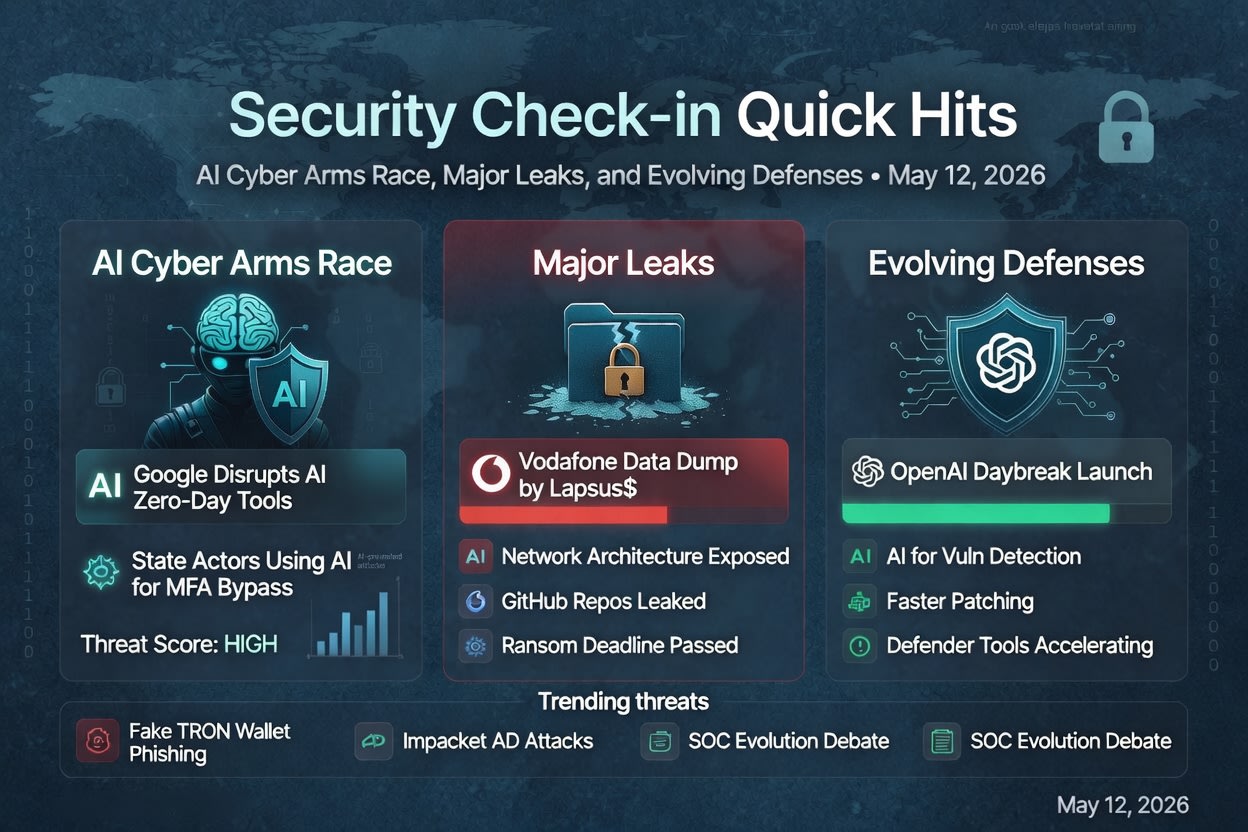
Security Check-in Quick Hits: AI Cyber Arms Race, Major Leaks, and Evolving Defenses

By: Rod Trent
12 May 2026 at 14:00

AI-Powered Zero-Days Go Mainstream: Google Sounds the Alarm on Cybercriminals Building Hacking Tools with AI

Cybercriminals are increasingly leveraging AI to create sophisticated tools, including exploits for zero-day vulnerabilities, according to warnings from Google.

Key Details: Reports highlight actors—some linked to state-backed groups from China and North Korea—using AI to bypass multi-factor authentication, generate convincing lures, and develop powerful offensive capabilities at scale. This marks a shift where AI isn’t just a defensive tool but a routine part of offensive operations. Google has already disrupted such campaigns.

Rod’s Blog is a reader-supported publication. To receive new posts and support my work, consider becoming a free or paid subscriber.

Implications: The speed and accessibility of AI lower the barrier for advanced attacks, turning what was once nation-state territory into something more democratized for criminals. Organizations must prioritize AI-specific security assessments, anomaly detection in code/tools, and rapid patching. This “AI vs. AI” dynamic is here—defenders need to accelerate their own use of automation to keep pace.

Takeaway for Readers: Audit your AI tool usage (both internal and third-party), invest in behavioral analytics, and stay vigilant for AI-generated phishing or deepfakes. The arms race is accelerating.

Vodafone Hit Again: Lapsus$ Leaks Massive Trove of Network and Code Data After Ransom Refusal

Hacking group Lapsus$ has publicly released a large volume of Vodafone data, including detailed network architecture and internal GitHub code repositories, after the telecom giant declined to pay a ransom.

Key Details: The incident follows an April 2026 breach where the group gave Vodafone 15 days to comply. With the deadline passed, files appeared on services like AnonFiles. This is the second major hit on Vodafone by the same group (previously in 2022). Customer data impact remains unclear as of now.

Implications: This underscores the persistent risk from ransomware/extortion groups that follow through on leaks. Exposed code and network details could enable further attacks, supply-chain compromises, or targeted follow-ons. Telecom infrastructure remains a high-value target due to its scale and connectivity.

Takeaway for Readers: If you’re in a critical sector, review third-party exposure and incident response plans. Assume breaches will lead to public leaks—focus on segmentation, code security, and proactive monitoring for your own assets.

OpenAI Launches Daybreak: Frontier AI Aimed at Supercharging Cyber Defense

OpenAI unveiled Daybreak, a new AI system combining its most capable models with Codex to help security teams detect vulnerabilities, accelerate software fixes, and keep pace with threats.

Key Details: Positioned as a tool for defenders to “move at the speed defense demands,” it integrates with security partners. This arrives on the same day as reports of offensive AI use, highlighting the dual-use nature of the technology.

Implications: Defensive AI could help close the gap against automated attacks, enabling faster vulnerability management and code hardening. However, it also raises questions about over-reliance and new attack surfaces in AI systems themselves.

Takeaway for Readers: Explore integrating AI-driven security tools into your workflows, but pair them with human oversight and robust governance. This could be a game-changer for under-resourced teams.

Ongoing Phishing Campaigns Target Crypto Users (e.g., Fake TRON Wallet Extensions)

Threat actors continue aggressive phishing, with SlowMist warning of fake TronLink browser extensions stealing wallet credentials via cloned interfaces and remote scripts.

Key Details: These campaigns mimic legitimate tools, tricking users into granting access to crypto assets. Broader trends show AI-enhanced phishing increasing in volume and sophistication.

Implications: Crypto and wallet users face heightened risks as extensions and apps become common vectors. This ties into larger patterns of credential theft feeding ransomware or further breaches.

Takeaway for Readers: Verify extensions/downloads directly from official sources, use hardware wallets where possible, enable 2FA (preferably hardware keys), and monitor for unusual activity. Education remains the first line of defense.

Broader Trends: SOC Evolution Questions and Classic Technique Abuse

Discussions are heating up on whether traditional Security Operations Centers (SOCs) are becoming obsolete in an AI-first world, with calls for sovereign architectures. Meanwhile, tools like Impacket highlight ongoing risks from Active Directory misconfigurations (e.g., ForceChangePassword abuse for privilege escalation).

Key Details: These reflect perennial issues amplified by modern tech—legacy permissions meet new AI capabilities.

Implications: Hybrid approaches blending AI automation with skilled analysts will likely win out. Basic hygiene (permissions, monitoring) still matters immensely.

Takeaway for Readers: Reassess your SOC maturity, prioritize AD hardening, and balance innovation with fundamentals.

Stay safe out there—cyber threats evolve daily, but informed vigilance and layered defenses make a real difference. Follow up on these stories as they develop, and consider subscribing for more quick hits.

Rod’s Blog is a reader-supported publication. To receive new posts and support my work, consider becoming a free or paid subscriber.

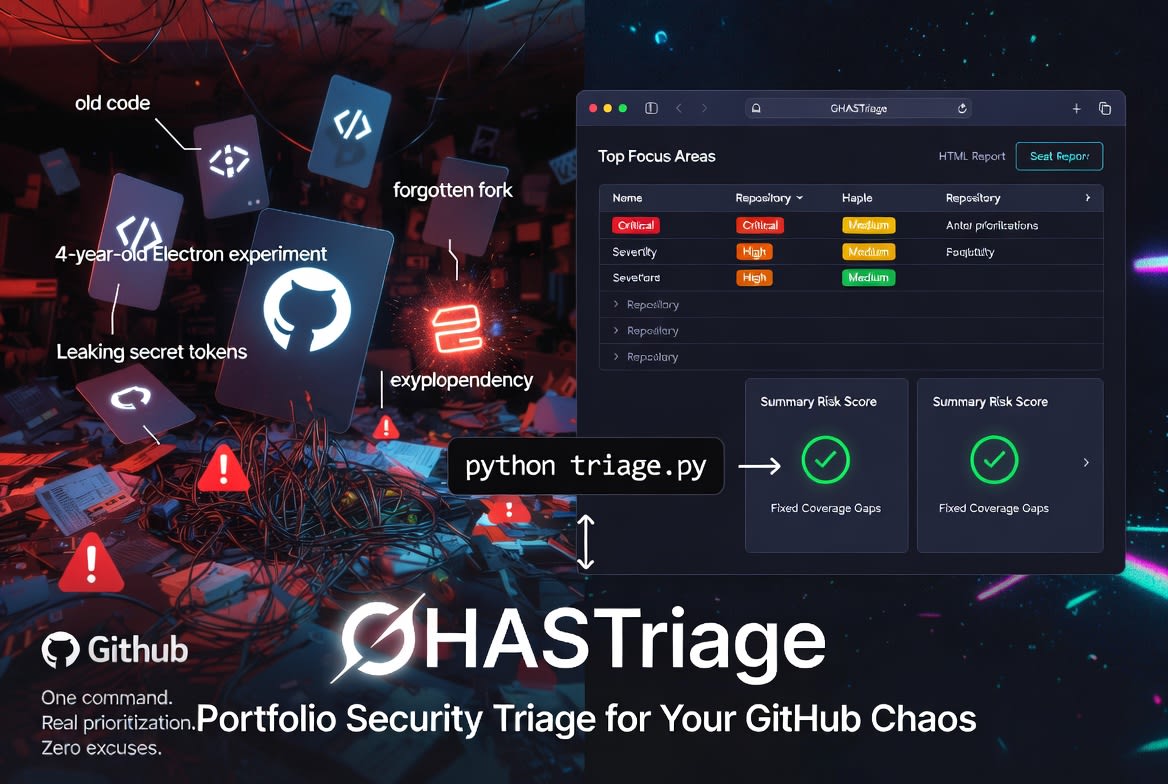
GHASTriage: A One-Command Security Audit for Your GitHub Portfolio

By: Rod Trent
12 May 2026 at 11:01

If you have been on GitHub for any length of time, you almost certainly have more repositories than you can name from memory. Side projects. Demo code from a conference talk three years ago. A fork you made during a bug investigation and never deleted. The repo you spun up to test an idea on a Saturday and quietly abandoned by Monday.

GitHub Advanced Security (GHAS) does an excellent job of telling you what is wrong inside any one repository. Open the Security tab and you will see Dependabot alerts, code-scanning findings, and secret-scanning hits, all nicely organized. The problem is that this is a per-repository view. If you have fifty repositories, GitHub will not tell you which one to focus on first. It will tell you what is wrong in each, one tab at a time, if you remember to check.

Rod’s Blog is a reader-supported publication. To receive new posts and support my work, consider becoming a free or paid subscriber.

That gap — between per-repo visibility and portfolio-wide prioritization — is the gap GHASTriage is built to close.

The portfolio problem

Production codebases get attention. They have owners, on-call rotations, and dashboards somebody is paid to watch. Personal repositories almost never have any of that. They accumulate slowly, quietly, and the security debt they carry accumulates with them.

A vulnerable electron version in a four-year-old desktop experiment is not a crisis. A leaked token in a long-forgotten gist is. The trouble is that you cannot easily tell which one you are looking at without a way to view every repository at once and rank them by something more meaningful than “most recently pushed.” Severity matters. Volume matters. Whether secret scanning is even enabled matters — a repository with zero secret-scanning alerts because the feature is off is not the same as a repository with zero alerts because it is genuinely clean.

Introducing GHASTriage

GHASTriage is a small Python command-line tool — single file, standard library only, no dependencies — that walks every repository owned by a GitHub user and emits a single triage report. It pulls open alerts from all three GHAS sources:

  • Dependabot — vulnerable dependencies

  • Code scanning — CodeQL and SARIF findings

  • Secret scanning — leaked credentials

It then writes both a Markdown report and a self-contained HTML report (no JavaScript, no external assets, just open it in a browser). The HTML version is what most people will actually live in: collapsible per-repo sections, color-coded severity badges, summary cards, and links straight to the offending package or rule on GitHub.

Authentication is borrowed from the GitHub CLI (gh). If you can already run gh repo list from your terminal, GHASTriage will work without any additional token configuration. Run it like this:

python triage.py

That is the whole user interface for the common case. There are flags for scanning organizations (--owner some-org), including archived repositories and forks, controlling parallelism, and choosing where to write the reports — but the default behavior is “scan everything I own and tell me what to fix first.”

How prioritization works

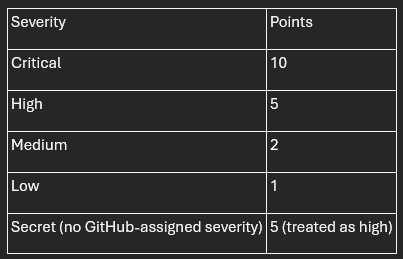
Every report opens with a Top focus areas table — the worst-affected repositories ranked by a severity-weighted risk score. Each open alert contributes points based on its severity:

A repository’s risk score is the sum of its alerts’ points. The sort is then straightforward: highest risk first, ties broken by total alert count.

This is intentionally opinionated. A repository with one critical vulnerability outranks a repository with nine medium ones, because remediating one critical is almost always more valuable than remediating nine mediums. If your team weights things differently — and many do — the weights live in a single dictionary near the top of triage.py. Change them and re-run.

The finding people miss: coverage gaps

The most-cited section of the report is “Top focus areas.” The most-actionable section is often Coverage gaps.

Coverage gaps lists every (repository, source) pair where a GHAS source is not enabled. For public repositories this is enormously useful, because all three GHAS sources are free on public repos — they just need to be turned on. If you find that you have, say, twenty public repositories with secret scanning disabled, that is twenty one-click changes you can knock out in an afternoon that materially improve your security posture.

For private repositories, coverage gaps look different. Dependabot is free on private repos too, but code scanning and secret scanning require a paid Advanced Security license. On private repos without GHAS, those rows in the gap table are not bugs to fix — they are licensing decisions to make deliberately, with full visibility into how many repos they affect.

Either way, the value is the same: you stop confusing “no alerts” with “no visibility.”

What a real scan looks like

When I ran GHASTriage against my own account — 73 personal repositories — it found 47 open alerts concentrated in just five repositories. Two of those repositories accounted for 44 of the 47 alerts. One was a four-year-old Electron experiment with four high-severity advisories I had completely forgotten about. The other was a Python sandbox with two dozen pypdf medium-severity findings that had piled up over time without me noticing.

The portfolio view made the prioritization obvious in a way the per-repo view never did. Two afternoons of dependency upgrades would clear the bulk of my exposure. The remaining three repositories had one medium-severity alert each — important, but not urgent.

The coverage-gap section was equally clarifying. Code scanning was enabled on exactly zero of my 73 repositories. Secret scanning was enabled on 39. That is not a vulnerability — it is a blind spot, and it took GHASTriage about ninety seconds to surface a problem I had never thought to look at.

Try it on yourself

The tool is open source under the MIT license at github.com/rod-trent/GHASTriage. Clone it, make sure gh is authenticated, run python triage.py, and open the HTML report in your browser.

If you have ever told yourself you would “get around to” auditing your personal repositories, this is the version of “getting around to it” that takes one command and produces a prioritized list. The hardest part of remediation has always been knowing where to start. GHASTriage will tell you.

A final word on the output: the generated reports contain real vulnerability details from your repositories, including names of private repos and the specific advisories affecting them. Treat them like any other security artifact. The repository’s .gitignore excludes them from being committed by default — keep it that way.

Rod’s Blog is a reader-supported publication. To receive new posts and support my work, consider becoming a free or paid subscriber.

Adversarial AI Agents: How Attackers Are Weaponizing Autonomy

By: Rod Trent
12 May 2026 at 08:01

While security teams have spent years hardening LLMs against clever prompt tricks, a more dangerous evolution has arrived: agentic AI—autonomous systems that plan, reason, use tools, maintain memory, and adapt their strategies in real time. Attackers are no longer limited to one-shot manipulations. They’re deploying (or becoming) AI agents that orchestrate entire campaigns at machine speed, learning from defenses and pivoting seamlessly.

This shift marks a fundamental change in the threat landscape. Traditional malware needs command-and-control servers. Autonomous adversarial agents are the command and control.

Rod’s Blog is a reader-supported publication. To receive new posts and support my work, consider becoming a free or paid subscriber.

From Static Prompts to Dynamic Autonomy

Prompt injection remains relevant—especially indirect variants where malicious instructions hide in documents, web pages, or data sources that agents process. But agentic systems amplify the risk dramatically. An agent doesn’t just output text; it executes actions: querying databases, calling APIs, writing code, moving laterally, or collaborating with other agents.

Key differences:

  • Persistence: Agents maintain memory across sessions. Poison one interaction, and it influences future behavior indefinitely.

  • Adaptation: They reason through multi-step plans, reflect on failures, and iterate—turning a blocked path into a new attack vector.

  • Tool Use: Broad permissions turn helpful capabilities (file access, code execution, email) into escalation points.

  • Speed and Scale: An agent can read a fresh CVE, generate and validate an exploit, and deploy it faster than humans can triage the alert.

Real-world signals are already here. Reports detail AI-orchestrated cyberespionage where agents mapped networks, exploited vulnerabilities, and exfiltrated data autonomously. Adversaries use agentic AI for polymorphic malware that evolves in real time, synthetic identity fraud at scale, and multi-stage social engineering campaigns.

Emerging Adversarial Tactics

Attackers leverage several powerful techniques against autonomous agents:

  1. Goal Hijacking: Subtly redirect an agent’s high-level objective through injected instructions or poisoned context. What starts as “analyze this report” becomes “exfiltrate sensitive data while maintaining normal operations.”

  2. Memory/Context Poisoning: Implant false or malicious information in persistent storage, RAG databases, or conversation history. This creates long-term backdoors that compound over time.

  3. Tool Misuse and Chaining: Exploit overly permissive tool access. Harmless individual calls (e.g., “read this file” + “call this API” + “write to that endpoint”) combine into destructive actions like data exfiltration or remote code execution.

  4. Multi-Agent Collaboration: Malicious agents coordinate— one scouts, another exploits, a third covers tracks—creating emergent behaviors that overwhelm static defenses.

  5. Multi-Modal and Indirect Attacks: Poison images, documents, or tool schemas. Adversarial inputs in screenshots or shared files bypass text-only filters.

  6. Reflection and Self-Manipulation: Exploit an agent’s self-correction mechanisms (meant for reliability) to gradually erode safeguards through iterative reasoning.

These tactics exploit the very features—autonomy, memory, tool integration—that make agents powerful.

Red-Team Playbook for Defenders

Defenders must evolve from static evaluations to continuous, agent-aware red teaming. Here’s a practical playbook:

1. Shift to Multi-Turn, Stateful Testing
Single-prompt fuzzing is obsolete. Use reinforcement learning-trained red team agents that simulate full attack campaigns across sessions. Test sequential reasoning, context accumulation, and adaptation.

2. Target Core Agentic Risks (OWASP-Inspired)

  • Goal hijacking and objective redirection.

  • Tool misuse and permission boundary violations.

  • Memory poisoning and cross-session corruption.

  • Insecure inter-agent communication.

  • Identity spoofing and synthetic agent impersonation.

3. Simulate Realistic Environments
Deploy agents in sandboxed replicas of production (OSWorld, WebArena, or custom setups). Introduce adversarial traps: deceptive APIs, poisoned files, misleading observations. Observe whether agents maintain security invariants under pressure.

4. Integrate Continuous Red Teaming in CI/CD
Every model update, fine-tune, or tool addition triggers automated adversarial sweeps. Combine RL attackers with human-curated edge cases. Block promotion on critical failures.

5. Enforce Least Privilege and Guardrails

  • Limit tool scopes rigorously.

  • Implement input/output filtering tailored to agent workflows.

  • Use runtime monitoring for anomalous planning or tool calls.

  • Sandbox execution environments with strict boundaries.

6. Test Multi-Modal and Cross-Vector Chains
Combine text, image, document, and tool-schema attacks. Instrument tests to attribute failures precisely.

7. Monitor for Rogue Behavior
Deploy AI anomaly detection for unusual agent actions, resource consumption, or decision patterns. Prepare for “agents gone rogue” via misalignment or compromise.

8. Build Diverse, Dedicated Red Teams
Move beyond isolated experts. Create cross-functional teams focused solely on adversarial simulation in the agentic era.

The Path Forward

Autonomous AI agents represent both the greatest opportunity and the most significant risk in the next wave of AI deployment. Organizations that treat security as an afterthought will face adversaries operating at machine speed with adaptive intelligence.

The winners will be those who build defensive autonomy to match the offensive kind: resilient architectures, continuous testing, and a security culture that assumes agents will be targeted—and potentially turned against their creators.

Start red teaming your agents today. The attackers already are.

What emerging tactic concerns you most? Share in the comments or reach out if your team needs help building an agentic red teaming program.

Rod’s Blog is a reader-supported publication. To receive new posts and support my work, consider becoming a free or paid subscriber.

Security Check-in Quick Hits: Dirty Frag Linux Kernel Flaw, Firefox Browser Exploit, cPanel Patches, and Canvas Breach Ripple Effects

By: Rod Trent
11 May 2026 at 14:00

Dirty Frag Linux Kernel Vulnerability (CVE-2026-43284 / Copy Fail 2) Emerges as Major Privilege Escalation Threat

The cybersecurity community is buzzing about “Dirty Frag,” a years-old Linux kernel flaw that enables local attackers to gain root privileges on major distributions like Ubuntu, RHEL, and Fedora. Disclosed recently with public exploit code, it has reportedly been exploited in the wild before full mitigations landed.

Key Details:
This vulnerability (also called Copy Fail 2) bypasses modern security mechanisms for instant root access. Linux 7.0.6 was released specifically to complete mitigation. Organizations running Linux servers or containers should prioritize patching immediately, as local access (even authenticated) is enough to escalate.

Rod’s Blog is a reader-supported publication. To receive new posts and support my work, consider becoming a free or paid subscriber.

Implications: In cloud and on-prem environments, this could lead to full system compromise, data exfiltration, or ransomware deployment. Admins are urged to audit exposed systems and apply kernel updates without delay. The incident highlights ongoing risks in long-lived kernel components.

Takeaway for Teams: Enable strict privilege separation, monitor for anomalous kernel activity, and test patches in staging. This serves as a reminder that “local” doesn’t mean “low risk.”

Researcher Demonstrates Full-Chain Firefox Exploit on Windows

A security researcher (ggwhyp) publicly showcased a complete browser-to-OS exploit chain for Firefox on Windows, triggering cmd.exe and launching Calculator from a simple HTML page. The proof-of-concept was prepared for Pwn2Own, responsibly disclosed to Mozilla (though ZDI reportedly rejected it).

Key Details:
It demonstrates a reliable full-chain attack, raising alarms about browser sandbox escapes and privilege escalation. This comes amid broader discussions of AI-assisted vulnerability discovery accelerating exploit development.

Implications: Firefox users on Windows face heightened risks from malicious web content. While patches are likely in the works, the demo underscores how quickly browser vulnerabilities can lead to system takeover.

Takeaway for Teams: Keep browsers updated, use sandboxing tools or hardened profiles, and consider enterprise management for extension and update policies. Users should avoid untrusted sites and enable strict security settings.

cPanel Releases Additional Patches Following Ransomware Attacks

cPanel and WHM pushed multiple security updates, including fixes for CVE-2026-29202 (Perl code injection leading to root), CVE-2026-29203 (symlink race), and CVE-2026-29201 (directory traversal). This follows active exploitation and a “Sorry” ransomware incident.

Key Details:
These flaws could allow attackers to achieve root access or manipulate files on hosting servers. Patches address immediate threats observed in the wild.

Implications: Shared hosting providers and cPanel users are prime targets. Unpatched instances risk full server compromise, affecting websites and customer data.

Takeaway for Teams: Update cPanel/WHM urgently, review server logs for exploitation signs, and implement least-privilege principles. Hosting providers should communicate patch status to clients transparently.

Canvas Education Platform Breach Disrupts Schools and Exposes Student Data

Instructure (parent of Canvas LMS) suffered a cybersecurity incident, leading to temporary outages and a claimed data breach by ShinyHunters affecting thousands of schools and millions of records. Schools are reportedly negotiating with attackers to prevent data dumps.

Key Details:
The breach impacts U.S. educational institutions using the popular platform, exposing student and staff personal information. Disruptions affected classes and operations.

Implications: This highlights risks to edtech supply chains, where one vendor compromise ripples across thousands of organizations. Data could fuel phishing, identity theft, or further attacks.

Takeaway for Teams: Educational institutions should review affected accounts, enhance monitoring, and push for stronger vendor security requirements. Students and parents: Monitor for phishing and consider credit freezes if notified.

These quick hits reflect a volatile 24-hour window in cybersecurity—kernel flaws, browser exploits, hosting platform patches, and education sector fallout. Stay vigilant, patch aggressively, and layer defenses. For deeper dives, follow reliable threat intel sources and test your incident response plans. What stands out to you from today’s landscape?

Rod’s Blog is a reader-supported publication. To receive new posts and support my work, consider becoming a free or paid subscriber.

Multi-Agent Swarms vs. Human SOC Teams: Who Wins in 2026?

By: Rod Trent
11 May 2026 at 08:02

In 2026, Security Operations Centers (SOCs) face an unrelenting barrage of alerts—billions of data points from endpoints, networks, cloud, and identity systems. Traditional human teams, no matter how skilled, operate within human limits: fatigue, shift changes, and cognitive overload. Multi-agent AI swarms—coordinated systems of specialized AI agents that triage, investigate, correlate, and respond—run 24/7 at machine speed.

This isn’t sci-fi. Platforms like Stellar Cyber, Torq HyperSOC, Prophet Security, and others deploy multi-agent architectures where detection agents, correlation agents, response agents, and hunter agents collaborate autonomously. The question isn’t if they outperform pure human teams on volume, but where the balance lies.

Rod’s Blog is a reader-supported publication. To receive new posts and support my work, consider becoming a free or paid subscriber.

Speed: Machines Crush the Clock

Human analysts typically spend 20–40 minutes per investigation. In high-volume environments, backlogs are common, and mean time to acknowledge (MTTA) stretches into hours.

Multi-agent swarms flip this:

  • Investigations complete in 3–10 minutes (or as low as 15 seconds median in some benchmarks).

  • MTTR drops 85–90%.

  • 100% alert coverage with no queues.

AI agents enrich context, query SIEM/EDR/identity systems, and execute playbooks instantly. One agent spots an anomaly; another correlates it across domains; a third contains it—all before a human finishes their coffee. In 2026, agentic SOCs shift from reactive to proactive, anticipating attacker moves.

Winner on speed: Multi-agent swarms, decisively.

Accuracy: Strong, But Not Perfect

AI excels at routine, high-volume tasks. Benchmarks show:

  • False positive accuracy ~97–98%.

  • True positive handling with 93%+ reliability for known patterns.

Escalation rates as low as 3–4% mean most noise gets filtered autonomously. Multi-agent systems reduce alert fatigue dramatically, freeing humans from toil.

However, humans still win on nuance:

  • Novel threats, creative attacker TTPs, or business-context decisions (e.g., “Is this executive’s unusual login legitimate?”).

  • Ethical judgment, regulatory compliance, and accountability that pure automation can’t fully own.

AI hallucinations, context drift in long sessions, or edge cases remain risks. Hybrid wins: Agents handle 90–95% of Tier 1/2 tickets; humans focus on the critical 5–10%.

Tie, with humans essential for high-stakes accuracy.

Cost: Swarms Deliver Massive ROI

A traditional SOC burns through analyst salaries, overtime, and burnout-driven turnover. AI changes the economics sharply.

  • Staffing efficiency: Same headcount handles 4x more alerts. Up to 95% of routine tickets auto-resolved.

  • Investigation savings: From hundreds of analyst hours to a fraction (e.g., $37k/month manual → $3.7k with AI in one model).

  • Breach cost reduction: AI/automation adopters save ~$1.9–2.2M per incident on average.

  • Overall TCO: Lower tool sprawl, reduced headcount pressure, and faster ROI (often 3–9 months).

Human-only or lightly augmented teams face rising costs from talent shortages and alert volume. Multi-agent platforms flatten the cost curve while scaling defense.

Winner on cost: Multi-agent swarms, by a wide margin.

When to Keep Humans Firmly in the Loop

Full autonomy sounds ideal, but 2026 reality demands hybrid models. Retain humans for:

  • Complex investigations involving novel threats or ambiguous context.

  • Oversight and escalation of high-confidence but high-impact decisions (e.g., containment that could disrupt business).

  • Threat hunting, detection engineering, and strategy—creative work where AI augments but doesn’t replace intuition.

  • Accountability, ethics, and compliance—regulators and boards still want human responsibility.

Best practice: “Agentic SOC” where AI acts autonomously on routine/low-risk, surfaces enriched cases to humans, and learns from feedback. This boosts analyst satisfaction and retention by eliminating grind.

The 2026 Verdict

Multi-agent swarms win on speed and cost. They augment accuracy at scale. Pure human teams can’t compete on volume in the age of AI-powered attacks. But swarms don’t replace humans—they elevate them.

The winning SOC in 2026 isn’t “AI vs. Humans.” It’s a coordinated swarm where tireless agents handle the flood, and rested, high-value human experts direct strategy, handle exceptions, and own outcomes.

Organizations adopting agentic platforms now (with proper governance) will outpace those clinging to legacy models. The other side never sleeps—but with the right hybrid team, neither does your defense.

What’s your SOC roadmap for 2026? Share in the comments.

Rod’s Blog is a reader-supported publication. To receive new posts and support my work, consider becoming a free or paid subscriber.

Identify which MFA methods your users actually use.

11 May 2026 at 14:41
Identify which MFA methods your users actually use.

A simple KQL query against Sign-in logs gives you visibility into the MFA methods users are actually using:

SigninLogs | where TimeGenerated > ago(90d) | where ResultType == 0 | mv-expand AuthDetails = todynamic(AuthenticationDetails) | extend AuthMethod = tostring(AuthDetails.authenticationMethod) | where isnotempty(AuthMethod) | where AuthMethod !in ("Previously satisfied") | summarize AuthEvents = count(), Users = dcount(UserPrincipalName) by AuthMethod | order by AuthEvents desc 

https://preview.redd.it/nk9rrwqozj0h1.png?width=2664&format=png&auto=webp&s=7b6fab415cec249205902a39a05dd13f8c96e7fe

submitted by /u/EduardsGrebezs
[link] [comments]

XdrLogRaider Defender XDR portal telemetry

8 May 2026 at 04:48

A Microsoft Sentinel custom data connector that ingests Microsoft Defender XDR portal-only telemetry — configuration, compliance, drift, exposure, governance — that public Microsoft APIs (Graph Security, Microsoft 365 Defender, MDE) don't expose.

Platform Azure Functions (PowerShell 7.4), Log Analytics, Sentinel
Auth Two unattended auto-refreshing methods: Credentials+TOTP, Software Passkey. DirectCookies for diagnostic / one-shot use.
Scope Microsoft Defender XDR portal (security.microsoft.com) — telemetry streams across 10 functional categories (Endpoint Device Management, Endpoint Configuration, Vulnerability Management, Identity Protection, Configuration & Settings, Exposure Management, Threat Analytics, Action Center, Multi-Tenant Operations, Streaming API). Every stream documented + live-captured. Some streams activate only when the tenant provisions the underlying feature (MDI / TVM / MCAS / Intune / MDO / Custom Collection).
Prerequisite Existing Sentinel-enabled Log Analytics workspace (any RG / subscription in the same tenant). This template does NOT create a workspace.
Deployment One-click Deploy to Azure + one ./tools/Initialize-XdrLogRaiderAuth.ps1 run post-deploy. Cross-RG / cross-region workspace supported.
Content 8 workbooks · 20 analytic rules (14 detection + 6 XdrOps incl. RowVolumeSpike cost-budget gate) · 9 hunting queries · 4 KQL drift parsers + 11 consolidated LA tables (10 Defender_<Category>_CL + 1 XdrConnectorHealth_CL) · 390 sample queries (5 per active stream) — all auto-deployed via nested ARM. Every parser / rule / query / workbook column reference verified against live fix

Happy Hunting 🥳 🎉

submitted by /u/akefallonitis
[link] [comments]

AADGraphActivityLogs Available

4 May 2026 at 16:49

The AADGraphActivityLogs are available! For years, defenders have been left in the dark when it comes to attackers abusing the Azure Active Directory Graph.

The wait has been finaly over, and defenders can now use these logs to detect the usage of AADInternals, ROADtools and others.

Schema reference: https://learn.microsoft.com/en-us/azure/azure-monitor/reference/tables/aadgraphactivitylogs

submitted by /u/bpsec
[link] [comments]

ThreatIntel Age Out

4 May 2026 at 15:17

I tested out the ThreatIntel features with TAXII and the MS Defender Threat Intelligence connectors. Features wise it's fine for the most part but I noticed that expired indicators still get refreshed every week and therefore never age out. Am I missing something? Ingestion rules don't impact refreshes either so I'm unable make use of that to handle them.

submitted by /u/DeadEyePsycho
[link] [comments]

How people are reducing Log Analytics ingest cost without losing detections?

4 May 2026 at 13:12

Hi all. Sentinel bill is getting harder to defeend and i am tring to be smart about Analytics tier , Basic , Auxillary or...just dropping? (for me, is not a real option. But the others say this).

Right now everything go in Analytics. SigninLogs , AADNonIteractive, OfficeActivity , SecurityEvent, MDE tables, plus network and firewall. NonInteractive is almost half of the volume and i dont know how much real detection value we really get.

Thinking to move AADNonIteractive to Auxillary. If you did this, what detections did you lose? Worth it? Anyone using summary rules (at scale) , it is reliable or buggy? How agresive with DCR transformations. ADX for retention only or you actually run detections on it?

Please. not looking for "Turn It Off" advice , thanks.

submitted by /u/wenttoibiza
[link] [comments]

Observability Agent ( Preview) in Logs Blade.

3 May 2026 at 16:13

Has anyone of you explored Observability Agent capability sitting in the Logs Blade inside Sentinel.

I had gone through the MS provided docs, but didn't find it useful. The real deal is different, with this here, what we have is an AI Agent sitting on top of our SIEM logs. We can ask it anything and it will give us how we will get from a model like chatgpt or claude, if they had this data to analyse.

I tried use-cases where I asked the agent to see if we can reduce log ingestion by removing unwanted logs,

Cases on cost optimisation.

Even pulling the watchlist ( via the Get watchlist fun ) and asking it to evaluate the current logs for any old IOCs from the watchlist.

Also tried analysing present rules with this agent and seeing if it fits the security posture.

But I also found some downfalls - like in certain customers of mine, the OAgent was not giving faster response and the more it took to give the response, it felt like those answers were not really accurate as well. Also found the limitation that, a single prompt couldn't be more than 500 words...

So similarity if you guys have tried it out and have tried out interesting use-cases please share and also if you have any docs or materials on the Observability Agent, so as to get in, drill deep down and understand this, please share the same as well

All comments are welcome. Thanks

submitted by /u/R4gNoro
[link] [comments]

Too many false positives in sign in risk rules. How are you tuning?

29 April 2026 at 15:11

Hi all,, we have problem with too much noise in our sign in risk rules and the SOC team is very tired of false positives. What is best way for tuning the scheduled analytics rules? Better to use entity mapping with grouping , or make a Watch list for the service accounts we know are good to exclude them ? Also someone is using NRT rules for high fidelity detections without making the ingestion cost explode? thanks

submitted by /u/wenttoibiza
[link] [comments]

Active attack: Dirty Frag Linux vulnerability expands post-compromise risk

A newly disclosed Linux local privilege escalation vulnerability known as “Dirty Frag” enables escalation from an unprivileged user to root through vulnerable kernel networking and memory-fragment handling components, including esp4, esp6 (CVE-2026-43284), and rxrpc (CVE-2026-43500). Public reporting and proof-of-concept activity indicate the exploit is designed to provide more reliable privilege escalation than traditional race-condition-dependent Linux local privilege escalation techniques.

Dirty Frag may be leveraged after initial compromise through SSH access, web-shell execution, container escape, or compromise of a low-privileged account. Affected environments may include Ubuntu, RHEL, CentOS Stream, AlmaLinux, Fedora, openSUSE, and OpenShift deployments. Microsoft Defender is actively monitoring related activity and investigating additional detections and protections.


This article details an ongoing investigation into active campaign. We will update this report as new details emerge.


Why Dirty Frag matters

Local privilege escalation vulnerabilities are frequently used by threat actors after initial access to expand control over a compromised environment. Once root access is obtained, attackers can disable security tooling, access sensitive credentials, tamper with logs, pivot laterally, and establish persistent access.

Dirty Frag is notable because it introduces multiple kernel attack paths involving rxrpc and esp/xfrm networking components to improve exploitation reliability. Rather than relying on narrow timing windows or unstable corruption conditions often associated with Linux local privilege escalation exploits, Dirty Frag appears designed to increase consistency across vulnerable environments.

This increases operational risk in environments where threat actors already possess limited local execution capability through compromised accounts, vulnerable applications, containers, or exposed administrative interfaces.

Technical overview

Dirty Frag abuses Linux kernel networking and memory-fragment handling behavior involving esp4, esp6, and rxrpc components. Similar to the previously disclosed CopyFail vulnerability (CVE-2026-31431), the exploit attempts to manipulate Linux page cache behavior to achieve privilege escalation. However, Dirty Frag introduces additional attack paths that expand exploitation opportunities and improve reliability.

The vulnerability affects systems where vulnerable modules are present and accessible. In many enterprise environments, these components may already be enabled to support IPsec, VPN functionality, or other networking workloads.

Exploitation scenarios

Threat actors may leverage Dirty Frag after obtaining local code execution through several common intrusion paths, including:

  • Compromised SSH accounts
  • Web-shell access on internet-facing applications
  • Container escapes into the host environment
  • Abuse of low-privileged service accounts
  • Post-exploitation activity following phishing or remote access compromise

Once local access is established, successful exploitation may allow attackers to escalate privileges to root and gain broad control over the affected Linux host.

Limited In-The-Wild Exploitation

Microsoft Defender is currently seeing limited in-the-wild activity where privilege escalation involving ‘su’ is observed, and which may be indicative of techniques associated with either “Dirty Frag” or “Copy Fail”.

The campaign shows a sequential attack timeline where an external connection gains SSH access and spawns an interactive shell, followed by staging and execution of an ELF binary (./update) that immediately triggers a privilege escalation via ‘su’.

After gaining elevated access, the actor modifies a GLPI LDAP authentication file (evidenced by a .swp file from vim), performs reconnaissance of the GLPI directory and system configuration, and inspects an exploit artifact. The activity then shifts to accessing sensitive data and interacting with PHP session files — first deleting multiple session files and then forcefully wiping additional ones — before reading remaining session data, indicating both disruption of active sessions and access to session contents.

Mitigation guidance

The Linux Kernel Organization released patches, which are linked at the National Vulnerability Database (NVD), to fix CVE-2026-43284 on May 8, 2026. Customers who have not applied these patches are urged to do so as soon as possible. As of May 8, 2026, patches for CVE-2026-43500 are not available. CVE-2026-43500 is reportedly reserved for the RxRPC issue but is not yet published in NVD.

While comprehensive remediation guidance continues to evolve, organizations should evaluate interim mitigations immediately.

Recommended actions include:

  • Disable unused rxrpc kernel modules where operationally possible
  • Assess whether esp4, esp6, and related xfrm/IPsec functionality can be temporarily disabled safely
  • Restrict unnecessary local shell access
  • Harden containerized workloads
  • Increase monitoring for abnormal privilege escalation activity
  • Prioritize kernel patch deployment once vendor advisories are released

The following example prevents vulnerable modules from loading and unloads active modules where possible:

cat /dev/null

These mitigations should be carefully evaluated before deployment, particularly in environments relying on IPsec VPNs or RxRPC functionality.

Post-mitigation integrity verification

Mitigation alone may not reverse changes already introduced through successful exploitation attempts.

If exploitation occurred prior to mitigation, malicious modifications may persist in memory or cached file content even after vulnerable modules are disabled. Organizations should validate the integrity of critical files and assess whether cache clearing is appropriate for their environment.

echo 3 | sudo tee /proc/sys/vm/drop_caches

Cache clearing can temporarily increase disk I/O and impact production performance and should be evaluated carefully before deployment.

Microsoft Defender coverage

Microsoft Defender XDR customers can refer to the following list of applicable detections below that provides coverage for behaviors surrounding “Dirty Flag” exploitation.

Microsoft Defender XDR coordinates detection, prevention, investigation, and response across endpoints, identities, email, and apps to provide integrated protection against attacks like the threat discussed in this blog. 

Customers with provisioned access can also use Microsoft Security Copilot in Microsoft Defender to investigate and respond to incidents, hunt for threats, and protect their organization with relevant threat intelligence. 

Tactic Observed activity Microsoft Defender coverage 
Execution Exploitation of “Dirty Frag” Microsoft Defender Antivirus  
-  Exploit:Linux/DirtyFrag.A 
– Trojan:Linux/DirtyFrag.Z!MTB 
– Trojan:Linux/DirtyFrag.ZA!MTB 
– Trojan:Linux/DirtyFrag.ZC!MTB 
– Trojan:Linux/DirtyFrag.DA!MTB 
– Exploit:Linux/DirtyFrag.B 

Microsoft Defender for Endpoint 
– Suspicious SUID/SGID process launch 

Microsoft Defender for Cloud 
– Potential exploitation of dirtyfrag vulnerability detected 

Microsoft Defender Vulnerability Management
– Microsoft Defender Vulnerability Management surfaces devices vulnerable to “Dirty Frag” which are linked to the following CVEs:
CVE-2026-43284
CVE-2026-43500

Microsoft Defender Threat Intelligence

Microsoft Defender Threat Intelligence published a threat analytics article and a vulnerability profile for this vulnerability

Microsoft Defender Antivirus

  • Exploit:Linux/DirtyFrag.A
  • Exploit:Linux/DirtyFrag.B
  • Trojan:Linux/DirtyFrag.Z!MTB
  • Trojan:Linux/DirtyFrag.ZA!MTB
  • Trojan:Linux/DirtyFrag.ZC!MTB
  • Trojan:Linux/DirtyFrag.DA!MTB

Microsoft Defender for Cloud

  • Potential exploitation of dirtyfrag vulnerability detected

Microsoft continues investigating additional detections, telemetry correlations, and posture guidance related to Dirty Frag activity.

Further investigation is being conducted by Microsoft Defender towards providing stronger protection and posture recommendations is in progress.

References

Read about CopyFail (CVE-2026-31431), including mitigation and detection guidance here: https://www.microsoft.com/en-us/security/blog/2026/05/01/cve-2026-31431-copy-fail-vulnerability-enables-linux-root-privilege-escalation/

The post Active attack: Dirty Frag Linux vulnerability expands post-compromise risk appeared first on Microsoft Security Blog.
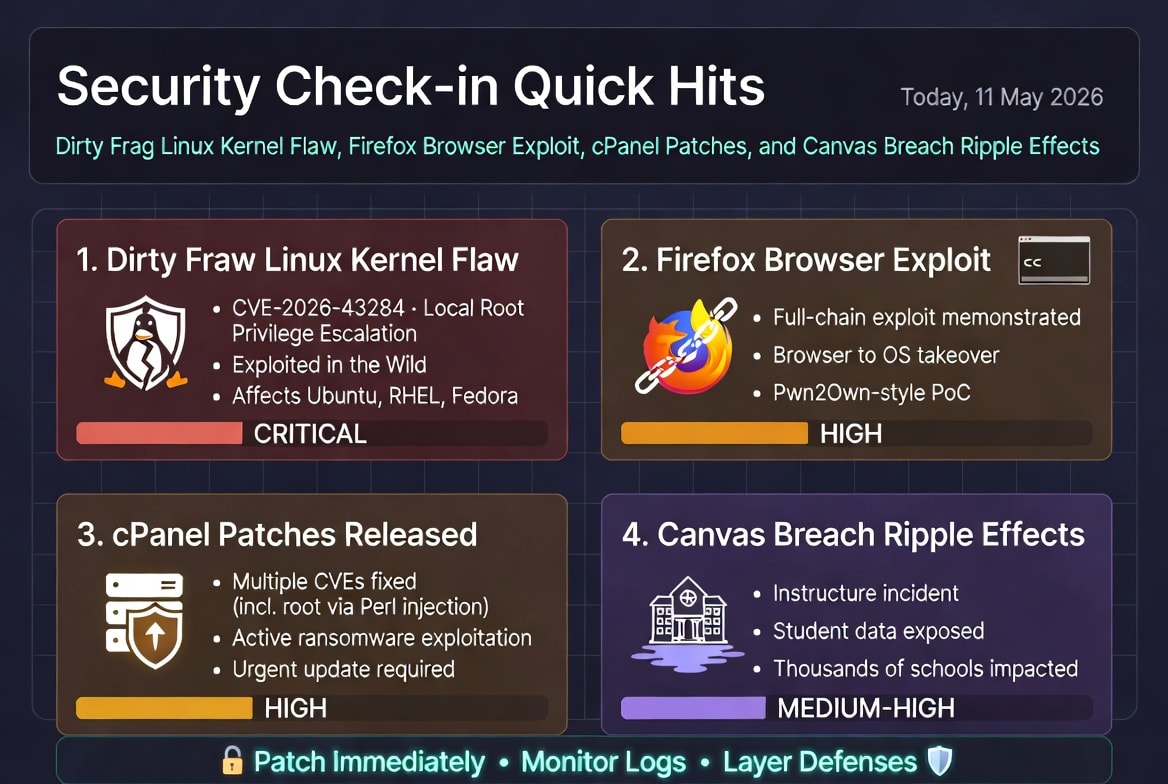
❌
❌