Reading view

There are new articles available, click to refresh the page.

Microsoft Plugs Nearly 400 Security Holes

Microsoft today released updates to remedy at least 398 security vulnerabilities in its Windows operating systems and supported software, including one weakness that is already being actively exploited and two others that were publicly detailed prior to today.

Image: Shutterstock, Mallika Home Studio.

August’s overstuffed bundle of patch joy from Microsoft did not eclipse its recording breaking release of more than 570 security updates last month, but it is double June’s then-record batch of nearly 200 fixes. Microsoft has attributed the recent patch deluge to vulnerability discoveries aided by artificial intelligence, and experts roundly agree that Windows users should get used to the idea of Patch Tuesdays (the second Tuesday of each month) covering hundreds of newly discovered security flaws.

Fully 42 of the 398 flaws that Microsoft patched today earned Redmond’s most-dire “critical” rating, meaning they are severe enough that malware or malcontents could exploit them to gain remote control over a Windows computer with little to no help from the user.

The sole known “zero day” bug fixed by Microsoft this month is CVE-2026-68820, a privilege escalation weakness in a core Windows component called afd.sys, which the security firm Automox describes as “the driver behind Windows socket connections on effectively every endpoint.”

“This isn’t a front-door bug,” Automox’s Landon Miles wrote in a Patch Tuesday blog post. “It’s step two in a chain: an attacker phishes their way into a low-privilege foothold, then uses the driver flaw to take the box. The 7.0 score reflects the high attack complexity, because race conditions are fiddly. The exploit has to be thrown over and over until the timing lands. Someone is clearly landing it anyway.”

CVE-2026-62832 is another privilege escalation flaw that Microsoft has labeled likely to be exploited; this flaw, in the Windows User Profile Service, may be related to the recent “LegacyHive” public disclosure from the prolific bug hunter known as Nightmare Eclipse. The other publicly disclosed flaw is CVE-2026-72971, a low-impact local tampering vulnerability that Microsoft reckons is unlikely to be exploited.

Other major software makers are likewise increasing their patch volumes and cadence thanks to AI, including Adobe which last month moved to twice-monthly security bulletins published on the 2nd and 4th Tuesday of each month. Cisco, Google, Mozilla and Oracle also are shipping updates far more frequently and abundantly.

By all accounts, AI is quite good at finding security holes in software. But for now at least, patching the resulting bugpocalypse remains a heavily human-centric endeavor, and the jury is still out on whether AI technologies will turn out to be as good at fixing vulnerabilities as they are at finding and exploiting them. This is an important question when one considers that these same AI technologies also are suggesting fixes for the vulnerabilities they find.

Researchers at 1Password recently examined what happens when different large language models (LLMs) generate vulnerability patches for newly disclosed, complex vulnerabilities. They found the LLMs produced patches that failed to fix the flaw or added a new weakness in the process (or both) more than half the time.

Ed Skoudis, president of the SANS Technology Institute, said his team has seen excellent results using AI to generate patches, provided there are humans in the loop to test the suggested fixes and push for iterative improvements.

“AI is rapidly becoming astonishingly good at finding vulnerabilities, but this research shows that fixing them is a very different problem,” Skoudis wrote in a SANS newsletter today. “Don’t expect one-shot AI patching to work reliably. Instead, iterate, test, challenge, improve, and verify. AI can be an extraordinary patching partner, but today it still needs a skilled human at the keyboard.”

Tyler Reguly at Fortra says while reports of Microsoft patching hundreds of vulnerabilities in one go have prompted some organizations to try to patch faster, it’s important to bear in mind that only one of the almost 400 bugs addressed today is known to be actively exploited. Reguly suggested security leaders check in with their teams to see how they’re handling the increasing workloads, which often involve testing fixes before deploying them in production environments.

“If you’re a chief security officer talk to your teams about how they are shifting or modifying their workflows to better accommodate the patching shift that we’re seeing and support them across various organizational units by enabling the changes they want to see made,” Reguly said. “There’s no need to rush these updates, no matter what various vendors and organizations try to tell you. You need to make sure that you are rolling out safe updates that will not negatively impact your systems.”

Speaking of the humans behind the keyboards, don’t neglect to backup your system and/or data before applying this month’s monster patch load. The day after each month’s Patch Tuesday is sometimes derisively referred to as Reboot Wednesday, but it generally doesn’t hurt to wait a few days to apply these huge update bundles because it sometimes takes a couple of days for the occasional misbehaving patch to get ironed out properly by Microsoft.

For a clickable, per-patch breakdown by severity and urgency, check out this roundup from the SANS Internet Storm Center.
Patch Tuesday, February 2026 Edition

Microsoft today released updates to fix more than 50 security holes in its Windows operating systems and other software, including patches for a whopping six “zero-day” vulnerabilities that attackers are already exploiting in the wild.

Zero-day #1 this month is CVE-2026-21510, a security feature bypass vulnerability in Windows Shell wherein a single click on a malicious link can quietly bypass Windows protections and run attacker-controlled content without warning or consent dialogs. CVE-2026-21510 affects all currently supported versions of Windows.

The zero-day flaw CVE-2026-21513 is a security bypass bug targeting MSHTML, the proprietary engine of the default Web browser in Windows. CVE-2026-21514 is a related security feature bypass in Microsoft Word.

The zero-day CVE-2026-21533 allows local attackers to elevate their user privileges to “SYSTEM” level access in Windows Remote Desktop Services. CVE-2026-21519 is a zero-day elevation of privilege flaw in the Desktop Window Manager (DWM), a key component of Windows that organizes windows on a user’s screen. Microsoft fixed a different zero-day in DWM just last month.

The sixth zero-day is CVE-2026-21525, a potentially disruptive denial-of-service vulnerability in the Windows Remote Access Connection Manager, the service responsible for maintaining VPN connections to corporate networks.

Chris Goettl at Ivanti reminds us Microsoft has issued several out-of-band security updates since January’s Patch Tuesday. On January 17, Microsoft pushed a fix that resolved a credential prompt failure when attempting remote desktop or remote application connections. On January 26, Microsoft patched a zero-day security feature bypass vulnerability (CVE-2026-21509) in Microsoft Office.

Kev Breen at Immersive notes that this month’s Patch Tuesday includes several fixes for remote code execution vulnerabilities affecting GitHub Copilot and multiple integrated development environments (IDEs), including VS Code, Visual Studio, and JetBrains products. The relevant CVEs are CVE-2026-21516, CVE-2026-21523, and CVE-2026-21256.

Breen said the AI vulnerabilities Microsoft patched this month stem from a command injection flaw that can be triggered through prompt injection, or tricking the AI agent into doing something it shouldn’t — like executing malicious code or commands.

“Developers are high-value targets for threat actors, as they often have access to sensitive data such as API keys and secrets that function as keys to critical infrastructure, including privileged AWS or Azure API keys,” Breen said. “When organizations enable developers and automation pipelines to use LLMs and agentic AI, a malicious prompt can have significant impact. This does not mean organizations should stop using AI. It does mean developers should understand the risks, teams should clearly identify which systems and workflows have access to AI agents, and least-privilege principles should be applied to limit the blast radius if developer secrets are compromised.”

The SANS Internet Storm Center has a clickable breakdown of each individual fix this month from Microsoft, indexed by severity and CVSS score. Enterprise Windows admins involved in testing patches before rolling them out should keep an eye on askwoody.com, which often has the skinny on wonky updates. Please don’t neglect to back up your data if it has been a while since you’ve done that, and feel free to sound off in the comments if you experience problems installing any of these fixes.

Having Fun with ActiveX Controls in Microsoft Word

Marcello Salvati// During Red Team and penetration tests, it’s always important and valuable to test assumptions. One major assumption I hear from Pentesters, Red teamers and clients alike is that […]

The post Having Fun with ActiveX Controls in Microsoft Word appeared first on Black Hills Information Security, Inc..

Running HashCat on Ubuntu 18.04 Server with 1080TI

Derrick Rauch and Kent Ickler // (Updated 3/22/2019) First, to see what our build looks like, look here: https://www.blackhillsinfosec.com/build-password-cracker-nvidia-gtx-1080ti-gtx-1070/ What’s next? Time for System Rebuild! First, you need to decide whether you […]

The post Running HashCat on Ubuntu 18.04 Server with 1080TI appeared first on Black Hills Information Security, Inc..

Finding: Weak Password Policy

David Fletcher// The weak password policy finding is typically an indicator of one of two conditions during a test: A password could be easily guessed using standard authentication mechanisms. A […]

The post Finding: Weak Password Policy appeared first on Black Hills Information Security, Inc..

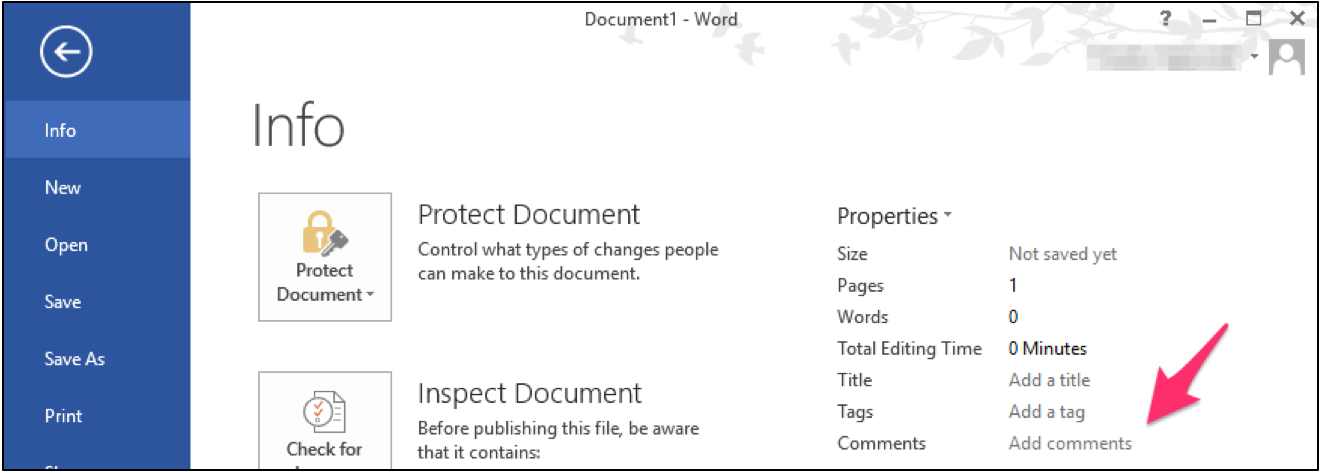
Hide Payload in MS Office Document Properties

Carrie Roberts* // Can you think of a reason why you might want to put a lengthy comment into the properties of an MS Office document? If you can, then […]

The post Hide Payload in MS Office Document Properties appeared first on Black Hills Information Security, Inc..

How to Crack Passwords for Password Protected MS Office Documents

Carrie Roberts* // (Updated, 2/11/2019) Trying to figure out the password for a password protected MS Office document? This free solution might do the trick. It attempts to guess the password […]

The post How to Crack Passwords for Password Protected MS Office Documents appeared first on Black Hills Information Security, Inc..

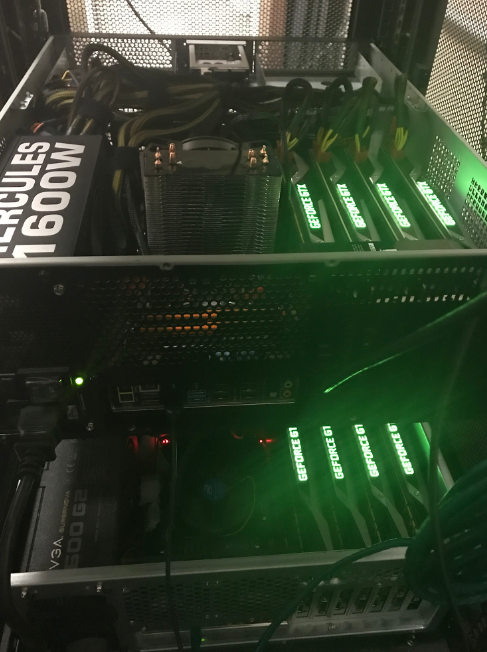
How to Build a Password Cracker with NVidia GTX 1080TI & GTX 1070

Kent Ickler // The Task Buy The Things: Total for new password cracking machine$5110 A Few Quick Lessons The CPU cooler doesn’t actually clear the case cover. This was OK […]

The post How to Build a Password Cracker with NVidia GTX 1080TI & GTX 1070 appeared first on Black Hills Information Security, Inc..

How to Get Malicious Macros Past Email Filters

Carrie Roberts //       A malicious macro in a Microsoft Word or Excel document is an effective hacking technique. These documents could be delivered in a variety of […]

The post How to Get Malicious Macros Past Email Filters appeared first on Black Hills Information Security, Inc..

Power Posing with PowerOPS

Brian Fehrman // As described in my last blog post, Powershell Without Powershell – How To Bypass Application Whitelisting, Environment Restrictions & AV (sheeesh…it’s been a bit!), we are seeing more environments in […]

The post Power Posing with PowerOPS appeared first on Black Hills Information Security, Inc..

Bugging Microsoft Files: Part 3 – Clearing Metadata

Ethan Robish // In my last two posts I showed how to insert tracking bugs in both .docx (Part 1) and .xlsx files (Part 2).  But don’t let all that effort go […]

The post Bugging Microsoft Files: Part 3 – Clearing Metadata appeared first on Black Hills Information Security, Inc..

Bugging Microsoft Files: Part 1 – Docx Files using Microsoft Word

Ethan Robish // If you’re familiar with ADHD and Web Word Bugs, you likely already know the method to create web tracking software using .html files renamed as .doc files. […]

The post Bugging Microsoft Files: Part 1 – Docx Files using Microsoft Word appeared first on Black Hills Information Security, Inc..

Wide-Spread Local Admin Testing

Brian Fehrman // In our experience, we see many Windows environments in which the local Administrator password is the same for many machines. We refer to this as Wide-Spread Local […]

The post Wide-Spread Local Admin Testing appeared first on Black Hills Information Security, Inc..

❌