❌

Reading view

There are new articles available, click to refresh the page.

Comcast Is Turning Millions of Its Routers Into Motion Detectors

Comcast is activating Wi-Fi motion sensing on millions of compatible Xfinity gateways, allowing the routers to detect movement by measuring disruptions in signals between the gateway and connected devices. The free feature, part of Xfinity Shield, can send activity alerts through the Xfinity app and offers Home, Away, and nighttime monitoring modes without requiring separate motion sensors. The Verge reports: Wi-Fi motion sensing is a technology that has been around for a while, but it's only recently that it's become accurate and reliable enough to catch on. Linksys launched a similar service in 2021, but discontinued it a few years later. Lighting company Wiz launched a line of Wi-Fi-sensing smart bulbs in 2023, and more recently Philips Hue deployed a similar radio-frequency sensing technology in its products (using Zigbee rather than Wi-Fi). Comcast's motion sensing pairs with new modes in the Xfinity app -- Home Watch, Away Watch, and Dark Watch (a night/sleep mode) -- allowing you to turn sensing on or off based on your activities.

Read more of this story at Slashdot.

Researchers Use Ordinary WiFi Connections to Create Images of Nearby People and Their Surroundings

Science Daily reports: Researchers showed that unencrypted signals routinely exchanged between WiFi devices and routers can be used to create radio-based images of people and recognize them within seconds. In tests involving 197 participants, the system identified individuals with nearly 100% accuracy, even from different angles and regardless of how they walked. "By observing the propagation of radio waves, we can create an image of the surroundings and of persons who are present," says Professor Thorsten Strufe from KASTEL, KIT's Institute of Information Security and Dependability. "This works similar to a normal camera, the difference being that in our case, radio waves instead of light waves are used for the recognition," explains the cybersecurity expert. Because the technique analyzes radio waves moving through a space, a person does not need to have a phone, smartwatch, or other WiFi enabled device with them. "Thus, it does not matter whether you carry a WiFi device on you or not." Even turning off your own device would not necessarily prevent the system from working. "It's sufficient that other WiFi devices in your surroundings are active...." Connected devices routinely send information back to the router to help optimize wireless communication. These signals, known as beamforming feedback information (BFI), are transmitted without encryption, meaning that anyone within range can potentially read them. By analyzing that information, the system can generate images of people from multiple viewpoints. Those images can then be used to determine a person's identity. Once the machine learning model has already been trained to recognize individuals, the identification process takes only a few seconds.

Read more of this story at Slashdot.

DEF CON Crowd Suspected In Fake-Hotspot Attack On Delta Flight

An anonymous reader quotes a report from Ars Technica: On Monday, passengers aboard Delta flight 591 going from Las Vegas to Atlanta allegedly spoofed the onboard Wi-Fi, raising the attention of federal law enforcement. The incident came one day after the DEF CON security conference concluded in Las Vegas, and was first described on social media accounts that follow publicly available air-to-ground messages, known as ACARS. According to the "ACARS Drama" account, a message was sent by pilots from the plane stated: "NO INFO AS OF NOW WE HAVE A BUNCH OF PAX THAT WERE AT A CYBER CONFERENCE IN LAS THEY WERE ABLE TO JAM OUR WIFI AND BROADCAST THEIR SIGNAL." A description of the incident posted to Reddit further stated that these passengers created a fake hotspot ("Delta WiFi Fast"), with a phishing landing page "designed to harvest passengers' personal credentials." This technique, sometimes known as an "evil twin" attack, has been long-known to the IT security community. It involves setting up a fake Wi-Fi network and then capturing login credentials and other data. "One initial finding is an unauthorized WiFi network, which was not provided, operated, or supplied by Delta, was present onboard the aircraft for a short time during the flight," said a Delta spokesperson. Delta further noted that the flight's safety was "never in question and no aircraft operating systems were affected," and that no emergency was declared. Ars notes that the "actual onboard Wi-Fi was disabled for 30 minutes."

Read more of this story at Slashdot.

Hunt for Weak Spots in Your Wireless Network with Airodump-ng from the Aircrack-ng Suite

In this blog, I’m going to walk you through how to get started with airodump-ng and some of the techniques that you can use to home in on access points of interest.

The post Hunt for Weak Spots in Your Wireless Network with Airodump-ng from the Aircrack-ng Suite appeared first on Black Hills Information Security, Inc..

Wi-Fi Forge: Practice Wi-Fi Security Without HardwareΒ 

In the world of cybersecurity, it’s important to understand what attack surfaces exist. The best way to understand something is by first doing it. Whether you’re an aspiring penetration tester, […]

The post Wi-Fi Forge: Practice Wi-Fi Security Without HardwareΒ  appeared first on Black Hills Information Security, Inc..

Ghost in the Wireless: An introduction to Airspace Analysis with KismetΒ 

This is the first installment in a series of blogs relating to practical analysis of wireless communications: what they are, how they work, and how they can be attacked. In […]

The post Ghost in the Wireless: An introduction to Airspace Analysis with KismetΒ  appeared first on Black Hills Information Security, Inc..

WifiForge – WiFi Exploitation for the Classroom

by William Oldert // BHIS Intern BHIS had a problem. Β  We needed an environment for students to learn WiFi hacking safely. Our original solution used interconnected physical network gear […]

The post WifiForge – WiFi Exploitation for the Classroom appeared first on Black Hills Information Security, Inc..

How to Install and Perform Wi-Fi Attacks with WifiphisherΒ 

tl;dr: Install Wifiphisher on Kali and run a basic attack.Β  This crappy little copy/paste-able operation resulted in a functional Wifiphisher virtual environment on Kali (as of January 22, 2024).Β Β  Two […]

The post How to Install and Perform Wi-Fi Attacks with WifiphisherΒ  appeared first on Black Hills Information Security, Inc..

Introducing LoRa (Long Range) Wireless Technology – Part 1

Ray Felch // This write-up is the first of a multi-part series, providing an introduction to LoRa wireless technology and the LoRaWAN, low-power wide-area network (LPWAN). Interestingly, I came across […]

The post Introducing LoRa (Long Range) Wireless Technology – Part 1 appeared first on Black Hills Information Security, Inc..

Webcast: Building a Small and Flexible Wireless Exfiltration Box with SDR

Paul Clark// Do you want to know how we learned Software Defined Radio? We learned it from Paul.Β  We also learned by getting our hands dirty with projects. For this […]

The post Webcast: Building a Small and Flexible Wireless Exfiltration Box with SDR appeared first on Black Hills Information Security, Inc..

Wireless Hack Packages Update

Jordan Drysdale// With Wild West Hackin’ Fest 2018 coming up (!!!), here’s a preview of some things you might see in the wireless labs. First, s0lst1c3’s eaphammer. @relkci and I […]

The post Wireless Hack Packages Update appeared first on Black Hills Information Security, Inc..

Hashcat 4.10 Cheat Sheet v 1.2018.1

Kent Ickler // It seemed like we were always cross-referencing the Hashcat Wiki or help file when working with Hashcat. We needed things like specific flags, hash examples, or command […]

The post Hashcat 4.10 Cheat Sheet v 1.2018.1 appeared first on Black Hills Information Security, Inc..

WEBCAST: Stop Sucking at Wireless

Jordan Drysdale & Kent Ickler// Jordan and Kent are back with more blue team madness! The shameless duo continue their efforts to wrangle decades old attacks against wireless networks. The […]

The post WEBCAST: Stop Sucking at Wireless appeared first on Black Hills Information Security, Inc..

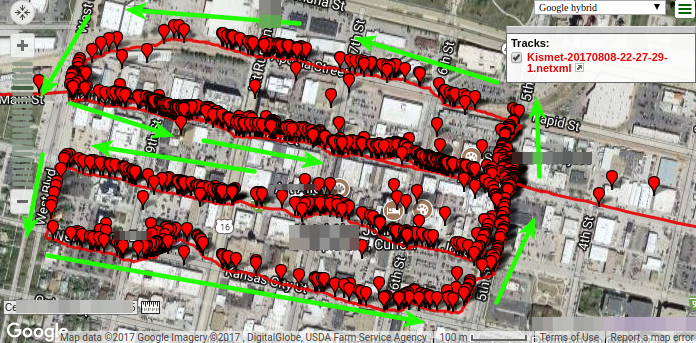
How to: From WarDriving to SSIDs on Google Maps with Latitude/Longitude

Jordan Drysdale // Step 1: Build your capture rig RPi3, Kali,Β Battery Packs,Β 2 x supported wifi card of your choosing (I used theΒ Alfa BlackΒ for this run). My finished product: Solar Battery […]

The post How to: From WarDriving to SSIDs on Google Maps with Latitude/Longitude appeared first on Black Hills Information Security, Inc..

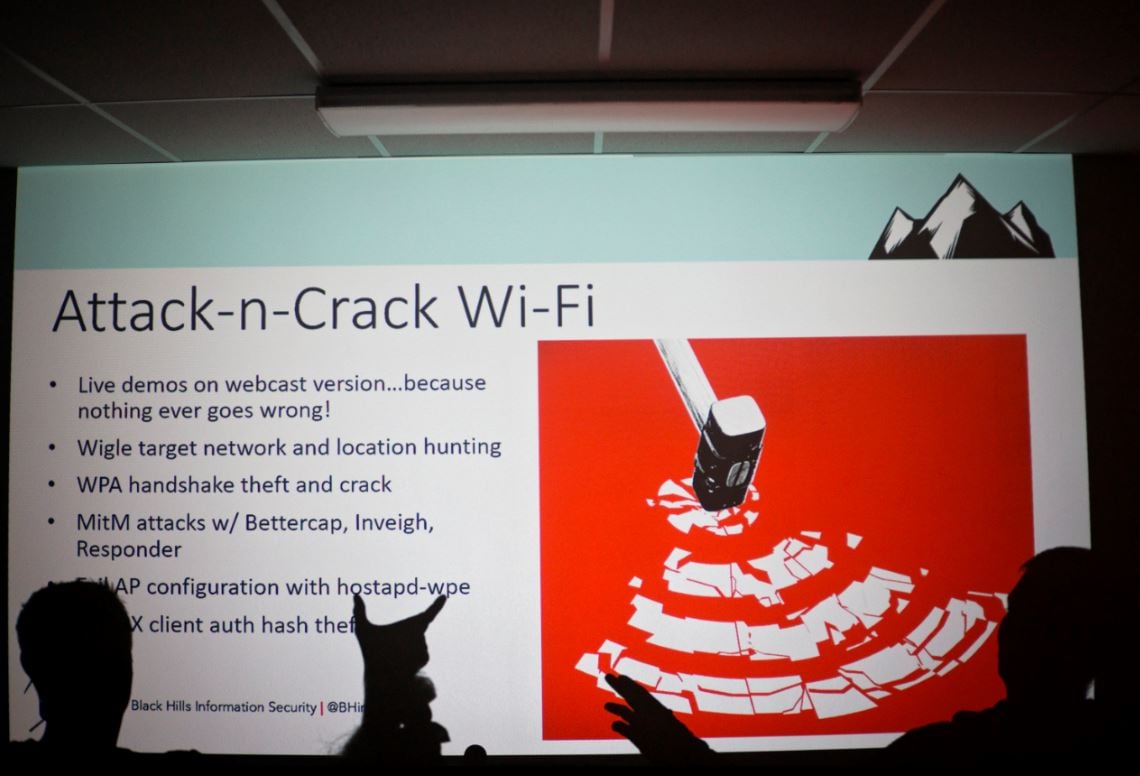
WEBCAST: Attack-n-Crack Wi-Fi

Jordan Drysdale & Kent Ickler // Jordan and Kent demonstrate why there is only ONE correct way to configure your wireless networks. They also talk about the use of a […]

The post WEBCAST: Attack-n-Crack Wi-Fi appeared first on Black Hills Information Security, Inc..

The Wi-Fi Travel Kit v2 – Parts List Backtrack

Jordan Drysdale // The Wi-Fi travel kit part oneΒ was popular enough that, back by demand, here are the specific parts, part numbers and links. Pretty much everything on the list […]

The post The Wi-Fi Travel Kit v2 – Parts List Backtrack appeared first on Black Hills Information Security, Inc..

❌