First Rival Android App Store Arrives In the US Play Store
Read more of this story at Slashdot.
Since they were announced last month, I've been dual-wielding the Samsung Galaxy Z Fold 8 and Z Fold 8 Ultra, the two new premium folding phones from the world's foremost foldable maker.
In the two weeks since the phones showed up at my door, I've taken hundreds of pictures on them (349 on the Fold 8 and 307 on the Ultra, to be precise). They've come with me on multiple holidays, been used for product photography for reviews I've published, and even accompanied me on a film location scout day, which saw them get a lot of use.
You'd expect that the Samsung Galaxy Z Fold 8 Ultra would be my default photography foldable. As I'll explain a little later, it's simply a better camera phone, offering better-looking photos thanks to having more cameras.
However, that's not been the case. When I need to grab a shot, I've found myself reaching for whichever pocket the 'standard' Galaxy Z Fold 8 is in. And the reason has little to do with its photography chops.

The benefit of the best camera phone over a DSLR or mirrorless camera is convenience. You don't have to sling them over your neck or tote them around in a carry case; they fit in your pocket and, more importantly, come out of your pocket in a pinch.
The Galaxy Z Fold 8 Ultra is a long, thin phone; we're talking 158.4mm tall and just 72.8mm wide when it's folded (8.9mm thick and 215g heavy, if we're trying to get all the dimensions). When I put it in my trouser pocket, it digs its way right into the bottom, yet still sticks out the top a fair way.
Yet removing it can be quite a faff due to its frame. I have to angle and adjust it, feeling like Ross, Rachel and Chandler trying to pivot it to remove it.
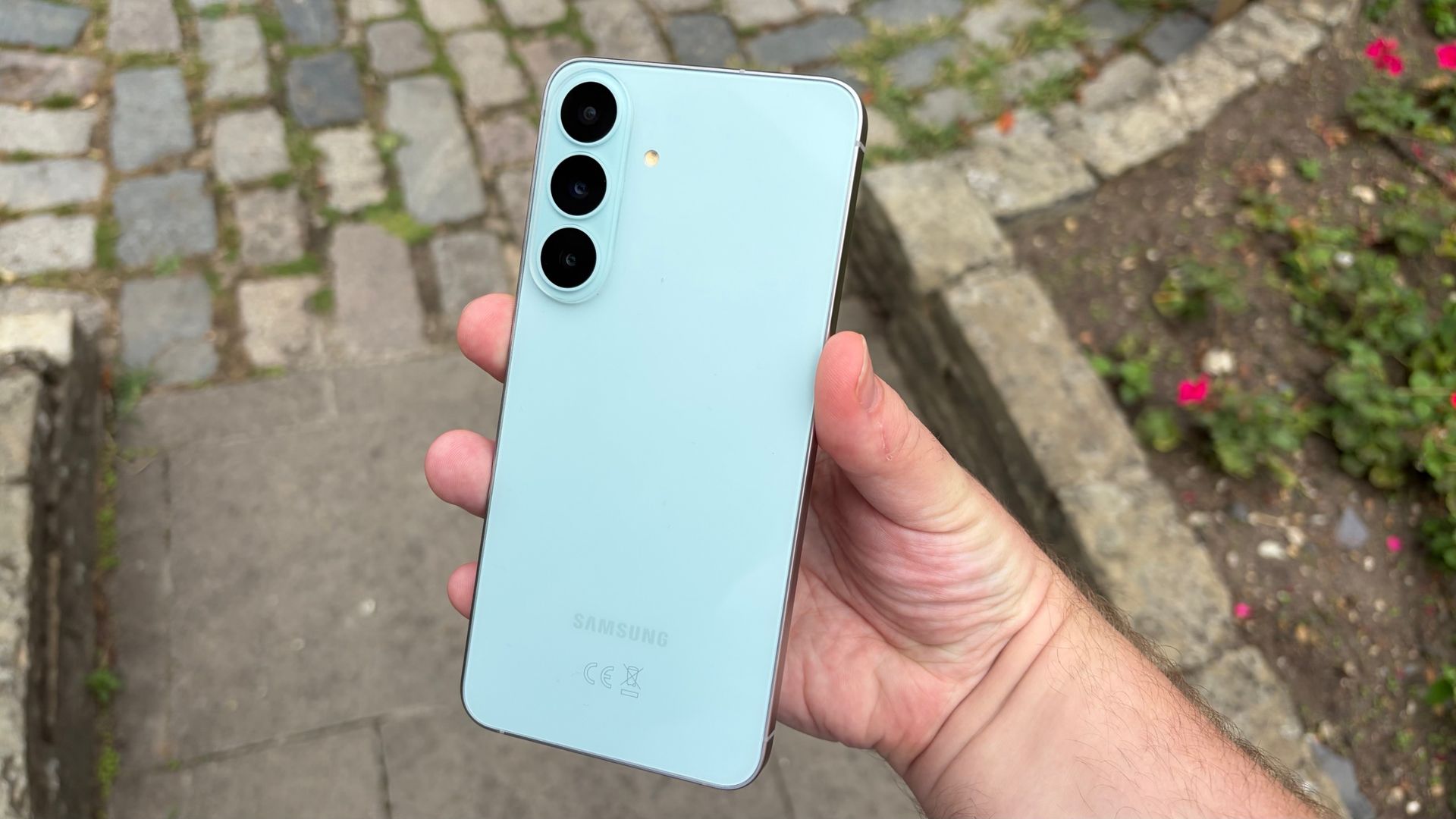
By contrast, removing the Galaxy Z Fold 8 from my pocket is a breeze because of how small and stumpy it is when folded (123.9 x 81.9 x 9.7mm, 201g, just so we've got everything). It comes out easier than an average, non-folding smartphone.
Quite a vapid reason to prefer one phone over the other, right? But try to imagine this removing process 50, 60, 70 times in one day, when I'm on holiday or a recce; the Z Fold 8 Ultra becomes more effort than it's worth.
In fact, most of the Z Fold 8 Ultra's shots are from specific shoots or sessions, when I knew I'd be using the phone lots, and so didn't put it in my pocket at all.

Despite the Samsung Galaxy Z Fold 8 being my preferred photography phone, I'm under no illusions about which takes better pictures.
Both phones have a 50MP f/1.9 ultra-wide camera, and two 10MP f/2.2 selfie cameras. But from here, the Ultra is, as you'd imagine, better.
For starters, its main sensor is more powerful, packing in 200 megapixels and an f/1.7 focal length, compared to the Z Fold 8's 50MP f/1.8. As photographers know, though, it's not all about megapixels, and I found it's the zoom lens that made the Ultra better.
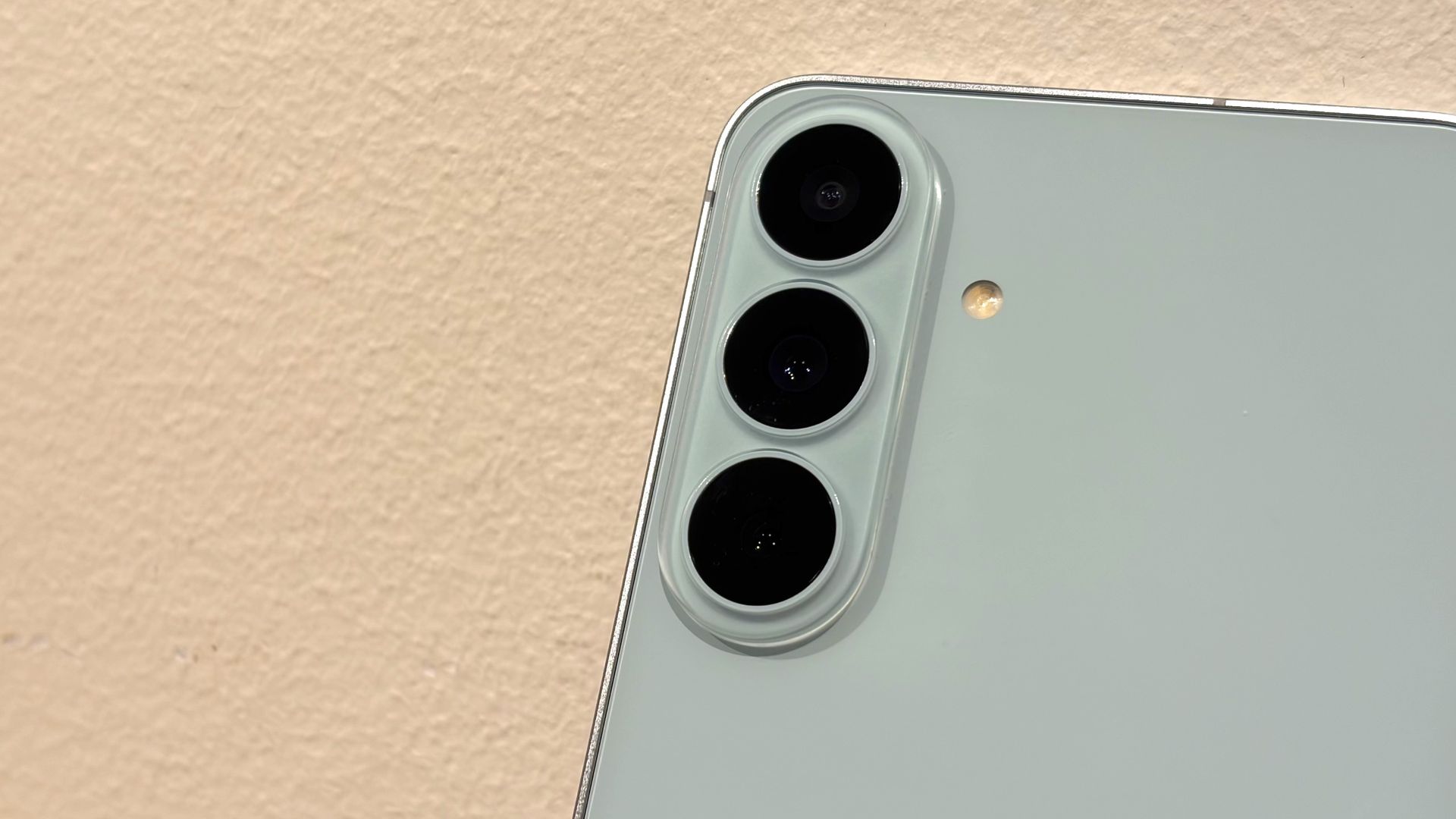
The Galaxy Z Fold 8 Ultra has a 10MP telephoto camera which supports a 3x zoom. On paper, it's the same unit the Samsung Galaxy S26 Ultra packs.


A zoom lens gives the Z Fold 8 Ultra much, much more versatility for photography; in fact, I'd wager at least half of my pictures on the phone use this snapper. Its 67mm lens gives much nicer, softer depth of field than the main camera, even if the app keeps jumping between optical and digital zoom when you're using it.
When you zoom in on the Galaxy Z Fold 8, you're just getting digital zoom. The flower pictures above will show you how this looks in comparison to optical; it's fine, but to camera phone photographers, it won't compete.
As you'll notice when you look at the above pictures too, the Z Fold 8 Ultra offers some extra bokeh on the 1x zoom picture, likely thanks to the extra information presented from all those excess pixels it's capturing. However, for the most part, I've found them pretty matched when it comes to these 'standard' pictures taken on the wide camera.
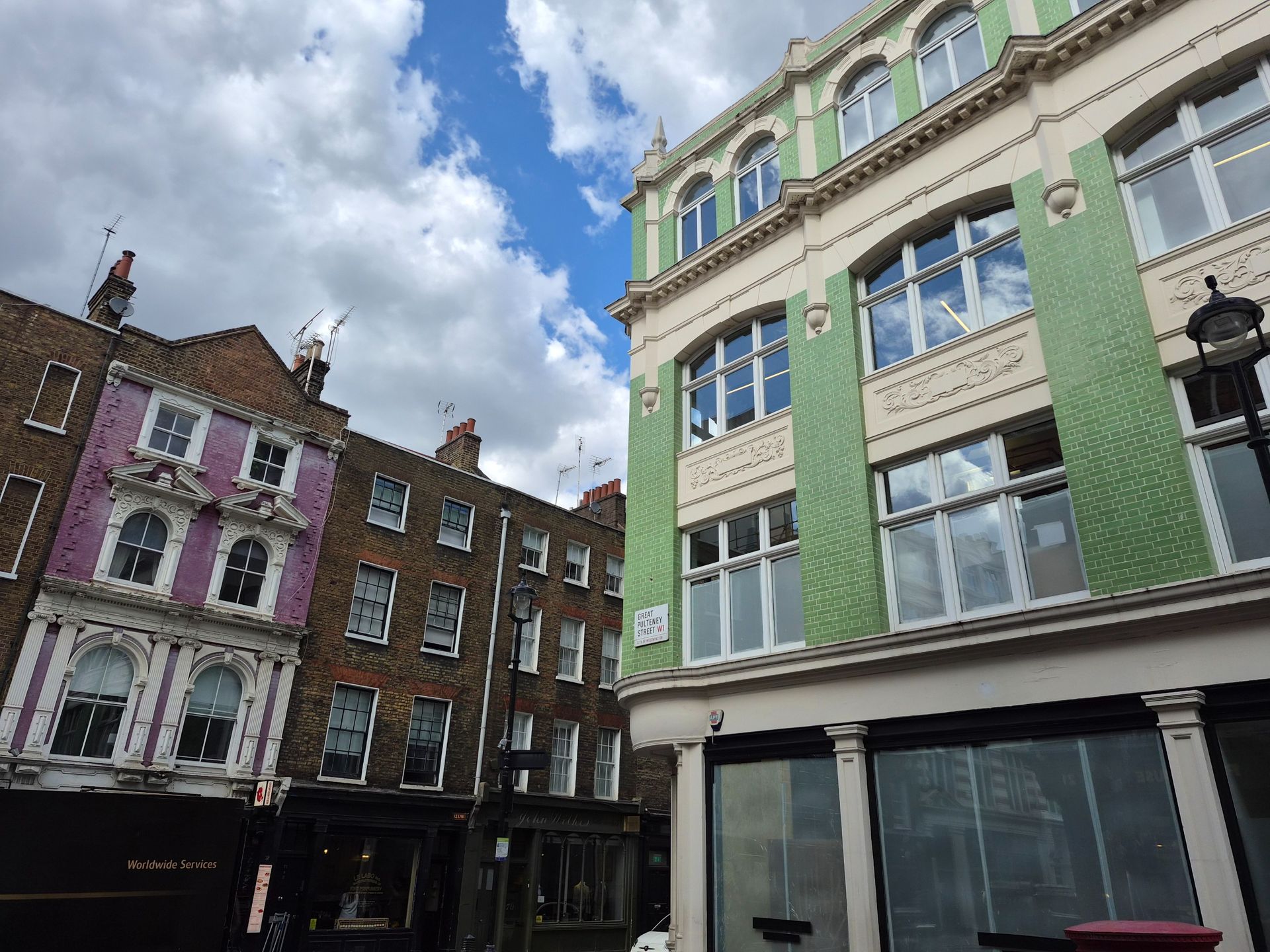
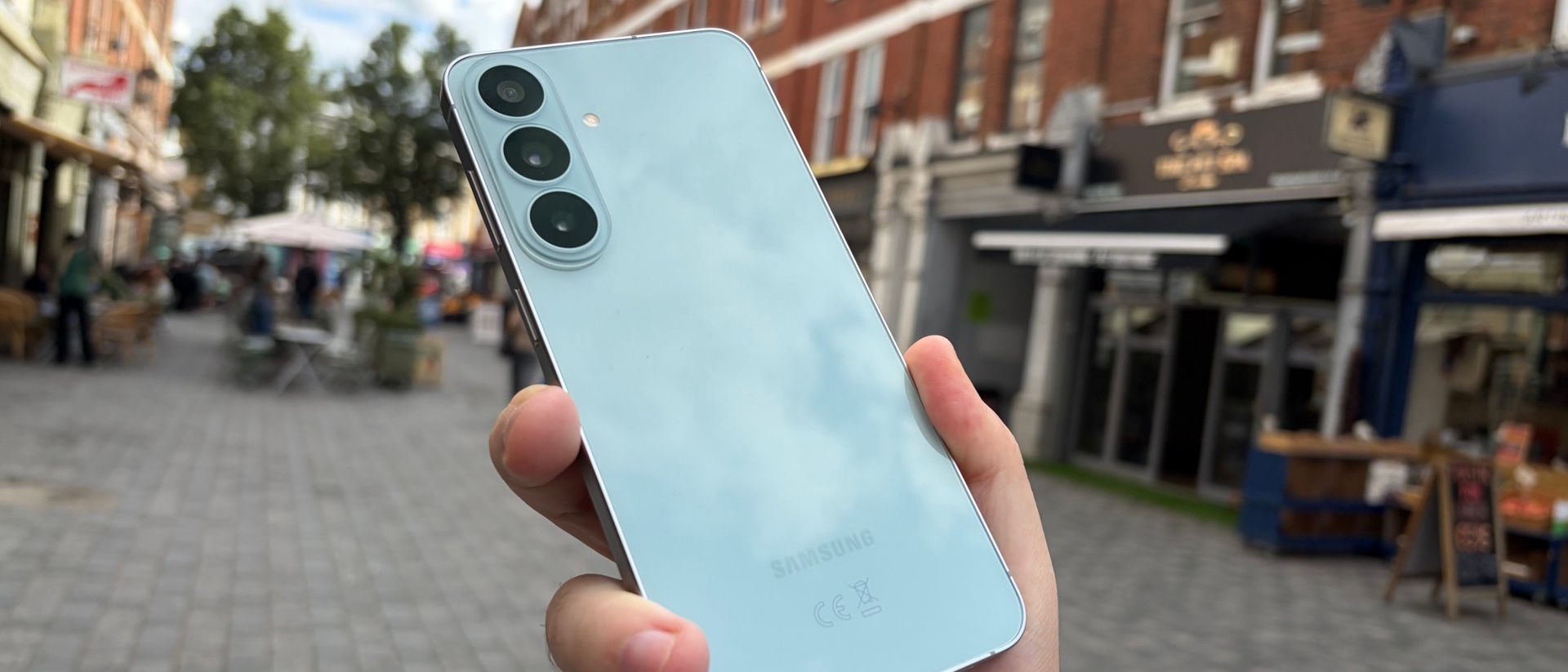
Want some more Z Fold 8 Ultra camera samples? Every shot of the Z Fold 8 in this article was taken on the Ultra phone, using the 3x camera (hence why you're not seeing the Ultra in the shots).

Despite its lesser camera performance, I'm still using the Galaxy Z Fold 8 as my go-to photography phone. And the convenience of pulling it out of my pocket is only one reason. Another is what happens once I've captured the picture.
The inner, or main, screen of the Z Fold 8 has a 4:3 aspect ratio. For some comparison, the Z Fold 8 Ultra is 0.9:1, which is close enough to square that I feel comfortable referring to it as such for the rest of this article.
I don't know about you, but I don't capture or use square photos. I imagine you're in the same boat, given that Instagram basically single-handedly killed them off several years ago. No: for me, it's 16:9. Not only is this the required aspect ratio for every single website I write for, but it's a wide-screen aspect ratio which is appropriate for film reference shots, all-encompassing panoramas, or dramatic action shots. But the point I'm about to make would stand even more if you shoot in the camera app's default 4:3.

A wider display is much better for editing pictures. If you look at a wide snap on the Z Fold 8 Ultra's square display, you're given loads of black bars (or dead space) at the top and bottom. These are still present on the Z Fold 8, but much smaller, offering just enough space to house the edit controls.
When I'm holding an open Z Fold 8, I also find that my hands are in the perfect spot to easily manipulate the picture. Thanks to its display edges being taller, I have to move them around much more on the Ultra phone.
Based on coverage of the phones, both by critics and online users who've grabbed an early purchase of the phones, the aspect ratio is proving pretty divisive for the new phones. Some prefer the older shape of the Z Fold 8 Ultra; others like the 'passport'-style Z Fold 8. And for tasks like photo editing, I much, much prefer the latter.

People who've read this article after glimpsing through the specs list of these new folding phones might find my preference for the worse one a little baffling. But those who've had hands-on time with the Z Fold 8 might understand my stance.
But if you're looking for a great camera phone, I'd be remiss not to mention something. Neither of these phones, not even the triple-camera Z Fold 8 Ultra, is actually a dedicated camera phone. They're fine for photography, but they won't hold a candle to the best mobiles on the market.
The Samsung Galaxy S26 Ultra would be a much better pick for people who want a camera phone, and don't need something that folds.
Don't just stick to Samsung, either. I've found most Galaxy phones have below-average battery lives — it's actually pretty poor on the Z Fold 8, at least compared to a non-folding phone, which cut some of my photo shoots short.
But if your main priority is a bending mobile, and the camera chops are a secondary consideration, don't rely on the specs list: the form factor is just as important.
Monetizing an app is a key part of development. But developers frequently use third-party software development kits (SDKs) rather than develop their own monetization tools.
These SDKs often come preloaded with data-collection mechanisms that allow developers to choose what types of user data it would like to collect to sell to advertisers. Sometimes, developers leave every setting on.
According to a warning from the Electric Frontier Foundation, SDKs with their default data collection settings left on are harvesting highly invasive location data, which is then passed on to advertisers and data brokers. Critically, this data can then be purchased and used by intelligence agencies, law enforcement, and even the military.
Location data is very lucrative for advertisers. It helps increase the bid-price for advertising space, allowing local businesses or services to target those nearby with adverts.
The level of invasive data collected depends on the permissions the app asks for. But crucially, any permissions granted to the app itself are also passed on to the SDK by default.
Where approximate location data determined by the device IP is accurate to about 1.2 square miles, precise location data can narrow that area down to about 160 feet, or in some circumstances as small as 10 feet.
In some cases, the SDKs include documentation for developers to ensure restricted data processing is turned on for users that are subject to GDPR and COPPA, but these settings are not turned on by default.
Also, some SDKs can gather and share location data without the user’s meaningful consent. Two apps analyzed by EFF that harvested location data through SDKs were downloaded more than 50 million and 10 million times, respectively. Neither app showed a notice or requested consent from the user, and both failed to declare that the apps would share location data with third parties in the Google Play Store Data Safety section.
Some apps require location data as part of their core functionality. For example, your chosen weather app, or a running app, may need your location data. But for many Android apps, the consent provided for this location tracking is also deemed to be consent for SDKs.
“App-level location permissions alone cannot signal meaningful consent to location collection and sharing by third-party advertising SDKs,” the EFF report says.
In many cases, location data sold by advertisers and data brokers has been used by intelligence agencies and law enforcement in highly-targeted operations.
The EFF includes a number of recommendations for developers, regulators, and legislators:
The Google Pixel 11 series is just a week away now, with the phones set for an August 12 launch. But as ever with phone launches, plenty of details have leaked in advance of that date, so we already have some idea of what to expect.
The latest of those leaks details a brand-new feature, reportedly dubbed HiLight, but we’ve heard all sorts of other things recently too about the Pixel 11, Pixel 11 Pro, Pixel 11 Pro XL, and Pixel 11 Pro Fold.
So, below, we've listed the most interesting of the latest Pixel 11 leaks, and rated how accurate we think they are.
Pixel Glow is officially called HiLight, I'd say.
— @rquandt.bsky.social (@rquandt.bsky.social.bsky.social) 2026-08-05T15:55:13.608Z
For a while now, we’ve been hearing that the Pixel 11 series might have lights on its rear panel, seemingly to power a feature previously thought to be called Pixel Glow. But now it seems that Pixel Glow might actually be called HiLight.
In a post on Bluesky, reputable leaker Roland Quandt has shared what appears to be an official French marketing image for the Pixel 11 Pro Fold, and it refers to this feature as HiLight, explaining (once translated) that “when your smartphone is face down, HiLight lights up discreetly when your favorite contacts call or when you chat with Gemini.”
So, it looks to be an evolution of the old-school notification light, though we still have questions about it — images show it displaying multiple colors, so we wonder whether specific colors or patterns can be set for specific kinds of notifications.
In any case, Google itself has officially teased this feature too, so while we can’t be 100% sure of the name, we’re certain that at least some Pixel 11 models will have lights on the back.

Not all of the Pixel 11 rumors are good ones, as we’ve also heard that these phones could have higher prices than their predecessors.
Specifically, according to Android Headlines, the Pixel 11 will start at $899, the Pixel 11 Pro at $1,099, the Pixel 11 Pro XL at $1,299, and the Pixel 11 Pro Fold at $1,899.
That, in all cases, represents a $100 increase on last year's models, though in the case of the Pixel 11 and the Pixel 11 Pro, you’re also apparently getting a storage boost, with 256GB said to be the starting capacity rather than 128GB. The other two models, though, come with the same starting capacity as their predecessors according to this leak, so it would just be a straight price rise.
We don’t have UK or Australian price leaks, but we’d expect Google to apply increases globally. For reference, the Pixel 10 starts at £799 / AU$1,349 in those regions, the Pixel 10 Pro at £999 / AU $1,699, the Pixel 10 Pro XL at £1,199 / AU $1,999, and the Pixel 10 Pro Fold at £1,749 / AU $2,699.
So, if this leak is right, you can expect higher prices than that this year, and there’s a good chance this leak is correct, given the ongoing RAM price crisis.


New models usually mean new colors, and the Google Pixel 11 series looks to be no exception, with a whole selection of shades having leaked on Amazon.
These include Midnight (black), Fuchsia (pink), and Moss (green) for the Pixel 11, Dune (a pale pink), Sterling (a grayish lavender), Pine (green), and Light Fog (a pale blue) for the Pixel 11 Pro and Pro XL, and Midnight and Pine for the Pixel 11 Pro Fold.
Those — at least in terms of their names — are all different to what you’ll find with the Pixel 10 series, though in practice some of them will probably be similar.
Still, it’s a largely appealing bunch going by the pictures, with a mix of bright and understated shades. The leaked images of them look fairly official too, so there’s a good chance these are what we’ll get.

The one spec upgrade you can be almost certain of in a new phone is that it will have an improved chipset, and so we fully expect the Pixel 11 series to replace the Pixel 10’s Tensor G5 chipset with a Tensor G6, and leaks agree.
From what we’ve heard across various leaks, this chipset could pair a significant upgrade in CPU performance with a rather small improvement in GPU performance. So, it might not be a complete home run for Google, but it should still deliver plenty of power overall.

As well as costing more, the Pixel 11 could have at least one spec downgrade compared to its predecessor, as Android Headlines reports that it will have just two cameras on the back — a wide and an ultra-wide, with no telephoto.
The Google Pixel 10 had these and a telephoto camera, so this would be quite a reduction in specs if it’s correct.
We would therefore take this rumor with a pinch of salt, since usually we expect upgrades from new models. But it might help Google keep the costs down in the face of rising component prices, and that would still keep it in line with a key rival in the iPhone 17, which also lacks a telephoto camera.

That’s not the end of the possible downgrades, as we’re also hearing from the same Android Headlines report that the Pixel 11 Pro and Pixel 11 Pro XL could come in configurations with just 12GB of RAM, whereas the Pixel 10 Pro and Pixel 10 Pro XL came with 16GB.
There will apparently still be 16GB models, but these will of course cost more, pushing prices up even higher.
A price increase combined with a RAM reduction could be a tough pill to swallow, but this is somewhat believable given that RAM pricing is increasingly out of control.

Thankfully, there is still another major potential upgrade to talk about, as some Pixel 11 Pro marketing images shared by Evan Blass — a leaker with a superb track record — mention 120x zoom. And if the Pixel 11 Pro has this feature, the Google Pixel 11 Pro XL almost certainly will as well.
Now, this wouldn’t be an optical zoom, of course; instead, you can expect it to be some kind of AI-boosted digital zoom. And it’s a believable claim, since not only does the source have a great track record, but the Pixel 10 Pro series already offers 100x zoom.
Still, that extra 20x would mean these phones could zoom further than almost any other handset.
Google Assistant had a good run — it made its debut in May 2016 as part of the Allo app (remember that?) — but Gemini is very much the future when it comes to Google-made AI helpers, and now we finally know when Google Assistant will stop working on Android phones and Wear OS wearables.
As per emails sent out to some Google Assistant users (via 9to5Google), the Android and Wear OS shutdown will begin on Friday, September 4. From that point, it may take a few weeks to reach every user and every device.
It means you won't be able to use Google Assistant at all on Android phones, tablets, and paired wearables. This will apply to Android Auto too, though vehicles with Google built-in, Google Assistant will carry on functioning for a little longer.
The cut-off point was originally scheduled for sometime last year, before being extended, but it now looks as though this is final. Google has been busy making Gemini the default choice on a multitude of gadgets in recent months, including smart home devices and Google TV streamers.

If you're still using Google Assistant on Android or Wear OS, you need to move over to Gemini at your earliest opportunity. If it didn't already come preinstalled on your device, you can get it from the Google Play Store. A whole new world of AI awaits, covering everything from basic phone commands to image creation.
When you're setting up Gemini, it will guide you through the process of replacing Google Assistant as the default on-board AI. As you're using the same Google account for both apps, the switch should be pretty seamless.
Google Assistant doesn't really keep a chat archive, so there's nothing to sync over in terms of conversations. If you want to see your old Google Assistant interactions, they'll still be available via the Web & App Activity page in your Google account.
You can carry on using the old Google Assistant commands with Gemini, including the "hey Google" alert phrase that gets the AI to listen for instructions. Everything should work as before — though there have been some issues along the way — and your Gemini conversations will be synced between devices by default.
Spare a thought for the Samsung Galaxy Z Fold 8 Ultra, which isn't having the easiest time of it right now. Yes, it's a fantastic foldable phone, but it was launched in the shadow of its upstart sibling, the Galaxy Z Fold 8, with Samsung taking the OG folding phones' name and applying it to a fresh, dare I say cute, design.
The Galaxy Z Fold 8 Ultra, by contrast, is almost indistinguishable from its predecessor, the Galaxy Z Fold 7. That's hardly a criticism — I loved that Android device — but it's hard to stand out when you've launched alongside to the phone world's shiny new object.
If we can put the 4:3 aspect-ratio Galaxy Z Fold 8 aside for a moment — you can read our Z Fold 8 review if you're so inclined — I'll focus here on the Galaxy Z Fold 8 Ultra, a fantastic folding device in its own right.
If you're unfamiliar with the Galaxy Z Fold line, here are the highlights for the Z Fold 8 Ultra. 'Ultra', but the way, does not mean it somehow more closely resembles the Galaxy S26 Ultra, though the camera and CPU enhancements do bring it more in line with the performance of its flagship cousin.
Folded, the Galaxy Z Fold 8 Ultra looks like a standard, if slightly narrower than normal smartphone (the S26 Ultra is a few millimeters wider). Unfolded, it's an 8.0-inch flexible display — and the chief upgrade on the display side is a mechanical and material engineering marvel.
Under the protective plastic cover, ultra-thin glass and a flexible AMOLED screen are a pair of new titanium panels. One is pure titanium, with an all-new perforation design for better bending performance, and the other is an alloy that, while thinner than the previous polymer sheet, is stronger and more reliable.


The quite noticeable result is an essentially flat main screen with a far less visible crease, with the promise that over the years the bendy display won't suffer noticeable deformations (i.e., a more noticeable crease).
There are still five (yes, five) cameras, and while the 200MP main camera is essentially unchanged, the ultra-wide is now a more powerful 50MP camera (up from 10MP). The 3x optical zoom is still 10MP, and I do wish it were a 5x optical zoom (or at least 4x like the iPhone 17 Pro Max's). You can go far further with digital zoom, but then you have to wonder how much of an assist your photos are getting from the on-board AI (assume a decent amount). All of the photography is further improved by the upgraded image processing.
Under the hood is the latest Qualcomm silicon, which supports an impressive array of AI features. As with other Galaxy devices, there's almost too much AI here, but features like Photo Assist and Now Brief are standouts.
All in all, the Galaxy Z Fold 8 Ultra is an excellent follow-up to the Galaxy Z Fold 7, and is set to easily take over from its predecessor at the top of our rankings of the best foldable phones.

I guess it was inevitable that with the price of RAM and components rising, the latest Galaxy Z Fold would be more expensive than its predecessor.
The new Galaxy Z Fold 8 Ultra starts at $2,099.99 / £1,899.00 / AU$2,999. If anything, the $100 bump in the US is less than I thought it might be; double that would not have been surprising.
Released alongside the smaller Galaxy Z Fold 8 ($1,899.99 / £1,699 / AU$2,699 ), the Z Fold 8 Ultra has an inarguably premium price, though it seems more reasonable when you consider that this is a two-in-one device.
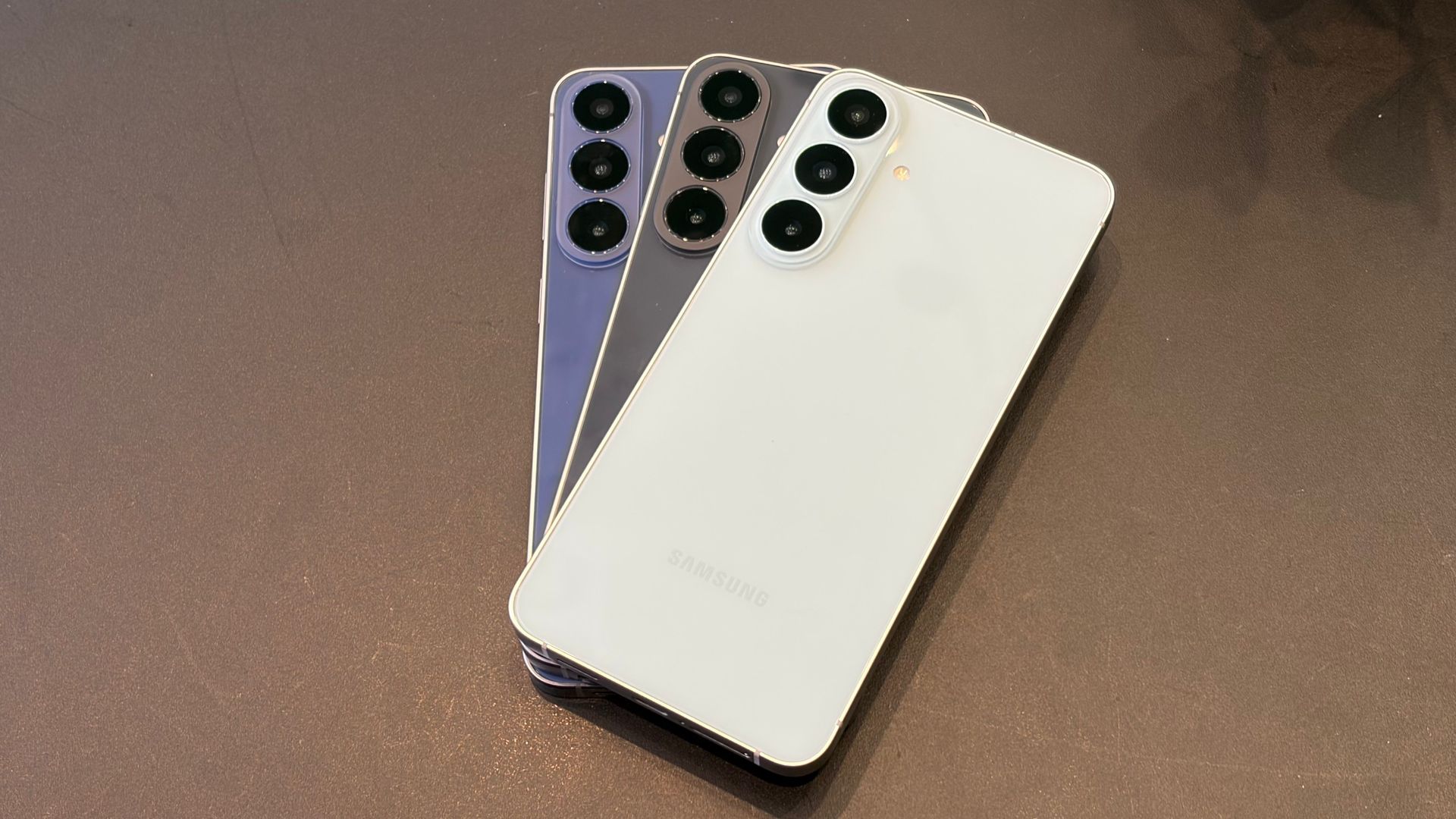
The Z Fold 8 Ultra is available in Graphite, Cream, Green Shadow, and my test unit's Violet Shadow.
Here's a breakdown of the Samsung Galaxy Z Fold 8 Ultra's key specs:
Dimensions: | Closed: 158.4 x 72.8 x 8.9mm |
Weight: | 215g |
Display: | Cover display: 6.5-inch AMOLED |
Resolution: | Cover display: 1080 x 2520 |
Refresh rate: | Cover display: adaptive 1-to-120Hz |
Peak brightness: | Cover display: 2,400 nits |
CPU: | Qualcomm Snapdragon 8 Elite Gen 5 for Galaxy |
RAM: | 12GB / 16GB |
Storage: | 256GB / 512GB / 1TB |
OS: | Android 17 / OneUI 9 |
Cameras: | 200MP F/1.7 main, 50MP F/1.9 ultra-wide |
Selfie Camera: | Main screen: 10MP F/2.2 |
Telephoto | 10MP F/2.4 3x optical |
Battery: | 5,000mAh |
Charging: | 45W wired, 20W wireless, Wireless Powershare |
Colors: | Graphite, Cream, Violet Shadow, Green Shadow |
There's little argument that the Samsung Galaxy Z Fold 8 Ultra is, despite the new superlative, a visually iterative update. Folded, it's hard to distinguish it from the Z Fold 7.; it's virtually the same size and weight, meaning it's still lighter than the Galaxy S26 Ultra. It's still an Armor Aluminum Frame, though the Gorilla Glass Ceramic 2 from the last Fold 6.5-inch cover display is now Gorilla Glass Ceramic 3. On the back is Gorilla Glass Victus 2.
It's not until you unfold the handset, or rather attempt to unfold it, that the design changes, er... unfold.
First, there's a new chamfered edge along the fold inseam, which makes it far easier to insert the tips of your fingers and unfold the phone. Samsung told us it made this change because some users complained that the 4.2mm thick Z Fold 7 was difficult to open. The even thinner 4.1mm Z Fold 8 Ultra is, in fact, easier to open. I might even call it a pleasure.
Speaking of pleasure, there's another tiny little change that I really love. The power/sleep/fingerprint/Gemini button is no longer recessed, and is now so much easier to find by touch.
The biggest design upgrade is almost purely mechanical, and Samsung pulled it off by swapping out various materials and hinge designs to finally achieve a virtually flat and almost creaseless unfolded body and display. That is to say, the screen and chassis are flat, although if you lay it on a table, that ample camera bump will keep the whole thing rocking.


Inside the 4.1mm body — it's so thin it only just accomodates the USB-C port — Samsung has re-engineered the rigid titanium panel along the hinge strip, transforming the perforations into an almost 'A' shape, which allows for easier and more reliable bending. That panel is paired with a new titanium alloy sheet (it's thinner and stronger than the old polymer one). Together, they make the folding and unfolding processes better, and, when the phone is fully unfolded, allow for a virtually flat frame and the least noticeable crease yet. I'll have more to say about this design in the Display section below.

As I've been carrying around the Z Fold 8 Ultra and opening and closing it, people have consistently asked how long the phone might last, and whether it fatigues at the bend. I reply that, in the course of using and testing Samsung's folding phones over the last seven years, I've found them surprisingly resilient.
This model is actually water-resistant (IP48; yes, I ran it under water, yes, it survived, and perhaps enjoyed it), though I would not take it to the beach if it's not in a sealed case. When I traveled to South Korea last month. Samsung showed me how it torture-tests these devices, including folding and unfolding them thousands of times. I'm quite confident that with normal use the Z Fold 8 Ultra will last for years — at least through all seven years of Samsung's promised OS and security updates.

Samsung now has enough experience making folding phones to be well into the refinement phase. The Galaxy Z Fold 8 Ultra is already thin and light enough, and the last model, the Z Fold 7, folded the screen so tightly that there was barely any gap between the two halves of the display. Now, though, the new display technology allows the screen to unfold virtually flat and, thanks to both the hinge engineering and new anti-reflective coating, make the crease very close to invisible.
The crease is not entirely gone. When I run my finger over the center of the 8-inch display I can feel it, and if I view the screen at the right angle, I can just make out the slight half-inch-wide indent.

Still, everything looks fantastic on the tablet-size display, which now sports a 2504 x 2256 resolution, a slight upgrade from the Z Fold 7's 2184 x 1968 resolution. I played games, watched video, viewed countless photos, used it for full-screen turn-by-turn navigation in maps (it's easy to get lost in London, which I was visiting for the Galaxy Unpacked event at which this phone was launched), and played more games.

If I had one real criticism of the main screen, it's that it no longer has a digitizing display — but this is not an issue new to the Z Fold 8 Ultra. Samsung dropped this feature on the Galaxy Z Fold 7, and there were rumors that the S Pen-supporting digitizing layer would return with the 8, but that didn't happen. Without it, and a special S Pen, to protect the phone’s flexible display, I really don't feel comfortable drawing on it with a universal rubber stylus (which you can buy from third-party providers, but which lack the S Pen’s unique features.

The cover screen reads as a 6.5-inch display, but that's measured diagonally, and the reality is that it's not as wide as the display on the Samsung Galaxy S26 Ultra. The Z Fold 8 Ultra cover display is about 2.5 inches wide, and the S26 Ultra is about 2.75 inches.
I still find the Z Fold 8 Ultra's cover display more than usable. The virtual keyboard is large enough for me to comfortably type on it. Websites, texts, and social media look good on it. The only issue I found is that its max brightness is not as strong as the inner display (3,000 nits, max), and it was occasionally overwhelmed by direct sunlight.
It's also a good-looking screen across multiple content types and activities thanks to the variable refresh rate that can sit anywhere from a power-sipping 1Hz up to a silky smooth 120Hz.

As with most of the Galaxy Z Fold 8 Ultra, Samsung didn't completely reinvent the photography suite. Instead, we have a strong collection of cameras with some key improvements, chief among them a much more powerful 50MP ultrawide and the overall updates to the ProVisual engine for some of the best photography I've ever achieved with a Samsung smartphone.


I've spent more than a week photographing everything from the iconic landmarks of London to a soccer match between Wrexham and Liverpool at New York's Yankee Stadium. In virtually every scenario, the Galaxy Z Fold 8 Ultra's cameras did not disappoint. Samsung's ProVisual engine is finally focused on color fidelity, and while I can use Galaxy AI Photo Assist to alter mu images to my heart's content, I applaud Samsung's focus on photographic reality.
To recap, here are all the cameras (five of them!) you get:
Like most high-megapixel main cameras on phones, the Galaxy Z Fold 8 Ultra's 200MP and 50MP cameras default to a binned mode, squeezing multiple pixels into one (the main 48MP camera on iPhone 17 Pro, for instance, similarly defaults to 24MP). The result with the Z Fold 8 Ultra is 12MP photos, unless you choose 50MP or 200MP. The majority of my photos were shot with the 12MP default.


Even though Apple defaults to a higher resolution, Samsung's overall higher megapixel count means it's theoretically squeezing even more information into each photo. In anecdotal side-by-side shots, Samsung's photography is now as good as, and sometimes better than, what I can get with the iPhone 17 Pro Max.


Portrait-mode photos have become a real highlight in Samsung's photographic arsenal. From the very first photo I took of my colleague Axel Metz (above) to a shot of my son and his girlfriend, I've been impressed with the phone's uncanny ability to capture every detail and strand of hair while warmly blurring the background. My favorite shot is this one, of one of the Beefeaters who guard the Tower of London guards. This gentleman was kind enough to pose for me, and I think even he was surprised at the result.

While I was generally pleased with the telephoto performance, I'm not thrilled with the underpowered, 10MP 3x optical zoom lens. It obviously pales in comparison to the iPhone 17 Pro Max's 48MP 4x optical zoom. Those extra megapixels also help the iPhone produce unprocessed 8x zoom sensor crops. After 3x on the Z Fold 8 Ultra, everything else gets some digital enhancement. Most of the images I've shared are optical-strength only.


One lens that's gotten a big upgrade with the Z Fold 8 Ultra is the ultra-wide, which is now a 50MP lens. This helps improve the quality of those wide-angle shots, and macro images, as well. There's some real drama in these ultra-wide images, and I'm impressed with how even the edges remain sharp.


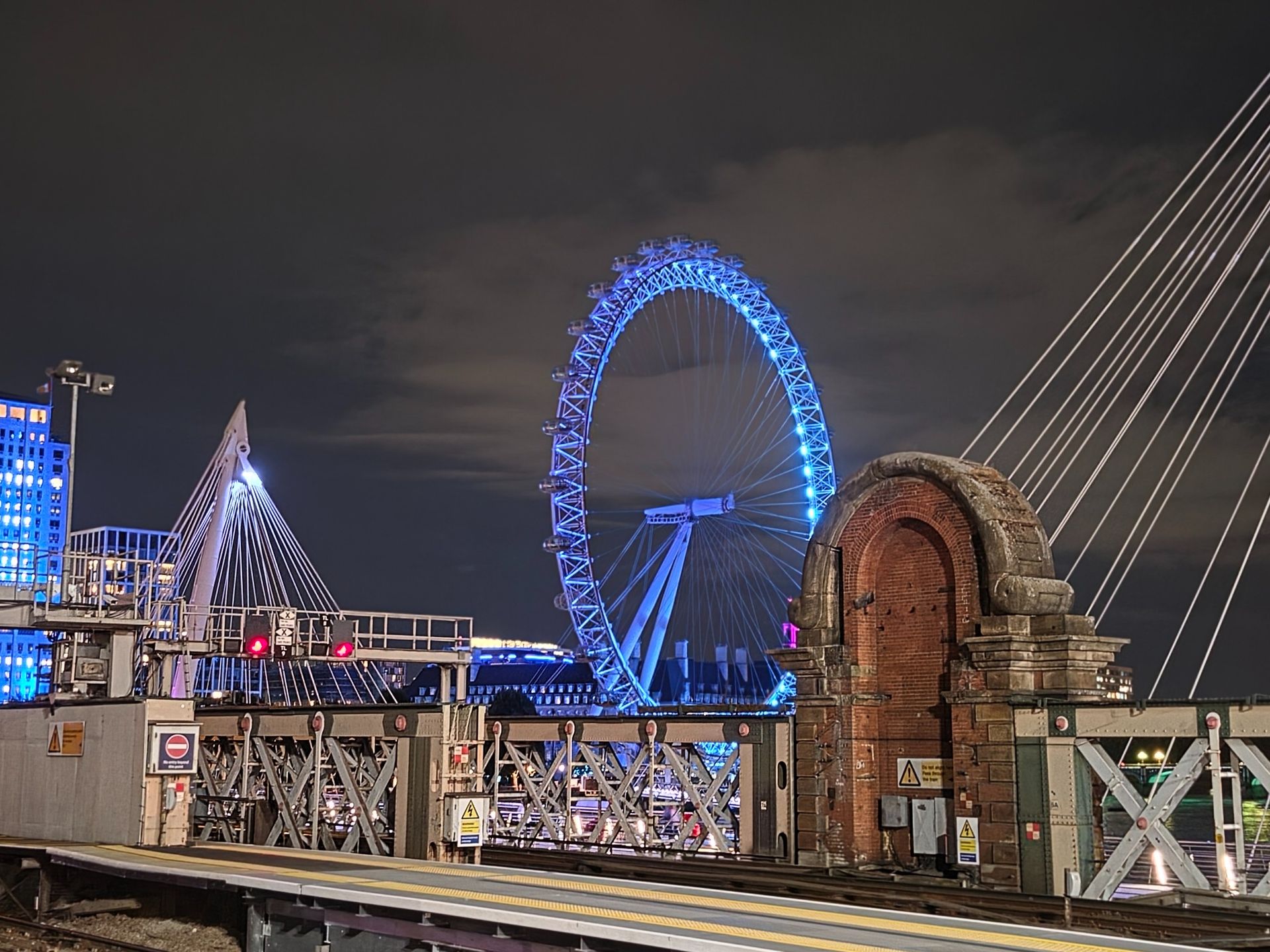
Night photography is also strong, and I was often pleased with how much light, color, and detail the Z Fold 8 Ultra could find in even the darkest environments.


On the video side, the Z Fold 8 Ultra lives up to its name, letting you shoot and edit 8K video. I waded into my pair of hydrangea bushes and dozens of buzzing bees to capture some cool, up-close 8K footage that I was then able to fully edit inside the phone's camera app, including adjusting brightness, and even using the AI-powered audio scrubber to bring down the wind and sound of leaves brushing against the microphones.

One of the other highlights is the Dual Camera shooting mode, which, while using a front and back camera, produces a rather distinct result. Instead of the 10MP selfie-camera image appearing as a picture-in-picture window on the front-facing camera video — as it does when using the similar Dual Capture mode on Apple’s latest iPhones — the Galaxy Z Fold 8 Ultra creates a split-screen view.
A post shared by Lance Ulanoff (@lanceulanoff)
A photo posted by on
I used this mode a few times in London, most memorably at the Royal Palace and at Borough Market, where I shot the famous strawberry stand. It's a great effect, and creates some really engaging videos.


The other most notable video feature is a Galaxy AI enhancement called My FanCam. As the name implies, it lets you focus on your favorite video subject. The example we saw involved video of a soccer game. On playback in the camera app, you select the Galaxy AI icon and then the My FanCam option. The system identifies all the moving people (it doesn't work with animals or anything other than humans). You select the one you want, and the video tracks that subject. But the best part is that it can auto-crop around the subject in the aspect ratio of your choice — perfect for sharing on social media.
I ran a couple of tests with My FanCam, and it worked perfectly every time.

The Samsung Galaxy Z Fold 8 Ultra arrives with Android 17 and OneUI 9. It's a great combination. Overall, OneUI is a great Android overlay, because it's useful without getting in the way of Android. There are still some odd choices, like the existence of a Galaxy web browser that I never use (does anyone?), but some of the native Galaxy features are actually quite useful.
It's also a system with multiple AI platforms: Bixby, Galaxy AI, and Gemini. Of the three, Bixby, which can answer general questions and step into controlling key phone features, got the least amount of use. I do like though for it for how it lets you dig down to settings like brightness control without ever digging into settings. I could simply talk to Bixby and tell it what I wanted, like when I asked, "Can you make sure the brightness is set to 100%?" Bixby opened settings, brightness control, and pushed it to 100%.
Galaxy AI is a far richer collection of native AI tools, ranging from on-screen awareness to voice-driven photo editing.


I had some fun editing photos with my voice — and I was shocked by how good the results were. With the above photo pair, I simply asked Galaxy AI to "Remove the old man". There was no hesitation, and in about 20 seconds I had the second image. I was gone, and Galaxy AI filled in the rest of my friend's arm, turned a small satchel he was carrying into a shoulder bag, and fleshed out the guy behind me. It looked like reality.
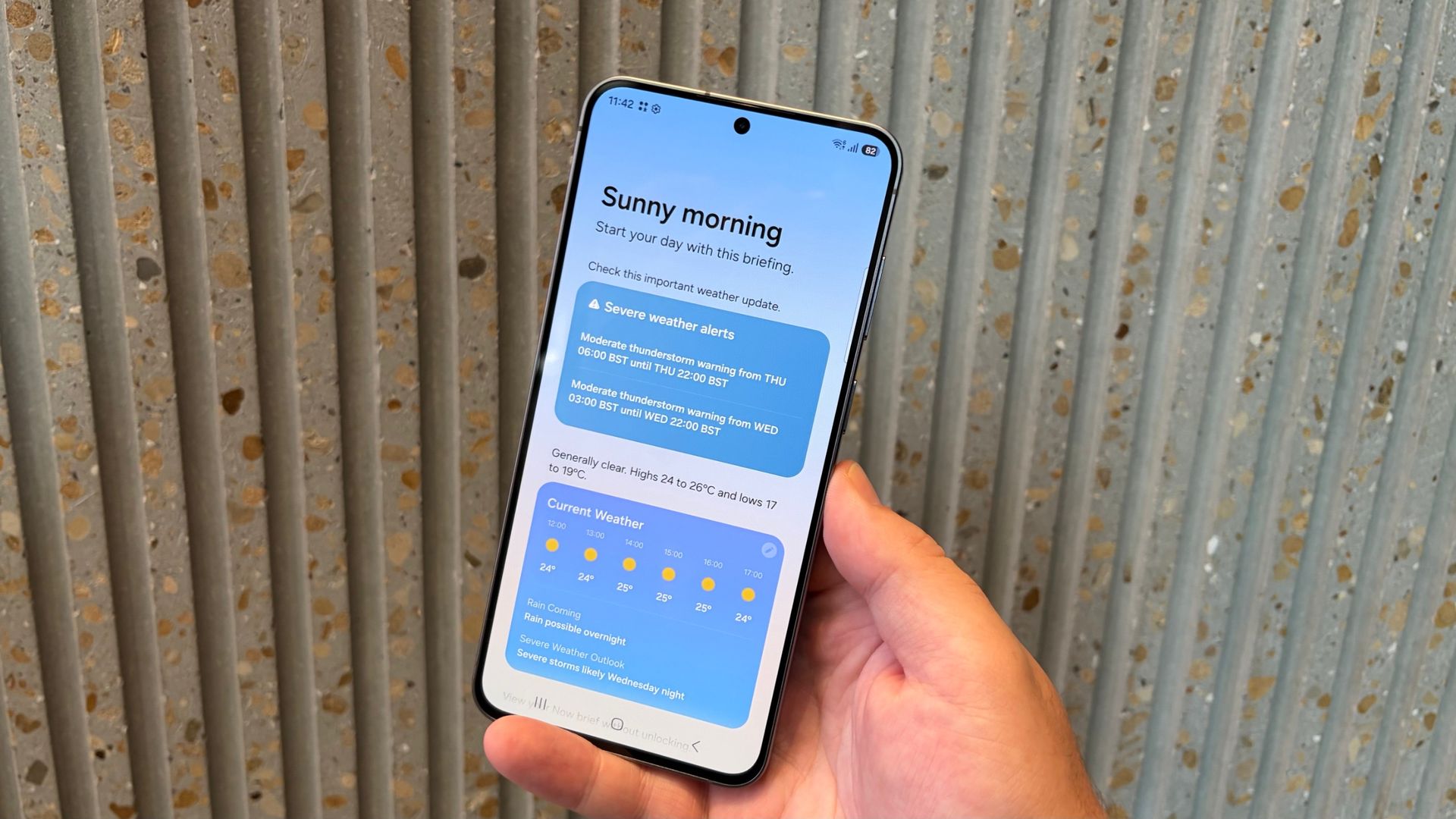
There's also a whole collection of Now features, including the "your world on a single screen" Now Brief, which now adds custom cards, and Now Nudge, which pops up contextual guidance for things like multitasking and automatically noticing that you might want to add an appointment to your calendar. I couldn't get Now Nudge working for me in messages in RCS — I suspect it may take some time for the system to learn about me and start making these suggestions.


On the quality-of-life front, the QuickShare updates that make sharing between this Android Phone and iPhones (and Macs) possible have been a revelation. I feel as if the world's been thrown open, and I can only say it's about time. Okay, I know that's a bit much, but this feature update is bigger than you might think.
Gemini is especially powerful if you give it access to personal details and data inside apps like calendar and mail. When I asked Gemini, without preamble, "Where am I going today?" it looked in my emails and gave me my schedule and location for my next meeting. Impressive.
Features like Circle to Search can be summoned by holding down the virtual home button and then circling on-screen objects. The results are quick and accurate
I can also hold down the power/sleep button to summon Gemini. Six months of access to the more powerful Pro version comes with the phone; after that, you have the most basic Google AI, which is still pretty good.
This is a powerful and smoothly performing smartphone. Qualcomm's latest silicon virtually matches the iPhone 17 Pro Max's A19 Pro Geekbench 7 single- and multi-core scores. The numbers, by the way, appear lower than phones tested last year with Geekbench 6 because, in the upgrade to 7, Geekbench completely recalibrated how it measures performance.
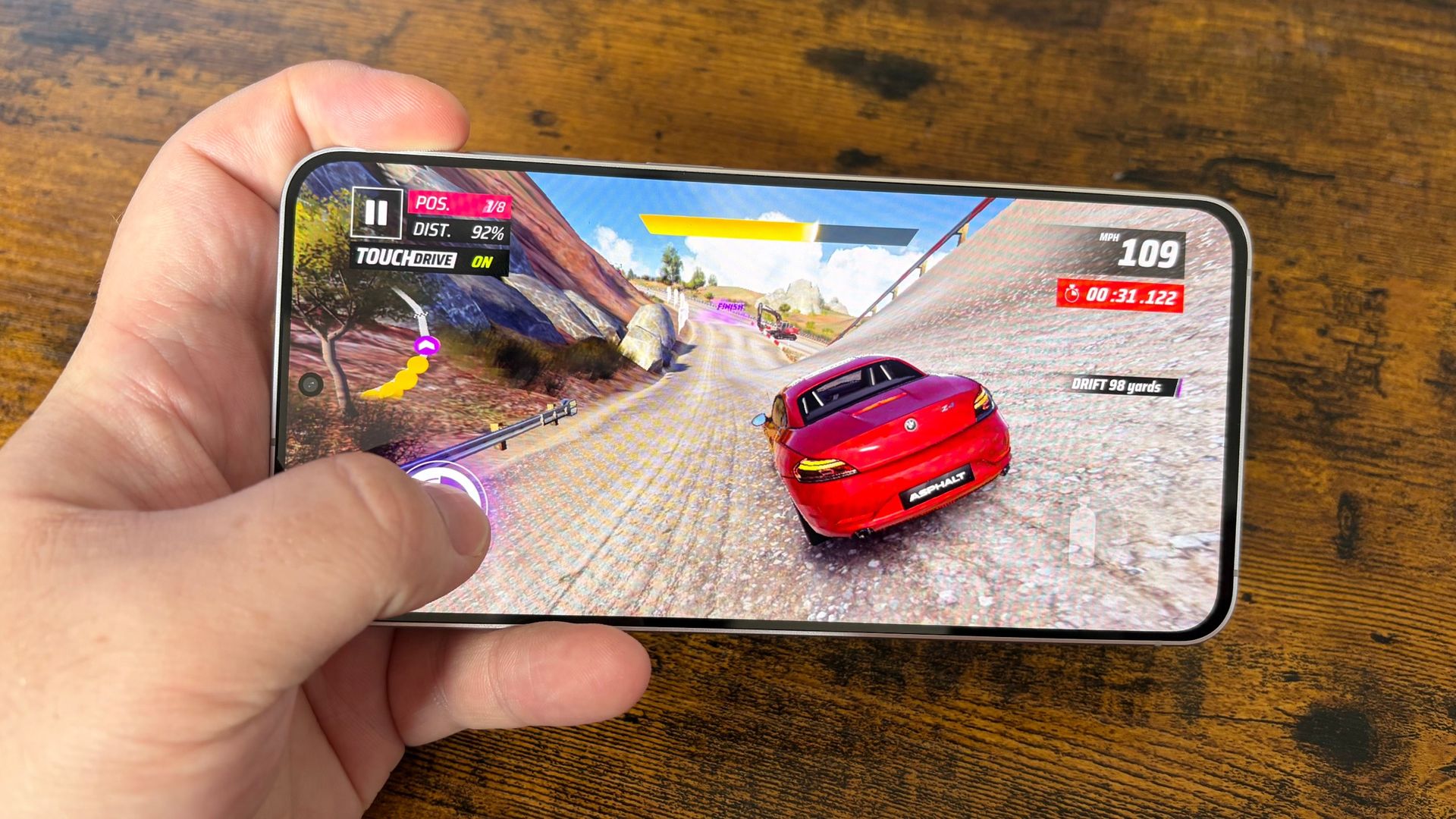
In the real world, I have yet to run into a task or situation the phone couldn't handle. Games like Asphalt Legends looked and ran perfectly. The Galaxy Z Fold 8 Ultra can handle multitasking with ease — you can have up to four apps open simultaneously on the main screen — and editing 8K video is seamless.


There were times when I could feel the back of the phone getting warm, but not so much that it became uncomfortable to hold.
In other performance areas, like audio, the speakers can get loud but with virtually no bass; they can also sound a bit tinny. Call quality is excellent, though my first few call tests were with phone scammers who somehow instantly found the new number.
5G speeds and WiFi 7 connectivity were strong and, with enough signal, fast. I've also enjoyed a solid Bluetooth 6.0 connection to my Samsung Galaxy Buds Pro 2 and Galaxy Watch Ultra.
Samsung Galaxy Z Fold 8 Ultra | |
Geekbench 7 single-core | 1835 |
Geekbench 7 multi-core | 4476 |
3D Mark Wildlife Extreme | 6632 |
3D Mark Wildlife Extreme Low | 1660 |
3D Mark Solar Bay Extreme Unlimited | 1366 |
Even though this is a thinner Z Fold than last year, the battery is now a larger 5,000mAh, a feat made possible by the thinner titanium alloy, which replaced the thicker polymer layer and the new silicon-carbon battery technology (more power in less space).
That battery gave me, with constant, all-day, mixed use in bright sunlight, 12.5 hours of battery life. In our lab tests, we got a solid 14 hours. It's an all-day champ, to be sure.
The phone can also charge quickly with a 45W fast charger — I almost 50% in 15 minutes and 76% in half an hour — while wireless charging supports 20W charging. You can also put another Galaxy phone on the back and share a little power via Wireless PowerShare.
Attributes | Notes | Rating |
|---|---|---|
Value | The price of Samsung's best foldable just keeps going up | 4 / 5 |
Design | Thin, flat, almost creaseless and just beautiful. I do wish the camera bump didn't mess up the on-desk flatness | 5 / 5 |
Displays | Excellent displays and the upgrades to the main screen (flat, less of a crease, antireflection) make it a great content and productivity device. | 5 / 5 |
Camera | Excellent collection of cameras. The ultrawide update is especially welcome. I do wish the telephoto was a bit stronger (optically). Powerful features like Photo Assist and My FanCam are strong additions. | 4.5 / 5 |
Software | Clean, well-organized platform with lots of useful, baked in, AI features like Now Brief. Lots of AI. | 4.5 / 5 |
Performance | Qualcomm's best mobile processor (tweaked for Samsung) does not disappoint. | 4.5 / 5 |
Battery | 5,000mAh battery. All day battery life is virtually guaranteed. | 5 / 5 |
You want the ultimate foldable phone
Sure, the Galaxy Z Fold 8 is adorable, but no other Galaxy folding phone has this collection of cameras, vast screen size, and thinness. It's the full package.
You want all-day battery life
The cutting-edge silicon-carbon 5,000mAh battery is a true workhorse.
You want the best photos
The Galaxy Z Fold 8 Ultra is unquestionably the camera leader among its Galaxy Z8 cousins, but it also has one of the best camera phone arrays I've used.
You're on a bugdget
This is an exciting folding phone, but you will pay dearly. If cost is an issue, you may want to look to the Z Fold 8 or Z Flip 8.
You want more zoom
As much as I like these cameras, I still want a 4x optical zoom, and would love a 5x. Maybe next year.
Samsung Galaxy Z Fold 8
The Galaxy Z Fold 8 promises the same level of performance and AI as the Z Fold 8 Ultra, but in a cuter form factor and at a better price.
Read our Samsung Galaxy Z Fold 8 review
Motorola Razr Fold 2026
This foldable manages to match the Z Fold 8 Ultra in power and battery technology (but has a larger battery). The design is questionable, but it's generally a very good foldable that will save you money over the Z Fold 8 Ultra.
Read our full Motorola Razr Fold 2026 review
I've been working, playing, and traveling with the Samsung Galaxy Z Fold 8 Ultra for almost two weeks. I've tried to use it as I would any smartphone, but with the added benefit of the large screen.
This is my seventh year testing foldable phones, and I am constantly astonished by the progress that's being made with the form factor, especially by Samsung. The Z Fold 8 Ultra is the full expression of its smartphone ideas and, as I carried it with me and pulled it out to take photos in London, Manhattan, and at home, I was constantly surprised and pleased with its performance.
More broadly, I've been testing phones for over 22 years and technology for 40. I use my wealth of experience to put products like the Z Fold 8 Ultra in context and perspective. As I see it, this is the best folding phone on the market right now.
Read more about how we test
First reviewed August 2026
It’s high praise that one of my biggest problems with the Samsung Galaxy Z Fold 8 is that I wish it had a different name.
The fact that the Galaxy Z Fold 8 Ultra has taken up the mantle of the Galaxy Z Fold 7 and all previous Galaxy Z Fold models is a little confusing. But titles aside, what Samsung has actually done here with the Galaxy Z Fold 8 — that is, build a new kind of foldable for a new kind of audience — deserves recognition, and I'm glad the South Korean giant has once again moved the category forward in a meaningful way.

Ideal Galaxy Z Fold 8 users are those focused on mobile entertainment and exploring new ideas with a pair of screens that Samsung has shaped specifically for watching video and reading, respectively.
While the phone is still technically capable, with an excellent chipset, plenty of memory, and strong battery and charging specs, it’s being sold more on its everyday use cases — and convincingly so.
In one way, it’s going to be hard to judge how good the Galaxy Z Fold 8 is until we get the long-rumored foldable iPhone, which is going to be the second (and perhaps more important) passport-style foldable to hit Western markets. But what I can say right now, looking at the Galaxy Z Fold 8 itself and the wider foldable phone and Android phone markets, is that this mid-sized foldable may herald a new generation of folding phones. I just wish it wasn’t so expensive.
Starting at $1,899 /£1,699 / AU$2,699, the Galaxy Z Fold 8 is currently in its pre-order phase; it'll hit shelves on August 7.
These prices put the phone in between the Galaxy Z Flip 8 and Galaxy Z Fold 8 Ultra in terms of cost, and it's cheaper than the Galaxy Z Fold 7, which retailed for $1,999.99 / £1,799 / AU$2,899 at launch.
Samsung releasing a cheaper book-style foldable is absolutely a good thing, but the small price difference between the Galaxy Z Fold 8 and Z Fold 8 Ultra makes the former seem a little too keenly-priced.
That said, excluding the Huawei Pura X — which is hard to get in the West and requires some fiddling to get working with familiar Google services — and the as-yet-unnannounced iPhone Ultra, the Galaxy Z Fold 8 is the only representative of this size of foldable you can easily buy right now.
Hopefully future discounts will make this phone more affordable, but right now, it seems like Samsung’s charging a little uniqueness tax on top of what the Galaxy Z Fold 8 is truly worth.
Storage | US price | UK price | AU price |
|---|---|---|---|
256GB | $1,899.99 | £1,699 | AU$2,699 |
512GB | $2,099.99 | £1,869 | AU$2,999 |
1TB | $2,499.99 | £2,209 | AU$3,599 |
These are the key specs of the Galaxy Z Fold 8:
Dimensions: | Unfolded: 161.4 x 123.9 x 4.5mm, Folded: 81.9 x 123.9 x 9.7mm |
Weight: | 201g |
Displays: | Main: 7.6-inch Dynamic AMOLED 2X, Cover: 5.5-inch Dynamic AMOLED 2X |
Resolution: | Main: 2448 x 1848, Cover: 1972 x 1248 |
Refresh rate: | 1 - 120Hz (main and cover) |
Peak brightness: | 3,000 nits |
CPU: | Snapdragon 8 Elite Gen 5 for Galaxy |
RAM: | 12GB, 16GB (1TB model only) |
Storage: | 256GB, 512GB, 1TB |
OS: | Android 17 with One UI 9 |
Cameras: | 50MP wide (f/1.8), 50MP ultra-wide (f/1.9) |
Selfie Cameras: | 10MP (f/2.2) inner, 10MP (f/2.2) outer |
Battery: | 4,800mAh |
Charging: | 45W wired, 20W wireless |
Colors: | Lavender, Graphite, Cream, Mint (Samsung Store exclusive) |

When open, the Galaxy Z Fold 8’s 7.6-inch screen resembles a typical foldable phone, with a few exceptions.
It’s easier to handle, with its 201g weight making it lighter than any other book-style foldable, while the phone's 4.5mm thickness also contributes to it feeling like a small tablet. The minimal crease, while not as invisible as the Z Fold 8 Ultra’s, is barely a distraction unless you happen to catch the light in a particular way, and it's only noticeable to the touch when you’re trying to look for it.
With its slightly rectangular open shape, the Z Fold 8 is much more similar in size and form to an iPad (specifically, the iPad mini) or ereader than most foldables, which tend towards a square shape. And while being square can have its advantages, I have really fallen for the Z Fold 8’s design during my testing time.
While working on this review, I often turned the Z Fold 8 vertically for a physical document-style view of my work. You get almost double the number of lines in Google Docs with the keyboard open as you do with the Fold 8 in its regular orientation, while the keyboard remains split for easier typing. As a result, the Z Fold 8 is now my favorite device without a physical keyboard to write on, even though Samsung considers the Z Fold 8 Ultra to be the top choice for anyone wanting to get serious work done.

However, I also found myself less inclined to open the Z Fold 8 than I have been with other book-style foldables. The phone's outer 5.5-inch screen is perfect for one-handed use of fully-sized apps, which isn't a given even on standard bar-shaped phones today.

To alleviate any (understandable) durability concerns about folding phones, Samsung has rated the Galaxy Z Fold 8 as IP48 for dust and water resistance, which means it's as well-protected against water as any other flagship phone.
The '4' in that designation means no foreign objects above 1mm in size will worm their way into the Galaxy Z Fold 8's inner components, though other foldables — namely the Google Pixel 10 Pro Fold and the Honor Magic V6 — offer superior IP68 dust protection.
There’s also Gorilla Glass Ceramic 3 on the display and Victus 2 on the back to avoid scratches or serious cracks, plus a Flex Titanium layer under the main display, which makes the most vulnerable part of the Z Fold 8 tougher.
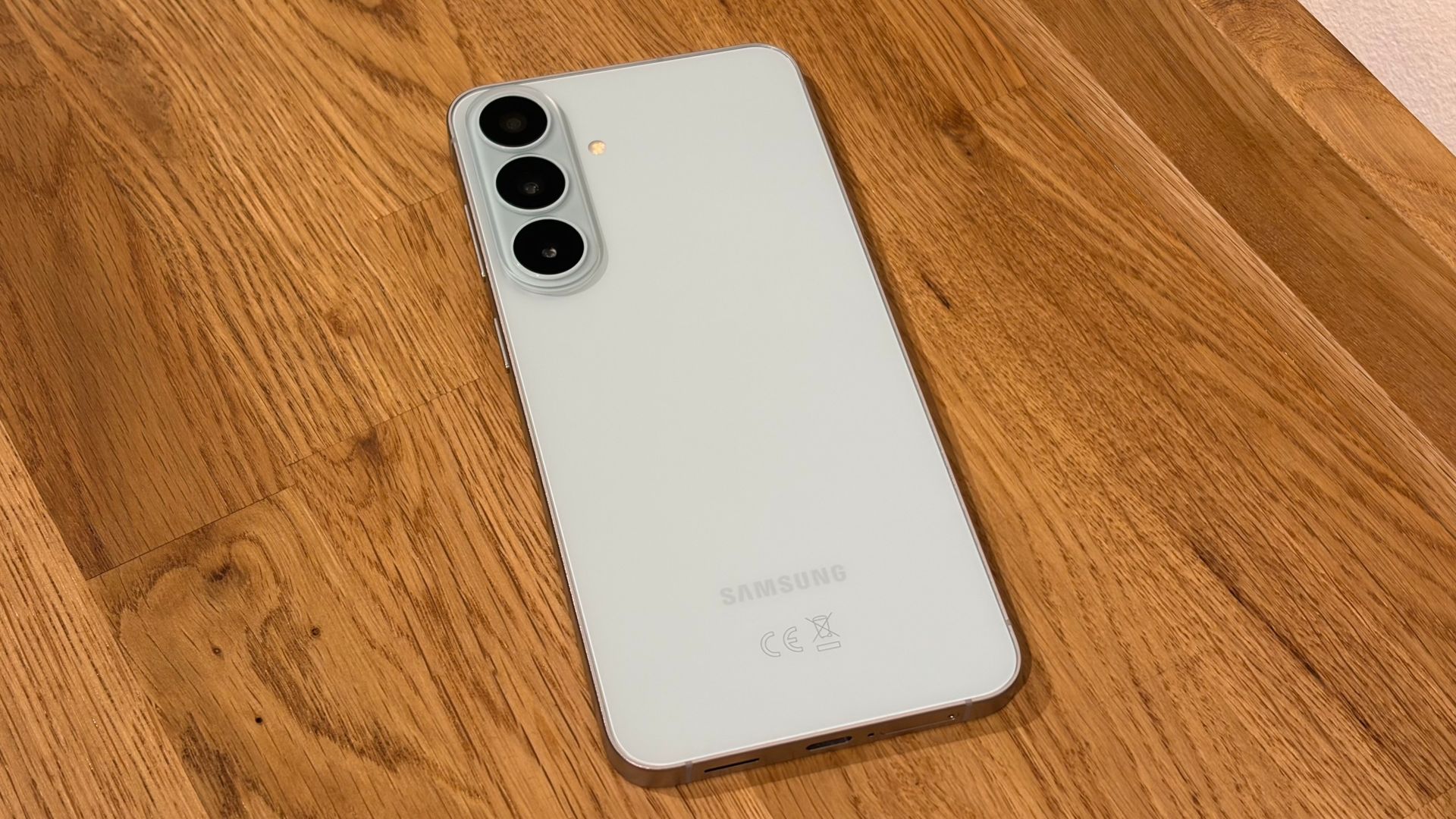
Rounding off these impressive design credentials is a quartet of appealing color options: the Galaxy Z Fold 8 is available in Lavender (pictured in this review), Graphite, Cream, and the Samsung Store-exclusive Pistachio.

The Galaxy Z Fold 8's 7.6-inch main display and 5.5-inch cover display have been crafted by Samsung to help you enjoy whatever kind of content you’re into.
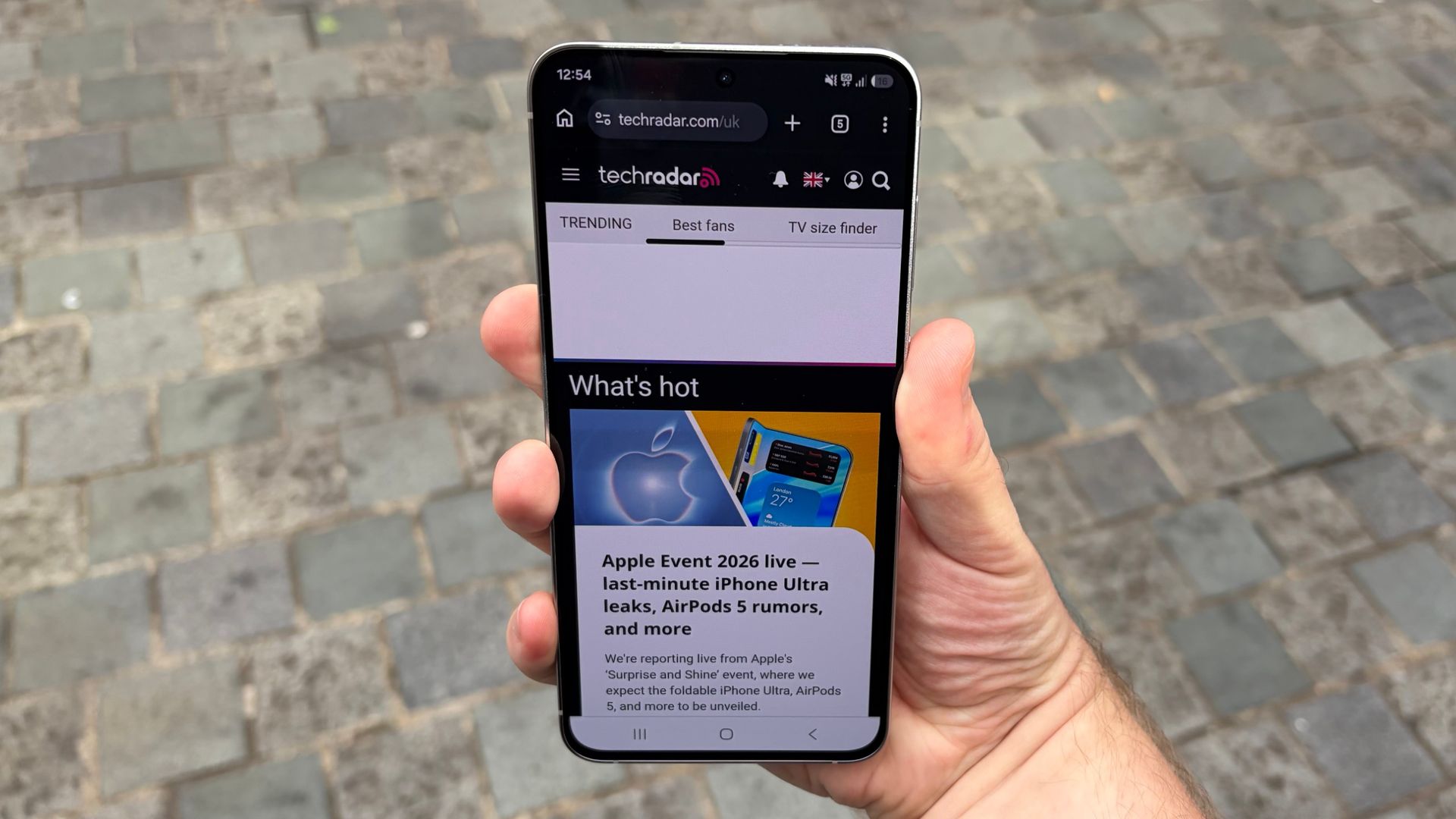
The phone's outer screen has a video-friendly 16:10 aspect ratio, while its inner panel uses a more spacious, practical 4:3 ratio that's best suited to reading (though this inner panel is also better suited to widescreen video than the Galaxy Z Fold 8 Ultra's square-shaped equivalent). We've compared the Galaxy Z Fold 8 and Galaxy Z Fold 8 Ultra's screen sizes elsewhere on TechRadar so you can visualize the difference between the two.

Both screens are detailed and colorful, which is no great surprise — Samsung is one of the best, if not the best, mobile display manufacturers in the world.
That said, despite a high brightness rating of 3,000 nits, the Galaxy Z Fold 8's screen readability can be a problem when using the phone in direct sunlight, even with the Extra brightness setting enabled.
Still, the low-reflection coating on the phone's inside screen makes some difference. It’s not as effective as the one you get on the Galaxy S26 Ultra or Galaxy Tab S11 Ultra, but the Galaxy Z Fold 8 definitely softens reflections better than most standard phones, making it easier to see what's on screen.

The Galaxy Z Fold 8 runs on One UI 9, which is based on Android 17. It’s quite different from other Android skins, which hew closer to Google’s original design, but it’s still one of the best options around in terms of adaptation to foldable phones.
Several of Samsung’s software features have been adapted for the Z Fold 8 series, specifically, including Now Nudge. These small, discreet but helpful prompts suggest what app or action you might want to use next depending on what’s on screen, and offer to open a split-screen view on your behalf.

For AI fans, Samsung has expanded task automation for select apps, assuming you’re in the US, UK, or South Korea, where this feature is currently enabled. These automations don’t work all that fast, but assuming your prompt is understood correctly, the Z Fold 8’s AI will work through your request until you decide to take back control, or when it alerts you when it’s time to intervene to finalize a booking or order.
My FanCam, meanwhile, lets you create a motion-tracked video of a particular subject from any video (from your photo gallery, YouTube, or anywhere else). I have not made a fancam before, so I don’t know how well this sort of software — which is popular among K-pop fans — works elsewhere, but Samsung’s version is relatively effective, albeit with some major limitations.
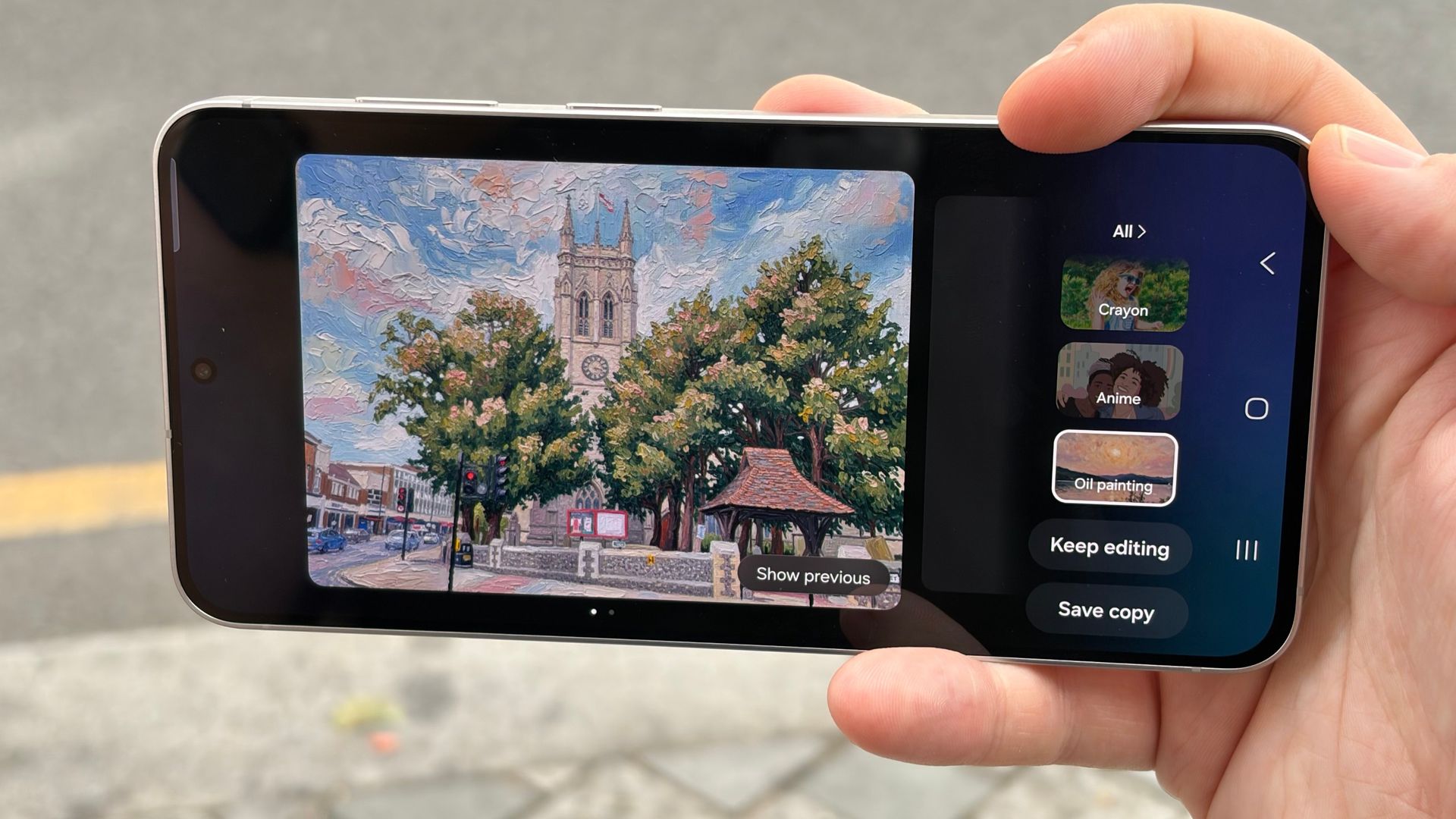
Making a My FanCam clip is easy: just open the AI tools menu with the video you want to use in the Gallery app, tap the relevant icon, then tap your subject. After some processing time, depending on the size of the original clip, you have your tracked footage. But after trying the feature with a number of videos, two problems appeared.
First, the subject needs to be large enough in the frame. Even if you have high-resolution 4K footage, you need to crop in before My FanCam will detect them. Similarly, they need to be well-lit — I tried to use a clip of a dance troupe moving around in dramatic stage lighting, and My FanCam simply would not work.
Since there is no manual tracking option you can use, you are at the mercy of Samsung’s algorithms as to whether your footage is compatible.
As for multitasking, although it’s not as much of a focus on the Galaxy Z Fold 8 as it is on the Z Fold 8 Ultra, I still appreciate Samsung’s updates to its Multi-Window system, which lets you use two or more apps at once. The Z Fold 8 and its sibling now let you use three apps side-by-side vertically or horizontally, as well as via the older splitting method, which sees one app taking up half the screen and the other two taking a quarter each.

Multi-Window is still not as versatile as the windowed system you now find on many tablets and rival foldables, but if you’re cross-referencing without wanting to make too many edits to what you’re looking at, it certainly avoids the need to open your laptop from time to time, which makes the Galaxy Z Fold 8 a valuable productivity companion.

The Galaxy Z Fold 8 has the undistinguished position of having the highest relative price per camera of any Samsung phone. Unlike the Z Fold 8 Ultra, there’s no telephoto camera to speak of here, although at least the cameras you do get are of good quality. Specifically, there are 50MP main and ultra-wide lenses on the back, plus 10MP selfie cameras embedded in the phone's cover and inner displays.
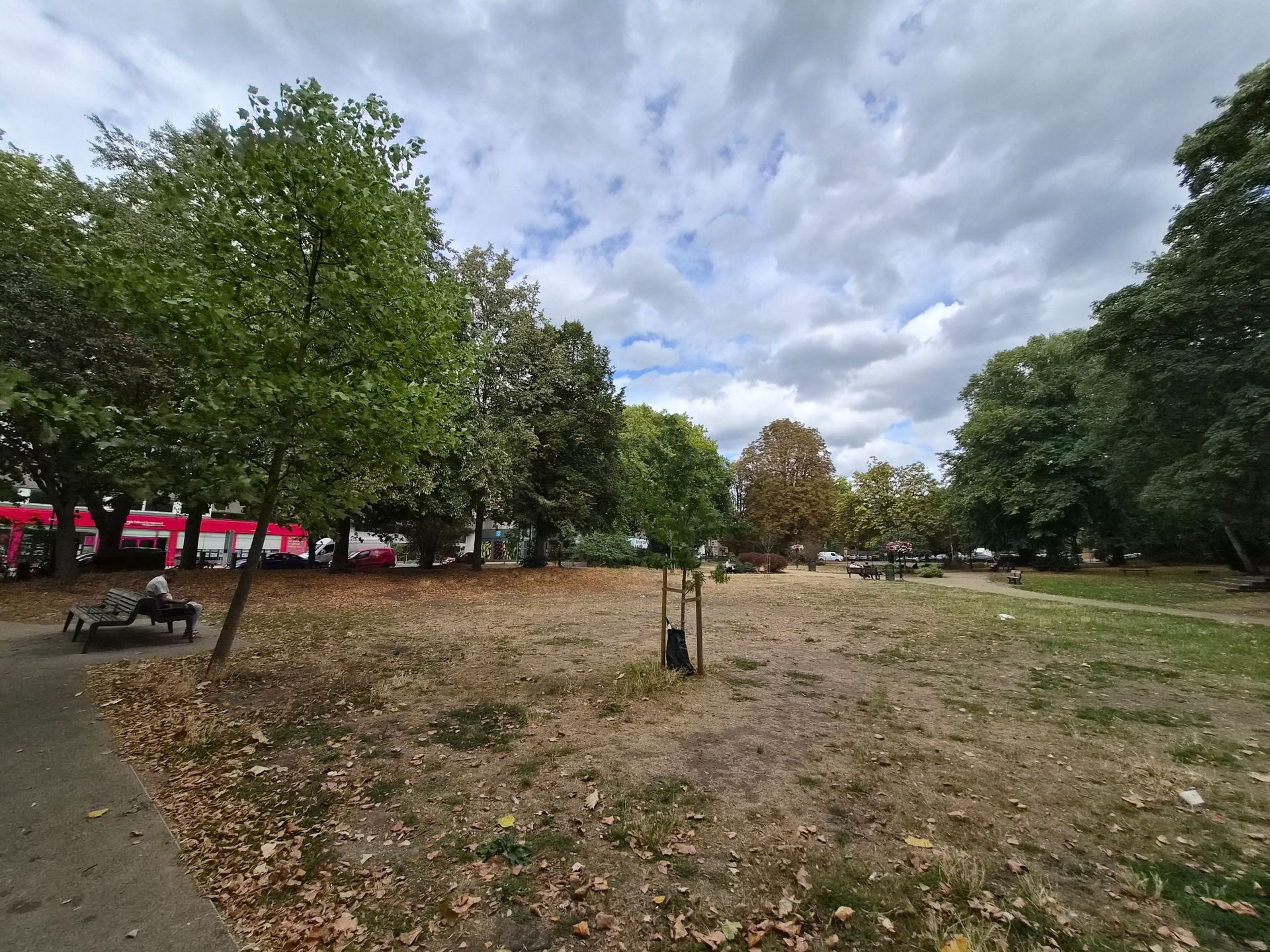
Samsung’s camera processing has made an important step forward in recent years, going from exaggerated colors to more natural ones, matching the vibe of other flagship smartphone cameras. That’s why, even in the intense sunlight that was slowly melting me during my photo trip to Beckenham Place Park, we still get attractive-looking trees, grass, sky and brickwork.


Samsung’s 50MP main camera offers 2x in-sensor zoom for a little extra reach when you need it without compromising on image quality. The Camera app also offers presets for 4x and 10x (the latter is the maximum available digital zoom), although the image quality deteriorates, as you’d expect.


For selfies, the 10MP cameras on the inside and outside of the phone are identical, and therefore equally competent. You’re also free to open the Galaxy Z Fold 8 and switch the preview to the outer screen for hi-res or ultra-wide selfies — perhaps one of the most underrated abilities of foldable phones.


Portrait mode on Samsung phones is a particular strength, as it can cut accurately around glasses where other phones struggle. These examples show that the Z Fold 8 hasn’t missed out on this ability.


Video maxes out at 8K/30fps, or 4K/60fps if you need your extra frames. Samsung’s videography party trick from the Galaxy S26 series — Super Steady video with Horizontal Lock — has also made it to the Z Fold 8 series.
This feature levels out shaky footage at the expense of some resolution. It does a fantastic job, though, as you can see in these samples of me running along a path (the first is the original footage, the second is the edited footage).
Overall, while it would be nice if Samsung had given the Z Fold 8 a telephoto camera, what’s here works well. And since this phone is designed to appeal to a more casual user, there’s a reasonable chance that anyone interested in the Z Fold 8 won’t mind the compromise.

The Z Fold 8 contains the Qualcomm Snapdragon 8 Gen 5 for Galaxy chipset, which is the best version of the best silicon currently available in an Android phone. The scores I got in my own benchmarking tests are a little lower than I would have anticipated, but they're impressive nonetheless, and prove that the Z Fold 8 is absolutely a performance powerhouse.
Indeed, this top-end chipset proved its worth while I tested several games on the Galaxy Z Fold 8. Destiny Rising, set to its highest graphical setting and 60fps, ran perfectly smoothly. Similarly, Asphalt Legends at its full high quality/120fps settings proved no challenge for the Z Fold 8.
Under the hood, the Galaxy Z Fold 8 features 12GB of RAM and 256GB of storage by default, but you can spec the device up to 512GB if you wish. There’s also a 1TB model, which gets a RAM bump to 16GB, though whether this upgrade is worth the money will depend entirely on how intensively you use your phone.
Samsung Galaxy Z Fold 8 | |
Geekbench 6 single-core | 3,253 |
Geekbench 6 multi-core | 7975 |
3DMark Wild Life Extreme Stress Test best | 5087 |
3DMark Wild Life Extreme Stress Test low | 2083 |
3DMark Solar Bay | 8856 |

Despite being smaller than last year’s Galaxy Z Fold 7, the Galaxy Z Fold 8 packs a larger-capacity battery — specifically 4,800mAh versus 4,400mAh. That’s thanks to Samsung finally adopting industry-leading silicon-carbon battery technology, which boasts higher energy density than the lithium-ion technology used by Samsung (and indeed most other Western phone manufacturers) in its previous batteries.
Samsung’s battery estimate claims you can get 26 hours of video playback from a single charge of the Galaxy Z Fold 8 — and I’m inclined to believe that, if you stick to the cover screen. In my light to moderate mixed usage of the phone during testing, switching between screens, enabling the always-on display and leaving the phone off charge overnight, I would get between a day and a day and a half between plug-ins.
Samsung is using its best 45W wired and 20W wireless charging options on the Z Fold 8 series, which, while slower than some rival devices, is still an upgrade on previous Z Folds. Using a compatible third-party charger, I was able to fill the Z Fold 8 to 43% in 15 minutes, and to 100% in 1 hour and 5 minutes.
In other words, you wouldn’t want to forget to charge this phone overnight, given the below-average battery life, but if you do, it won’t take long to get a usable amount of charge in an emergency.
Attributes | Notes | Rating |
Value | Not as costly as some foldables, but still expensive. | 3 / 5 |
Design | Perfectly sized whether open or closed, plus strong protection against common sources of damage. | 4.5 / 5 |
Displays | All your content looks great inside and out, with low-reflection tech to help in bright light. | 4.5 / 5 |
Software | Whether you're focused on productivity or entertainment, the Z Fold 8 has features to help. | 4.5 / 5 |
Camera | No telephoto is a major absence, but the cameras you do get take great shots. | 3 / 5 |
Performance | The flagship performance you'd expect, with the screen space to enjoy it fully in games. | 4 / 5 |
Battery | A notable capacity upgrade has reduced the typical foldable battery life anxiety, although it's still on the weak side. The speedier charging is quite welcome though. | 3.5 / 5 |
Traditional folding phones or flip phones haven’t appealed to you yet
Sitting between the two sizes of foldable phones we've become familiar with, the Z Fold 8 is fully functional whether you’ve got it open or closed.
You like the idea of a small phone combined with a mini tablet
When closed, no phone on the market is as small and as usable as the Galaxy Z Fold 8. And when it’s open, it’s like you’ve pulled an iPad mini or a Kindle out of nowhere.
You want the best software available on a foldable
Samsung has been making folding phones the longest out of any brand, and that shows in how well its software adapts and works with the Z Fold 8’s hardware. And that’s not even mentioning the Galaxy AI tools that few other phones can match up to.
You want a complete, well-priced phone experience
For the price of the Z Fold 8, you could instead buy a fully-specced Galaxy S26 Ultra or similar flagship phone, which will more than make up for its lack of hinge with other features.
Battery life is a deal-breaker
Battery life isn’t too bad on the Z Fold 8, but only in terms of other foldable phones. Stick to a regular-shaped phone if you want the best possible endurance.
The camera limitations will bother you
Spending well over 1,500 of your local currency on a phone that lacks a telephoto camera is a big ask, even if such a compromise becomes the standard for this size of foldable phone.
Motorola Razr Plus 2026
This is currently our best flip-style foldable pick, and it might be the better device for you if you're looking for a foldable that can go the distance with its battery, and don’t mind only having a standard-sized phone screen when you open it up.
Read our full Motorola Razr Plus 2026 review
Samsung Galaxy Z Fold 8 Ultra
Considering the minimal price difference, you might be better off saving a little extra money and getting the full-fat fold experience with more screen space, a telephoto camera, and a longer-lasting battery. The Z Fold 8 Ultra isn't as well-suited to video, though.
Read our full Samsung Galaxy Z Fold 8 Ultra hands-on
Samsung Galaxy Z Fold 8 | Motorola Razr Plus 2026 | Samsung Galaxy Z Fold 8 Ultra | |
|---|---|---|---|
Price (at launch): | From $1899, £1699, AU$2699 | $1,099, £1,000 | From $2,099 £1,899. AU$2,999 |
Dimensions: | Unfolded: 161.4 x 123.9 x 4.5mm, Folded: 81.9 x 123.9 x 9.7mm | Unfolded: 2.9 x 6.7 x 0.3 in Folded: 3.5 x 2.9 x 0.6 in | Unfolded: 158.4 x 143.2 x 4.1mm, Folded: 158.4 x 72.8 x 8.9mm |
Weight: | 201g | 189g | 215g |
Displays: | Main: 7.6-inch Dynamic AMOLED 2X, Cover: 5.5-inch Dynamic AMOLED 2X | Main: 6.9-inch AMOLED, Cover: 4-inch AMOLED | Main: 8-inch Dynamic AMOLED 2x, Cover: 6.5-inch Dynamic AMOLED 2X |
Resolution: | Main: 2448 x 1848, Cover: 1972 x 1248 | Main: 1084 x 2640, Cover: 1272 x 1080 | Main: 2256 x 2504, Cover: 1080 x 2520 |
Refresh rate: | 1 - 120Hz (main and cover) | 1 - 165 Hz (main and cover) | 1 - 120Hz (main and cover) |
Peak brightness: | 3,000 nits (main and cover) | Main: 3,000 nits, Cover: 2,400 nits | 3,000 nits (main and cover) |
Processor: | Snapdragon 8 Elite Gen 5 for Galaxy | Qualcomm Snapdragon 8s Gen 3 | Snapdragon 8 Elite Gen 5 for Galaxy |
RAM: | 12GB, 16GB (1TB model only) | 12GB | 12GB, 16GB (1TB model only) |
Storage: | 256GB, 512GB, 1TB | 256GB | 256GB, 512GB, 1TB |
OS: | Android 17 with One UI 9 | Android 16 | Android 17 with One UI 9 |
Cameras: | 50MP wide, 50MP ultra-wide | 50MP main, 50MP ultra-wide | 200MP wide, 50MP ultra-wide, 10MP telephoto |
Selfie cameras: | 10MP inner, 10MP outer | 32MP | 10MP inner, 10MP outer |
Battery: | 4,800mAh | 4,500mAh | 5,000mAh |
Charging: | 45W wired, 20W wireless | 45W wired, 15W wireless | 45W wired, 20W wireless |
Colors: | Lavender, Graphite, Cream, Mint (Samsung Store exclusive) | Pantone Mountain View | Violet Shadow, Graphite, Cream, Green Shadow (Samsung Store exclusive) |
I used the Samsung Galaxy Z Fold 8 for approximately a week and a half as my work phone, transferring my apps, messages, and SIM card from the Oppo Find N6 I was using beforehand.
As my work device, I used the Z Fold 8 for writing stories, answering emails, scrolling social media and watching tech YouTube videos.
☑️ 100s of smartphones reviewed
☑️ 15 years of product testing
☑️ Over 16,000 products reviewed in total
☑️ Nearly 200,000 hours testing tech
First reviewed July/August 2026
The Samsung Galaxy Z Fold 8 is smaller, cheaper, and has fewer cameras than the Galaxy Z Fold 8 Ultra, but it may end up being the most popular Galaxy foldable to date.
Why? Because its 7.6-inch inner screen has a 4:3 aspect ratio, which is supposedly “the new standard for viewing content,” as Samsung told us in an interview — and if there’s one thing most of us can’t get enough of in 2026, it’s content.
The Galaxy Z Fold 8 Ultra, meanwhile, has an eight-inch inner screen with a 10:9 aspect ratio, which is great for spreadsheets and multitasking, but less brilliant for movies and YouTube videos.
Don’t believe me (or Samsung)? I compared the experience of streaming Netflix, watching YouTube, and scrolling through Instagram Reels on the Galaxy Z Fold 8 and Galaxy Z Fold 8 Ultra — in both portrait and landscape orientations, where possible — to help you visualize the aspect ratio differences between these two devices.
Check out the side-by-side comparisons for each platform below, and let me know in the comments section which phone you’d prefer to use for watching videos. I've also included a roundup of each model's respective size specs for added context.
Samsung Galaxy Z Fold 8 Ultra | Samsung Galaxy Z Fold 8 | |
|---|---|---|
Dimensions (unfolded): | 158.4 x 143.2 x 4.1mm | 161.4 x 123.9 x 4.5mm |
Dimensions (folded): | 158.4 x 72.8 x 8.9mm | 81.9 x 123.9 x 9.7mm |
Display (unfolded): | 8 inches, 10:9 | 7.6 inches, 4:3 |
Display (folded): | 6.5 inches, 21:9 | 5.5 inches. 16:10 |


For Netflix and YouTube, the Galaxy Z Fold 8 provides a cleaner viewing experience than the Galaxy Z Fold 8 Ultra in every orientation except 3:4. The black bars above and below the video are noticeably narrower than those on the Galaxy Z Fold 8 Ultra, and there's no awkward pillarboxing (i.e., bars on either side of the video) when using the Galaxy Z Fold 8 in 10:16 (you'll notice that content wraps around the phone's punch-hole camera, which doesn't happen on the Galaxy Z Fold 8 Ultra).
Of course, if you use the Galaxy Z Fold 8 in 3:4, the black bars are much bigger than those on the Galaxy Z Fold 8 Ultra, but Samsung itself admits that this orientation is “more natural for reading e-books or browsing the web,” which gives the smaller device another nice win over the pricier model.
The Instagram Reels-watching experience is pretty similar across both phones, but given the Galaxy Z Fold 8's lighter weight (201g vs 215g), I'd give it the edge here, too.
So there you have it: if watching videos and scrolling through social media is your priority, the Galaxy Z Fold 8 is a better buy than the Galaxy Z Fold 8 Ultra.
Of course, there is much more to both phones than their respective displays — the Galaxy Z Fold 8 Ultra has better cameras, for instance — so I wouldn't jump headfirst into buying one over the other until you've read our full Samsung Galaxy Z Fold 8 Ultra vs Galaxy Z Fold 8 comparison.
Side note: You're not able to watch videos in 16:10 (Z Fold 8) or 21:9 (Z Fold 8 Ultra) on Netflix, nor videos in 10:16 (Z Fold 8) or 9:21 (Z Fold 8 Ultra) on Instagram, hence why these options don't appear in the above comparison.
Read more of this story at Slashdot.
I don’t often consider ditching Android, but GrapheneOS, a privacy-focused alternative, poses an interesting question: what security features am I missing out on by using Google’s mobile operating system (OS)?
GrapheneOS is an open-source mobile OS, designed for Google Pixel phones (and soon Motorola devices), that promises better security capabilities like improved sandboxing, exploitation protections, and more complete vulnerability patching.
But what compromises does GrapheneOS ask you to make for all this added security — and more importantly, are they worth the trade-off? I spent a month testing GrapheneOS on a Pixel 8 Pro to find out.
Switching to an alternative, specialized OS is never going to be as simple as setting up a regular Android phone. That said, after only 10 minutes setting up GrapheneOS via the GrapheneOS website, I quickly found myself looking at something that, at a glance, resembled the Android I normally use.
The GrapheneOS home screen is near app-less, but it’s by no means unfamiliar. The software keeps the functionalities of the Android app drawer and quick control panel, and the menus are near-identical. App icons also retain a similar design to Android proper.
Yes, it’s a strange feeling to load up an Android phone that doesn’t have a single drop of ‘Google’ about it. There’s no Play Store, Gmail, or Docs to speak of in GrapheneOS by default. But, if anything, this is an instant reminder that this software aims to take control of your data from Google and give it back to you.
What’s more, since the choices are now yours when it comes to your data, you can always choose to reinstate the tools you need.

And so, my first port of call when using GrapheneOS for the first time was to reinstall the Google Play Store from within the software’s own App Store. That might seem like a bonkers move, but here’s why doing so is crucial.
GrapheneOS’s App Store is limited. Aside from a few essentials such as a calculator, camera, and the like, there’s little there. The key inclusions? Accrescent, a private app store primarily filled with open-source solutions to everyday phone uses, and the Google Play Store and Play Services.
But GrapheneOS sandboxes the Google Play Store and Play Services much like it would any other app. This means that, unlike on regular Android where, as several legal cases have proven, Google can pinch data as it likes, GrapheneOS restricts its background capabilities and general permissions.
This gives you control of all the usability features you’d see on the front end, such as notifications and location or network access, and there’s no need to worry about unwanted Google access behind closed doors.
What this also means is that, if you’re truly privacy-conscious, you can still install VPNs, antivirus software, password managers, and more that’d otherwise be out of reach if you relied on only what’s available directly.
One of the core principles of GrapheneOS is stopping unnecessary data sharing and reducing the risk of attacks that come from unnecessary data collection and coding. As a result, no app downloaded in GrapheneOS is quite what you’d get on regular Android, but thankfully, you’ll probably never notice — for two key reasons.
Key permissions, such as network or microphone access, are the user’s to permit before using an app, meaning you can ensure the apps you use have only the permissions they need. Meanwhile, background problems such as covert data sharing and storage risks are handled automatically by GrapheneOS.
In short, you can install all the apps you need, use them as normal, and know they’re not collecting or spreading your data in ways you’re unaware of. What’s more, aside from a few instances I’ll cover later, GrapheneOS is near flawless at policing this data.
If you’re after other, more technical protections, you can dive into settings. Aside from the regular Android options, you also get a new area called ‘Exploit Protection’. Here, you can set up your phone to protect against threats such as juice jacking (stealing data or installing malware via USB ports), or unwanted Wi-Fi and Bluetooth connections
With all of these options available, what quickly became apparent is how integral such settings are to keeping security measures from impacting everyday use. GrapheneOS’ features were explicitly in my control to ensure apps functioned properly without overreaching, and background processes either needn’t be tampered with or could be set once and left. All without remotely impacting overall device efficiency.
I used GrapheneOS with a Pixel 8 Pro for a month, and I never once noticed my battery life drain more than usual, nor encountered any unexpected performance dips. This is despite me using the phone for gaming — enabling only the Google services required to do so — streaming, and everything else I’d normally expect to do on my device.

Compared to other privacy-focused mobile solutions, GrapheneOS is without a doubt one of the least detrimental to your mobile experience. But it’s not perfect.
First off, if you want to use it, you need a Pixel phone. Ironically, despite the OS aiming to give you some distance from Google’s overreaching services, its devices are the only ones with the required security capabilities to install GrapheneOS properly. So if, like me, you’re used to literally any other Android device, you’re out of luck (though Motorola phones are supposedly joining the ranks soon).
Second, GrapheneOS is not flawless at everything. In the time I spent using the software, banking apps and Android Auto (once downloaded) proved to be near-impossible to get to work regularly. There’s a bunch of support available on the GrapheneOS website if you’re willing to tinker to fix issues, but again, it’s not quite the seamless compatibility you’d get with regular Android.
From a month of using it, it’s easy to see why GrapheneOS is gaining traction. It’s super secure, even going as far as to patch VPN vulnerabilities before regular Android gets the chance, and, unlike the best privacy-focused phones, using it with a premium Pixel phone means there’s far less of a drop in performance.
That said, its current restriction to Pixel phones is far from ideal for techies, and there’s still just enough incompatibility with certain types of apps to be a frustration day to day. Google Pay doesn’t work, leaving you needing to use alternatives such as Curve or a paired smart watch; many banking apps limit functionality, and you’ll likely be left wondering if any app-related problems you encounter are down to the OS.
It’s also unfortunate that, as yet, there’s little reason not to make the Play Store your first install. Open-source app-lovers will find some comfort in the options available in the Accrescent store, but even, so there’s very little to choose between. Before you know it, your ‘Google-free’ phone is more of an Android device on a tighter leash.
So while GrapheneOS is brilliant in some aspects compared to most privacy solutions, it definitely leaves me wanting more. For now, it’s a ‘no’ from me.
Given time and wider compatibility, it’d be easy to recommend GrapheneOS given its added security capabilities in a world of growing threats. But with the availability of tools such as VPNs and antiviruses on regular Android, non-security-focused individuals are unlikely to see enough difference to warrant the current frustrations GrapheneOS can bring.
Chinese phone giant Honor has been on a bit of a roll recently. In 2026, it’s already given us the exceptional Honor MagicPad 4 and the compelling Honor Magic 8 Pro flagship, not to mention the impressive (albeit slightly pricey) Honor 600 Pro. Its latest foldable, the Honor Magic V6, keeps up this formidable streak and is easily worthy of being considered one of the best foldable phones today.
The big draw here is the Magic V6's market-leading durability. I’ve taken plenty of foldables for a spin, from the clamshell Motorola Razr Plus to the tablet-style Oppo Find N5, but I’ve always maintained that I would never actually buy one. Why? Because these devices are often simply too fragile. I’m pretty clumsy with my phones and regularly use (and I must admit, sometimes drop) them in the shower or bath, and there’s no way that I’m going to splash out on a premium foldable only to see it turned into a damp paperweight.
The Honor Magic V6 is the first foldable I’ve tested that truly bucks that trend.

In its review documentation, Honor recommended not to baby the phone — I was encouraged to take it out and about without a case, use it in the rain, and so on. I’ve been doing exactly that and, after multiple months of use, it still looks brand new. With its IP68 and IP69 ratings, it offers the highest level of water protection that I can find on the market right now, comparable to most regular high-end flagships.
Its fold is smooth, quiet, and, after being unfolded multiple times a day for weeks, is still as good as new. Honor says that the inner screen is layered with tough UTG flexible glass and has an SGS Imperceptible Crease Certification, and it really shows. The fold is near-invisible head-on, and only really shows if you hold the phone at very specific angles. This is the first foldable I’ve used where you can truly forget that it’s even there.
All of this is underpinned by a premium design that’s impressively slim. The folded phone is about as thick as an iPhone 17 Pro Max, so it feels great in the hands. Unfolded, it becomes just 4.00mm — the same incredible slimness that we loved with the previous Honor Magic V5. On that note, it’s a shame that Honor hasn’t really changed the design that much for this new iteration, though.
The look is practically identical and, on a more serious note, the V5 often ran hot, and that’s still an issue this time around. It’s especially apparent when you’re putting the top-end Qualcomm Snapdragon 8 Elite Gen 5 SoC through its paces, so be prepared for some thermal throttling if you’re spending hours in the most demanding games.
Despite these minor shortcomings, the Magic V6 is a winner and another impressive showing for Honor. I’m eager to see what the company has planned next.
The Honor Magic V6 is priced at £1,999.99 (AU$2,999), which is a pretty hefty sum, but roughly in line with competing devices like the $2,099.99 / £1,899 / AU$2,999 Samsung Galaxy Z Fold 8 Ultra.
Honor gains a major edge when you consider that the V6 offers 512GB of storage as standard (the Z Fold 8 Ultra starts at just 256GB) and factor in the brand’s frequent promotions and freebies.
At the time of writing, for example, the phone is already £500 off on the official Honor website thanks to a voucher, and comes bundled with your choice of an Honor Pad 10 tablet, projector, or AI voice recorder in addition to some earbuds — you can’t really argue with the value there.
Here's a look at the Honor Magic V6's spec sheet:
Dimensions | 156.7mm x 74.5 mm x 8.75mm (folded) / 156.7mm x 145.6mm x 4.1mm (unfolded) |
Weight | 219g |
Screen | Inner: 7.95-inch 2352 x 2172 foldable OLED Outer: 6.52-inch 2420 x 1080 OLED |
Chipset | Snapdragon 8 Elite Gen 5 |
RAM | 16GB |
Storage | 512GB |
OS | Honor MagicOS 10 (Android 16) |
Rear cameras | 50MP ultra-wide, 50MP wide, 64MP telephoto lens (3x zoom) |
Front camera | 20MP wide, 20MP wide |
Audio | Stereo speakers with Honor Sound |
Battery | 6,660mAh lithium polymer |
Charging | 80W Honor SuperCharge, 66W Wireless Honor SuperCharge |
Colors | Red, Gold, White, Black |

The design of the Honor Magic V6 is practically identical to that of the V5. It is incredibly thin when unfolded, coming in at just 4.1mm, with a durable aluminium chassis. The back material depends on your choice of colorway, with the Red version using vegan leather and the Gold, Black, and White featuring a smooth fibre composite.
Whether you’re using it folded or unfolded, this is a very good-looking phone that feels great in the hands. I took it with me to Los Angeles on two business trips during my testing, and multiple people complimented the device completely unprompted and were eager to learn more about it — something that I can’t say has happened with any other mobile I’ve used.
Like most Chinese flagships, the rear of the phone features a large octagonal camera bump which isn't going to be to everyone’s taste. I do quite like how it looks, though, and appreciate the subtle tactile texture on the ring around it. The bump is also a bit smaller than that of the Honor Magic 8 Pro, which means that it’s less likely to rest under your fingers and get covered in smudges.
Although the aesthetic hasn’t changed, there have been some big improvements compared to the Honor Magic V5 when it comes to the hinge. It’s much quieter and smoother this time around, helping the phone feel more premium and sturdy. When opened, the phone’s inner display looks totally flat, and the crease is totally invisible in most situations. It only shows up at specific angles and when the screen is displaying lighter colors like grey or white.
Honor keeps things refreshingly simple when it comes to buttons with the Magic V6. There’s a small volume rocker and a power button on the right-hand side, and that’s your lot. They’re well placed for one-handed operation and feel pleasantly clicky. My only real gripe is the fingerprint reader built into the power button, which sometimes feels unresponsive and requires a few attempts to successfully unlock.

Both of the displays found on the Honor Magic V6 are excellent. The 6.52-inch OLED outer screen has a 2420 x 1080 resolution, with a fantastic 2,000 nits peak brightness (or up to an absurd 6,000 nits with HDR) that ensures that it stays visible in even the harshest lighting conditions. It uses Honor’s Anti-scratch NanoCrystal Shield coating, which is decently scratch-resistant and has managed to keep the screen pristine throughout my testing.
It certainly helps that the outer screen also comes fitted with a screen protector out of the box, though I opted to remove it early on as it picked up a lot of marks very quickly. (The inner display also comes with a screen protector, though be warned that this is an integral part of the display that should not be removed by the user. It thankfully seems much more durable than the outer one). Despite the rectangular candy-bar shape of the folded phone, the outer screen uses rounded corners, presumably to give it symmetry with the inner one.
That inner display is a 7.5-inch foldable OLED panel, surrounded by impressively thin plastic bezels. It’s almost as bright as the external one, with a 1,300-nit peak brightness (or up to 5,000 nits with HDR). It’s decently high resolution at 2352 x 2172 and doesn’t look noticeably less sharp than the external one in use, so you can transition between them seamlessly. Honor also deserves some credit for just how closely calibrated both of the displays are: they’re practically identical in terms of color and together just feel like a natural extension of the same panel.
Both the inner and outer screens feature an adaptive 120Hz refresh rate, too (avoiding a jarring transition between different refresh rates when switching between the two), which is fantastic for smoothly scrolling apps and social media websites.
Lastly, you absolutely don’t need to worry about an ugly crease spoiling your view with the Honor Magic V6. There is still a fold that you can feel if you really examine it with your fingers, but it’s practically invisible in regular use unless you hold your phone at specific side-on angles or look very closely on a totally blank screen.
I’ve been folding and unfolding the phone constantly throughout my testing, and it hasn’t become more visible either, which is a great sign for long-term durability.

The cameras of the Honor Magic V6 aren’t quite as strong as those of the Honor Magic 8 Pro, but they’re still very capable compared to the rest of the wider foldable category. The rear camera offers a three-lens setup, with a 50MP ultra-wide, 50MP wide, and 64MP telephoto lens.
Photos are bright and poppy by default, which is great for capturing the mood of summer days, and they offer a good level of detail — even when dealing with busy scenes and foliage. The main sensor offers 3x optical zoom, which works fantastically, alongside a much less consistent 100x digital zoom. This setup performs well in low-light conditions and those with challenging lighting setups, like concerts with bright strobe effects.
There are plenty of software features to try out on the Magic V6, including AI-powered color filters and different photo watermarks. The ability to display the photo that you’re taking on the front screen is also brilliant for group settings.
Both the front and inner display have the same 20MP wide sensor, which does a good job with selfies, even if the results are a little overprocessed. The Honor Magic V6 also has strong video shooting capabilities and can capture 4K video at 60fps.
As good as it all is, though, I do think the results are overall less impressive than the images I’ve taken with the Honor Magic 8 Pro and its 200MP main lens.


The Honor Magic V6 is powered by the flagship Snapdragon 8 Elite Gen 5, the same chip found in the Honor Magic 8 Pro, Samsung Galaxy S26 Ultra, Xiaomi 17 Ultra, and other high–end smartphones. With this SoC, it should come as no surprise that the performance of the Honor Magic V6 is incredibly strong across the board.
In daily use, you’re not going to notice any hitches or slowdown when navigating system menus, browsers like Google Chrome or Firefox, and social media apps. It’s paired with 16GB of RAM, which is more than enough for serious multitasking. I normally rely on my phone for productivity tasks like note-taking, transcribing, and document editing while I’m out on business trips, and my flow was never broken by sudden reloads when flicking between multiple apps — even ones that I hadn’t opened for some time.
Gaming performance is also excellent. It almost goes without saying that casual titles like Plants vs Zombies 3 or Warhammer Combat Cards - 40K (two games I must admit I’ve been spending an embarrassing amount of time playing recently) are totally flawless. More demanding titles, like my go-to Zenless Zone Zero, will run beautifully at the maximum settings preset as well.
The Honor Magic V6 does have a problem with temperatures, though. Extended gaming sessions will cause the phone to heat up quite a bit, leading to eventual slowdown. I also found that it struggled massively during the recent UK heatwave, feeling red hot in my pocket and struggling to run even Google Maps smoothly in direct sunlight. Given the phone’s thinness, I think it’s reasonable that it runs hot at times — but if you want a dedicated gaming device, you would be better off looking outside the foldable market.
Only one configuration of the Honor Magic V6 is available, offering 512GB of storage out of the box. It’s a bit of a shame that there’s no 1TB model for proper power users, but this 512GB capacity will be more than sufficient for the vast majority of buyers. I still have almost 300GB of free space after multiple months of use.
The stereo speakers of the Honor Magic V6 are decent, but hardly going to blow your socks off. There’s more bass than you might expect given the phone’s slight profile, and they can get fairly loud. Just make sure that you run to the ‘Sound quality and effects’ menu in the settings app and disable the various effects that are, for some reason, enabled by default. They just make everything sound washed out.

I’m a big fan of MagicOS 10, Honor’s Android 16-based operating system. The design is certainly Apple-inspired, but as an ex-iPhone user, I find it both visually appealing and easy to use. It has a liquid-glass-like aesthetic, with sleek, semi-transparent menus and rounded buttons.
You get all the visual flair of using an iPhone, but with all the additional customization options that you would expect from the Android ecosystem. New icon packs, themes, and a range of pre-set options can be selected from the in-built themes app. You can even disable the transparency effects throughout the OS if you want something that looks a bit more like traditional Android.
Smart features, like an AI tool to recommend images that would be well-suited for your lock screen and AI-powered widgets that use context to suggest the app that you’re most likely to want to use, make daily operation smooth.
Other AI software elements include the ability to generate or rephrase text and a surprisingly good translation feature. They’re not all winners though. The AI Settings Agent (which allows you to type or speak sentences like ‘Turn off Bluetooth’ in order to change key settings) is laughably useless, while the so-called AI Memories App is literally just a screenshot tool with the word AI slapped on it.
But compared to other foldables that I have used, the Honor Magic V6 is by far the smoothest when transitioning between the two displays on the software front. You will get the odd moment where things freeze up, or apps fail to resize properly, but the vast majority of the time it works exactly as you would expect. I soon found that being able to seamlessly access the larger screen made it much easier to compose apps in Gmail, or edit documents in Google Drive.

The battery life of the Honor Magic V6 is superb. The 6,660mAh lithium polymer cell offers more than enough juice for a full day of use, even if you play graphically demanding games or stream video content. I use my phone constantly throughout the day and regularly go to bed with about 25% of juice left. With light use, you could easily stretch multiple days out of a single charge, particularly if you enable one of the power-saving modes.
6,660mAh is the largest battery capacity you will find across the entire foldable category, and it shows in real-world use. The Honor Magic V6 can comfortably outlast both the Google Pixel 10 Pro Fold and Samsung Galaxy Z Fold 7 (we’re yet to test it against the new Galaxy Z Fold 8 Ultra), as well as traditional flagships like the Samsung Galaxy S26 Ultra.
Honor devices are already known for their serious battery chops, but cramming this much battery life into a device so thin and light is extremely impressive.
Attributes | Notes | Rating |
Value | The Honor Magic V6 isn’t cheap, but it does offer significantly better value than key competitors. | 4/5 |
Design | A sleek, stylish, and durable design with a smooth hinge. It’s great, but draws heavily on the winning formula of the Honor Magic V5. | 4.5/5 |
Display | The Honor Magic V6 offers two great screens which feel like a natural extension of each other. | 4/5 |
Software | Honor MagicOS 10 is a capable and attractive operating system that’s well optimized for foldables. | 4/5 |
Camera | A compelling camera setup, only lagging slightly behind regular flagships. | 4/5 |
Performance | Extremely fast and ready for gaming, but prone to overheating during extended play sessions. | 4/5 |
Battery | The Honor Magic V6 excels with leading battery life in the foldable category | 5/5 |
You want a foldable with serious battery chops
The Honor Magic V6 offers the best battery life in the entire foldable category. It’s the one to choose if you need serious battery performance.
You want a great-looking phone
The Honor Magic V6 doesn’t stray too far from the design of the Honor Magic V5, but that’s not necessarily a bad thing. It’s still a fantastic-looking phone.
You need a durable foldable
The Honor Magic V6 is incredibly durable for a foldable phone. It has some of the best water resistance on the market, and feels sturdy enough to last for years.
You are a hardcore gamer
The Honor Magic V6 has the technical specs for high-level gaming, but it often runs hot under heavy load, which does hamper performance. Consider a conventional flagship or a dedicated gaming phone if you want to play the latest and greatest titles for hours at a time.
Not so keen on the Honor Magic V6? Here are two alternatives to weigh up, one folding and one not.
Honor Magic 8 Pro
The Honor Magic 8 Pro is a fantastic alternative if you want a conventional flagship with similar specs in a non-folding format. It’s cheaper, but features a larger battery, better cameras, better cameras and faster charging among other upgrades.
Read our full Honor Magic 8 Pro review
Google Pixel 10 Pro Fold
The Google Pixel 10 Fold also offers a strong level of water resistance and durability. It’s the alternative to go for if you would prefer something running a more vanilla version of Android.
Read our full Google Pixel 10 Pro Fold review
Honor Magic V6 | Honor Magic 8 Pro | Google Pixel 10 Fold | |
Starting price | £1,999.99 / AU$2,999 (around $2,700) | £1099.99 | $1,799 / £1,749 / AU $2,699 |
Dimensions | 156.7mm x 74.5 mm x 8.75mm (folded) / 156.7mm x 145.6mm x 4.1mm (unfolded) | 161.15 x 8.4 x 75mm | 155.2 x 150.4 x 5.2 mm |
Weight | 219g | 219g | 258g |
Screen | Inner: 7.95-inch 2352 x 2172 foldable OLED Outer: 6.52-inch 2420 x 1080 OLED | 6.7-inch 1256 x 2808 OLED, 120Hz | Inner: 6.4-inch OLED Outer: 8-inch OLED |
Chipset | Snapdragon 8 Elite Gen 5 | Snapdragon 8 Elite Gen 5 | Google Tensor G5 |
RAM | 16GB | 12GB | 16GB |
Storage | 512GB | 512GB | 256GB / 512GB / 1TB |
OS | Honor MagicOS 10 (Android 16) | MagicOS 10, based on Android 16 | Android 16 |
Rear cameras | 50MP ultra-wide, 50MP wide, 64MP telephoto lens (3x zoom) | 50MP main + 50MP ultra-wide + 200MP telephoto (3.7x zom) | 48MP, f/1.7, 0.5-inch sensor |
Front camera | 20MP wide, 20MP wide | 50MP | 10MP |
Audio | Stereo speakers with Honor Sound | Stereo speakers with Honor Surround Subwoofer | Stereo with spatial audio |
Battery | 6,660mAh lithium polymer | 7,100mAh (tested), 6270mAh (EU) | Up to 30 hours |
Charging | 80W Honor SuperCharge, 66W Wireless Honor SuperCharge | 120W wired, 80W wireless | 39W wired charging, 15W wireless |
Colors | Red, Gold, White, Black | Sunrise Gold, Sky Cyan, Black | Moonstone, Jade |
I tested the Honor Magic V6 over a period of multiple months, using it as my daily driver. I relied on it for a wide range of tasks, from listening to music and browsing social media on my commute to watching my favorite series on a plane and trying out the latest game releases.
Throughout my time with the phone, I frequently compared its performance to other flagship devices, including those from Honor and its major competitors.
First reviewed July 2026
Samsung’s latest foldables have arrived with much fanfare. There’s the uniquely proportioned Galaxy Z Fold 8, which looks to be the precursor to the foldable iPhone Ultra later this year; the more conventional-looking Galaxy Z Fold 8 Ultra; and Samsung’s thinnest and lightest flip phone ever in the Galaxy Z Flip 8.
The first two of those three phones boast Samsung's new Flex Titanium display technology, which gives them thinner, flatter, and more robust displays than any Galaxy foldables before them. And having spent time with the Galaxy Z Fold 8 Ultra already, I’ve been impressed with the progress Samsung has made in reducing the appearance of the crease, specifically.
From front-on, you can hardly make out the crease at all, and at an angle, it’s less obvious than on the Galaxy Z Fold 7. Running my finger across the middle of the Galaxy Z Fold 8 Ultra's display, there’s only a very subtle undulation running down the center. It’s so subtle that I’d wager you’ll stop registering that it's even there after spending a few weeks with the new phone.
And yet, for how impressed I am with the Galaxy Z Fold 8 Ultra’s display, I know there’s already something better available.


The Oppo Find N6 launched in March 2026, four months earlier than Samsung’s Z8 series, and the big selling point was the claim that Oppo had managed to remove the crease in the foldable screen entirely.
Now, while that isn’t strictly true — at some acute angles, you can still see the crease — what is pretty amazing is the fact you can run your finger across the entire 8.12-inch display and not feel any interruption on the part of the screen that bends when folded.
I’ve been fortunate enough to have used most foldables, including reviewing the original Galaxy Fold, and the screen crease has always been there.
Most of the time, when you’re looking straight-on at the screen, it does disappear as your eyes focus on the content, but have the light hit at a certain angle, or run your finger across, and you’re immediately reminded of the minor imperfection.
I was stunned when I first got my hands on the Oppo Find N6. Swiping my finger back and forth across the middle of the display and feeling nothing, I thought, 'This is the next frontier of foldables.'


To make sure I wasn’t just looking at the Oppo through rose-tinted specs, I took it to the Samsung preview event so I could experience it side-by-side with the Z Fold 8 Ultra. And sure enough, the Oppo continued to impress with a screen that is smoother and flatter than Samsung’s, but not by much.

Make no mistake, these are two very accomplished, flagship foldables. Both have similarly sized exterior and interior screens, and both are powered by Qualcomm’s Snapdragon 8 Elite Gen 5 chipset.
The Samsung Galaxy Z Fold 8 Ultra is thinner, lighter, and actually readily available in multiple markets. It also has a brighter display (a peak brightness of 3,000 nits vs 2,500 nits on the Oppo) and the firm’s Galaxy AI, Now Brief, and Now Nudge features on top of Google’s Gemini assistant.
The Oppo Find N6 has the smoothest, flattest foldable display, an edge in the camera hardware, a bigger battery and faster charging — yet its availability is limited to just a few Asian markets at the time of writing.
So, the Samsung Galaxy Z Fold 8 Ultra wins by default, which doesn’t feel particularly satisfying as a conclusion, but this shouldn’t diminish the progress that’s been made.
The main issue with foldable displays has been conquered. The next major hurdle we need manufacturers to clear is price.
The Z Fold 8 Ultra is available for pre-order for a lofty $2,099.99 / £1,899 / AU$2,999, which makes it Samsung’s most expensive foldable ever (if we ignore the limited-run TriFold). The Z Fold 8 (from $1,899.99 / £1,699 / AU$2,699) and Z Flip 8 (from $1,199.99 / £1,149 / AU$1,949) are cheaper, but they’re still not cheap.
So, if a manufacturer can find a way to deliver the same premium features for under $1,200/ £1,200 / AU$1,500, it could open the foldable floodgates.
The Samsung Galaxy Z Fold 8 Ultra has better camera specs and a higher-capacity battery than its smaller sibling, but its dimensions aren't as well-suited to video streaming, and it costs more.
The Samsung Galaxy Z Fold 8 is smaller than its Ultra counterpart and lacks a telephoto camera, but it also costs less, has just as much power, and boasts a compact display that may suit some users better.
Samsung has unveiled three new foldable phones — the Samsung Galaxy Z Fold 8, the Samsung Galaxy Z Fold 8 Ultra, and the Samsung Galaxy Z Flip 8. And while the last of that trio falls into its own category, the former two phones have a lot in common.
Aside from having similar names, they’re both book-style foldables, and they also share plenty of specs. But between very different form factors and differences in their respective camera setups, there's lots to differentiate them, too.
So, below, we’ve compared the Samsung Galaxy Z Fold 8 and Galaxy Z Fold 8 Ultra, so you can easily understand how they stack up. We haven't reviewed either model just yet, but we have been hands-on with both, and so have been able to draw some early conclusions as to who they're best suited to.
Before we look closer at the key features of these two phones, we've detailed their core specs below, so you can see their major similarities and differences at a glance.
Samsung Galaxy Z Fold 8 Ultra | Samsung Galaxy Z Fold 8 | |
|---|---|---|
Dimensions (unfolded): | 158.4 x 143.2 x 4.1mm | 161.4 x 123.9 x 4.5mm |
Dimensions (folded): | 158.4 x 72.8 x 8.9mm | 81.9 x 123.9 x 9.7mm |
Weight: | 215g | 201g |
Foldable display: | 8.0-inch 2256 x 2504 AMOLED, 120Hz | 7.6-inch 1828 x 2448 AMOLED, 120Hz |
Cover screen: | 6.5-inch 1080 x 2520 AMOLED, 120Hz | 5.5-inch 1248 x 1972 AMOLED, 120Hz |
Chipset: | Snapdragon 8 Elite Gen 5 for Galaxy | Snapdragon 8 Elite Gen 5 for Galaxy |
RAM: | 12GB / 16GB | 12GB / 16GB |
Rear cameras: | 200MP wide, 50MP ultra-wide, 10MP telephoto | 50MP wide, 50MP ultra-wide |
Front camera: | 10MP and 10MP | 10MP and 10MP |
Battery: | 5,000mAh | 4,800mAh |
Charging: | 45W wired, 20W wireless | 45W wired, 20W wireless |
Storage: | 256GB / 512GB / 1TB | 256GB / 512GB / 1TB |


The Samsung Galaxy Z Fold 8 Ultra and Samsung Galaxy Z Fold 8 were both announced on July 22, with pre-orders opening the same day.
General availability for both phones starts on August 7, though if you pre-order, you might get them earlier — at the time of writing, we’re seeing an August 3 delivery date in the UK, for example.
As for pricing, the Galaxy Z Fold 8 starts at $1,899.99 / £1,699 / AU$2,699. The Galaxy Z Fold 8 Ultra is more expensive, with a starting price of $2,099.99 / £1,899 / AU$2,999. In both cases, that’s with 256GB of storage, though you can pick either model up in 512GB and 1TB configurations.
So, in other words, the Galaxy Z Fold 8 Ultra starts at $200 / £200 / AU$300 more than the standard Galaxy Z Fold 8.
Storage | US price | UK price | AU price |
|---|---|---|---|
256GB | $2,099.99 | £1,899 | AU$2,999 |
512GB | $2,299.99 | £2,069 | AU$3,299 |
1TB | $2,699.99 | £2,409 | AU$3,899 |
Storage | US price | UK price | AU price |
|---|---|---|---|
256GB | $1,899.99 | £1,699 | AU$2,699 |
512GB | $2,099.99 | £1,869 | AU$2,999 |
1TB | $2,499.99 | £2,209 | AU$3,599 |


In some ways, the Samsung Galaxy Z Fold 8 Ultra and Samsung Galaxy Z Fold 8 have similar designs — after all, they’re both foldable phones that fold and unfold horizontally like a book. However, their shapes and dimensions differ a lot.
The Samsung Galaxy Z Fold 8 Ultra looks a lot like the Samsung Galaxy Z Fold 7, with a tall, narrow design, leading to dimensions of 158.4 x 143.2 x 4.1mm when unfolded, 158.4 x 72.8 x 8.9mm when folded, and a weight of 215g.
The Samsung Galaxy Z Fold 8, on the other hand, is shorter and wider, looking more like a passport than a book, with dimensions of 161.4 x 123.9 x 4.5mm when unfolded, 81.9 x 123.9 x 9.7mm when folded, and a weight of 201g.

Both phones, though, have an IP48 rating, meaning they’re water-resistant to depths of 1.5 meters for up to 30 minutes, and also resistant to dust and other objects greater than 1mm in size.
They also both have aluminum frames, and share Samsung's Flex Titanium technology, meaning their hinges are similarly invisible (you will notice their respective hinges at certain angles, but Samsung has come a long way in this department since the days of the original Galaxy Fold).
As for colors, while the Samsung Galaxy Z Fold 8 Ultra is sold in Graphite, Cream, Green Shadow, and Violet Shadow, the Z Fold 8 can be bought in Graphite, Cream, Lavender, and Pistachio shades.


Now we get to the biggest difference between these two phones: their displays. Or rather, the shape and purpose of those displays.
The Samsung Galaxy Z Fold 8 Ultra has an 8.0-inch 2256 x 2504 foldable AMOLED screen and a 6.5-inch 1080 x 2520 AMOLED cover screen, both with a 120Hz refresh rate and around 422 pixels per inch.
The Samsung Galaxy Z Fold 8 has a 7.6-inch 1828 x 2448 foldable AMOLED screen with around 403 pixels per inch and a 5.5-inch 1248 x 1972 AMOLED cover screen with roughly 428 pixels per inch.
So, both screens on the standard Z Fold 8 are noticeably smaller, but the aspect ratios arguably make a bigger difference, with the Galaxy Z Fold 8 Ultra having an almost square 1.11:1 foldable screen and a narrow 21:9 cover screen.


The Samsung Galaxy Z Fold 8, on the other hand, has a 4:3 foldable screen, which is ideal for widescreen content, and a 10:16 cover screen, which is a bit more square than a typical phone and can be easily covered with one hand from top to bottom.
The taller, narrower Galaxy Z Fold 8 Ultra does have size benefits of its own, mind. It's harder to stretch your thumb to the top of this phone's display, but it's more easily covered with one hand from left to right. And when open, the Ultra is better suited to productivity apps that display square-shaped content like spreadsheets.
For video streaming, you'll want to go for the Galaxy Z Fold 8, since most video content is displayed in 16:9 (you'll see smaller black bars on a 4:3 screen), and it's arguably the better-shaped phone for gaming, too.


There are big differences between the cameras on these two phones, with the Samsung Galaxy Z Fold 8 Ultra coming out on top. This device has a 200MP f/1.7 wide camera, a 50MP f/1.9 ultra-wide with a 120-degree field of view, and a 10MP f/2.4 telephoto with 3x optical zoom. It also has a 10MP selfie camera on each screen.
The Samsung Galaxy Z Fold 8 has one fewer camera and fewer megapixels in its wide one. Specifically, you’re getting a 50MP f/1.8 wide camera, a 50MP f/1.9 ultra-wide with a 120-degree field of view, and two 10MP selfie cameras. So, it lacks the telephoto snapper found on the Ultra.
Both phones, though, are capable of recording video in up to 8K quality at 30fps, or in 4K at up to 120fps.
We haven't had a chance to test both phones' cameras just yet, but we'll update this article with images when we have. The Galaxy Z Fold 8 Ultra will, for obvious reasons, be the superior zoom shooter, but there isn't likely to be too much to choose between the phones' 200MP and 50MP wide cameras, since both will default to smaller photo sizes anyway, as is standard practice for modern smartphones.


There’s nothing to choose here, with both the Samsung Galaxy Z Fold 8 Ultra and the Z Fold 8 having a Snapdragon 8 Elite Gen 5 for Galaxy chipset and 12GB of RAM — unless you get a 1TB model, in which case you’ll get 16GB of RAM.
This combination of specs will ensure top-end performance regardless of what you're doing on your phone, and in our short time with both devices, they're equally capable gaming phones and productivity powerhouses (notwithstanding their respective display sizes, which makes each better suited to different tasks).
Both the Galaxy Z Fold 8 Ultra and Galaxy Z Fold 8 also run Android 17 overlaid with One UI 9, and come with the promise of seven major Android upgrades.

Samsung has finally started putting silicon-carbon batteries in its phones, allowing for higher-capacity batteries in the same footprint. As a result, it's managed to pack a 5,000mAh battery into the Galaxy Z Fold 8 Ultra (up from 4,400mAh in the Z Fold 7).
Unsurprisingly, the smaller Samsung Galaxy Z Fold 8 features a lower-capacity battery (4,800mAh), which should allow the Ultra to last slightly longer — but not by much.
Samsung claims you'll get 27 hours of video playback from the Galaxy Z Fold 8 Ultra, while the standard Galaxy Z Fold 8 is rated for 26 hours. In our early anecdotal testing, we've managed to use both phones for multiple days without needing to charge them, so those playback estimates are likely accurate.
Both phones also support up to 45W wired charging and 20W wireless, so you won't be losing out on charging speed by picking one phone over the other.

The Samsung Galaxy Z Fold 8 Ultra has bigger, more productivity-friendly screens than the Galaxy Z Fold 8, along with an extra camera, more megapixels in its wide camera, and a slightly higher-capacity battery. However, it also costs $200 / £200 / AU$300 more, and offers identical power.
Its larger screens also won’t be desirable for everyone — indeed, the Galaxy Z Fold 8's screens are much more video-friendly, and may soon become the norm for foldables — so the only indisputable advantages of the pricier model are its cameras and larger battery (though on the latter, we're talking fine margins).
Whether those extra features are significant enough to justify the Galaxy Z Fold 8 Ultra's higher price will, of course, be subjective, but you might want to wait for our full reviews to see how these two phones compare in practice.
Isn’t it funny that we take the flexible screen so for granted that we complain over a crease and lack of flatness? The screen folds to become half its size and unfolds to about the size of a mini-tablet, and we’re still not satisfied. I guess that’s what makes us — or maybe Samsung — human. You see, it wasn’t satisfied, either, at least with the already quite thin and pretty remarkable Samsung Galaxy Z Fold 7.
That 4.2mm thick device that features two displays and yet is somehow lighter than the Galaxy S26 Ultra was close to flat and did have a less noticeable crease at the bend, but apparently Samsung thought it could do better, which is how we got the Samsung Galaxy Z Fold 8 Ultra, unveiled at Galaxy Unpacked on July 22.
That’s right, it’s now an Ultra device, though that has more to do with the other new entry in the folding lineup: the 4:3 ratio Samsung Galaxy Z Fold 8. This new Galaxy Z Fold 8 Ultra is not, after all, a full-scale redesign and is, instead, a refinement that brings better cameras (an upgraded 200MP camera with an f-stop adjustment, a new 50MP ultra-wide that matches the Galaxy S26 Ultra), a new 5,000mAh silicon-carbon battery, an anti-reflective coating on the display, and, somehow, a thinner body.


At 4.1mm, you might be hard-pressed to notice the difference between Samsung's two most recent foldable flagships, though I can tell you that the chassis is now so thin, it barely squeezes in a USB-C port.
What is noticeable, though, is that the Galaxy Z Fold 8 Ultra unfolds its 8.1-inch OLED display effectively flat, and the crease is all but gone. (The phone actually almost snaps to flat and is somewhat less adjustable between flat and folded modes.)
That’s due to the lightweight but also very strong titanium architecture behind that OLED panel. There has been a rigid titanium backplate behind the OLED panel since the Galaxy Z Fold 7, but the lattice work along the crease — in the center of the panel — has been totally redesigned from a seemingly infinite series of parallel holes to holes that start narrow on top but open up on the opposite side (it’s sort of an “A” shape). Stacked on top of that panel now is another far more flexible titanium alloy sheet (a mix of titanium and other metals like aluminum and chrome). It’s about as flexible as a sheet of paper (I touched it, I know) but with infinitely more strength.

The combination of these two panels, which are sandwiched and glued together along with the OLED panel, an ultra-thin glass pane, and a plastic screen protector, all work in concert to allow the panel to be both 30% easier to open (a new chamfered display frame edge also assists here) and more inclined to pop out flat. And that makes the crease almost invisible.
I know all this because I met with Samsung Electronics and Samsung Display engineers in South Korea who worked together to bring the Z Fold 8 Ultra to life.

Even though I sort of understood how these elements worked together to make a flatter whole, I couldn’t entirely figure out how the rigid back plane was flexible enough to make the folding and unfolding possible, but Byung Duk Yang, EVP at Core Component Technology Team, Samsung Electronics, put a finer point on it for me.
Sitting next to a specially designed flexible display blow-out diorama featuring all those aforementioned panels hanging inside like so many curtains, Yang explained, “You’re right. Titanium is basically not flexible. We use a titanium plate already, but there are micro-holes to get the stretchability — so that is basic titanium. But this time we used the new titanium alloy — we needed some stretchability. That’s why it is not 100% titanium; it’s titanium alloy.”
The switch to the titanium alloy, which replaced a thicker polymer layer, is key because, with titanium’s ability to better withstand long-term deformation, it’s less likely that the now mostly hidden crease will grow more prominent over time.
As I noted, people tend to, with these foldables, fixate on the crease, but Yang explained that in designing these panels, Samsung Display has many considerations. “The crease itself is not our only top priority. We have to consider durability and surface quality.”


I also traveled to Samsung’s Gumi Factory City in South Korea, where I witnessed the new Galaxy Z Fold 8 Ultra and its new sibling, the Galaxy Z Fold 8, undergo rigorous stress tests that included extreme heating and cooling, folding and unfolding tens of thousands of times, and ball-drop tests in which metal balls are repeatedly dropped on the screens from various heights.
From what I could tell, the Z Fold 8 and Z Fold 8 Ultra are quite resilient and, in the Z Fold 8 Ultras I saw, less reflective.
The new antireflective coating appears to do its part in helping the flexible display hide the crease. After all, less light is bouncing back to your eyes. And when I visited the Gumi testing lab, I saw how they used a special box with a dome of brilliant white light and a spectrometer to test display reflectivity. The light robotically moved around the Z Fold 8 Ultra panel to assess general reflectivity but also how the light might bounce off the crease. Results are gathered by a computer in a lab that runs 24 hours a day. We were, by the way, the first reporters ever to see it in person.


I’ve been pondering, though, what comes next for the Galaxy Z Fold lineup. Unless Samsung removes the USB-C port, it really can’t get any thinner. But the display could get at least one cool improvement; Samsung confirmed to me that they are thinking about how the Privacy Display on the Galaxy S26 Ultra might come to a future folding device. As you may recall, that privacy technology works at a pixel level to hide your screen from prying eyes, so it would require a very specific update to the flexible OLED panel.
In the meantime, though, consumers will have to consider this new Galaxy Z Fold 8 Ultra, perhaps the thinnest, flattest, and fullest expression of Samsung’s foldable ambitions.
Do you own a lot of Samsung devices? If so, why not test yourself to see how well you know the brand's products and services by taking the quiz below.
If success is measured by commitment, then Samsung’s foldable business is now more successful than ever.
With the addition of the quirkily sized Galaxy Z Fold 8, introduced here at Samsung Galaxy Unpacked on July 22, there are now three Samsung Galaxy Z smartphone options to choose from. Sure, foldables account for perhaps a single percentage point of the overall smartphone market, but Samsung is now more committed to the category than ever. So, success, right?
To understand that commitment, I, along with Tom’s Guide Global Editor in Chief Mark Spoonauer, sat down in Samsung’s South Korea headquarters a few weeks before the Galaxy Unpacked with Jay Kim, Samsung’s EVP and Head of CX Office, to talk about the newest foldables, how Samsung measures success, and the pesky new folding phone competitor that might be waiting in the wings.

Kim acknowledged the journey over now eight generations of foldable devices and told us that when the exquisite Galaxy Z Fold 7 arrived (it remains my favorite foldable but might be supplanted by the Z Fold 8 Ultra), something shifted.
Consumers stopped nitpicking core stumbling blocks of foldable phones like thickness or thinness. Instead, they were celebrating the core benefit, saying, in Kim's words, “I have a phone that actually can be a tablet, and then that full capability of a phone is not compromising anything. So, we felt,” continued Kim, “like, 'okay, now… consumers are really understanding why we're pushing the boundary for such a long time.'”
So instead of bystanders watching a man balance a chair on his chin for no reason, they were on the journey with Samsung and getting excited about a device that could slip into a pocket as effortlessly as your classic flagship phone but also double as a productivity powerhouse.
So, we felt like, okay, now… consumers are really understanding why we're pushing the boundary for such a long time.”
Samsung EVP Jay Kim
Sitting before us as we talked were all three of the latest Samsung Galaxy Z devices, but only one is a head-scratcher: the 4:3-ratio Galaxy Z Fold 8. Sure, its size makes it the lightest Fold ever, but the question remains: why? From the outside, it’s hard to understand how Samsung came to this design conclusion, let alone how consumers would react.
Samsung, though, tracks the demands and behaviours of its consumers, and Kim told us that the company saw signals that there was a market for this device, and it came to what sounds like a very scientific conclusion.
“When we looked at our consumer… insight on how people react to the products, almost over 50% are focused on media; they consume media, whether on the outside cover screen or the inside, the main screen; they engage in content, and we thought, ‘Why not?’”
That’s right, why not? It’s not necessarily a market research-tested conclusion, though Kim admitted that Samsung threw out a lot of designs before arriving on this content-friendly and still pocketable display size.

“We put together the form factor where the media makes most sense, the content native [form factor], but in terms of, like, how do you engage with the device? So basically, we looked at when you engage with content, what is the best form factor [that doesn't] compromise anything on the full bar type,” recalled Kim. And by “bar type,” Kim is referring to slab phones like its Samsung Galaxy S26 Ultra.
How does Samsung know it’s on to a winning design with the Galaxy Z Fold 8? Well, it did test it, at least internally, and the feedback appears to have been positive.
“I'm really happy how our hardware and the design team came out with the product, because it's beautiful, and when we test[ed] it with the market for the preview, everybody's asking about when it's coming,” said Kim.
Samsung may not have been excessively focused on the thinness of the Galaxy Z Fold 8 line, but it was, in one instance, acting on feedback about how hard it can be to open the Z Fold 7. "Folding and unfolding was some of the most important feedback we got [with last year's phones]." The result in the Z Fold 8 Ultra is a chamfered frame that's easier to pry open with a fingertip. "[They] spent days and nights changing the angles," recalled Kim.
It’s also fair to say, though, that everyone will have an opinion about the Z Fold 8, which is arguably a confusing name because the follow-up to the Z Fold 7 is not the 8, but the Galaxy Z Fold 8 Ultra. The Z Fold 8 is, essentially, a totally new animal. And that size — the wide and squat cover screen, and the internal display that essentially unfolds to a screen quite similar in size and shape to your average Kindle ereader — is not going to be everyone’s cup of tea.
Yes, content like ebooks, comics, and video look great with smaller black bezels around them, but does the Galaxy Z Fold 8's new aspect ratio help with things other than content consumption? Kim sees benefits there, too.
“How do people use a cover screen? Most of the time [what] they do is communication. So, you text a lot, and… [the cover display on the Galaxy Z Fold 8] is actually a pretty good size for texting.”
Kim told us he also thinks the cover screen is an optimal size for flicking through all that scrollable video content, too.
Since he has responsibility for not just these new foldables but for standard Galaxy phones (and XR glasses) too, I wondered how Kim (and therefore Samsung) explains to consumers that there might be value in a foldable device over a standard S26. After all, these flexi phones are priced at a considerable premium over standard smartphones.
Kim knows that most consumers are satisfied with standard phones: “At the same time, bar type is very confined to the screen size, so everything must be squeezed into the size, but I think there's a consumer who would love to leverage different sizes of the display. You know, you have a size, but you can actually expand it to the bigger screen, or you can actually engage with content better, or you could be more productive. You can actually play a game on a bigger screen.”

So, yes, there’s a market for those who feel constrained by the single screen size idea, but — and this is an early lesson Samsung learned —it’s not enough to just give a second screen size option on a single device. Samsung has arguably been doing that since the first Fold, but it was a terrible device.
“I think the only condition is you can't compromise anything that you have on the bar type. So, on top of not compromising from bar type, if you can actually provide additional screen experience, I think there's a need for the consumers,” added Kim.
It’s probably the reason why the Galaxy Z Fold 7 has been so well-reviewed. It is a no-compromise dual-screen device.
While the new Galaxy Z Fold 8 is by no means a compromise, it is a complication. We wondered how consumers might decide or be guided when they walk into, say, a Verizon store and consider the Z Fold 8, Z Flip 8, and Z Fold 8 Ultra.
“We’re happy for the consumer to make a choice,” said Kim, adding that the choice may boil down to where you spend most of your time on the phone.
People who like split screens and productivity — maybe they even set two phones side-by-side for double the productivity — they’ll gravitate toward the Galaxy Z 8 Ultra.
I think the only condition is you can't compromise anything.
Jay Kim
“If you use a lot of media, you read books, or you play games, you know, if that's like your focus area, then you take the Fold 8. And then if you are more, you know, very expressive, and you feel like you want to have a small phone in the pocket, and you want it to be glanceable, and then you want to have more of a native type of AI, a native type of experience, then you go with the Flip.”
There’s bound to be some market confusion as consumers adjust to the “Fold 8” being not the standard fold but the unusually shaped one, but Kim told us that Samsung spent a lot of time working on the names, and one thing was clear: “We weren’t trying to create a new category,” he said. This was still a Fold just in a different form factor and aspect ratio. "We went back to basics, saying it’s a Fold 8," said Kim.
And while Samsung wondered how the market would react, Kim says the company is pleased with the level of attention. “Whether it's a form factor, whether it's a name, or anything, it's a good sign [and] we were very happy that consumers and the market are very interested to get their hands on it.”
Kim, by the way, wouldn't talk pricing for any of the new folds, but he did reveal that, like the rest of the industry, Samsung is grappling with RAM crisis challenges. "The costs of components going up is not just our problem; it's an industry-wide problem... We take it pretty seriously, looking at [the] balance and [seeing] how to adjust based on the market situation. We’re not free from that and [are] addressing it very actively," he told us.

While the Z Fold 8 is the exciting new look, the Z Fold 8 Ultra is now, at 4.1mm, essentially the same thickness as a USB-C port. It’s unlikely that the foldable could get any thinner without Samsung removing that port. I asked Kim if the company is considering doing so for future generations.
“Definitely, we look at all the options, but I think the most important thing is: do you need to make it thinner? That question is the most important. We made it thinner and lighter because that was the biggest sort of feedback we got for many, many years [...] So, I think now consumers are asking for different things.”
We made it thinner and lighter because that was the biggest sort of feedback we got for many, many years [...] So, I think now consumers are asking for different things.”
Samsung EVP Jay Kim
We also talked, naturally, about Apple. Most rumors point to a foldable iPhone Ultra possibly arriving in September, and it might even match the Galaxy Z Fold 8’s unusual aspect ratio.
Kim, though, doesn’t appear nervous about the industry’s most-watched company entering a market Samsung created.
“If our big sort of market player is coming into the market and bringing the fold type, then it proves that what I have been thinking and what I've been envisioning, and how much of the effort that we put in is actually the right direction. If not, they wouldn't really come into the market,” said Kim diplomatically.
Apple's anticipated entry will surely change the folding market, but only as a follow-up to the transformation Samsung has already wrought. “I think it’s important that we pushed the industry. [But] it's a collaborative effort. I don’t think we could’ve done it just ourselves.”

If you believe Kim, Apple’s folding entry, if it arrives, could be seen as a major validation of Samsung's years-long efforts. And, unless we are very mistaken, Apple will have one folding phone, while Samsung now has three. With that number of flexible devices and screen size and shape choices available on store shelves, that may be all the validation this still relatively young market needs.
We could even be approaching a foldables breakout moment. “I think we’re on the verge where [foldables] could actually become mainstream going forward. It has the potential,” Kim told us, “Because we had these two form factors for a very long time. Introducing another one is a bold move, actually, because that shows that we’re confident in the category and we’re confident in how the market is reacting to it. So I’m more excited about what’s to come than what we have achieved.”
If you thought the whole point of a foldable smartphone with multiple screens was that “one size does not fit all,” then you were only half right. It seems that we’re rapidly entering the era of multiple foldable phone size choices with — no surprise — Samsung in the lead.
That’s just one reason why now, in addition to the Samsung Galaxy Z Flip 8 and the Galaxy Z Fold 8 Ultra, we have the unusually proportioned Samsung Galaxy Z Fold 8, a flexible smartphone that, when folded closed, is quite close to the dimensions of a passport. All three of the new devices were officially unveiled at Samsung Galaxy Unpacked on July 22, and you can read our first impressions in our Galaxy Z Fold 8 Ultra preview and Galaxy Z Fold 8 preview.
After Samsung flew me out to visit its factories, meet its executives, and see these new foldables in person, I must’ve asked a dozen times: Why did you make this? Who is it for? I expect you'll be wondering the same thing.

There’s no arguing that the Galaxy Z Fold 8 (taking over the base name for the thinner and larger Z Fold 8 Ultra) is a compelling device. But the 10:61 aspect ratio of the 5.5-inch external display (it’s both wider and shorter than any typical flagship) and the opened 7.6-inch internal display, with its 4:3 aspect ratio, is almost unlike any handset we’ve seen in modern smartphone history.
The unusual size gives the Galaxy Z Fold 8 standout specs. At 201g, it’s the new folding phone weight leader. Unfolded, the screen resembles in size and dimensions your average Kindle e-reader (as a content-first handset, this makes some sense).


As part of the folding phone family, the Z Fold 8 does share some specs with its larger sibling. Both have the new titanium-backed folding screens that are stronger than the older polymer-backed ones, but also more resilient thanks to the properties of the new, ultra-thin titanium-alloy sheet. I took a closer look at this new screen technology in my deep dive with Samsung Display. As with the Ultra unfolded, the screen on the Galaxy Z Fold 8 is virtually flat and has an almost unnoticeable bezel.
Both the Fold 8 Ultra and Fold 8 screens support a peak brightness of 3,000 nits and feature a new anti-reflective coating. Like the Ultra, the Fold 8 has a large (in this case, 4,800mAh) silicon-carbon battery with exceptional claimed battery life and fast wired (45W with a 69% charge in 30 mins) and wireless (20W Qi2) charging capabilities.
But this is not an Ultra device. There are just two external cameras: a 50MP wide and 50MP ultra. So maybe this is a device focused less on content creation than it is on content consumption. Even so, it's backed by the same Qualcomm Snapdragon 8 Elite for Galaxy chipset as the Galaxy Z Fold 8 Ultra (and Z Flip 8), as well as the same 12GB of memory, which means it’ll be no slouch on the performance side.
Still, knowing the specs doesn’t answer why the Z Fold 8 exists and how Samsung expects to sell it to consumers.
As executives walked me through the new foldable devices, they called the Z Fold 8’s screen size “The new standard for viewing content.” Samsung believes that the 4:3 aspect ratio on the 7.6-inch foldable display is what consumers have been craving (even if they didn’t know it themselves). The result of this unusual screen size is that, in landscape mode, videos viewed on the screen feature shallower black bezels on the top and bottom for a more immersive experience. I did see this in numerous demos, though I kept thinking, “The black bars are smaller, but still there.”
When reading comics in portrait mode, though, the contrasty images filled the screen. It was a nice effect.

It’s also worth noting that the wider cover display, which accommodates a wider keyboard, makes for a slightly more pleasant texting experience.
When I spoke to Samsung Display executives about the new size, they told me that it wasn’t that they could not build this unusual size sooner. Instead, it was more about what they’ve learned about how people used their other foldables. The Flip seems to be more about self-expression, while the Galaxy Z Fold 7 and its predecessors, especially those that support multitasking, are about productivity and utility (though, since the Fold 7 lost support for the S Pen, they're no longer about drawing).
The new Galaxy Z Fold 8 sits in the middle. Sure, it’ll run the same One UI 9 platform, the usual smorgasbord of Galaxy and Gemini AI, and support multi-window navigation (including a new AI-based context-aware ability to sense when you need multi-windows and offer it up with a click). But the design speaks to those who primarily read, browse the web, watch videos, or scroll through endless TikToks and Reels.
Getting to this rather unusual design wasn’t easy. When I asked Samsung EVP & Head of CX Office, Jay Kim, just how many designs were cast aside before arriving on the passport look, he told me, “Oh, so many, so many. I mean, because you need to have a size for the color screen, you need to have a size for the inside, and you know, you have to look at the display yield and everything around the technology around it, and you know it's a balance between thickness and weight, performance and everything about the product.”
In that design was a clear recognition of a perhaps underserved target market: “We realize that there's enough of a segment where consumers are very heavy on media, and basically you consume social media, you consume videos, you play games, and you read books in a most similar form factor. So, basically, we came up with a phone that's actually a very content native device.”
One thing is certain: the size and shape of the Galaxy Z Fold 8 is sure to provoke a reaction. The first time I held it, I was sort of amused. The folded size feels almost playful, but it’s also a very useful cover display. Opened, I noted the familiarity, especially in portrait mode, which is when I first realized it reminded me of my Kindle.


Still, the risk is inescapable. When I asked Samsung’s Jay Kim how they tested this new form factor, he told me they basically dogfooded multiple designs within the company.
“We did a lot of internal testing on different factors and different sorts of usage, and how do you use it?” recalled Kim.
As he spoke, I thought about how Samsung employees might hold back a bit on honest reactions, but then there are always the bold ones, and you assume a few unvarnished opinions on the new Fold look in there, too.
Kim sounded mostly confident. “We hope the market reacts the way we planned originally, and I think it's all based on the planning, and we're waiting for the [reaction], but I think when we did our internal sort of testing, I think that was very aligned with our sort of original plan, so we hope... I think we're pretty confident.”
Read more of this story at Slashdot.
For the longest time, I thought that, despite their annoyances, iPhones had something big over the best Android phones: PC connectivity. I'd always seen iPhone and Mac-owning friends quickly send files between the two, and assumed it was an Apple-exclusive feature.
As it turns out, this isn't true. Android users can use a Windows app that brings loads of really useful features — and it's really underutilized, which is why a tech journalist like me hadn't heard of it.
This software is called Phone Link, and we've got a guide on how to connect your Android phone to a Windows PC using Phone Link elsewhere on TechRadar. I downloaded it about a year ago, largely out of duty to test every tool, appliance, and gadget I could get my hands on. I was expecting it to last a weekend.
A year on, though, and Phone Link has become such a useful part of my workflow that I'd forgotten it's something not everyone's heard about. It's such a natural part of the way I use my phone and computer that I'd totally forgotten it was something I initially downloaded to test!
Well, no longer: TechRadar has let me wax lyrical about Phone Link, and I'm going to give the tool its time in the sun.

For the most part, whenever I want to connect my phone to my PC, it's to move pictures between the two devices.
As a smartphone journalist, you can understand that I'm sending snaps from my phone to my computer a lot. Sometimes it's camera samples from a mobile I'm testing that I want to upload for a review. Occasionally, I want to back up pictures I really like before I wipe a phone and send it back to the company.
The most frequent use case, though, is to transfer to my PC pictures I've taken on one phone, of another. I use smartphones to do review photography, and it's a great way to test out a phone I'm reviewing.
Before Phone Link, I'd have to use a USB cable to connect my phone to my computer — approving the connection on my Android's end, because they're always annoyingly suspicious — and drag and drop all the relevant pictures into a folder on my computer. It's not an especially onerous process — it's a lot quicker than when I used to use Google Drive to transfer pictures, for instance — but it takes a little while of fiddling with my phone and digging out a cable to work.
Not so with Phone Link. Its Photos tab shows a big old list of all the pictures you've taken recently, giving you options to save them to your PC, open them in an editing app, and share them with others.
These pictures appear as soon as you take them, as long as your phone is on the same Wi-Fi as your computer. I've become used to taking photos in one room of my home, and entering my office, to see them linked up on Phone Link, ready for an edit. When I've got PC notifications turned on, I can even hear the 'bong' of my computer telling me they've arrived.
Phone Link also lets you browse the contents of your mobile in the Files tab, where it appears in the Devices and drives list alongside any cloud or local drives you have. I don't use my phone to handle non-photo files, but it's a nice touch that'd be really useful if I were in another line of work.

Ostensibly, one of the main uses for Phone Link is that it lets you open your smartphone apps on your computer. Its Apps page shows you a massive list of every one you have installed on your mobile, and clicking on it opens it in a window.
This doesn't override anything you have going on on your phone; if you're using it as a second screen to watch a YouTube video or act as a music player (one of many ways you can repurpose an old Android phone), the app will open in your PC window alone.
When I first started Phone Link, I tried using it for everything, but often bounced straight off. In many circumstances, using a smartphone is simply more intuitive than using a mouse and keyboard, given that phone apps are designed for thumbs. But over time, I've found a few uses of Phone Link's app windows that are genuinely handy.
As mentioned, one of those uses is as a music player. I can let Spotify hang around as a spare window, ready to skip tracks or change playlists when I want. It's also useful as a way to check apps that don't have PC equivalents, like Too Good To Go or Mubi Go, or ones that do have web functions but are easier on the phone, like my national health service's app.
There's one way that Phone Link saved me hours, though. When I used to work for a company that didn't let you use your work Gmail account on personal computers, Phone Link was my workaround to still see emails on my PC. This saved me ages each day; time that'd otherwise be taken up checking and replying to emails on my phone, or trying to get my decrepit work laptop to turn on.
Naturally, you can manage your calls and texts via Phone Link too. Personally, I don't think I've sent an SMS or made a non-WhatsApp voice call since the 2010s, but I'm sure there are some people who'd find this handy.
I also appreciate a notification list down the left side of Phone Link. This transforms it from being software solely for controlling your mobile to a veritable hub of information from your handset. I'll often keep it up on my second monitor; it makes good use of its space.

As mentioned, you can use your computer to control your mobile's apps via Phone Link, but you can also use it to change the actual settings of the device itself, which proves itself useful in an entirely different way.
Phone Link lets you monitor your phone status; I can see how it's connected to other devices, what battery it's on, and whether it's currently paired with Phone Link or not. I can even see a little representation of what my wallpaper currently is. All useful to a small degree, but the charge is the only one of those that's seriously useful.
What's more important are the status controls. You can toggle between vibrate, sound, and silent, turn Do Not Disturb on and off, and turn on the media player.
From a cursory mention of the tools, these might not sound that important, but I've found them really useful in a pinch. I'm constantly forgetting to mute my phone before I go on a video meeting, and a quick click of the Do Not Disturb button means I'm not going to have unexpected calls.
As a lazy person, I also love the fact that you can use Phone Link to play a sound from your phone; I'm always doing this instead of spending five seconds actually looking.
My one gripe with Phone Link is that I still need my phone with me to use it. When you start using it each session, you're required to unlock your device and approve the connection. But this is a small price to pay for the transformational effect it's had on my workflow — and I hope that you, too, consider giving it a try.
Since 2021, Android phones have come with a built-in earthquake detection feature — and according to Google's figures, it was able to give 11.4 million people advance warning of the devastating double earthquakes that hit Venezuela on June 24.
That number comes from the New York Times, with the early alert arriving up to two minutes before the earth started trembling. The first alerts were dispatched just nine seconds after the earthquake started underground, according to Google.
The system works by using the accelerometers built into Android phones to detect faster, milder seismic waves known as p-waves. This data is automatically anonymized and reported in the background to Google, and once there are enough matching reports, an alert gets pinged out to all Android users who might be affected.
Phones have to be stationary to qualify as earthquake detectors — measurements from phones on the move aren't counted — and the earthquake has to be a magnitude 4.5 or greater to trigger a warning. For more densely populated areas, with more Android phones in them, the alerts get pushed out more quickly.
In three specific US states — California, Washington, and Oregon — the Android warnings rely on actual seismic monitoring data from a network of 1,675 sensors that make up the ShakeAlert system, run by the US Geological Survey.

The Android Earthquake Alerts System is enabled by default on modern Android phones: to check from Settings, tap Safety and emergency then Earthquake alerts. You do need to be in one of the 98 supported countries though, listed by Google here, which include Australia and the United States.
How close you are to the epicenter affects the alerts you see in the event of an earthquake. The most serious warnings will break through any Do Not Disturb settings you've got in place, take up the full screen, and play a loud sound. If less serious shaking is expected, you might just get a normal pop-up notification.
As of last year, Google says the Android Earthquake Alerts System has detected more than 18,000 earthquakes worldwide, and sent out over 2,000 alerts. The feature means that at least 2.5 billion people worldwide have access to an earthquake early warning system, even if nothing is in place at the government level.
This isn't something you can currently get on iPhones however, not even with a Google app. What iOS can do is pass on official warnings from authorities, including for earthquakes: From Settings, tap Notifications, and you'll see toggle switches for Extreme Alerts and Severe Alerts.
It's not clear how many deaths or injuries may have been prevented by the Android warning system in the case of the Venezuela quake, but it seems millions got alerts at least a few seconds in advance that something was about to happen.