It wouldn’t be a PlayStation exclusive without some matching hardware, right?
It’s an approach we’ve seen the gaming giant take before, and personally, I’ve always had a soft spot for the various Spider-Man-themed PS5 editions. Those consoles understood that a limited-edition PlayStation doesn’t necessarily need to reinvent the hardware itself. Rather, the right colors and a design that makes the console feel like part of the game.
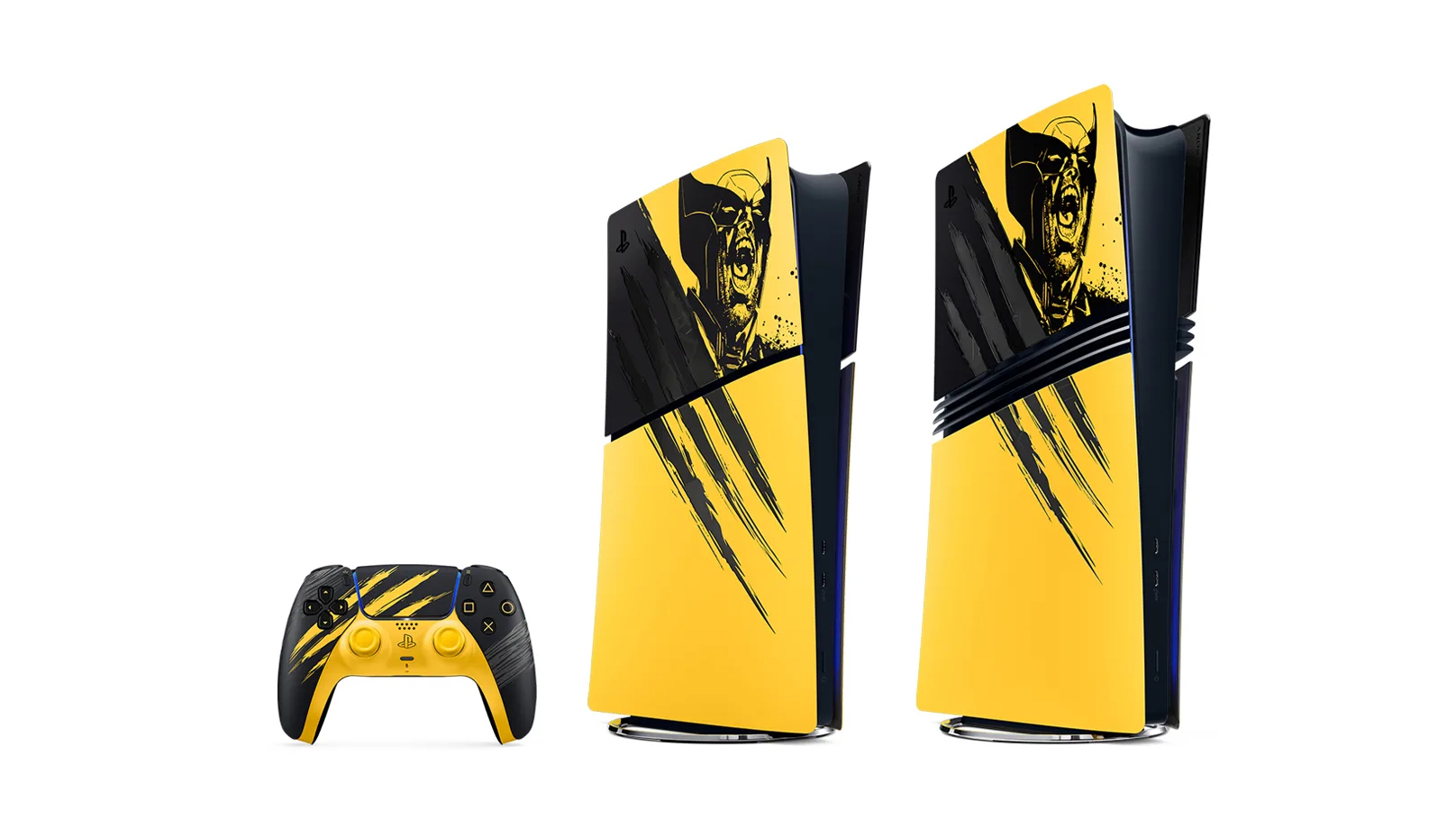
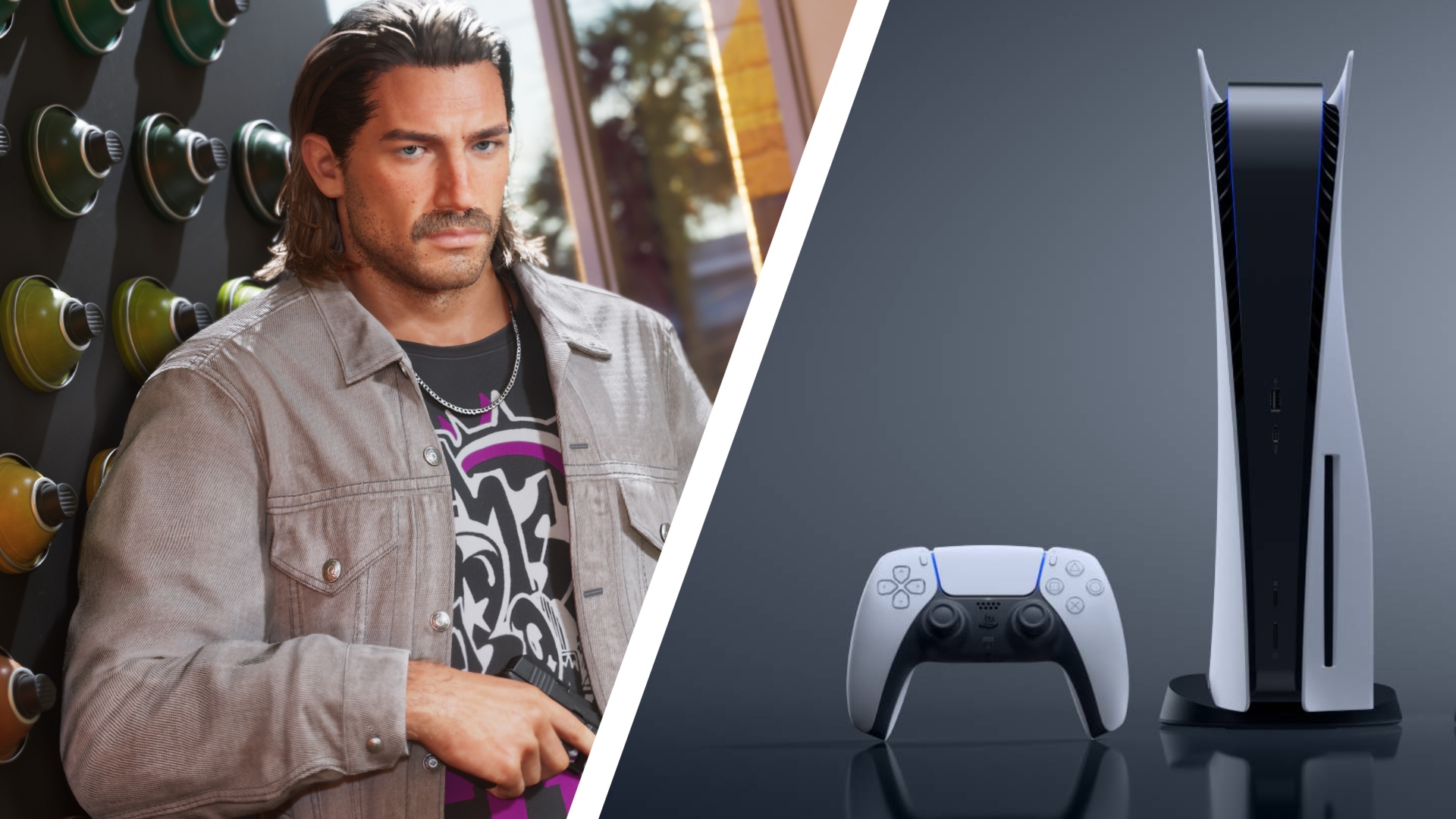
Sony is taking a very similar approach with Marvel’s Wolverine, by unveiling a collection of matching hardware, including a limited-edition PS5 Digital Edition console — just be ready for the price, though.
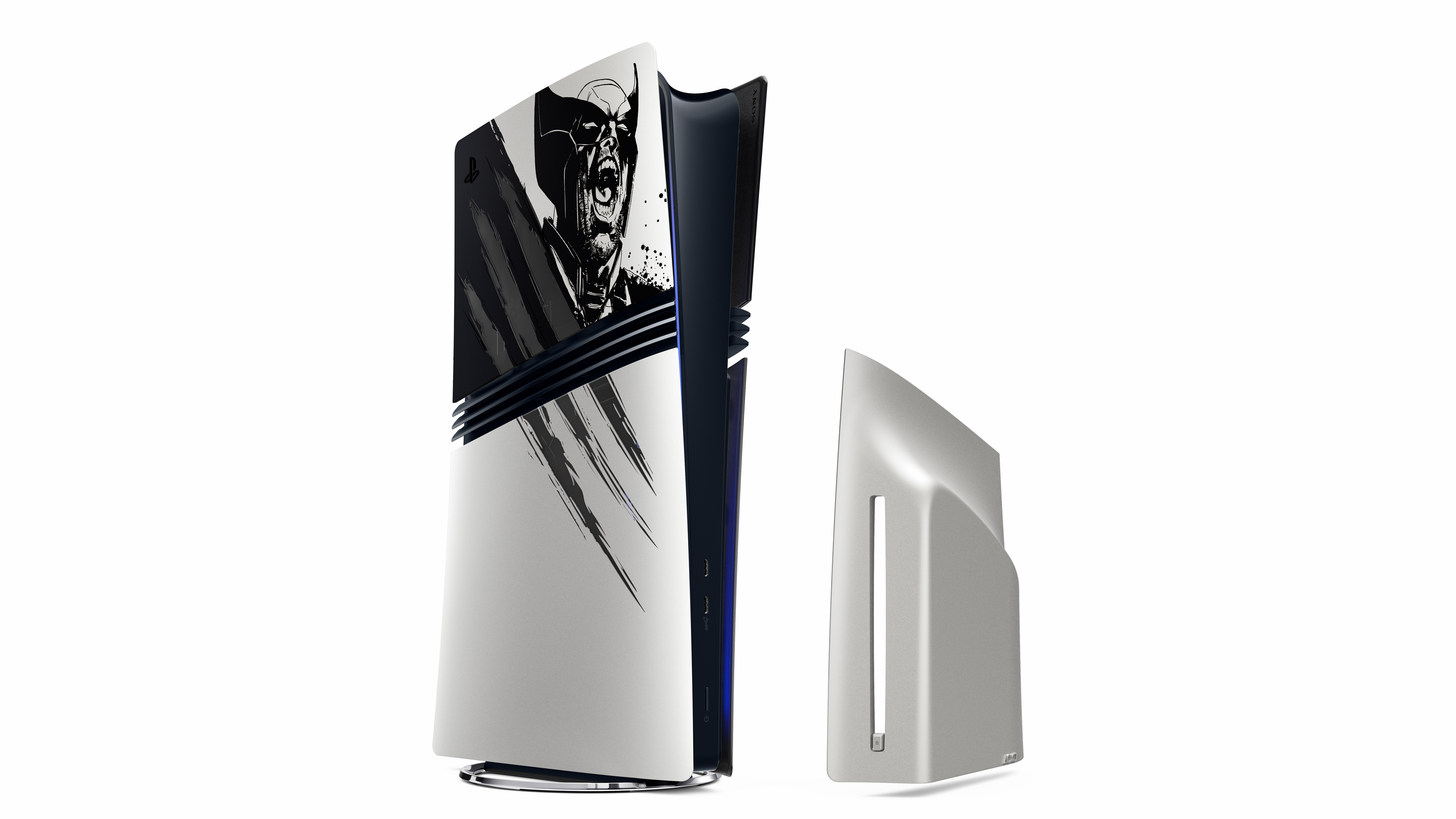
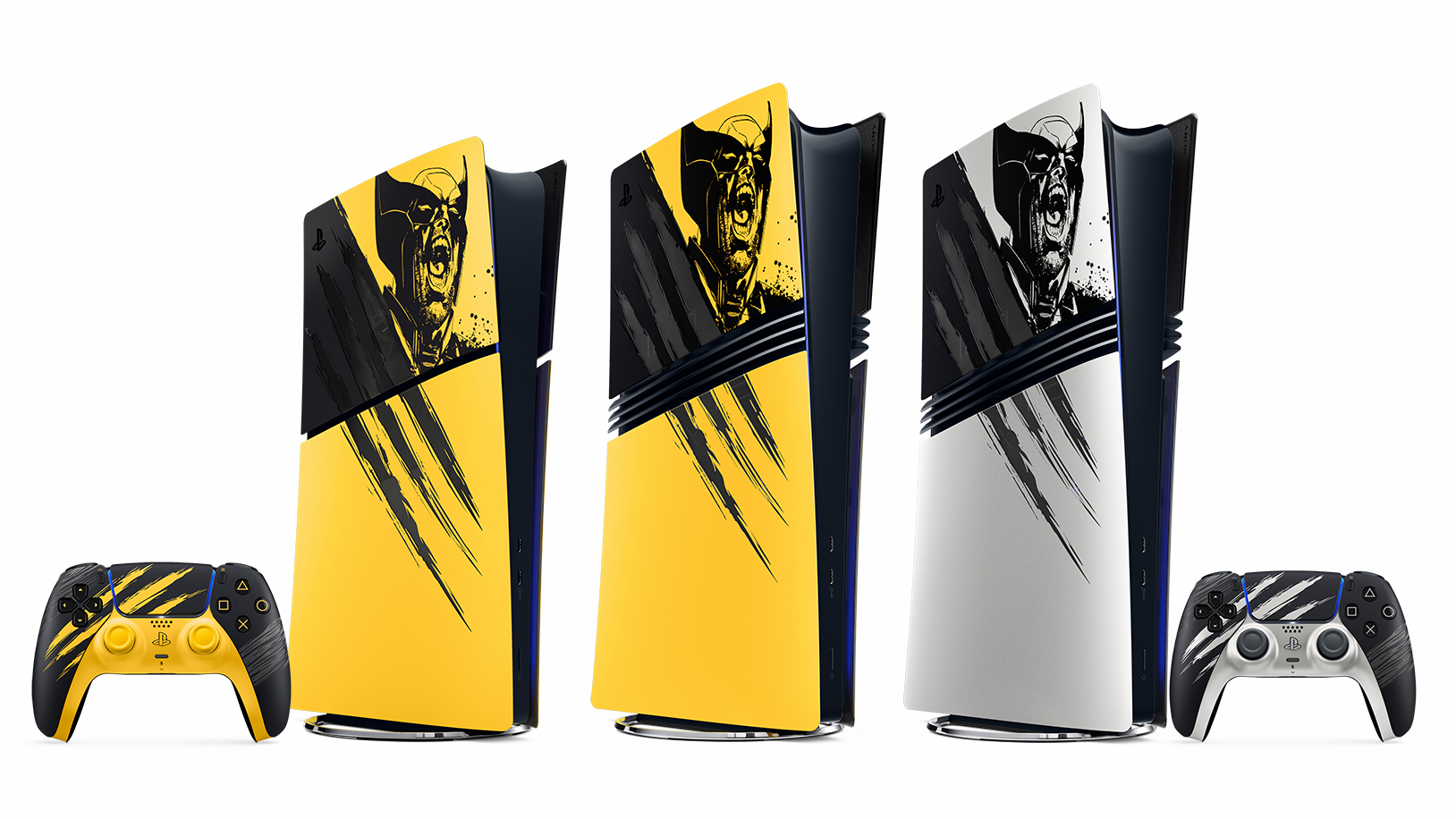
More critically, though, we also have two DualSense controllers and console covers for both PS5 Slim and PS5 Pro. And, perhaps unsurprisingly, you get your pick between Wolverine's iconic yellow and a more subtle but still on-theme choice of 'Adamantium'.
Here's the full lineup, which lands on September 15, 2026, but will go up for preorder on August 19, 2026.
PlayStation 5 Cover in Battle Yellow Limited Edition: $74.99 / £64.99
PlayStation 5 Pro Cover in Marvel’s Wolverine Battle Yellow Limited Edition: $74.99 / £64.99
PlayStation 5 Pro Cover in Marvel’s Wolverine Adamantium Limited Edition: $74.99 / £64.99
PlayStation 5 Digital in Marvel’s Wolverine Battle Yellow Limited Edition Bundle with DualSense controller: $649.99 / £569.99
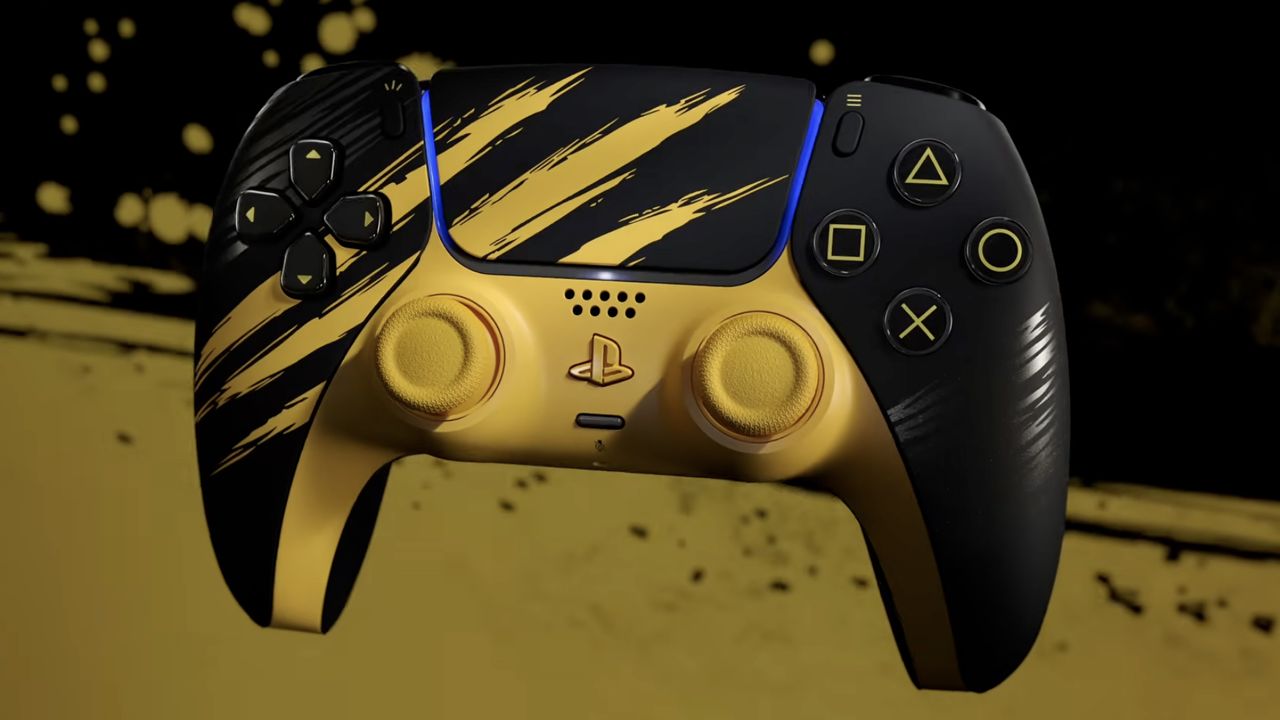
The center of the collection is Marvel’s Wolverine Battle Yellow Limited Edition PS5 Digital Edition bundle. This pairs the iconic yellow console with a matching DualSense controller and a copy of the game. The design is inspired by Insomniac’s “Battle Reborn” suit, with the familiar yellow finish broken up by claw marks across the hardware.
And it works quite well, as rather than slapping a Wolverine logo onto a yellow PS5, Sony has made the console look as though Wolverine himself has gotten his claws on and into it.
(Image credit: PlayStation)
That design language carries over to the standalone Battle Yellow DualSense, as well as limited-edition console covers for existing PS5 and PS5 Pro owners. So you don't necessarily need to buy another PS5 to bring a little Wolverine into your setup, which is especially good news considering the price increases. And yes, the bundle does carry a hefty $649.99 / £569.99 price tag, but you can get the Wolverine yellow DualSense for $84.99 / £74.99 or snap up a PS5 cover for $74.99 / £64.99.
(Image credit: PlayStation)
Sony's also giving you the option of trading the yellow finish for a metallic look inspired by the Adamantium material bonded to Logan. It’s a much more understated design, but arguably a better fit if you want something a little more subtle. This will be available as a cover for the PS5 Pro exclusively or as a DualSense Controller.
“I wanted to show Wolverine at his fiercest for Marvel’s Wolverine Limited Edition PS5 Console bundle and accessories,” explained Jock, a graphic artist who worked on Marvel’s Wolverine, who starts by drawing and was excited to ‘marry cutting-edge hardware with the energy and looseness of hand-drawn ink.’
“I’m stunned by how well the console and accessories captured the raw energy of the drawing, bringing Wolverine to life in a completely unique way,” concluded Jock. And it does look stunning and instantly recognizable as Wolverine.
You can see that philosophy pretty clearly in the final designs.
(Image credit: PlayStation)
Preorders for Marvel’s Wolverine limited-edition hardware begin August 19 at 10 a.m. local time, with everything releasing and launching officially September 15 alongside the game.
So, yes, it wouldn't really be a major PlayStation exclusive without some matching hardware, and if Sony’s goal was to make a PS5 look like Wolverine had personally gotten his claws into it, mission accomplished.
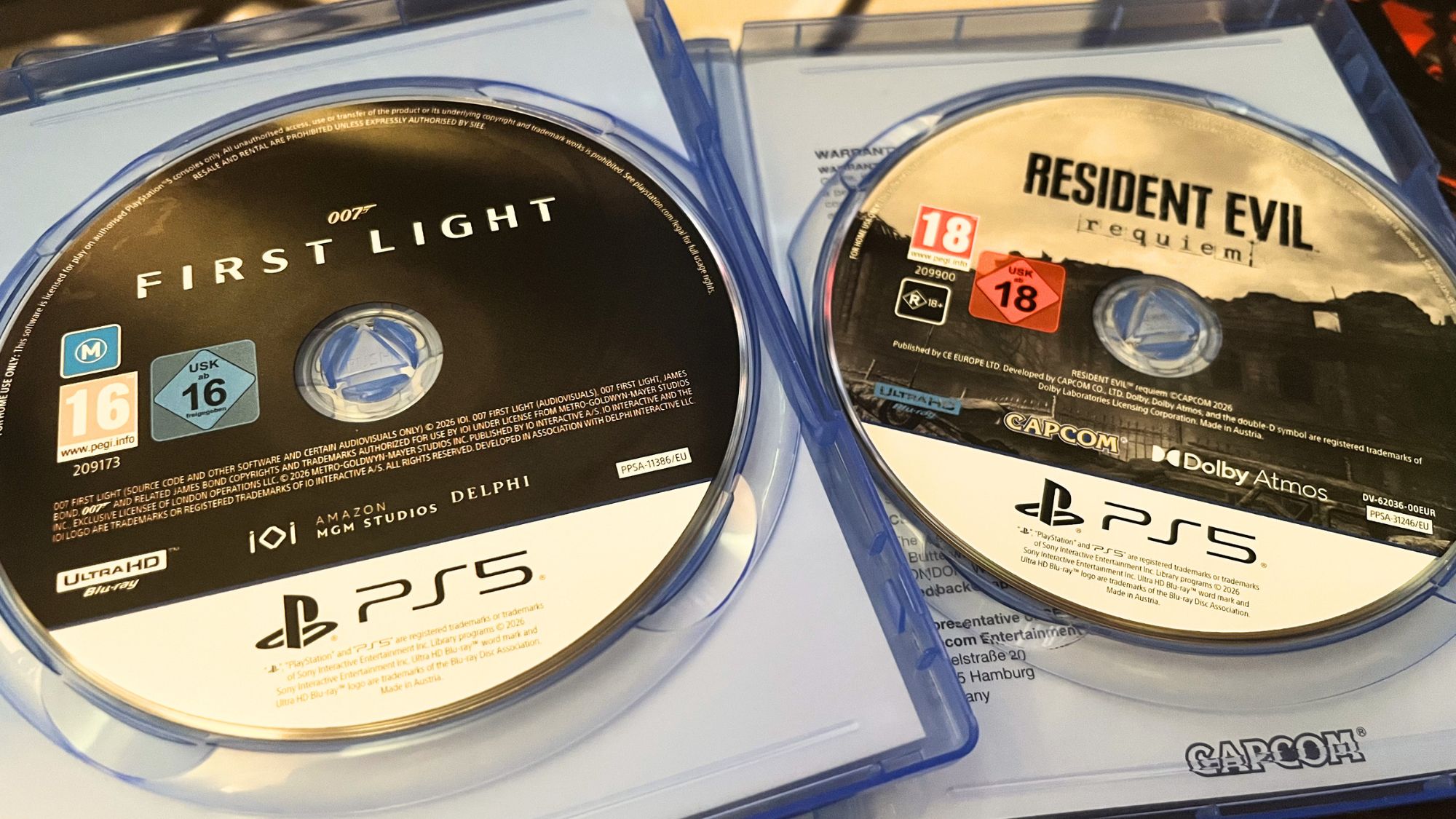
There is something to be said about doubling down on physical products as Sony is pushing the charge with ending discs for titles. Good news is that along with the title art for Marvel’s Wolverine, Insomniac has confirmed a physical disc is in the box and will launch the game properly as well.
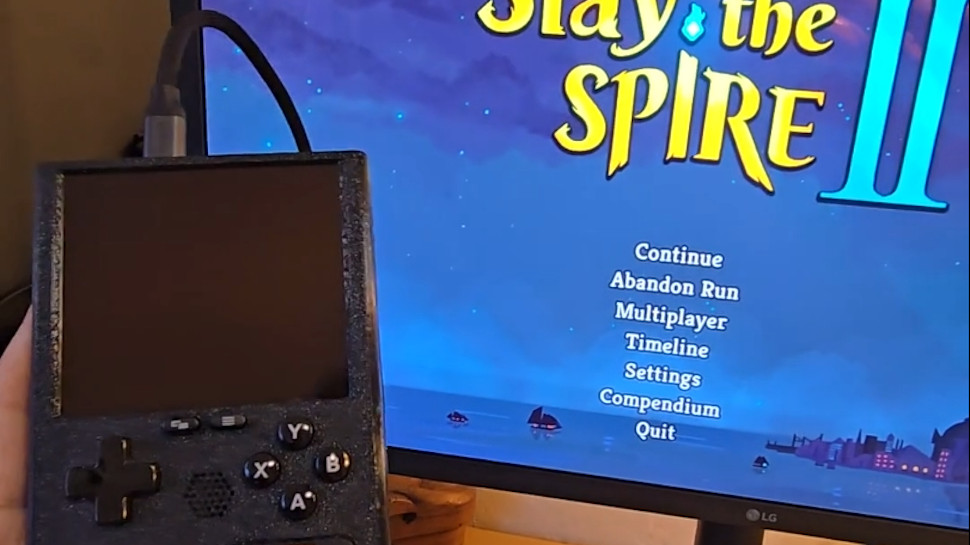
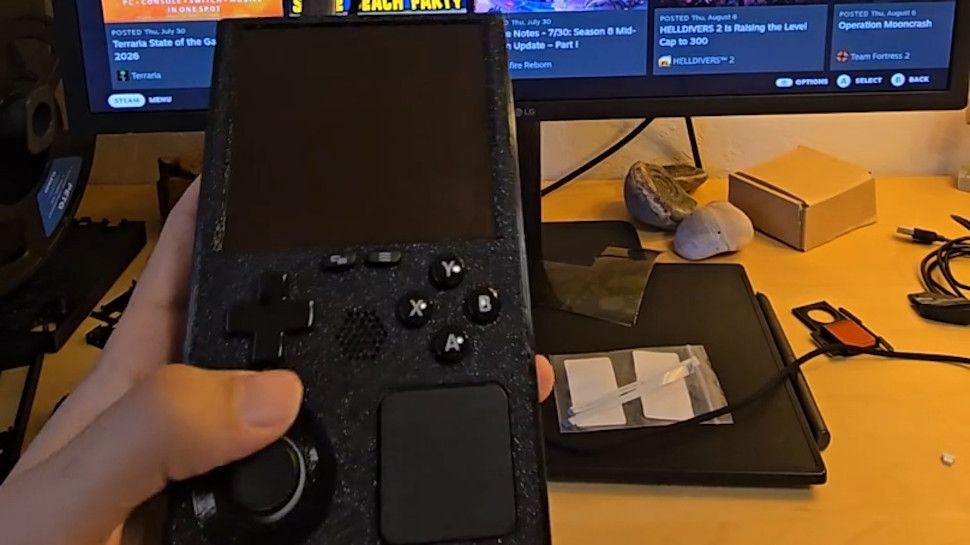
A modder has taken the innards of a Steam Deck and put them into a Game Boy-style case
The end result is the 'SteamBoy', although it's not quite finished (the screen doesn't yet work)
There's a lot of excitement about this DIY project, and some gamers have even said they'd be keen to buy a retro handheld like this
Ever wished the Steam Deck looked a bit more retro — or indeed a lot more retro? Meet the 'SteamBoy', which takes the innards of Valve's handheld and transplants them into a case styled on the Game Boy.
The SteamBoy uses the motherboard, controller, buttons, speakers, and battery from the Steam Deck, fitting the components into a case which the maker says is the same dimensions as an original Game Boy, with a thickness of 32mm (yes, it's thick).
PhyFawkes explains: "The battery is the original battery, and it basically takes up the whole width of the device on the inside. It's sandwiched between the motherboard and the display. The motherboard and controller boards are completely intact as well."
The only element that isn't functional yet is the screen, so this device is still a work in progress. The Redditor has demonstrated it working on an external monitor, though.
Analysis: next stop Kickstarter?
(Image credit: PhyFawkes on Reddit)
The snag with getting the screen going is that the motherboard firmware reports the display properties directly to SteamOS, and so the firmware details must be updated with the info for the new screen. The Redditor says it hopefully it won't take too long to sort this out.
Another part of the recipe that's missing is the triggers, but PhyFawkes says that they might be able to add them eventually, but that space constraints with the case could make this too tricky a proposition.
Apparently the handheld runs cool enough with some slight under-volting. All in all, this a very smart-looking project, and I'm seriously impressed. The case itself is 3D-printed, with the Redditor noting that they're going to provide the details on how to make one for those who might want to try their hand at this enterprising piece of handheld DIY.
Of course, constructing something like this is well beyond the scope of your average gamer, and there are fans of this concept out there who'd be willing to pay money for a SteamBoy of their own. Plenty of them, in fact, as the reception for this project has been nothing short of glowing.
As someone on Reddit put it: "This is legitimately so cool. I would totally back something like this on Kickstarter."
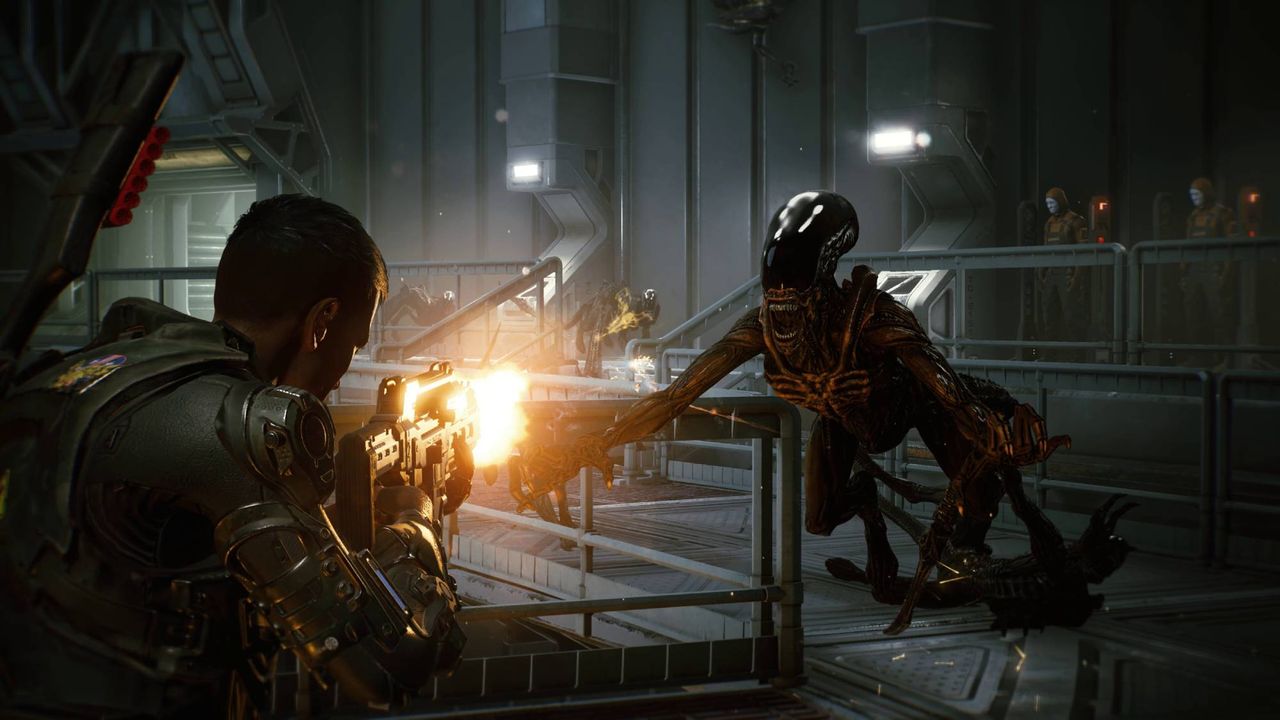
Aliens: Fireteam Elite has been shut down on Nintendo Switch
The game was offered as a cloud version on the platform, which meant it relied on being streamed from a server over the internet
Those that spent money on the game do not appear to have been refunded
The Nintendo Switch version of Aliens: Fireteam Elite has been shut down, rendering it unplayable for those who bought it.
The game launched on Nintendo Switch on April 26, 2023, and unlike the versions available on other platforms, was a cloud version. That means it relied on being streamed from a server over an internet connection. A short demo version was available to try for free, but access to the full game cost $29.99.
There was even a $59.99 Ultimate Edition on offer, which threw in a raft of DLC, and means that some players would have paid 60 bucks for something that they can now no longer access at all.
Developer Cold Iron Studios quietly announced the shutdown back in March this year, sending a message to players thanking them for their support and confirming that the game "will be accessible until August 5, 2026" at which point buyers would "no longer be able to access the game."
It continued: "We apologize to our loyal customers for any inconvenience this may cause, and we appreciate your understanding. We hope you will continue to enjoy our other game titles."
Noticeably, there was no mention of any kind of refund for those who spent money on the game, and it doesn't appear that any affected players got one.
The news has picked up some steam on the r/gaming subreddit, with commenters rallying against cloud gaming and referencing fears surrounding the recent confirmation that Sony would be discontinuing the production of physical game discs in 2028 — pushing gamers towards digital formats.
"Everyone who bought this game should be eligible for a full refund," reads the top-rated comment. "This is why you don't buy a 'Cloud' version of a game," added another commenter. "It is a ticking clock."
One user wrote: "This is going to happen more and more as an all-digital future becomes standard... You don't own anything, you're just paying for the license to play something until it gets taken away."
A sequel, Aliens: Fireteam Elite 2, is expected to launch this year for PC, PlayStation 5, and Xbox Series X and Xbox Series S on August 25. It's also expected to come to Nintendo Switch 2 at a later date. Importantly, it won't be a cloud version, which will likely come as a relief to potential buyers.
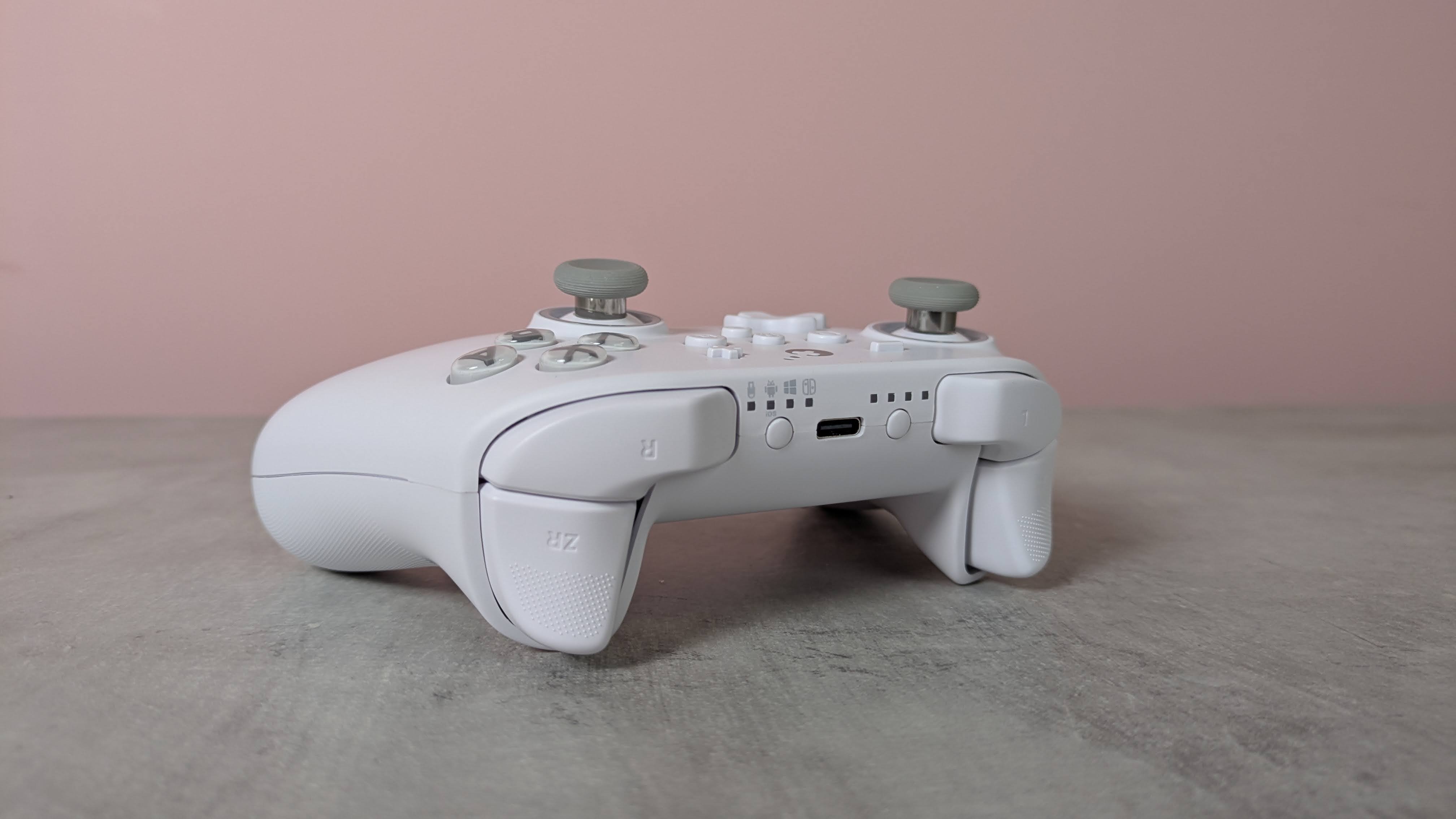
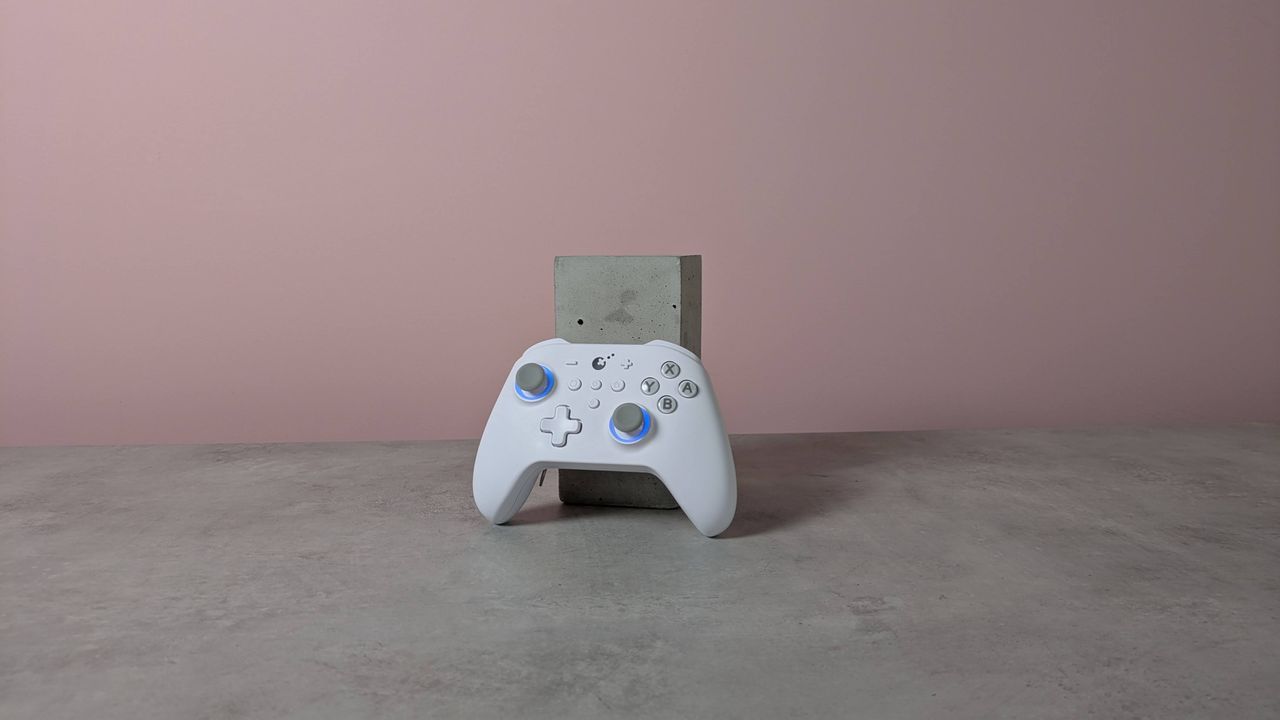
The GuliKit KK3 Max might look like a standard controller, but it has plenty of extras and features on board.
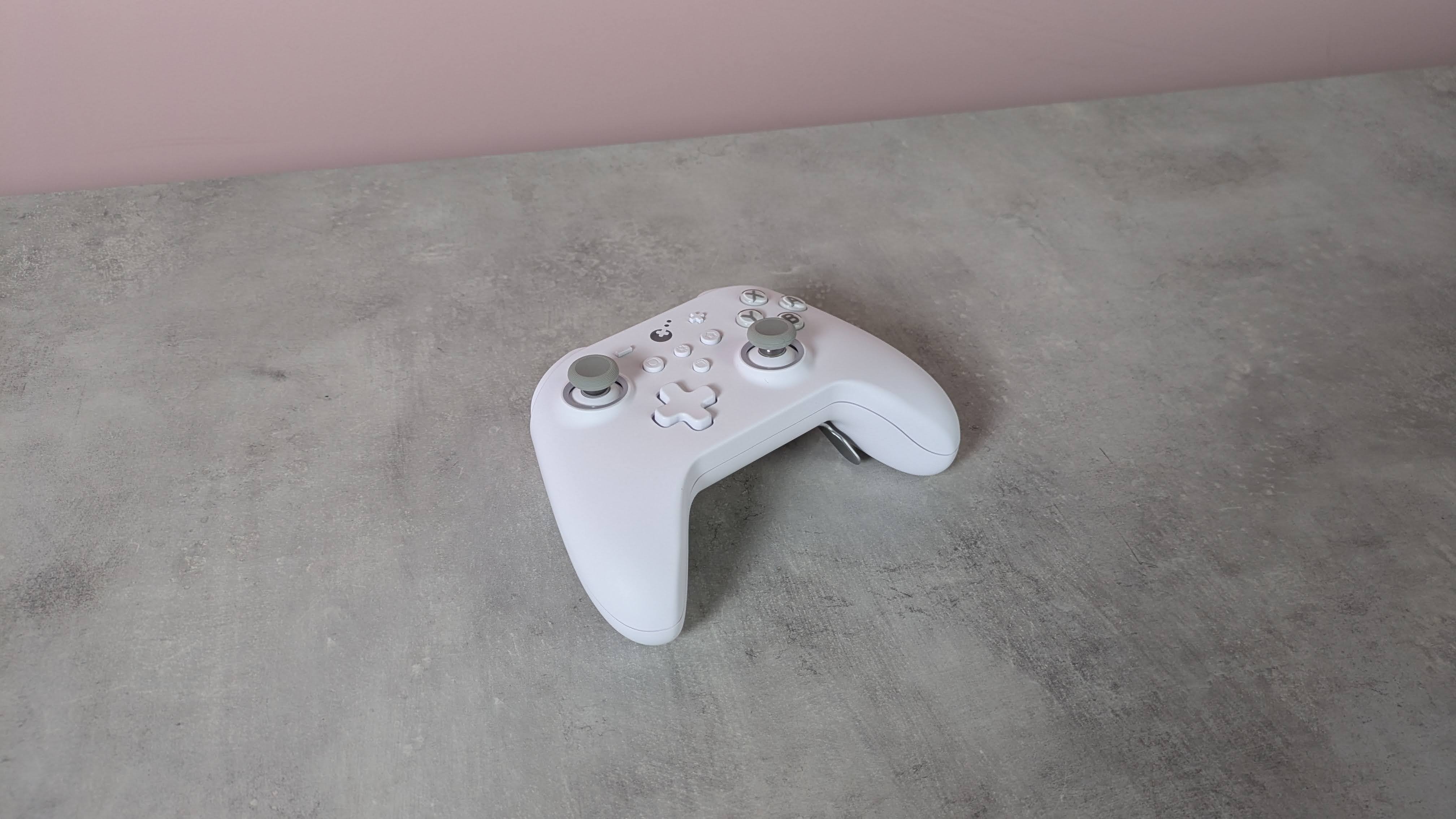
Adopting the familiar form of the Xbox’s gamepad, the KK3 Max doesn’t exactly push the boundaries in terms of design. But given how comfortable and convenient the shape and layout are, it’s hard to complain about its lack of originality.
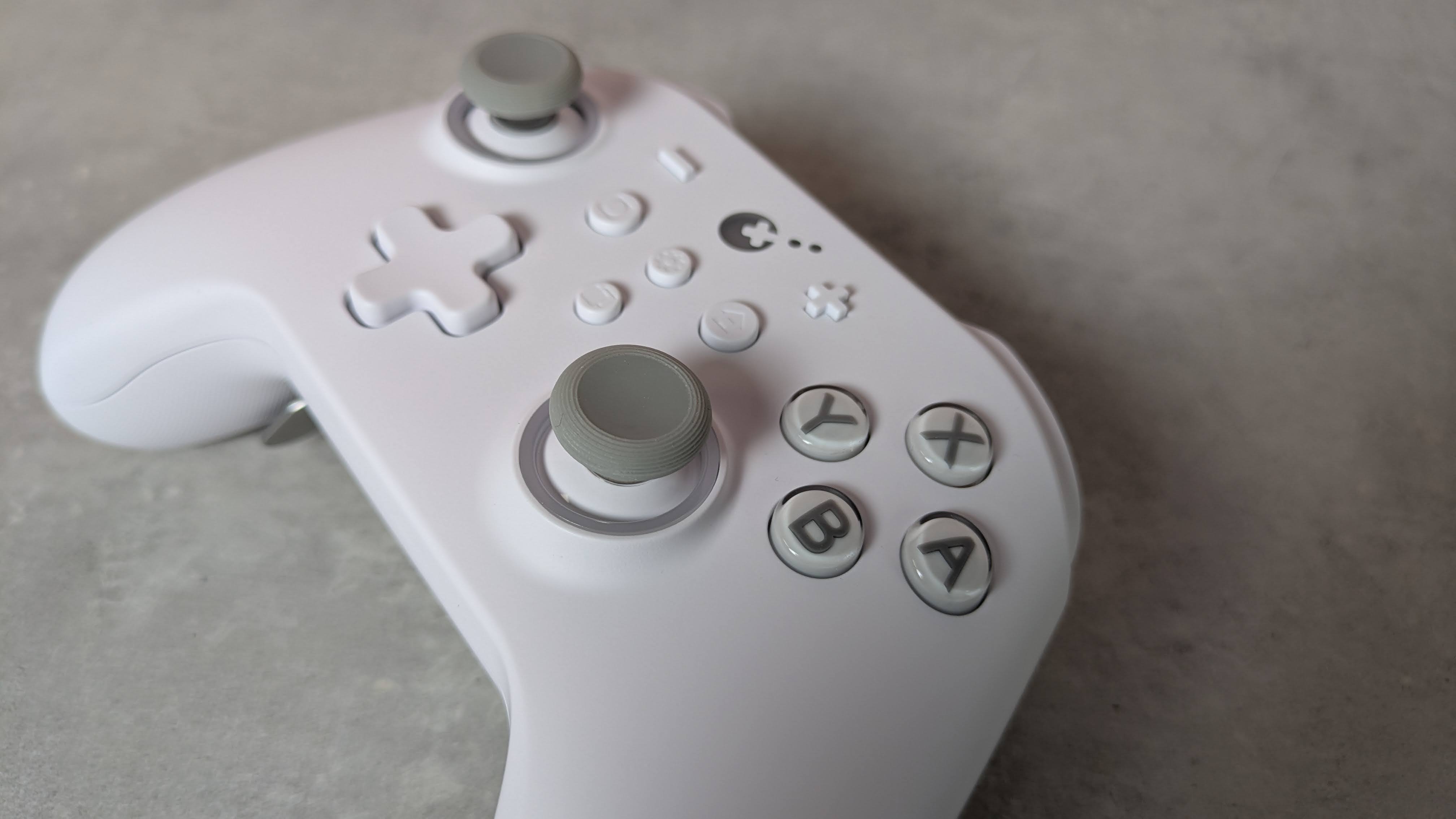
There are also a few extra flourishes that add some interest. The matte white finish of my review unit was rather fetching, while the front panel is incredibly smooth, smoother than any other I’ve felt before. Its construction also feels quite solid, rivaling the builds of the best PC controllers.
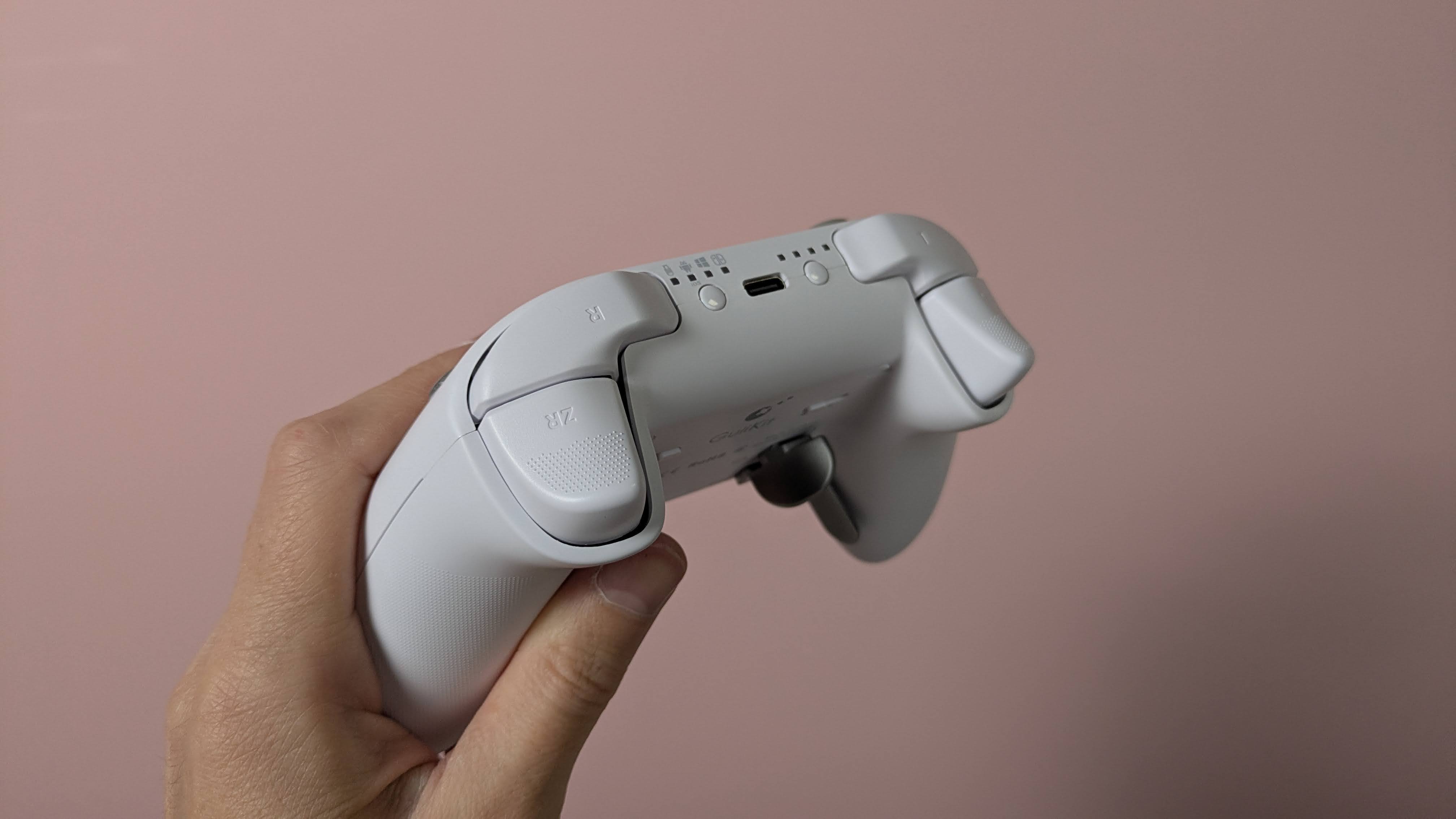
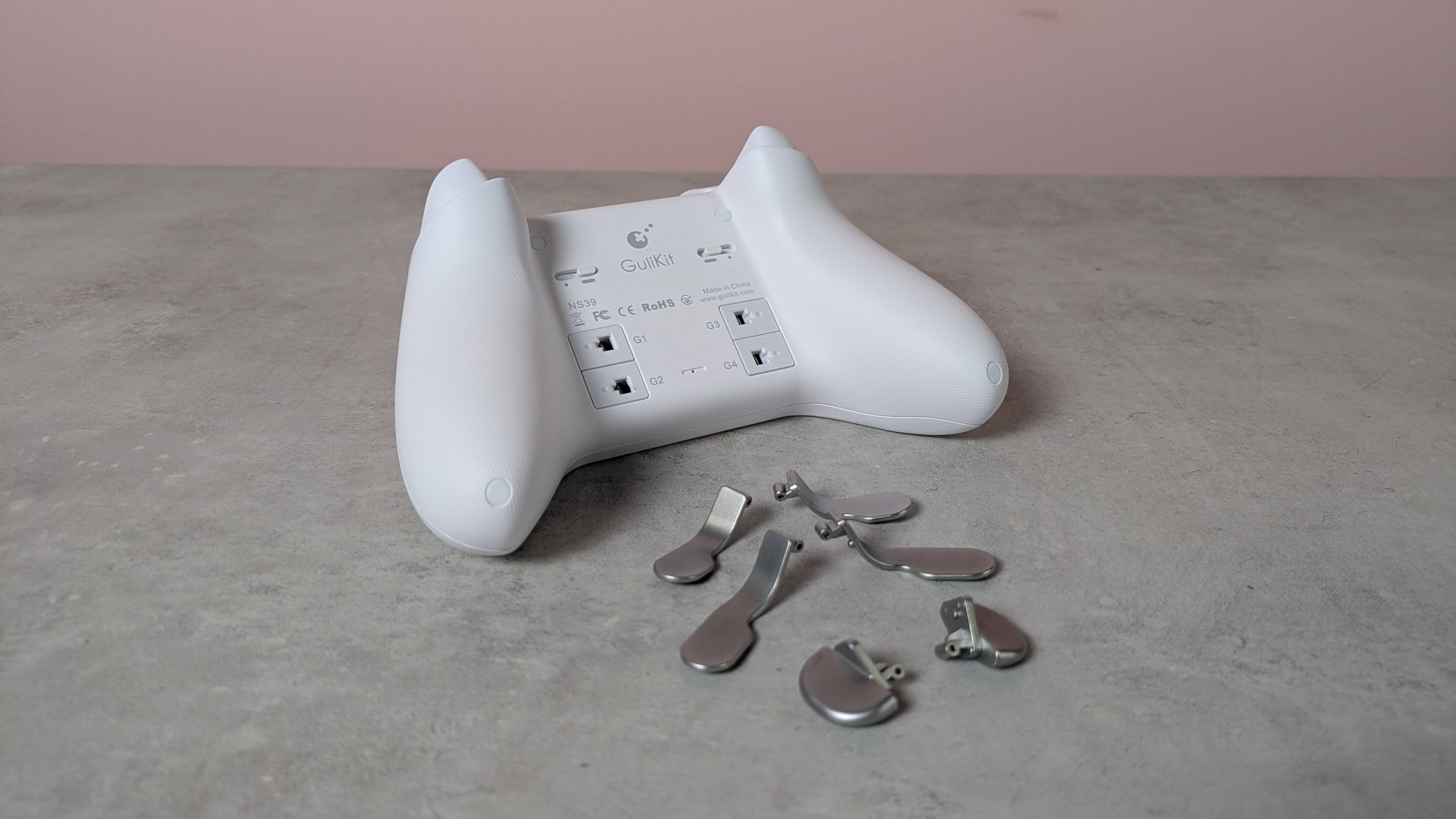
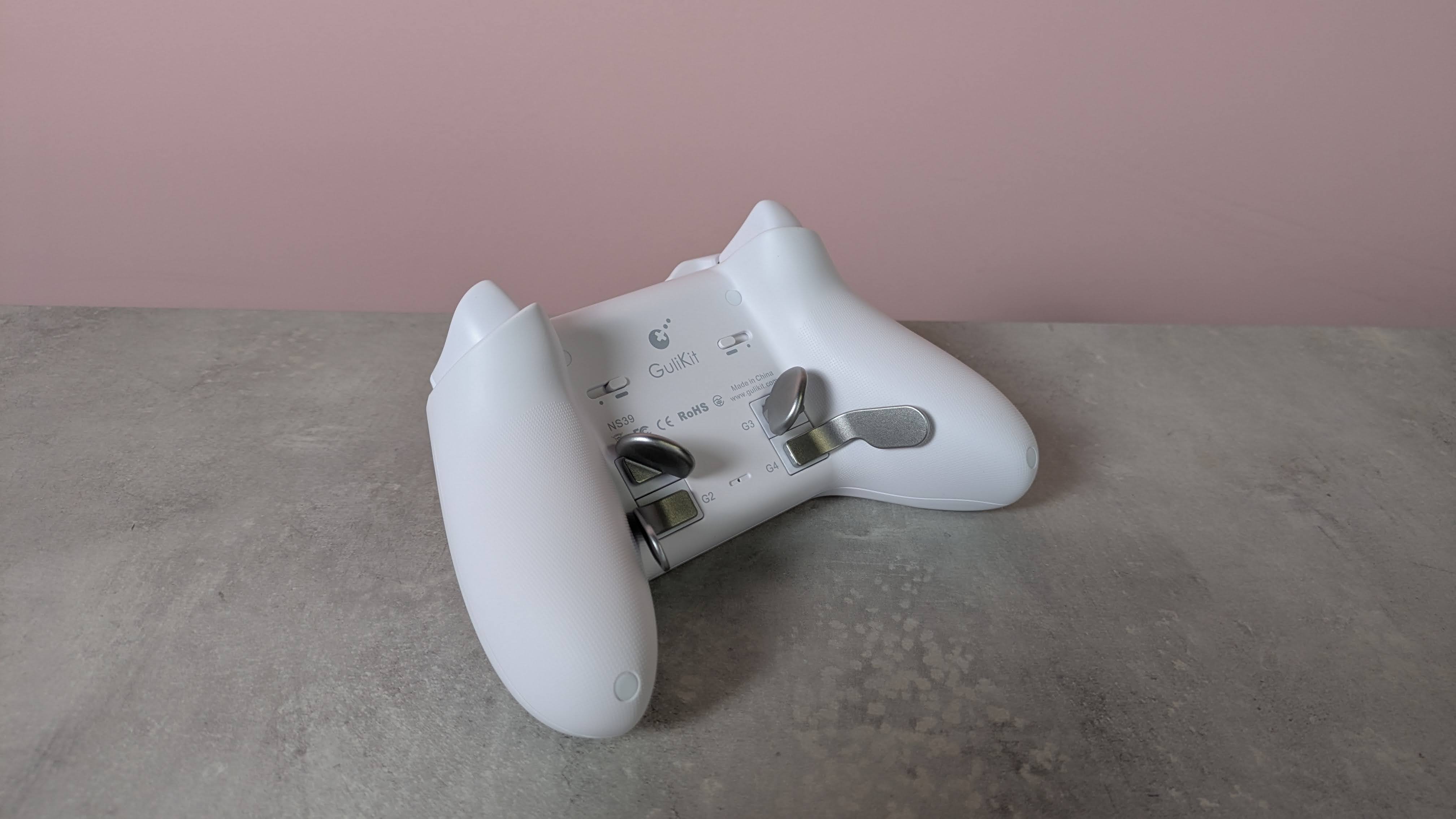
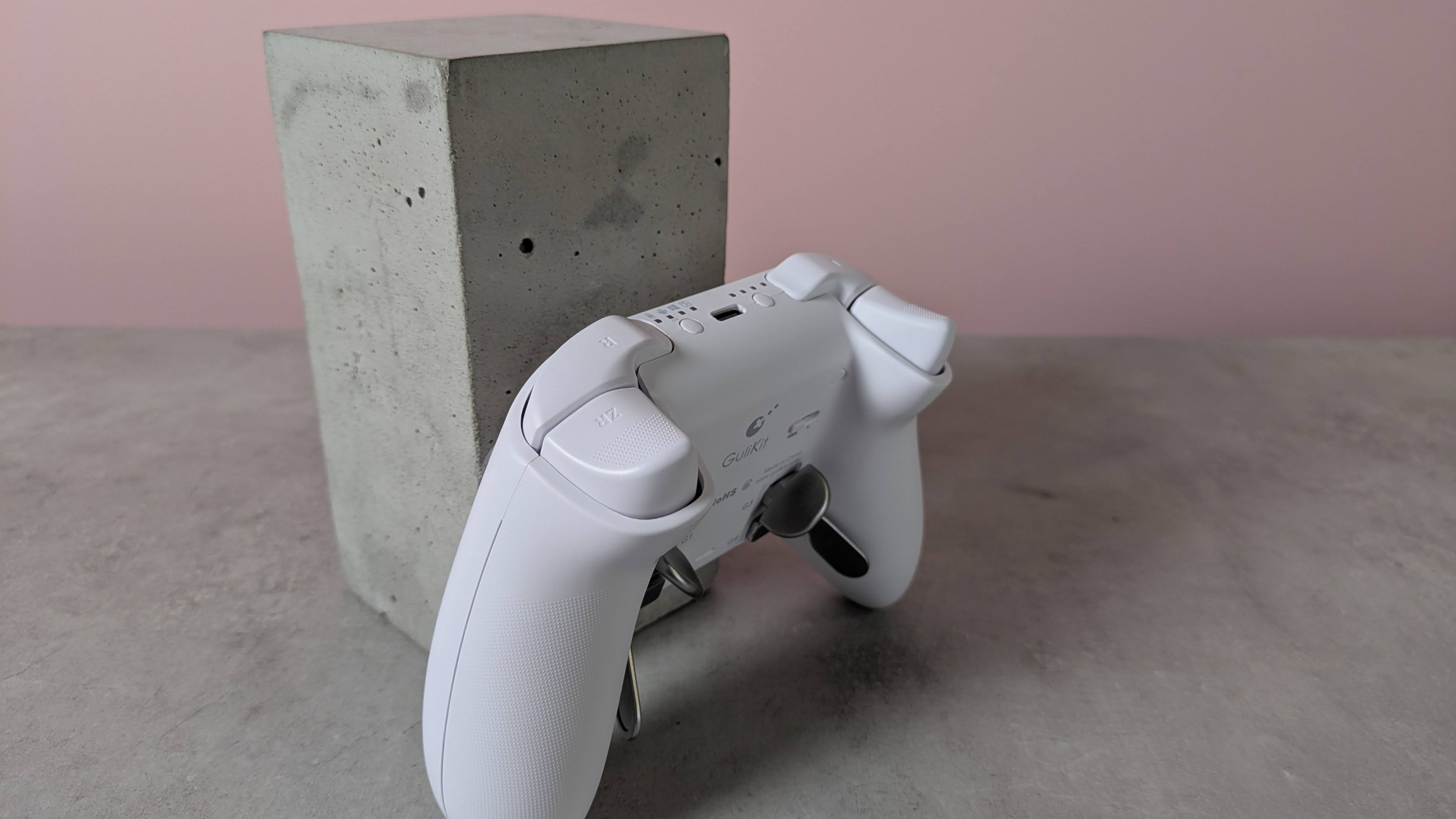
This premium feel extends to the buttons, since there’s very little wobble to any of them. The same can be said of the various sets of levers for the four back buttons, although a fair amount of force is required to insert them.
(Image credit: Future)
Despite the lack of software, there are still plenty of input-related customizations and settings available via various button combinations. These range from basic adjustments, such as the vibration intensity and stick sensitivity, to more advanced features, such as motion control and macro recording.
The overall performance of the KK3 Max is pretty good. Most of the buttons are responsive and satisfying to press. The triggers offer a fair amount of control, although I found their travel distance a little too short for my preferences. The sticks also lack the precision of the best, although they move easily and quickly. Motion controls are also inconsistent: I found they performed well with Nintendo Switch games, but were less effective on PC and mobile titles.
I’m happy to report that I had no issues with connectivity on any system I tried the KK3 Max with. Whether it was to my PC via the USB dongle or to my Switch and Android tablet via Bluetooth, the KK3 Max connected quickly to them all and I didn’t experience any dropouts or lag. Hotswitching between devices is also easy thanks to the dedicated button for this purpose, although it can take several presses for the button to respond.
The current multiplatform controller market is certainly a competitive one, with an increasing number of entrants offering increasingly better value. At $79.99 / £65.99 / AU$113.95, the KK3 Max is dangerously close in price to some real standouts, such as the Steam Controller and the GameSir G7 Pro 8K, and more expensive than the 8BitDo Pro 3, another highly capable controller. It mightn’t quite match up to its cohort, but the KK3 Max is still a gamepad to consider if you prefer onboard adjustments and like to have plenty of back buttons.
(Image credit: Future)
Gulikit KK3 Max review: Price & availability
$79.99 / £65.99 / AU$113.95
Available now in various colorways
Premium pricing puts it against big hitters
The GuliKit KK3 Max costs $79.99 / £65.99 / AU$113.95 and is available now from Amazon. Three colorways are available: black, white, and grey.
This pricing places the KK3 Max at the premium end of the market. It comes close to some big names in this space, such as the new Steam Controller. This has the advantage of touchpads for controlling the mouse cursor, and we found its gyroscope controls performed very well, unlike the KK3 Max’s. It isn’t compatible with the Switch or Switch 2, though.
The KK3 Max is also more expensive than the 8BitDo Pro 3, which has class-leading performance. We particularly loved its smooth analog sticks and triggers, as well as its phenomenal D-pad. It’s very customizable, too, thanks to its accompanying software — something the KK3 Max lacks.
Gulikit KK3 Max review: Specs
Gulikit KK3 Max
Price
$79.99 / £65.99 / AU$113.95
Weight
9.7oz / 275g
Dimensions
6 x 4.3 x 1.3in / 154.7 x 108.1 x 32.4mm
Compatibility
PC, Switch, Switch 2, Android, iOS
Connection type
Wireless (2.4GHz, Bluetooth), Wired (USB-C)
Battery life
15-28 hours
(Image credit: Future)
Gulikit KK3 Max review: Design and features
Super smooth surface
No extra D-pad hats or stick caps
No software
The KK3 Max has a simple and conventional design, replicating the form and layout of the best Xbox controllers. This is no bad thing, though, since such gamepads are among the most ergonomic and comfortable out there. Along with many others, I’m also particularly fond of the asymmetric analog sticks, since this moves the D-pad to a position that makes it easier to use with either thumb.
What may prove more divisive, however, is the relatively small size of the entire unit. I don’t have particularly large hands, but both my thumbs and forefingers tended to overhang the sticks and triggers respectively. I was able to adjust my grip to compensate without sacrificing comfort or security, but others might find this more of a problem.
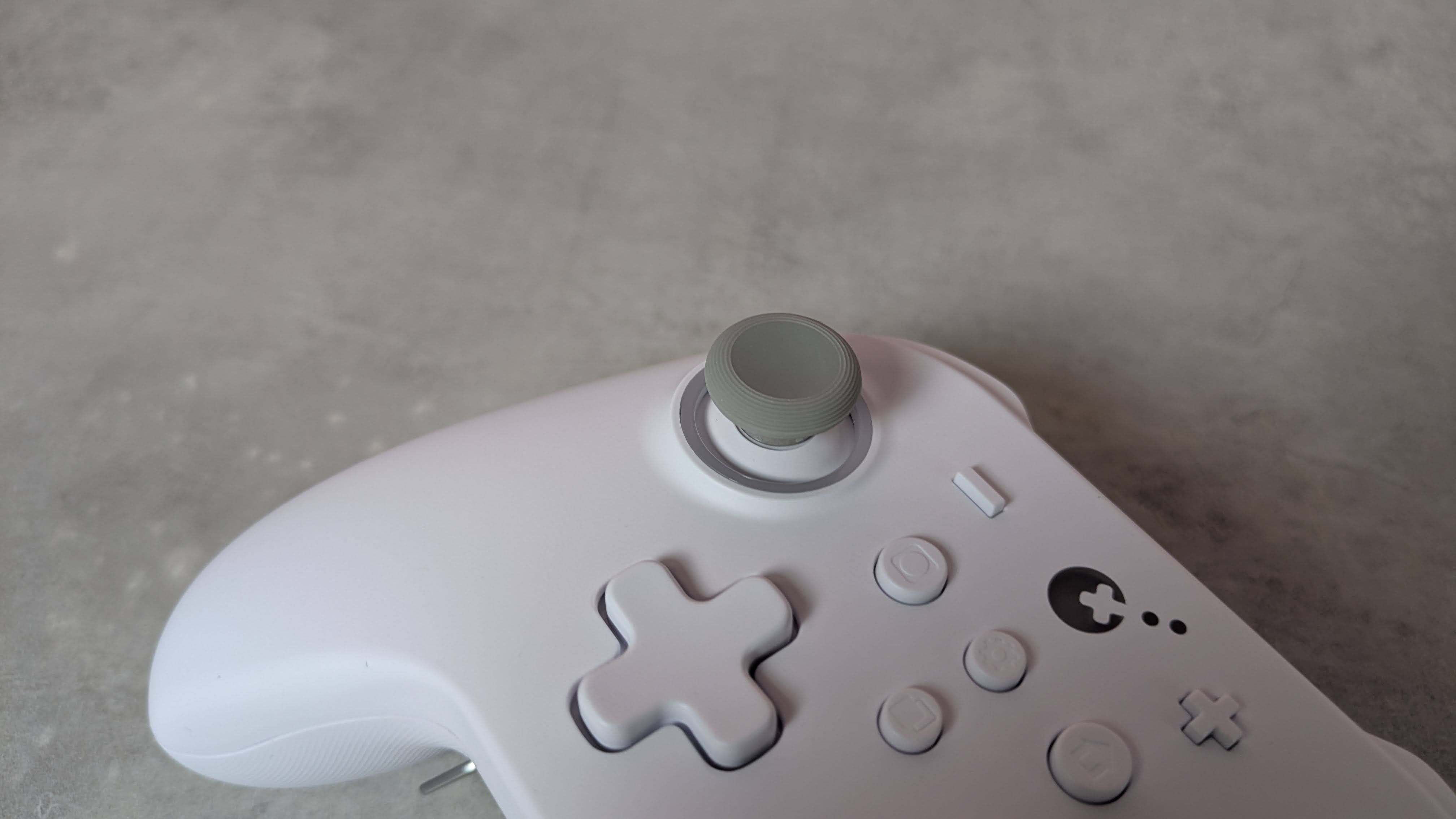
There are some extra touches to the KK3 Max’s design that set it apart from the crowd. The brilliant white matte finish of my review unit is quite eye-catching, as is the subtle yet effective RGB lighting around the sticks, which also has a practical function that I’ll come to later.
(Image credit: Future)
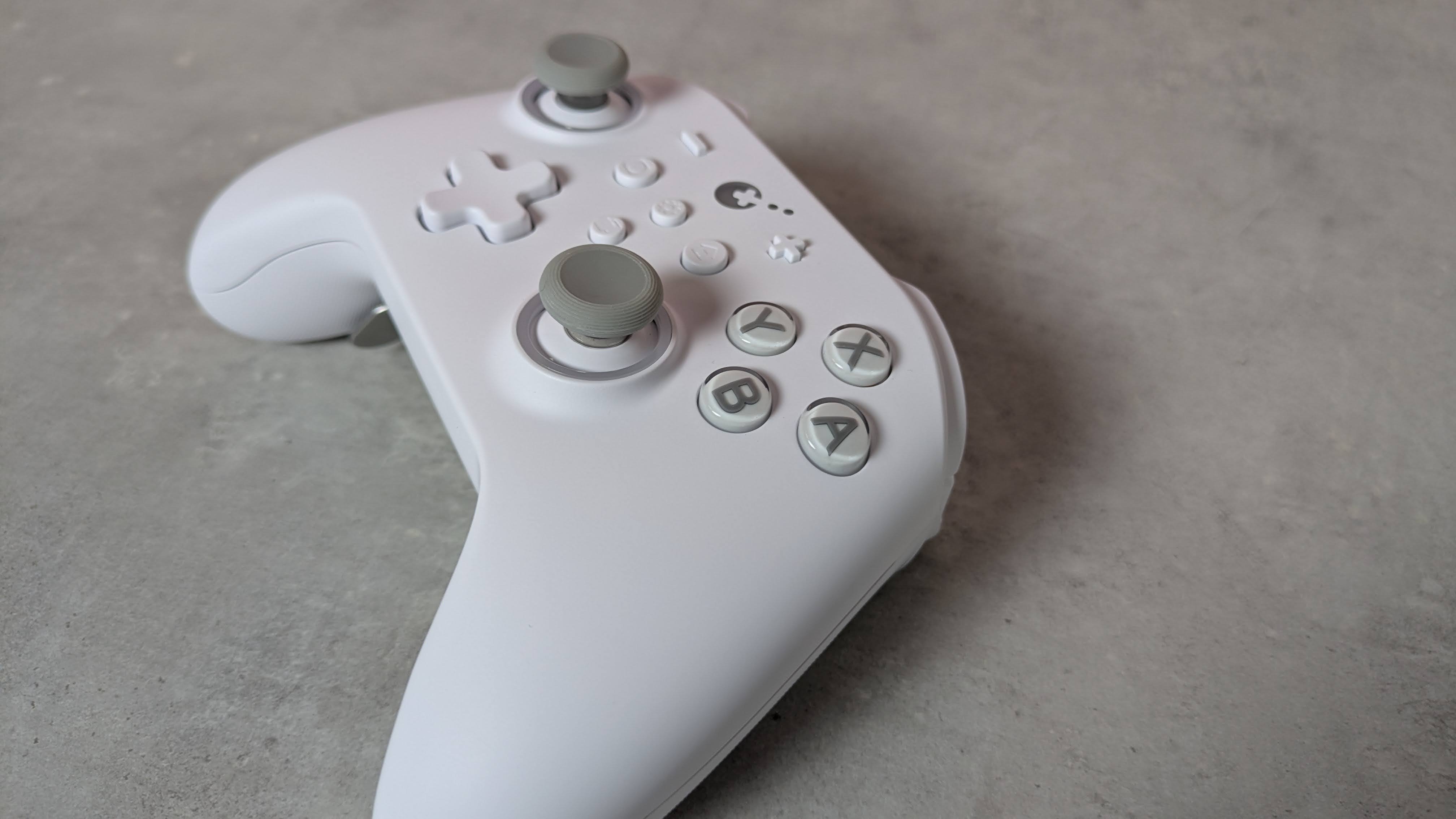
The front plate is incredibly smooth to the touch, smoother than any other controller I’ve experienced. However, this plate isn’t magnetically attached as it is on other gamepads, allowing for easy removal for the sake of customization and reordering or replacing buttons.
You can still remove the KK3 Max’s face buttons — you’ll just need to use the included puller to do so, which is thankfully easy to use. You can’t directly swap the X with the Y button or the A with the B, though, since they have different depths and curvatures. Rather, duplicates of each button are included in the box with the appropriate depth and curvature for swapping their position. This seems like a rather inefficient solution to me, and just means you have more bits of plastic in your life than you otherwise would.
I can’t complain about their quality, though. They’re pleasantly smooth and stable, with only a marginal amount of play, while their transparent design is quite fetching. The D-pad also feels stable, although it’s a shame you can't replace the hat, as different designs can make a real difference to feel and performance, and would cater to more preferences. Fortunately, I found it quite ergonomic; even though it adopts the traditional four-point shape, its rounded edges make it better for rolling between directions.
(Image credit: Future)
The triggers are also comfortable. They have rounded outside edges, which makes them soft on the finger, as well as a dotted texture to provide grip. The analog stick caps are reasonably small but have an ergonomic shape and a soft finish. Their edges are slightly textured, although this is less prominent than other examples, so those with sweaty thumbs might slip off them. They are removable, but GuliKit doesn’t provide any extra sets in the box, which is a shame. The sticks themselves are quite tall and suitably planted, with a negligible amount of play.
More solid are the back button levers. Despite how they look, they’re not made from metal, but they are reassuringly sturdy. They actually require a fair amount of force to insert in their slots, but once in place, I felt pretty confident that they weren’t going to come loose. They come in different shapes, with two sets of paddle-like levers and a set that looks more like bumpers.
(Image credit: Future)
There’s no software for customizing the inputs of the KK3 Max, which is a shame. However, there are still plenty of adjustments you can make and features to enable using various button combinations. You can alter the sensitivity of the analog sticks, with three levels to choose from, as well as toggle Dead Zone mode for them. You can also enable the Motion Aim Assist mode, letting you assign gyroscopic controls when either the left stick or the left trigger is held. Again, there are three levels of sensitivity to choose from here.
Other settings include a toggle for the D-pad between four- and eight-direction modes, A and B and X and Y swaps, and a Rapid Trigger function with two modes to choose from: one where the chosen input triggers repeatedly when held, and the other when it’s merely pressed. An autopilot mode and a macro recorder are available, too.
All these adjustments are quite easy to make, and there are some useful indicators that let you know what settings have been selected. For instance, the sticks light different colors depending on which of the three sensitivity levels is set, and the pad rumbles once, twice, or thrice depending on which of the three sensitivities of the Motion Aim Assist is set. However, I still would’ve preferred software for convenience's sake; it’s always nice to see your settings represented graphically, and having to remember all the button combinations is a hassle I could do without.
(Image credit: Future)
Gulikit KK3 Max review: Performance
Solid button feel
Slightly imprecise sticks
Motion controls are mixed
In action, the KK3 Max acquits itself rather well. The face buttons are tactile and well-damped, and only require a light touch to press, which makes them feel snappy. However, they don’t provide the best feedback, and there are times when it can be difficult to feel them actually being pressed. Thankfully, however, this didn’t result in presses failing to register, in my experience.
The bumpers are more clicky, but still have enough dampening to make presses satisfying. However, I found their position a little too high, which can make reaching them a little difficult. I should say that I encounter this problem on quite a few gamepads, but here it’s particularly acute.
In fact, I found the back buttons more usable than the bumpers, which isn’t something I can say about a lot of other controllers with back buttons. Their travel might be shallow, no matter which lever you decide to attach, but there’s enough dampening and feedback to make them viable as replacements for other inputs. I didn’t accidentally trigger them when gripping the KK3 Max tightly, either. The shapes of the various levers are easy to use, although I did find that the lower paddles were best used with two fingers rather than one.
(Image credit: Future)
The triggers are resistant enough to provide adequate control when performing graduated presses, something I especially appreciate when playing racing games such as Assetto Corsa that require precise acceleration and braking inputs. Their relatively shallow travel does negate this aspect somewhat, but I still found them just about up to the task. They’re also light enough to perform rapid inputs when needed, and to prevent fatigue from setting in during prolonged holds.
The sticks move freely and quickly, with a fast rebound that makes them feel snappy. Aiming was quite accurate when I played 007 First Light, although they don’t offer the smoothest motion, with small but frequent jumps and unexpected accelerations affecting my accuracy. Thankfully, their aforementioned height didn’t pose a problem when moving them around, although it did cause some instability when pressing in the L3 and R3 buttons, with accidental directional movements often accompanying them.
The gyroscopic motion controls are mixed in terms of their performance. When I played The Legend of Zelda: Tears of the Kingdom on my Switch, they were smooth when aiming the bow, and on a par with the best Nintendo Switch controllers. However, with games on other platforms, such as First Light on PC and Hitman Blood Money — Reprisal on Android, they were jerky and restrictive in terms of movement. No matter how many times I recalibrated them using the onboard function to do this, they didn’t improve on these systems.
I had no issues connecting the KK3 Max to my Windows 11 PC, Switch, or Android tablet via Bluetooth or the USB dongle. The handy button for hot-switching between devices is also useful, and hot-switching itself proved quick in my experience. However, the button doesn’t operate that well, taking a few too many presses to actually respond.
Should I buy the Gulikit KK3 Max?
Buy it if…
You want a comfortable gamepad The ergonomic shape of the KK3 Max, combined with the super smooth front panel and rounded triggers, make it comfortable to use — although those with particularly large hands might struggle with it.
You want plenty of back buttons With four back buttons and three different kinds of lever attachments for them, the KK3 Max is great for those who like to trigger inputs with their fingers rather than their thumbs.
Don't buy it if…
You want software Even though you can customize the inputs of the KK3 Max, you’ll need to do this with button combinations, as there’s no companion app.
You want the best stick performance The sticks aren’t quite as smooth or precise as those in the best gamepads.
Gulikit KK3 Max review: Also consider
GuliKit KK3 Max
8BitDo Pro 3
Valve Steam Controller (2026)
Price
$79.99 / £65.99 / AU$113.95
$59.99 / £40 (around AU$84)
$99 / £85 / AU$149
Weight
9.7oz / 275g
8.5oz / 242g
10.3oz / 292g
Dimensions
6 x 4.3 x 1.3in / 154.7 x 108.1 x 32.4mm
6.1 x 3.9 x 2.6in / 154 x 101 x 65mm
4.4 x 6.3 x 2.2in / 111 x 159 x 57mm
Compatibility
PC, Switch, Switch 2, Android, iOS
Switch, Switch 2, PC, Android, iOS
PC, Mac, Android, iOS
Connection type
Wireless (2.4GHz, Bluetooth), Wired (USB-C)
Wireless (2.4GHz, Bluetooth), Wired (USB-C)
Steam Controller Puck, USB, Bluetooth
Battery life
15-28 hours
15-20 hours
35+ hours
Valve Steam Controller (2026) Valve’s latest iteration of the Steam Controller was highly anticipated, and in our view it didn’t disappoint. We found it offered great all-round performance, thanks to its TMR analog sticks and excellent gyro controls. Unlike other controllers, it also features touchpads for controlling cursor movement, making it a real boon for PC players. It doesn’t have the wide-ranging platform support of others, though.
8BitDo Pro 3 If you want to spend less on a controller but still want great performance, look no further than the 8BitDo Pro 3. We loved the performance of its sticks, triggers, and D-pad, and we found its shape supremely comfortable, while still staying faithful to the old SNES gamepad it’s keen to emulate. It also has great software with plenty of customizations.
I tested the Gulikit KK3 Max for a few days, during which time I played a number of games on most of the platforms the controller is compatible with. I used it on my Windows 11 PC via the 2.4GHz wireless USB dongle, and on my Switch and Samsung Galaxy Tab S11 tablet via Bluetooth.
I made sure to play a variety of games across these platforms to test every facet of the controller’s performance. I played 007 First Light on PC, which is a good test for the accuracy and precision of analog sticks, as well as Hitman: Blood Money — Reprisal on my tablet for the same purpose. I also played Assetto Corsa, which is not only a good test for the sticks but also for the control offered by the triggers. I also played The Legend of Zelda: Tears of the Kingdom on Switch, primarily to test the motion controls, as the game and console handle such controls very well.
I’ve been gaming for decades, and have used numerous gamepads with numerous systems in that time. I’ve also reviewed a number of other controllers, from budget offerings to high-performing premium models.
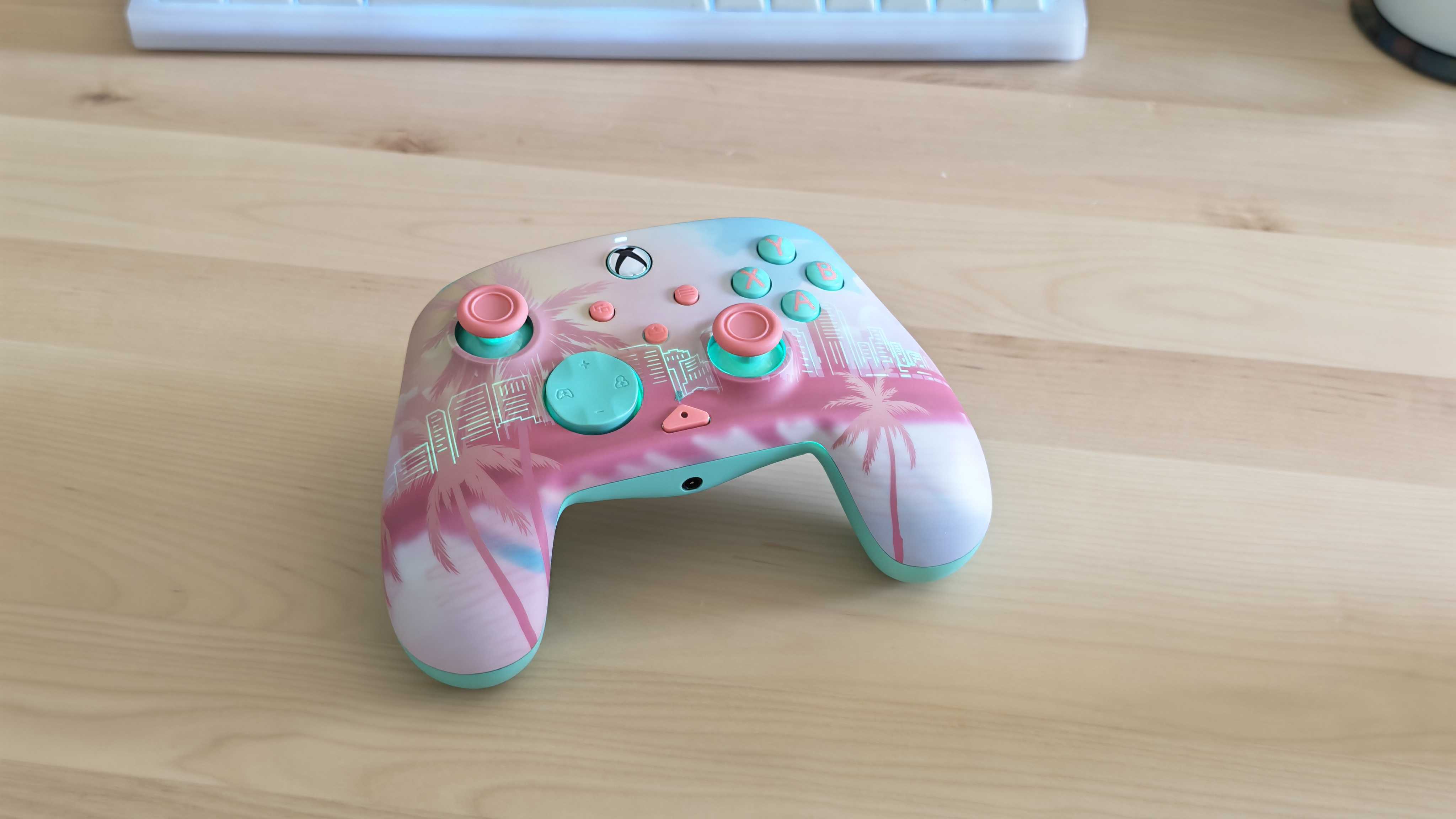
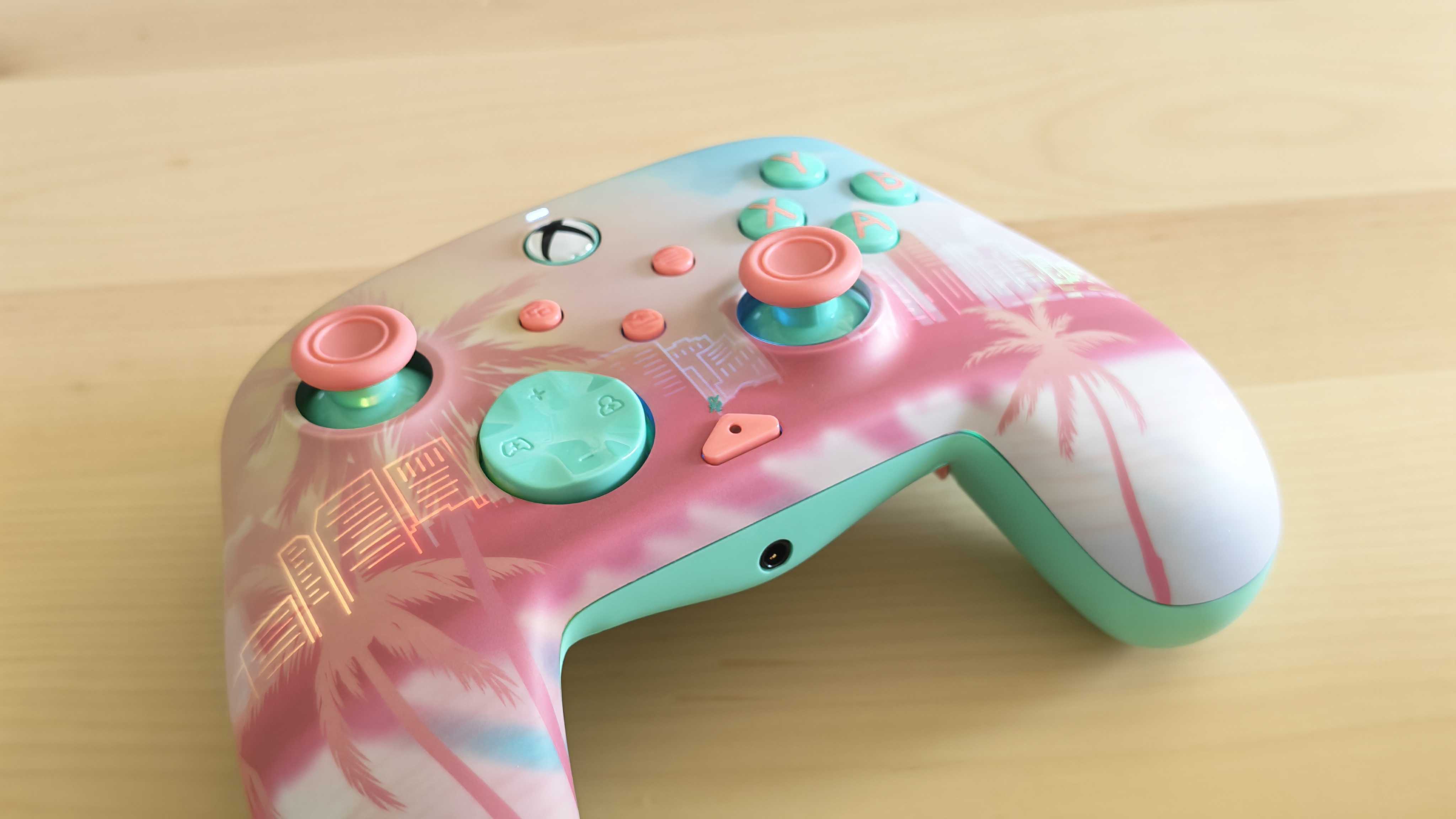
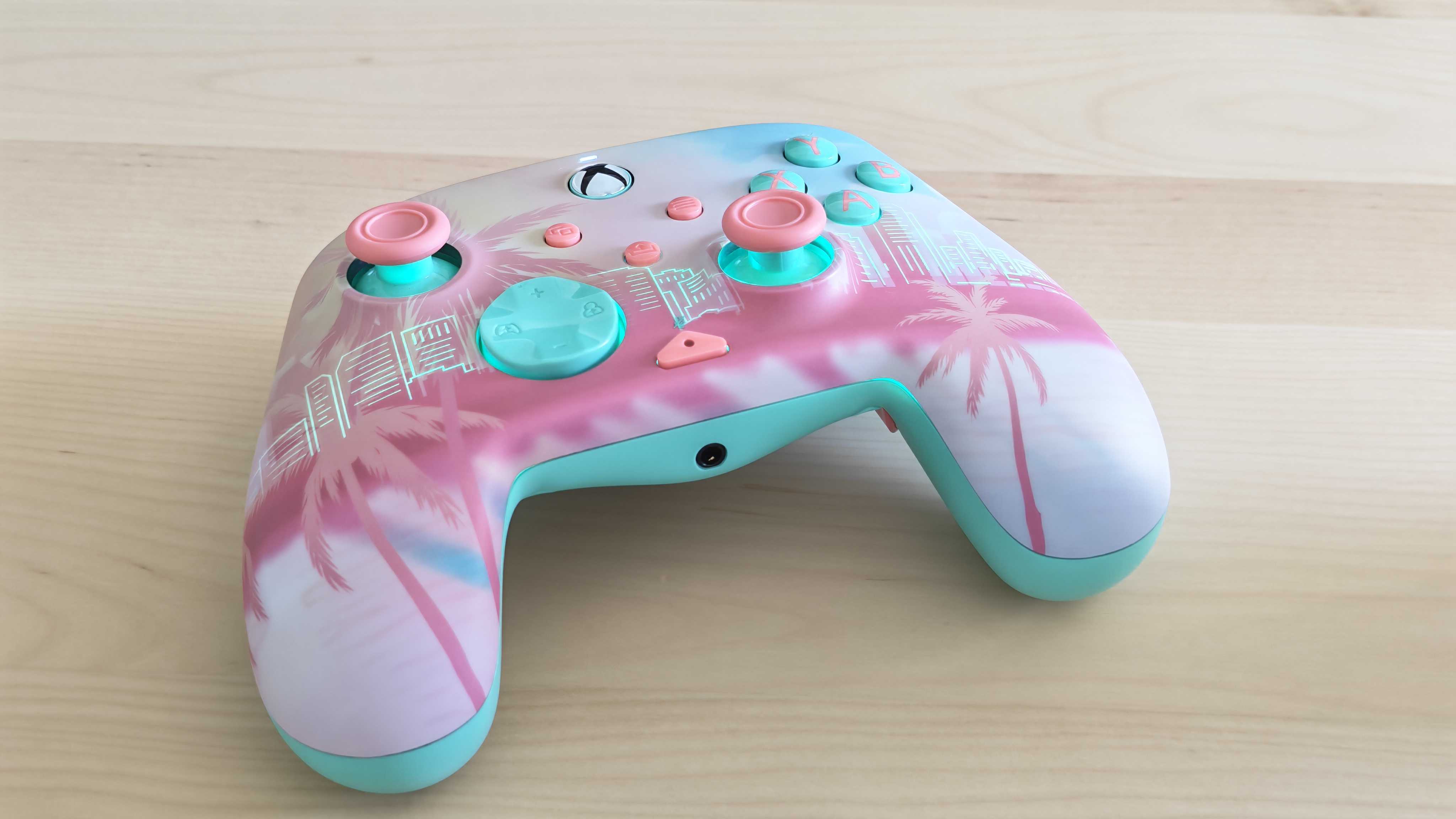
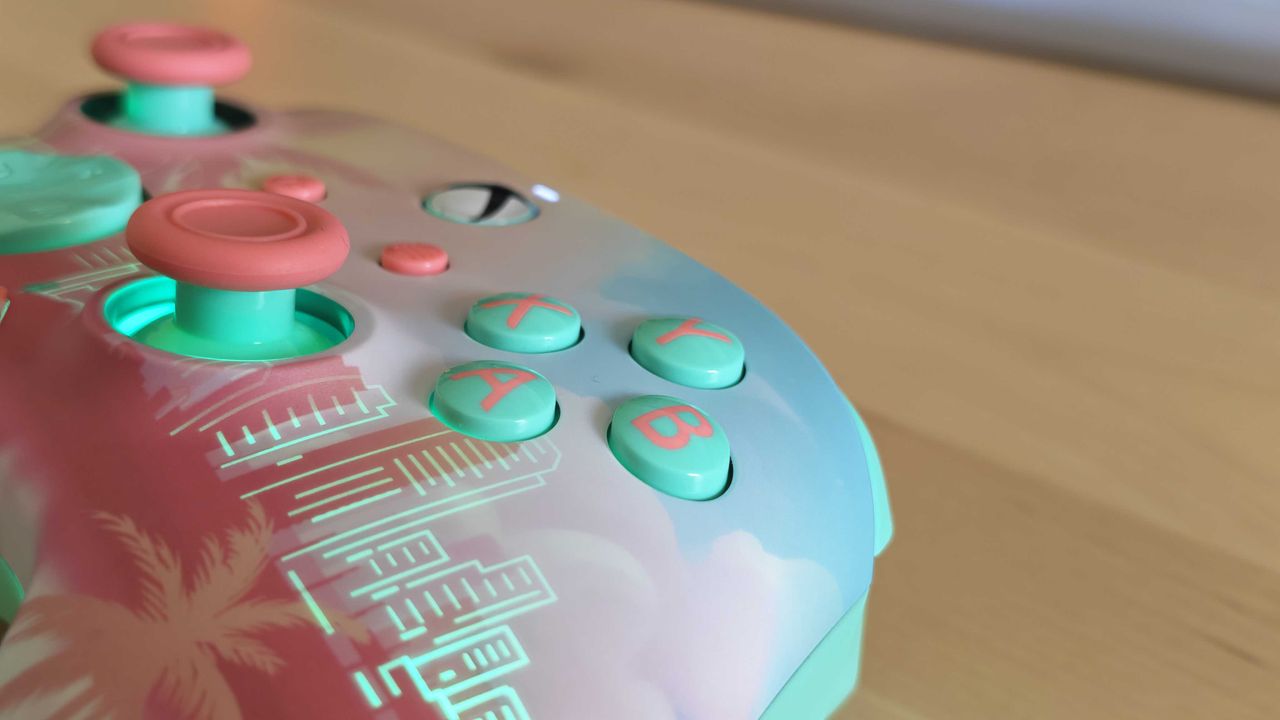
The Turtle Beach Pacific Skyline is the best-looking Xbox controller that I’ve ever tested. The face plate, complete with its illustration of a San Diego skyline dripping with inviting tropical vibes, is gorgeous and pairs wonderfully with the contrasting baby blue buttons and bright pink thumbstick caps.
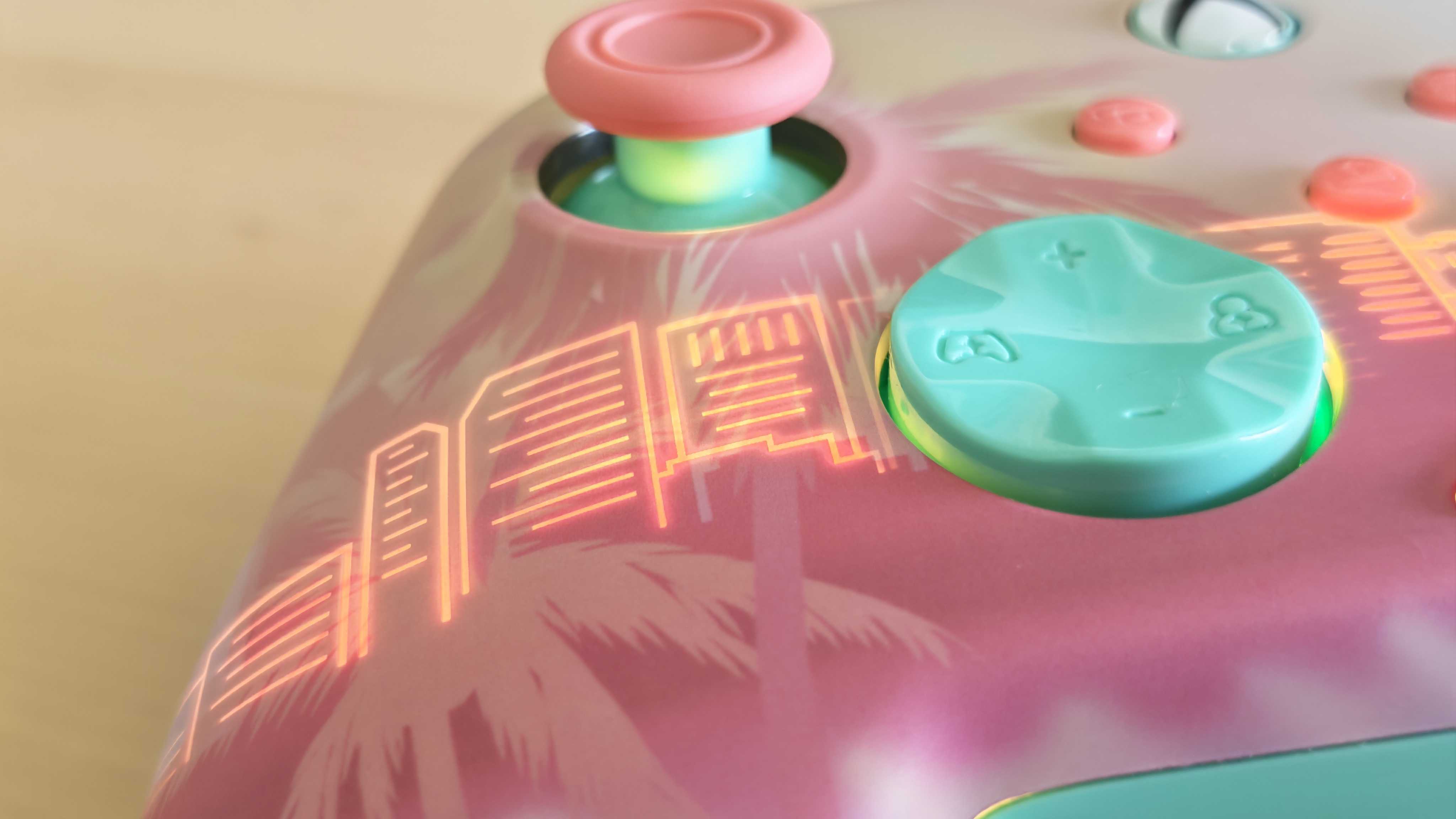
The Pacific Skyline has a hidden trick up its sleeve as well — stunning RGB lighting that illuminates the city’s major buildings when the controller is turned on and can be customized with a variety of colours and presets without the need for any companion software. It’s genuinely a beautiful bit of hardware, and there’s nothing else quite like it on the market.
I’m sure the look was also closely inspired by Grand Theft Auto 6 as it’s very reminiscent of the game’s bright promotional art, and I already know that this will be my go-to gamepad when I venture into the neon-soaked streets of Vice City on Xbox Series X.
The aesthetics are great, but the controller also performs well overall — even if it’s not particularly feature-rich. The TMR thumbsticks are responsive and smooth, the rear buttons are easy to remap on the fly, and the built-in audio controls are genuinely useful and effective, giving you some compelling reasons to choose it over the stock Xbox Wireless Controller aside from just the look.
Yes, there are some controllers with even more features available for around the same price, just look at the GameSir G7 Pro, but you simply won’t find anything that’s this visually appealing elsewhere.
FutureFutureFuture
Turtle Beach Pacific Skyline Wireless Controller: Price and availability
Available in the US and UK
Costs $89.99 / £79.99 / around AU$150
You’re paying a premium for the design
The Turtle Beach Pacific Skyline Wireless Controller is readily available in the US and UK via the Turtle Beach website, where it costs $89.99 / £79.99 (that’s roughly AU$150). This model does not seem to have made its way to Australia yet.
It’s a solid price given the feature set, but you’re definitely paying a bit of a premium for the design, and alternatives like the GameSir G7 Pro deliver more features for the same cost.
Still, it’s worth it if you're considering the likes of the standard Xbox Wireless Controller but are willing to splash out for a nicer and more unique design.
Turtle Beach Pacific Skyline Wireless Controller: Design and features
Stunning tropical aesthetic
Standard Xbox controller form factor
Rear inputs and on-board controls
Out of the box, the first thing you’re going to notice about the Turtle Beach Pacific Skyline Wireless Controller is its beautiful design. Turtle Beach says that the pink and baby blue look was inspired by the ‘Xbox pastel project’ — which saw a selection of third-party gamepads with pastel aesthetics hit the market a few years ago.
I think there’s another clear inspiration, though: GTA 6. Covered in palm trees, with views of a beach and a city skyline (in this case, San Diego, the home of Turtle Beach), it’s a perfect match for the highly anticipated upcoming open-world game.
I imagine this pad is Turtle Beach’s way of getting in on the GTA 6 hype, but that’s certainly not a complaint as I think the result is stunning. The bright colors really pop, and the design is detailed enough to pore over without being too distracting.
(Image credit: Future)
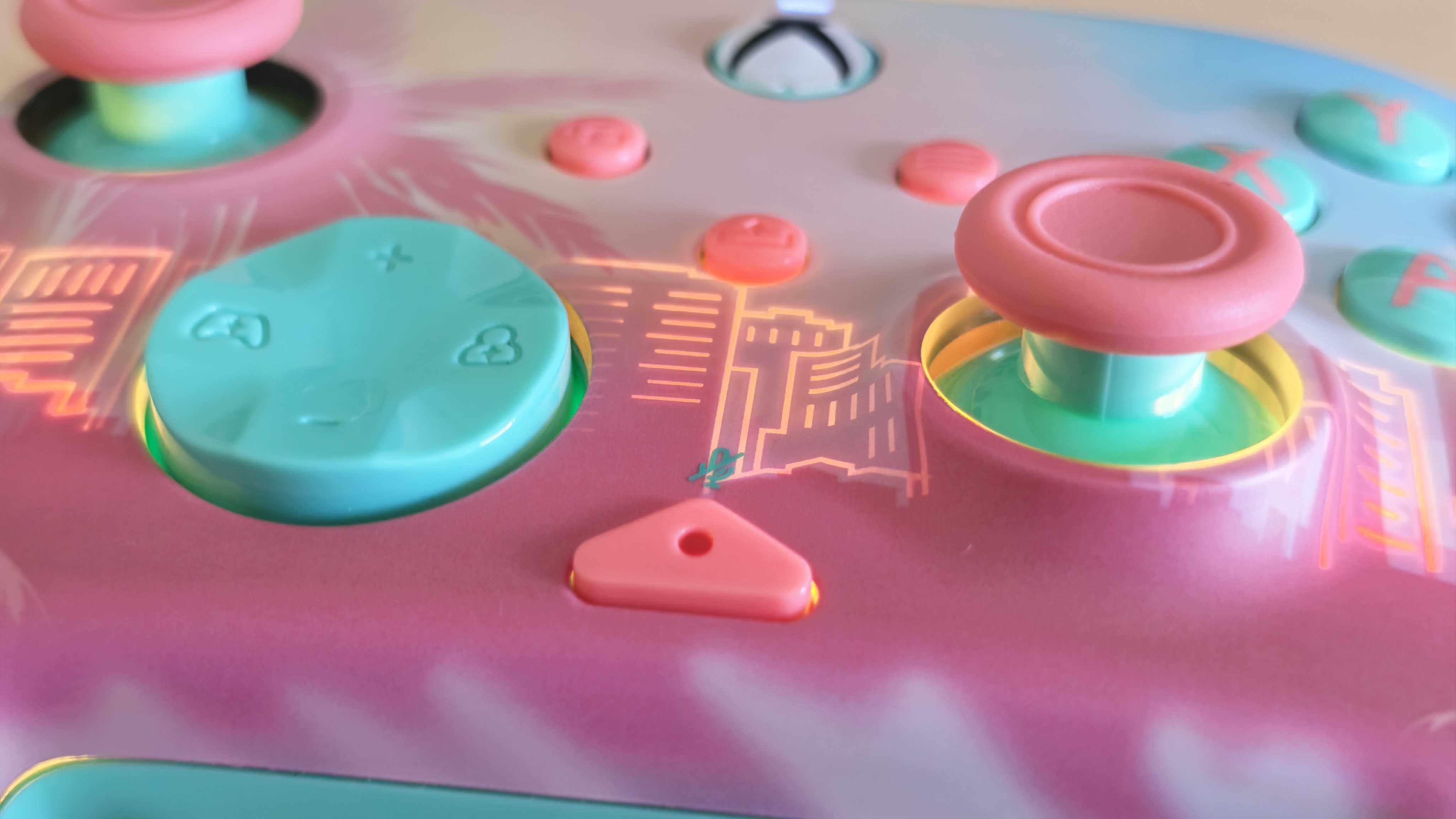
There is also some brilliant RGB lighting when you turn on the pad, which lights up to reveal an otherwise hidden skyline. It looks truly brilliant and surprisingly tasteful, especially if you set it to a static illumination in a custom color.
In terms of layout, the Turtle Beach Pacific Skyline Wireless Controller is very close to the standard Xbox gamepad.
The overall shapes are extremely similar, though side by side you will notice that the Pacific Skyline has slightly softer corners and fatter grips. The Turtle Beach pad does have three extra buttons: a microphone mute button (which can also be pressed to access on-board functions) and two customizable rear paddles.
If you look at the D-pad, you will notice a few small markings. Hold the microphone mute button and tap up or down to raise or lower the volume of your connected headphones, while left and right adjust game chat balance. The controls are intuitive and easy to remember, and genuinely quite useful as it means that you don’t have to fiddle around with system menus to adjust game volume if you’re playing with wired headphones connected via the controller's 3.5mm jack.
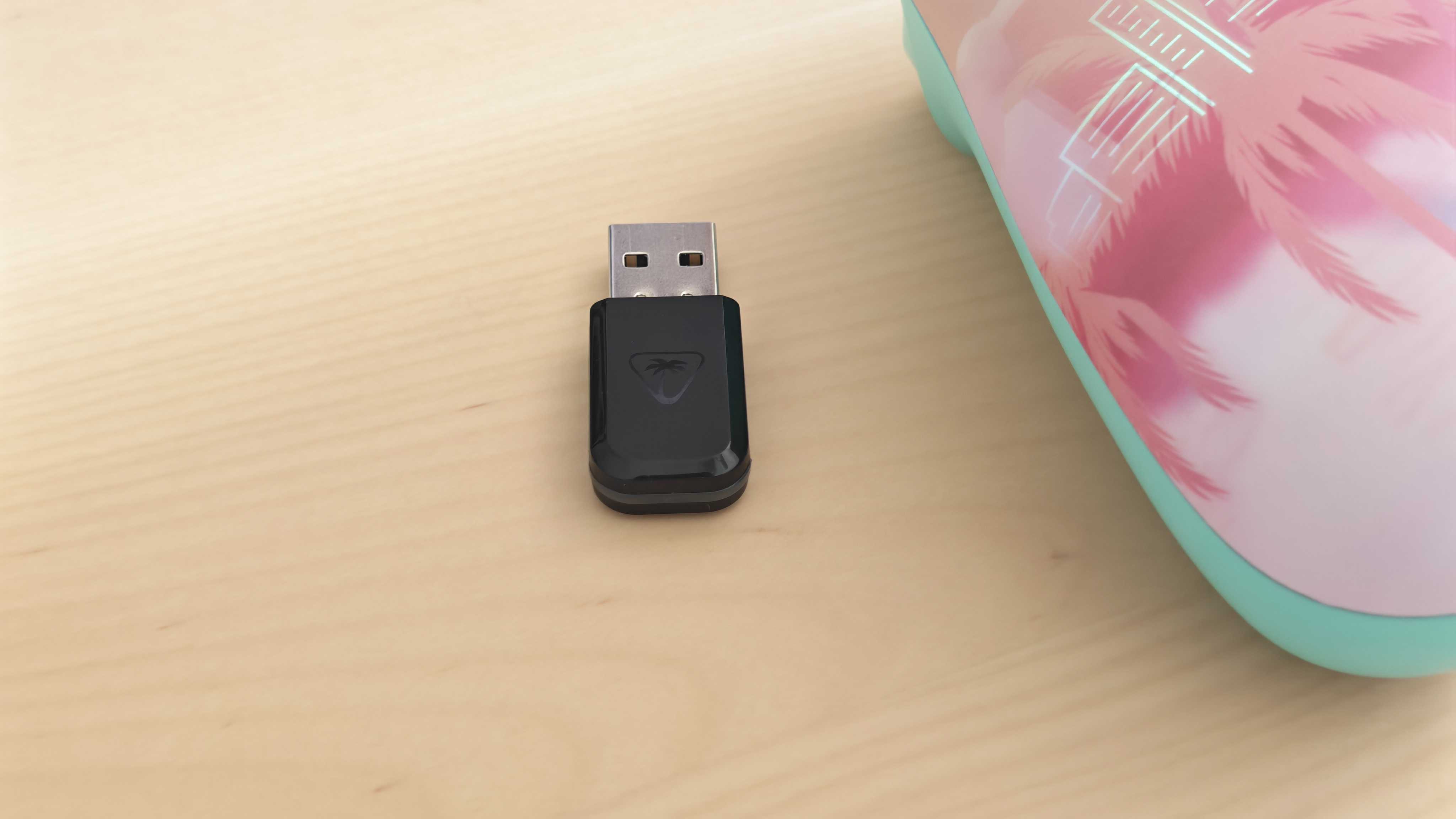
The controller doesn't feature any removable batteries, and is instead charged via a USB Type-C cable. A generous roughly 10ft / 300cm one is included in the box along with a USB dongle. Sadly, neither the cable nor the dongle are pink or blue to match the controller — a missed opportunity to make them stand out against those of other pads.
The Turtle Beach Pacific Skyline Wireless Controller delivers basically everything you could want from a basic Xbox Wireless Controller alternative. The thumbsticks are smooth and responsive, the buttons are satisfying to press and well-sized, and additional features like the volume mixing and rear inputs work just as you would expect.
It certainly doesn’t reinvent the wheel in any respect, but the performance is exactly what you would want and expect at this price. There are more versatile options out there, though I think this is reasonable when, realistically, you’re mainly buying this particular controller for its looks.
The controller is compatible with two pieces of companion software: the Swarm II mobile app and the Turtle Beach - PDP Control Hub. Both offer similar options and are rather basic, mainly there for adjusting vibration strength, remapping buttons, and tweaking thumbstick dead zones.
My only real complaint using the controller is that the materials simply don’t feel as premium as the Xbox Wireless Controller. I think a lot of that comes down to the weight: the Turtle Beach Pacific Skyline Wireless Controller is very light, making it comfortable in the hands but meaning it lacks that reassuring heftiness. The back of the grips is also completely smooth, and I found myself missing the more grippy texture of the original pad.
The Pacific Skyline controller gains back the upper hand with its built-in battery. It lasts for about 20 hours per charge — roughly on par with Microsoft’s pad, all without the need to fiddle with pricey AAs every time you need to top it up.
(Image credit: Future)
Should I buy the Turtle Beach Pacific Skyline Wireless Controller?
Buy it if…
You love the aesthetic There’s simply no controller out there that looks like the Turtle Beach Pacific Skyline. It’s a must-have if you’re enamoured with its appearance like me.
You want a no-nonsense Xbox gamepad The Turtle Beach Pacific Skyline Wireless Controller has fewer features than some alternatives, making it very easy to use.
Don’t buy it if…
You want maximum value The stock Xbox Wireless Controller is cheaper than this model and could be a better choice if you’re on a budget. Performance is similar, and you only miss a few extra features.
Also consider...
Not keen on the Turtle Beach Pacific Skyline Wireless Controller? Here are two alternatives to weigh up.
Turtle Beach Pacific Skyline Wireless Controller
Xbox Wireless Controller
GameSir G7 Pro
Price
$89.99 / £79.99 / around AU$150
$59.99 / £54.99 / AU$74.99
$79.99 / £89.99 (around AU$114)
Weight
7.04oz / 200g
9.76oz / 275g
9.6oz / 272g
Dimensions
6.22 x 4.09 x 2.36in / 158 x 104 x 60mm
6.02 x 4.01 x 2.40in / 153mm x 102mm x 61mm
6.9 x 6.8 x 3.7in / 177 x 173 x 94mm
Compatibility
PC, Xbox Series X, Xbox Series S, Xbox One
Xbox Series X, Xbox Series S, Xbox One, PC, Android, iOS
Xbox Series X|S, Xbox One, PC
Connection type
Bluetooth, Wired (USB-C), 2.4Ghz wireless dongle
Wireless (Xbox, Bluetooth), Wired (USB-C)
Wireless (2.4GHz, Bluetooth), Wired (USB-C)
Battery life
~20 hours
20-40 hours
Around 12 hours
Xbox Wireless Controller The stock Xbox Wireless Controller is a decent alternative if you're after a cheaper Xbox or PC controller. You lose the remappable rear buttons and the lovely design, though.
GameSir G7 Pro The GameSir G7 Pro shows that you can get even more features for the price of the Turtle Beach Pacific Skyline Wireless Controller. It offers a 1000Hz polling rate and dual-mode triggers
Throughout my time with the controller, I compared it to my hands-on testing of other Xbox controllers, including the standard model and those by competitors like GameSir and PowerA.
I've been an avid PC gamer since the early 1990s. My first computer, bought specifically to play Star Wars: X-Wing, was a plucky 486DX running at 33MHz (cutting-edge at the time — well, only behind the 486DX2, but that was too pricey). I have fond memories of playing Doom on the office LAN and getting addicted to Quake when online gaming began (thanks to QuakeWorld, which made dial-up modem play viable as opposed to an utter lag-fest).
I could ramble on with nostalgic gaming recollections, but the point is I played Quake obsessively — to a high competitive level in a clan — then I lived and breathed EverQuest for several years, and down the line, I was totally lost in World of Warcraft for another few years, and so on.
I've always been a PC gamer, through and through — I did swear off MMORPGs, mind, as I can't be trusted not to lose large chunks of my life to them. From time-to-time, I've owned a console too, but it's always been by backup, second-string gaming machine, used sparingly.
Not anymore, though. My PC is now used just for work, and I haven't played a game on it for a year or so.
I am now, officially, a PS5 gamer. A console is my main gaming machine for the first time in my life. So, how did that happen?
A vow revoked and a lesson learned
(Image credit: Future / Isaiah Williams)
If you happen to have read my past articles, you may recall that at the end of 2024, I vowed I wasn't going to buy a PS5 Pro last year. My masterplan was to avoid purchasing a new console, and use my gaming PC on the main TV in the living room for couch co-op sessions with my wife instead, while still being able to game in the study with my computer if I wanted.
Then came Black Friday in November of 2025, and I did a complete 180. I pulled the trigger on a good deal on a PS5 Pro bundle.
What changed during the course of 2025? Firstly, I realized that running cables from a PC in the study through to the living room TV is more of a hassle than I'd anticipated. Getting everything set up at the end of each week, ahead of my weekend gaming sessions, quickly became tiresome.
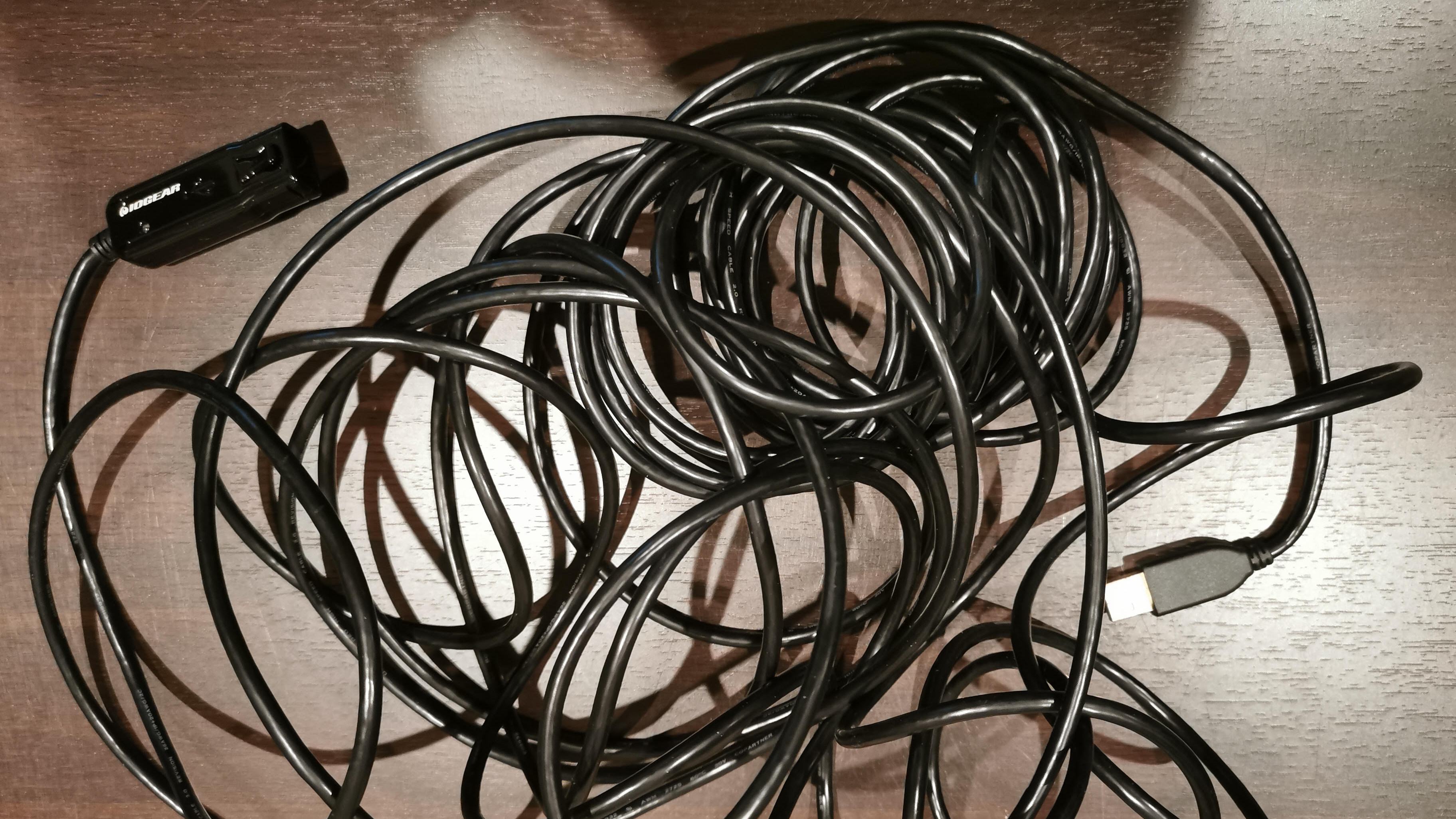
Moreover, I found my long HDMI cable wasn't reliable enough. The picture on my Sony OLED TV kept flickering, which was maddening, frankly. And for no apparent reason, too — sometimes it'd happen, sometimes it wouldn't. I never found out why. I also had occasional issues with my game controllers (typical PC hardware gremlins that were perfectly resolvable, but still a pain).
(Image credit: Future / IOGear)
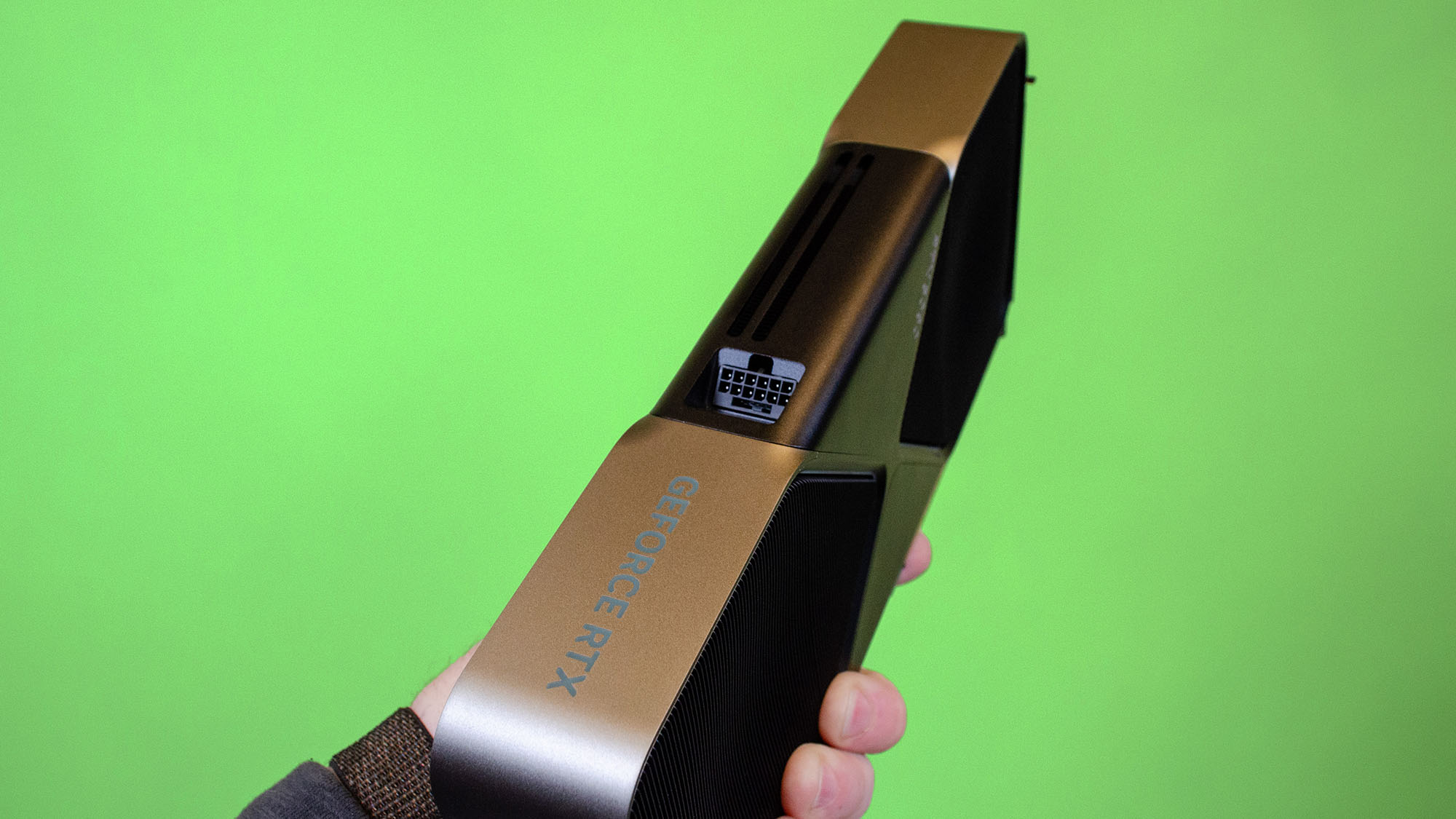
On top of that, having held off on buying a GPU upgrade for my PC — my plan for the money I would've spent on a PS5 (and did eventually spend on the console) — I was put off by issues around the RTX 5070 when it arrived. This was the graphics card I really had my eye on, but it was a disappointing incarnation in terms of its performance upgrade (and that 12GB of VRAM). The initial above-MSRP price only rubbed salt into these wounds.
The prices of AMD's rival GPUs were off-putting, too, in the early days of RDNA 4 — although that did change, and I came close to buying an RX 9070 XT when pricing finally settled down.
However, at that point, it was too late. I was already frustrated with my whole piping-the-PC-from-the-study situation, and by the time that Black Friday PS5 Pro bundle bargain popped up (it really was a great deal), I just couldn't resist.
I absolutely don't regret that decision, nor am I upset about buying a console with the money that was earmarked for upgrading my ailing RTX 2060 Super. That's not to say I don't miss some things about PC gaming, or that I'm not super-annoyed about Sony's latest stunt regarding discs.
I'm going to cover both sides of this gaming coin here. First, I'll tell you why I'm loving my time with the PS5 Pro now, before discussing what I don't like on the Sony side of the fence, and the clear, undeniable strengths of PC gaming.
PlayStation bliss
(Image credit: Sony)
I did own a PS4 Pro before — as my second-string gaming device, backing up my PC — and it's striking just how much slicker the PS5 Pro is. For one thing, I found my PS4 Pro to be the noisiest console I've ever had, by far. It was noisier than any PC I've owned, and some vacuum cleaners for that matter.
The PS5 Pro is nicely quiet, super-fast to boot up, and more importantly to wake and sleep. This means it's dead easy to fire up the console for a very quick gaming session if I only have 10 minutes to spare and just want to dip into something briefly, or to pause a session (put the console in rest mode) if I need to pop out. It all feels very seamless, and there's not a snaking USB extension cable or HDMI lead in sight.
Visually, everything looks top-notch on my 4K OLED TV, too. Baldur's Gate 3 — yes, I was very late to the RPG — looked nothing short of fantastic, and the PS5 allowed me to play the adventure co-op with my wife in what was the best co-operative gaming experience I've ever had. Being able to dip in and out so easily, as we cooked dinner, then ate, then fed the dog, going back and forth to the living room in-between, was a major boon.
The PS5 has reminded me just how good couch co-op can be, and I've been enjoying indie games like Dysmantle, which has same-screen co-op (like Baldur's Gate 3). We've been playing a bunch of these games — it's the Diablo 4 expansions next, if you're curious (we played the base game on PS4, so I'm keen to see how good the game looks on its successor console).
The PS5 controllers were an unexpected bonus, too. They're so much better than the PS4, and they even fit my wife's smaller hands (she finds many controllers too big and painfully cumbersome, but not the DualSense).
Of course, a clear benefit of the PS5 over the PC is that there's no messing about with GPU drivers. By which I mainly mean poring through Reddit 'megathreads' worrying about whether the latest Game Ready installment is actually going to be a step backwards for my PC, perhaps in terms of performance for a particular game or bugs (or broken features). Windows 11 bugs are another issue, too. (Yes, there can be software glitches on the PlayStation, but nothing like what some PC gamers must endure at times.)
(Image credit: Future)
Then there's the RAM crisis. Buying PC components is just getting more and more painful. Obviously RAM and SSD prices are through the roof already, but PC gamers waiting on a GPU upgrade (as I was) are facing unpleasant hikes due to the price of video memory (VRAM). Indeed, the latest rumor from YouTube channel Hardware Unboxed is potential price hikes to the tune of 40% in some cases with Nvidia GeForce GPUs. Add plenty of seasoning with that assertion, of course, but it's clear enough that GPUs are getting pricier due to VRAM increases, especially for graphics cards loaded up with more of this memory (naturally). CPUs are in line to get more expensive, too.
The crisis in general is predicted to intensify as this year rolls on, and 2027 could be worse still — perhaps the worst ever year for the memory industry, alarmingly. With no need to upgrade my desktop, I'm glad to be out of this gloomy environment of spiraling costs. The situation has turned planning PC upgrade paths, which used to be a rather fun, sometimes even exciting, exercise, into a thoroughly depressing experience.
You might now be shouting at your screen about Sony hiking PlayStation prices, too, and that's a fair point. But I won't have to worry about upgrading my console, and it will happily sit in my living room for the next few years, blissfully not needing any new components (while my work PC can carry on happily with its RTX 2060 Super).
Granted, that's just my personal situation, and if you are thinking about buying a Sony console, with the new price of the PS5 Pro, I don't know if I'd recommend pushing for it over the vanilla PS5 now. (I got mine on sale for about 60% of the current lowest retail price). The base PS5 is still a great console, though, and it'll likely make a lot more sense for the average gamer — especially come Black Friday, when with any luck, there'll be some good deals around once again.
PC strong suits
(Image credit: Shutterstock)
There are a good number of plus points for PC gaming versus consoles, so as promised, I'll examine the other side of the equation here, and pick out what I particularly miss.
There are some notable downsides with console gaming, including that you need to pay for a subscription to access online multiplayer (in the main, although obviously that doesn't include free games like Fortnite). This doesn't bother me personally because I don't really play online anymore — as I said early, it's mostly about local co-op for me these days. But I totally get why having to pay for a monthly plan irks gamers who want to play the latest shooter, strategy epic, or whatever else, online.
What does bother me, though, is the price of the actual games on the PlayStation. One of the major strengths of the PC is that games are cheaper than they are on console, from big-name releases (which still command a weighty premium... just not as hefty as on consoles) through to a raft of indie titles, which are often very competitively priced.
Not only this, but you get regular Steam sales where some games get huge discounts (and you can pick up older titles in particular for a song), or value-crammed GOG bundles, and also the likes of Epic giving away some compelling offerings for free. You don't get any of this on the PlayStation, and Sony's store does seem to like to charge a lot, even for older titles. For me, this is probably the biggest drawback with shifting over to being a PS5 gamer.
A recent development compounded the situation, too, when we learned that Sony is doing away with physical discs for the PlayStation. I was already aware of the situation with the price of PlayStation games, of course, which is why when I bought my PS5, I chose a bundle with a disc drive.
That meant I could pick up, for example, the physical disc copy of Split Fiction for 40% less than the digital copy on the PlayStation Store. I can also currently purchase second-hand, older games on disc at a considerable saving. But all these possibilities are heading rapidly out the window when 2028 rolls around, and Sony enacts its plan to push physical media completely aside with the PlayStation.
(Image credit: Future)
I won't go into this controversy in depth here – we've covered it extensively elsewhere — but suffice it to say that I'm not happy about the idea at all, and it feels like a cynical and generally anti-consumer practice. And no matter how many gamers sign petitions (here have been a lot) it doesn't seem like Sony is going to backtrack on this one (aside from maybe niche collector's editions or the like, and if we're lucky enough to get those, they will of course cost a fortune).
You could argue that the PC is digital-only already: desktops don't come with disc drives anymore, those days are long gone. But what Sony is doing is quite different, given that PC gaming is an open platform bristling with different stores and options for digital purchases, whereas Sony has the PlayStation ecosystem locked down to its store. With physical media banished, a key choice and avenue for money-saving (don't forget, you can also recoup money by selling on your disc copy of a game) is removed, and Sony has an unhealthy level of control over the whole shooting match.
Okay, so I don't feel like the PlayStation disc drive I bought is useless — it'll be good for a long while yet, and I'll still be able to play older games on it, including my PS4 back catalog, plus I can use it for Blu-rays. Regardless, this Sony decision is a painful kick in the shin.
Finally, another obvious plus point for PC gaming is the variety of mods floating around and customization possibilities in general, which you don't get with a console. The PC is quite simply a more open platform all-round — although in my case, modding isn't something that I'm all that into anyway.
Disc-less Elysium
(Image credit: Shutterstock / Mohsen Vaziri)
Let me finish by pointing out the obvious: a lot of this is very subjective. You may have quite different opinions. You might live and breathe mods. You might want games to look out-of-this-world, with visual options cranked to the max (and be able to afford the necessary PC hardware to achieve that). You may never want to play a shooter without a mouse and keyboard (I get that one, but I'm okay with a controller now — and I don't play competitively anymore).
You may never, ever, abandon your gaming PC. They may have to extract it from your cold, hardened claws after rigor mortis has set in, having expired clutching the object you love most in the world, in the hopes somehow taking it with you into the afterlife.
The point is, there are all sorts of pros and cons to be tailored for your own personal take on the gaming PC versus console debate. But for me, I'm really happy with my PS5 and I am looking forward to enjoying my living room, and co-op, gaming experiences for years to come... discs or no discs.
Microsoft Flight Simulator 2024 has become a bit of a meme in my house. It’s basically the only game that my non-gaming partner and I were equally excited about on its release. Every time I’ve gotten my hands on a new gaming machine, the immediate question was ‘can it run Flight Simulator?’, to which the answer was always, regrettably, no.
Which is why when I recently picked up a second-hand Xbox Series X and subscribed to Game Pass Ultimate, there was a lot of excitement when I realized we could finally play Flight Simulator in all its graphical glory. I jumped at the chance to finally lose my chocks, slip the surly bonds of earth, and crash my plane into the face of god.
What a wonderful world
(Image credit: Microsoft)
My eldest brother was a bit of a Flight Sim nerd back in the day. So my impression of flight simulators was pretty firmly defined by their late 1980s incarnations — essentially just some flat polygons and super-aliased lines in two-point perspective, accompanied by a bunch of truly incomprehensible dials. Having utterly ignored the development of flight simulators ever since, it’s safe to say that when I saw how far they’d come in the last almost four decades, it was a bit of a shock to the system.
A lot of the praise that was heaped on Flight Simulator 2024 when it was released centered on how gorgeous the graphics were. And even playing now, some two years down the line, that praise holds up. Lighting effects are exquisite, with sunsets over enormous bodies of water like Lake Titicaca looking almost absurdly true to life. Weather effects and realistic day/night cycles only emphasise this, making the world around you feel fluid and organic.
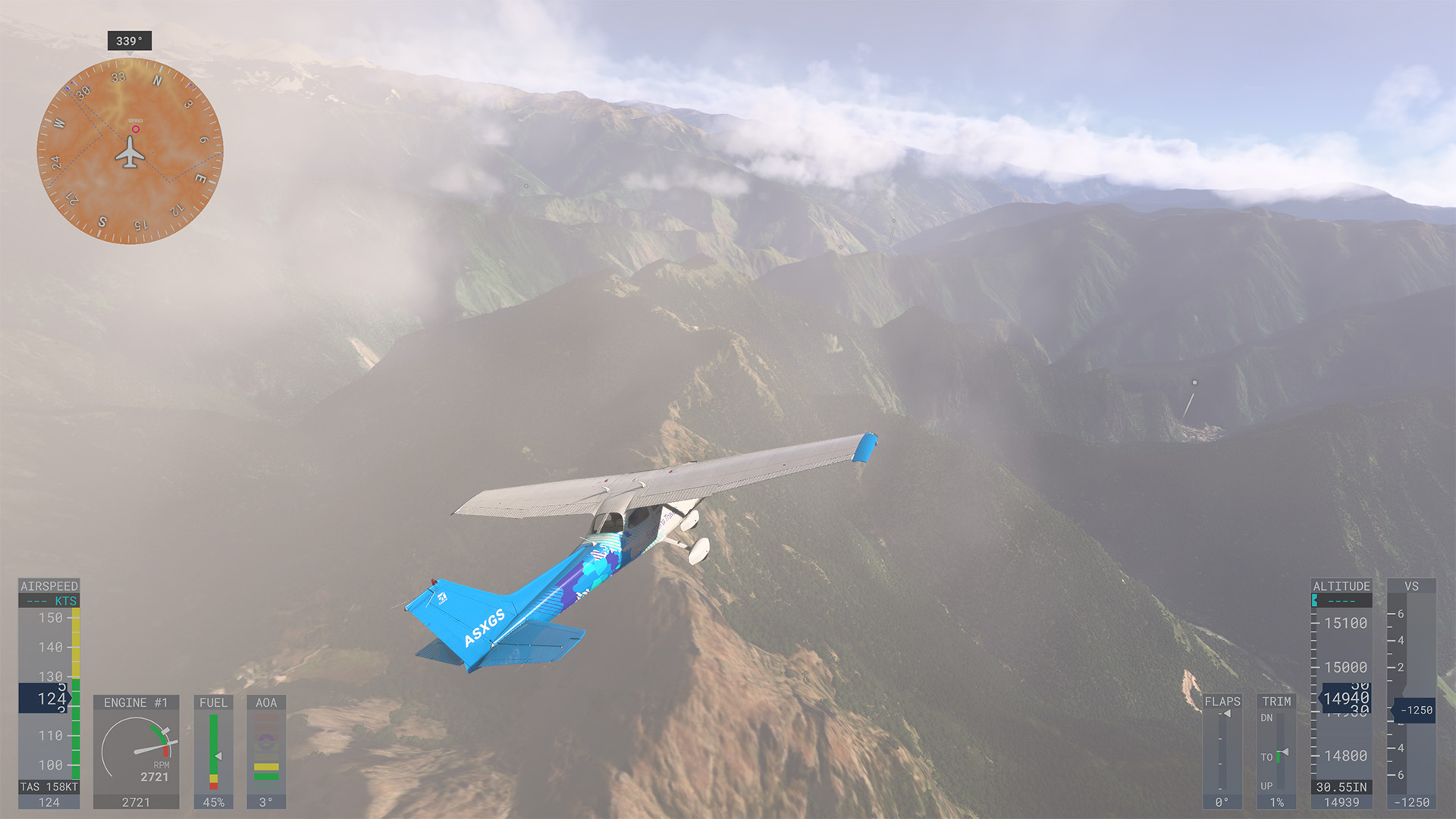
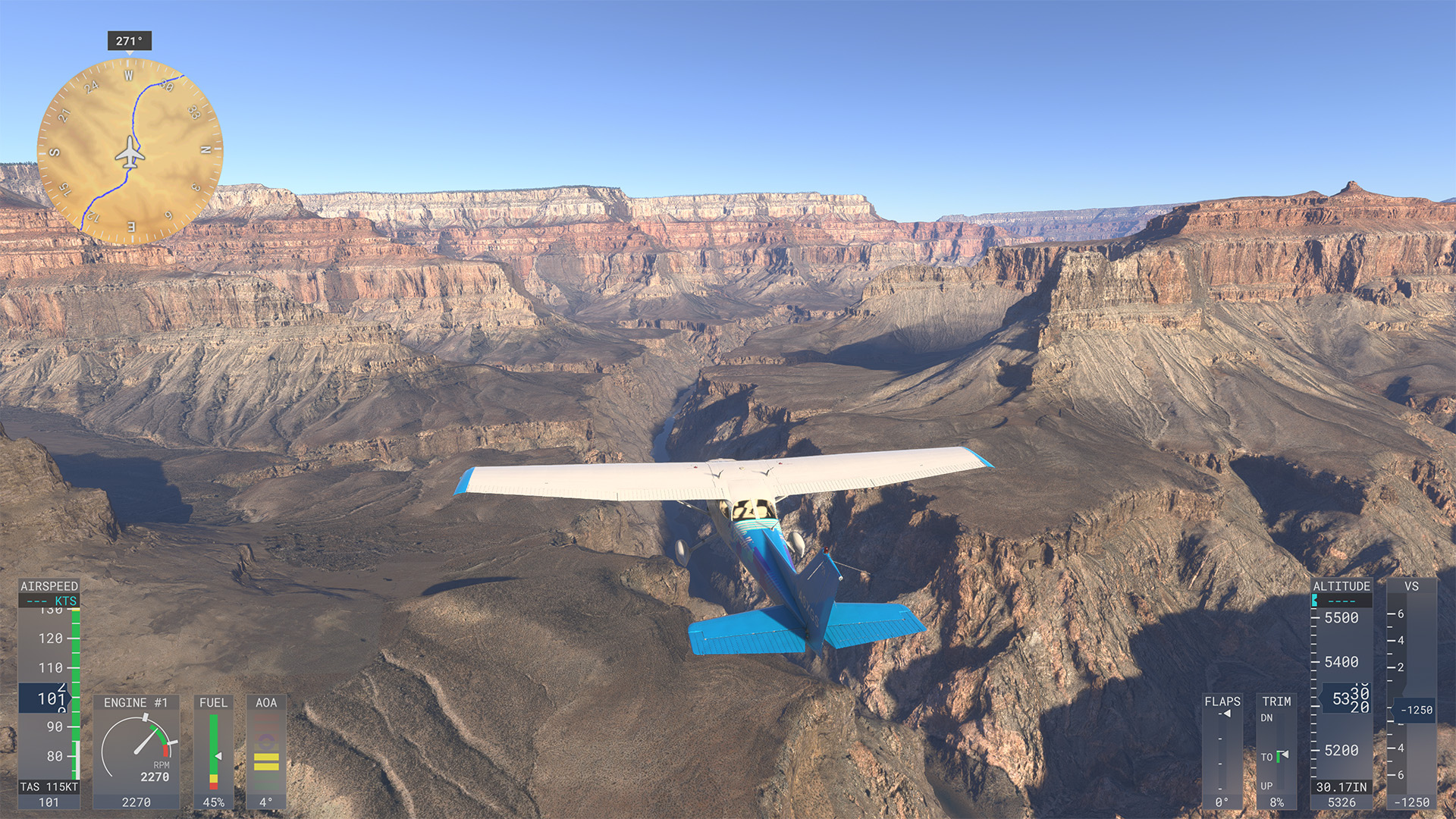
But the biggest graphical draw for me is knowing that there’s a whole world meticulously rebuilt from satellite data for me to soar over. Flying down the Grand Canyon, the scale is still absolutely breathtaking, and I couldn’t resist the temptation to gun my little prop plane down over all the rapids in the Colorado River. Likewise, when I flew over Machu Picchu, the landscape is truly stunning, and there’s a real joy in winding along the surrounding valleys, watched over by lofty mountains. The level of detail is genuinely mind-blowing.
(Image credit: Microsoft)
While cities aren’t quite as perfectly rendered as the landscape — the game’s algorithm makes a lot of assumptions when filling in the gaps from the satellite data — visiting places you know well is genuinely a bit uncanny. I landed my little prop plane in my street, and it felt a little surreal to stare at my own front door when I was sat mere feet away inside. Flight Sim also does a wonderful job of recreating local landmarks: it was so fun checking out Bath’s Royal Crescent, even if the game’s algorithm insisted on popping little corner shops at the base of every Georgian townhouse.
Given it’s based on satellite data, some areas are a little less exciting than others. For example, I decided to check out the thick Congolese rainforest and was rewarded with a flat, unbroken canopy for 100 miles in every direction. I know, right? Bro shocked a rainforest contains trees. But not every journey is going to be a scenic smorgasbord, so some flights are going to be more droolworthy than others.
Still, playing Flight Simulator 2024 is one heck of a visual treat. And I would regularly fire up the game just so I could check out a favorite landmark or explore a new patch of sky.
Brace for landing
(Image credit: Microsoft)
Okay, so we’ve established that Flight Simulator 2024 is a very pretty game. But there’s a reason there are as many flying enthusiasts working toward getting their pilot’s license as there are casual sightseers playing the game. Because, underneath all the gloss and sheen lies the cold steel endoskeleton of an unflinchingly brutal simulator.
Having invested 12 hours in Flight Simulator 2024 so far, I’ve gone from being truly, hauntingly terrible at it to simply being really bad. Honestly, I’ve heard the word ‘stall’ so many times at this point, I’ll likely still wake up with it echoing in my ears in my sweat-drenched retirement home bed some half a century from now. Even though I’ve now qualified for my commercial licence, I feel nothing but pity for the virtual passengers that board my plane, as I know they have at best a 40% chance of reaching their destination in one piece.
Part of the reason for this is that the simulation is just staggeringly realistic. There’s an enormous number of variables to manage, all of which you can manage via controller shortcuts or direct from the cockpit controls, if you really want to double down on the masochism. Get the balance of these slightly wrong — for example, getting your pitch a few degrees off or mismanaging your throttle — and you’ll find yourself losing height too fast or hearing the Cessna 172’s dreaded ‘stall’ warning.
(Image credit: Microsoft)
Don’t get me wrong. I’ve stopped making truly cringeworthy mistakes. I no longer get screamed at by air traffic control for failing to radio for clearance to hit the runway or drop out of the air ten seconds after takeoff because I’ve set my throttle too low. I’m pretty good at using trim to maintain my attitude while at cruising altitude, and I can comfortably use dead reckoning to navigate my way along my intended flight path.
But I still find landing a painful and protracted process of plate spinning that I understand in principle and yet rarely manage to nail in practice. I think I’ve hit the perfect glide path, only to find myself coming in far too low, forcing me to gun my throttle like Maverick just to avoid myself ending up a smear on the cliff face. Or I execute what I think is the perfect flare to raise my nose as I hit the tarmac, only to realize I’m going too fast and rapidly jackknife my plane face down into the runway. As Douglas Adams remarked, it’s not the fall that kills you: it’s hitting the ground at 85 knots.
All of this sounds like it should be deeply frustrating. And it is. But it’s also weirdly compelling: the more I flop off the end of the runway like a cat dripping off the edge of a table or bounce around on the tarmac like a drunken rabbit on a trampoline, the more I double down and want to nail it the next time. Because there’s something exciting about the unlimited horizons beckoning you onward.
The Nintendo Switch was nothing short of a phenomenon. It won the hearts of millions, possesses one of the greatest games libraries in console history, and became one of the highest selling systems of all time. It brought the best parts of its failing predecessor, the Wii U, forward, assuming an ultra-convenient hybrid form, and during the COVID 19 pandemic, it felt like everyone and their dog were building their perfect island on Animal Crossing: New Horizons,or racing to the finish line in Mario Kart 8 Deluxe.
All of that is to say, that whatever came next would have huge shoes to fill. And so, in came the Nintendo Switch 2 — a system that appeared to be less of a revolution, and more of an evolution. It took what made the Switch great and ran with it, offering higher resolution and refresh rates, a larger screen for handheld mode, and even a mouse mode.
And in some respects, the Switch 2 has hit the ground running. It’s the second-fastest selling games console in recorded US history, and at just over a year old it's already seen multiple exclusives (such as Donkey Kong Bananzaand Pokémon Pokopia) release to critical acclaim. But at the same time, some have been disappointed over the lack of a 3D Mario or truly new Zelda title on the horizon, while issues around battery life and pricing have also proved to be a turn off for others.
So, this got me thinking. Would gamers consider the Switch 2 to be more of a hit, or a flop? Sure, its sales figures have been impressive, but are users satisfied with the hardware upgrades? What are their thoughts on its game catalogue?
I spoke with industry experts, fellow journalists — and most importantly, you, our wonderful readers, and it proved to be a fascinating experience. I heard a lot of varying viewpoints, and now I’m here to report back.
Hit or miss: the expert take
(Image credit: Future / Nintendo)
To begin with, I spoke with Mat Piscatella, Executive Director of Games at the Market Research firm Circana, who had some excellent insight into the commercial performance of the Nintendo Switch 2.
“Well, over its first 12 months in the market, Nintendo Switch 2 hit 5.9M units sold in the US,” Piscatella told me.
Did you know TechRadar now has membership?
(Image credit: Future)
Become a TechRadar Insider by simply clicking 'Join Now' at the top of this page. Have a question? Please email membership@techradar.com
This, he noted, ensured it became the second fastest-selling video game hardware in the US since Circana’s records began in 1995 — finishing behind the Game Boy Advance only. “If that's not considered a hit, I'm not sure what would be,” he remarked.
“For the 2026 year-to-date period ending May, US hardware spending in total was up 37% compared to the same period a year ago,” Piscatella said. He stated that this was “entirely driven by Nintendo Switch 2 as double-digit percentage sales declines were experienced across the other in market platforms”.
With one year in the books, it would be hard to ask for much more when it comes to the sales performance of the Nintendo Switch 2
Mat Piscatella, Executive Director of Games at Circana
So far so good, then, for Piscatella, who also highlighted the benefit of the Switch 2’s backwards compatibility — giving users access to thousands of unique titles from the original system.
He did flag that June date may indicate “tough year-on-year comp for the system,” largely due to sales being compared to the launch month. “After that we should see Switch 2 continue to perform well into its announced September price increase. Then we'll have to see what happens."
What does the TechRadar team think?
(Image credit: Future / Nintendo)
The early signs have been promising, commercially speaking, but our Managing Editor of Social & Engagement (and Nintendo enthusiast), Josephine Watson, says that “the Switch 2 needed more than sales to break Nintendo’s generational curse of yo-yo-ing console success. It needed sticking power”. So, one year on, has it stuck the landing?
She argued that the Switch 2’s weaker holiday sales and subsequent production cuts suggest that “the console has yet to prove its mettle in the same way the first-generation [Switch] did, even with such high sales figures in its first year.” Despite this, she did acknowledge the mid-lifecycle boom that the OG Switch experienced, largely due to the release of Animal Crossing: New Horizons during the pandemic.
In terms of games, Watson had a somewhat mixed take, arguing that the Switch 2 had “a concerningly hollow launch title line-up carried mostly by Mario Kart World,” though she did suggest that the system gained momentum moving into the new year, especially with titles like Pokémon Pokopia and strong third-party additions like Resident Evil Requiem.
Is the Switch 2 a success one year on for Watson? “No — but yes, kinda,” she said. She lamented the lackluster battery life and pointed to how Nintendo could’ve done more to eradicate stick drift from the Joy-Con 2 controllers, but did express satisfaction with the improved processing power and refined eShop. And even though her views on the game library haven’t been entirely positive, the Legend of Zelda: Ocarina of Time remake, scheduled for release in 2026, “is the game-changer,” she said.
TechRadar Senior Writer, Hamish Hector, admitted that he was “a little skeptical” of the Nintendo Switch 2 — both a little before and a little after its launch. But since grabbing one in the latter stages of 2025, those worries seem to have largely dissipated.
“It has cemented itself as my go-to gaming handheld,” Hector told me. “While it doesn’t have the raw power or library breadth of my Asus ROG Xbox Ally X — a handheld gaming PC with access to Steam’s vast suite of games — the Switch 2 does still boast a solid selection of AAA ports, incredible first-party hits and superb indie darlings”.
He noted how some AAA third-party ports have varied in quality, although hit the mark more often than they miss, and most issues manifest themselves as simple “graphical performance hitches” rather than “anything majorly frustrating”. He even hailed the Switch 2’s value for money, emphasizing that “At $449.99 / £395.99 it’s much more affordable than any worthwhile PC handheld, and even after its upcoming price hike to $499.99 it’ll still be a solid pickup”.
Here’s what our audience has to say
(Image credit: Future)
We’ve heard a range of views so far, albeit generally positive ones. It feels as if the general consensus is that the Nintendo Switch 2 has been an overall success, with a strong start in terms of sales and a commendable library to match. But I was most excited to hear from were you, our audience. So, I asked, and you answered: here’s whether you considered the Switch 2 to be a hit or a flop.
I asked our audience about their feelings on the Switch 2 across multiple platforms. With our poll here on the TechRadar website and over on WhatsApp, users were given four choices: 'It’s a hit'; 'it’s pretty good'; 'it’s a little disappointing'; and 'it’s a flop'. We got 892 votes, and the breakdown was as follows.
Is the Nintendo Switch 2 a hit or a flop? Main poll results
Response
Votes (raw numbers)
Votes (as % of total)
It’s a hit
224
25.1%
It’s pretty good
197
22.1%
It’s a little disappointing
378
42.4%
It’s a flop
93
10.4%
Over on YouTube, we wanted to try a more direct approach and gave our audience only two options: hit or flop. We received 446 votes (at the time of writing), with 61% selecting ‘hit’, and 39% going with ‘flop’.
But what do these results actually tell us? At a glance, the picture seems pretty divided. Across all of our polls on our website, WhatsApp, and YouTube, we received 1,338 responses. Of those, 693 (51.8%) were generally positive on the Switch 2 (respondents called it ‘a hit’ or ‘pretty good’), whereas 645 (48.2%) were generally more negative (respondents either selected ‘it’s a little disappointing’ or ‘it’s a flop’).
Over on our Facebook page, the reasons for such division became clear, with a wide range of differing opinions floating around.
Of course, the very meaning of ‘hit or flop’ in itself can be interpreted in a number of ways. One commenter, Andreas Carmblad, stated that “hit or flop is reflected in the sales figures,” suggesting that Nintendo’s new console has been a success so far.
Others were more focused on the quality of the system’s software lineup, with most talking up the first-party line-up — though one commenter described the current set of exclusives as “woeful,” adding “hopefully a few big releases can turn it around [like] OoT and a new 3D Mario game”.
Elsewhere, commenters expressed disappointment over the console’s battery life in handheld mode — understandable given that it can run flat in around 2 hours with more demanding games.
However, many considered the new hardware changes to be a hit, with Tim McDougall saying “It's an improvement in almost every way [over the original Switch] and it's now much closer in performance to the current gen home consoles. It's 99% backwards compatible with the first Switch, with many performance benefits. I'd say it's a success”.
I was slightly surprised to see so many members of our poll select ‘slightly’ disappointed in our poll, and I expect that this comes down to a sentiment that the console is still a few games short of being a true must-have for all gamers. However, with Zelda and Pokémon games releasing soon, a lot of opinions could be swayed — and I suspect a blockbuster Mario title would only seal the deal.
What I was pleased to see, however, is that very few members of our audience (10.4% in our main poll) consider the Switch 2 to be an outright flop. After all, the sales speak for themselves, and there have been a lot of very well received exclusives early in the system’s lifecycle.
Some personal thoughts
(Image credit: Future)
This brings me onto my personal thoughts. I pre-ordered the Nintendo Switch 2, and my expectations were high for the new system. Although I loved the original Switch’s library and appreciated its flexibility, the truth is, I actually didn’t love it all that much. For me, quality often felt overly compromised in handheld mode, with a lot of intensive titles struggling to reach up to 60fps. But the Switch 2 changed everything.
Now, I can enjoy titles in full HD at 60fps (and sometimes up to 120fps) in handheld mode, and I feel like the gap in quality when playing on the go — rather than in front of the TV — has shortened. What’s more, the Switch 2’s Handheld Mode Boost means that I can enjoy my original Switch games as if I was playing them with my system docked — a truly fantastic feature.
Then there’s the games. Controversially, I consider Mario Kart World to be the series’ best entry since the Wii generation, with a return to the true chaos and zaniness that made the games great in the first place — with knockout mode and the bizarre cast of characters being highlights for me. I’ve also had a blast with DK and Pokémon Pokopia, have spent countless hours racing in Kirby Air Riders, and exploring in Yoshi and the Mysterious Book.
The Switch 2 has also managed to do what the original model never could for me, in that I now often choose Nintendo for third party experiences. The brilliant combination of portability and higher fidelity visuals has made grinding in Dragon Quest I & II HD-2D Remakeor playing detective in Raidou Remastered: The Mystery of the Soulless Army feel free of compromise.
Pair that with impressive sales performance, more convenient magnetic Joy-Cons, and even some pretty impressive virtual surround sound processing, and the Switch 2, in my eyes, is a sure-fire hit.
Yes, I share many users’ battery life gripes, and I personally believe that some of the first party games are far too pricey — I mean, $79.99 / £74.99 / AU$119.95 for a physical copy of Mario Kart World? Really? But even with incoming price hikes, I’d consider Nintendo’s latest hardware to offer plenty of bang for your buck, and although I’d love to get Super Mario Odyssey 2 within the next year or so, I’m perfectly satisfied with the current, and upcoming crop of titles at this stage.
Meanwhile, Valve appears to be going in the opposite direction. It already has a big advantage in the form of Steam, near enough the default storefront and launcher for PC gamers everywhere. Why, it’s generated an estimated $11.1bn in gross revenue in the first half of this year already. With pockets as deep as these, and without having to divert its earnings to shareholders (given it’s still, for now, a private company), that’s cash it can invest in expansion.
So is now the perfect time for Valve to break out, capitalize on its competitors’ floundering and shoot its shot at making SteamOS the next big platform?
SteamOS vs Windows
(Image credit: Shutterstock / Future)
There’s no question that SteamOS has been quite the success already. This is almost entirely thanks to the success of the Steam Deck, Valve’s hugely popular device that launched in 2022 and kickstarted a mini revolution in handheld gaming. It runs SteamOS 3, which is based on the Arch Linux distribution and far superior to its initial Debian iterations. These were used on the original Steam Machines of 2015, and are no doubt part of the reason for the discontinuation of the units in 2018.
The big advantage of SteamOS 3 is its support for Proton, the compatibility layer that allows Windows games to run on Linux devices. Although it predates the Steam Deck, Proton found its calling on the handheld, proving a lot of doubters wrong by running a large library of modern games well on a small, portable device. Even AAA titles such as 007 First Lightand Cyberpunk 2077are perfectly playable, along with plenty of others.
But Valve is no longer confining its operating system to the Steam Deck and Steam Machine. It’s recently expanded support to ARM, AMD and Intel devices, which means it can run on more devices such as the Lenovo Legion Go S and the Asus ROG Ally. Chris Hewish, a former Executive Producer at Activision and current President of gaming MoR Xsolla, explains the advantages of running SteamOS on such devices over Windows 11.
“With the SteamOS 3.8 release in June, Valve officially took the OS beyond the Steam Deck to the ROG Ally line, and Lenovo's Legion Go family, and early Intel support is starting to pull devices like the MSI Claw into the fold," he tells me. "On the same hardware, reviewers keep finding it ahead of Windows 11 where handheld players actually feel it: battery life, sleep and resume, and an interface built for a controller instead of a desktop squeezed onto a seven-inch screen.”
So, does the continued success of SteamOS rely on expanding to more hardware? Greg Weller, Head of Gaming Partnerships at Generation Media, and someone with over 20 years of industry experience — which includes stints at Rockstar Games and Bethesda Softworks — thinks so.
“The opportunity is significantly bigger if SteamOS continues to be device agnostic," he says. "The Steam Deck proved Valve could build a fantastic hardware experience, but the bigger strategic opportunity is allowing consumers to carry their Steam ecosystem across multiple devices rather than tying it to one piece of hardware.”
He continues: “We're seeing the same evolution across other entertainment sectors, like music, film and television, which have largely moved beyond device-specific experiences. People increasingly expect their content to follow them rather than the other way around. So, Valve hardware can absolutely remain the benchmark experience, but if SteamOS becomes the connective layer between a player's library, identity and multiple devices, that's a much bigger opportunity.”
However, not everyone in the industry shares this view. “SteamOS’ success largely depends on Valve's hardware for now and how far they actually push the OS itself,” says André Pimenta Ribeiro, CEO and co-founder of Anybrain, whose behavioral AI tools are used in popular online games such as Arc Raiders and The Finals.
He adds: “SteamOS’ success largely depends on Valve's hardware for now and how far they actually push the OS itself. I think Valve’s best case here is to grow to a broader, more casual audience through its own hardware and by offering its massive library to the mainstream player base, rather than exporting SteamOS to more devices in general. Once Valve hardware or SteamOS reach more mainstream adoption, then opening up the ecosystem makes sense. For now it feels mostly like a development play.”
Sticking points
(Image credit: Shutterstock / aslysun)
If SteamOS wants a larger slice of the gaming pie, though, there are certain obstacles it needs to overcome. Hewish points to one of the system’s major sticking points: its incompatibility with games requiring anti-cheat tools.
“Kernel-level anti-cheat either does not run on Linux or has not been enabled there," he says. "Until the biggest competitive games work reliably through Proton, SteamOS is not a no-compromise choice. It is an 'as long as you don't play those games' choice, and those games are some of the most played in the world.”
Another problem is what Hewish calls “hardware breadth,” explaining that: “Windows still has the deepest compatibility layer for the long tail: niche peripherals, capture cards, VR headsets, external GPUs. If the reports about official GeForce support come to pass, that closes a meaningful piece of the gap, since SteamOS has effectively been an AMD platform until now.”
Of course, the other advantage of Windows is that once you’re done gaming, you can switch to using it as an everyday computer. “SteamOS is deliberately narrow, a console-like shell, and that focus is a strength on a handheld,” says Hewish. “But if it wants to take on Windows more broadly, the path into desktop mode for a browser, schoolwork, or a spreadsheet has to get smoother.”
SteamOS vs consoles
(Image credit: Microsoft / Sony / Future)
But what about SteamOS as a console competitor? The revitalized Steam Machine launched in June this year was hotly anticipated, and looked like a serious contender to the PlayStation-Xbox-Nintendo triumvirate. Russell Kay, a former Grand Theft Auto developer and Head of popular 2D engine GameMaker, believes it was a success in bringing SteamOS to a wider audience.
“In the living room, SteamOS is now a proper alternative to a console,” he says. "The library is already there, and so is the audience. Millions of people have a huge digital collection sitting on Steam, and SteamOS finally gives them a way to put that under the TV instead of on a console. That's a real advantage no other platform has.”
However, he says: “The real problem is the price — Steam Machines cost more than a console. A gap that’s unlikely to close anytime soon thanks to the rising cost of RAM and hardware.”
And there are other issues for SteamOS in the console space. Hewish explains: “The Steam Machine needs reasons to exist beyond ‘runs your existing library’. Consoles win on curation and exclusives as much as hardware. That fight is about habit and content, not benchmarks. Close the anti-cheat gap and keep the hardware momentum, and ‘the default handheld OS’ is realistic within a couple of years. [But] the living room is a longer climb no matter what the software does.”
Ribeiro, meanwhile, thinks: "[Valve] can make a splash against this weaker console market, but right now it's still a niche system for a specific subset of people — growing beyond that depends on where they take it. Valve is known for doing its own thing, and that’s not always conducive to serving the broader global ecosystem of casual players. I think it makes sense from the perspective that they want to grow beyond a distribution platform, but the extent of impact and its longevity is still to be seen.”
He concludes: “I already see Steam devices akin to consoles, such as the Steam Deck and Steam Machine. I wouldn’t replace my Windows PC or mobile device with it, but vs the existing console ecosystem, that’s more a toss-up.”
The future of SteamOS
(Image credit: Valve)
It seems fairly clear-cut, then, that SteamOS is clearly leading the way when it comes to handheld gaming. But a push beyond that realm to usurp Windows or seriously challenge consoles is less certain.
Ultimately, Hewish sees it this way: “Windows still wins in two places: games with kernel-level anti-cheat, and anything you want to do that is not gaming. And in the living room it is early days. The new Steam Machine only started shipping at the end of June. So I would put it this way: [SteamOS is] a genuine competitor on handhelds today, and a credible but very young challenger in the living room.”
Of course, the high price of the Steam Machine certainly dampened its appeal. The consensus seems to be that while it was a capable device, it was too expensive to present a viable challenge to the living room market. Of course, the seemingly interminable RAM crisis threw a spanner in the works, even crashing the Steam Deck’s party thanks to a price hike that put a serious dent in its sales. But the fact remains the PS5, Switch 2, and Xbox Series X|S all undercut the Steam Machine considerably.
But perhaps there’s hope yet for the Gabecube and other SteamOS implementations besides handhelds. After all, Hewish makes the point that having one platform dominate isn’t especially useful for game developers.
He says: “If you make games for a living, you do not actually want any single platform to win outright, even one you like. Concentration is where leverage goes to die. When one storefront or operating system controls the path to players, it eventually controls the terms, the fees, and the relationship. The healthiest ending to this story is not SteamOS replacing Windows. It is real competition at the platform layer, because that is what forces every gatekeeper to treat developers and players better. SteamOS taking a real share does exactly that.”
He further adds: “My bet is SteamOS becomes the preferred choice for people buying a device specifically to game, and Windows holds wherever one device has to do it all.”
(Image credit: Valve)
Weller sees another benefit to the gradual permeation of SteamOS.
He says: “SteamOS has already established itself as a credible competitor, but not in the way people traditionally define competition. Rather than trying to replace Windows or persuade console players to switch overnight, SteamOS is reducing friction between players and the game libraries they've already invested in, allowing people to take their Steam ecosystem into more places and devices.”
“This reflects a much bigger shift happening across entertainment. Historically, consumers bought hardware first and then built a content library around it. Now, they're increasingly buying into ecosystems. Players care less about the operating system they're using and more about whether their games, saves, achievements, friends and purchases move seamlessly between devices.”
Gaming ecosystems have become important for another reason. “Our research found 72% of players discover games through social media, 67% through YouTube and 53% through platform stores such as Steam, PlayStation Store and Xbox Store," Weller explains. "Platform ecosystems have become both the storefront and the discovery engine. So SteamOS isn't simply an operating system but another touchpoint within a much broader ecosystem.”
“Valve's long-term competitive advantage has never been selling games, but focusing on the surrounding ecosystem: community features, recommendations, cloud saves, and overall experience of staying connected to your library. Those are the areas where Valve can continue to differentiate, rather than relying on exclusivity.”
The point about community features is an important one. The community around Steam has played a major role in the platform cultivating its loyal fanbase and the general good will of gamers. Its openness to mods and add-ons via its Workshop is a large part of this. And, as Kay points out, although games purchased on its storefront do contain DRM, “[it has] been one of the better stories when it comes to DRM". So if SteamOS wants to expand its horizons beyond handhelds, it needs to retain the element that sets it apart from other, closed-off gaming platforms.
Do you think SteamOS is going to be the next big platform in gaming? Vote in the poll below, and if you want to say more, why not leave a comment as well?
Having been put on Konami’s backburner for over a decade, Silent Hill’s resurgence has been nothing short of extraordinary.
A tepid start with Ascension and The Short Message was counterbalanced by the excellent Silent Hill 2 remake from Bloober Team and the homegrown Japanese horrors of Silent Hill f from NeoBards. The series seems like it’s now heading further in the right direction with the next game, Silent Hill: Townfall.
Early this month I played three hours of Silent Hill: Townfall and spoke with both Screen Burn director Jon McKellan and Konami series producer Motoi Okamoto about the game’s approach to retro tech, the Scottish setting, and cultural authenticity.
Going retro
(Image credit: Konami)
Silent Hill: Townfall follows a man named Simon Ordell in the fictional town of St. Amelia, Scotland. As he wakes up, he finds the entire place shrouded in fog. Slowly walking around, I eventually pick up a pocked CRTV television, which is used for both gameplay and narrative reasons. It's Townfall’s primary mechanic and star of the show. Through it, you can see old static video recordings of Simon’s mysterious partner, Zoe Ellis, who is seemingly his connection to this island.
The radio’s screen also typically shows you the next place to go, which means it’s up to you to search around town until you find the correct spot. Additionally, you can hold up the radio to see through walls to check a monster’s position. It’s a wonderful twist on a common trope. In similar games, protagonists sometimes come with a ‘radar’ sense so that players can stay stealthy and avoid enemy detection. Implementing the radar into the radio itself is not only clever, but reinforces that Simon is, after all, just human, in an unrelenting world filled with monsters.
The time period that Townfall takes place in is paramount to its horror themes. A puzzle hints that the current year is 1996, which is where the mass adoption of technologies like the internet and home dial-up started happening. The transition to an increasingly connected world filled people with anxieties. Simon’s CRTV radio is just advanced enough, but is nowhere near the cutting edge technology we see today.
“The world was on a technological cusp around the mid 90s, where the internet was starting to become a thing. But you were too early to have Google Maps in your pocket and you didn't have this magic bullet for all the problems that might come up,” McKellan explained.
He continued, “So with analog tech, you feel like you can't quite rely on it. It’s a little bit uncertain, and I think that's a great place to be for horror.”
Another theme that was prominently was medicine and healthcare. As I strolled through St. Amecia, I saw protest signs littered around the town square with phrases about “taking this town back”.
I picked up collectibles and notes about St. Amecia’s local hospital, vaguely hinting at some sort of institution providing “protection.” As an American citizen in a country with mainly for-profit healthcare, my mind immediately began trying to connect the dots and figure out the story’s direction. Scotland has a public system, but perhaps some private healthcare provider came in and tried to take over? And what about the “protection” aspect? Did Simon, or someone else, snitch?
The medical symbolism doesn’t end there. Zoe herself is a nurse, and Simon also has an IV bag strapped to his arm. With ingredients found scattered throughout town, he can craft items Resident Evil-style. These include items like blood bags for his IV, which let him resurrect with a sliver of health after being killed by an enemy.
Thankfully, Townfall’s combat feels much smoother compared to Silent Hill f’s. In the latter, there always felt like a second of awkward hit stun when your melee weapons made contact with enemies. Here, smashing planks over their heads feels satisfying. The way their bodies all of sudden go limp simultaneously gives me a feeling of surprise relief every time.
Simon also eventually gets a powerful pistol that one-hit kills many monsters, rivalling even Grace Ashcroft’s Requiem from Resident Evil Requiem. The downside is that it makes a ton of noise when fired, so enemies nearby will zero in on your location. With limited ammo, it’s definitely your last resort weapon, and it’s gratifying every time it goes off.
McKellen ensured that social commentary would be at the heart of the story, similar to how Silent Hill f’s overarching message was around gender expectations. “There are a few different threads in this game that start to coalesce as the game progresses, and I think it takes people in kind of unexpected places,” he explained. McKellen is hoping that people (like me) have an idea of what’s happening, then excitedly twist our expectations.
So why does Simon have a cannula in his hand, and why does it bring him back when he dies? They’re not just gameplay gimmicks—they represent something. McKellen adds, “There's a lot behind it, and we pride ourselves as developers that everything in the game has some relevance. Nothing is there just because or to fill a void.”
Crafting different Silent Hills
(Image credit: Konami)
Over the years, the setting for most of the Silent Hill games were, well, Silent Hill. But recently, Konami has expanded settings for the series to explore other areas. Silent Hill: The Short Message introduced “Silent Hill” as a phenomenon, where similar psychological and experiences occur outside of the titular town in Kettenstadt, Germany. Silent Hill f took the series back to its hometown in the fictional town of Ebisugaoka in 1960s Japan.
“Our current approach in branding is to introduce that concept and show similar types of psychological experiences and narratives that place outside of the boundaries of Silent Hill,” Okamoto said.
Screen Burn, headquartered in Glasgow, Scotland, has a wide age range within its developers. Some grew up with the older games, while others recently discovered it through the newer releases. But the big lesson that the team learned about what’s essential to Silent Hill’s DNA is the understated nature of the stories. They’re not explicit, with plenty of room for interpretation but still feeling satisfied after finishing the game.
“You can walk away from a Silent Hill game feeling like you know something, but whether you know everything or need to discuss that with someone else was one of the big things that came out,” McKellan explained. “People were saying that after every game they would end up talking to someone else about it and having different theories.”
(Image credit: Konami)
The studio’s last game was the sci-fi horror adventure Observation (which is also one of my favorites that you should check out), and the team grew from the game before that, Stories Untold. Both of them had technology as a major theme to convey gameplay, with Stories Untold having players interacting with computers and Observation switching between different cameras in a space station.
You can see the theme of technology rearing its head again in Townfall through the analog CRTV, as well as the phone booth players call to manually save their progress.
Townfall is also Screen Burn’s biggest game to date. The most notable departure is the freedom that players have in exploring the town. “Townfall feels like a Screen Burn game unleashed. We’re taking our narrative sensibilities, puzzle design, and attention to detail, and blowing that out to something much larger with the support of Konami and Annapurna,” said McKellan.
“So if you've played our previous games, you'll probably see a lot of common ground there.”
The future of Silent Hill
(Image credit: Konami)
Looking ahead, Bloober Team’s remake of the first Silent Hill is set to come out after Townfall. Okamoto understood the worry players had about the series potentially becoming annualized, perhaps resulting in fatigue or lapse in quality. That's why Konami was open to new takes on the iconic horror franchise. The Short Message focused on social media, Silent Hill f was distinctly Japanese, and now Townfall is in Scotland.
With the rising cost of game development, it’s a wise idea to have other studios take on notable IP rather than just having your internal studios handle them. Not only does this result in more games being released, but outside talent can revitalize interest. I mean, Bloober Team and NeoBards are proof enough.
Okamoto, however, explained that this method was more about portraying cultural authenticity than anything else, and dependent on the kinds of projects Konami is working on.
“For example, the Metal Gear team has their own philosophy and approach for how they develop games,” Okamoto said. “At least from our perspective, with the goal being trying to create a wider, richer, and more culturally varied universe for Silent Hill, we feel that partnering with third-party developers works best.”
Silent Hill: Townfall launches on September 24 for PC and PlayStation 5.
Gaming is edging closer towards a divisive new normal, with Sony set to stop releasing physical game discs for PlayStation consoles in 2028, and Rockstar Games announcing that physical copies of Grand Theft Auto 6 will come with a download code in the box, rather than a disc.
Sony’s plans, and the fact that Microsoft is seemingly set to following suit, also mean GTA 6, one of the most anticipated games of all-time, likely won’t everbe available as a physical copy.
I spoke with Katarzyna Jakubiec, the chief business officer at G2A, an online marketplace that provides digital game keys. She told me that interest in PlayStation Store gift cards was at record levels on the site before Sony’s and Rockstar's announcements.
That’s great for marketplaces like G2A, but not so much for gamers. If Sony’s plans do come into effect in 2028, gamers will increasingly be forced into buying gift cards (and already are for GTA 6) as one of the few options for cheaper digital purchases.
Appreciating discs while they last... (Image credit: Future / Isaiah Williams)
That partially explains the increasing popularity of PlayStation Store gift cards on marketplaces like Loaded and G2A, especially since physical copies of games in general are becoming less common. But despite potential growth in terms of G2A's site visitors and earnings once 2028 arrives, Jakubiec is sympathetic to the objections of gamers and their ability to make a purchasing choice is evident.
"GTA 6 pre-orders have reinforced a trend we were already seeing rather than changing the market overnight," Jakubiec said. "During the pre-sale period, PlayStation gift card purchases on G2A reached record levels and continue to grow as anticipation for the launch builds, showing that many players are planning their purchases well ahead of release rather than waiting until launch day.
"While more players are embracing digital formats for the flexibility and convenience they offer, it's equally clear that physical copies continue to mean a great deal to many gamers, whether that's because of ownership, collection, or simply the experience of buying a physical game.
"We don't see this as an either-or conversation, and in an ideal world, people should have the choice to buy games in the format that suits them best. Physical and digital both have an important place within gaming, and different people will always have different preferences."
(Image credit: Rockstar Games / Sony)
Unfortunately, that's not how Sony sees it; in fact, Sony's stance aligns with the idea that more consumers are purchasing more games digitally, as it makes the controversial decision to end game discs based on 'shifting trends in consumer preference', suggesting that physical game copies are becoming obsolete.
However, the reaction online and from key game industry figures like Dan Houser (Rockstar Games co-founder), who is no longer working at the game studio, indicate that gamers aren't, and frankly, never will be, done with physical game copies — and Jakubiec shares the same sentiment.
"The reaction has been just as telling as the decision itself," she adds. "It highlights how passionate and diverse the gaming community is, and why major industry decisions need to consider the different ways people choose to buy, own, and experience their games.
She says that whether Sony decides to reconsider its plans is "ultimately for them to determine" — which seems unlikely, given that Sony has so far refused to reverse its decision, and shows no sign of changing its mind.
Jakubiec adds, "Whatever direction the industry takes, moments like this reinforce the need to listen to players and communicate those decisions clearly."
Did you know TechRadar now has membership?
(Image credit: Future)
Become a TechRadar Insider by simply clicking 'Join Now' at the top of this page. Have a question? Please email membership@techradar.com
My day usually starts with a scan around major retailers, specialist sites, and deals aggregators to get a snapshot of the best tech offers that are available - and then I share the very best with you. Results can be mixed, depending on the time of year and whether there’s a major sale on, but there’s been one consistent theme lately: the deals on most PC components are atrocious.
If you’re a regular in this space, then you’re probably already well aware of the situation with RAM and storage prices over the past few months. It’s got to the point where I’ve all but given up on finding any good deals in this space, especially when there are no signs that it's improving.
Where did all the deals go?
There’s no clearer evidence of just how dire the situation is with this Samsung SSD ‘deal’ that’s currently live on Amazon. This Samsung 870 EVO is advertised as a whopping 62% off. But that’s from the current list price of, um, $1,039.99. With that price cut, it’s now down to $399.99. Almost $400 for a 2TB SATA SSD? One that has been as low as $79.99 in the past? And this counts as a deal?
It puts into perspective just how lucky I was when I chose to upgrade my PC towards the end of 2025. There were rumblings of price increases and stock shortages in those few months towards the end of the year, but it hadn’t reached the disastrous depths we find ourselves in now for wannabe PC builders.
Here's the price history for the Samsung 870 EVO SSD at Amazon in the USFuture / KeepaAnd this is how the price of a 32GB kit of Corsair Vengeance DDR5 (CL36) RAM has changed over 12 months.Future / Keepa
I did have to wait a few months for my RAM to arrive, after the manufacturer I was about to buy RAM from completely shut down, but the cost didn’t make up nearly 50% of my entire budget like it would in today’s prices.
And my PC is very much a mid-range device with a Ryzen 9600x, a 9060XT, 32GB of RAM, and a 2TB NVMe SSD, which is about all I wanted given I mostly use it for work. I do like to play the occasional game on PC that I can’t get on the PS5, or if there’s one I would prefer to play on that platform, or when prices make the PC version a more sensible choice. Those specs cover my needs nicely at a reasonable budget.
Calculating what the spend would be these days for the same spec is a terrifying exercise. It’s over £1,600 now, when I was comfortably under £1,000 at the end of last year.
What does the future hold?
With everything pointing to similar or increasing prices for a long time ahead, anyone looking for a PC upgrade has no choice but to put up with these prices for the foreseeable future. Yes, there will be a chance for some savings during Black Friday in November, but we are still looking at a significant markup compared to the savings of old.
In fact, and I usually wouldn't recommend this, but with the way component prices are lately, I'd actually lean more towards buying a pre-built PC if you're shopping around now. Sure, these companies are still suffering from the same price increases, but you can actually find some good value rigs.
(Image credit: Future / iBuyPower / Edited by Gemini)
Most recently, for example, the Presidents' Day and 4th of July sales at iBuyPower had some strong discounts on high-end gaming PC, with extra savings of up to $350 available on PCs with a Ryzen 7 7800X3D, an RX 9070 XT, and 32GB of RAM.
That would be my advice based on the poor quality of deals that are available on many PC components. Yes, there are still a few genuinely good offers out there that I've seen on the likes of CPUs and GPUs, but storage and RAM are certainly beyond saving right now — and I'd move quickly if there's anything good on the former, as those deals may be disappearing before long as well.
There’s nothing I like more than playing a game that lets me switch off entirely. Mundane tasks that require minimal brain power are my greatest escape (apart from a good book) and it’s even better when I’m able to gain a deep sense of achievement from completing them.
Under the Radar
Under the Radar is our way of highlighting great games that might have passed you by. Through a regular mix of news stories and features, we'll cover great experiences that we feel haven't found the audience they deserve. Read the full series here.
I’ve played countless hours of The Sims 4 and Stardew Valley over the years, or more recently Starsand Island. These titles earn their impressive ratings and big sales for providing exactly what cozy gamers like me want – a place to unwind, relax and tick boxes. But, I’m always on the hunt more. Little did I know that an evening scroll on TikTok was about to kick up my next cozy obsession that almost went Under the Radar.
As if by magic, videos were appearing on my feed of a library littered with thousands of books, all out of place. The players gaze over the chaotic collection with a visual aesthetic akin to Harry Potter saying things like: “You’re seriously telling me I have to put all these back away where they’re supposed to go” and “Oh my god, there’s a second floor.” And that’s when I got really intrigued.
Librarian: Tidy Up the Arcane Library! is exactly as the name suggests, a game where you become the librarian and must tidy everything up.
Serenely sorting shelves
(Image credit: ArtRising / Future)
It’s a big, big mess. Huge. There are books strewn everywhere, piled on tables, disordered in corners like some massive puzzle you need to solve. The task is simple, really, even if it does require you to sort out over 3,000 books. But, with a cozy vibe and a lot of time on my hands, I was so utterly ready to get stuck in.
What Tidy Up the Arcane Library! wants you to do is place all the books on the correct shelves, in the correct order, before you’re allowed to leave. There’s a couple of maps on the walls explaining which category of book belongs on which shelf and to start, you just need to, well, get going.
Don’t get me wrong, I was a little worried that the sheer mess would unsettle any promise of coziness. It’s not quite the same as tending to your crops or gathering resources, but it was the kind of task I get a kick out of – and I’m hopeful comfort gamers will agree.
(Image credit: ArtRising / Future)
It reminds me of silly little tasks I’ve always loved to do like sorting out coins or writing addresses on a tower of envelopes, but no-one ever threw all those coins or envelopes haphazardly across a room and asked me to tidy them up. Fortunately, my worries were quickly cast aside when the game began, offering me the chance to play a specifically-made cozy mode with no time restraints, just chilled out sorting.
Every time you put a book on the shelf in the right place, it glitters gold and I almost felt like I was shimmering with satisfaction. The dopamine rush in games like these are hard to beat, especially when it’s so simply gained.
But, if you put a book in the wrong place, there’s no glimmering reward, only a desperation to figure out where it goes instead. But, no bother, I told myself, there are always more books to sort.
List-slaying
(Image credit: ArtRising / Future)
Now, it’s worth mentioning here that book-sorting isn’t something you have to take on alone. No, you can also harness a little bit of magic. As you begin to fill up shelves correctly, you level up, unlocking points that can be spent on different magical abilities.
From illuminating the correct shelf for the top book you’re holding to placing the book onto said shelf without you having to lift a finger, it’s entirely up to you if you want to tackle Tidy Up the Arcane Library! without using any magic. But, if you want to protect your peace, I strongly recommend you do.
It’s also entirely up to you whether you spent your points on all the abilities. I didn’t. While Sort automatically arranges the books in your possession in numerical order, I actually quite liked just taking my time over it, rifling through my books like a proper librarian. But, I did lean heavily on the other abilities to make sure I didn’t go crazy.
I even ended up using those TikTok videos that led me here in the first place to teach me about the hidden keys that transformed me into a much more efficient librarian – carrying more books, moving faster and even jumping.
I’ve worked in a library, I’ve also worked in a bookshop, but I can safely say that the calmness and magic of Tidy Up the Arcane Library! makes it a far cozier experience than real life, especially with absolutely no customers.
I’m still clocking up hours in the game taking my sweet, sweet time because I know once it’s over, I’ll miss it. If you're interested in playing too, you can pick it up on Steam.
Steam gifting and wishlists have received big improvements in recent updates from Valve
Users can now gift games to friends and family directly via email
Wishlists now have categories and a new 'Demo Available' highlight
Valve's updates to Steam have consistently enhanced the user experience for PC gamers, and fortunately, two of its most recent additions continue that trend.
On Steam News Hub, Valve announced two major improvements to the Steam gifting system and wishlists: users can now gift games to friends and family via guest checkout, without being limited to digital gift cards and hardware purchases, and gift games via email.
As for wishlists: categories are now available, with options to filter the wishlist via category name, a new 'Demo Available' highlight once a demo becomes available, and share a link to a specific category or filtered view of a wishlist, ultimately allowing users to sort further and organize wishlisted titles.
Both updates have made wishlisting and gifting much easier, especially since the latter now has cross-region gifting. Essentially, in a scenario where a friend is in a higher-priced region, Steam will 'calculate the cost in your friend's region' at checkout – but it's important to note that this must be a friend for this type of gift to work.
New wishlist update (Image credit: Valve)
Most importantly, the improvements made to Steam wishlists should come in handy for future purposes beyond 2026, but also arrive at the ideal time considering the very busy game release schedule this year.
The demo highlight is a necessary update as well, since there are a significant number of games that either launch in early access or have been in development for years with long-running demo requests (i.e., Spine).
Updates as such are great for SteamOS PCs, especially the Steam Machine, and the more improvements made for each feature on the Steam client, the better.
8BitDo Ultimate Mobile Gaming Controller - Xbox Edition: One-minute review
The 8BitDo Ultimate Mobile Gaming Controller - Xbox Edition takes the brand’s existing wireless mobile controller grip and makes a couple of surface-level changes.
The overall shape, style, and functions remain, but official Xbox licensing sees the Turbo button swapped for a dedicated Xbox button. It retains the $49.99 / £43.99 / AU$89 price tag of the original, meaning it's significantly cheaper than alternatives like the Backbone One or GameSir G8.
The Hall effect joysticks and triggers from the original are still here too, with clicky bumpers and what 8BitDo describes as a refined D-pad, though it felt pretty standard to me. For Xbox Cloud Gaming specifically, which is what I imagine most gamers would turn to this option for, it’s excellent on the whole. Cruising the streets of Japan in Forza Horizon 6across iOS, Android, and Mac was smooth and responsive, with no perceptible latency over its wireless Bluetooth connection. The telescopic grip is the most secure I've seen in this category, confidently holding an iPhone 17 Pro with a case without any flex or creaking, and it’s comfortable enough for longer sessions.
The problems start when you step outside cloud gaming and into native mobile titles. Call of Duty Mobile refused to recognize the controller on both iOS and Android, and games that do work natively, like Fortnite, display PlayStation button prompts on screen despite the controller's physical ABXY layout and Xbox branding. The two back paddle buttons, a feature prominently listed on the spec sheet, also weren't recognized in any game or cloud gaming scenario I tested.
The core experience, however, is a pleasant one. If Xbox Cloud Gaming is your primary use case, the 8BitDo Ultimate Mobile Gaming Controller - Xbox Edition is close to a bargain. For native mobile gaming, the experience is a harder sell, and you’d be better off exploring other options on our list of the best mobile controllers.
(Image credit: Future)
8BitDo Ultimate Mobile Gaming Controller - Xbox Edition: Price and availability
List price: $49.99 / ~£43.99 / AU$89
Retains the same price as the original and undercuts similar competitors
Available in white or black from 8BitDo and retailers
The 8BitDo Ultimate Mobile Gaming Controller - Xbox Edition launched in July 2025, half a year after the non-branded version, keeping the same $49.99 / £43.99 / AU$89 price. You’ll find it at a range of retailers, though 8BitDo is keen to push you towards Amazon, as well as from its own online store.
It’s worth checking out different options because at the time of writing, 8BitDo's store has it on sale for $38.99 in the US, making an already competitive price even more attractive.
For context, the Backbone One 2nd Gen runs $99.99, and the GameSir G8 Wireless sits at $79.99, so even at full price, the 8BitDo undercuts its closest competitors by a comfortable margin.
If you’re not too fussed about that Xbox tie-in, it’s worth noting that the original version of this controller now shares the same iOS and Android compatibility and has been spotted as low as $25 on sale. The day-to-day differences are extremely minor, so if budget is a concern, it’s worth keeping an eye on both.
(Image credit: Future)
8BitDo Ultimate Mobile Gaming Controller - Xbox Edition: Specs
8BitDo Ultimate Mobile Gaming Controller Xbox Edition
Price
$49.99 / £43.99 / AU$89
Dimensions
7.8 x 4.1 x 2.1in / 198 x 103 x 53.5mm
Weight
8.32oz / 236g
Connection
Bluetooth LE 5.0, USB-C (Windows only)
Compatibility
iOS, Android, PC, macOS
Software
8BitDo Ultimate Software V2 (iOS, Android)
8BitDo Ultimate Mobile Gaming Controller - Xbox Edition: Design and features
The most secure phone grip I've tested in a mobile controller
Hall effect sticks and triggers are impressive at this price
Quite a small overall profile
The 8BitDo Ultimate Mobile Gaming Controller - Xbox Edition carries that familiar 8BitDo styling with rounded edges everywhere that almost look like they’re gently melting. It’s not, thankfully, and build quality is good across the board.
The textured rubber surface on the back of the phone deck is a highlight with a fun input-themed pattern, and the small amount of texture on the back of the main grips feels nice under your fingers. It’s available in your choice of black or white. I’ve been testing the former, and it’s a magnet for greasy marks, and I can see it getting shiny over time. Keep a microfibre cloth handy.
I don’t have massive hands, but the 8BitDo Ultimate Mobile Gaming Controller - Xbox Edition feels slightly small to hold, and it’s the length of the main grips that is the culprit. The left stick falls in a natural position, but the right one ends up nearly at the base of my thumb, and I essentially had to claw-grip the right side to reach it. It's not a dealbreaker, though coming from the stock Xbox Wireless Controller or even another mobile grip like the GameSir G8, it’s certainly a downgrade in comfort.
Where this controller definitely impresses is the phone deck. The telescopic action extends smoothly, and in testing, it held both my phones in a reassuringly sturdy way. This is the first mobile controller grip I've tested that confidently holds both a super slim POCO X5 Pro 5G and a chunky iPhone 17 Pro with a case still on without any sense that the phone might pop loose. There are no replaceable pads or removable elements to fiddle with; it’s just a good base design that’s wonderfully fit for purpose.
Feedback from the bumpers is sharp and clicky, with a responsiveness that feels better than you'd expect at this price point. The face buttons are a more standard fare, neither exceptional nor disappointing, though they are a little rattly. The D-pad has a noticeable wobble before the input registers, though the actual click is short and responsive once it fires.
There are Hall effect sticks and triggers on offer here, which is impressive for the price, and the sticks feel great with just the right amount of resistance. The triggers have a good level of detail but have a quirk: both left and right complete their full input range before the trigger is physically all the way down, leaving roughly 5% of dead travel at the bottom of the press. They don’t have the longest travel to begin with, so it’s a shame not to be using all of it.
(Image credit: Future)
8BitDo Ultimate Mobile Gaming Controller - Xbox Edition: Performance
Xbox Cloud Gaming works excellently across iOS, Android, and Mac
Native mobile game compatibility is highly inconsistent
Back buttons weren't recognized in any scenario I tested
Given its name, it should be no surprise that the 8BitDo Ultimate Mobile Gaming Controller - Xbox Edition is at its best when playing games via Xbox Cloud Gaming. I’d even go so far as to say that if you’re not a Game Pass subscriber, you can probably stop reading now and look to another mobile grip instead.
Initial pairing to devices is straightforward, and thankfully, there are no multiple connectivity modes to fumble with like on the GameSir G8 Bluetooth. The whole experience works smoothly out of the box, and I didn’t even need to consult the user guide for pairing mode instructions. I took a punt on holding a button until a light flashed, and I was right.
Switching the controller between devices wasn’t quite so simple, though admittedly my testing environment is a real stress test for this kind of thing. I attempted to jump around between my iPhone, MacBook Air, and Android phone, and things got rather temperamental.
The controller seemed to want to cling on to a previously paired device, even if Bluetooth was now switched off on it, so moving between a phone and a laptop usually required repairing from scratch rather than reconnecting to a previously paired device. If you’re not hopping back and forth as I have been, this won’t be an issue, though after a few days of testing I’ve ended up with four separate "Ultimate MGX" entries in my Android Bluetooth list.
No matter which of those devices I was connected to, the Xbox Cloud Gaming experience was excellent. I drove around Japan in Forza Horizon 6 without a hitch; the controls were responsive, and there was no noticeable Bluetooth latency.
The triggers offer plenty of granular control for working the throttle, though that dead zone at the end I mentioned earlier took some getting used to when it came to small throttle lifts around high-speed corners. There's no rumble or vibration support, but I’ll happily admit I didn't miss it. Cloud gaming and mobile titles rarely lean heavily on haptic feedback anyway.
FutureFuture
Steam had a love-hate relationship with the controller, depending on the platform. Connecting to my MacBook Air over Bluetooth had Steam recognizing it as a different, previously paired controller, which then failed to work in-game. Plugging it in via USB-C looked promising at first with macOS referencing it by name, but it was never seen by Steam or Xbox Cloud Gaming.
Windows fared much better across both Steam and cloud; over USB-C, it was instantly set up as a general XInput device, fully mapped and compatible with both.
8BitDo Ultimate Mobile Gaming Controller - Xbox Edition gains a dedicated Xbox home button on the front, replacing the turbo button from the standard version. When in the cloud gaming app, this button opens the guide just like it would on console; outside cloud gaming, it’ll open either the Apple Gaming app or act as a home button on Android. It’s a nice-to-have sort of feature rather than a game-changing one, but I’ll admit I did use it a few times in testing and wouldn’t have looked twice at a turbo button.
The moment you step into native mobile games, however, things start to get messier, and you’re at the mercy of individual developers. Fortnite recognized the controller immediately on both iOS and Android, and the gameplay experience was responsive and reliable. But the on-screen button labels display PlayStation symbols (Circle, Cross, Square, Triangle) despite the controller's physical ABXY layout and Xbox branding.
That’s a little awkward. This usually happens because the controller identifies itself as a generic gamepad rather than as an actual Xbox controller, which means the Xbox licensing doesn't extend to how games see it. Call of Duty Mobile, one of the biggest mobile shooters on the planet, simply doesn't recognize the controller at all. Not on iOS, not on Android, and there’s no hardware mapping workaround either.
Depending on your play style, the back paddle buttons are perhaps the most frustrating limitation. They're physically well-designed, nicely positioned, and require just the right amount of force to trigger, but they weren't recognized in any scenario I tested. Not in Fortnite, not in cloud gaming, not anywhere. Even after binding them to specific inputs through the 8BitDo Ultimate Software V2 app, games simply didn't see them.
Speaking of the app, it’s incredibly basic and falls far behind competitors in this space. Firstly, there are confusingly two versions on the App Store; V1 doesn't recognize the controller at all, and V2 requires you to manually select and pair your controller model during setup despite the device already being Bluetooth-paired to your phone.
Once you're in, the customization options are barebones: button remapping, dead zone adjustments, and trigger tuning. It worked on both iOS and Android, though anything you configure is device-specific and doesn’t save on the controller itself.
Shoudl you buy the 8BitDo Ultimate Mobile Gaming Controller - Xbox Edition?
Buy it if...
You’re an Xbox Game Pass subscriber who plays on mobile This is the controller's strongest use case by a wide, wide margin. Cloud gaming works flawlessly on iOS, Android, and Mac; the build quality is excellent for the price, and the phone grip is the most secure I've tested.
You value portability or have smaller hands While it doesn’t fold down completely, the 8BitDo Ultimate Mobile Gaming Controller Xbox Edition is more compact than competitors, with shorter grips that are well suited to smaller hands.
Don't buy it if...
You play a lot of native mobile games The Ultimate Mobile Gaming Controller is inconsistent when it comes to native game recognition. Some titles play fine but with the wrong labels, while others simply don’t work at all. If onboard titles are your main focus, look elsewhere.
You use rear buttons a lot The two rear paddle buttons are physically well-placed but functionally useless in every scenario I tested. Even cloud gaming, which works so well in general, fails to recognize them or allow their use in games.
Also consider...
Here are two strong alternatives to weigh up.
8BitDo Ultimate Mobile Gaming Controller Xbox Edition
GameSir G8+ Bluetooth
Backbone One 2nd Gen
Price
$49.99 / £43.99 / AU$89
$79.99 / £79.99 / AU$129.99
$99.99 / £99.99 / AU$179.99
Dimensions
7.8 x 4.1 x 2.1in / 198 x 103 x 53.5mm
9.06 x 4.21 x 2.17in / 230 x 107 x 55mm
6.93 x 3.70 x 1.34in / 176 x 93.98 x 34.03mm
Weight
8.32oz / 236g
10.72oz / 314g
4.86oz / 138g
Connection
Bluetooth LE 5.0, USB-C (Windows only)
Bluetooth 5.3, Wired (USB-C), Dongle (sold separately)
Wired (USB-C / Lightning)
Compatibility
iOS, Android, PC, macOS
Android, iOS, Nintendo Switch, PC, macOS
Android, iOS
Software
8BitDo Ultimate Software V2 (iOS, Android)
GameSir App (Android only)
Backbone App
GameSir G8+ Galileo Wireless This is your closest direct competitor, offering Bluetooth 5.3 connectivity, Hall effect sticks and triggers, back buttons, and broader platform support including Nintendo Switch. It costs more at $79.99, but the larger grips, additional connectivity options, and stronger local game compatibility make it a more versatile wireless mobile controller.
Backbone One (2nd Gen) The Backbone One remains our top pick for portable mobile controllers thanks to its compact form factor, reliable USB-C passthrough connection, and broad game compatibility. It's basically double the price and lacks Hall effect sticks, but if native game support and portability matter more than cloud gaming value, it's the safer bet.
How I tested the 8BitDo Ultimate Mobile Gaming Controller - Xbox Edition
Spent several days testing across multiple devices and platforms
I tested native mobile games, Xbox Cloud Gaming, and Steam on Mac and Windows
Tried the companion app on both iOS and Android
I tested the 8BitDo Ultimate Mobile Gaming Controller Xbox Edition with an iPhone 17 Pro and a POCO X5 Pro 5G for mobile gaming, as well as a Mac and Windows PC for cloud gaming and Steam. I tested native mobile games, including Fortnite (on both iOS and Android), and attempted Call of Duty Mobile on both platforms. Cloud gaming testing focused on Forza Horizon 6 via Xbox Cloud Gaming on all devices.
I evaluated the companion app experience on both iOS and Android, including firmware checking, profile setup, and button remapping. I tested the back paddle buttons across multiple scenarios, including native games, cloud gaming, and through the 8BitDo Ultimate Software V2 app. I also tested the controller's behavior on Steam, including calibration and in-game recognition.
The games are all available to buy or via any Xbox Game Pass plan
They're part of a new Xbox backward compatibility on PC program
Microsoft just launched a new Xbox backward compatibility on PC program that makes it possible to officially play a selection of original Xbox games on Windows for the very first time.
As detailed in a new Xbox Wire post, the program is geared towards both traditional laptops and desktops in addition to handheld PCs such as the ROG Xbox Ally and Xbox Ally X and currently includes four games: Blinx: The Time Sweeper, Conker: Live and Reloaded, Crimson Skies: High Roadto Revenge, and Fuzion Frenzy. These can be purchased individually or accessed with any Xbox Game Pass plan (yes, even the budget-oriented Essential tier).
All of these titles have never been officially released on PC before. They were, however, already available on Xbox consoles via backward compatibility and if you have previously purchased a license on Xbox One or Xbox Series X and Series S it will now carry over to PC.
They're not just basic ports either. There are new graphics features like up to 4x resolution upscaling, vsync, anisotropic filtering, and enhanced anti-aliasing. A new achievement system is also in the works and will be added to these four titles some time in the coming months.
The release of these games is presumably just the beginning, and I'm hoping that we will see more and more original Xbox exclusives come over to PC. It not only gives consumers a convenient way to experience classic games on a new platform, but also forms an important part of digital preservation by keeping these releases readily accessible on modern hardware.
It's also a big win for PC gamers, who previously would have had to shell out for dedicated Xbox console hardware in order to play these releases.
If you're interested in checking any of them out, you can see the minimum and recommended system requirements below to make sure your machine is up to scratch.
Minimum system requirements:
GPU: Nvidia GTX 950 or AMD Radeon RX 550 or Intel UHD 770 or Intel Arc A310
CPU: Min 4 Cores Intel Core i3-8100 or AMD Ryzen 3 1200 or AMD Ryzen Z2 A Processor
RAM: 8GB
OS: Windows 11
Recommended system requirements:
GPU: Radeon RX 68005 or Nvidia GTX 1070 Ti or Intel Arc A770
CPU: 6 cores and 12 threads Intel Core i5-10400 or AMD Ryzen 5 3600 or AMD Ryzen AI Z2 Extreme
Nvidia again showed off DLSS 5 at its Siggraph 2026 keynote
Team Green made it clear that developers will have a level of control, with a choice of three different AI models
There will be two sliders to play with, and masks to keep DLSS 5 from interfering with game assets where it's not wanted – but many gamers think devs should have much more control than this
Nvidia has given us another showing of DLSS 5, the incoming tech for its GeForce GPUs which received a very stormy reception when first revealed at GTC 2026 – and unsurprisingly, changes have been made in the past few months.
Tom's Hardware reports that Nvidia revealed more about how DLSS 5 will be implemented at Siggraph 2026 over in Los Angeles, where the tech was the foremost topic in Team Green's keynote.
Nvidia was keen to point out how it has changed the neural rendering model in some key ways since DLSS 5 was first announced. Of course, it's obvious that a lot of this is about combating the idea that the tech is 'AI slop' which makes games look worse rather than better, and characters (particularly faces) look bad and have that undesirable 'uncanny valley' effect. And indeed the criticism that DLSS 5 is messing with the art direction and overall feel of a game's graphics.
On the latter point, back at the original reveal, Nvidia stressed that it would give game developers control over the end result with DLSS 5, and now we're seeing how this will work. Team Green has brought in three different AI models which offer varying levels of detail (and impact on performance), so devs can choose between three different filters, essentially.
This isn't a game-wide choice, though, as the developer can apply any of those models to any different scene, mixing and matching as needed. There are also two sliders to adjust the 'structure' and 'tone' intensity of the effects.
On top of that, the developer can mask off any game asset where they don't want DLSS 5 to be applied. That's good news as it means that, for example, character's heads (and faces) could be marked as out-of-bounds, and therefore not subject to Nvidia's tech. The developer could just get DLSS 5 to enhance background objects and details, and maybe only in a relatively minor way (by toning down those intensity sliders).
To clarify, DLSS 5 is essentially an AI filter that sits atop the existing DLSS suite of technology. Underneath that, you still have upscaling (and frame generation), and Nvidia applies what's essentially a photorealism filter on top of that in the form of this new neural rendering model.
If you want to grab some popcorn, Nvidia's full Siggraph presentation is available to watch on YouTube, check it out below. All the DLSS 5 stuff is at the start (well, past the usual preamble).
Analysis: a step forward, but the doubters remain
Has Nvidia managed to placate the DLSS 5 haters, then? No, in a word. Did you really think it would?
As one Redditor put it: "I had so much hope for DLSS in the early days, what a dumpster fire it's turned into."
Another observed: "So just confirming what anyone with a basic understanding of AI already knew. Glorified Instagram filter."
To be fair, in general the reaction has been somewhat more positive compared to the original reveal, and clearly it's a good thing that game developers can at least keep 'yassified' faces out of the mix with characters. Clearly, there is a level of control here, but despite Nvidia treading more carefully in this respect, there's still a feeling that it isn't doing enough.
A choice of three AI models and a pair of intensity sliders is relatively limited, really, and a far cry from anything like a full level of control over how DLSS 5 imposes itself on a game. Although admittedly there's still some way to go before DLSS 5 comes out – it'll supposedly arrive later this year, in the fall (so theoretically any time from September through to November) – and Nvidia could put in additional controls before the launch.
Aside from disappointment around the level of control Nvidia is giving devs, the other beef being raised is how much of a performance hit this AI filter might be burdened with. When Nvidia first demoed DLSS 5, it was running on a pair of RTX 5090 graphics cards, and in this more recent outing, there's no mention of the hardware involved.
It's fairly easy to guess that the GPU demands haven't been meaningfully reduced yet, otherwise Nvidia would likely be shouting about that – and this is being read as a worry by some. I get where they're coming from, although Nvidia has clarified that the tech will run on a single graphics card (it'll have to, of course), adding at Siggraph that DLSS 5 is "VRAM efficient" (a nicely vague assertion).
I'd expect it probably won't run on anything less than an RTX 5080 to begin with, or indeed an RTX 5090. And the other fear is that the initial incarnation could be quite rough in terms of artifacts and the like, and that's a danger with the first take on any tech. Just look at the original DLSS (version 1), which suffered from blurriness and glitches, before they were polished out and it became a seriously impressive upscaler. Perhaps the same will be true of DLSS 5, but there's a long road ahead yet, and notably, a lot more doubts and question marks here.
Valve's Steam Deck has reportedly seen 82% fewer units sold, due to price increases
The estimates are based on the handheld's position in Steam's global weekly top seller rankings
The purported demand plummet suggests the hype for handheld gaming PCs may be spoiled, as a result of the RAM crisis
It's fair to say that Valve was largely responsible for the resurgence in popularity of handheld gaming with the Steam Deck (of course, Nintendo also played its part with its Switch console), but the RAM crisis has apparently undone a lot of the work.
According to an analysis from Boiling Steam, the Steam Deck's sales have reportedly fallen by 82% on average, due to the price increase for both LCD and OLED models. The analysis is based on the Steam Deck's position in the weekly top seller rankings on Steam, including calculations and estimates made regarding revenue from the devices.
Boiling Steam claims that a 72% revenue contraction and a 54% price increase have "completely shut down the demand" for the Steam Deck, which has ultimately resulted in the suggested 82% fewer units sold on average.
These certainly aren't far-fetched suggestions, especially because some of the official data from Valve indicates that. In the global weekly top seller rankings, the Steam Deck is currently in 14th place, a drastic fall from a position in the top five.
It's also worth noting that the LCD model is discontinued (still pending discontinuation in Australia), meaning the minimum consumers would have to spend for a Steam Deck would be $789 / £649 / AU$1,199 for the 512GB OLED model. Stock for the latter and its 1TB counterpart is also intermittent due to RAM and memory shortages.
(Image credit: Valve)
Worse value
Most importantly, both OLED models are priced much closer to the Steam Machine ($1,049 / £879 / AU$1,609) than before, which is a more powerful fully-fledged desktop gaming PC — and perhaps that explains why the mini gaming PC is currently third in weekly top seller rankings on Steam (even if it's only been there for a week).
The Steam Deck is also an aging device, with more powerful mobile hardware for handheld gaming having been released since the launch of Valve's handheld. The Steam Deck used to get a pass as it was a lot cheaper than newer, more powerful, competitors, but due to the price increase that's no longer the case.
It's not all Valve's fault, as the RAM crisis has effectively hit every PC manufacturer in 2026. After all, it's the reason why the Steam Machine costs as much as it does, as the market conditions forced Valve's hand to avoid selling at a loss.
However, the supposed significant drop in Steam Deck demand from consumers, combined with the $1,000+ prices for other handheld gaming PCs, serves as a strong indication that handheld PC gaming is becoming a very niche option for gamers once again — and it wasn't exactly mainstream to begin with.
If you’ve always loved the world of the Splatoon series but have been — understandably — put off by the prospect of its sweaty competitive multiplayer modes, then this latest Nintendo Switch 2 exclusive third-person shooter is for you.
Review info
Platform reviewed: Nintendo Switch 2 Available on: Nintendo Switch 2 Release date: July 23, 2026
Splatoon Raiders offers an incredibly compelling, single-player take on the series’ trademark ink-spewing action. It’s all underpinned by the same excellent shooting mechanics that make online matches of Splatoon 3such a blast, now smartly recontextualized in a wholly player versus environment (PvE) format and enhanced with a plethora of satisfying progression systems that allow you to experiment with countless impactful character builds.
The sheer volume of content here is formidable: there are a vast number of highly replayable missions that can be tackled in multiple difficulty levels, more than a hundred weapons to wield, and even lend others a hand in online co-op for more unlockable rewards. This is comfortably one of the best Nintendo Switch 2 games and I know I’ll be coming back to it, even now I’ve seen the credits roll.
Fishy business
(Image credit: Nintendo)
While the main Splatoon games are known for their clean urban aesthetics, Splatoon Raiders sets itself apart with a much grimier, more salvaged look. Set on the distant Spirhalite Islands, it follows an unnamed mechanic working for the Deep Cut trio — the iconic TV show hosts from Splatoon 3 who apparently moonlight as treasure hunters. With the group stranded on a raft after their latest treasure hunting expedition goes awry, they’re forced to improvise gear and track down the resources necessary to escape.
Fashioned from wooden crates and metal grates, the raft functions as your hub world in between missions and can be outfitted with a range of useful features like a customizable firing range and a range of upgrade stations, in addition to more whimsical options like an arcade cabinet that offers some cute pixel-art minigames. You always feel like there’s a meaningful upgrade that you’re working towards, and watching your craft develop from a ramshackle structure into a fully-fledged mobile base as you progress through the story is immensely satisfying.
That’s not to say that you need much encouragement to complete missions, however, as they’re a load of fun. There are three main types: quickfire dens that have you beating a few waves of foes in a short time limit, longer raids where you drop into large semi-open environments to secure nearby treasure chests, and dungeons that challenge you to get to a goal with a set loadout.
Best bit
(Image credit: Nintendo)
I love the character creator in Splatoon Raiders. It lets you choose between an Inkling or Octoling protagonist, with customizable facial features and a range of cute hairstyles that are perfect for expressing yourself in co-op. The generous selection of unlockable outfits is lovely too.
It seems pretty basic at first, but there are an incredible number of unique twists that keep each new mission feeling fresh. A den, for example, might throw hundreds of the same area-denial enemies at you — coating the small arena with noxious slime that chips away at your health and forces you to stay on your feet — while a raid could surprise you with tricky platforming sections and a strict time limit.
The dungeons, meanwhile, are more focused around puzzles and cleverly serve to tutorialize many of the weapons and abilities that you can unlock.
In the tank
(Image credit: Nintendo)
Your character can carry one of three ink tanks (which basically determine your chosen ‘class’), designed for raw power, speed, or more careful ranged tactics. They all play completely differently, with their own roster of powerful gadgets to unlock and an overall power level that gradually ticks up with use.
I mainly relied on the Power Tank, which, true to its name, is all about big, bombastic attacks that deal massive damage. My favorite gadgets include the inky hatchet with its huge slashing strike that is invaluable for taking out tankier foes and a charging rocket launcher that wonderfully shreds through groups of smaller ones.
It might be tempting to rely on one favorite, but there are plenty of good reasons to try the others. Fully upgrading one tank requires you to spend time with the others, and some dungeons even have specific rewards depending on which you use to complete them. I initially thought that this might prove a frustrating barrier to progression, but soon came to appreciate being made to step out of my comfort zone because all three tanks are equally enjoyable to use with a huge variety of gadgets to discover.
(Image credit: Nintendo)
Every gadget is highly customizable as well, with a plethora of collectible parts that do everything from minor stat upgrades to fundamentally change how they work. You can only add a certain number of parts at a time, so you’ll need to think carefully in order to craft a new build to successfully overcome a particularly tricky challenge.
There’s just as much depth to the wide selection of weapons. The 11 types on offer will all be familiar if you’ve played Splatoon 3, with a good mix of long-range shooters, nimble pistols, sloshing buckets, and so on, all with their own mechanics to master. Tackling more difficult missions rewards more powerful weapons at a strong pace, which, alongside the steady introduction of new rarities with their own unique qualities, further stops everything from becoming stale.
The same is true of the many enemy types. It’s the same malevolent Salmonids from the Salmon Run side modes of Splatoon 2and 3, but with a healthy number of new varieties to surprise even the most seasoned fish hunters.
It all comes together for an experience that, even when some of the more difficult challenges force you to grind up your power level, remains fresh and exciting like a delicious piece of sashimi throughout.
Should I play Splatoon Raiders?
Play it if...
You’ve always wanted a single-player Splatoon Splatoon Raiders finally delivers the single-player Splatoon experience that many have been waiting for, giving you a new way to discover the franchise without the pressure of PvP.
You want something to play for the long haul With its wealth of meaty progression systems, Splatoon Raiders gives you loads of goals to work towards. Pick this up if you want a game that you can dip into over and over again.
You’re after a meaty co-op experience Although primarily a single-player experience, Splatoon Raiders supports online co-op that lets you tackle the majority of its missions with up to three friends.
Don't play it if...
You’re not interested in Splatoon Splatoon Raiders is a superb game, but it’s not going to win you over if you already disliked the series’ third-person, ink-based combat.
Accessibility features
Like most modern Nintendo releases, Splatoon Raiders is lacking when it comes to accessibility features. It offers the ability to invert both thumbsticks, or use motion controls to aim.
The color of ink is usually random, but you can lock it to either blue or purple in order to be easier to see. In addition to offering harder versions of most missions, the game features three overall difficulty modes which decreases or increases the power of enemies.
How I reviewed Splatoon Raiders
(Image credit: Nintendo)
I played nearly 20 hours of Splatoon Raiders on Nintendo Switch 2 using the Joy-Con 2 controllers in handheld mode. For audio, I used the system’s built-in speaker setup.
I experienced the whole of the game’s story, hitting the credits having tackled all of the major missions on the standard difficulty mode, in addition to some online co-op play.
Someone has made a custom version of the Companion Cube case for the Steam Machine
This DIY effort is on Printables, and can be 3D-printed for those with the hardware and necessary skills
There are a growing number of custom projects around the Steam Machine, from faceplates through to full-on alternative takes on the gaming PC
Remember the ill-fated Companion Cube case for the Steam Machine? It had the plug pulled on it by Valve a few weeks ago, after maker Dbrand failed to get official permission to make its hard-shell case for the gaming PC, but now the concept has returned, in DIY form.
Tom's Hardware reports that a user on Printables, Jaron, has provided files that allow you to 3D-print your own version of the Dbrand Companion Cube (as flagged on X). You can print the pieces, and a full set of assembly instructions (including smart video illustrations) and extra necessary parts (screws and so forth) are supplied.
As made clear on X, this is a fan-made creation implemented "from scratch" and it's based on images of Dbrand's Companion Cube. Whether it'll attract the attention of Dbrand's own lawyers, well, we'll just have to see, but you'd imagine that some leeway might be granted here given the situation and what happened with Valve.
The creator makes it clear that the case isn't an official product, is nothing to do with Valve, and that it doesn't use "any official assets from any game".
An additional caveat is that Jaron notes: "I have not done any extensive thermal tests but no airflow or venting is blocked, and the additional vent provided by the front face plate aperture logo can help provide a little extra airflow. So I don't believe there will be any cooling issues caused by this case."
My main concerns about the original Dbrand Companion Cube were bound up in cooling issues — especially on warm days, in confined spaces like a TV cabinet — and that remains true with this creation.
Still, if you were disappointed that Dbrand's case was cancelled, and you have a 3D printer and want to have a crack at making your own — and you're pretty decent with a soldering iron — you can now do just that.
Other Steam Machine companions
(Image credit: Goldboat90 on Reddit)
Since the Steam Machine came out, there's inevitably been a lot of interest around the device, despite the high price. So, as well as this clone of the abandoned Companion Cube case, what else is out there in terms of Steam Machine customization?
New faceplates (front panels) are popular, and a much easier project than the above case, such as this example on Reddit (see the image above). I really like the slat effort here, and I can see why it's gone down very well with other Redditors (although I'm not so keen on the blue one).
(Image credit: PoisonISSweet666 on Reddit)
What's also quite common is the number of custom small form-factor (SFF) PCs which are DIY takes on the Steam Machine, generally featuring beefier components (and at the same time, inevitably being larger than Valve's PC). 'The Orange Box' as shared on Reddit is a particularly smart example of one such effort with a strong Valve theme, built in a SilverStone SG05BB-Lite case. It has a Ryzen 7 5800X processor inside and an RX 9060 XT graphics card to give this considerably more pep than Valve's gaming PC.
There are other custom SFF PCs on Printables and this one from 3DCatt, which looks like a sized-up Steam Machine, has very similar aesthetics to fit your living room nicely, and a finished version someone has completed went very well indeed by all accounts.
Of course, there are issues around these alternatives to the Steam Machine as I explored in detail recently, and downsides to these custom SFF builds – albeit definite positives too, better performance being the main one. A PC that looks as good as The Orange Box doesn't hurt, either, and I'm sure we'll see more of these kind of SFF spins on the Steam Machine going forward.

 Login
Login